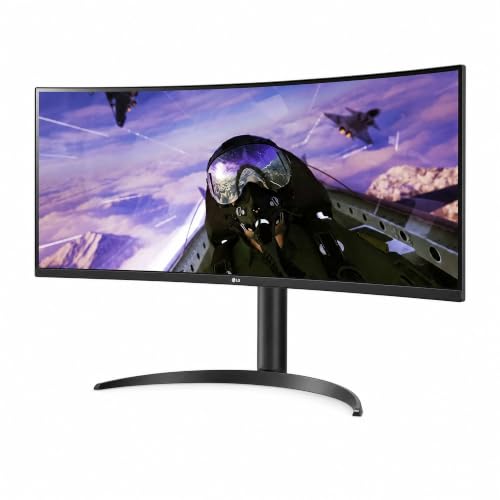
What's inside
- Where to buy
- Key Takeaways
- Quick Picks
- How did we choose the best 144 hertz monitors?
- What happened to 144Hz, the number that used to be the ceiling?
- How do the best 144 hertz monitors compare side by side?
- Should you stay at 1080p or step up to 1440p?
- How do FreeSync and G-Sync actually earn their keep?
- What else should a 144Hz-class desk get right?
- What mistakes do buyers of 144Hz-class monitors keep making?
- How should you set up a high-refresh monitor so it actually runs at speed?
- How long will a monitor from this class stay relevant?
- Which pick matches which player?
- Final Recommendation
- Frequently Asked Questions
- Related Guides
As an Amazon Associate I earn from qualifying purchases. This post may contain affiliate links at no extra cost to you.
gizmoverdict.com is reader-supported. When you buy through links on our site, we may earn an affiliate commission.
Where to buy
Each linked model name below leads to its Amazon listing, where the panel size, resolution and refresh specification of the exact unit can be confirmed before purchase. The best 144 hertz monitors occupy a strange position in 2026: 144Hz is the most searched-for refresh rate in gaming, the number a generation of players learned to want, and yet the shelves beneath that search are now stocked mostly with screens that refresh faster — 165Hz, 180Hz, beyond. Panel production moved on, the price of speed collapsed, and the honest guide’s job changed with it. This roundup therefore does two things at once: it honours the two genuine, native 144Hz monitors that still deserve a place in any serious list, and it labels the faster screens that now surround them with their real numbers, so that nobody pays for 144 and receives a mystery, or overlooks a better screen because its badge says 180.
The six picks divide by resolution as much as by rate. At 1080p there is LG’s UltraGear 24G414B, a native 144Hz IPS screen; BenQ’s ZOWIE XL2411P, the TN-panel esports veteran that is also a true 144Hz; and AOC’s 24G4, a Fast IPS screen running at 180Hz. At 1440p there is LG’s Nano IPS 27GP850-B at 165Hz, ASUS’s TUF VG27AQ3A at 180Hz, and Samsung’s Odyssey G5 in its 27-inch QHD form, also at 180Hz. Every rate in that paragraph is the manufacturer’s real figure, repeated in the spec boxes and the comparison table, because a guide to a number owes its readers arithmetic before adjectives.
Why mix resolutions in one guide at all? Because the search itself mixes them. Players type “144 hertz” while standing at a fork — stay at 1080p and feed high frames cheaply, or step to 1440p and buy the screen their next graphics card deserves — and a useful roundup should walk both paths honestly rather than pretending the fork is not there. The sections below keep the two paths clearly separated, pick by pick, so a 1080p buyer never accidentally falls for a QHD price, and a QHD buyer never mistakes a Full HD bargain for the upgrade they meant to make.
Key Takeaways
- Only two picks here are native 144Hz panels — the LG 24G414B at 1080p and the BenQ ZOWIE XL2411P — and both remain excellent buys precisely because the rate is honestly met.
- The other four picks refresh at 165Hz or 180Hz and are labelled with those figures everywhere; run at 144Hz they behave identically to a 144Hz screen, with headroom in reserve.
- Resolution is the real fork in this guide: 1080p picks are feedable by mid-range graphics cards today, while the 1440p picks ask more of your hardware and repay it in sharpness.
- Panel character differs more than refresh does at this level — Nano IPS colour, TN esports clarity and Fast IPS balance are three genuinely different pictures.
- Adaptive sync is universal across the six, in FreeSync and G-Sync-compatible forms, so tearing should not survive whichever pick you choose.
- Buy the screen for the graphics card you will own for most of its life, not the one on today’s desk alone; monitors outlive cards by years.
Quick Picks
| Pick | Badge | Why it earns its place |
|---|---|---|
| LG UltraGear 24G414B | True 144Hz, 1080p | The genuine article at Full HD: native 144Hz on an IPS panel with HDR10, both sync systems and a height-adjustable stand. |
| BenQ ZOWIE XL2411P | True 144Hz, esports TN | The tournament-bred option, with Black Equalizer and the raw motion clarity that competitive players still choose TN panels for. |
| AOC 24G4 | Above spec — 180Hz, 1080p | Fast IPS speed beyond the headline rate, with HDR, modern ports and a three-year warranty at a value position. |
| LG UltraGear 27GP850-B | Above spec — 165Hz, 1440p Nano IPS | The colour connoisseur’s route into high refresh, pairing QHD sharpness with Nano IPS richness and G-Sync compatibility. |
| ASUS TUF VG27AQ3A | Above spec — 180Hz, 1440p Fast IPS | TUF durability and Fast IPS response at QHD, with FreeSync Premium and the motion-clarity tools ASUS builds for fast games. |
| Samsung Odyssey G5 27-inch QHD | Above spec — 180Hz, 1440p curve | A curved QHD panel with HDR10 and FreeSync for players who want immersion to arrive with their extra frames. |
How did we choose the best 144 hertz monitors?
We began by separating the market into what it actually is rather than what its search term implies. Native 144Hz panels formed the first pool, and two survived a hard look at panel quality, ergonomics and maker support: an IPS all-rounder from LG and a TN esports specialist from BenQ’s ZOWIE line. Screens refreshing above 144Hz formed the second pool, admitted only where their price class genuinely overlaps the 144Hz shelf — which, in the current market, is most of the time — and only on condition that their real rates are printed wherever their names appear. Screens below 144Hz were excluded from this guide entirely; a generic 144Hz roundup is not the place to relitigate the comfort exceptions that narrower categories can argue for.
Within those pools, the judging criteria were the ones that survive contact with daily use. Motion behaviour came first: not the advertised response figure, but the panel family’s reputation for clean transitions at sensible overdrive settings. Colour came second, weighted differently by resolution — at 1080p, buyers split their hours between games and everything else; at 1440p, the screen is usually a deliberate upgrade, and its picture is the point. Ergonomics came third, because a monitor bought for years of evenings must fit a neck as well as a graphics card. Connectivity and sync coverage ran through every decision: DisplayPort for full-rate PC use, HDMI for the console or laptop that inevitably joins the desk, FreeSync and G-Sync compatibility so that neither GPU camp is punished.
We also weighed the ownership layer that specification sheets omit: the maker’s dead-pixel policy, the length of the warranty as actually written, the availability of firmware updates, and the quality of the on-screen menu you will wrestle with at midnight. None of these decided a pick alone, but they broke ties — and at this level of the market, where panels converge, ties are most of what a guide is for.
The final filter was distinctness of argument. Six picks that all whisper “fast and good” would be a disservice; these six argue six different cases — the honest all-rounder, the tournament tool, the value sprinter, the colour upgrade, the durable QHD workhorse, the curved immersion play. If your situation matches one argument clearly, your decision is already made, and the rest of the guide exists to confirm it rather than to confuse it.
What happened to 144Hz, the number that used to be the ceiling?
A decade ago 144Hz was the summit: the rate of tournament stages and flagship screens, priced like it. Then panel yields improved, the same production lines learned to bin faster panels cheaply, and the industry’s centre of gravity slid upward — first to 165Hz as a mild overclock, then to native 180Hz and beyond as the new default for gaming lines. The number 144 did not become slow; it became ordinary, and ordinariness in manufacturing is what makes things affordable. Today’s 144Hz-class buyer benefits twice over: genuine 144Hz panels are mature and keenly priced, and the faster panels cascading down from above land in the same price conversation, which is why four picks in this guide exceed the rate in its own title.
The practical meaning of that history is liberating rather than confusing. A monitor running at 144Hz delivers the full experience the search promises, whether its ceiling is 144 or 240; refresh ceilings only matter when the source can feed them. So the correct question is never “is this really a 144Hz monitor?” in the abstract — it is “what is this panel’s real ceiling, what will my hardware actually send it, and am I paying a premium for ceiling I will never touch?” This guide prints the ceilings, discusses the hardware frankly in each pick, and refuses to charge you, in attention or in money, for numbers that do not apply to your desk.
There is one more consequence worth naming. Because 144Hz is now the floor of serious gaming rather than its ceiling, everything else about these screens has had to improve to compete: colour, stands, ports, warranties. The two true-144Hz picks here are not museum pieces clinging to a famous number; they are fully modern monitors whose makers chose to hold the rate and compete on the whole product. That is a healthier market than the one that made 144Hz famous, and buyers are its beneficiaries.

LG UltraGear 24G414B — True 144Hz, 1080p
Here is the monitor for the buyer who reads the title of this guide as a contract. The 24G414B is a 24-inch UltraGear whose IPS panel refreshes at a native 144Hz at 1920×1080 — no overclock asterisk, no rounding, no apology. Around that honest core LG has built the complete modern package: FreeSync and G-Sync compatibility so either graphics camp gets tear-free frames, HDR10 support for video headroom, a built-in speaker for the desk that has no room for more boxes, and LG Switch software control so adjustments happen from the keyboard side of the screen. The stand adjusts for height as well as tilt, the ergonomic feature this guide treats as a proxy for whether a maker respects the buyer’s fifth year with the product as much as the first week.
The picture is the IPS argument in full: colour that stays truthful when a second person pulls up a chair, contrast that does not wash out from the side of a sofa, and text that stays clean during the working day that most of these screens also serve. UltraGear tuning keeps games lively without pushing saturation into caricature, and the overdrive behaviour is the disciplined kind — motion sharpens, halos stay home. For the player whose card is mid-range and whose ambitions are honest, this is the screen that asks nothing further: feed it 144 frames, and it shows you 144 frames, on a panel that flatters everything else you will ever display on it.
Its limits are the limits of its category, stated plainly. Full HD at 24 inches is sharp; it is not the crystalline text of 1440p, and buyers who spend their days in dense documents may prefer the QHD picks below. The speaker is a convenience, not a cinema. And players who already know their next card will push well past 144 frames in their favourite titles should look at the headroom picks rather than buying a ceiling they intend to hit. Within the brief as written, though, this is the reference: the genuine 144Hz monitor against which every faster badge in this guide must justify its premium.
- Panel: 24-inch IPS, 1920×1080
- Refresh rate: 144Hz native
- Sync: AMD FreeSync and NVIDIA G-Sync compatible
- Extras: HDR10, built-in speaker, LG Switch control, height and tilt stand
Strengths
- The exact specification, delivered natively
- Height adjustment included at this level
- IPS picture serves work as well as play
Trade-offs
- No headroom above 144Hz for future cards
- 1080p text is good, not QHD-crisp
- Speaker suits calls more than films
Best for: mid-range PC and console players who want the promised rate with no fine print. Not suited for: buyers planning a near-term jump to high-frame-rate 1440p play.

BenQ ZOWIE XL2411P — True 144Hz, esports TN
The XL2411P is the elder statesman of this list, and its age is its credential. ZOWIE’s XL series furnished tournament stages for years, and this 24-inch TN panel at a native 144Hz is the distilled version of that lineage: no curved glass, no HDR theatre, nothing between the player and the frame. TN technology, long dismissed for its colour shift and viewing angles, survives in exactly one arena — competitive play — because its pixel transitions remain exceptionally clean and its behaviour under pressure is a known quantity to the players who built their habits on it. Black Equalizer lifts detail from dark corners without washing out the whole scene, a feature born from tournament feedback rather than a marketing brainstorm.
Understand what you are choosing. Sat beside the IPS picks in this guide, the ZOWIE’s picture will look restrained: colours are accurate enough for games but not lush, and a viewer standing to the side will see the TN shift that IPS abolished. The stand, by contrast, is a professional tool — full height and tilt adjustment designed for players who set their screen position as deliberately as their sensitivity. Connectivity covers the DisplayPort route that full-rate PC play requires, and the whole product carries the pleasant dullness of equipment designed to be used hard and understood completely. There are no speakers to speak of and no lifestyle features competing for the budget; every penny went to the panel’s behaviour in a firefight.
So the XL2411P is a values pick in the philosophical sense: it is for the player who has decided that motion clarity and proven tournament ergonomics outrank colour richness, and who would rather own the classic tool than the fashionable one. Players who split their hours between competition and cinema should take the LG above or the AOC below. Players for whom the match is the content will find that this veteran still speaks their language fluently — at exactly 144Hz, as promised, with nothing dressed up and nothing hidden.
- Panel: 24-inch TN, 1920×1080
- Refresh rate: 144Hz native
- Sync: adaptive-sync support for PC play
- Extras: Black Equalizer, full ergonomic stand, DisplayPort for full-rate play
Strengths
- Tournament-proven motion clarity
- Stand adjustment built for serious setups
- Dark-scene detail tools from esports feedback
Trade-offs
- TN colour and viewing angles trail the IPS picks
- No lifestyle extras or meaningful speakers
- Design is equipment, not furniture
Best for: competitive players who prioritise motion clarity above picture luxury. Not suited for: film lovers, photo work, or shared viewing from wide angles.

AOC 24G4 — Above spec: 180Hz, 1080p
AOC built its gaming reputation on a simple observation: most buyers would rather have the faster panel than the famous badge. The 24G4 is that philosophy at 24 inches — a Fast IPS panel at 1920×1080 refreshing at 180Hz, thirty-six frames beyond this guide’s headline, with a 1ms-class response, HDR support and adaptive-sync to keep the extra frames clean. Fast IPS matters here because it answers the old TN bargain: AOC is offering competitive speed without asking the buyer to surrender IPS colour and viewing angles to get it, and for the majority of players that trade, once offered, is accepted immediately and never revisited.
The supporting details are the ones value brands sometimes skip and AOC, to its credit, did not. DisplayPort 1.4 and HDMI 2.0 cover full-rate connections from PC and console alike, the VESA mount accepts the arm that the tilt stand makes you want, and a three-year warranty stands behind the panel — a meaningful promise at this end of the market, where warranty length is often where the savings were taken from. The design is slim-bezelled and desk-friendly rather than extrovert, which suits the second-monitor futures and shared rooms that 24-inch screens so often end up in.
Who should take the AOC over the true-144Hz LG above? The player whose card already flirts with 180 frames in their main titles, the buyer who keeps monitors for many years and wants the ceiling out of the way, and anyone for whom the two screens are priced within a whisker — at parity, the extra refresh is free headroom. Who should not? The buyer who values the LG’s height-adjustable stand and software polish more than frames they may not feed. Both are defensible; this guide’s only insistence is that the choice be made with the real numbers, 144 and 180, in plain sight — which is how they appear here.
- Panel: 24-inch Fast IPS, 1920×1080
- Refresh rate: 180Hz — above this guide’s 144Hz headline, stated openly
- Sync: Adaptive-Sync
- Extras: HDR, DisplayPort 1.4 and HDMI 2.0, VESA mount, three-year warranty
Strengths
- Fast IPS speed without the TN colour sacrifice
- Warranty length leads the value class
- Modern ports cover PC and console at full rate
Trade-offs
- Stand adjusts for tilt; height needs an arm
- Brand polish trails LG and Samsung
- Extra refresh is headroom, not magic, on weak cards
Best for: value-focused players who want competitive speed and IPS colour together. Not suited for: buyers who need height adjustment included in the box.

LG UltraGear 27GP850-B — Above spec: 165Hz, 1440p Nano IPS
Cross to 1440p and the conversation changes from speed alone to speed with a picture worth slowing down for. The 27GP850-B pairs a 27-inch QHD Nano IPS panel with a 165Hz refresh — above this guide’s headline rate, and labelled so — plus G-Sync compatibility and FreeSync support, HDR400-class presentation, and the wide, rich colour gamut that Nano IPS film exists to deliver. This is the pick for the player who edits photos on the same screen they game on, who notices when reds go orange and skies go flat, and who has been waiting for high refresh to stop asking for a colour sacrifice as its entrance fee. That wait, on the evidence of this panel, is over.
The QHD resolution earns its keep in two distinct ways. In games, 2560×1440 at 27 inches renders fine detail — distant targets, textured armour, readable HUDs at smaller scales — with a clarity that 1080p cannot imitate, while remaining feedable at high frame rates by strong mid-range and upper-tier graphics cards, especially with modern upscaling helping. At the desktop, the extra pixels are pure working room: two documents genuinely side by side, timelines and spreadsheets that show their whole shape, text with the crispness that makes long reading days easier. The 165Hz ceiling sits sensibly in this company — beyond the 144 of the title, within reach of the hardware that QHD implies, and high enough that motion feels liquid rather than merely quick.
Be honest about the hardware bill, because this guide is. A card that holds 144 frames at 1080p will not automatically hold them at 1440p; the pick assumes an upgrade made or planned, and buyers still on entry-level graphics should take the 1080p route and revisit QHD when the card changes. The stand is a full ergonomic design, the connectivity is gaming-grade, and the whole product has the finished feel of LG’s flagship-adjacent tier. For the colour-led buyer stepping up in both resolution and rate at once, this is the most complete single purchase in the guide.
- Panel: 27-inch Nano IPS, 2560×1440
- Refresh rate: 165Hz — above this guide’s 144Hz headline, stated openly
- Sync: G-Sync compatible and AMD FreeSync
- Extras: Wide Nano IPS colour gamut, HDR400-class support, full ergonomic stand
Strengths
- Colour richness leads this entire roundup
- QHD sharpness transforms desktop work
- 165Hz is well matched to QHD hardware
Trade-offs
- Demands a strong graphics card to shine
- Costs more than every 1080p pick here
- HDR presentation is tasteful, not theatrical
Best for: colour-conscious players upgrading to 1440p with hardware to feed it. Not suited for: entry-level graphics cards, or buyers whose desk cannot fit 27 inches.

ASUS TUF VG27AQ3A — Above spec: 180Hz, 1440p Fast IPS
If the LG 27GP850-B is the artist’s route into QHD speed, the TUF VG27AQ3A is the engineer’s. ASUS’s TUF line sells durability as a feature — products built to be transported, knocked, and run daily without complaint — and this 27-inch Fast IPS QHD panel refreshes at 180Hz, with FreeSync Premium support and the motion-clarity toolkit that ASUS refines across its gaming range, including its extreme low motion blur technology for players who want strobed sharpness in bright, fast titles. The 1ms-class response is delivered by a panel family tuned for exactly the tracking shots and flick aims that expose slower screens.
What distinguishes the TUF in daily use is balance rather than a single superlative. The colour is strong IPS colour — vivid enough for games and video, honest enough for general creation — without the Nano IPS premium attached. The stand covers the ergonomic essentials, the port selection handles a PC at full rate over DisplayPort and consoles over HDMI without negotiation, and the build has the dense, unbothered feel that makes TUF products popular with students, LAN-goers and anyone whose monitor travels more than furniture should. ASUS’s gaming software and on-screen tools are mature, and its shadow-boosting options are genuinely useful in the dark corners of competitive maps, where seeing first is the whole game.
Set against the LG QHD pick, the trade is clear-eyed: surrender a measure of colour gamut and flagship finish, gain a faster ceiling, a tougher product culture and, typically, a friendlier position in the price ladder. Set against the 1080p picks, it is the deliberate upgrade — the screen for the buyer who has decided that this purchase is the five-year one, and who would rather stretch once for resolution and rate together than buy a stepping stone. In a guide named for 144 hertz, the VG27AQ3A’s honest 180 is not excess; it is the sound of the category’s centre moving, and of a maker pricing that movement within reach.
- Panel: 27-inch Fast IPS, 2560×1440
- Refresh rate: 180Hz — above this guide’s 144Hz headline, stated openly
- Sync: AMD FreeSync Premium
- Extras: ELMB motion-clarity technology, shadow-boost tools, TUF build
Strengths
- Fast IPS response at QHD with a high ceiling
- Durability culture suits travelled, shared setups
- Balanced colour without the flagship premium
Trade-offs
- Colour gamut sits below the Nano IPS pick
- Needs strong hardware to feed QHD at speed
- TUF styling is functional rather than elegant
Best for: players wanting one durable QHD screen to serve for years. Not suited for: colour-critical creators, or entry-level graphics hardware.

Samsung Odyssey G5 27-inch QHD — Above spec: 180Hz, 1440p curve
Samsung’s Odyssey line believes a gaming screen should feel like an event, and the 27-inch QHD Odyssey G5 makes that case at 180Hz with a curved panel that wraps the edges of your vision just enough to matter. The curve is the argument: at a normal desk distance, a gentle arc keeps the screen’s corners at a more even distance from your eyes than a flat panel does, which fast games translate into peripheral information arriving with less effort — the rival at the edge of the map, the minimap’s flicker — while films and racing titles gain a sense of enclosure that flat screens describe but do not deliver. HDR10 support and FreeSync round out a specification aimed squarely at immersion with its frames intact.
The QHD resolution is doing quiet work here, too. Curved panels at 1080p can look coarse at 27 inches; at 2560×1440 the pixel density keeps the image fine-grained across the whole arc, so the curve reads as depth rather than distortion. Samsung’s gaming interface is among the most polished in the business, its black-equalising tools are tuned by a maker that also builds the televisions many players graduate from, and the Odyssey design language — sculpted stand, assertive rear — will either delight you or be hidden by the wall it faces, depending on your desk’s geography. Colour is vivid, entertainment-first tuning; creators chasing reference accuracy should look to the LG pick, while players chasing atmosphere will find this screen’s priorities exactly aligned with theirs.
As the closing pick of the roundup, the G5 represents the fork’s far bank: the buyer who has decided that the upgrade purchase should change how games feel, not only how they measure. Its 180Hz is labelled honestly, its curve is a genuine experiential difference rather than a specification to be collected, and its demands — a strong card, a desk with depth for the stand — are the honest price of the immersion it sells. If flat and fast has begun to sound like more of the same, this is the screen that argues the category still has new sensations in it.
- Panel: 27-inch curved, 2560×1440
- Refresh rate: 180Hz — above this guide’s 144Hz headline, stated openly
- Sync: AMD FreeSync
- Extras: Curved immersion design, HDR10, Odyssey gaming interface
Strengths
- Curve adds real peripheral ease in fast games
- QHD density keeps the arc looking fine
- Entertainment tuning flatters films and racing
Trade-offs
- Curve divides opinion for document work
- Colour tuning favours vibrancy over reference accuracy
- Stand footprint asks for desk depth
Best for: immersion-led players upgrading to QHD who play at a dedicated desk. Not suited for: colour-critical work, or desks where the screen must sit flush and flat.
How do the best 144 hertz monitors compare side by side?
| Pick | Resolution and panel | True refresh | Stand | Choose it for |
|---|---|---|---|---|
| LG UltraGear 24G414B | 1080p IPS, 24-inch | 144Hz native | Height and tilt | The honest all-rounder |
| BenQ ZOWIE XL2411P | 1080p TN, 24-inch | 144Hz native | Full ergonomic | Tournament motion clarity |
| AOC 24G4 | 1080p Fast IPS, 24-inch | 180Hz — above spec | Tilt, VESA ready | Value speed with IPS colour |
| LG UltraGear 27GP850-B | 1440p Nano IPS, 27-inch | 165Hz — above spec | Full ergonomic | Colour-led QHD upgrade |
| ASUS TUF VG27AQ3A | 1440p Fast IPS, 27-inch | 180Hz — above spec | Ergonomic essentials | Durable QHD workhorse |
| Samsung Odyssey G5 27-inch | 1440p curved, 27-inch | 180Hz — above spec | Odyssey stand | Curved immersion |
The table is the guide in miniature: two screens that meet the title exactly, four that exceed it and say so, two resolutions with an honest hardware conversation attached to each. Choose by the row that describes your desk and your graphics card, not by the biggest number in the refresh column.
Should you stay at 1080p or step up to 1440p?
This is the decision underneath the whole guide, so it deserves direct treatment rather than a shrug toward the table. Stay at 1080p if your graphics card is mid-range or older, if your favourite games are competitive titles where frame rate outranks scenery, if your desk fits 24 inches more happily than 27, or if the money saved funds something else in the setup — a better chair, a second screen, the arm that fixes your posture. The 1080p picks here are not compromises wearing a brave face; at their size, Full HD is sharp, and the frame rates they unlock are the highest your hardware will ever show you. A great many professional players, with unlimited budgets, choose this configuration on purpose, which should end any embarrassment about choosing it on a budget.
Step up to 1440p if the screen is also your window for everything else: documents, photographs, video editing, the sprawling strategy map, the flight simulator’s instrument panel. QHD at 27 inches is the current sweet spot of desktop computing for a reason — text gains the crispness that makes long days easier, games gain a layer of fine detail that no setting at 1080p can synthesise, and the hardware needed to feed it, while real, has become attainable rather than exotic. The step is best taken deliberately and once: buyers who buy a “temporary” 1080p screen while saving for QHD usually end up owning both purchases’ worth of regret, whereas buyers who stretch to the right QHD panel — the LG for colour, the ASUS for durability, the Samsung for immersion — tend to keep it through two graphics cards and remember the stretch as the smart part.
One honest complication: the two paths feel different in motion. At equal frame rates, the 1080p screen’s image is softer but its frames arrive exactly as often; the QHD screen’s image is finer but demands more from the card to keep those frames coming. Players sensitive to frame-rate dips should weight the first fact; players sensitive to aliasing and shimmer should weight the second. There is no universal winner, which is precisely why this guide keeps both paths fully stocked with serious picks instead of treating one as the answer and the other as the apology.
How do FreeSync and G-Sync actually earn their keep?
Adaptive sync solves a specific ugliness. Without it, a monitor refreshes on its own metronome while the graphics card finishes frames on its own schedule, and when the two disagree mid-refresh the screen shows halves of two different frames at once — the tear that crawls through fast camera pans. Variable refresh makes the monitor wait for the frame, within its operating range, so the image stays whole; when frame rates fall below the range, modern implementations repeat frames to stay smooth rather than surrendering. The result is not higher frame rates but cleaner ones, and at the 144Hz class — where players push settings until their cards strain — that cleanliness is the difference between speed that feels premium and speed that feels broken.
The branding divide matters less than it once did. FreeSync, AMD’s open approach, appears across this guide, including on the Samsung and ASUS picks; G-Sync compatibility, NVIDIA’s certification of adaptive-sync panels, appears on the LG models and effectively covers the other camp. In practice, a current graphics card from either maker will drive any of these six screens with tear-free high-refresh play over DisplayPort, and the remaining differences are in edge cases — very low frame-rate behaviour, specific console pairings — rather than in the main event. Buy the panel you want; the sync will follow. The exception to keep in mind is the console on the desk: consoles speak their own sync dialect over HDMI, and the picks’ HDMI behaviour, discussed in their sections, is what governs that experience.
One setting completes the picture. Adaptive sync works within a window, so players who want its benefits at all times pair it with a frame-rate cap a few frames below the panel’s ceiling, set in the driver or the game. It is a thirty-second configuration that turns a good high-refresh setup into a consistently tear-free one, and it belongs in the first-evening routine of every pick in this guide.
What else should a 144Hz-class desk get right?
The monitor is the headline, but the desk decides whether the headline stays enjoyable. Viewing distance for these sizes is roughly an arm’s length; closer, and even QHD pixels begin to declare themselves, while the curved Samsung wants to sit at the distance its arc was designed around. Lighting matters more at high refresh than buyers expect, because a fast panel in a dark room with a bright screen is a recipe for the eye fatigue that then gets blamed on the refresh rate — a modest bias light behind the screen, or simply a lamp in the room, keeps pupils and picture in balance. Matte panels, which all six picks effectively are, forgive the window behind the chair; glossy showpieces would not.
Sound deserves one honest paragraph. The LG 24G414B’s built-in speaker covers calls and casual video; most other picks expect external audio, and for gaming that expectation is fair — a modest set of desktop speakers or a decent headset transforms game audio more than any monitor feature ever will. Budget for it if your current plan is “the monitor will handle sound”, unless your pick is the one that actually can. Similarly, if a second screen is in your future — and at these prices it often is — the slim bezels and VESA mounts across this list are not decoration; they are the difference between a dual setup that looks designed and one that looks accumulated.
Finally, keep the paperwork. Warranty lengths differ across this guide — AOC’s three-year cover was noted in its section for a reason — and the dead-pixel policy of the maker is the document you will want in the unlikely week you need it. Register the product, keep the receipt with the serial number, and run the plain-colour screen check described in our setup guidance during the first week. Five minutes of administration, traded against years of cover, is the best exchange rate in this entire article.
What mistakes do buyers of 144Hz-class monitors keep making?
The first is buying resolution and refresh as if they were independent, then discovering the graphics card must pay for both at once. A 1440p screen at high refresh is a commitment to a class of hardware; buyers who skip that arithmetic end up running their beautiful new panel at the settings of their old one, and blaming the monitor. The second mistake is the eternal one: never changing the refresh setting. Screens ship and systems default conservatively, and a 180Hz monitor left at 60Hz is an expensive way to stand still. The third is judging motion by a showroom or a specification sheet’s response figure, rather than by the panel family’s behaviour at its middle overdrive setting, which is where real play happens.
Fourth, players buy TN out of habit or IPS out of fashion without asking which picture their hours actually need — the ZOWIE and the Nano IPS LG in this guide are both excellent, and they are excellent for almost opposite buyers. Fifth, the stand gets ignored until the neck complains; if the pick you love tilts only, budget the arm in the same purchase and the problem never exists. Finally, there is the premium trap this guide was written against: paying extra for a towering refresh ceiling while owning hardware that will never feed it. Headroom is worth having when it is cheap. It is worth nothing as a luxury tax.
How should you set up a high-refresh monitor so it actually runs at speed?
Use DisplayPort for a PC connection wherever the choice exists, and the cable that arrived in the box — it is the one combination the maker has certainly tested at the panel’s full rate. Set the refresh explicitly in the operating system’s advanced display settings and confirm it in the graphics driver’s control panel, because the two occasionally disagree and the lower figure wins arguments silently. Enable adaptive sync in the monitor’s menu, then set overdrive to its middle option and play a familiar fast title for ten minutes; only if motion still smears should you step the overdrive up, watching for bright fringing around moving edges as the sign you have gone one step too far. Console owners should enable the high-frame-rate output in the system settings and then in each game’s own menu, since the two switches are separate and both are required. Finish by positioning the screen properly — top edge near eye level, roughly an arm’s length away, the curve picks a touch closer — and the setup is done. Everything after that is preference, and preference can evolve at leisure.
One verification habit separates satisfied owners from quietly disappointed ones: confirm the delivered rate with the monitor’s own on-screen information display or the operating system’s advanced settings page, not with how the game feels. Feel is a lagging indicator — a screen stuck at 60Hz can feel fine for weeks if the old screen was worse — while the settings page cannot be argued with. Check it once, on the first evening, and the rest of the monitor’s life is spent enjoying a certainty instead of an assumption.
How long will a monitor from this class stay relevant?
Longer than almost any other component in the setup, and that longevity should shape how you buy. Graphics cards age in two-year strides; a good monitor’s picture, ports and ergonomics remain current through several of those strides, because display interfaces change slowly and the human eye’s requirements do not change at all. The picks here use the current standard connections, carry the sync systems both GPU makers support, and sit at resolutions that games will target for years. A buyer who stretches slightly for the right panel — the stand that fits, the resolution that matches the next card, the warranty that runs longest — is usually making the cheapest purchase in the whole setup when the cost is divided by the years it will serve.
The honest limit is the ceiling. A 144Hz-native screen will still be a fine screen in five years, but it will not become a 240Hz screen, and players who suspect their ambitions are heading that way should buy the headroom now, while it is priced as a commodity rather than a flagship. That is the final reason this guide mixes native and above-spec picks without embarrassment: the right ceiling is a prediction about your own future, and predictions differ. Make yours deliberately, and the monitor will reward you by disappearing — the best equipment does — into years of evenings where the picture was simply never the problem.
Which pick matches which player?
The ranked-competitive player, the one whose evening is a ladder and whose settings are already stripped to performance, has two honest homes here: the ZOWIE, if motion clarity is a religion and the desk is a cockpit for one; or the AOC, if the same speed is wanted with an IPS picture for the hours between matches. Both feed easily from mid-range cards, both keep the budget in the parts of the setup that also matter — the mouse, the chair, the second screen for the stream.
The all-rounder with a strong card and a varied library — shooters on Friday, a sprawling role-playing world on Sunday, photo sorting in between — belongs at 1440p, and the only real question is flavour: the LG 27GP850-B if colour is the sense they trust most, the ASUS TUF if the screen will travel to friends and LANs and must shrug off the journey, the Samsung if the desk is a dedicated gaming corner where immersion is the point of the furniture. None of the three will embarrass the others’ owners; they are three temperaments wearing similar specifications.
The console-first player should read this guide from the 1080p end and stop early: the LG 24G414B gives them the full 120Hz their console can send, on a panel that will also serve the laptop, with a stand that fits a bedroom desk. And the deliberate minimalist — one screen, bought once, kept for years, no drama — is the ASUS TUF’s natural owner at QHD or the LG’s at 1080p, depending entirely on the graphics card that will feed it. Naming your player type honestly is worth more than any single specification in this article, because every pick here is the best answer to one of those descriptions and a mediocre answer to the others.
Final Recommendation
If the title of this guide is your whole brief, buy the LG UltraGear 24G414B and stop reading: native 144Hz, IPS colour, both sync systems and a proper stand, from the line that defines the class. If your brief is competitive play and nothing else, the ZOWIE XL2411P remains the purist’s tool at the same honest rate. The AOC 24G4 is the value answer when its 180Hz sits near 144Hz money. And if this purchase is really the upgrade — new resolution, new rate, new five-year screen — the LG 27GP850-B is the colour-led choice, the ASUS TUF the durable all-rounder, and the curved Samsung the one that changes how the room feels at midnight. A famous number brought you here; the right screen is the one whose real numbers, all of them, match the desk and the hardware waiting at home.
Frequently Asked Questions
Are refurbished or older-generation 144Hz monitors a sensible buy?
They can be, because this class is mature and its panels age slowly. Apply the same audit as for a new screen — native rate, panel type, ports, stand — and add two checks: the remaining warranty, and the seller’s dead-pixel and return terms, since a used panel’s sample quality is the main unknown. A previous-generation UltraGear or TUF in verified condition is often a smarter purchase than a new screen from an unknown badge.
Does refresh rate matter for older or slower games?
More than their age suggests. Classic titles often run at very high frame rates on modern hardware, so a 144Hz-class screen shows them at a fluidity their original players never saw, and even mouse-driven strategy and simulation games feel calmer. The benefit is not reserved for new releases; in some ways the back catalogue is where a high-refresh monitor shows off most, because the hardware finally outruns the software completely.
What frame rate should I cap for the smoothest result?
Set the cap a few frames below your panel’s ceiling — just under 144 on the native picks, just under the labelled ceiling on the faster ones — using the graphics driver or the game’s own limiter. Paired with adaptive sync, that small margin keeps the monitor inside its variable-refresh window at all times, which is where motion is both fastest and cleanest.
Will these monitors work with a gaming laptop?
Yes, provided the laptop’s output can carry the signal: a DisplayPort connection, including USB-C with DisplayPort alternate mode through a suitable dock or cable, is the reliable route to full rate and resolution. Check the laptop’s port specification before assuming a dock passes the full QHD high-refresh signal, since inexpensive hubs are a common bottleneck.
Is a 180Hz monitor better than a 144Hz monitor?
Only if your hardware feeds it the extra frames and your eyes play the games that show them. At the same delivered frame rate the two are indistinguishable, which is why this guide labels ceilings honestly and judges the whole product — panel, stand, colour, warranty — rather than crowning the biggest number.
Can my graphics card run 1440p at high refresh rates?
That depends on the card and the game. Strong mid-range and upper-tier cards can hold high frame rates at 1440p in many titles, especially with modern upscaling enabled; entry-level cards are happier at 1080p. The honest sequence is to check your card against your favourite games first, then choose the resolution row of the comparison table that matches.
Why would anyone still buy a TN panel like the ZOWIE?
Because in competitive play, motion clarity and proven behaviour under pressure can matter more than colour richness, and TN panels earned their tournament reputation honestly. It is a specialist’s choice — the section above is explicit about what it gives up — but specialists are allowed to be right.
Do I need DisplayPort, or is HDMI enough for 144Hz?
Modern HDMI can carry these rates at these resolutions, and consoles rely on it. On PC, DisplayPort remains the zero-doubt route to a panel’s full ceiling, including the 165Hz and 180Hz figures here, so prefer it whenever your card offers the port.
Is 27 inches too big for 1080p, or too small for 1440p?
Twenty-seven inches is where 1080p starts to look coarse at desk distances and where 1440p looks just right, which is exactly why this guide’s 27-inch picks are all QHD and its 1080p picks are all 24-inch class. Size and resolution should be chosen together, as the table does.
Should console players buy from this guide at all?
Yes, with one adjustment of expectation: consoles cap at 120Hz, so every pick here will run below its PC ceiling on a console, and the 1080p models are the natural match. The screens still deliver their panel quality, sync and ergonomics — only the top slice of refresh waits for a PC to arrive.
Is 144Hz still the right target, or should you skip to 180Hz or 240Hz?
144Hz remains the point where the improvement is unmistakable and the hardware demands stay modest, which is why this guide treats it as the sensible floor rather than a compromise. The steps above it are real but narrower: the jump from 144Hz to 180Hz is a refinement most players feel only in the fastest pans, and 240Hz rewards a small set of competitive titles and the graphics cards that can feed them. Buy 144Hz when the rest of the system is mid-range and spend the difference on the panel’s ergonomics; buy above it when your frame rates already live there and the monitor is the only bottleneck left.
Related Guides
Continue with the neighbouring shelves: best 1080p monitors 120Hz for the console-matched class, best 1440p 165Hz monitors for the QHD speed specialists, and best 1080p 240Hz monitors for the esports ceiling.
Related guides
- Best 1440p 165Hz Monitors: One Native 165Hz Pick, Three 180Hz Upgrades, an Overclock Headline and a 160Hz Ultrawide
- Best 144 Hz 27in Monitors: Six 27-Inch Screens That Go Beyond the Label
- Best 1440p IPS Monitors
- Best 1080p Monitors 120Hz: Two Native 120Hz Picks, a Labelled 100Hz Comfort Option and Honest Headroom Above the Rate