What's inside
- Key Takeaways
- Quick Picks
- How We Chose These Picks
- What Does USB-C Power Delivery Actually Promise?
- 65W or 100W: Which Ceiling Is Yours?
- How Should You Build a One-Charger Setup That Actually Works?
- How Do Port Layouts Change Daily Life at a Desk?
- What Does a Week With the Wrong Charger Feel Like?
- How Should You Choose Cables for These Chargers?
- What Changes When the Whole Household Standardises on USB-C?
- How Do You Read a USB-C Charger Listing Without Being Misled?
- What Should Students and First-Home Buyers Choose?
- When Should You Replace a Working USB-C Charger?
- How Does a Charger Behave Across a Whole Working Day?
- What About Charging From the Couch, the Kitchen and the Garden Office?
- Why Do Two 65W Chargers Charge the Same Phone at Different Speeds?
- What Should You Do in the First Evening With a New Charger?
- How Does This Guide Relate to the GaN Guide’s Verdicts?
- What Does the Charger Drawer Look Like After Standardising?
- Six Blocks, Two Ceilings: The USB-C Line-Up Side by Side
- What Mistakes Do USB-C Charger Buyers Keep Making?
- Final Recommendation
- Frequently Asked Questions
- Related Guides
As an Amazon Associate I earn from qualifying purchases. This post may contain affiliate links at no extra cost to you.
gizmoverdict.com is reader-supported. When you buy through links on our site, we may earn an affiliate commission.
Where to buy: Use the Amazon link in the Quick Picks table or beneath a pick’s review heading, and check price on Amazon on the listing itself. Chargers with near-identical names differ in port counts and wattage, so match the listing title to the review before ordering.
The best usb c chargers have quietly become the only chargers most households need: one compact block that fast-charges the phone, feeds the tablet and runs the laptop, because USB-C Power Delivery turned a drawer of incompatible bricks into a single standard. The six picks here cluster at the two outputs that matter most — 65W for the everyday pile, 100W for the heavier desk — from the makers who define the category, and the reviews sort them by port layout and daily behaviour rather than by headline watts alone.
Notice what is absent from this guide: the giant desktop charging stations with a dozen ports, and the tiny phone-only cubes at the other extreme. Both are legitimate products for other questions. This guide stays in the broad middle where most households live — one person or one family, a handful of devices, a charger that might reasonably be the only one they own — because that is the question the keyword asks and the answer most readers came for.
Why 65W dominates is worth understanding before the picks. It is enough for ultrabooks at full pace, more than any phone can drink, and small enough in modern GaN designs to live in a pocket. The 100W models earn their place when a bigger laptop or a three-device desk enters the picture. Everything below is an argument about which of those two lives is yours, conducted through six specific, verified chargers.
Key Takeaways
- 65W is the everyday answer: full pace for ultrabooks, generous headroom for phones and tablets.
- Anker’s 65W three-port block is the anchor pick — one charger for the standard laptop-phone-accessory pile.
- The Anker Nano 65W trades ports for the smallest foldable body in this guide.
- UGREEN’s Nexode 65W is the three-port alternative with its own GaN II design.
- Satechi’s 100W is the single-cable purist’s pick: one port, full power, no splits to think about.
- Anker’s Prime 100W and Belkin’s 65W return from our GaN guide, judged here on desk layout and travel fit.
Quick Picks
| Pick | Badge | Why it earns its place |
|---|---|---|
| Anker 65W 3-Port USB C Charger | Everyday anchor | 65W across three ports in a compact foldable block — the default one-charger answer. |
| Anker Nano 65W GaN II PPS | Smallest 65W | A foldable pocket charger with PPS support, built for one device at full speed. |
| UGREEN Nexode 65W (3-Port) | Three-port rival | UGREEN’s GaN II design spreads 65W across three ports in a compact body. |
| Satechi 100W USB C PD GaN Wall Charger | Single-cable purist | One port, the full 100W, no split arithmetic — a laptop’s dedicated supply. |
| Anker Prime Charger 100W (3-Port) | Desk layout pick | Three ports arranged for a permanent desk setup at 100W. |
| Belkin 65W Compact USB C Charger | Travel-kit fit | PD 3.1 and PPS in the compact block that disappears into a travel kit. |
How We Chose These Picks
We started from verified listings and filtered for chargers a household would actually standardise on: USB-C Power Delivery as the core standard, PPS where phones benefit, foldable or compact bodies, and port layouts that match real device piles. The field narrowed quickly to two wattage bands, and we let it — a guide with six near-identical 65W blocks and no 100W option would fail the desks that need one, and vice versa.
Two picks are shared with our GaN chargers guide, deliberately and transparently: the Anker Prime 100W and the Belkin 65W appear in both because both questions — which GaN charger, which USB-C charger — legitimately lead to them. Here they are judged on different grounds, port layout and travel fit respectively, and their reviews below are written for this guide’s questions, not recycled from the other one’s answers.
We also kept one single-port charger in a multi-port world. The Satechi’s refusal to split is a feature for a defined job, and its presence disciplines the rest of the guide: every multi-port pick must justify its splits against the purity of one port delivering everything to one machine.
What Does USB-C Power Delivery Actually Promise?
Power Delivery is the negotiation language between charger and device: they agree a voltage and a current the device can accept, and the charger supplies exactly that, up to its ceiling. It is why one block can sip-feed earbuds at a trickle and drive a laptop at 65W an hour later without either device being at risk — the device asks, the charger answers, and neither shouts. PPS refines the conversation for many Android phones, letting the charger adjust in fine steps so the phone sustains its fast charge with less heat.
The practical consequence for buyers is liberating: within the PD world, compatibility is broad and safety is built into the handshake. Your job is only to match ceilings — a charger at or above your hungriest device’s appetite — and to use cables rated for the power you intend to move. The chargers here all speak PD fluently; the differences that remain are size, ports, splits and standards currency, which is where this guide spends its attention.
65W or 100W: Which Ceiling Is Yours?
Answer with your laptop, then adjust for company. Ultrabooks, MacBook Air-class machines and Chromebooks live at or below 65W and charge at full pace from the 65W picks even with a phone alongside taking a modest share. Larger laptops — the Pro-class and gaming-leaning machines — want the 100W band when they work hard, though many will still charge respectably at 65W while used lightly or overnight.
Company changes the sums. A 65W pool shared by a laptop, a fast-charging phone and a tablet is a pool divided three ways, and the laptop’s portion can fall below its happy rate during the phone’s hungry first half hour. If your desk routine is genuinely simultaneous, the 100W three-port pick buys calm. If your devices take turns — laptop by day, phone overnight — 65W is not a compromise at all, and its smaller bodies travel better.
There is a third answer hiding between the bands: owning both, once, deliberately. A 100W block anchored at the main desk and a 65W unit living in the bag covers every pattern this guide describes, and the pair together usually costs less than the years of small compromises either one alone would have imposed. Households that expect to keep their devices for several cycles should price the pair before pricing either single charger twice.

Anker 65W 3-Port USB C Charger — Everyday anchor
Anker lists this block plainly — a 65W maximum, three ports, compact and foldable — and plainness is its virtue: this is the charger that defines the everyday category, the one a household buys twice and stops thinking about. The laptop takes its full ultrabook pace, the phone fast-charges beside it, and the third port absorbs the rotating cast of earbuds, watches and handhelds that make modern desks untidy.
Its behaviour across a week is the argument. At the desk it replaces the laptop’s bundled brick without ceremony; in the bag it folds flat and weighs like an accessory rather than equipment; on the nightstand it covers the overnight pile without a power strip. Anker’s long production run with this class of charger shows in the details — prongs that fold with a positive feel, a face laid out so cables do not fight each other, heat that stays in the warm-not-hot register through long sessions.
Its ceiling is the honest limit: a big laptop working hard while a phone sprints will divide the 65W into portions neither loves, and that household should step to the 100W picks below. For the far larger group whose flagship device is an ultrabook, this is the reference purchase of the guide — the one the others must beat on a specific ground to displace.
There is a reason this model class appears in so many households’ drawers as the second charger as well as the first: it is the unit people buy again after losing one, lend without anxiety and recommend without caveats. Anchors earn that status by being adequate everywhere and wrong nowhere, and in a category where the wrong charger is a daily irritant, adequate-everywhere is a genuinely high bar. If the rest of this guide leaves you undecided, undecided readers should buy the anchor and spend their remaining deliberation on cables.
- Output ceiling: 65W maximum, shared across the ports
- Port count: three sockets on one compact face
- Body: foldable, travel-ready block
- Listing’s named company: MacBook-class laptops and phones
- Role: the household’s default one-charger answer
Strengths
- The balanced default: ports, pace and size in the right proportions.
- Foldable body moves between desk and bag without friction.
- Anker’s maturity in this exact class of charger.
Trade-offs
- 65W divides thinly under a three-device simultaneous load.
- No single standout feature — it wins on balance, not brilliance.
- Big gaming laptops will want the 100W band.
Best for: ultrabook households standardising on one charger for desk, bag and nightstand. Not suited for: a workstation laptop and two companions charging hard at the same time.
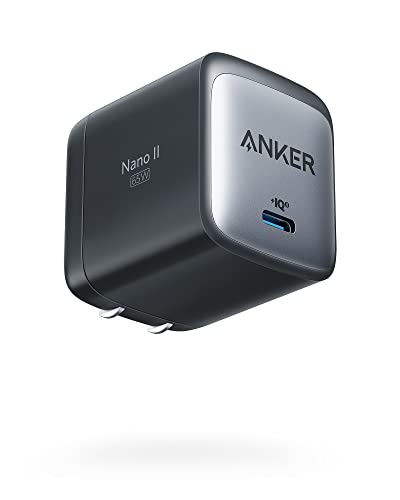
Anker Nano 65W GaN II PPS — Smallest 65W
The Nano takes the opposite bet from its three-port sibling: one job, full speed, minimum body. It is a compact foldable GaN II charger with PPS support, listed across the recent iPhone generations and built for the traveller or minimalist whose pile is a phone and a laptop that take turns. In a jacket pocket it is nearly nothing; on a hotel nightstand it is everything a solo kit needs.
PPS is the detail that lifts it above generic mini bricks: Samsung’s fast-charging phones in particular draw their best pace from PPS chargers, and the Nano’s support means the small body does not mean a slow phone. Its GaN II design keeps the heat civilised during a full 65W laptop session, which in a body this small is the engineering story — yesterday’s silicon could not live at this size and output together.
The trade is written on its face: with effectively a single-purpose brief, simultaneous devices queue rather than share. Owners with a true one-laptop-one-phone rotation will never notice; households will. Buy it as the personal charger — yours, in your bag, tuned to your two devices — and let a multi-port block run the house.
The Nano also plays a diplomatic role in shared houses: it is the charger nobody borrows, because its single-purpose nature is obvious at a glance, while the big multi-port blocks get requisitioned for every family emergency. Owners who travel for work learn to keep the Nano in the bag’s inner pocket as the untouchable reserve — the charger that is always where the trip needs it, because no household negotiation ever reached it. Small, single-minded and slightly selfish is a legitimate design brief, and this is its best expression here.
- Output ceiling: 65W from a pocket-sized body
- Design generation: GaN II, per Anker’s naming
- Standards detail: PPS support for compatible phones
- Body: foldable prongs, compact travel form
- Named fit: recent iPhone generations and laptops
Strengths
- The smallest route to a full 65W in this guide.
- PPS keeps compatible Android phones at their best pace.
- Perfect second charger for a personal travel kit.
Trade-offs
- Single-purpose brief — simultaneous devices must take turns.
- No spare port for the earbuds-and-watch crowd.
- Small body is easy to lose in a big bag; give it a pouch.
Best for: solo travellers and minimalists whose laptop and phone charge in rotation. Not suited for: a family nightstand where three devices arrive together nightly.

UGREEN Nexode 65W (3-Port) — Three-port rival
UGREEN’s Nexode 65W is the credible alternative in the guide’s most contested class: three ports, 65W, a GaN II chip at its heart and a compact foldable body. Where the Anker anchor wins on incumbency, the Nexode competes on the Nexode line’s design language — a slightly more technical aesthetic and UGREEN’s habit of pricing a notch keener for equivalent paper specifications.
Daily behaviour mirrors the class: an ultrabook at pace, a phone fast-charging, a third small device sipping, all from a block that travels without complaint. UGREEN’s ecosystem angle matters to some buyers — Nexode chargers, cables and docks share a design family — and its presence in this guide keeps the anchor honest, because a buyer choosing between them is choosing between two mature implementations of the same good idea.
Decide by the small print of your life: the ports’ arrangement against your cables, the price on the day, the brand your household already trusts. Neither choice will be regretted, which is precisely what a healthy category looks like — and if your pile later grows a fourth nightly device, our GaN guide’s four-port Nexode 100W is this pick’s natural big sibling.
UGREEN’s rise in this category mirrors a broader shift buyers have noticed: the accessory brands that grew up on cables and hubs now make chargers that stand beside the incumbents without apology, and the Nexode line is where that confidence concentrates. Choosing it is partly a bet on that trajectory — on a maker investing in chargers as a flagship category rather than a sideline — and the build of this block supports the bet. Households already running Nexode gear at other wattages will find its behaviour familiar in the ways that matter.
- Output ceiling: 65W shared across the ports
- Port count: three sockets
- Chipset naming: GaN II chip, per the listing
- Body: compact size with foldable design
- Line: UGREEN’s Nexode charger family
Strengths
- Full three-port 65W service in a compact body.
- Keen pricing against the class anchor.
- Shares design language with UGREEN’s wider Nexode range.
Trade-offs
- Same 65W sharing limits as every pick in its band.
- Brand ecosystem is younger than Anker’s.
- No distinguishing superpower — it competes on execution.
Best for: buyers who want the three-port 65W formula with UGREEN’s design and pricing. Not suited for: a desk that has already outgrown 65W of shared power.
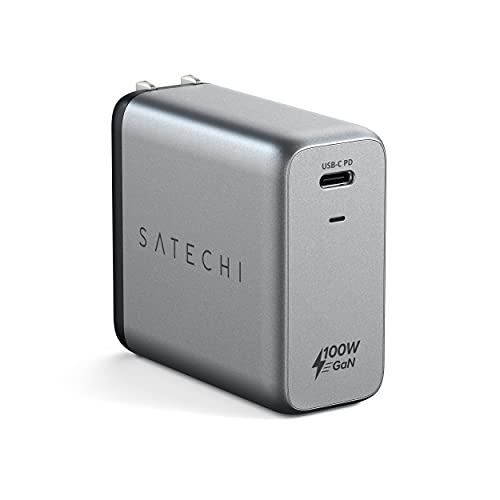
Satechi 100W USB C PD GaN Wall Charger — Single-cable purist
Satechi’s charger is the guide’s argument for simplicity: one USB-C port, the full 100W behind it, GaN inside, and nothing to configure, split or negotiate. The laptop plugs in and receives everything the charger has — the relationship a bundled brick used to offer, upgraded to a compact, standard, replaceable form. Its listing names the MacBook Pro and Air generations across the M-series years, and that focus is the product.
The purist design pays off in predictability. There is no split table to consult, no port hierarchy to remember, no evening when the phone steals the laptop’s pace — because the phone is simply not this charger’s business. Desks that run one serious machine, travellers whose laptop is the mission and whose phone charges from the laptop itself, and anyone who has been annoyed by multi-port arithmetic will recognise the appeal immediately.
The cost of purity is the obvious one: a second device needs a second solution. Satechi’s buyer accepts that trade knowingly, often pairing this block with a small phone charger and keeping each tool single-purpose. In a guide full of Swiss-army chargers, the Satechi is the chef’s knife — and for the laptop-first desk, it may be the most satisfying purchase here.
Satechi’s design language deserves its mention: the brand builds for the Apple-adjacent desk, all aluminium tones and restraint, and this charger looks at home beside the machines it feeds in a way the plastic blocks do not attempt. Aesthetics are not performance, but a charger lives visibly on a desk for years, and the buyer who cares that the setup looks considered is not being frivolous — they are buying the desk they will look at every working day. The Satechi is the only pick here that argues on those grounds, and it argues well.
- Output: the full 100W to a single USB-C port
- Standard: USB C PD, per the listing’s own naming
- Technology: GaN, in a wall-charger body
- Named fit: MacBook Pro and Air across the M-series generations
- Philosophy: one device, all the power, no splits
Strengths
- Absolute predictability — the laptop always gets everything.
- 100W covers the largest laptops in this guide’s scope.
- Clean single-cable desk with nothing to manage.
Trade-offs
- One port means the phone needs its own arrangement.
- No help for tablets, earbuds or a partner’s devices.
- Its premium buys focus, not versatility.
Best for: a laptop-first desk or traveller who wants a dedicated, full-power supply for one machine. Not suited for: anyone hoping one block will run a whole device pile.
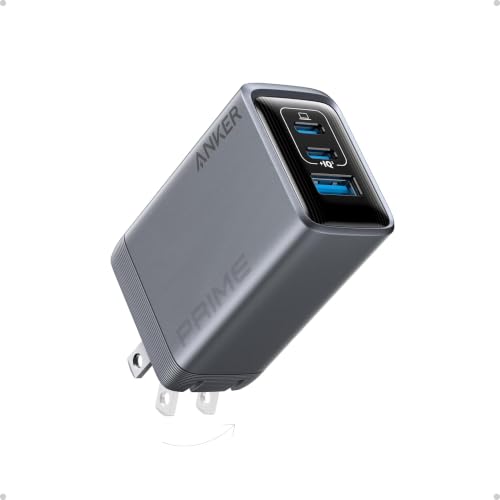
Anker Prime Charger 100W (3-Port) — Desk layout pick
Our GaN guide judged this charger as a triumph of miniaturisation; this guide judges it as furniture — specifically, as the best port layout here for a permanent desk. Three ports across a compact face, 100W behind them, and a body that sits at the back of a desk feeding the same three cables every day: laptop on the lead port, phone on the second, the third reserved for the desk’s rotating guest — a tablet, a colleague’s phone, a camera battery.
Desk life rewards exactly this arrangement. The cables stay resident, dressed along the desk’s edge; the charger’s foldable prongs, irrelevant at a fixed post, simply never get in the way; and the 100W pool is sized for the desk’s simultaneous reality rather than a traveller’s rotation. A desk charger is judged by whether the setup survives a month without being touched, and the Prime’s combination of headroom and port count is built for that test.
It remains, as its GaN-guide review noted, a premium object — but at a desk the premium divides across years of daily service rather than trips. Buyers furnishing a home office for the long term should take this pick and spend their remaining attention on the cables and the cable clips; buyers furnishing a travel bag should reread its GaN review and decide there.
One desk-specific behaviour is worth forecasting: with three resident cables, the Prime becomes the desk’s power strip in miniature, and visitors will treat it as one. A colleague’s phone, a partner’s tablet, a child’s handheld — the third port absorbs them all without touching the laptop’s supply in any way the laptop notices. Desks that host people, not just devices, should weight that hospitality heavily; it is the difference between a personal charger and a piece of room infrastructure, and this pick is priced and built as the latter.
- Output ceiling: 100W maximum across three ports
- Port layout: three sockets arranged for resident desk cables
- Body: compact, foldable — desk-permanent in this guide’s use
- Listing’s lead role: fast laptop charging
- Desk fit: laptop plus phone plus a rotating third device
Strengths
- 100W headroom ends split anxiety at a three-device desk.
- Port layout suits cables that stay plugged in permanently.
- Prime-tier build for a setup meant to last years.
Trade-offs
- Premium price for a desk that may only need 65W.
- Its travel talents are wasted if it never leaves the desk.
- Three ports still leave a fourth device waiting.
Best for: a permanent home-office desk running a laptop, a phone and one rotating guest device. Not suited for: a spare-room socket that sees a phone twice a month.

Belkin 65W Compact USB C Charger — Travel-kit fit
In our GaN guide this Belkin earned its place on standards and brand trust; here the lens is the travel kit, and through that lens its compact body is the headline. This is the charger that disappears into the wash bag’s side pocket or the laptop sleeve’s flat compartment, arrives unbent and unscratched, and runs the hotel nightstand — ultrabook at full pace, phone beside it — without ever being the object the trip’s packing argument was about.
Its standards currency travels well, too: PD 3.1 and PPS, as the listing states, mean the phones and laptops of the next few years will find it fluent, which matters for a kit component that gets replaced less often than the devices around it. Belkin’s airport-shop ubiquity is a genuine travel feature in disguise — a forgotten or failed Belkin is the easiest charger in this guide to replace mid-trip on several continents, and kits should be built from replaceable parts.
As a home desk charger it is merely good; as the designated traveller it is the pick of this guide. Households building a permanent travel kit — the pouch that never unpacks — should put this block in it and leave it there, which is the highest duty a travel charger can be assigned.
Gift buyers should note this pick specifically: a charger is a hard present to get wrong when it comes from a maker the recipient already trusts, fits the devices they already own and asks nothing of their habits. The Belkin is the guide’s safest gift — useful on the first night, uncontroversial in any household, and sized for the travel kits most people mean to build and never do. Pair it with one good cable and the gift is a complete system rather than a component, which is how charging presents should be given.
- Output ceiling: 65W from a compact block
- Standards named in the listing: PD 3.1 and PPS
- Kit role: the permanent resident of a travel pouch
- Named company: MacBook and Chromebook-class laptops
- Replacement logic: a widely stocked brand worldwide
Strengths
- Compact body genuinely built for a travel kit’s flat spaces.
- Current standards keep it useful across device generations.
- Easiest pick here to replace abroad if lost or failed.
Trade-offs
- 65W shared leaves little for a second hungry device.
- At a fixed desk, rivals offer more ports for the money.
- The brand premium is real, if modest.
Best for: a permanent travel kit serving an ultrabook and a phone on the road. Not suited for: a three-device home desk that never travels.
How Should You Build a One-Charger Setup That Actually Works?
Start at the wall and work outward. Place the charger where the devices already gather, give the laptop the lead port and its best cable, and let the phone and accessories inherit the remaining ports in descending order of urgency. Use cables rated for the charger’s full output on the laptop’s run — an underrated cable silently demotes a 100W charger — and keep one spare cable coiled in the same spot, because the setup’s most likely failure is a cable, not the block.
Then defend the setup against its two natural enemies: borrowing and drift. A charger that migrates to other rooms is a setup that exists only sometimes, so give the travel and spare-room duties to dedicated units — this guide’s Nano and Belkin exist partly as those sacrificial pieces — and let the main desk’s arrangement stay untouched. Label the laptop’s cable if the household shares lookalikes; five seconds of tape saves the recurring mystery of the slow Tuesday.
Review the setup when a device changes, not before. A new laptop with a deeper appetite, a phone that gains PPS, a tablet joining the nightly pile — each is a reason to re-run the sums in the 65W-or-100W section. Between such events, a well-built one-charger setup should be invisible, which is the state this entire category exists to provide.
How Do Port Layouts Change Daily Life at a Desk?
Port count is a number; port layout is a behaviour. A three-port face arranges its sockets so that three cables can live side by side without their connectors wrestling, and the order of those sockets usually encodes a hierarchy — the lead port carries the generous share, the later ports the modest ones. Desk owners should plug in descending order of appetite and then stop thinking, because a layout learned once becomes invisible. Travellers feel layout differently: in a hotel the ports all face the room’s chaos at once, and a charger whose cables exit without tangling earns its keep nightly.
The single-port Satechi is the limiting case that proves the point: its layout is a decision made for you, permanently, and a whole class of buyers finds that restful. Between the extremes, the honest question is how many cables genuinely live at your charging point. Count them on a normal evening — not the tidiest evening, not the worst — and buy the layout that count describes, with one spare port if guests or new gadgets are a pattern in your house.
What Does a Week With the Wrong Charger Feel Like?
It feels like a series of small negotiations. The laptop that needed the lead port finds the phone in it. The phone that should sprint before a night out crawls because the tablet got there first. The charger itself migrates — desk on Monday, kitchen on Wednesday, missing entirely on Friday — because one block is being asked to be in three places, and each migration loosens cables, loses adapters and resets the household’s fragile arrangement.
None of these moments is dramatic, which is exactly why they persist for years: no single annoyance justifies a purchase, so the negotiations become the household’s normal. The right charger — or, more precisely, the right chargers in the right places — deletes the negotiations wholesale. When readers write that a new charger changed nothing and everything, this is the everything they mean: the same devices, the same speeds, and a daily friction simply gone.
How Should You Choose Cables for These Chargers?
The cable is the charger’s silent partner and its most common betrayer. For laptop duty, choose cables rated at or above the charger’s ceiling — 100W-rated for the 100W picks — with the e-marker that certifies them for higher currents. For phones, a quality 60W-class cable suffices and stays supple, which matters in bags. Length follows location: short at the desk to keep the surface calm, longer in the travel kit where sockets hide behind furniture.
Treat brand and build as seriously for cables as for chargers, because the cable flexes thousands of times where the charger flexes never. Braided jackets survive bags; strain reliefs survive desks; and a cable that has begun to charge intermittently should be replaced the week it starts, since intermittent cables are misdiagnosed as failing chargers with cruel regularity. Budget for one good cable per port when you buy the charger, and the system you build will perform as the reviews in this guide describe.
What Changes When the Whole Household Standardises on USB-C?
Standardisation is the quiet endgame of this category. When every charger in the house speaks USB-C PD, any cable charges any device in any room, guests stop asking for proprietary bricks, and the spare charger in the kitchen drawer is suddenly universal first aid. The picks here were chosen as standardisation material: mainstream standards, mainstream makers, nothing exotic that a future device will fail to understand.
The transition takes a device cycle to complete, and the legacy stragglers — an old tablet, a proprietary watch puck, a camera with its own supply — should be given a labelled corner rather than allowed to veto the system. Our watch guide handles the puck question in its own terms; the principle is the same. Each standardised room removes a small daily decision, and a house where charging requires no decisions is the real product being sold across this entire guide.
How Do You Read a USB-C Charger Listing Without Being Misled?
Begin with the split table, which honest listings publish and vague ones hide: it states what each port delivers alone and in combination, and it is the difference between the headline and the truth. A 65W charger whose three-port split still feeds a laptop respectably is a different product from one whose split starves it, though their boxes shout the same number. Next, confirm the standards that matter to your devices — PD as the baseline, PPS for the Android fast-charge crowd, PD 3.1 as a sign of a current design — and check whether the wattage claim describes the total pool or a single port, because both conventions exist and only the fine print separates them.
Then read the physical facts as a traveller would: dimensions, weight, whether the prongs fold. And weigh the maker’s charger pedigree over its general fame, because this category rewards specialists — every brand in this guide earns its living substantially from charging, which is not a coincidence. A listing that answers all of these questions plainly is itself evidence about the company behind it.
What Should Students and First-Home Buyers Choose?
The student pile is a laptop, a phone and a pair of earbuds carried between a hall of residence, a library and a part-time job — a pile that lives in motion. For it, the 65W three-port blocks are the whole answer, with the Nano as the alternative for the genuinely minimalist bag. The student’s charger will be lost, lent and left in lecture halls at rates no other demographic matches, which argues for the keenly priced end of the class and against the flagship tier until life settles.
First-home buyers face the opposite pattern: one socket-rich but charger-poor home, several rooms asking at once. Their money goes furthest on duplication of the good-enough — a three-port block for the living room, a Nano-class unit for the bedroom — rather than on one premium charger asked to commute between rooms. The household that standardises early, on one brand’s behaviour and one cable standard, avoids the drawer of incompatible bricks that this category exists to retire.
When Should You Replace a Working USB-C Charger?
Replace on triggers, not on launches. The honest triggers are a new device whose appetite exceeds the old ceiling, a pile that has outgrown the port count, physical wear — a cracked case, a loose port, a cable socket that no longer grips — and standards drift, where a new phone’s PPS or a laptop’s expectations leave the old block behind. A charger showing heat it never used to show, or cutting out under loads it once held, is not ageing gracefully; it is asking to be retired, and the request should be honoured promptly.
The retired-but-working charger has honourable second careers: the guest room, the kitchen drawer, the car, the office’s spare pool. Cascading gear downward through the house is how the standardised home described earlier actually gets built — the new anchor takes the desk, the old anchor takes the nightstand, and nothing is wasted but the drawer of truly dead bricks finally leaves for recycling.
How Does a Charger Behave Across a Whole Working Day?
Follow the anchor pick through a knowledge worker’s day and the category’s virtues stop being abstract. Morning: the laptop, depleted by yesterday’s late finish, takes the lead port while the phone — used as an alarm, a news screen and a podcast player before eight — sprints on the second; both are ready when the bag closes. Midday: the charger is in the bag, then on a café table, then feeding the laptop through a working lunch while the phone tops up from the laptop itself. Evening: home, desk, the whole pile restored by dinner.
The point of the exercise is how little of it required thought. A good USB-C charger converts charging from a series of decisions into a background condition, like hot water. The wrong one inserts itself into the day repeatedly — a slow port discovered at noon, a missing spare port at a colleague’s desk, a block too bulky for the bag it was bought for. When this guide scores chargers, it is scoring the number of times per day they will cross your mind, and the best score is zero.
What About Charging From the Couch, the Kitchen and the Garden Office?
The modern pile does not live only at desks. The couch wants a charger for the phone-and-tablet evening, ideally with a long cable and a block that can hide behind the sofa without cooking in its own warmth. The kitchen wants a compact block for the counter’s end, where phones charge during cooking and recipes glow on tablets. The garden office — the shed, the summerhouse, the converted garage — wants a charger that tolerates being the room’s only power citizen, feeding a laptop all day in a space whose electrics were an afterthought.
These rooms argue for the household fleet approach running through this guide: one anchor standard, several modest units, each room’s charger chosen for its room. The Nano disappears behind a couch; the Belkin runs the kitchen counter without hogging it; a three-port block anchors the garden office. None of these is the flagship purchase, and together they cost less than the frustration of one charger asked to be everywhere.
Why Do Two 65W Chargers Charge the Same Phone at Different Speeds?
Because the phone is negotiating, not merely receiving. One charger may offer the PPS profile the phone loves, letting it hold its sprint deep into the charge; another, PD-only, gives it a fixed step that the phone accepts more cautiously and abandons sooner as it warms. The same phone can therefore post visibly different half-hour results on two chargers with identical headline wattage, and both chargers are behaving honestly — the difference lives in the refinement of the conversation, not in anyone’s arithmetic.
Cables join the explanation more often than owners expect, as this guide has warned in two sections now, and temperature finishes it: a phone charging in a cold room on a hard desk will outpace the same phone on the same charger in a warm bag. The lesson for shoppers is to compare chargers on standards and behaviour with their own devices, and to distrust any ranking — including, at the margins, this one — that promises a universal order independent of the phone in your hand.
What Should You Do in the First Evening With a New Charger?
Run the pile test: connect everything you own at once, in the order you intend to keep, and watch the laptop’s charge direction and the phone’s pace for fifteen minutes. That quarter hour validates the split against your real devices more reliably than any listing’s diagram, and it does so while returns are still trivial. Note which port the laptop prefers, fix its cable there permanently, and let the other devices inherit the remaining order.
Then complete the system around the block: the spare cable in its place, the old charger moved to its cascade post the same evening, the travel unit — if this purchase was the travel unit — straight into the pouch rather than into a week of desk duty from which it will never be retrieved. Setups built completely on day one survive; setups left for the weekend dissolve into the household’s general cable population and are never quite built at all.
How Does This Guide Relate to the GaN Guide’s Verdicts?
Readers who arrive from our GaN roundup will find two familiar names and should not mistake that for a copy-paste. The GaN guide asked which charger best exploits gallium nitride — size per watt, heat, travel density — and ranked accordingly. This guide asks the prior question most buyers actually start with: which USB-C charger should run my devices, judged on ports, splits, standards and place. The Anker Prime 100W answers the first question with miniaturisation and the second with desk layout; the Belkin answers the first with standards currency and the second with travel-kit fit. Same objects, different examinations, and a buyer is entitled to both reports before deciding.
Where the two guides agree is on the discipline underneath: match the pool to the pile, respect the split, feed the charger proper cables, and place it where the devices already live. Technologies and standards will keep shuffling the product names above those rules; the rules themselves have been stable for years and will outlast several more generations of blocks.
What Does the Charger Drawer Look Like After Standardising?
It looks emptier, and the emptiness is the achievement. Where a household once kept a tangle of proprietary bricks — each married to one device, each useless to the others — the standardised drawer holds a couple of universal blocks, a small fleet of interchangeable cables, and perhaps one labelled legacy corner for the watch puck and the camera’s odd supply. A guest can be handed a charger with confidence; a failed unit can be replaced by any other in the house; a new device joins the system on the day it arrives, because the system speaks its language already.
Getting there takes the cascade discipline described earlier and one firm rule: new proprietary bricks that arrive in device boxes go straight to the legacy corner, unopened, as spares — the house runs on its chosen blocks, not on whatever a manufacturer bundled this quarter. Within a year the drawer stops being a topic of household conversation, which, for a drawer full of chargers, is the highest state attainable.
Six Blocks, Two Ceilings: The USB-C Line-Up Side by Side
| Charger | Ceiling | Ports | Defining trait |
|---|---|---|---|
| Anker 65W 3-Port | 65W | 3 | The balanced everyday anchor |
| Anker Nano 65W | 65W | Single-purpose | Smallest foldable body, PPS |
| UGREEN Nexode 65W | 65W | 3 | GaN II rival at a keen price |
| Satechi 100W | 100W | 1 | Full power, no splits |
| Anker Prime 100W | 100W | 3 | Desk-layout headroom |
| Belkin 65W Compact | 65W | Compact block | Travel-kit resident, PD 3.1 + PPS |
The table’s shape tells the category’s story: four chargers at 65W because that is where most lives are lived, two at 100W for the desks and machines that outgrew it, and port counts that matter more than either number. Read your own pile into the rows — devices, simultaneity, travel — and the correct row usually announces itself before the brand column is even considered.
Two rows share a ceiling and a port count — the Anker anchor and the UGREEN Nexode — and their coexistence is the table’s most honest feature. At the heart of a mature category, rival products converge on the same good answer, and the buyer’s choice between them can safely be made on price, design and household loyalty without a moment’s anxiety about having chosen wrongly.
What Mistakes Do USB-C Charger Buyers Keep Making?
Buying the ceiling and ignoring the split leads: a 100W three-port charger can feed a big laptop less than a 65W single-port one when the ports are full, because the pool divides. Next comes the cable cap — pairing any of these blocks with a low-rated cable and blaming the charger for the resulting pace. Buyers also chase proprietary fast-charge claims that only one phone brand can use, while neglecting the universal PD and PPS behaviour every device can share.
A subtler mistake is the single-charger fallacy in reverse: expecting one block to serve desk, bag and nightstand simultaneously, then resenting the nightly migration. Chargers are cheap enough now that the locations deserve their own units, as our Apple Watch guide also argues for pucks. Finally, do not retire a working charger for a spec-sheet increment; this category matures slowly, and the right purchase should serve for years.
One more arrives disguised as thrift: the no-name block with a flagship wattage at a third of the price. Charging is a mains-powered, heat-producing, battery-adjacent activity performed nightly beside beds and desks; it is the last category in the house where an unverifiable bargain makes sense. Every pick in this guide comes from a maker with a reputation to lose, and that reputational stake is a safety feature no specification can print.
Final Recommendation
Before the shortlist, one sentence of perspective: the differences among these six are real but second-order, and every one of them will charge a modern pile competently for years. The first-order decisions were the ones this guide front-loaded — your ceiling, your port count, your rooms. A reader who has answered those three honestly can buy from the matching row of the comparison table with confidence and spend no further evenings on charger research, which is a fate this guide sincerely wishes for everyone.
For the majority, the answer is a 65W three-port block: Anker’s anchor for the default choice, UGREEN’s Nexode for the same formula in a different house style. Solo travellers should add or substitute the Anker Nano and feel the grams disappear; permanent travel kits belong to the Belkin. Desks that outgrew sharing should take the Anker Prime 100W and enjoy the silence of sufficient headroom, while the laptop purist’s desk belongs to the Satechi and its single, total commitment. Choose by pile and by place, feed the winner a proper cable, and the age of the charger drawer is over — one block, honestly chosen, now does the work of the five it replaced.
Frequently Asked Questions
Can a 65W charger run a laptop that came with a 100W brick?
Usually yes for light and medium work, and it will charge the battery while you work — but under sustained heavy load the laptop may hold its charge rather than gain, or gain slowly. If your work is demanding all day, match the original ceiling with a 100W pick; for mixed use, 65W is a workable, smaller substitute.
What is PPS, and does my phone need it?
PPS is a refinement of Power Delivery that lets the charger adjust voltage in fine steps, which many Samsung and other Android phones use to sustain their fastest charging with less heat. If your phone advertises super-fast charging, a PPS charger — the Nano and the Belkin here name it — is how that speed is unlocked.
Why does my charger feel warm during a laptop session?
Conversion is never perfectly efficient, and the lost fraction becomes warmth; at 65–100W a charger that feels warm is working as designed. Heat becomes a concern only if the block is too hot to hold comfortably, smells unusual, or sits buried without airflow — keep it on a hard surface in open air and warmth stays a non-event.
Do I need special cables for 100W charging?
Yes — the cable must be rated for the power, and 100W-class cables carry an e-marker chip that certifies them for the higher current. A basic phone cable may cap you far below the charger’s ceiling. When a new charger disappoints, swapping the cable is the first test to run.
Is it safe to leave a USB-C charger plugged in all the time?
The chargers here are designed for permanent residence in a socket, drawing only a whisper of standby power and delivering nothing until a device negotiates for it. Keep the socket accessible, the block ventilated and the cables unstressed, and leaving it plugged in is the intended, ordinary way to own one.
Can one of these chargers power my monitor or dock?
Many USB-C docks and monitors accept PD power in the ranges these chargers offer, and a 100W pick is the usual choice for a dock that must also feed a laptop through it. Check the dock’s stated input requirement; if it asks for more than the charger’s ceiling, the laptop’s own supply remains the right tool.
Related Guides
A closing word on expectations: none of these chargers will announce itself after the first week, and that silence is the review that matters. The blocks above were chosen to disappear — into the desk’s order, the bag’s pocket, the household’s habits — leaving behind only the fact that everything is charged, every morning, without a decision having been made about it. Judge your purchase by that disappearance after a month, not by the specifications on the first evening, and you will know whether you chose as well as this guide hopes.
This guide’s chargers are the wired foundation beneath several other categories. For the technology story behind their size, read the best gan chargers; for the wireless pads these blocks should feed, see the best fast charge qi wireless chargers; and for the same power question answered at foreign sockets, the best chargers for international travel completes the set.



[…] charger is one room of a whole charging house. Set up the indoor rooms with our guide to the best fast charge qi wireless chargers, feed every mount and pad properly via the best gan chargers, and if your driving crosses borders, […]