What's inside
- Key Takeaways
- Quick Picks
- How Did We Choose the Best 500 600 Dollar Laptops?
- Why Does This Band Feel So Different From the One Below It?
- Which of the Six Should Sit on Your Desk?
- How Well Do These Machines Run a Home Office?
- Is the Touchscreen Worth Having on a Machine This Size?
- Three Buyers, Three Different Right Answers
- How Do You Keep One of These Feeling Fast for Years?
- What Does the Next Band Up Actually Buy?
- What Should Setup Day Look Like for a Work Machine?
- Ports, Docks and Second Screens: The Expansion Story
- What About Gaming and Creative Work, Honestly?
- When Is the Right Time to Buy, and What About the Warranty?
- How Do the Six Compare Side by Side?
- DDR4 or DDR5: Does the Memory Generation Actually Matter?
- What Mistakes Do Buyers Make in This Band?
- Final Recommendation
- Frequently Asked Questions
- Related Guides
As an Amazon Associate I earn from qualifying purchases. This post may contain affiliate links at no extra cost to you.
gizmoverdict.com is reader-supported. When you buy through links on our site, we may earn an affiliate commission.
Where to buy: Each laptop below links to its Amazon listing, and because two pairs of picks share a model name, the listing’s specification tab is where you confirm which chip, memory type and screen the machine in your basket actually carries.
The best 500 600 dollar laptops live at the first price point where a buyer can stop apologising for their computer. Below this band, every purchase is a negotiation with a compromise: memory or screen, storage or processor, pick one. In this band the negotiation ends. Sixteen gigabytes of memory and a Full HD screen stop being aspirations and become the baseline expectation, processors grow enough cores to stop being the bottleneck, and a 512GB drive becomes the normal fitment rather than the generous one. What remains to decide is character: which of these very similar-looking 15.6-inch machines spends its budget on the things your work actually touches.
The six picks divide into three families. Dell’s Inspiron 15 appears twice, in Ryzen and Intel editions that share a chassis and a name while differing in the silicon that matters most. Lenovo’s IdeaPad Slim 3 also appears twice, once as a Ryzen 7 machine with 16GB of DDR4 and once as a Ryzen 5 machine with 8GB of newer DDR5, a pairing that teaches more about modern laptop specifications than any lecture. HP and Acer complete the set with the strongest processor here and the value play respectively. Every one of them is a touchscreen except the Acer, every one carries a 512GB SSD, and the differences that remain, chip generation, memory type, operating system edition, are exactly the differences worth paying attention to.
Who is this band for? The student who wants one laptop for a whole degree, the home worker whose machine is their office, the family replacing a computer that has annoyed them for five years. It is the first band where “just buy a decent one” is actionable advice, and the guide’s job is to define decent precisely enough that you can recognise it in a listing.
A word about how to use what follows. Each pick is described the way a careful friend would describe it: what it is genuinely good at, where its manufacturer spent and where it saved, and the specific buyer it fits. Where two picks share a name, the guide slows down and separates them, because at this level the costliest errors are not bad laptops but mistaken identities, good money spent on the sibling of the machine you meant to buy.
Key Takeaways
- This is the first tier where 16GB of memory plus a Full HD screen is the honest standard; five of the six picks meet it in full.
- The two Dell Inspiron 15 models are one laptop with two hearts: the Ryzen 5 7530U edition and the Intel Core i5-1334U edition, and the chip is the choice.
- The two Lenovo Slim 3 models split the other way: a Ryzen 7 with 16GB of DDR4 against a Ryzen 5 with 8GB of DDR5, and capacity beats memory generation for almost everyone.
- HP’s Ryzen 7 7730U machine carries the strongest processor badge here, while Acer’s Aspire 3 with a Ryzen 7 5700U is the value route to the same memory and storage figures.
- Every pick has a 512GB SSD and, the Acer excepted, a touchscreen; the shopping is in the silicon and the software edition, not the basics.
Quick Picks
| Pick | Badge | Why it earns its place |
|---|---|---|
| HP 15.6 FHD IPS Touch, Ryzen 7 7730U, 16GB | Strongest processor | An eight-core Ryzen 7 with 16GB and an IPS touchscreen, the performance ceiling of this band. |
| Dell Inspiron 15, Ryzen 5 7530U, 16GB | The mainstream Dell | Six Ryzen cores, touchscreen and Dell’s support machine behind it, the default answer. |
| Lenovo IdeaPad Slim 3, Ryzen 7 5825U, 16GB | Eight cores, slim shell | Ryzen 7 multitasking in the lightest-feeling design here, with a Full HD touchscreen. |
| Dell Inspiron 15 3530, Core i5-1334U, 16GB | The Intel edition | The same Inspiron recipe with Intel’s ten-core i5 and Windows 11 Pro, for Intel-loyal buyers. |
| Acer Aspire 3, Ryzen 7 5700U, 16GB | Value eight-core | Ryzen 7, 16GB and 512GB without the touchscreen, the specification-per-dollar play. |
| Lenovo IdeaPad Slim 3, Ryzen 5 7520U, 8GB DDR5 | The newer-memory option | DDR5 and an efficient Ryzen 5 in the Slim 3 shell, trading memory capacity for platform youth. |
How Did We Choose the Best 500 600 Dollar Laptops?
The filter for this band was completeness. A candidate had to present a Full HD screen, a solid-state drive of at least half a terabyte and a processor from a recognisably modern generation, and it had to survive a configuration check against its own listing, because this is the price range where a single model name covers the widest spread of variants. Machines that met the letter of the brief with an old processor wearing a new badge were set aside in favour of the six here, whose chips span three honest generations of Ryzen and Intel design.
Memory received a more nuanced reading than the raw figure. Capacity matters first: 16GB is the allowance that keeps a modern Windows workload comfortable for years. Generation matters second, and mostly for future servicing and efficiency rather than daily speed, which is why the guide treats the 16GB DDR4 machines as the stronger buys for most people while still including the 8GB DDR5 Slim 3 for the buyer who values the newer platform and has a lighter workload. Touch was recorded model by model rather than assumed, since five of these six have it and one does not, and buyers who draw, present or simply poke at screens deserve to know which is which before the box arrives.
Finally, we weighed the ownership layer that spec sheets omit: the manufacturer’s support infrastructure, the availability of manuals and drivers, the normality of the charger and the depth of the model’s sales history. At this money a laptop is a three-to-five-year commitment, and the difference between brands shows up in year three, not in the unboxing video.
One more consideration shaped the final six: none of them asks its owner to forgive a missing basic. Every pick can drive an external monitor, join a video call with a working camera and microphone, connect the peripherals a household already owns and be serviced through normal channels. In a band where marketing sometimes hides a missing port or a soldered surprise behind a headline chip, that completeness is the real selection criterion, and it is why a few superficially stronger listings did not make this page.
Why Does This Band Feel So Different From the One Below It?
The jump from the budget shelf to this one is the largest quality-of-life step in the whole laptop market, and it is worth understanding mechanically. Memory doubles, which ends the daily tab-closing ritual. The processor gains cores and, just as importantly, gains the thermal headroom of a chassis designed for sustained work rather than bursty survival. The screen stops being a compromise you squint through and becomes a panel you can read on for a working day. Storage quadruples from the 128GB floor, which deletes an entire category of file-management anxiety.
What does not change is just as instructive. Cases remain plastic, albeit better-finished plastic. Keyboards remain membrane designs, good rather than great. Webcams remain adequate. The glamorous materials, metal shells, high-refresh OLED panels, genuinely excellent speakers, live one or two bands above this one, and the buyer who knows that in advance will be delighted by what this band does deliver instead of disappointed by what it never promised. This is the tier of the honest workhorse, and workhorses should be judged on their work.
There is a psychological shift buried in the mechanics, too. A budget laptop teaches its owner defensive habits: closing things, deferring updates, rationing storage, apologising on calls while something loads. This band retires those habits, and the retirement is worth as much as any single specification, because a computer you do not have to manage is a computer that gives its owner their attention back. Many buyers stepping up describe the change as the new machine disappearing, and disappearance, for a tool, is the highest available praise.
Which of the Six Should Sit on Your Desk?
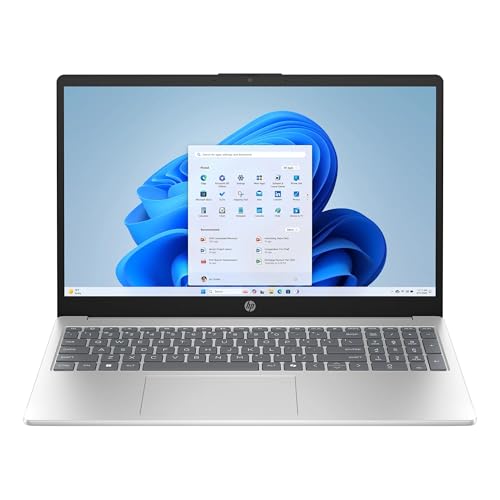
HP 15.6 FHD IPS Touch, Ryzen 7 7730U, 16GB DDR4 — Strongest processor
The Ryzen 7 7730U is the most capable processor in this guide, an eight-core chip that changes the texture of heavy days. Large spreadsheets recalculate without the pause, a video call can share the machine with a browser full of research and a document in revision, and the background chores of Windows, updates, indexing, sync, stop announcing themselves. Buyers upgrading from a budget laptop will feel this machine less as faster and more as calmer: the same tasks, minus the friction.
The supporting specification keeps the promise. Sixteen gigabytes of memory gives those eight cores room to work, the 512GB SSD is the band’s standard generosity, and the screen is a Full HD IPS touchscreen, the panel type this guide prefers for shared viewing and long reading. HP also loads this configuration with its Copilot-oriented software positioning, which you may treat as decoration; the hardware underneath needs no assistance from branding.
Its trade-offs are the class’s trade-offs rather than personal failings: a plastic chassis, a webcam that is adequate rather than flattering, and speakers tuned for calls rather than cinema. Within the band’s honest limits, this is the pick for the buyer whose workload is the heaviest and whose patience for waiting is the shortest, and it is the machine we would expect to still feel quick the furthest into its life.
Students in data-heavy subjects will find a particular friend here. Statistics packages, large survey datasets and the browser research that accompanies them are exactly the pile-up that separates eight cores from four, and the HP absorbs that pile-up at a price a student budget can survive. It is the closest this band comes to a machine you do not have to think about, and not thinking about your laptop is the real luxury on sale.
- Display: 15.6-inch FHD IPS touchscreen
- Processor: AMD Ryzen 7 7730U, 8 cores
- Memory: 16GB DDR4 RAM
- Storage: 512GB SSD
- Colour: Natural Silver
Strengths
- Eight-core Ryzen 7 is the performance peak of the six
- IPS touchscreen suits both solo reading and shared viewing
- 16GB and 512GB complete a specification with no weak line
Trade-offs
- Plastic build, like every pick here, trails metal-bodied tiers
- Webcam and speakers are workmanlike rather than impressive
- DDR4 memory is the older standard, though amply sized
Best for: heavy multitaskers, home workers and anyone upgrading from a slow budget laptop. Not suited for: buyers who prioritise premium materials over performance per dollar.
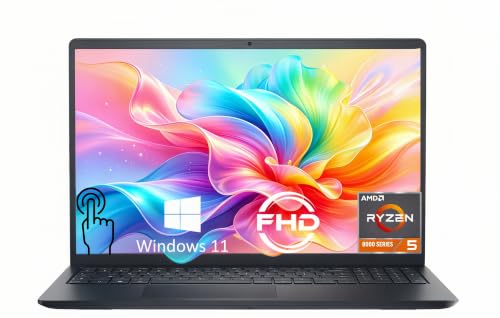
Dell Inspiron 15, Ryzen 5 7530U, 16GB, FHD Touch — The mainstream Dell
If this guide had to stock one laptop in a warehouse for the general public, it would be this one. The Ryzen 5 7530U brings six cores with strong boost behaviour, the memory and storage hit the band’s standard figures exactly, the screen is a Full HD touchscreen, and behind the hardware stands Dell’s support apparatus, which for a family or a small business is a feature as tangible as any port. It is the Inspiron formula executed without surprises, and in a category where surprises are usually bad news, that is a recommendation.
The Ryzen edition’s character is balance. It will not match the HP’s eight cores in an all-day rendering or data-crunching session, but for the realistic mixture of office work, browsing, calls and media that constitutes most ownership, the difference narrows to invisibility. What you notice instead is the touchscreen in the small moments, signing, scrolling, tapping through a presentation, and the general sense of a machine assembled by people who have sold this exact laptop, in spirit, a million times before.
Buy it as the default: the answer for the relative who asks which laptop to buy and does not want a lecture. Its existence in this guide alongside its Intel sibling is the point of the next entry, so read that one before deciding Dell has only one flavour here.
There is a fleet logic to it as well. A small office standardising on one model gains spare chargers that fit every desk, a single driver set to maintain and staff who can swap machines without relearning anything. The Inspiron has been that standard for years for a reason, and the Ryzen edition is its current, balanced form.
- Display: 15.6-inch FHD touchscreen
- Processor: AMD Ryzen 5 7530U, 6 cores
- Memory: 16GB RAM
- Storage: 512GB SSD
- Extras: numeric keypad, webcam, HDMI
Strengths
- The complete mainstream specification with nothing missing
- Dell’s support and documentation depth behind it
- Six-core Ryzen suits the realistic mixed workload perfectly
Trade-offs
- Two cores fewer than the Ryzen 7 picks for heavy sustained work
- Design is anonymous; it will not be admired, only used
- Touchscreen gloss reflects in bright rooms
Best for: the general buyer, families and small businesses wanting the safe, supported default. Not suited for: the heaviest sustained workloads, where the Ryzen 7 picks pull ahead.

Lenovo IdeaPad Slim 3, Ryzen 7 5825U, 16GB DDR4, FHD Touch — Eight cores, slim shell
Lenovo’s Slim 3 in this configuration pairs the other eight-core processor here, the Ryzen 7 5825U, with the slimmest-feeling design of the six. The 5825U is a proven multitasking chip: eight cores that make light of the modern office pile-up, documents, calls, browser fleets and a media stream all at once. Sixteen gigabytes of DDR4 and a 512GB SSD match the band’s standard, and the Full HD touchscreen completes a machine that asks very little of its owner beyond being used.
Distinguish it carefully from its Slim 3 sibling further down the page. This one is the capacity model: more cores, double the memory, the older memory standard. The sibling is the platform model: fewer cores, half the memory, the newer standard. They share a name and a shell and almost nothing that decides your daily experience, which is why this guide treats the shared name as a hazard to be navigated rather than a shortcut to be trusted. Check the processor line on the listing, and you will know which Slim 3 is in your basket.
The Slim 3’s appeal is the combination of that eight-core calm with a machine that does not feel like a slab. Students carrying it between lectures and workers carrying it between rooms will notice the design’s lightness daily, while the specification underneath stays out of the way for years. It is the thinking person’s eight-core pick, where the HP is the maximalist’s.
Carry it for a week and the design’s priorities become clear: the weight sits low, the lid opens without drama, and the machine behaves like something intended to be moved rather than installed. Paired with its eight cores, that portability makes it the pick for the hybrid worker whose office is three places a week and whose workload never got the memo about travelling light.
- Display: 15.6-inch FHD touchscreen
- Processor: AMD Ryzen 7 5825U, 8 cores
- Memory: 16GB DDR4 RAM
- Storage: 512GB SSD
- Wireless: Wi-Fi 6, Bluetooth 5.2
Strengths
- Eight-core multitasking in the slimmest design here
- Full 16GB and 512GB figures, no capacity compromises
- Touchscreen and modern wireless complete the package
Trade-offs
- Name shared with the 8GB DDR5 sibling; verify before buying
- 720p camera is the band’s ordinary, not its best
- DDR4 platform is mature rather than new
Best for: students and mobile workers who want eight-core calm in a portable shell. Not suited for: buyers who specifically want the newest memory standard over capacity.

Dell Inspiron 15 3530, Intel Core i5-1334U, 16GB/512GB — The Intel edition
Same laptop, different heart. This Inspiron 15 3530 carries Intel’s Core i5-1334U, a ten-core design that splits its cores between performance and efficiency types, and for a certain buyer that badge is the whole point: the one whose workplace software, peripherals or simple long habit favour Intel, or who wants the platform their IT department knows best. In daily mainstream work the two Inspirons are near enough that the choice is about ecosystem and preference rather than a stopwatch, and this guide refuses to manufacture a rivalry the workload does not support.
Two details distinguish this edition beyond the chip. It ships with Windows 11 Pro, in S Mode as listed, which matters to small businesses that need Pro features like domain joining and BitLocker management once S Mode is switched out, a free process that should be part of setup. And its configuration, 16GB with a 512GB SSD behind a Full HD touchscreen, matches its Ryzen sibling line for line, so no specification tax is paid for choosing Intel.
Read the two Dell entries together and the lesson generalises: at this band, the great brands sell the same laptop in two silicon dialects, and the correct response is to pick the dialect your life speaks. What you must not do is pay Inspiron money for a listing whose chip line you have not read, because the name alone will not tell you which machine is coming.
Home buyers should not dismiss the Pro edition as business garnish, either. Its management features include the BitLocker encryption controls that careful households increasingly use, and its update policies are the more configurable ones. Once the S Mode switch is behind you, this edition is the more grown-up Windows of the two Dells.
- Display: 15.6-inch FHD touchscreen, anti-glare
- Processor: Intel Core i5-1334U, 10 cores
- Memory: 16GB RAM
- Storage: 512GB SSD
- Software: Windows 11 Pro in S Mode as shipped; extras include numeric keypad, fast charge
Strengths
- Intel platform for buyers whose ecosystem expects it
- Windows 11 Pro suits small-business management needs
- Matches the Ryzen Inspiron on memory, storage and screen
Trade-offs
- S Mode must be switched out before Pro features are usable
- Shares its name with the Ryzen edition; check the chip line
- Integrated graphics are mainstream, not gaming-class
Best for: Intel-loyal households and small businesses wanting Pro Windows. Not suited for: buyers indifferent to platform, who may find the Ryzen edition simpler as shipped.

Acer Aspire 3, Ryzen 7 5700U, 16GB, 512GB — Value eight-core
The Aspire 3 is the specification-per-dollar argument in physical form. Its Ryzen 7 5700U is the oldest processor in this guide, a previous-generation eight-core chip, and that age is precisely what funds the rest of the proposition: the full 16GB of memory, the full 512GB SSD and a Full HD screen, in a package positioned at the friendly end of the band. For office work, study and home administration, the 5700U’s eight cores remain entirely respectable, because the workloads that fill most days stopped being processor-bound years ago.
What it surrenders is the touchscreen, the only pick here without one, and a measure of platform youth: Wi-Fi 6 is present and correct, but the design and internals are a generation behind the newest Slim 3 and Inspiron shells. Buyers who never touch their screens will not miss what they never use, and buyers who present, annotate or navigate by finger should cross this one off early and honestly. Some listings bundle this model through accessory-packaged offers, so confirm the core specification on the listing itself rather than judging by the extras in the photographs.
There is a type of buyer this machine serves perfectly: the one who reads spec sheets the way accountants read ledgers and wants every line of capacity the budget can buy. For that buyer the Aspire 3 is not the cheap option. It is the correct one, wearing its priorities openly.
Longevity deserves a word in its favour, too. A previous-generation flagship-class chip, bought after its platform has matured, tends to enjoy stable drivers and well-documented behaviour, and Acer’s Aspire line has the parts availability that comes from selling in enormous numbers. The value play is often also the low-drama play, some years into ownership.
- Display: 15.6-inch Full HD (non-touch)
- Processor: AMD Ryzen 7 5700U, 8 cores
- Memory: 16GB RAM
- Storage: 512GB SSD
- Wireless: Wi-Fi 6
Strengths
- Full capacity figures, 16GB and 512GB, at the band’s friendly end
- Eight cores remain strong for office and study workloads
- No touchscreen gloss; a matte, get-on-with-it machine
Trade-offs
- The only non-touch screen here
- Oldest processor generation in the guide
- Bundle listings vary; verify the core specification
Best for: value-focused buyers who never touch a screen and want maximum capacity per dollar. Not suited for: presenters, annotators and anyone who navigates by finger.

Lenovo IdeaPad Slim 3, Ryzen 5 7520U, 8GB DDR5, FHD Touch — The newer-memory option
The second Slim 3 in this guide exists to teach a lesson and to serve a specific buyer. The lesson: DDR5 in a specification is not automatically better than DDR4. This machine fits 8GB of the newer memory standard where its sibling fits 16GB of the older one, and for the overwhelming majority of real workloads, the doubled capacity will beat the newer standard every day of the week. Memory generation is a footnote; memory capacity is the text.
The specific buyer is the light user who values the platform’s youth and efficiency. The Ryzen 5 7520U is a frugal quad-core that runs cool, the 512GB SSD matches the band’s standard, the Full HD touchscreen is present, and for a workload of browsing, documents, email and media, 8GB remains a workable allowance, provided the tab discipline described elsewhere in this guide is acceptable. Lenovo’s Copilot-oriented positioning on this model should be read as software flavouring on an honest mainstream machine.
Choose it knowingly: you are trading the headroom that future-proofs a laptop for a newer platform and a slimmer price position within the band. For a second household laptop, a dedicated study machine or a light user’s primary, that trade can be rational. For the one-laptop household that multitasks hard, its sibling above is the Slim 3 to buy, and this guide would be failing if it let the shared name blur that verdict.
As a dedicated machine for a defined job, though, it has real charm: a study laptop that lives on one desk, a point-of-sale or reception machine, a lightweight travel companion for someone whose files are in the cloud. Defined jobs forgive defined limits, and this Slim 3’s limits are at least printed on its forehead.
- Display: 15.6-inch FHD touchscreen
- Processor: AMD Ryzen 5 7520U
- Memory: 8GB DDR5 RAM
- Storage: 512GB SSD
- Colour: Arctic Grey
Strengths
- Newer DDR5 platform with an efficient, cool-running chip
- Full 512GB storage and the touchscreen are retained
- Slim 3 design at the band’s more accessible end
Trade-offs
- 8GB is half its sibling’s memory; the guide’s main caveat
- Quad-core Ryzen 5 trails the eight-core picks under load
- Shared model name invites ordering the wrong Slim 3
Best for: light users and second-laptop households who value the newer platform. Not suited for: heavy multitaskers, who should take the 16GB sibling every time.
How Well Do These Machines Run a Home Office?
For most buyers in this band the laptop is not a laptop at all; it is the office, carried between a desk and a sofa. Judged as office machines, the six share the essentials: processors that hold a video call without breaking stride, enough memory for the browser-and-documents pile-up that constitutes modern knowledge work, and HDMI output for the external monitor that remains the cheapest productivity upgrade in existence. A second screen changes a 15.6-inch laptop’s life more than any internal specification can, because it doubles the visible workspace, and every pick here can drive one without complaint.
The differences emerge in the margins of the working day. The eight-core machines, HP, Ryzen 7 Slim 3 and Acer, absorb the background load of updates, sync clients and security software with the least protest, which matters in employers’ managed environments where the owner does not control what runs. The Intel Dell’s Windows Pro suits the small business that manages its own machines. Webcams across the band are honest tools for calls rather than broadcast equipment, and the correct accessory order for a home worker is a lamp, then a monitor, then a separate keyboard and mouse, each of which improves the day more than the price difference between any two picks in this guide.
Battery behaviour at a desk is a non-issue, but the twice-weekly commute to a kitchen table or a client’s office is where this band’s weight tells: these are full-size machines, and the Slim 3’s lighter feel is a daily quality for the genuinely mobile. The buyer who never moves should ignore weight entirely and buy silicon; the buyer who moves daily should let the Lenovo argue its case.
Is the Touchscreen Worth Having on a Machine This Size?
Five of the six picks include touch, so the question deserves more than a shrug. Touch on a 15.6-inch clamshell earns its keep in bursts: signing a document without printing it, annotating a slide in a meeting, scrolling a long report with a thumb while standing, tapping through a presentation at arm’s length, letting a child or a grandparent navigate without the trackpad’s apprenticeship. In those moments it is not a gimmick but the fastest interface available. In the long middle of the working day, typing and mousing, it is simply absent, neither helping nor hindering, apart from the gloss that touch glass brings to a screen under bright light.
The honest verdict is that touch is a habit-based feature, like a convertible roof: delightful for those whose life includes the moments it serves, invisible to everyone else. That is why the Acer’s omission of it is a legitimate design rather than a deficiency, and why this guide refuses to rank the touchscreen picks above it on that ground alone. Buy the glass if your days contain tapping; spend the difference on capacity if they do not.
Parents should weigh one more constituency: children raised on tablets reach for screens instinctively, and a touchscreen laptop meets them where they are during the years when homework migrates from paper to platform. A machine shared between a typing adult and a tapping child gets value from the glass that neither user would generate alone.
There is also the longevity of the habit to consider: software, Windows included, is steadily designed around the assumption that a finger might arrive at any moment, with larger targets and touch-friendly layouts spreading year by year. A touchscreen bought today is partly a bet on that direction, and it is a bet the five touch picks here have already placed, deliberately and quite permanently, on your household’s daily behalf.
Three Buyers, Three Different Right Answers
A doctoral student with a statistics habit, a thesis in revision and a supervisor who lives on video calls should stop reading at the HP. Her workload is the heaviest in this guide’s imagination, the eight cores and IPS touchscreen answer it directly, and the machine’s few years of headroom map neatly onto the remainder of her degree. Anything less would save money by spending her time, which is the worse currency.
A family replacing the household laptop, the one that does homework, banking, photographs and the weekly shop, should take the Ryzen Inspiron and stop shopping. Its virtue is the absence of decisions: supported, balanced, touch-enabled, with a name the local repair shop will recognise in year four. The Intel edition enters only if the household’s software or habits already speak Intel, in which case it is the same decision wearing the other badge, plus Windows Pro for the parent who manages the family machines.
And a charity, a club or a small business equipping several desks at once should look hardest at the Acer and the 8GB Slim 3, in that order. The Acer’s capacity figures make it the better general issue machine; the Slim 3 suits a defined, light role like a reception desk. Fleets buy differently from individuals: the cheapest adequate machine, multiplied, funds the spare unit that saves the day when one fails, and adequacy at this band is a higher standard than it has ever been.
How Do You Keep One of These Feeling Fast for Years?
The machines in this band do not slow down because their hardware ages; they slow down because their software accumulates. The maintenance that matters is boring and brief. Keep the storage below roughly three-quarters full so the SSD can manage itself. Let Windows update fully rather than deferring forever, since half-applied updates are a common cause of the mysterious slow month. Audit the startup list twice a year and evict the launchers, updaters and trays that moved in uninvited. On the 16GB machines, resist the urge to install optimisation utilities; the operating system manages memory better than they do, and their own background load is the tax they pretend to save you.
Physically, blow the dust from the vents with compressed air each season, particularly in houses with pets, because a thermally throttled Ryzen is a slower laptop wearing a faster one’s badge. Treat the battery kindly by not living at either extreme of charge when the machine is desk-bound for months, and expect to budget for a replacement battery somewhere in the later years rather than being surprised by it. Owners who do these small things routinely report the same machine feeling new far longer, which is another way of saying that at this band, the laptop you maintain is the upgrade.
What Does the Next Band Up Actually Buy?
It is worth knowing what you are declining, so the boundary of this guide is honest. The band above buys construction and display: aluminium shells that feel like instruments, brighter and sharper panels, the first genuinely good speakers, and processors with AI accelerators wearing Copilot+ badges. The band above that buys dedicated graphics and the right to play modern games or edit video without negotiation. None of those purchases makes a document better written or a spreadsheet more correct, which is why this middle band is where the purely rational money stops for most households. Step up for pleasure, craft or graphics; stay here for work, and spend the difference on the monitor, chair and lamp that your body will thank you for long after a metal lid is forgotten.
What Should Setup Day Look Like for a Work Machine?
A laptop in this band deserves a more deliberate first day than a budget one, because it will hold more of your life. Start with the full round of Windows updates, then the manufacturer’s own update utility, which delivers the BIOS and driver revisions Windows Update sometimes lags behind. If your machine arrived in S Mode, make the switch decision now, before the first work application depends on it. Set up the sign-in properly: a PIN and, where fitted, the fingerprint or face option, because a machine that is easy to unlock is a machine whose owner actually locks it.
Then build the safety net while the machine is empty and everything is easy. Enable backup to an external drive or your cloud account and watch the first backup complete rather than assuming it. Create the recovery drive. Install the handful of applications you truly use, resisting the bundle of trials, and sign into the browser so bookmarks and passwords begin syncing from the first hour. Finally, record the serial number and keep the invoice somewhere that is not the laptop. An hour spent this way converts the machine from a purchase into an appliance, and it is the same hour that separates owners who describe their laptop as reliable from owners who describe it as lucky.
Ports, Docks and Second Screens: The Expansion Story
These are conventionally ported machines, and that is a virtue worth stating in an era of dongle-dependent design. Expect USB-A for the peripherals you already own, USB-C for modern accessories and, on several picks, charging flexibility, HDMI for the monitor or television, and a card reader or headphone jack depending on the model. The exact arrangement varies by pick, so the listing’s port list deserves the same thirty seconds as its chip line, particularly for buyers with a specific legacy device: a printer, a scanner, a drawing tablet, a work security key.
For desk workers, a simple USB-C hub turns any of the six into a one-cable workstation: monitor, keyboard, mouse and power meeting the laptop at a single plug. That arrangement, more than any processor difference in this guide, is what makes a 15.6-inch laptop feel like a desktop during the week and a portable at the weekend. Budget for the hub and the monitor before budgeting for a higher band; the workstation you build around a good laptop outperforms the better laptop sitting alone on a desk.
What About Gaming and Creative Work, Honestly?
This band’s integrated graphics deserve a precise verdict rather than a vague one. The Radeon graphics in the Ryzen 7 machines are the strongest here and will run a large back-catalogue of games at modest settings, along with the lightweight competitive titles households actually play. The Intel edition’s graphics are a step behind for games while remaining fine for everything else. What none of the six can do is run current large releases at the quality their trailers promise, and a buyer whose evenings are gaming-first should hear that from this guide rather than from a disappointed weekend.
Creative work splits by ambition. Photo editing, including RAW files one at a time, is comfortable on the 16GB machines, and the IPS touchscreen HP is the natural pick of the six for it. Video editing is feasible for short projects and school or family films, with export times that ask for a kettle rather than a calendar. Sustained professional timelines, 3D work and large-batch photo processing belong to the bands with dedicated graphics. Naming these ceilings is not pessimism; it is how a buyer in this band ends up delighted, by asking the machine for the work it was built to do and watching it do that work well for years.
When Is the Right Time to Buy, and What About the Warranty?
Mainstream laptops like these follow the retail calendar rather than any logic of their own: the deepest discounts cluster around the back-to-school season and the year-end sales, with smaller waves when new processor generations push the previous ones down a shelf. The models in this guide are exactly the kind that benefit, being high-volume designs that retailers use as headline offers. A buyer with a flexible month can usually let the calendar do some of the work, provided the configuration discipline survives the excitement of a discount banner: a cheap wrong twin is still the wrong twin.
Warranties at this level are typically a year of manufacturer cover, with extensions sold at checkout. The rational view is that these are mature, high-volume machines whose failure modes are known and whose repair ecosystem, at least for Dell, HP and Lenovo, is deep; an extended warranty is a judgement about your own risk tolerance and the machine’s importance, not a necessity. What is a necessity is registering the product, keeping the invoice and knowing the support route before you need it, the same unglamorous trio this guide recommends for every band, because in year three the quality of a laptop is the quality of the help you can reach.
How Do the Six Compare Side by Side?
| Model | Processor | Memory | Storage | Screen | Defining point |
|---|---|---|---|---|---|
| HP 15.6 Touch | Ryzen 7 7730U | 16GB DDR4 | 512GB SSD | FHD IPS touch | Strongest chip here |
| Dell Inspiron 15 (Ryzen) | Ryzen 5 7530U | 16GB | 512GB SSD | FHD touch | The default Dell |
| Lenovo Slim 3 (Ryzen 7) | Ryzen 7 5825U | 16GB DDR4 | 512GB SSD | FHD touch | Eight cores, slim shell |
| Dell Inspiron 15 3530 (Intel) | Core i5-1334U | 16GB | 512GB SSD | FHD touch | Intel edition, Windows Pro |
| Acer Aspire 3 | Ryzen 7 5700U | 16GB | 512GB SSD | FHD non-touch | Value eight-core |
| Lenovo Slim 3 (Ryzen 5) | Ryzen 5 7520U | 8GB DDR5 | 512GB SSD | FHD touch | Newer memory, half the capacity |
DDR4 or DDR5: Does the Memory Generation Actually Matter?
Buyers meeting the two Slim 3 models often ask the wrong question first, so here is the order of importance as this guide applies it. Capacity decides what you can hold open; generation decides, modestly, how efficiently the memory subsystem moves and how the platform will age. A 16GB DDR4 machine will feel comfortable for years after an 8GB DDR5 machine starts asking its owner to close things, because applications consume capacity, not standards. Where generation does matter is at the margins of efficiency and in the servicing story: newer platforms pair with newer wireless, newer ports and longer driver support. Treat DDR5 as a pleasant tiebreaker between machines of equal capacity, never as a reason to halve the capacity, and the specification tables of this entire market become easier to read.
The same logic orders the processors here. Core count and generation together predict the experience; badge alone does not. The oldest chip in the guide, Acer’s Ryzen 7 5700U, still brings eight cores to workloads that the newest quad-core cannot match under sustained load, while the newest chips answer with efficiency and platform features. A buyer who ranks by cores first, generation second and badge last will read this shelf correctly every time.
There is a servicing corollary worth knowing before it matters. Machines built on the older, high-volume platforms tend to have the deepest supply of replacement parts, screens, keyboards, batteries, because so many were sold. A laptop’s repairability in year four is partly a function of its popularity in year one, which is one more quiet argument for the mainstream models that dominate this guide.
What Mistakes Do Buyers Make in This Band?
The signature mistake is ordering the wrong twin. Two pairs in this guide share a model name, and in both pairs the difference is the specification that matters most: processor in the Dells, memory in the Lenovos. The defence is thirty seconds on the listing’s specification tab, checking the chip line and the memory line against the entry you intended. The second mistake is paying for a touchscreen you will never touch or, the mirror error, saving a little on the non-touch Acer and discovering your presenting style needed the glass. Touch is a habit, not a specification; buy for the habit you have.
Third, buyers in this band often keep shopping upward indefinitely, because each small step adds something real. The discipline is to remember what this band already fixed: memory, screen, storage and processor adequacy. The bands above buy materials, displays and graphics, which are luxuries of a different kind. Fourth, S Mode surprises persist even here, on the Intel Dell as shipped; the switch out is free and quick, but it should be a plan, not a discovery made while installing work software at midnight.
Fifth, and most quietly, buyers forget the room the laptop will live in. A touchscreen’s gloss in a sunlit conservatory, a 15.6-inch footprint on a small desk, a fan that cycles under a television’s quiet scenes: the specification cannot see your room, but you can, and five minutes of picturing the machine in its actual place prevents the category of disappointment that no return policy describes well.
Final Recommendation
Take the HP if your workload is the heaviest, the Ryzen Inspiron if you want the supported mainstream default, and the Ryzen 7 Slim 3 if you want eight cores in the most portable shell here. The Intel Inspiron is the same Dell decision made in the other dialect, with Windows Pro as its bonus, and the Acer is the value answer for buyers who will never touch the screen. The 8GB Slim 3 is the one pick to choose only deliberately, when its platform youth matters more to you than memory headroom. What this band rewards is not cleverness but clarity: every machine here is a good laptop, and the right one is simply the one whose particular strengths are the ones your Tuesdays actually use.
If you finish this guide still holding two names, break the tie with the machine’s likely room and role rather than its badge: the desk-bound heavy user takes the HP, the traveller takes the Slim 3, the supported household takes the Dell, the ledger-minded take the Acer. A laptop chosen for its place tends to be forgiven its limits; a laptop chosen for its headline tends to be measured against them daily.
Buy once, verify the variant on arrival, and then let the machine get on with the unglamorous work this band exists to do.
Frequently Asked Questions
Is 16GB of memory worth insisting on at this price?
Yes, and this is the first band where insisting is realistic. Sixteen gigabytes keeps a modern Windows workload, browser, office suite, calls, media, comfortable for years, while 8GB asks for tab discipline. Five of the six picks here fit 16GB; the one that does not is included for platform reasons and labelled accordingly.
Which is better, the Ryzen or Intel Dell Inspiron?
For mainstream work they are close enough that ecosystem should decide: workplace requirements, peripheral habits and platform preference. The Ryzen edition is the simpler default as shipped; the Intel edition adds Windows 11 Pro, delivered in S Mode, which suits small businesses once switched out during setup.
Do I need a touchscreen on a 15.6-inch laptop?
Only if your habits use one. Presenters, annotators, form-fillers and anyone who navigates by tapping will use it daily; pure typists may never touch it. Five picks here include touch; the Acer Aspire 3 omits it and spends the money on capacity instead, which is a legitimate trade when made knowingly.
Can laptops in this band play games?
Light and older games at modest settings, yes, on the integrated Radeon and Intel graphics. They are not gaming laptops, and current demanding titles belong to machines with dedicated graphics in higher bands. For a household machine that also plays casually, the Ryzen 7 picks offer the most headroom.
How long should a laptop in this band last?
Three to five years of mainstream service is a fair expectation, with the battery the first component to fade. The 16GB models age the most gracefully of the six, since generous memory is what keeps an older laptop responsive while software around it keeps growing heavier.
What should I check first when it arrives?
The processor and memory lines in system settings, against the listing you ordered. With two pairs of same-name models in this guide, that check catches a wrong-variant delivery while returns are painless. Follow it with the screen, ports and a real video call in the first week.
Is Windows 11 Pro worth having at this level?
For a small business or a household that manages several machines, yes: Pro adds the management and encryption controls that Home omits. For a single home user it is a pleasant extra rather than a necessity. In this guide it arrives on the Intel Inspiron, in S Mode as shipped, so plan the free switch out of S Mode during setup before relying on Pro features.
Related Guides
Buyers ready to step up will find the best 700 dollar laptops roundup covers the tier where metal bodies and Copilot+ machines begin, while the truly ambitious can survey the best 2000 dollar laptops guide for the flagship end of the market. If the budget tightens instead, the best 250 dollar laptops roundup shows what the step down costs in memory and screen quality. The convertible corner of the cheap seats is ranked in the best 2 in 1 laptops under 250 for buyers who want the hinge.


