What's inside
- Where to buy
- Key Takeaways
- Quick Picks
- How did we choose these android 11 phones?
- How do these era phones compare today?
- How do you check a renewed phone of this era properly?
- What if you genuinely need old Android software for an app or work system?
- How does buying an era phone change your accessory and case hunt?
- What should parents and employers know before handing out era phones?
- What mistakes do buyers of older Android phones keep making?
- How do you move your life onto an older phone without the usual chaos?
- Final Recommendation
- Frequently Asked Questions
- Related Guides
As an Amazon Associate I earn from qualifying purchases. This post may contain affiliate links at no extra cost to you.
gizmoverdict.com is reader-supported. When you buy through links on our site, we may earn an affiliate commission.
Where to buy
The phones in this guide are reached through the linked listing on each name, and most of those listings describe renewed stock, because that is honestly how phones of this generation reach buyers now. Read the condition grading, the battery policy and the seller’s warranty wording with unusual care on this category: a phone from the Android 11 era has lived a life before you, and the difference between a well-graded renewed unit and a tired one is the difference between a bargain and a false economy. One phone below is covered in prose only, with no link at all, because no listing for it passed this site’s verification — it is included because it is the most literally correct answer to the search that brought you here.
Let us be straight about the best android 11 phones in the first hundred words, because this is a search that deserves an honest answer rather than a sales pitch. No manufacturer ships a new phone running Android 11 today, and any listing implying otherwise is describing old stock or old copy. Android 11 was the software of the 2020–2021 phone generation — the Pixel 5 era, the Galaxy S21 era — and what survives to buy now falls into two honest groups. The first group is that generation itself, still circulating as renewed stock, still perfectly usable, but with update support that has ended or is ending. The second group, where most of this guide’s linked picks live, is the hardware that followed shortly after: phones from the generation or two beyond, which still appear in listings at gentle prices and — this is the important part — have long since been updated by their makers to far newer Android versions than the one in your search. You are not really buying Android 11 in 2026. You are buying the hardware value that era left behind, and this guide treats that as the real subject.
Why would anyone search this at all? The reasons are better than they first look. Some buyers need a phone compatible with an older work system, a specific app build, or a piece of equipment whose companion software was written in that period. Some are shopping for a second phone, a phone for a parent, or a phone for a child, and have correctly worked out that a two-to-four-year-old flagship outperforms a brand-new budget model at similar money. And some simply remember a generation of phones they liked — sensibly sized, honestly built, with headphone-era practicality fading but not yet gone — and want the best surviving example of it. All three readers are served below, with the update reality of every pick stated in its review rather than buried.
Key Takeaways
- No new phone ships with Android 11 today; the honest purchase is the hardware of that era and just beyond, most of which now runs much newer software through updates.
- The Google Pixel 5a is the truest Android 11 phone in this guide — it launched on that software — but it is prose-only here and its support window has closed, so buy it knowingly.
- Among linked picks, the Pixel 7 and Galaxy S23 families give the best balance of price, remaining support and hardware quality for era shoppers.
- Every linked pick below has been updated well past Android 11 by its maker; treat the current software as a feature, not a deviation from your search.
- Renewed condition decides success in this category more than model choice does — grading, battery policy and returns terms deserve more attention than benchmarks.
- If your need is a specific old app or work system, test it on the phone inside the returns window before committing the whole household or team.
Quick Picks
| Pick | Badge | Why it earns its place |
|---|---|---|
| Google Pixel 7 | Best era value | A flagship-grade camera and clean software history at renewed prices, updated far beyond its launch version. |
| Samsung Galaxy S23 | Best compact flagship | The small, powerful Galaxy of its generation, with Samsung’s long update commitment behind it. |
| Google Pixel 7a | Best budget route | The Pixel recipe — camera, clean software, sensible size — at the gentlest linked price in this guide. |
| Samsung Galaxy S23+ | Best big-screen era pick | The S23 formula stretched over a larger display and battery for media-heavy owners. |
| Google Pixel 8 | Best support runway | A generation newer, with the longest remaining update life of any phone in this guide. |
| Google Pixel 5a 5G | The genuine Android 11 phone | Launched on Android 11 itself; covered without a link, for purists and collectors of the era. |
How did we choose these android 11 phones?
We set two rules before any model was discussed. First, honesty about software: every pick’s review states what it launched with, what it runs now after updates, and how much support plausibly remains, because a guide that pretends a 2023 phone is an Android 11 device would be lying to exactly the readers who can least afford the mistake. Second, buyability: linked picks had to pass this site’s listing verification as real, purchasable stock in declared condition, which in this category means renewed units from the generations surrounding the Android 11 era. One genuinely era-correct phone, the Pixel 5a, is discussed without a link because no listing for it passed that check — its inclusion is for completeness and for the readers whose search really does mean that specific generation.
Within those rules, the judging favoured hardware value per pound: camera quality, screen quality, processor headroom and build, in the knowledge that software on the linked picks is a solved problem — they run modern Android with current security practices available. We also weighed remaining support life heavily, because the difference between a phone with years of updates left and one at the end of the line is the difference between a three-year purchase and a one-year one. Physical condition risk was treated as a category cost rather than a per-model flaw: every renewed phone carries it, and the buying guidance later in this guide matters more than any single model’s edge.
What we excluded is as telling as what we kept. Genuinely old Android 11 flagships sold as “new old stock” at inflated prices were left out — sealed boxes with five-year-old batteries are poor value whatever the software. Ultra-budget current phones were excluded for the opposite reason: they answer a different search, and their cameras and screens lose badly to the renewed hardware here. What remains is the honest middle: the best surviving way to spend era money in the current market.

Google Pixel 7 — Best era value
The Pixel 7 is the sweet spot of this whole guide: new enough to remain genuinely supported, old enough to be priced like a used bargain rather than a flagship. It launched a generation after the Android 11 phones with a newer Android aboard, and Google has updated it steadily since, so the unit you buy today runs modern software with current features — while the hardware underneath remains the reason to buy it. That hardware is formidable for the money: a bright, smooth display, a main camera that still embarrasses new mid-range phones in poor light, and a build that feels like the flagship it was. The listed unit is the US unlocked version, which removes the carrier guesswork that haunts international listings.
As renewed stock, the Pixel 7 asks for the standard diligence — grading, battery policy, returns — and rewards it with the best photograph-per-pound ratio in this guide. Its weaknesses are the known Pixel ones of its generation: charging is unhurried, the fingerprint reader can be fussy with some screen protectors, and heavy gaming heats it more than a Samsung of the same age. For the reader this guide was written for — someone who wants era value without era software risk — those are small prices. The Pixel 7 is what “buying an Android 11-era phone” should mean in practice: yesterday’s flagship hardware, today’s software, tomorrow’s support still running.
- Launch context: generation after Android 11; updated by Google to much newer Android versions
- Camera: flagship-grade main camera with Pixel processing
- Display: bright OLED with smooth refresh
- Memory and storage: 128GB in the listed US unlocked configuration
- Condition note: check listing grading and seller battery policy
Strengths
- Camera quality per pound spent leads this guide comfortably.
- Clean software with a real update history and more support ahead.
- US unlocked listing removes network compatibility homework.
Trade-offs
- Slow charging compared with Samsung rivals of the same age.
- Renewed condition varies; the individual unit matters.
- Not literally an Android 11 phone, for the rare buyer who needs that exact software.
Best for: era shoppers who want flagship hardware value with modern software safety. Not suited for: buyers who genuinely require Android 11 itself for a legacy system.

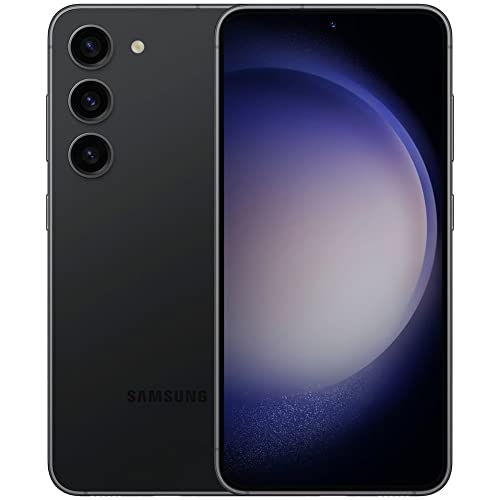
Samsung Galaxy S23 — Best compact flagship
The Galaxy S23 answers a complaint that grows louder every year: why are all the good phones enormous? Samsung’s small flagship of its generation packs a genuinely fast processor, a bright and colour-rich display and a versatile three-camera system into a body that one hand can actually operate, and it does so without the compromised battery or cut-down features that used to define compact models. Like the Pixel 7, it launched after the Android 11 generation and has been carried forward by Samsung’s update programme, which for this generation stretches impressively far — a major reason it holds its value and its place in this guide.
The renewed US-version listing linked here suits American buyers particularly well. Ownership impressions are of a phone that feels dense and finished, with Samsung’s software offering more customisation — and more pre-installed extras — than Google’s cleaner approach; which you prefer is taste, not quality. Battery life is the compact tax: a full heavy day is achievable, a careless one is not, and the phone rewards owners who top up opportunistically. For anyone whose Android 11-era loyalty was really loyalty to phones that fit a pocket and a hand, the S23 is the most faithful modern expression of that preference still worth buying.
- Launch context: post-Android 11 generation; long Samsung update commitment
- Camera: versatile multi-lens system with optical zoom (rare in this guide)
- Display: compact, bright AMOLED
- Memory and storage: 128GB in the listed US configuration
- Condition note: renewed US version — verify grading and included accessories
Strengths
- True one-handed size without flagship compromises.
- Optical zoom gives it photographic reach the Pixels here lack.
- Long update runway protects the purchase for years.
Trade-offs
- Small body means a smaller battery; heavy days need a top-up.
- Samsung’s software extras duplicate some of Google’s apps.
- Renewed pricing varies widely between sellers for this model.
Best for: compact-phone loyalists who refuse to accept a cut-down device. Not suited for: big-screen media consumers or two-day battery seekers.
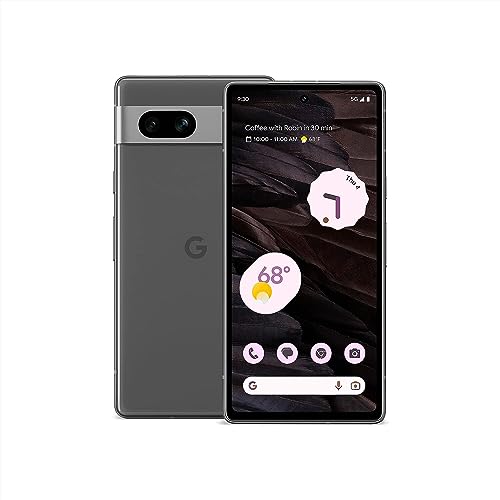
Google Pixel 7a — Best budget route
If the Pixel 7 is this guide’s sweet spot, the 7a is its bargain basement — and the drop in photographic ability between them is far smaller than the drop in price. The 7a carries the same software philosophy, a main camera from the same high-resolution family, and even wireless charging, which phones at its renewed price almost never offer. It launched alongside the Pixel 7 generation and shares its update story: modern Android today, support still running, none of the abandonment anxiety that attaches to genuinely old hardware. For a child’s first phone, a parent’s upgrade from something ancient, or a spare that can genuinely substitute for a main phone, the 7a is the easiest recommendation in this entire article.
The compromises are in finish and pace rather than capability. The body is less premium in the hand, the display bezels are thicker, charging is slow by any standard, and renewed units at the gentlest prices will show their grading if you look — which is why the returns window matters and why this guide keeps mentioning it. None of that touches the core experience: fast, clean software, a camera that handles birthdays and holidays without drama, and a size that suits almost every hand. Readers whose Android 11 search was really a budget search wearing a version number should stop here and spend the saving on a case, a charger and cloud storage.
- Launch context: Pixel 7 generation; updated to modern Android, support continuing
- Camera: high-resolution main sensor with Pixel processing
- Display: compact OLED
- Memory and storage: 128GB in the listed configuration
- Condition note: renewed stock — grading and battery terms are the whole game at this price
Strengths
- Lowest linked entry price in the guide with the least photographic sacrifice.
- Wireless charging at this level remains genuinely unusual.
- Size and software simplicity suit younger and older users alike.
Trade-offs
- Finish and bezels betray its mid-range origins.
- Slow charging, wired and wireless alike.
- Cheapest renewed units may carry visible wear.
Best for: budget-first buyers, first phones and capable spares. Not suited for: buyers who want a premium feel or the longest possible support life.
Samsung Galaxy S23+ — Best big-screen era pick
Everything the S23 does well, the S23+ does at a size that suits video, reading and two-handed productivity — and with a larger battery that erases the compact model’s one real anxiety. The Plus was the connoisseur’s choice of its generation: the same processor and camera system as its siblings, the same long Samsung update commitment, but a display with room to breathe and endurance that survives a heavy day without negotiation. For readers whose era loyalty was to the big Galaxies of the Android 11 period — the phones that were media machines first — the S23+ is their direct descendant in spirit and the most satisfying renewed purchase in this guide.
The renewed US listing linked here describes the 256GB configuration, and that extra storage deserves emphasis in a category where buyers keep phones for years: photographs, offline video and app growth all draw on the same pool, and a phone bought cheaply but stored tightly becomes an irritation by its second year. Against the Pixel 7, the Samsung counters with better sustained performance, a more versatile camera system including optical zoom, and a brighter outdoor screen; against it stand Samsung’s busier software and a renewed price that sits above the Pixel’s. Choose by what you do all day: photographs in bad light favour the Pixel, everything else at scale favours this.
- Launch context: post-Android 11 generation; long Samsung update commitment
- Camera: multi-lens system with optical zoom
- Display: large, bright AMOLED
- Memory and storage: 256GB in the listed US configuration
- Condition note: renewed US version — check grading against the price asked
Strengths
- Big screen and big battery remove the compact model’s compromises.
- Generous listed storage suits multi-year ownership.
- Sustained performance handles games and multitasking without fuss.
Trade-offs
- Two-handed size will not suit smaller hands or tighter pockets.
- Costs more renewed than the Pixel alternatives here.
- Samsung’s duplicated apps take tidying for Google-app households.
Best for: media-heavy owners upgrading from the big Galaxies of the era. Not suited for: one-handed users or the tightest budgets.

Google Pixel 8 — Best support runway
The Pixel 8 stretches this guide’s premise the furthest, and it does so for the most practical reason in the article: time. Google committed this generation to an unusually long support window, which means a renewed Pixel 8 bought today has more software life ahead of it than any other phone here — more Android versions, more security patches, more years before the support question even needs asking. For a reader whose real anxiety about buying older hardware is abandonment, the Pixel 8 is the answer that removes the anxiety entirely while keeping the renewed-price advantage over current models. Its hardware needs no apology either: a brighter display than the 7, a refined design, and a main camera in the same excellent Pixel tradition.
Why is it not simply the top pick, then? Because value is this guide’s subject, and the 8’s renewed price sits above the 7’s while its everyday experience — photographs, speed, screen — is an evolution rather than a transformation. Buyers who keep phones longest should pay the difference gladly; buyers replacing every couple of years are paying for support years they will never use. The 8 also continues the Pixel habits of unhurried charging and a processor tuned for intelligence over raw gaming muscle. Judge it as insurance: the premium buys calendar, and for the right owner the calendar is the whole point.
- Launch context: a generation beyond the Pixel 7; exceptionally long Google support commitment
- Camera: flagship Pixel main camera with mature processing
- Display: brighter OLED than the Pixel 7 generation
- Memory and storage: 128GB in the listed US configuration
- Condition note: renewed US version — newer model, so grading stock is generally fresher
Strengths
- Longest remaining software support of any pick in this guide.
- Brighter screen and refined design over the Pixel 7.
- Camera consistency in poor light remains a Pixel hallmark.
Trade-offs
- Higher renewed price for an incremental everyday improvement.
- Charging speeds still trail Samsung’s.
- Support advantage only pays off if you keep phones for years.
Best for: long-term keepers who want era pricing without era abandonment. Not suited for: frequent upgraders who will never use the extra support years.
Google Pixel 5a 5G — The genuine Android 11 phone
Here, at last, is the phone your search literally describes. The Pixel 5a launched in 2021 running Android 11, with the era’s virtues intact: a metal body, a headphone jack, a rear fingerprint reader that never misses, battery life that embarrassed flagships, and Google’s camera of the period, which remains lovely for stills in good and moderate light. It is covered in prose only, without a purchase link, because no listing for it passed this site’s verification when this guide was written — and because its remaining story needs telling plainly rather than selling enthusiastically. The 5a’s software support has ended; it will not receive current Android versions or ongoing security patches, and one hardware weakness of the model, widely reported by owners over the years, means a used unit’s remaining life is genuinely uncertain.
So who should still want one? The reader with a true legacy requirement — an app, a work system, a piece of equipment that expects a phone of this period — and the enthusiast who keeps a working museum of Android history. For those buyers, sourcing advice matters more than a link: buy from a seller who powers the phone on, demonstrates the screen and fingerprint reader, states battery condition, and offers returns, because a 5a is now a used-car purchase, not an electronics purchase. For everyone else, the 5a’s role in this guide is as a benchmark of honesty: it is what an Android 11 phone actually is in 2026 — charming, capable in bursts, and finished as a supported product. The linked picks above exist because most buyers, once they see that clearly, prefer the era’s value without its ending.
- Launch context: launched in 2021 on Android 11 itself
- Camera: period Pixel main camera, strong in good light
- Display: OLED, sensibly sized
- Extras: headphone jack, rear fingerprint reader, metal body
- Support status: ended — no ongoing Android or security updates
Strengths
- The authentic article: a real Android 11 launch phone.
- Battery endurance and the headphone jack preserve era virtues.
- Simple, durable-feeling metal construction.
Trade-offs
- Software support has ended; security patches no longer arrive.
- Used-only availability with unit-by-unit condition risk.
- Known long-term hardware fragility reported by owners.
Best for: legacy-system users and Android historians who know exactly what they are buying. Not suited for: anyone’s only phone, banking phone, or long-term daily driver.
How do these era phones compare today?
| Pick | Software story | Standout trait | Watch out for |
|---|---|---|---|
| Google Pixel 7 | Updated well past launch version | Camera value | Slow charging |
| Samsung Galaxy S23 | Long Samsung commitment | Compact flagship power | Battery on heavy days |
| Google Pixel 7a | Updated, support continuing | Lowest linked price | Renewed grading spread |
| Samsung Galaxy S23+ | Long Samsung commitment | Screen and endurance | Size and price |
| Google Pixel 8 | Longest runway here | Support insurance | Premium over Pixel 7 |
| Google Pixel 5a 5G | Launched on Android 11; support ended | Authentic era hardware | No updates, used only |
The pattern in the table is the guide in miniature: five phones whose software moved on and one whose did not. That is not a trick played on your search — it is the market’s honest shape. Android versions are not wine vintages to be cellared; they are living software that makers maintain, and the value of the era you searched for survives in hardware, design and price rather than in a frozen version number. The sections below turn that into buying practice: how to check a renewed phone, how to handle a genuine legacy-software need, and how to avoid the mistakes that give this category its occasional horror stories.
How do you check a renewed phone of this era properly?
Treat the returns window as a testing laboratory and use the first forty-eight hours deliberately. On arrival, inspect the screen in a dark room and a bright one — renewed grading usually covers cosmetics, but dead pixels and uneven brightness are functional faults worth catching early. Check the battery’s reported health where the software exposes it, and then test the claim with your own day: a phone that cannot reach evening under your normal use will not improve with age. Run the camera through its modes, including video with sound, because microphones and stabilisation fail quietly. Make a real phone call, connect your actual headphones or car system, and confirm the phone is fully unlocked and free of any previous owner’s account — an activation lock discovered later is the one problem returns windows exist to prevent.
Software checks matter as much in this category as hardware ones. Confirm the phone updates to the maker’s current release for that model, and install your banking, work and messaging apps while returning is still free, because app compatibility is where era hardware occasionally surprises. If the phone is destined for a specific older app or work system — the legitimate reason to chase this generation — that test outranks all others and should happen on day one, not day twenty-nine. A renewed phone that passes this weekend of scrutiny will very likely serve for years; one that fails any part of it should go back without sentimentality, because the next unit from the same seller is a fresh draw from a large pool.
What if you genuinely need old Android software for an app or work system?
Start by questioning the requirement, respectfully, because it is often softer than it sounds. Many “needs Android 11” situations are really “was tested on Android 11 years ago” — and the app in question runs perfectly on the current software aboard the linked picks here, which is why a day-one test on a returnable phone is worth more than a month of forum reading. Where the requirement is real — specialised equipment, medical or industrial companion apps, a managed work profile pinned to old builds — the safer architecture is separation: keep the legacy phone, such as the Pixel 5a discussed above, as a dedicated tool for that one job, off your main accounts, and carry a supported phone for banking, messaging and daily life. An unsupported phone holding your email and bank access is a risk; the same phone running one equipment app on a factory floor is a tool.
Whatever you buy for a legacy role, harden it sensibly. Use a separate account with no payment methods attached, install only the required app from its official source, keep the phone off public Wi-Fi where the job allows, and record the exact software build that works, so a well-meaning update or reset does not strand the system. And keep perspective on lifespan: budget for the legacy unit as a consumable with a finite, unknown remaining life, not as infrastructure. That framing — tool, not treasure — is what separates the readers who succeed with era hardware from those who end up angry at it.
How does buying an era phone change your accessory and case hunt?
One practical consequence of choosing hardware from a past generation is that its ecosystem has matured and thinned at the same time. Cases, screen protectors and chargers for the Pixel 7, Galaxy S23 and their siblings remain widely available — these were high-volume flagships — but the selection narrows each year, and the fashionable colours and newest case designs belong to current models. Buy two cases and a spare set of protectors while they are plentiful and cheap if you intend to keep the phone for years; the day a discontinued case is needed is the day it becomes oddly expensive. Chargers are simpler: these phones predate the most exotic fast-charging standards, and a reputable USB-C charger of adequate wattage serves any of them, though Samsung and Google each reserve their very fastest speeds for compatible adapters.
Repair economics also shift in the era buyer’s favour, up to a point. Screens, batteries and charging ports for popular flagships of this period are stocked by independent repair shops everywhere, and a battery replacement — the single most rejuvenating service for a renewed phone — is typically quick and modestly priced for models like these. That changes the renewed calculation again: a phone bought at a fair grade with a tired battery can be restored to all-day service for less than the price gap to a mint unit. Ask a local shop for the battery price on your shortlisted model before you buy, and factor the answer into which listing grade you choose. Era hardware, maintained this way, is not a compromise purchase at all; it is a small system, and systems beat bargains.
What should parents and employers know before handing out era phones?
Phones from this guide are popular hand-me-downs and fleet stopgaps, and two audiences inherit them most: children and junior staff. For children, the linked picks are close to ideal — capable cameras, strong parental-control support in current software, and prices at which a cracked screen is a lesson rather than a disaster. Set the phone up under your own family management before handing it over, because retrofitting controls onto a device a child already owns is a negotiation nobody wins. For employers, the same logic applies with paperwork: an era phone issued for work should be enrolled in whatever device management the firm uses, wiped and reissued between staff, and recorded as an asset with its support end-date attached, so its retirement is planned rather than discovered during an audit.
Both audiences should hear the Pixel 5a’s lesson clearly, though. A phone beyond its support life is the wrong device for a child’s main account or an employee’s email, however sturdy it feels, because the protection that matters most is the kind that arrives monthly and silently. Keep unsupported hardware for supervised, single-purpose jobs, and let the still-supported picks — which is to say, five of the six phones in this guide — carry the accounts that matter. That single policy converts this entire category from a gamble into what it should be: the best-value shelf in the phone market.
What mistakes do buyers of older Android phones keep making?
The most expensive mistake is buying a version number instead of a phone: paying a premium for sealed “new old stock” of the Android 11 generation, only to receive a device whose battery has aged on a shelf for years and whose support ended before the box was opened. The second is ignoring support status entirely — installing a full digital life on a phone that no longer receives security patches, because it was cheap and the camera is nice. The third is the opposite error: dismissing renewed flagships altogether and buying a brand-new budget phone instead, which trades a graded, warranted, former flagship for weaker hardware in every respect that daily use can feel. The fourth is skipping the day-one compatibility test for the one app the purchase was actually for.
A quieter mistake is storage shortsightedness. Era phones at their smallest storage sizes were adequate for the app sizes of their day; apps have grown, photo libraries have grown, and a phone bought at its minimum tier can spend its life nagging about space. Where a listing offers a larger storage configuration for a modest step up — as the S23+ listing here does — that step is usually the best-value money in the whole transaction. None of these mistakes requires expertise to avoid; they require only the willingness to read the listing, check the support page, and test promptly, which is most of what this guide has been asking of you.
How do you move your life onto an older phone without the usual chaos?
Transfers onto era hardware follow the same rules as transfers onto new phones, with two extra cautions earned by the category. First, update the phone fully before you move anything: a renewed unit may arrive several versions behind its current release, and restoring a backup onto out-of-date software is where strange incompatibilities breed. Let it update, restart, and update again until it reports itself current, and only then begin the transfer from your old device. Second, move your two-factor authentication deliberately rather than hopefully. List every account that sends codes to the old phone, migrate authenticator apps using their own export features, and keep the old phone alive and nearby until every important account has been signed into successfully on the new one. More people are locked out of their digital lives by hasty phone swaps than by any failure of the phones themselves.
The rest is housekeeping with outsized returns. Sign into your photo backup and let it complete a full sync before you wipe or sell the old device — “it says it is backing up” and “every photograph is safely stored” are different statements separated by one progress bar. Re-pair watches, earbuds and car systems one at a time rather than in a frustrated batch, because a single failed pairing is diagnosable and five simultaneous ones are not. And keep the old phone, charged and wiped of nothing, for a full week after the swap. If everything has been quiet for seven days, then recycle, sell or hand it down with confidence. Era phones reward this patience doubly, because their previous owner’s setup quirks occasionally surface late — a forgotten work profile, a region setting — and a week of overlap turns each surprise into a curiosity instead of a crisis.
Does 5G matter on phones of this generation?
All the linked picks are 5G phones, and for most owners 5G on this hardware is simply the water the phone swims in — unremarkable, adequate, and not a reason to choose between them. What matters more in practice is band support for your specific carrier, which is why this guide favours US-version listings for American readers: a phone built for your market’s bands will hold signal in the places an imported variant quietly struggles. If you live in an area where 5G coverage is still patchy, these phones fall back to LTE gracefully, and their battery life often improves for it. Treat 5G as settled infrastructure here, and spend your comparison energy on cameras, screens and support calendars instead.
What is the difference between renewed, refurbished and used?
The words describe a spectrum of accountability. “Used” means a previous owner’s phone sold as it stands, with whatever life it has lived — the Pixel 5a market is mostly this. “Renewed” and “refurbished,” as the major marketplaces use them, describe phones that have passed through a seller’s inspection and grading process, are sold with a stated condition standard, and usually carry some seller-backed warranty and returns protection. The exact standards vary by programme, which is why this guide repeats one instruction in several forms: read the specific programme’s grading definitions and warranty terms for the listing in front of you, because those documents, not the label, are what you are actually buying.
There is one more reader this guide should acknowledge: the person who simply liked their old phone. Perhaps it was a Pixel 5 or a Galaxy S21, bought new in the Android 11 spring, carried through three years of life, and lost or broken recently. The grief for a familiar phone is real — the muscle memory, the case worn smooth, the camera whose results you could predict. Nothing in this guide will resurrect that exact device, and the prose-only treatment of the 5a explains why chasing its exact replacement is a risk. But the linked picks are that phone’s own family, grown a generation or two older and wiser: same design language, same camera instincts, better screens and processors, and software that kept the promises the old phone’s software no longer can. Most readers who make that move report the same small surprise — within a week, the new-old phone feels like the old one, only faster. Familiarity, it turns out, lives in the family resemblance, not in the version number.
Budget the whole purchase, not just the handset, and the era strategy gets stronger still. A renewed flagship plus a fresh battery service, a good case, a spare charger and a year of cloud storage typically totals less than a new mid-range phone alone — while delivering a better camera, a better screen and a better processor than that mid-range phone offers. The saving is not magic; it is depreciation, harvested by a buyer willing to do the checking this guide describes. That is the honest summary of the entire Android 11 search in 2026: the version is history, the value is real, and the work of capturing it is an evening of careful reading and a weekend of testing, traded for years of flagship service at a fraction of flagship money.
A closing observation about where this category is heading, because it affects how long you should wait before buying. The supply of well-graded renewed units from any phone generation is richest in the two or three years after that generation’s owners upgrade, and it thins steadily after that as the surviving stock grows older, more worn and more scattered among small sellers. The phones in this guide sit inside that rich window now. A reader who has decided that era value is the right strategy gains little by waiting — prices drift down slowly while condition drifts down faster, and the best-graded units are bought first by other readers of guides like this one. Buy the grade, test it promptly, and keep it for years: that sequence, executed this season, is the whole advantage.
Insurance deserves a footnote of its own in this category. A renewed flagship often falls below the threshold where carrier insurance or card-based protection makes arithmetic sense, which tempts owners to carry it bare. Resist the temptation in the cheap direction: a good case and a screen protector cost very little against a screen replacement, and for phones of this age the screen is usually the difference between a working device and a write-off. Protect the hardware you hunted so carefully, and let the money you saved on the purchase itself be the insurance fund.
One more small discipline completes the ownership picture: learn your phone’s actual update screen and visit it monthly. Automatic updates handle most of the work on the supported picks here, but an occasional manual check catches the patch that waited for Wi-Fi, the restart that never happened, the storage shortage that silently stalled an install. Two minutes a month is the entire maintenance contract for a modern smartphone, and era phones — whose remaining support is precious — deserve those two minutes most of all. Set a recurring reminder on the day the phone arrives, while the intention is fresh, and the habit will outlive the reminder itself.
And when the phone eventually retires — traded, handed down again, or recycled — wipe it properly, remove it from your accounts, and pass its case and chargers along with it if it stays in the family. A well-kept era phone can serve two or three owners across its life, which is the final, quiet argument for buying good hardware in the first place: quality compounds, owner after owner, long after the version number that started this search has been forgotten by everyone except the search engines.
None of this requires nostalgia, and none of it requires settling. It requires only a clear-eyed view of what a phone purchase actually buys in this decade: a screen, a camera, a processor and a support calendar, wrapped in glass. The era this search names got three of those four things memorably right, and the linked picks in this guide repair the fourth with years of updates their ancestors never received.
Buy once, buy the grade you would be happy to receive as a gift, and test it like you mean it during the first weekend. Readers who follow that unglamorous sequence almost never write the angry reviews that give renewed phones a frightening reputation — the disappointed reviews, read closely, almost always skipped one of those three steps.
The same patience applies at resale or trade-in time, incidentally: a phone kept in a case, with its battery serviced and its software current, commands the top of its renewed band years later, returning a meaningful share of what this whole strategy cost, and closing the value loop that brought you to this category in the first place, neatly and completely, which is all any buyer can reasonably ask of a second-hand flagship in any season.
Final Recommendation
For most readers who arrived searching for an Android 11 phone, the Pixel 7 is the purchase we would actually make: era-defining value, a camera that still leads its price class, and software that has grown up rather than been left behind. Pick the Galaxy S23 if your hands miss compact flagships, the S23+ if your days are long and your screen is your window, the Pixel 7a if the budget speaks first, and the Pixel 8 if support years are the currency you value. Keep the Pixel 5a for what it truly is — the genuine article, for genuine legacy needs, bought with open eyes. Search engines remember version numbers; good buying remembers what the version number was standing in for, and what it stood in for was value like this.
Frequently Asked Questions
Can I still buy a phone that runs Android 11?
Only as used or renewed stock from the 2020–2021 generation, such as the Pixel 5a covered in this guide, and those phones no longer receive Android or security updates from their makers. No manufacturer sells a new phone with Android 11 installed today. For most buyers, the better interpretation of the search is the one this guide follows: phones from that era and the generation just beyond, bought as renewed hardware, which arrive running much newer software through their makers’ update programmes.
Will my apps still work on phones from this generation?
On the linked picks, yes, essentially universally — they run modern Android versions, so current apps install and update normally. On a genuine Android 11 device whose support has ended, the picture decays gradually: most mainstream apps still install today, but developers steadily raise their minimum versions, and banking and work apps are usually the first to withdraw support from old software. If one specific app drives your purchase, test it on the actual phone inside the returns window before relying on it.
Is it safe to use a phone that no longer gets security updates?
It depends entirely on the job you give it. As a dedicated tool for one legacy app, kept off sensitive accounts and public networks where possible, an unsupported phone is a manageable risk that many workplaces accept deliberately. As your main phone — holding email, banking, two-factor codes and your photo library — it is a risk we would not take, and it is why this guide steers general buyers to the still-supported picks and reserves the Pixel 5a for knowing, narrow use.
Why are renewed flagships better value than new budget phones?
Because phones age unevenly across their components. A two-to-three-year-old flagship keeps its excellent screen, camera, build and processor, which are the parts you feel every minute, while its price falls to meet new budget models whose screens, cameras and builds were compromised from birth. The flagship’s genuine costs are battery wear and a shorter remaining support life, both of which this guide teaches you to check. For most buyers, that trade favours the renewed flagship clearly — it is the entire premise of shopping this era.
How long will the linked picks keep receiving updates?
Long enough to plan around, and longest on the Pixel 8, whose generation carries Google’s extended commitment. The Galaxy S23 family benefits from Samsung’s lengthened programme for its generation, and the Pixel 7 family sits between the two. Exact end dates are the makers’ to publish and occasionally revise, so check the manufacturer’s support page for the specific model before buying if a particular year matters to your plans — and weight the answer heavily, because in this category support life is the closest thing to a warranty on the future.
Should I factory-reset a renewed phone before using it?
Yes, even when the seller states the phone was reset — doing it yourself takes minutes and converts an assurance into a certainty. A reset clears any lingering accounts, profiles or configuration from the phone’s previous life and gives your setup a clean foundation. Do it after confirming the phone activates and updates normally, and before signing into anything personal. On the rare unit that reveals an activation lock or a management profile at this stage, you have discovered exactly the kind of problem the returns window exists for, at exactly the right time to use it.
What about Android version numbers on marketplace listings?
Read them as history, not as the product. Listings for phones of this era are often copied from launch material, so a page may cheerfully describe the software the phone shipped with years ago rather than the software it runs today. The phone itself will tell you the truth in its settings, and the maker’s support page will tell you the newest version that model can run. Where the two disagree with a listing, believe the phone and the maker. This single habit — verifying version claims against the manufacturer’s own support documentation — protects buyers in this category more reliably than any other, because software is the one specification a photograph of the box cannot prove.
Keep the packaging and the seller’s grading paperwork until the returns window closes, and photograph the phone’s condition on arrival if the grade matters to a possible dispute. Renewed purchases go smoothly almost all of the time; the paperwork is for the other times, and it costs one drawer corner for a fortnight.
Related Guides
Keep browsing this era’s value with our guide to two-year-old Android phones worth buying, compare the camera angle in the 48-megapixel camera phone round-up, or widen the net with our affordable unlocked Android phones guide.