What's inside
- Key Takeaways
- Quick Picks
- How We Chose These Picks
- Gen3 or Gen4: What Does the Generation Actually Change?
- How Do You Install an M.2 Drive and Move Your System Onto It?
- Why Do Sustained Writes Separate the Flagships From the Rest?
- How Does a Terabyte Change a Game Library’s Habits?
- How Do You Check Your Slot’s Generation Before Ordering?
- Six Terabyte Drives, Examined Closely
- What Does a Terabyte Look Like After Formatting?
- How Do You Clone Onto a 1TB Drive From a Larger Old One?
- Generations and Figures: The Six in One View
- Which 1TB Buying Mistakes Cost the Most?
- Final Recommendation
- Frequently Asked Questions
- Related Guides
As an Amazon Associate I earn from qualifying purchases. This post may contain affiliate links at no extra cost to you.
gizmoverdict.com is reader-supported. When you buy through links on our site, we may earn an affiliate commission.
Where to buy: the six drives below link to their Amazon listings from the Quick Picks table and from their detailed reviews. A 1TB listing page sometimes hosts other capacities of the same drive family, so confirm the title’s capacity and model code match what lands in your cart — at this tier the price difference between capacities is large enough to make the check worthwhile.
The best solid state hard drives 1 terabyte has become the most contested shopping list in storage, because a terabyte is where several curves cross. It is the capacity at which a system drive stops needing supervision, the size at which a game library fits without a rotation policy, and — not coincidentally — the tier where manufacturers aim their best controllers and their newest flash. Every major drive family now fields a 1TB champion, and choosing among them is less about finding a good drive than about understanding which generation of speed your machine can actually use.
That generation question organises this entire roundup. Four picks speak PCIe Gen4, the current mainstream for new desktops and laptops, with stated read figures between 6,000 and 7,450 MB/s. Two picks speak PCIe Gen3, the previous standard, with one stating its speeds honestly in the 1,800/1,500 MB/s region and the other stating none at all. A Gen3 drive in a Gen4 slot works perfectly and wastes the slot; a Gen4 drive in a Gen3 slot works perfectly and wastes its premium. The terabyte is the same in all six. Everything else — the slot you own, the workload you run, the honesty of each title — decides which of them deserves it.
What follows separates those questions properly: how the picks were chosen, what the generations actually mean at a desk rather than in a benchmark, the six drives reviewed in depth, installation guidance for the M.2 form all six share, and the mistakes that send buyers home with a fast drive their machine cannot feed.
Key Takeaways
- All six picks are M.2 NVMe drives at exactly 1TB; the dividing line is PCIe generation, not capacity or shape.
- Samsung’s 990 PRO states the roundup’s highest figure, up to 7,450 MB/s, on PCIe 4.0.
- The Samsung 990 (non-PRO) is the only pick stating both read and write figures: 7,150 and 6,450 MB/s.
- Kingston’s NV3 is the Gen4 value entry, stating up to 6000 MB/s on a Gen 4×4 connection.
- The Gen3 pair — TEAMGROUP’s MP33 and Silicon Power’s drive — suit older slots; the MP33 states 1800/1500 MB/s while the Silicon Power title states no speed.
- No pick’s title claims a heatsink, so desktop builders with hot slots should plan cooling from the motherboard side.
Quick Picks
| Pick | Badge | Why it earns its place |
|---|---|---|
| Samsung SSD 990 PRO 1TB, PCIe 4.0 M.2 2280 | The Gen4 Flagship | Up to 7,450 MB/s stated, aimed by its own title at high-end computing, gaming and heavy-duty workstations. |
| Kingston NV3 1TB M.2 2280 NVMe SSD | The Gen4 Value Lane | PCIe 4.0 Gen 4×4 with up to 6000 MB/s stated, bringing the current generation to a plainer price tier. |
| Crucial P310 1TB SSD, PCIe Gen4 NVMe M.2 2280 | The Handheld-Friendly All-Rounder | Up to 7,100MB/s with laptop, desktop and handheld consoles all named in the title, plus bundled data software. |
| Samsung Internal SSD 990 1TB | The Fully Quoted Samsung | Read and write both stated — 7,150 and 6,450 MB/s — for game collectors, builders and archivists. |
| TEAMGROUP MP33 1TB NVMe PCIe Gen3x4 M.2 2280 SSD | The Honest Gen3 Drive | Gen3x4 figures printed without embarrassment, up to 1800/1500 MB/s, with SLC cache and TLC named. |
| Silicon Power 1TB NVMe M.2 PCIe Gen3x4 2280 SSD | The Undecorated Gen3 Terabyte | Interface and form fully stated, speed left unstated, for older slots that need room more than drama. |
How We Chose These Picks
Capacity discipline came first: every pick is 1TB as its title states it, no step-up sizes smuggled in to fill the table. Form came second — all six are M.2 sticks, the shape modern slots accept — and interface third, with NVMe required and SATA M.2 excluded, because a 1TB roundup in this era is fundamentally an NVMe conversation. Within those rails, the six were chosen to map the real decision space a buyer faces at this capacity: two Samsung flagships with different disclosure styles, one value Gen4 from Kingston, one Gen4 all-rounder from Crucial with handheld ambitions, and two Gen3 drives for the enormous installed base of older slots.
Speed figures were taken from titles and only from titles. That rule produces one deliberate oddity in the reviews below: the Samsung 990’s form factor and PCIe generation go unrecorded in its spec box, because its title — unusually for Samsung — omits them, printing instead the audience and the two speed figures. The drive is an NVMe internal SSD by its title’s own words; beyond that, this roundup declines to decorate. The same restraint applies to heatsinks, endurance figures and controller details across all six: if a title does not state it, the review either omits it or marks it plainly as unstated.
The arrangement of the six is a ladder of generations with a value rung. Buyers with Gen4 slots should read the first four reviews as their shortlist and the Gen3 pair as a warning about what not to buy for that slot. Buyers with Gen3 slots should invert the reading: the MP33 and the Silicon Power are their honest options, and the Gen4 flagships are drives their machine would politely underuse. Everyone should read the generation explainer before ordering anything.
Gen3 or Gen4: What Does the Generation Actually Change?
PCIe generations double the bandwidth per lane, and these drives use four lanes — the “x4” in their titles. A Gen3x4 connection therefore carries roughly half the ceiling of a Gen4x4 one, which is why the stated figures divide so cleanly: the Gen4 field states 6,000 to 7,450 MB/s, while the Gen3 TEAMGROUP states 1800/1500. Real machines feel that gap in specific, limited ways. Copying a 50GB game folder between two fast drives, loading enormous project files, scrubbing high-resolution video timelines — these bulk operations scale with the generation. Booting Windows, launching programs and loading game levels scale far less, because they are governed by small-file behaviour and access patterns where even Gen3 flash is rarely the bottleneck.
Compatibility, fortunately, is total in both directions. PCIe is backward and forward compatible by design: a Gen4 drive in a Gen3 slot runs at Gen3 speeds, a Gen3 drive in a Gen4 slot runs at its own ceiling, and nothing is harmed, refused or even particularly inconvenienced. The only cost of a mismatch is money — the premium paid for speed the slot cannot serve, or the savings accepted on a drive the slot could have outrun. That is why the slot, not the budget, should make the generation decision: read your motherboard or laptop specification, find the generation of the slot you will actually use, and buy the drive that matches it.
One more nuance belongs here, because it explains the NV3’s existence. Not every Gen4 drive reaches the generation’s ceiling; Kingston’s stated 6000 MB/s sits below the flagships’ figures while still doubling the Gen3 class. Value Gen4 drives trade peak pace for price while keeping the generation’s latency and small-file virtues, and for many desktops that trade is the sweet spot of the whole market — current-generation behaviour without the flagship’s tax. The reviews below treat the NV3 with that seriousness rather than as a defective flagship.
How Do You Install an M.2 Drive and Move Your System Onto It?
An M.2 stick installs with a single small screw, and the fiddliness of that screw is the job’s only real hazard. Power down, ground yourself against static, locate the M.2 slot — on desktops it sits on the motherboard, sometimes under a heatsink plate the board provides; in laptops it hides under the base panel — insert the stick at a shallow angle into the slot’s connector, press it flat, and secure the screw snugly rather than heroically. If the motherboard supplies a heatsink or thermal pad for the slot, use it: none of these six titles claims a heatsink of its own, so the board’s provision is the cooling plan, and Gen4 drives under sustained load appreciate it.
The software half mirrors the SATA ritual with one extra check. Clone the old drive or install the operating system fresh, as your situation dictates, but before either, visit the BIOS or UEFI and confirm the slot is enabled and, on older boards, that the boot mode is the modern UEFI standard these drives expect. After installation, verify the link width and generation the drive has negotiated — system information utilities report it — because a stick seated in a slot that shares lanes with other hardware occasionally negotiates a narrower connection than its title promises. That check takes two minutes and is the difference between assuming Gen4 and having it.
Thermal behaviour deserves a closing word. An NVMe drive under a long write will warm up and, past its comfort zone, slow itself to protect its flash. In a desktop with airflow this rarely matters; in a sealed laptop or a slot sandwiched under a graphics card it can shape sustained performance more than the stated figures do. If your workload is marathon copying, favour the machine’s cooling arrangement as a selection criterion alongside the drive — a truth the benchmark charts, run on open benches, will never tell you.
Why Do Sustained Writes Separate the Flagships From the Rest?
Every figure quoted in this roundup describes a peak, and peaks are the easiest part of an SSD’s job. The harder part begins in minute ten of a long copy, when the drive’s fast cache — the small reserve of high-speed flash behaviour every modern design borrows against — is exhausted, and the drive must write at the native pace of its flash and controller. Flagships are engineered to keep that native pace high; value drives accept a lower one as the price of their price. Neither behaviour appears in any title in this roundup, which is precisely why this section exists: the stated figures tell you how a drive starts a marathon, not how it finishes one.
Most owners never run the marathon. Operating systems, games and applications write in bursts — an install here, a save there, an update in the evening — and bursts are exactly what cache designs absorb invisibly. The workloads that expose sustained behaviour are specific: ingesting a day’s video footage, copying a virtual machine library, building a game archive from downloads in one sitting. A buyer with a week containing those tasks should weight the flagship end of this list heavily and treat the Samsung 990’s stated write figure as the most relevant number in the article. A buyer with an ordinary week should save the premium without a flicker of guilt, because the value drives’ peaks are the only part of their performance they will ever meet.
There is a middle behaviour worth knowing about, too: heat. Sustained writing is also sustained power draw, and a drive deep into a long copy in a poorly cooled slot may slow itself for thermal reasons before its cache ever becomes the limit. This is the practical argument behind the installation section’s heatsink advice, and it applies with special force to laptops and handhelds, where the slot’s air is borrowed from a small, sealed space. Sustained performance, in the real world, is a property of the drive and its housing together.
How Does a Terabyte Change a Game Library’s Habits?
Ask a gamer who has just installed a 1TB drive what changed, and the answer is rarely about loading screens. It is about permission. At 500GB, every new release opens negotiations: what gets deleted, what gets finished first, what can be re-downloaded later without pain. At a terabyte, the negotiations mostly stop. The current rotation, the comfort games, the one enormous title that anchors a year of play, and the back catalogue’s greatest hits coexist, and the download queue becomes a list of intentions rather than a queue of evictions. Storage anxiety is a real tax on a hobby, and capacity is how it is repealed.
The Samsung 990’s title names game collectors explicitly, and collectors are the extreme case of this psychology: the library is the point, completeness is the pleasure, and a drive is judged by how much of the collection it holds in a state of instant readiness. For that reader, the stated write figure matters as much as the read — a collection is built by installing — and the terabyte’s discipline is organisational rather than financial. Everyone else should simply note that a terabyte, at current game sizes, is the first capacity that feels like a library rather than a shelf, and that feeling is the product actually being sold across all six of these listings.
One habit should survive the upgrade, though: the backup. A terabyte of games can be re-downloaded, but a terabyte of saves, captures and configurations cannot, and the faster the drive, the more of a life accumulates on it. The collectors the Samsung title addresses know this instinctively — an archive is only an archive if it exists twice — and the rest of us should borrow the instinct along with the capacity.
How Do You Check Your Slot’s Generation Before Ordering?
Everything in this roundup depends on one fact about your machine, and obtaining it takes five minutes. For a desktop, the motherboard’s model name — printed on the board, on the box, or in the system information panel of your operating system — leads directly to the maker’s specification page, where M.2 slots are listed with their PCIe generations. For a laptop or handheld, the same route runs through the manufacturer’s support page for your exact model, where storage specifications state the slot’s generation and the stick lengths it accepts. Two facts are wanted from that page: the generation, which chooses your shortlist from this article, and the length, which confirms 2280.
Software can corroborate what the documents say. System information utilities report the link speed and width a currently installed NVMe drive has negotiated, which reveals the slot’s ceiling in a machine that already has a drive; an empty slot, of course, keeps its secret until the documents are consulted. Owners of prebuilt desktops should also glance inside the case before ordering, because some boards route their second M.2 slot through a narrower or older connection than the first, and the flagship you buy deserves the board’s best slot rather than its spare.
Do this homework before the shopping, not after the delivery. The entire disappointment economy of this category — flagship drives idling in old slots, value drives bottlenecking new builds, sticks a centimetre too long for a handheld — is manufactured in the gap between the drive’s title and the machine’s manual. Five minutes with the manual closes the gap permanently, and it is the highest-value time this article can ask of you.
Six Terabyte Drives, Examined Closely
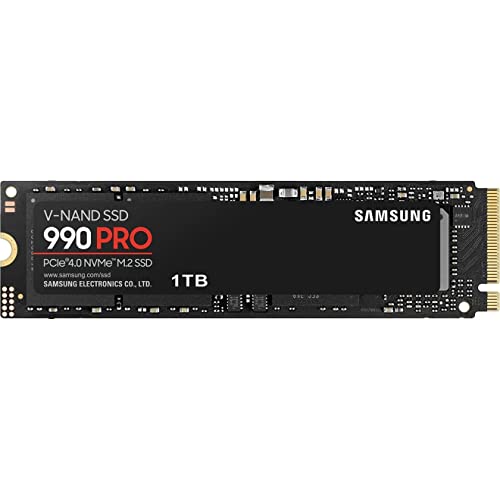
Samsung SSD 990 PRO 1TB, PCIe 4.0 M.2 2280 — The Gen4 Flagship
The 990 PRO is Samsung’s flagship statement at this capacity, and its title carries the roundup’s highest figure: up to 7,450 MB/s on PCIe 4.0, in the M.2 2280 form, addressed to high-end computing, gaming and heavy-duty workstations. That audience list is the review in miniature. This is the drive for machines whose storage is a working tool — the editing desktop, the development workstation, the gaming rig built without a budget ceiling in the storage line — and its stated figure presses against the practical roof of the Gen4x4 connection itself. When a drive’s claim approaches its interface’s ceiling, the claim stops being marketing and becomes geometry.
Samsung’s vertical integration is the subtext of every flagship it sells: controller, flash and firmware from one house, tuned as a single design. The title cannot carry that story and this review will not invent its details, but the PRO badge’s market meaning is public knowledge — it denotes the top of Samsung’s consumer range, the drive against which rival flagships aim their own figures. At 1TB it also sits at the capacity where the flagship premium is most defensible, because a terabyte of this pace serves as system drive, project drive and game library in one stick.
The counterweights are generational rather than personal. In a Gen3 slot the 990 PRO becomes an expensive way to achieve Gen3 speeds, through no fault of its own. And its title, for all its confidence, states a read figure only — the write side goes unprinted, a gap the non-PRO Samsung below fills and this one, curiously, does not. Buy it for a Gen4 machine with a workload that writes its justification daily; admire it from the Gen3 section if your slot is older.
- Capacity: 1TB
- Interface: PCIe 4.0, NVMe
- Form factor: M.2 2280
- Read speed: up to 7,450 MB/s
- Audiences named in title: high-end computing, gaming, heavy-duty workstations
- Write speed: Not stated in the listing title — verify with Samsung documentation
Strengths
- Highest stated figure in the roundup, at the Gen4 connection’s practical ceiling.
- Flagship line addressed explicitly to workstations and high-end gaming.
- Full interface and form disclosure in the title; nothing needs guessing.
Trade-offs
- Its premium is wasted entirely in a Gen3 slot.
- Write figure unstated in the title despite the flagship badge.
- No heatsink is claimed in the title, so hot slots need the motherboard’s provision.
Best for: a buyer seeking the flagship Gen4 terabyte for a workstation or gaming rig. Not suited for: an older Gen3 machine, where its ceiling can never be reached.
A workstation note completes the flagship’s picture: heavy-duty machines in the title’s own words run virtual machines, compile large projects and hold datasets that dwarf games, and a terabyte at this pace serves all three without the tiering compromises smaller drives force. The 990 PRO’s buyer is purchasing the absence of storage from the list of things their machine makes them think about, and at the flagship tier that absence is the entire product.

Kingston NV3 1TB M.2 2280 NVMe SSD — The Gen4 Value Lane
The NV3 exists to answer a fair question: how much of the Gen4 experience survives at a value price? Kingston’s title answers with specifics — PCIe 4.0, Gen 4×4, up to 6000 MB/s, M.2 2280, 1TB — and the figure deserves context rather than apology. Six thousand megabytes per second is roughly double the practical ceiling of the entire Gen3 generation, delivered by a drive positioned as the affordable rung of the current one. For a new desktop or laptop whose slot is Gen4 and whose budget is finite, the NV3 is not the compromise candidate; it is arguably the rational one.
Kingston’s place in this market is the memory giant’s: decades of modules and drives sold at every tier, with the NV line as its NVMe value spearhead. The title’s completeness reflects that confidence — interface generation, lane count, speed and form all declared in one breath, a fuller disclosure than the flagship Samsung 990 below manages. A buyer can evaluate the NV3 entirely from its title, which is more than this roundup can say for half its field.
The honest limit is the mirror of its virtue. Sustained flagship workloads — the editing timeline, the hundred-gigabyte ingest — will find the gap between 6000 and 7,450 real, and the value design’s behaviour under marathon writes is plainer than a PRO’s. But the population of machines that copy a hundred gigabytes daily is small, and the population with Gen4 slots and ordinary duties is enormous. The NV3 is built for the second population, and it is built well within its brief.
- Capacity: 1TB
- Interface: PCIe 4.0 Gen 4×4, NVMe
- Form factor: M.2 2280
- Read speed: up to 6000 MB/s
- Line: Kingston NV value range
Strengths
- Current-generation interface at a value position, with the full connection declared.
- Stated figure doubles the Gen3 class ceiling while undercutting flagship pricing tiers.
- Title disclosure is complete: generation, lanes, speed, form, capacity.
Trade-offs
- Peak figure trails the flagships by a margin heavy workloads can feel.
- No write figure printed in the title.
- Value design’s sustained-write behaviour is plainer than a flagship’s under marathon loads.
Best for: buyers seeking Gen4 behaviour for a new machine on a finite budget. Not suited for: a professional ingest workload, where the flagship gap becomes a daily tax.
The NV3 also plays a quiet strategic role for Kingston that benefits its buyers: as the current generation’s entry point, it receives the line’s newest revisions and the broadest retail distribution, which translates into the practical virtues of availability and mature firmware by the time most shoppers arrive. Value flagships of a range — the drive a maker sells by the pallet — tend to be the most debugged products a company makes, and the NV3’s buyers inherit that debugging free of charge.

Crucial P310 1TB SSD, PCIe Gen4 NVMe M.2 2280 — The Handheld-Friendly All-Rounder
The P310’s title is the most sociable in the roundup: up to 7,100MB/s on PCIe Gen4, addressed to laptops, desktops and handheld gaming consoles in one listing, with data recovery software from Acronis included in the box’s story. That breadth defines the pick. Crucial built the P310 line for the generation of devices that all take the same stick — the gaming laptop, the home desktop, the handheld PC — and the 2280 at 1TB is the line’s mainstream size, fast enough to sit within sight of the flagships and priced, by its positioning, to be the sensible default for machines bought this year.
The included software deserves more than a passing nod, because migration is where upgrades actually hurt. A bundled, recognised cloning and recovery tool removes the software hunt from the installation weekend: connect, clone, swap, boot. For the handheld audience the title names, where the drive swap is the entire upgrade path the device offers, that completeness matters even more — the P310 arrives as a kit for a job, not merely a component for a slot.
Its trade-offs are the all-rounder’s usual ones. It is not the outright fastest title here — the 990 PRO states more — and a buyer chasing the ceiling should chase it there. Nor does the title claim a heatsink, so desktop slots with poor airflow lean on the motherboard’s provision as with every pick in this field. What the P310 offers instead is the roundup’s best balance of pace, audience breadth and ownership completeness at the terabyte tier, which is why it will be the right answer for the largest number of readers.
- Capacity: 1TB
- Interface: PCIe Gen4 NVMe
- Form factor: M.2 2280
- Read speed: up to 7,100MB/s
- Audiences named in title: laptop, desktop, handheld gaming consoles
- Included: Acronis data recovery software, as named in the listing title
Strengths
- Near-flagship stated pace with the broadest device audience in the roundup.
- Bundled migration software turns the purchase into a complete upgrade kit.
- Gen4 interface future-proofs it for the current machine generation.
Trade-offs
- States less than the 990 PRO at the ceiling, for buyers counting megabytes.
- No heatsink claimed in the title.
- Handheld owners must confirm their device takes the 2280 length before ordering.
Best for: a buyer after one fast terabyte that suits a laptop, desktop or handheld alike. Not suited for: a ceiling-chasing workstation build, where the flagship’s extra figure is the point.
Handheld owners should linger on the P310 for one more reason: in a handheld PC, the SSD swap is not an upgrade among many but the only storage decision the device will ever offer, and it is usually made once, early, and lived with for years. A drive that pairs near-flagship pace with a terabyte of room and a maker’s mainstream support is the conservative choice for a decision with no sequel — and conservatism, in a device you will open exactly once, is wisdom.

Samsung Internal SSD 990 1TB — The Fully Quoted Samsung
The plain 990 is the roundup’s most interesting document. Where its PRO sibling states a single heroic read figure, this title states the pair — read and write speeds up to 7,150 and 6,450 MB/s — and addresses itself to game collectors, DIY PC builders and digital archivists. The write figure is the revelation: 6,450 MB/s of stated writing is flagship territory by any measure, and Samsung printing it suggests a drive whose sustained behaviour is a selling point rather than a footnote. Archivists, note, are a writing audience; the title knows its readers.
Then the oddity: this title omits what every other Samsung title in this programme declares — the form factor and the PCIe generation go unprinted. The drive is an NVMe internal SSD by the title’s own words, and its figures imply the current generation loudly, but this roundup’s rule is that titles, not implications, fill spec boxes. The omission is therefore recorded below exactly as the rule requires. It changes nothing about the drive’s likely identity and everything about how a careful buyer should verify it: the listing page and Samsung’s documentation will confirm the physical details before purchase, and at this price they should be confirmed.
Judged on what it does declare, the 990 is a formidable terabyte: two stated figures in the flagship band and an audience list that reads like a description of this article’s readership. A game collector’s library writes constantly — installs, updates, captures — and a drive that quotes its write speed is speaking that collector’s language. Between the two Samsungs, the PRO sells the higher read ceiling; this one sells the fuller disclosure, and reasonable buyers will split on which currency they prefer.
- Capacity: 1TB
- Interface: NVMe internal, as stated in the listing title
- Read speed: up to 7,150 MB/s
- Write speed: up to 6,450 MB/s
- Audiences named in title: game collectors, DIY PC builders, digital archivists
- Form factor: Not stated in the listing title — verify with Samsung documentation
- PCIe generation: Not stated in the listing title — verify with Samsung documentation
Strengths
- The only pick stating both read and write figures, both in the flagship band.
- Audience named with unusual precision, and the write figure serves exactly those readers.
- Samsung’s flagship-adjacent line without the PRO’s single-metric theatre.
Trade-offs
- Form factor and PCIe generation must be verified outside the title before ordering.
- Read figure sits a step below the PRO sibling’s ceiling claim.
- The terse title gives handheld and laptop owners no compatibility reassurance.
Best for: a buyer prioritising declared write pace for a game library or archive. Not suited for: a buyer requiring every physical detail confirmed within the listing title itself.
Between the two Samsungs there is also a household division of labour waiting to happen: the PRO in the flagship desktop where its read ceiling serves games and projects, the plain 990 in the home server or the family machine where its stated write figure serves the constant small arrivals of a shared archive. A maker rarely fields two drives whose titles divide the world this neatly, and a two-machine household can exploit the division exactly as printed.
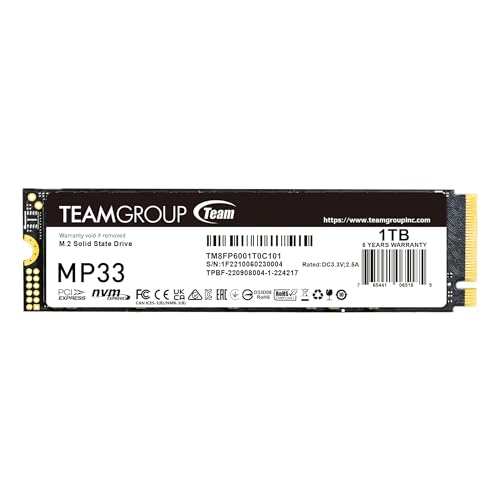
TEAMGROUP MP33 1TB NVMe PCIe Gen3x4 M.2 2280 SSD — The Honest Gen3 Drive
The MP33’s title does something the industry rarely rewards: it prints modest numbers in full. Read and write up to 1800/1500 MB/s, on NVMe 1.3 over PCIe Gen3x4, with SLC cache and 3D NAND TLC both declared. In a field of five-figure claims, those figures look humble — until they are placed against the audience this drive serves. A Gen3 slot cannot use more than roughly double these numbers under any circumstances, and the machines carrying Gen3 slots are legion: last generation’s desktops and laptops, still-fast computers whose storage is their only dated component. For those machines the MP33 is not the slow option. It is the correctly sized one.
TEAMGROUP prints the engineering details value drives usually hide — the cache design, the flash type, the protocol revision — and that completeness lets a buyer evaluate the drive as a design rather than as a price. The SLC cache tells you everyday bursts are handled by a fast front porch; the TLC declaration tells you how the terabyte is afforded; the Gen3x4 interface tells you exactly which slots the drive honours. Nothing in the title oversells, and in the Gen3 replacement market, where buyers have often been burned by inflated claims on ageing platforms, that restraint is a commercial virtue.
The MP33’s ceiling is architectural and absolute: it will never be a fast drive in a Gen4 machine, because its own interface generation caps it wherever it goes. Buy it for the machine you own, not the one you might buy, and it will serve that machine at its slot’s full honest pace for the rest of the machine’s life — which, for the still-capable Gen3 generation, is measured in years.
- Capacity: 1TB
- Interface: NVMe 1.3, PCIe Gen3x4
- Form factor: M.2 2280
- Flash: 3D NAND TLC with SLC cache
- Read speed: up to 1800 MB/s
- Write speed: up to 1500 MB/s
Strengths
- Complete engineering disclosure: cache, flash type, protocol and both speed figures.
- Correctly sized for the huge installed base of Gen3 slots.
- Both read and write stated, a courtesy several flagships here skip.
Trade-offs
- Gen3 ceiling travels with the drive; a future Gen4 machine would strand its pace.
- Cache-assisted design settles during marathon copies, as value drives do.
- Its figures look humble beside Gen4 marketing, however well matched they are.
Best for: a buyer working to the right terabyte for a Gen3 laptop or desktop. Not suited for: a new Gen4 build, where the slot deserves a drive of its own generation.
The MP33 has one more audience its title hints at with its laptop-and-desktop line: the family IT volunteer, the person maintaining three relatives’ ageing machines and needs a drive that can be recommended, ordered and installed identically in all of them. A fully declared spec sheet is a gift to that person, because every question a relative can ask about the upgrade is answered by the title they were sent. Predictability across machines is a feature, and the MP33 is rich in it.

Silicon Power 1TB NVMe M.2 PCIe Gen3x4 2280 SSD — The Undecorated Gen3 Terabyte
Silicon Power’s title is the roundup’s most economical: brand, capacity, interface in full — NVMe M.2 PCIe Gen3x4 2280 — and a model code. No speed is stated, no audience addressed, no cache or flash type declared. Judged as marketing it is nearly silent; judged as a specification of fit it is complete, because everything a Gen3 slot owner needs to confirm compatibility is present in one line. The drive’s candidacy is the MP33’s candidacy with the paperwork inverted: where TEAMGROUP declares performance and Silicon Power declares only fit, the buyer chooses which document they trust a purchase to.
Under this roundup’s rule, the unstated speed is treated as standard Gen3 behaviour — the generation’s known band — and the drive is recommended on that basis or not at all. That basis is respectable. A Gen3 slot fed by any healthy NVMe stick delivers the full transformation over the SATA and mechanical drives these machines usually carry, and a terabyte of it ends capacity management on a machine whose remaining life is otherwise comfortable. Silicon Power’s long presence in value storage means the drive arrives from a maker with a real range behind it, even if this title declines to sing.
The practical advice mirrors the KC600 lesson from the SATA world: verify before purchase what the title omits. Silicon Power’s documentation states the figures this listing withholds, and a buyer reading them joins the MP33’s buyer in knowing exactly what sits in the slot. Choose between the two Gen3 picks on that research and on the day’s pricing; the drives’ roles are identical, and only their paperwork differs.
- Capacity: 1TB
- Interface: NVMe, PCIe Gen3x4
- Form factor: M.2 2280
- Speed and flash type: Not stated in the listing title — verify with Silicon Power documentation
Strengths
- Fit fully specified in the title: interface, generation, lanes and length all present.
- A terabyte for Gen3 machines at value positioning.
- An established value-storage maker behind an undecorated listing.
Trade-offs
- No performance figures of any kind in the title; research is mandatory.
- Gen3 ceiling, like the MP33, strands its pace in any future machine.
- Nothing declared about cache design or flash type.
Best for: a buyer seeking a verified-fit terabyte for a Gen3 slot at value pricing. Not suited for: a buyer requiring performance confirmed from the listing title alone.
And the Silicon Power closes the Gen3 argument with a reminder about where these drives end up: inside machines that will be handed down, sold on, or kept as spares, still booting in seconds because a terabyte of flash went in years earlier. The second-hand market in Gen3 laptops is full of machines whose only modern component is a drive like this one, and their sellers advertise the SSD in the first line — which tells you everything about what the upgrade is worth at resale.
What Does a Terabyte Look Like After Formatting?
New owners occasionally feel quietly cheated on first boot: the drive sold as 1TB presents itself to the operating system as roughly 931GB. Nothing is missing. Storage is marketed in decimal units, where a terabyte is a trillion bytes, while operating systems count in binary units and report the same trillion bytes as 931 of their larger gigabytes. Every drive in this roundup, and every drive sold by anyone, performs the same translation, and the formatted remainder still holds what a terabyte was bought to hold — the system, the software, the library — with the planning margin this article keeps recommending.
The practical consequence is a sizing rule rather than a grievance: plan against the reported figure, not the box figure. A library measured at 880GB on your current drive will fit the new one with a working margin; a library measured at 940GB will not fit at all, whatever the box promises. Measure the old drive’s contents in the operating system’s own units and the arithmetic becomes honest, which is the only kind of arithmetic storage has ever rewarded. Buyers stepping up from a nearly full 1TB mechanical drive should read that sentence twice, because they are the readers most likely to need the next capacity tier instead — and none of the six picks here can save them from it.
How Do You Clone Onto a 1TB Drive From a Larger Old One?
The terabyte tier creates one migration puzzle the smaller tiers never meet: the old drive is often bigger than the new one. A 2TB mechanical drive holding 600GB of actual files clones onto a 1TB SSD without drama, because cloning copies content, not capacity — but only if the used space, honestly measured, fits within the new drive’s formatted figure of roughly 931GB. Measure first, in the operating system’s units, and if the old drive’s contents exceed the target, the pre-clone tidy is not optional housekeeping but the job itself: archives move to external storage, completed games uninstall, and the download folder finally faces judgement.
Cloning software handles the partition geometry — shrinking the old drive’s main partition to fit the smaller target is a standard feature of the tools in this space, including the software bundled with the Crucial P310 in this roundup. What the software cannot do is decide what deserves to survive the move, and that human decision is where downsizing migrations succeed or fail. The wise pattern is to treat the clone as a census: everything that crosses to the SSD is, by definition, your actual digital life, and everything left behind gets one deliberate look before the old drive is wiped into backup duty.
After the clone, resist formatting the old drive for a day. Boot the new system through a full cycle of ordinary use — work, play, an update, a restart — with the old drive disconnected, and only then reconnect it as the archive it has become. That day of patience is the cheapest insurance in computing: if anything about the migration misbehaves, the original system still exists, untouched, one cable away from resurrection. Upgrades performed with an undo button are the ones owners remember fondly.
Generations and Figures: The Six in One View
The table below collects what the titles declare, and its shape is the article’s argument in miniature: a Gen4 field stating four-figure speeds in the sixes and sevens, a Gen3 pair stating honestly smaller numbers or none, and one Samsung whose write figure out-declares its own flagship sibling. Match your slot’s generation to a row, then choose within the row by disclosure style and audience.
| Drive | Generation | Stated read | Stated write | Note |
|---|---|---|---|---|
| Samsung 990 PRO | PCIe 4.0 | Up to 7,450 MB/s | Not in title | Flagship; workstation audience |
| Kingston NV3 | PCIe 4.0 Gen 4×4 | Up to 6000 MB/s | Not in title | Value Gen4 |
| Crucial P310 | PCIe Gen4 | Up to 7,100MB/s | Not in title | Handhelds named; software included |
| Samsung 990 | Not stated in title | Up to 7,150 MB/s | Up to 6,450 MB/s | Both figures stated |
| TEAMGROUP MP33 | PCIe Gen3x4 | Up to 1800 MB/s | Up to 1500 MB/s | TLC and SLC cache declared |
| Silicon Power | PCIe Gen3x4 | Not stated in title | Not stated in title | Fit fully stated, speed silent |
Which 1TB Buying Mistakes Cost the Most?
The generational mismatch is the expensive one, in both directions. A 990 PRO installed in a Gen3 slot performs as a Gen3 drive while costing flagship money — the premium evaporates into a ceiling the slot imposes. The reverse error is quieter and longer-lived: a Gen3 MP33 bought for a new Gen4 build to save money becomes the build’s permanent bottleneck and its first upgrade regret. Read the slot’s specification before the drive’s title; the order of those two readings determines whether the purchase delights or nags.
Second comes length. M.2 2280 is the mainstream size all six picks share, but handhelds and some ultrabooks take shorter sticks, and a 2280 does not shorten itself to fit. Third, the heatsink assumption: buyers picture flagship drives arriving with cooling attached, and none of these six titles claims one, so the motherboard’s heatsink or the laptop’s thermal pad is the plan — check it exists. Finally, capacity complacency: 1TB is generous today, but game libraries and video projects grow in one direction, and a drive bought at exactly today’s usage is a drive managed anxiously by next year. The terabyte is the right tier; fill it slowly and it stays right.
One more mistake is subtler and increasingly common: buying a second, identical drive for a mirrored arrangement without checking whether the workload wants redundancy or room. Two terabytes in mirror hold one terabyte of data with a safety twin; two terabytes used plainly hold two. Home users almost always mean the second when they dream of capacity, and discovering the first after installation is an expensive education in vocabulary. Decide which of the two goods you are purchasing — protection or space — before the drives, not after the array.
Final Recommendation
For a Gen4 machine, the Samsung 990 PRO is the flagship recommendation — the highest stated figure, the workstation brief, the ceiling of the current mainstream generation. The Samsung 990 stands as its equal for a different temperament, trading a little read ceiling for the roundup’s only fully stated write figure. The Crucial P310 is the recommendation for the broadest set of real machines, laptops and handhelds included, and the Kingston NV3 for Gen4 slots on a budget, where its 6000 MB/s is worth multiples of the Gen3 class it replaces. For Gen3 machines, the TEAMGROUP MP33 earns the nod on the strength of its complete disclosure, with the Silicon Power as its verified-fit alternative. A terabyte used to be the extravagant capacity; matched to the right generation, in a slot that can feed it, it is now simply the size at which a computer stops thinking about storage — and the MP33’s honest little spec sheet, still serving a Gen3 laptop years from now, may be the most satisfying purchase in this entire list.
Frequently Asked Questions
Will a Gen4 drive work in my Gen3 laptop?
Yes — PCIe generations interoperate, and the drive will run at Gen3 speeds in that slot. It works perfectly and wastes its premium entirely, which is why this roundup steers Gen3 owners to the MP33 or the Silicon Power instead: the same transformation, honestly priced for the slot you actually own.
Is 1TB enough for a gaming PC?
For most libraries, yes — a terabyte holds the operating system, everyday software and a healthy rotation of large games simultaneously, with room left for the year’s big releases to arrive without an eviction hearing beforehand. Collectors keeping everything installed forever should treat 1TB as the floor rather than the ceiling, and archivists should note the Samsung 990’s stated write figure, since installing is writing.
Why does the Samsung 990 state a write speed but the 990 PRO does not?
Because the two titles were written to sell different virtues: the PRO leads with its read ceiling, the plain 990 with its balanced pair of figures and its archivist audience. The absence of a figure in a title is a marketing choice, not a measurement — Samsung’s documentation states the PRO’s write performance for buyers who need it.
Do any of these drives include a heatsink?
None of the six titles claims one, and that silence is itself worth knowing before the parcel arrives. Desktop boards commonly provide an M.2 heatsink or thermal pad with the slot, and laptops use their own thermal arrangements; plan cooling from the machine’s side, and check your board’s provision before assuming a flagship will arrive dressed for heat.
What does M.2 2280 mean?
It is the stick’s physical size: 22 millimetres wide and 80 millimetres long. Five of the six titles state it explicitly, and it is the mainstream length for desktops and most laptops. Handhelds and some ultrabooks use shorter sticks, so confirm your device’s accepted length in its manual before ordering any drive in this roundup.
How much faster is Gen4 than Gen3 in daily use?
In bulk transfers, up to roughly double — the stated figures show the gap plainly. In boots, launches and ordinary program behaviour, the difference narrows sharply, because those tasks are governed by access patterns rather than peak throughput. Gen4 earns its premium in heavy file work; Gen3 remains entirely respectable at a desk, and in a machine whose processor and screen are of the same vintage it is rarely the component holding anything back.
Should I partition a 1TB SSD for system and data?
Most owners should not bother. A single partition keeps the full terabyte available to whatever needs it most at any moment, and modern operating systems organise by folder rather than by drive letter. Partitioning retains one niche virtue — a clean system reinstall that leaves a data partition untouched — but disciplined backups deliver the same protection without fencing the capacity into rigid sizes you will inevitably guess wrong.
Related Guides
The terabyte tier connects to several neighbouring decisions. Our roundup of the best laptop solid state hard drives focuses on machines where the slot is the whole story, the guide to the best solid state SATA hard drives covers the older interface’s best current drives, and our look at the best solid state hard drives for Macs handles the platform where upgrade paths follow their own rules.