What's inside
- Key Takeaways
- Quick Picks
- How were these picks chosen from a closing shelf?
- Side-by-side comparison
- How do you buy a previous-generation GPU laptop wisely?
- Testing a 3060 shelf in a post-3060 world
- Common mistakes on a previous-generation shelf
- What the 3060 still does brilliantly, genre by genre
- Ownership on a mature platform: parts, knowledge, and calm
- DLSS upscaling on this card, used properly
- Thermals and noise, five years into a design’s life
- External displays and the second life of a 3060 laptop
- The upgrade question: memory, storage, and restraint
- A word about sellers, stock, and timing on a closing shelf
- Final recommendation
- Frequently asked questions
As an Amazon Associate I earn from qualifying purchases. This post may contain affiliate links at no extra cost to you.
gizmoverdict.com is reader-supported. When you buy through links on our site, we may earn an affiliate commission.
Where to buy: Remaining RTX 3060 laptops reach buyers through Amazon listings that blend new-old-stock, marketplace sellers, and the occasional configuration that surfaces for a few weeks and vanishes. Each pick below links to its own product page, and that page is where the processor generation, memory figure, and operating system of the actual unit on offer should be confirmed, since this generation’s listings vary more than most. Check the model code in the review against the page before paying.
Start with the premise, because it shapes every judgment that follows: the shelf of best rtx 3060 gaming laptops is now a previous-generation shelf. NVIDIA has moved on through two successor families, and the 3060 laptops still listed are the genuine remaining stock of a card that once defined midrange gaming. That status is not a warning label; it is a value argument. Drivers for this GPU are mature to the point of boring reliability, every game of its era was tuned with this hardware in mind, and the listings carry value positioning that newer silicon rarely matches, although this guide prints no prices and asks readers to verify the current figure on each product page. Expectations should be calibrated in the same spirit. The RTX 3060 laptop GPU is a 1080p card: strong at high settings in the catalog of its era and in popular current titles, comfortable with DLSS upscaling when a newer release pushes hard, and honest about its ceiling in ray-traced scenes, where modest settings are the sensible target. Six listings survived our screening, five of them from MSI and Acer’s gaming lines plus one ASUS, and two of them are different configurations of the same MSI GF65 line, a distinction their reviews keep explicit because confusing them is the easiest mistake in this entire roundup.
Key Takeaways
- The RTX 3060 is a previous-generation GPU, and these are its genuine remaining listings, valued for mature drivers and value positioning.
- Every pick pairs the card with a 144Hz 1080p-class display, the resolution and speed this GPU serves best.
- The two MSI GF65 Thin configurations differ sharply: an i5-10500H with 8GB of memory versus an i7-10750H with 16GB.
- Processor generations span Intel’s 10th through 12th generations, so CPU vintage varies more across this shelf than the GPU does.
- All six listings carry 512GB of storage, making an external drive or library discipline part of the ownership plan.
- Sixteen gigabytes of memory is the wiser target; the single 8GB configuration is flagged plainly in its review.
Quick Picks
| Pick | Machine | Badge |
|---|---|---|
| 1 | ASUS TUF Dash 15 RTX 3060 | Best modern platform around the card |
| 2 | Acer Nitro 5 RTX 3060 | Best processor pairing |
| 3 | MSI GF65 Thin RTX 3060 i5 | Best entry configuration of the GF65 line |
| 4 | MSI Katana GF66 RTX 3060 | Best balanced Katana build |
| 5 | MSI Pulse GL66 RTX 3060 | Best cooling and keyboard package |
| 6 | MSI GF65 RTX 3060 i7 | Best GF65 configuration, 16GB build |
How were these picks chosen from a closing shelf?
Screening a previous-generation shelf demands different questions than screening a launch lineup. The first question is authenticity: is the listing a real, complete configuration with its specifications stated in the title, or a vague placeholder trading on the GPU’s name? Only complete listings passed. The second question is platform sanity. Because these machines were built across several years, their processors range from Intel’s 10th generation to its 12th, their memory from DDR4 to DDR5, and their installed Windows from 10 to 11, so each review reads those details aloud instead of letting the shared GPU imply a shared machine. The third question is the memory floor. Sixteen gigabytes is the comfortable standard for modern play, and the one 8GB configuration in this set is presented as exactly what it is: the entry build of its line, with the limitation named in its verdict rather than buried.
Displays turned out to be the shelf’s pleasant uniformity. Every listing here states a 144Hz panel at 1080p, which matches the card’s strengths precisely, since the 3060 renders popular titles fast enough at that resolution to make a high-refresh screen meaningful rather than decorative. Storage, by contrast, is uniformly modest at 512GB, a period trait of midrange builds from those years, and the guide treats library planning as part of the purchase rather than an afterthought. Cooling systems earned mention where a title names them, because sustained clocks decide how a 3060 behaves in hour two of a session. Finally, the two GF65 configurations were deliberately both included and deliberately kept apart, since a buyer comparing within that line deserves a clear account of what the step between them buys. Shoppers who decide the previous generation is not for them can step up to the current field in our best gaming laptops 144hz guide, where the same refresh promise meets newer silicon.
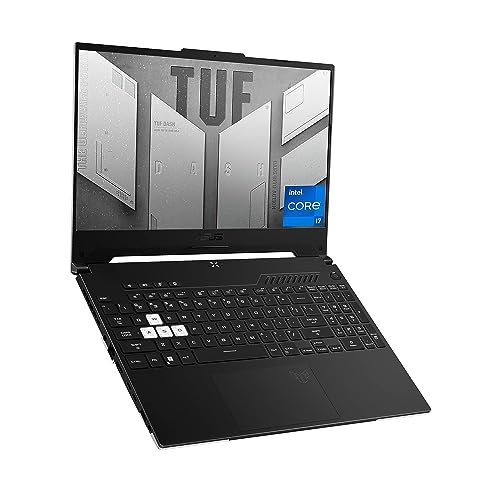
1. ASUS TUF Dash 15 RTX 3060 — Best modern platform around the card
The TUF Dash earns first place on this shelf because its platform is the youngest wrapped around the 3060 in this group. The 2022 design pairs the card with an Intel Core i7-12650H and, notably, 16GB of DDR5 memory, a specification most 3060-era machines skipped in favor of DDR4. Its 15.6-inch FHD display refreshes at 144Hz, storage is a 512GB SSD, and Thunderbolt 4 appears in the title, giving the machine docking manners that its shelf-mates mostly lack. Windows 11 Home is the installed system, and the Off Black chassis wears the Dash line’s slimmer interpretation of ASUS’s TUF durability branding, model FX517ZM-AS73.
In play, the card behaves as the era promised: popular titles at 1080p run at high settings with room to spare, demanding story games settle happily at tuned presets, and DLSS upscaling extends the machine’s reach into newer releases that postdate its design. Ray tracing should be sampled at modest levels rather than chased, a calibration true of the entire shelf. What elevates this listing above its five companions is the absence of an asterisk: the processor is current enough, the memory is the right type and amount, the port selection includes the one connector dock users actually ask about, and the operating system needs no upgrade conversation. For the 3060’s value without a museum of period compromises, this is the cleanest route onto the shelf.
The Dash design language deserves a sentence of its own, because it explains the machine’s enduring appeal. ASUS built the Dash as the TUF family’s traveling variant, slimmer than the standard line and styled to pass in a lecture hall, and that brief aged gracefully: a 2022 laptop that still looks like a current thin gaming machine rather than a period artifact. Owners who carry their computer into mixed company, classrooms on weekdays and game nights on weekends, will feel that styling dividend daily. It costs nothing in performance, since the cooling demands of this GPU tier sit comfortably inside the slimmer enclosure, and it quietly raises the machine’s usefulness across every non-gaming hour of its life.
Strengths
- DDR5 memory, rare on this shelf, beside a 12th-generation Intel processor
- Thunderbolt 4 supports single-cable docking at a desk
- Balanced specification with no dated component requiring an apology
Trade-offs
- 512GB storage matches the shelf’s modest shared standard
- RTX 3060 ray tracing belongs at modest settings in current titles
- 2022 design predates the newest wireless standards
- Display: 15.6-inch FHD, 144Hz
- Processor: Intel Core i7-12650H
- Graphics: GeForce RTX 3060
- Memory: 16GB DDR5
- Storage: 512GB SSD
- Connectivity: Thunderbolt 4
- Operating system: Windows 11 Home
- Color: Off Black
- Model: FX517ZM-AS73
- Weight: Not stated in the listing title
Best for: 1080p play across the last several years of releases on the shelf’s freshest platform.
Not suited for: ray-traced play at high settings in the newest releases.
Verify the FX517ZM-AS73 code on the page where you check price on Amazon, because Dash variants from adjacent years look deceptively alike.
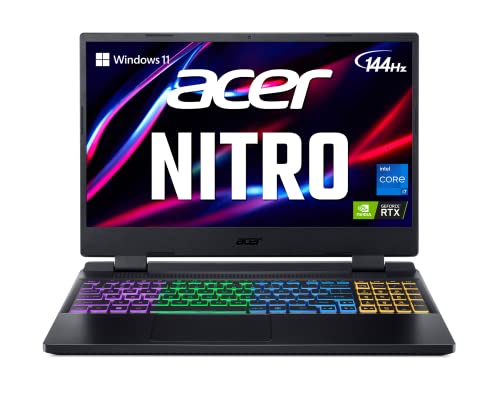
2. Acer Nitro 5 RTX 3060 — Best processor pairing
Acer’s Nitro 5 entry, model AN515-58-725A in its title, makes its case through the strongest processor pairing on this shelf: an Intel Core i7-12700H, a chip with a generous core count that served flagship machines in its day. Around it sit the era’s standard Nitro ingredients, 16GB of DDR4 memory, a 512GB Gen 4 SSD, Killer Wi-Fi 6 networking, and an RGB keyboard, all beneath a 15.6-inch FHD IPS display rated at 144Hz with a stated 3ms response. The Nitro line has always sold blue-collar competence, and this configuration is a faithful example, a machine whose specification contains no vanity and no shortcut.
The 12700H matters beyond benchmarks in two practical ways. Strategy and simulation titles that lean on the processor feel its surplus directly, and the everyday computing wrapped around gaming, compiles, exports, large spreadsheets, stays brisk long after a lesser chip would begin to date the machine. The DDR4 memory is the honest counterweight: entirely adequate for this GPU’s workloads, yet a step behind the DDR5 found in the TUF Dash above, and worth naming for buyers comparing the two finalists. Killer-branded networking promises traffic prioritization for games, a modest quality-of-life plus. Taken together, the Nitro 5 is the shelf’s workhorse recommendation, the listing built around the strongest engine room in the group, with period memory technology accepted as the toll.
There is also a longevity argument hidden in the Nitro’s processor surplus. Games age a laptop’s graphics card first, but the years after that are governed by the CPU, as operating systems, launchers, and background software all grow heavier on schedule. A machine whose processor started life with genuine headroom absorbs that creep without complaint, which is how a previous-generation purchase stretches into a long and useful retirement as a household’s second computer. The Nitro’s buyer is effectively purchasing two lifespans: a gaming present measured in high settings, and a general-purpose future measured in patience that never runs out. Few listings on any shelf can make that second promise credibly; this one can.
Strengths
- i7-12700H is the most powerful processor offered on this shelf
- Gen 4 SSD and Killer Wi-Fi 6 keep storage and networking current for the era
- 144Hz IPS panel with a stated 3ms response suits fast titles
Trade-offs
- DDR4 memory trails the DDR5 in the TUF Dash configuration
- 512GB drive requires the library discipline this whole shelf demands
- RGB keyboard flair may not suit restrained professional settings
- Display: 15.6-inch FHD IPS, 144Hz, 3ms
- Processor: Intel Core i7-12700H
- Graphics: NVIDIA GeForce RTX 3060 Laptop GPU
- Memory: 16GB DDR4
- Storage: 512GB Gen 4 SSD
- Wireless: Killer Wi-Fi 6
- Keyboard: RGB
- Model: AN515-58-725A
- Weight: Not stated in the listing title
Best for: strategy, simulation, and productivity workloads sharing a machine with 1080p gaming.
Not suited for: a memory specification insisting on DDR5 as a condition of purchase.
Nitro 5 model codes encode entire configurations, so confirm AN515-58-725A when you look at the Amazon price for this build.

3. MSI GF65 Thin RTX 3060 i5 — Best entry configuration of the GF65 line
This review and the final one in this guide describe two different configurations of MSI’s GF65 line, and this is the entry build: an Intel 10th-generation i5-10500H processor, 8GB of memory, a 512GB SSD, and the shared RTX 3060, beneath a 15.6-inch 144Hz IPS-level screen in a black chassis. Those two numbers, the older processor and the halved memory, define its position honestly. It is the least expensive doorway onto this shelf in spirit, and its compromises are the visible kind that a informed buyer can accept deliberately rather than discover later.
The 8GB memory figure needs the plainest treatment in this guide. Modern games plus a modern operating system and a browser will crowd 8GB, producing stutters that a stronger GPU cannot cure, so this configuration suits a focused player who closes everything else while gaming and whose library leans toward the popular and the established rather than the newest and heaviest. Within that discipline, the 3060 still delivers its 1080p strengths, and the 144Hz screen still flatters fast titles. Buyers with any multitasking ambition should step directly to the 16GB GF65 configuration reviewed last, or to the Katana between them, rather than planning their evenings around this build’s ceiling. Presented without disguise, the i5 GF65 is a legitimate budget instrument; presented as anything more, it would be a disservice, and this guide declines to dress it up.
One more consideration may rescue this configuration for the right household: the second-computer pathway. An entry build like this one often serves as a first gaming laptop for a younger player, or as the machine that introduces a console household to PC libraries, Steam sales, and modding. In that role its limits become teaching tools rather than frustrations, and its full-strength GPU, the same card as every other pick here, means the games themselves never feel like the discounted part of the gift. The screen, the storage, and the chassis all match the shelf; only the multitasking ceiling is lower. Judged as an introduction rather than as a destination, the entry GF65 earns its listing honestly.
Strengths
- Full RTX 3060 graphics rather than a cut-down substitute card
- 144Hz IPS-level panel matches the rest of the shelf
- GF65 Thin chassis keeps the entry build genuinely portable in spirit
Trade-offs
- 8GB of memory is the tightest capacity in this entire guide
- 10th-generation i5 is the oldest processor on the shelf
- Multitasking headroom is minimal beside the 16GB configurations
- Display: 15.6-inch IPS-level, 144Hz
- Processor: Intel Core i5-10500H, 10th generation
- Graphics: NVIDIA GeForce RTX 3060
- Memory: 8GB
- Storage: 512GB SSD
- Color: Black
- Weight: Not stated in the listing title
Best for: focused single-game sessions with background applications closed.
Not suited for: gaming alongside streaming, dozens of tabs, or heavy chat and capture tools on 8GB.
Because its sibling configuration shares the GF65 name, double-check the i5-10500H and 8GB lines before you confirm the price on Amazon.

4. MSI Katana GF66 RTX 3060 — Best balanced Katana build
The Katana GF66 occupies the sensible center of this shelf: an Intel Core i7-11800H processor, 16GB of memory, a 512GB NVMe SSD, and Windows 11 as the installed system, under a 15.6-inch FHD screen specified at 144Hz with a 3ms response. Nothing in that list leads the group, and nothing trails it embarrassingly either, which is precisely the Katana proposition. MSI’s sword-named line has always aimed at the buyer who reads a spec sheet looking for the absence of problems, and this configuration, model 11UE-617 in its title, delivers that reading experience faithfully.
Against the GF65 pair that bracket it in this guide, the Katana’s advantages are generational and practical: a newer processor than either GF65 build, the full 16GB of memory that the entry GF65 lacks, and a current operating system where the senior GF65 still lists Windows 10. Against the Nitro and the Dash, it concedes the processor crown and the DDR5 distinction respectively, while asking for no compensating virtue beyond balance. In play, expect the shelf’s standard story, fluent 1080p in the era’s catalog, DLSS as the bridge into newer releases, and ray tracing kept at the modest end of the dial. For a household purchasing one machine to serve school, work, and a game library without a specialist’s priorities, the Katana GF66 is the listing that argues with nobody.
Balance has a compounding benefit that spec-by-spec comparisons miss: it removes the need for a second purchase to fix the first. Owners of lopsided machines routinely spend their second year shopping for the missing piece, more storage, a better screen, a dock to escape weak ports. The Katana’s buyer faces no such errand list, because each department is simply adequate, and adequacy across the board turns out to be the specification that daily satisfaction is actually made of. That is why this unglamorous configuration so often ends up as the recommendation given to friends and family, the people for whom a recommender bears personal responsibility. It will not win a benchmark thread; it will also never generate an apologetic phone call.
Strengths
- Full 16GB memory and Windows 11 correct the GF65 entry build’s limits
- i7-11800H offers eight-core strength for mixed workloads
- 3ms-rated 144Hz panel suits fast-paced titles well
Trade-offs
- No single specification leads this shelf outright
- 512GB NVMe storage repeats the group’s common constraint
- Title names no special cooling system or premium networking
- Display: 15.6-inch FHD, 144Hz, 3ms
- Processor: Intel Core i7-11800H
- Graphics: GeForce RTX 3060
- Memory: 16GB
- Storage: 512GB NVMe SSD
- Operating system: Windows 11
- Model: 11UE-617
- Weight: Not stated in the listing title
Best for: a shared household machine balancing schoolwork, office tasks, and 1080p gaming.
Not suited for: a specification hunt demanding the shelf’s best processor or DDR5 memory.
Match the 11UE-617 suffix when you check the current Amazon price for this Katana build.

5. MSI Pulse GL66 RTX 3060 — Best cooling and keyboard package
The Pulse GL66 pairs the shelf’s joint-strongest processor, an Intel Core i7-12700H, with the two ownership features its title bothers to name: Cooler Boost 5 cooling and an RGB gaming keyboard. The rest of the specification is the group’s familiar center, 16GB of memory, a 512GB NVMe SSD, a 15.6-inch FHD 144Hz display, Type-C USB 3.2 Gen 1 connectivity, and Windows 11 Home in a black chassis, model 12UEK-070. Where the Nitro 5 matches its processor but not its cooling claim, the Pulse makes thermal design part of its sales pitch, and for a GPU generation whose behavior depends on sustained clocks, that pitch is relevant rather than decorative.
Long sessions are this machine’s home turf. Cooler Boost 5 is MSI’s multi-heat-pipe arrangement for exactly the plateau-shaped workloads games produce, where performance at minute fifty matters more than a benchmark’s opening sprint. The RGB keyboard serves the evening half of the machine’s life, and the 12700H serves everything else, from simulation titles to the productivity stack. The compromises echo the shelf: storage at 512GB, memory type unstated in the title beyond its capacity, and a design language that leans gamer in rooms where the Katana’s restraint might travel better. None of that dents the core case. A buyer prioritizing sustained performance and the strongest shared processor, inside the MSI ecosystem, will land here naturally.
Cooling claims invite skepticism in marketing copy, so it is worth explaining why this one is credited here. A named system in a listing title is a manufacturer putting a specific engineering arrangement on the record, and Cooler Boost 5 recurs across MSI’s range in machines whose thermal behavior is extensively documented by years of owners. That public history converts a slogan into evidence. For the 3060 generation specifically, thermal headroom is the difference between a card that holds its boost through a boss fight and one that sheds clocks as the chassis saturates, so the Pulse’s emphasis lands on the variable that most affects this shelf’s real sessions. Buyers who play in long, unbroken stretches should weight it accordingly.
Strengths
- i7-12700H ties for the strongest processor on this shelf
- Cooler Boost 5 cooling named in the title for sustained sessions
- RGB gaming keyboard and Type-C connectivity round out the package
Trade-offs
- 512GB storage remains the shelf-wide limitation
- Memory type is not specified in the title, only its 16GB capacity
- Gamer styling is more assertive than the Katana’s restraint
- Display: 15.6-inch FHD, 144Hz
- Processor: Intel Core i7-12700H
- Graphics: GeForce RTX 3060
- Memory: 16GB
- Storage: 512GB NVMe SSD
- Cooling: Cooler Boost 5
- Keyboard: RGB gaming keyboard
- Connectivity: Type-C USB 3.2 Gen 1
- Operating system: Windows 11 Home
- Model: 12UEK-070
- Weight: Not stated in the listing title
Best for: long evening sessions where sustained clocks matter more than opening benchmarks.
Not suited for: a minimalist office aesthetic during daytime professional use.
The Pulse line shares model fragments with the Katana range, so verify 12UEK-070 as you see the price on Amazon.

6. MSI GF65 RTX 3060 i7 — Best GF65 configuration, 16GB build
Close the GF65 story properly: this is the line’s stronger configuration, and it differs from the entry build reviewed third in almost every line that matters. The processor is an Intel Core i7-10750H with six cores, the memory doubles to 16GB, storage is a 512GB NVMe SSD, Wi-Fi 6 appears in the title, and the keyboard is a red-backlit design, all under the same 15.6-inch 144Hz FHD 1080p concept in black, model 10UE-047. The operating system listed is Windows 10, the clearest period marker in this guide, and buyers should register it as this build’s main concession to its age.
With 16GB aboard, the multitasking ceiling that constrained its sibling lifts away, and the machine becomes what the GF65 Thin name always promised: a slim route to genuine 3060 gaming with the era’s popular catalog fully in reach at 1080p. The i7’s six cores handle game-plus-discord-plus-browser evenings without the triage the i5 build demands. Windows 10 deserves a calm word rather than alarm: it runs the entire relevant game library, and a buyer’s upgrade path is a planning item, not an emergency. Positioned against its own sibling, this configuration is the one to choose unless the entry build’s positioning is the whole point of the purchase; positioned against the shelf, it is the value route to a full-memory 3060 inside MSI’s thinnest period chassis.
The GF65 Thin identity itself is the final piece of this configuration’s case. When this line was current, Thin in the name signaled MSI’s attempt to carry genuine midrange graphics in a chassis that did not announce itself across a room, and the i7 build fulfills that brief more completely than its sibling because the memory no longer forces compromises elsewhere. There is a particular satisfaction in a slim machine that behaves like a bigger one, and owners of this build report the shelf’s version of it: a laptop that travels quietly and plays loudly. The red keyboard backlighting, a small period flourish, even suits the double life, visible in a dark room and invisible in a bright office.
Strengths
- 16GB of memory doubles the entry GF65 build’s capacity
- Six-core i7-10750H restores comfortable multitasking headroom
- Wi-Fi 6 and a red-backlit keyboard complete the period specification
Trade-offs
- Windows 10 is listed, the oldest operating system in this guide
- 10th-generation platform predates DDR5 and Thunderbolt in this set
- 512GB NVMe storage matches, rather than beats, the shelf norm
- Display: 15.6-inch FHD 1080p, 144Hz
- Processor: Intel Core i7-10750H, 6-core
- Graphics: NVIDIA GeForce RTX 3060
- Memory: 16GB
- Storage: 512GB NVMe SSD
- Wireless: Wi-Fi 6
- Keyboard: Red backlit
- Operating system: Windows 10
- Color: Black
- Model: 10UE-047
- Weight: Not stated in the listing title
Best for: full-memory 3060 gaming in the GF65 Thin chassis at a value position.
Not suited for: a purchase requiring Windows 11 installed from the factory.
Distinguish this 10UE-047 build from its 8GB sibling by the i7 and 16GB lines when you confirm the Amazon listing price.
Side-by-side comparison
| Machine | Display | Processor | Graphics | Memory | Storage |
|---|---|---|---|---|---|
| ASUS TUF Dash 15 | 15.6-inch FHD 144Hz | Core i7-12650H | RTX 3060 | 16GB DDR5 | 512GB SSD |
| Acer Nitro 5 | 15.6-inch FHD IPS 144Hz 3ms | Core i7-12700H | RTX 3060 | 16GB DDR4 | 512GB Gen 4 SSD |
| MSI GF65 Thin i5 | 15.6-inch IPS-level 144Hz | Core i5-10500H | RTX 3060 | 8GB | 512GB SSD |
| MSI Katana GF66 | 15.6-inch FHD 144Hz 3ms | Core i7-11800H | RTX 3060 | 16GB | 512GB NVMe SSD |
| MSI Pulse GL66 | 15.6-inch FHD 144Hz | Core i7-12700H | RTX 3060 | 16GB | 512GB NVMe SSD |
| MSI GF65 i7 | 15.6-inch FHD 144Hz | Core i7-10750H | RTX 3060 | 16GB | 512GB NVMe SSD |
How do you buy a previous-generation GPU laptop wisely?
Begin by interrogating your library rather than the listings. List the ten games you actually play, note their release years, and observe how many of them were designed while the 3060 was the industry’s midrange reference. For most players the answer is nearly all of them, which converts this shelf from a compromise into a rational market. Next, set the memory floor at 16GB unless the purchase is deliberately minimal, because memory is the one specification in this guide whose shortage is felt as stutter rather than as a settings compromise. Then rank processors by generation within the shelf, since the GPU is constant: the 12th-generation chips in the Dash, Nitro, and Pulse will age the most gracefully, the 11th-generation Katana follows, and the 10th-generation GF65 pair asks the buyer to accept the oldest platforms in exchange for the line’s value positioning.
Operating system and storage complete the audit. A Windows 10 listing is serviceable today but should be bought with an upgrade intention, while Windows 11 listings remove that errand. Storage at 512GB across the board means the real choice is not which drive, but which external companion or rotation habit will accompany it. Finally, verify the exact configuration code at checkout with extra care on this shelf, because multi-year listings accumulate variant drift: the same product family name can hide the 8GB build beside the 16GB one, as the GF65 pair demonstrates inside a single guide. There is one more filter worth applying before money moves, and it is embarrassingly personal: the noise and heat temperament of the household. A previous-generation gaming laptop in a shared living room will be heard during demanding play, and communal evenings make the Pulse’s cooling emphasis, or a headphone plan from the start, the sensible consideration. Likewise, a machine destined for a small bedroom desk benefits from the GF65 Thin’s slimmer footprint, provided the configuration chosen is the 16GB build. Matching the machine to the room sounds like a soft consideration until the first summer arrives, when it becomes the consideration that decides whether the laptop is loved or merely owned. Buyers who would rather skip generational archaeology entirely can compare this shelf against our best gaming laptops for cyberpunk 2077 roundup, where current cards take over the same duties.
Testing a 3060 shelf in a post-3060 world
Our evaluation method for a previous-generation class differs from a launch roundup in one crucial respect: the reference points are the games themselves, not rival hardware. We start each machine with the era’s defining titles at the settings those games were tuned for, watching whether the experience matches the memory of the period or falls short through age, thermals, or platform weakness. A healthy 3060 laptop should feel like 2022 remembered fondly, fluid at 1080p with high presets, and any unit that cannot reproduce its own era has no business being recommended at any position. From there we push forward in time, loading newer releases season by season, and note the exact point where DLSS upscaling stops being optional and becomes the price of admission.
The unglamorous checks matter as much here as anywhere. Fan bearings and thermal paste age, so we listen for the rattle and watch for the heat behavior that separates a well-kept listing from a tired one in spirit, even among new-old-stock. Keyboards get a long writing session, batteries get a realistic light-use run to confirm they behave like the class’s modest norm, and every port gets a cable, because a five-year-old design’s surprises hide in its connectors. We also deliberately test the shelf’s social qualities: how the machines look on a desk shared with non-gamers, how their keyboards feel to a writer at midnight, and whether their fans intrude on a voice call in the next room. A laptop is a household object before it is a benchmark result, and a previous-generation recommendation carries extra responsibility, because its buyer is often spending carefully and cannot shrug off a poor fit. The conclusion across these six was reassuring: the shelf’s ceiling is known and honest, its floor is set by memory capacity rather than by the GPU, and the distance between the best and worst buys here is measured in platform details, which is why this guide spends so many of its words on processors, memory types, and operating systems instead of repeating the graphics card’s name like an incantation.
Common mistakes on a previous-generation shelf
The gravest mistake is assuming the shared GPU makes the six machines interchangeable, when their processors span three Intel generations and their memory spans both type and capacity. The second is buying the 8GB GF65 configuration for a multitasking life it cannot support, then blaming the RTX 3060 for stutters that memory caused. Third, shoppers read Windows 10 in a title and either panic unnecessarily or ignore it entirely; the correct response is a plan, since the system works today and deserves an upgrade path tomorrow. Fourth, ray tracing gets judged by flagship standards, leading buyers to dismiss a card whose rasterized 1080p performance, the thing it was built for, remains genuinely strong.
Fifth, the two GF65 listings get confused at checkout, a mistake this guide has flagged in both directions because the name, screen, GPU, and storage all match while the processor and memory diverge completely. Sixth, buyers forget that a closing shelf rewards decisiveness: listings for the exact configuration researched can sell through and be replaced by a near-twin with a different memory figure, so the verification habit matters more here than in a current lineup. Seventh, some shoppers pay a nostalgia premium for the badge alone, when the shelf’s entire virtue is value discipline; if a 3060 listing’s positioning stops making sense against current cards, the honest move is to walk up a generation rather than overpay for the past.
What the 3060 still does brilliantly, genre by genre
A generational verdict flattens what is actually a genre-by-genre story, so it is worth walking the shelf through the library it will really meet. Competitive shooters and battle royale titles are this card’s home ground: they are engineered for enormous audiences on modest hardware, and at 1080p the 3060 drives them at high settings fast enough to make the 144Hz panels in every one of these listings earn their specification. Strategy and simulation games shift the burden to the processor, which is where the 12700H machines in this guide quietly outclass their shelf-mates, sustaining late-game calculations that would humble lesser chips. Open-world titles from the card’s own era, the releases it was the reference target for, remain its showcase category, running at the high presets their developers intended.
The gradient steepens with newer cinematic releases. There, the honest recipe is a high-to-medium settings blend, DLSS upscaling at Quality, and ray tracing either off or sampled at its lightest level for the scenes that flatter it. Indie and back-catalog gaming, by contrast, asks almost nothing and receives everything, including the battery-sipping virtue of a card that can idle through a pixel-art evening. A buyer whose library concentrates in the first three categories owns, in these listings, a machine matched to its workload with almost no waste. A buyer concentrated in the fourth should still find satisfaction, provided expectations were set by this section rather than by a launch trailer rendered on desktop hardware.
Ownership on a mature platform: parts, knowledge, and calm
Previous-generation hardware carries an underappreciated ownership dividend: everything about it is known. Community forums hold five years of answers for these exact chassis and this exact GPU, from fan-curve tuning to the correct driver branch for a stubborn title. Replacement parts, chargers, and batteries circulate widely because the installed base is enormous, and any competent repair shop has met these machines before. Contrast that with a launch-week laptop, whose owners serve as unpaid beta testers for its quirks. The calm extends to software as well, since a mature platform receives stability-focused updates rather than experimental ones, and the machine’s behavior in month eighteen closely resembles its behavior in month one.
The dividend does ask for one reciprocal habit: verification at purchase, because mature listings accumulate sellers and variants. Buy from the listing whose title states the full configuration, match the model code on arrival, and run the machine through its paces inside the return window, a game from the library, a long session, a battery cycle, a pass through every port. That first-week diligence, trivially easy while remedies are free, is the entire maintenance philosophy of a closing shelf compressed into a few days. Afterward, ownership settles into the uneventful rhythm that is this generation’s true selling point: no surprises, in either direction, for years.
DLSS upscaling on this card, used properly
Because the 3060 predates frame generation, its one great software lever is DLSS upscaling, and using it well is a skill worth teaching in a guide like this. The feature renders each frame at a reduced internal resolution and reconstructs the output with the help of motion vectors and temporal data, and at its Quality setting on a 1080p panel the sharpness cost is small enough that most players, in motion, cannot locate it. The recovered performance, by contrast, is easy to locate: it is the difference between a new release that stutters at native resolution and the same release flowing at a high preset. The correct order of operations is to set the visual preset first, then apply Quality upscaling, and only then consider Balanced for the single heaviest title in the library.
Two misunderstandings follow this feature around and deserve correction. Upscaling is not a confession of weakness; flagship desktops use it routinely, because rendering pixels no one can distinguish is waste at any budget. And upscaling is not identical across settings: Performance mode at 1080p starts from a very low internal resolution and can soften fine detail noticeably, which is why this guide recommends it only as a last resort on this shelf. Owners who internalize the ladder, preset, Quality, Balanced, and who keep drivers current so each new title receives its optimizations, will consistently extract a year or two of extra relevance from this card. That, more than any single specification, is how previous-generation hardware stays previous in name only.
Thermals and noise, five years into a design’s life
Thermal behavior is where a mature shelf most differs from a fresh one, and buyers deserve a frank account. These chassis were engineered when their components were new, and their cooling systems, heat pipes, shared plates, and in the Pulse’s case a named Cooler Boost 5 arrangement, were sized generously for this GPU’s power envelope by the standards of the day. In service, that translates to fan noise that is present and honest during demanding play, quieter during the era’s lighter titles, and absent during ordinary work. No machine here will game silently, and any listing implying otherwise should be distrusted on sight.
The practical rituals are simple and shared with every gaming laptop generation. Play on a hard surface with the rear vents breathing, keep the adapter connected so the hardware is not rationing itself, and treat a stand as a legitimate accessory rather than an indulgence, since a few degrees of intake clearance compound across a long session. Dust discipline matters more on a mature machine than on a new one, because the margin for clogged fins is thinner; a seasonal cleaning keeps the cooling system performing to its original design rather than to a diminished memory of it. Owners who observe these habits will find the shelf’s thermal story boring, and boring, in this department, is the highest praise available.
External displays and the second life of a 3060 laptop
A 1080p card pairs with external monitors in a way higher-resolution cards envy: almost any affordable gaming monitor is a native-resolution match. Dock a 3060 laptop to a 24-inch 1080p high-refresh screen and the GPU drives it at exactly the workload it was designed for, no upscaling compromises and no resolution mismatch, which makes the desk half of these machines’ lives unexpectedly graceful. The TUF Dash’s Thunderbolt 4 simplifies that docking to a single cable for compatible hubs, while the other listings reach the same desk through their standard ports, whose exact selection should be confirmed on each product page. For a buyer planning a hybrid life, laptop screen for travel and monitor for home, this shelf’s resolution honesty is a feature disguised as a limitation.
The second life extends further. When a 3060 laptop eventually yields its desk to a successor, its specifications remain ideal for the roles that retire gaming machines into: a family computer, a media and light-gaming station for a spare room, a dedicated machine for older titles and emulation-adjacent hobbies, or a student’s first laptop with genuine capability. The 12700H machines will excel in that retirement longest, the 8GB GF65 least, which is worth a thought at purchase time even for buyers focused on tonight. Resale and hand-me-down value are real components of a value shelf’s arithmetic, and they reward the same platform discipline this guide has preached throughout: memory first, processor second, everything else after.
The upgrade question: memory, storage, and restraint
Sooner or later every owner of a midrange laptop asks what can be improved, and on this shelf the honest answer is: less than folklore suggests, but not nothing. Storage is the most tractable pressure point, whether through an internal bay where a given model provides one or through the external drives this guide has already normalized; the exact internal arrangement varies by model and must be confirmed for the specific configuration rather than assumed from the family name. Memory is the second candidate, and the 8GB GF65 configuration is the one machine here where the question is genuinely urgent; its owner’s first and best upgrade dollar, if the chassis allows it, belongs there. The titles themselves do not promise internal layouts, so this guide presents both as investigations to run against the maker’s documentation for the exact model code, not as guarantees.
Restraint is the third answer and often the wisest. A previous-generation laptop purchased for value should not accumulate upgrades until its total cost approaches a current machine’s, because at that point the value argument, the entire reason for the shelf, has been spent defeating itself. The discipline is to fix the one bottleneck that daily use actually touches, usually storage, and let the rest of the machine be what it honestly is. Owners who follow that rule keep the shelf’s economics intact from purchase to retirement, which is the closest thing to a free lunch this market offers.
A word about sellers, stock, and timing on a closing shelf
Buying from a closing shelf has a rhythm unlike buying a current lineup, and a short section on that rhythm may save readers money and frustration. Listings for these configurations are finite in a way launch products are not: a particular build, the 16GB Katana or the DDR5 Dash, can sell through and be replaced in search results by a sibling with a different memory figure wearing a nearly identical title. That churn rewards two behaviors. First, when the exact configuration researched here is available and verified, hesitation carries a real cost, because the shelf does not restock on a schedule. Second, when it is gone, the substitute must be re-audited from its title onward rather than assumed equivalent, since the variant lattice in this generation is dense.
Seller identity deserves the same calm scrutiny. Prefer listings whose titles state the complete specification, whose model codes match the reviews here, and whose terms are readable before checkout. A previous-generation machine bought carefully from a clear listing is a lower-risk purchase than a current machine bought carelessly from a vague one, because nearly everything that can go wrong with this shelf is visible in advance to a reader willing to look. That visibility is, in the end, the deepest argument for the entire category: the 3060’s story is finished being written, and buyers get to read the ending before they pay for the book.
Final recommendation
Choose the ASUS TUF Dash 15 for the shelf’s most modern platform, the Acer Nitro 5 or MSI Pulse GL66 for its strongest processors, and the Katana GF66 for untroubled balance. Between the GF65 configurations, take the 16GB i7 build as the default and the 8GB i5 build only for a deliberately focused, single-game-at-a-time routine. Every pick here shares the same honest contract: excellent 1080p play across a vast catalog, DLSS as the bridge into newer releases, and value positioning in place of novelty. Buy the platform details carefully, verify the configuration code twice, and the previous generation will repay the discipline with years of uncomplaining service. If a single sentence must carry the whole guide, let it be this one: on a shelf where the graphics card never changes, the wisest money follows memory, processor generation, and the honesty of the listing itself, in that order, every time. Buyers ready to weigh the portability side of this class can continue to our best gaming laptops lightweight guide.
Frequently asked questions
Is the RTX 3060 still worth buying in a laptop?
For 1080p gaming across the enormous catalog of its era and popular current titles, yes, provided the surrounding platform is sound and the positioning reflects its generation. Its drivers are mature, its behavior is fully understood, and DLSS upscaling extends its reach into newer releases at sensible settings.
What separates the two MSI GF65 configurations?
Nearly everything except the name, screen concept, GPU, and storage. The entry build carries a 10th-generation i5-10500H with 8GB of memory; the stronger build carries a six-core i7-10750H with 16GB, Wi-Fi 6, and a red-backlit keyboard, but lists Windows 10. They are distinct machines and are reviewed separately in this guide.
Can these laptops use DLSS frame generation?
No. The RTX 3060 supports DLSS upscaling, which renders at a lower internal resolution and reconstructs the image, but frame generation arrived with a later GPU generation. Smoothness on this shelf comes from rendered frames, assisted by upscaling where a game offers it.
Is 8GB of memory really a problem for gaming?
It is the tightest specification in this guide. A focused player who closes background applications can game within it, especially in established titles, but modern operating systems and browsers consume much of it before a game starts. Sixteen gigabytes is the comfortable standard the other five picks meet.
How long will a 3060 laptop stay useful?
As a gaming machine for its era’s catalog and popular current titles, several more years is a fair expectation, with newer releases gradually shifting from high presets toward tuned ones. As a general-purpose computer afterward, the stronger-processor picks here should serve considerably longer, which is part of the shelf’s value arithmetic.
Does Windows 10 on the GF65 i7 build block modern games?
The listed games of this class run on Windows 10, so the machine is usable as it stands. The consideration is longevity rather than compatibility: support horizons and future titles increasingly assume Windows 11, so the purchase should include an upgrade intention.
One last reassurance belongs here, because hesitation about buying previous-generation hardware is usually emotional rather than technical. The games do not know what year the laptop was designed in; they know its instructions per clock, its memory bandwidth, and its thermal ceiling, and by those measures the machines above remain fluent in the language of a vast and still-growing library. Ownership satisfaction follows the same indifference to fashion. A laptop that starts every morning without complaint and plays every evening without drama is not an old laptop in any sense that matters to the person using it.
There is a particular pleasure, rarely advertised, in buying the last of a good thing knowingly: no launch bugs, no driver lotteries, no wondering whether the reviews will age well, because they already have. The 3060 shelf offers that pleasure to anyone willing to trade novelty for knowledge, and in a market addicted to the new, knowledge may be the most underpriced specification of all.
A closing shelf is not a clearance bin; it is a catalog whose every strength and limit has been mapped by years of owners, and the buyer who reads that map carefully gets flagship-era certainty at a midrange-era price of admission.


