What's inside
- Where to buy
- Key Takeaways
- Quick Picks
- How We Chose These Picks
- Why Does 17 Inches Change a Photograph?
- Widths, Classes and Purposes: the Six Machines Mapped
- What Should You Settle Before Buying Large Format Professional Photo Printers 17 Inch?
- How Do You Bring a 17-Inch Printer Into a Working Studio Routine?
- Which Mistakes Cost the Most at This Size?
- What Does Professional Printing Cost Beyond the Printer?
- How Do Matte and Gloss Papers Rewrite the Same Photograph?
- What Does Selling Prints Do to the Printing Workflow?
- How Should Colour Be Managed from Screen to Sheet?
- What Should the First Portfolio Printed at 17 Inches Teach?
- How Long Should a Professional Photo Printer Serve?
- Final Recommendation
- Frequently Asked Questions
- Related Guides
As an Amazon Associate I earn from qualifying purchases. This post may contain affiliate links at no extra cost to you.
gizmoverdict.com is reader-supported. When you buy through links on our site, we may earn an affiliate commission.
Where to buy
The best large format professional photo printers 17 inch occupy the most demanding desk in photography: wide enough for a 17×22 inch exhibition sheet, serious enough for gallery blacks and skin tones that survive scrutiny at reading distance. The best large format professional photo printers 17 inch are not bigger office printers; they are pigment-ink instruments with multi-channel heads, fine paper handling and colour behaviour a professional can build a reputation on. Three true 17-inch machines anchor this guide: Canon’s imagePROGRAF PRO-1100, and Epson’s SureColor P900 and its predecessor the P800. Around them sit three instructive neighbours: Epson’s SureColor P700, a 13-inch step-down sharing the flagship ink technology; Epson’s Expression Photo HD XP-15000, a 13×19 inch wide-format machine from the consumer photo line; and Epson’s SureColor T5170, a 36-inch technical printer included to mark where this category ends and poster-and-CAD territory begins.
Honesty about those neighbours matters, because searches for this keyword surface all of them together and their titles do not volunteer the distinctions. The P700 is a superb printer one size down, and its review says so in those words. The XP-15000 prints a genuinely useful 13×19 sheet yet belongs to a different class of machine, dye-era consumer hardware against pigment professional hardware. The T5170 is larger, not better, for photographs: a four-colour technical printer for plans and posters. Photo paper itself, finally, is a supply rather than a printer, and no paper product appears as a pick, however much the results depend on it.
What unites the three true 17-inch picks is the professional bargain: pigment inks for archival life, many ink channels for tonal subtlety, and paper paths that accept fine-art media a consumer tray would refuse. The reviews weigh those virtues machine by machine, and the buying guide translates them into the questions a photographer should answer before spending at this level.
Key Takeaways
- Three picks print a true 17-inch width: the Canon PRO-1100 and Epson’s SureColor P900 and P800.
- The Epson P700 is a deliberate 13-inch step-down carrying the same UltraChrome PRO10 ink family named in its title.
- The XP-15000 is a 13×19 inch consumer wide-format machine, useful and honest, but a different class from the professional pigment printers.
- The SureColor T5170 is a 36-inch technical printer for posters and CAD, included as the category’s upper boundary marker.
- Paper choice drives results as much as hardware, yet paper is a supply, and no paper product is a pick here.
Quick Picks
| Pick | Badge | Why it earns its place |
|---|---|---|
| Canon imagePROGRAF PRO-1100 | The Canon flagship | A 17 inch professional wireless inkjet photo printer from Canon’s imagePROGRAF line. |
| Epson SureColor P900 Bundle | The current Epson 17 | A 17 inch SureColor photo printer bundled with Ethernet and USB cables and a fiber cloth. |
| Epson SureColor P800 | The proven predecessor | The earlier 17 inch SureColor generation, still a professional benchmark. |
| Epson SureColor P700 | The 13-inch step-down | UltraChrome PRO10 ink and a 10-channel printhead at a 13 inch width. |
| Epson Expression Photo HD XP-15000 | The accessible wide-format | Six-colour printing up to 13 x 19 in. for home studios. |
| Epson SureColor T5170 | The 36-inch boundary | A 36 in. technical printer for posters and CAD, beyond photo territory. |
How We Chose These Picks
The first filter was the keyword’s own dimension, applied with the same evidence discipline used throughout these guides. A pick earns the 17-inch description only when its title states the width or names a model with a class the title itself anchors, and the three anchor machines pass that test directly. The remaining three picks were retained deliberately and labelled honestly, because a buyer searching this keyword will meet all three within the first page of results, and a guide that pretends otherwise abandons the reader at the exact moment of confusion.
The second filter was professional purpose. A professional photo printer is defined less by width than by ink and intent: pigment inks for longevity, multiple channels for tonal control, and media handling for fine-art papers. The Canon and the two 17-inch Epsons embody that definition; the P700 embodies it at a smaller width; the XP-15000 and T5170 stand outside it for different reasons, one by class and one by purpose, and their reviews exist to make those reasons legible rather than to pad the count.
The third filter governed every specification. Widths, ink system names, printhead details, speeds and connectivity quoted in the spec boxes come from the listing titles alone. Where a title is silent about a professional feature a photographer will ask about, roll handling, say, or the exact ink channel count on the Canon, the spec box records the silence in the standard form instead of importing a figure from a review, a predecessor or a rival.
Why Does 17 Inches Change a Photograph?
Print size is not vanity; it is viewing geometry. A photograph printed at 17×22 inches is read from a step further back than a letter-size print, and that step changes what the image can say: fine detail resolves into texture, gradients have room to breathe, and a portrait’s presence approaches the human scale that makes viewers lower their voices in galleries. Photographers who sell, exhibit or gift their best work discover that the same file, printed small, is a picture, and printed at this size, is an object.
The size also disciplines the craft upstream. A 17-inch print forgives nothing: focus misses, noise, clumsy retouching and thin files all announce themselves at exhibition scale. Owning the printer therefore changes the photographing, encouraging the tripod, the careful exposure and the file hygiene that small prints let slide. Many professionals describe the large printer as the strictest teacher in their studio, and the running costs in ink and paper as tuition they pay willingly.
There is an archival promise folded into the size as well. Pigment prints on proper papers are the closest photography comes to a permanent object, rated in generations rather than in seasons, and the decision to print at exhibition size is often the moment a photographer starts thinking of the work as an inheritance rather than as content. Clients commissioning portraits, families preserving a wedding, and artists building an estate all lean, consciously or not, on that permanence, and it is a large part of what the professional premium purchases over the consumer machines sharing this guide’s pages.
Practically, 17 inches is also the largest width that remains a desktop proposition. The machines here are substantial, yet they sit on a studio desk or a sturdy stand, feed sheets one at a time and ask for no dedicated room. The next width up, marked by the T5170’s class, brings floor stands, roll handling and a different relationship with the building. Seventeen inches is where ambition and furniture still agree.

Canon imagePROGRAF PRO-1100: 17″ Professional Wireless Inkjet Photo Printer — The Canon flagship
Canon’s PRO-1100 carries the imagePROGRAF name into the 17-inch desktop class, and its title is admirably plain: a 17 inch professional wireless inkjet photo printer. That plainness suits Canon’s position in this duel. Photographers choosing between the Canon and Epson flags at this width are rarely choosing on specifications, which shadow each other closely across generations; they are choosing an ecosystem of inks, paper profiles, software habits and hard-won personal loyalty, and the PRO-1100 is Canon’s current standard-bearer for every studio already speaking that language.
Studio logistics around a flagship deserve a paragraph of their own. A machine of this class anchors a workflow: raw files arrive from the editing desk, proofs cycle between printer and viewing light, finished sheets rest in a flat drawer or a portfolio case, and framing happens downstream. Photographers arranging a room around the PRO-1100 should think in that flow rather than in furniture, placing the printer where a wet-ink-equivalent moment of care, the fresh sheet’s journey to its resting place, is shortest and least interrupted. The printer is the studio’s darkroom now, and it rewards being treated with a darkroom’s spatial respect.
The professional substance behind the title is the class itself. Canon’s PRO line is built around pigment ink printing for exhibition work, with the deep blacks on matte papers and the controlled gloss behaviour on baryta-style media that gallery printing demands. Wireless connection, stated in the title, reflects the modern studio’s reality: the printer lives where the paper handling is best, not necessarily beside the editing desk, and large files travel to it across the room. A 17-inch sheet of a dense image is a serious file, and a studio that prints wirelessly has arranged its network with the same care as its colour management.
The homework for this pick is the standard professional list, pursued in Canon’s documentation rather than assumed: the exact ink set and channel behaviour, roll media handling for panoramic work, and the paper thickness range for heavy fine-art stocks. None of those figures appears in the title, and this guide’s rule is to record that rather than to borrow numbers from the model’s reputation. What the title establishes beyond argument is the essential fact: Canon’s current professional answer at exactly the width this keyword names.
- Width: 17 inch professional photo printer, per the listing title
- Class: imagePROGRAF professional inkjet, per the listing title
- Connectivity: wireless, per the listing title
- Ink channel count: Not stated in the listing title — verify with Canon documentation
- Roll media handling: Not stated in the listing title — verify with Canon documentation
- Maximum media thickness: Not stated in the listing title — verify with Canon documentation
Strengths
- Canon’s flagship desktop entry at exactly the keyword’s width.
- imagePROGRAF pedigree brings a mature professional paper ecosystem.
- Wireless placement suits a studio arranged around paper flow.
Trade-offs
- Key professional specifications are absent from the title and need confirming.
- Ecosystem loyalty cuts both ways for studios invested in the rival line.
- Flagship class means flagship ink and paper running costs.
Best for: Canon-aligned photographers printing exhibition work at 17 inches. Not suited for: a studio standardised on Epson inks, profiles and habits.

Epson SureColor P900 17 Inch Photo Printer (C11CH37201) Bundle — The current Epson 17
The SureColor P900 is Epson’s current 17-inch flagship for photographers, and the listing here sells it as a bundle: the printer under its C11CH37201 model code, plus an Ethernet cable, a USB cable and a fiber cloth. The accessories are humble, yet their presence makes a practical point about this class of machine. A 17-inch professional printer is a wired-or-wireless studio fixture expected to move very large files reliably, and a seller who includes both connection cables is acknowledging that the first installation should not wait on a cable order. The fiber cloth, for keeping the machine and its media path dust-free, is a small nod to the maintenance religion this category demands.
Within Epson’s line, the P900 represents the modernised generation of the P800 below: the same SureColor professional brief, refined. Photographers weigh it for the class virtues, pigment printing for exhibition and archival work, fine-art media handling and the tonal subtlety that separates a professional print from a merely large one. Its title states the width plainly, 17 inch, and the SureColor name carries the professional designation, so the essential evidence for this keyword is complete without embellishment.
The bundle framing also invites a comparison discipline. A buyer pricing the P900 against the bare P800 below should separate the machine’s value from the cables’ convenience, and should confirm the professional details that matter to the studio, ink configuration, roll handling and media thickness, in Epson’s documentation for the exact C11CH37201 code. The title does not state them, and the generational story, however well known, is not evidence. Judged on what is stated, this is the current-generation Epson answer at the keyword’s width, sold with its first cables in the box.
- Width: 17 inch photo printer, per the listing title
- Model code: C11CH37201, per the listing title
- Bundle: Ethernet cable, USB cable and fiber cloth included, per the listing title
- Class: SureColor professional photo line, per the listing title
- Ink system name: Not stated in the listing title — verify with Epson documentation
- Roll media handling: Not stated in the listing title — verify with Epson documentation
Strengths
- The current Epson generation at the full 17-inch width.
- Connection cables in the box remove a first-day installation delay.
- SureColor professional ecosystem of profiles and media settings.
Trade-offs
- Bundle accessories are convenience items, not capability upgrades.
- Ink and roll details require documentation beyond the title.
- Current-generation positioning carries the class’s highest entry cost here.
Best for: Epson-aligned photographers buying the current flagship generation. Not suited for: a bargain hunt where the predecessor’s value matters more.
Epson SureColor P800 17″ Inkjet Color Printer — The proven predecessor
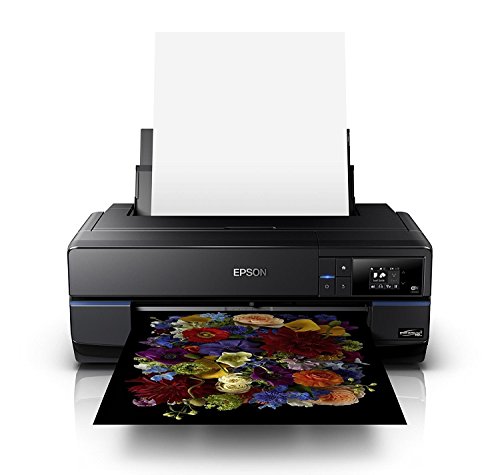
The P800 is the P900’s predecessor, and its title is the shortest in this guide: Epson SureColor P800, 17 inch inkjet colour printer, full stop. That brevity reflects a machine with a reputation settled years ago in studios and classrooms. A generation of photographers learned professional printing on this model, and its presence in a current shortlist is not nostalgia; it is the used and remaining-stock market acknowledging that a proven 17-inch pigment printer, bought at the right condition and price class, still produces exhibition work indistinguishable in kind from its successor’s.
Buying a predecessor is an exercise in condition and ecosystem rather than in specifications. The questions that matter are physical and logistical: the print head’s health, demonstrable in a nozzle check and a test print; the ink supply situation for its cartridge family, confirmed as orderable before purchase; and the paper profiles and driver support for the studio’s current computers, verified rather than assumed. A P800 that passes those checks is a professional instrument at a predecessor’s market position. A P800 bought on its badge alone, untested, is a lottery ticket with a paper tray.
Set against its successor, the honest framing is generational rather than qualitative. The P900 modernises the brief; the P800 fulfils the original one, at the same stated width and within the same SureColor professional family. Studios already running P800-era inks and profiles may find continuity worth more than novelty, while a studio starting fresh should weigh the current generation’s longer support horizon. Either way, the width at the heart of this keyword is stated in the title, and the machine’s professional class is a matter of long public record in the SureColor line.
- Width: 17 inch inkjet colour printer, per the listing title
- Class: SureColor professional photo line, per the listing title
- Generation: predecessor to the current SureColor 17-inch flagship
- Connectivity: Not stated in the listing title — verify with Epson documentation
- Ink system name: Not stated in the listing title — verify with Epson documentation
- Roll media handling: Not stated in the listing title — verify with Epson documentation
Strengths
- A settled professional reputation at the full keyword width.
- Predecessor positioning can mean strong value in remaining stock.
- Continuity for studios already holding its ink and profile ecosystem.
Trade-offs
- Condition and head health must be proven on any individual unit.
- Support and driver horizons shorten as the generation ages.
- The title states almost nothing beyond width and class.
Best for: value-seeking professionals and Epson studios adding a second 17-inch machine. Not suited for: a first professional purchase made without a test print.
Epson SureColor P700 13-Inch Photo Printer — The 13-inch step-down
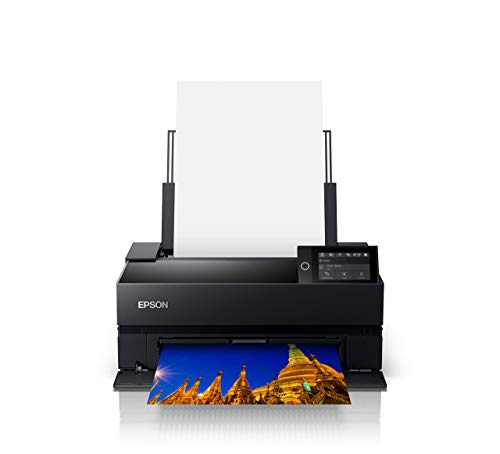
The P700 must be introduced with its size in the first sentence, because its size is the review: this is a 13-inch printer, a step down from the keyword’s width, included because its technology is the flagship’s own. The title states the arrangement proudly, a 13-inch photo printer with UltraChrome PRO10 ink, wireless connectivity and a 10-channel MicroPiezo AMC printhead for digital photo printing. A photographer working at a largest sheet of 13×19 inches gets the professional ink system and head architecture of the 17-inch class in a smaller, less costly body, and for a great many portfolios that trade is not a compromise at all.
The discipline is to make the trade knowingly. A 13-inch carriage cannot print a 17-inch sheet, today or after any firmware update, and any photographer with exhibition ambitions including 17×22 should not let the P700’s technology seduce the width decision. Conversely, a photographer with frames, clients and walls all living at 13×19 and below gains nothing from the larger machines except their footprint and their cartridge capacities. The honest question is the largest print in the photographer’s actual last year of work, and the P700 exists for every photographer answering thirteen.
Its title is also the most technically generous in this guide, naming the ink family and the printhead architecture that the 17-inch listings leave unstated. That generosity makes the P700 the useful reference point for the whole SureColor discussion: the PRO10 ink system and the multi-channel head are the professional substance, and the P700 proves that substance is available at both widths. Choose it for its width, with its technology as the reassurance, and it will never disappoint. Choose it while secretly hoping for seventeen, and no ink system can save the purchase.
- Width: 13-inch photo printer, a step down from this keyword’s 17 inches, per the listing title
- Ink: UltraChrome PRO10 ink, per the listing title
- Printhead: 10-channel MicroPiezo AMC printhead, per the listing title
- Connectivity: wireless connectivity, per the listing title
- Roll media handling: Not stated in the listing title — verify with Epson documentation
- Maximum media thickness: Not stated in the listing title — verify with Epson documentation
Strengths
- Flagship-class ink and head technology at a smaller width and cost.
- The most technically explicit title in this guide.
- A footprint that fits studios the 17-inch machines would crowd.
Trade-offs
- It cannot print 17-inch sheets under any circumstances.
- Growing exhibition ambitions will outgrow the carriage.
- Professional ink costs remain professional at the smaller size.
Best for: photographers with largest real work at 13×19 inches. Not suited for: any portfolio planning 17×22 exhibition prints.

Epson Expression Photo HD XP-15000 Wireless Wide-Format Inkjet Printer — The accessible wide-format
The XP-15000 is the friendly face of wide printing, and its title works hard to be helpful: a wireless wide-format inkjet printer offering six-colour wide-format photo printing up to 13 x 19 inches, at up to 9.2 ppm, with automatic two-sided printing, aimed at photographers and home studios. Every clause is consumer-clear, and the machine’s role in this guide is to represent the accessible route to a biggish photograph: no professional ink system is named, no SureColor badge appears, and the width tops out at the 13-inch class rather than the keyword’s seventeen.
That class difference should be understood rather than merely noted. The Expression line serves the home studio that prints photographs for walls, family and local sale, where vibrant colour and a 13×19 sheet already transform the work, and where the professional pigment conversation about archival decades and matte-paper blacks is not yet the photographer’s problem. Six-colour printing, as the title states, lifts photo quality well beyond four-colour office machines, and automatic two-sided printing serves the calendars, booklets and portfolio drafts that surround a home studio’s photo work.
The honest boundary is ambition. A photographer beginning to sell exhibition prints, or printing for clients with gallery walls, will outgrow this class and should read the SureColor and Canon reviews above as the destination. A photographer with a largest ambition of a handsome 13×19 for the living room, produced without professional running costs, will find the XP-15000 answers the actual brief. It is included here because searches confuse it with the professional machines; the confusion is understandable, and the distinction, width and class together, is now on the record.
- Maximum size: up to 13 x 19 in., per the listing title — below this keyword’s 17-inch class
- Ink colours: 6-colour wide-format photo printing, per the listing title
- Speed: up to 9.2 ppm, per the listing title
- Duplex: auto 2-sided printing, per the listing title
- Audience: photographers and home studios, per the listing title
- Professional pigment ink system: Not stated in the listing title — verify with Epson documentation
Strengths
- The gentlest cost and learning curve for wide photo printing.
- Six-colour output serves home gallery walls convincingly.
- Auto two-sided printing supports booklets and portfolio drafts.
Trade-offs
- Thirteen-inch class width, not the keyword’s seventeen.
- Consumer class rather than professional pigment architecture.
- Exhibition ambitions will outgrow it faster than any pick here.
Best for: home studios printing photographs up to 13×19 inches. Not suited for: professional exhibition work at 17 inches.

Epson SureColor T5170 36 in Wide Format Wireless Inkjet Printer — The 36-inch boundary
The T5170 stands at this guide’s far edge, facing the other way. Its title describes a 36 inch wide format wireless inkjet printer with a 4.3 inch colour touchscreen, high-capacity UltraChrome XD2 pigment ink and Wi-Fi Direct connectivity, aimed at the office. This is a technical printer, from Epson’s T-series line built for CAD drawings, GIS maps, posters and presentations, and its width is not a photographer’s upgrade but a different profession’s tool. It is included because its pigment ink and SureColor badge surface in photo searches, and because marking a category’s boundary is a service a guide owes its readers.
The distinction is purpose, expressed in ink and colour architecture. A technical printer optimises for line accuracy, text crispness and economical coverage on plain and presentation papers, the world of the architect’s plan set and the retailer’s poster. A photo printer optimises for tonal gradation, colour gamut and behaviour on coated fine-art media. Both use pigment ink, which is exactly why the confusion arises, yet a photograph printed on a four-colour technical machine will show its compromises in skin tones and shadow gradation to any eye that has seen the same file from the PRO-1100 or the P900.
There are buyers for whom this machine is nonetheless the right door: the studio that prints its own exhibition posters and signage more often than its photographs, the photography society producing display boards, the business with walls carrying charts and plans. For those buyers the T5170’s width, touchscreen and office connectivity are the correct specification, and its photo limitations are irrelevant to the work. For the keyword’s core reader, though, the verdict is clean: thirty-six inches of the wrong printer loses to seventeen inches of the right one, every time the print is a photograph.
- Width: 36 in. wide format, per the listing title — larger than this keyword’s class
- Ink: high-capacity UltraChrome XD2 pigment ink, per the listing title
- Display: 4.3 in. colour touchscreen, per the listing title
- Connectivity: wireless with Wi-Fi Direct, per the listing title
- Purpose: technical and poster printing for the office, per the listing title
- Photo ink channel count: Not stated in the listing title — verify with Epson documentation
Strengths
- Genuine 36-inch width for plans, posters and display work.
- Pigment ink durability suits public-facing graphics.
- A large touchscreen and Wi-Fi Direct suit shared office use.
Trade-offs
- Technical colour architecture is not photo-grade tonal machinery.
- Its scale demands floor space the desktop photo printers do not.
- Photo paper ecosystems centre on the photo lines, not this one.
Best for: offices and studios printing posters, plans and display graphics at 36 inches. Not suited for: photographic exhibition printing at any width.
Widths, Classes and Purposes: the Six Machines Mapped
| Pick | Width in title | Class | Ink named in title | Photo verdict |
|---|---|---|---|---|
| Canon PRO-1100 | 17 inch | Professional photo | Not stated | Core pick |
| Epson SureColor P900 | 17 inch | Professional photo | Not stated | Core pick |
| Epson SureColor P800 | 17 inch | Professional photo | Not stated | Core pick, predecessor |
| Epson SureColor P700 | 13 inch | Professional photo | UltraChrome PRO10 | Step-down pick |
| Epson XP-15000 | 13 x 19 in. | Consumer photo | 6-colour, unnamed | Accessible alternative |
| Epson SureColor T5170 | 36 in. | Technical | UltraChrome XD2 pigment | Boundary marker |
The map is the guide’s argument in miniature: width, class and purpose are three separate axes, and a professional photo printer at seventeen inches is the one point where all three meet for this keyword. Every other pick trades one axis away, openly, and is recommended only where that trade matches the work.
What Should You Settle Before Buying Large Format Professional Photo Printers 17 Inch?
Settle the largest honest print first, from the record rather than from ambition. Review the past year’s finished work and name the biggest sheet actually framed, sold or exhibited. If that sheet is 13×19, the P700 and even the XP-15000 enter the conversation legitimately; if it is 17×22, only the three core machines qualify, and no ink technology at a smaller width can substitute. Photographers routinely buy for the photographer they intend to become; the record describes the one the printer will actually serve, and the two disagree often enough to matter at this price class.
Settle the ecosystem second. Canon and Epson divide the professional world, and the division runs through ink cartridges, paper profiles, software interfaces and the accumulated habits of everyone in the studio. A photographer with years of Epson profiles and media settings loses real capital by switching flags for a marginal specification, and the same holds in reverse. The PRO-1100 and the P900 should therefore be read less as rivals in a duel and more as the current flagships of two countries, with citizenship decided by history.
Settle the media plan third. Fine-art printing is a paper discipline: matte papers for depth and softness, glossy and baryta-style papers for punch and traditional darkroom character, each with its own profile and its own handling manners. Confirm, in the chosen maker’s documentation, the media thickness and feed path for the heavy stocks the studio favours, because a printer that balks at the signature paper is a printer bought twice. Roll handling belongs in the same check for any studio dreaming in panoramas.
Settle the framing destination as an honorary fourth question, because print size and frame size are married. A 17×22 sheet mats down to standard exhibition frames in a way odd sizes do not, and a photographer selling work should trace the whole path, printer to mat to frame to wall, before choosing where in this guide to land. The step-down machines have their own standard sizes and their own framing economies, and more than one photographer has chosen thirteen inches for the frame shop’s sake and never regretted it.
Settle the room last, and literally. A 17-inch printer needs a sturdy, level surface, clearance behind for sheet feeding and in front for output, and a dust-disciplined environment. Ink and paper at this size are a standing inventory, not a drawer item, so the shelf beside the printer belongs in the plan and in the budget from the first conversation.
How Do You Bring a 17-Inch Printer Into a Working Studio Routine?
The first week belongs to calibration, not production. Install the printer on its permanent surface, run its alignment and nozzle routines, and print a known test file, an image with behaviour the studio already understands from smaller prints, on the studio’s standard paper with the correct profile. Compare that print against expectation under the light it will be judged in. Every later disappointment can then be traced against a baseline that was proven when the machine was new, which converts troubleshooting from archaeology into arithmetic.
Profiling discipline follows. Use the paper maker’s profiles for the printer, or build custom profiles where the studio’s work justifies it, and record the media settings that accompany each paper in a studio notebook, physical or digital, kept beside the machine. Large-format printing fails most often at the junction between a correct profile and a wrong media setting, a mismatch that wastes the most expensive sheets in the building. The notebook is the cheapest professional equipment in this entire guide.
Routine maintenance becomes the third habit. Pigment printers punish idleness with clogged nozzles, so a small print on a schedule, even in fallow weeks, keeps ink moving and heads honest. That small print deserves a deliberate subject: a standing test image containing skin tones, deep shadow, a neutral gradient and fine detail, printed on the studio’s reference paper and filed in sequence. The file of those weekly sheets becomes the machine’s medical chart, in which a drifting colour, a weakening channel or a developing band announces itself gradually, in handwriting the studio can read, rather than suddenly, on the morning of a client’s deadline, in a language nobody has time to learn. Dust covers, gentle handling of the paper path and the fiber cloth that one bundle here thoughtfully includes all serve the same end: a machine that prints the first sheet of a session as well as the last, because at 17 inches every wasted sheet is a visible line in the month’s accounts.
Which Mistakes Cost the Most at This Size?
The champion mistake is buying width without checking class, the confusion this guide’s boundary picks exist to prevent: a technical printer bought for photographs, or a consumer wide-format machine bought for exhibition work. The second is its mirror, buying professional width for a portfolio that never leaves 13×19, and paying professional ink prices forever to print at a size a step-down machine covers natively.
The third mistake is neglecting the file. A 17×22 print enlarges everything, including the flaws a screen at arm’s length concealed: marginal sharpness, aggressive noise reduction, retouching edges. Studios new to the size learn to inspect files at full print magnification before committing a sheet, a habit that costs minutes and saves the most expensive paper in the room. The fourth is judging prints under the wrong light, approving colour in warm room light that a gallery’s cooler illumination will quietly rewrite; a consistent viewing light near the printer is professional infrastructure, not fussiness.
The fifth mistake is letting the printer sleep for months between projects and expecting festival quality on demand. Pigment systems reward rhythm. A studio with genuinely seasonal printing should schedule maintenance prints through the quiet months or accept a recommissioning session, nozzles, alignment and test sheets, as the fixed opening cost of every season.
What Does Professional Printing Cost Beyond the Printer?
The machine is the membership fee; ink and paper are the subscription. Pigment cartridges for this class are substantial objects with substantial prices, and a 17×22 sheet consumes ink at a rate that makes the first month of ownership an education. Fine-art papers at this size are sold in modest sheet counts and handled like the luxury goods they are. None of this is an argument against the class, because a single framed exhibition print can justify a month of consumables, yet a budget that ends at the printer’s price is a budget that ends in the first month too.
Storage of finished prints is the second hidden line, quieter than proofing and just as real. A 17×22 sheet cannot be filed in a drawer built for letters; it wants a flat file, a portfolio case or a shelf of archival boxes, each an additional purchase with its own footprint. Studios that plan the storage in the same budget as the printer avoid the undignified intermediate era of exhibition prints leaning against walls, gathering dust and corner damage while waiting for a home that should have been bought first.
Proofing is the hidden line item beginners omit. Professional printing is iterative: a test strip, a small proof, a corrected full sheet. Studios build that iteration into their per-print cost honestly, and discover that the discipline of the test strip, printing a critical band of the image at full size before committing the sheet, is the single most effective economy in the building. The printers here will produce whatever the studio asks; the studio’s process decides how much of that production is learning and how much is waste.
How Do Matte and Gloss Papers Rewrite the Same Photograph?
Paper is the photograph’s final edit, and at 17 inches the differences stop being subtle. A matte fine-art paper drinks light, deepening shadow mood and giving portraits a painterly calm, at the cost of the absolute black density a glossy surface can hold. A glossy or baryta-style paper answers with punch: deeper blacks, saturated colour and the darkroom sheen traditionalists recognise in their hands. The same file, printed both ways, becomes two defensible artworks with different tempers, which is why professional studios keep both families in the drawer and choose per image rather than per habit.
Texture carries its own argument. Smooth papers disappear beneath the image; textured papers join it, lending landscapes and still lifes a physical grain that viewers feel as much as see. At exhibition size that texture is legible across the room, so the choice belongs in the artistic decision, not in the supply cupboard’s accident. Sample packs exist precisely for this education, and a new 17-inch owner’s first month should include a systematic tour of them, one known test image printed across every candidate paper, judged under the studio’s viewing light.
Handling completes the paper discipline. Cotton gloves or clean dry hands, sheets kept in their boxes until the moment of feeding, printed sheets rested flat and protected while their surfaces settle: these small ceremonies protect the most expensive square footage in the studio. A fingerprint on a 17×22 sheet is not a blemish on a print; it is the loss of the whole sheet, the ink on it and the hour around it.
What Does Selling Prints Do to the Printing Workflow?
The moment a print is sold, printing stops being a craft exercise and becomes manufacturing with an audience. Consistency becomes the product: the tenth copy of an edition must match the first, which means profiles locked, media settings recorded, ink batches noted and a reference print kept in the dark as the standard every later copy is judged against. The studio notebook from the setup section graduates into the edition’s legal memory.
Documentation follows the print out of the door. Edition numbers, paper identity, dates and signatures turn a sheet into a collectible object with a provenance, and buyers at this size expect that apparatus. The printer’s role in it is indirect yet decisive: a machine with output drifting between sessions makes edition discipline a fiction, while a maintained professional printer, printing on rhythm and never after months of sleep, holds the line the paperwork promises.
Packaging is the final manufacturing step and the one beginners underbuild. A 17×22 print travels flat or in a wide tube, interleaved, corner-protected and labelled, and the cost of doing that properly belongs in the print’s price from the first sale. Studios learn this exactly once per hard lesson; the guide’s advice is to learn it from the sentence instead.
How Should Colour Be Managed from Screen to Sheet?
Colour management is the invisible machinery under every claim this category makes, and its chain has four links: a calibrated monitor, an editing space kept consistent, the paper’s profile for the specific printer, and a viewing light that resembles the print’s destination. A failure in any link presents as a printer problem, which is why so many printers are blamed for their monitors’ sins. The professional machines here reward a managed chain with the predictability that is their entire reason to exist.
Soft proofing is the working habit that ties the chain together: previewing the file through the paper’s profile on screen, watching shadow detail and saturated colours for the compressions the paper will impose, and adjusting the file for the print rather than for the monitor. At 17 inches, that preview discipline saves its cost in un-wasted sheets within the first portfolio. Black-and-white work deserves its own sentence, because monochrome at this size exposes every colour cast in a supposedly neutral print; the professional ink sets in this class carry dedicated grey behaviour precisely because photographers judge a printer by its black-and-white manners first.
None of this requires a laboratory. It requires consistency, the same light, the same profiles, the same paper handling, and records of what produced the prints the studio is proud of. The printers in this guide supply the stable endpoint; the chain leading to them is the photographer’s own construction.
What Should the First Portfolio Printed at 17 Inches Teach?
A photographer’s first large portfolio is a curriculum disguised as a project. The opening lesson is selection: images that charmed at screen size divide ruthlessly at exhibition size into the few that command a wall and the many that were always pleasant illustrations. Printing the division, rather than merely suspecting it, redirects the photographer’s shooting for years, toward the subjects, light and compositions that survive enlargement with their authority intact.
The second lesson is sequencing and consistency. A portfolio is judged as a body, so its prints must agree in black depth, colour temperature and paper character, and achieving that agreement across sessions is the practical examination of everything this guide has discussed: profiles, notebooks, maintenance rhythm and viewing light. A portfolio that passes teaches its maker that the system works; a portfolio that argues with itself teaches where the system leaks, which is the more valuable lesson and the one that cannot be bought any other way.
The third lesson is economic self-knowledge. By the portfolio’s final sheet, the photographer knows the true cost of a finished large print in their own studio, ink, paper, proofs and time included, and can price, gift or exhibit accordingly. That number, personal and unglamorous, is the real return on the printer’s purchase price, because every later decision, editions, pricing, commissions, rests on it.
How Long Should a Professional Photo Printer Serve?
These machines are bought as decade-class tools, and their service life is governed less by mechanical wear than by the ecosystem around them: driver support for current operating systems, profile availability for new papers, and above all the ink supply for their cartridge families. A printer with ink remaining orderable and drivers remaining maintained is current, whatever its launch year; the P800’s presence in this guide rests on exactly that logic. Buyers should therefore weigh a model’s support horizon as a specification, researched in the maker’s documentation and supply channels with the same seriousness as its width.
Resale and hand-down value follow the same rule. A maintained professional printer with a documented nozzle history, its ink family still current, passes to a student, a colleague or a second studio role with its usefulness intact. A neglected one becomes an expensive object lesson in storage. The maintenance rhythm described earlier is thus not merely print quality insurance; it is the preservation of the machine’s entire second life, and at this class’s prices, that second life is worth real money.
Final Recommendation
Choose citizenship first, then generation, then width discipline. A Canon-aligned studio belongs with the imagePROGRAF PRO-1100; an Epson-aligned studio belongs with the SureColor P900 as the current flagship, or with a carefully tested P800 where predecessor value and ecosystem continuity argue their case. A photographer with a record honestly topping out at 13×19 should take the P700’s flagship technology at its smaller width without a flicker of shame, and a home studio should let the XP-15000’s accessibility speak before professional running costs enter the house. The T5170 should be bought by poster and plan printers with open eyes, never by photographers seduced by a bigger number. Seventeen inches is the size where a photograph becomes furniture-grade art, the size at which a print stops asking to be glanced at and starts expecting to be lived with, and the right printer is the one with ink, class and width all serving that transformation without apology, compromise or a quieter machine’s excuses.
Frequently Asked Questions
What is the largest print a 17-inch printer makes?
The defining sheet is 17×22 inches, the classic full-frame exhibition size in this class, the sheet that fills a standard gallery frame behind a mat and holds a landscape at the scale its maker imagined, with length extended further where roll media is supported, a detail to confirm in each maker’s documentation since no title here states it. Width is the hard limit set by the carriage, absolute and unbargainable; length is a media-handling question, softer, negotiable and different for every model, paper path and patient photographer willing to feed a long sheet by hand.
Why are the P700 and XP-15000 in a 17-inch guide?
Because searches for this keyword surface them constantly, and both are honest machines one class away from the keyword: the P700 is a 13-inch professional step-down with flagship ink, and the XP-15000 is a 13×19 consumer wide-format printer. Their reviews label them in those terms so the distinction is made before money moves, not after.
Is the 36-inch T5170 a better photo printer because it is bigger?
No, emphatically not. It is a technical printer for plans, posters and display graphics, with a colour architecture built for line work and coverage rather than photographic tonal subtlety, skin, shadow or mood. Bigger is a different tool here, not a better one, and the guide includes it as the category’s boundary marker for exactly that reason.
Do these printers need special paper?
They print best on papers matched to their ink systems, fine-art matte, glossy and baryta-style media with proper profiles for the exact printer model, loaded with the media setting that matches the sheet in the feed, and the results depend on that matching, that setting and that patience as much as on the hardware itself, which is the worst-kept secret in all of fine-art printing. Ordinary office paper will pass through and disappoint. Paper is a supply decision renewed with every box, and no paper product is among the picks.
Canon or Epson: which flag should a new studio choose?
A studio with no history should choose on the paper ecosystem and software feel it prefers, testing both where possible, because the flagships shadow each other closely and the ecosystem is the durable difference. A studio with history should usually stay, since profiles, inks and habits are capital that a marginal specification rarely repays abandoning.
How much desk space does a 17-inch printer need?
considerably more than its footprint suggests, and more than the corner of a home office usually volunteers before the furniture starts being rearranged around it. Sheet feeding needs clearance behind the machine, output needs room in front, and the lid and paper supports open upward and outward in use. Measure the working envelope, not the catalogue footprint, and give the machine a level, sturdy surface, because a wobbling stand prints its wobble into long sheets as banding and misfeeds.
Can these printers handle panoramic prints?
Panoramas depend on roll media support and maximum print length, neither of which any title here states, so the capability belongs to the documentation check for the exact model. A studio with panoramic signature work should settle that question before the width question, since it can eliminate otherwise perfect candidates.
Related Guides
Large-format printing connects to the wider studio, and the neighbouring decisions are covered in our guides to the best photo printers for home studios, the best monitors for photo editing and colour work and the best wide format printers for posters and plans.


