What's inside
- Where to buy
- Key Takeaways
- Quick Picks
- How did we choose monitors for a trading desk rather than a gaming desk?
- What does a trading screen actually have to render well?
- Why do brightness and eye-care features dominate long sessions?
- How do you lay out two or three 24-inch screens for chart work?
- What mistakes do traders make when buying screens?
- How should a trading desk handle brightness across seasons and rooms?
- What does the second machine problem look like, and how do these screens solve it?
- How do you keep three screens calibrated to look like one?
- What does a full session feel like on a well-chosen array?
- How should a beginner stage the purchases?
- What separates a trading desk from a gaming desk wearing charts?
- Final Recommendation
- Frequently Asked Questions
- Related Guides
As an Amazon Associate I earn from qualifying purchases. This post may contain affiliate links at no extra cost to you.
gizmoverdict.com is reader-supported. When you buy through links on our site, we may earn an affiliate commission.
Where to buy
Each linked name opens an Amazon listing, so panel type, inputs and stand design can all be confirmed before a multi-screen order is placed. The best 24 trading monitors are not bought for excitement, and this guide will not sell them that way. A trading desk asks its screens to do three unglamorous things supremely well: hold several charts and data windows open at once without wasting pixels on bezels, stay comfortable to read for the longest working days in any home office, and multiply gracefully — because almost nobody trades on one 24-inch screen for long, and the second and third panels must match the first. No monitor in this article will improve a strategy, time an entry or soften a loss. What the right screens do is remove friction and fatigue from the hours around those decisions, and that is the honest scope of everything that follows.
All six picks carry links, drawn from the verified pool with a trader’s priorities rather than a gamer’s. BenQ’s two eye-care panels anchor the list, because long sessions are this category’s defining load. HP’s height-adjustable all-rounder and ASUS’s frameless eye-care panel serve the array builders. The ASUS ProArt entry is the connoisseur’s pick — a 24-inch 16:10 panel whose extra vertical pixels were designed for people who read columns of numbers — and Acer’s dual-HDMI veteran closes the list as the flexible connector of mixed old-and-new desk hardware.
A note on size before the details: 24-inch-class panels (23.8 inches in the metal, as several entries state) dominate trading desks for arithmetic reasons. Two or three of them span a normal desk, their 1080p pixels are large enough to read at arm’s length for hours, and replacing or adding a unit never requires re-engineering the room. Traders who need more canvas usually add a screen rather than enlarging one, and this guide is written for that philosophy: matched, comfortable, endlessly repeatable panels.
Key Takeaways
- Comfort is the category’s performance metric: eye-care tuning, flicker discipline and brightness that follows the room matter more than refresh rate.
- BenQ’s GW2490 and GW2480 lead on long-session design, with low-blue-light modes and adaptive brightness for desks near windows.
- The ASUS ProArt PA248QV’s 16:10 panel buys extra vertical rows for watchlists and data columns that 16:9 screens scroll away.
- Thin bezels and VESA mounts decide how cleanly two or three of these panels become one workspace.
- No screen here promises any trading outcome; they promise legible charts, calm eyes and a desk that scales.
Quick Picks
| Pick | Badge | Why it earns its place |
|---|---|---|
| BenQ GW2490 100Hz | The long-session anchor | Eye-care tuning with adaptive brightness, thin bezels and two HDMI seats for a main chart screen that works all day. |
| BenQ GW2480 24in IPS | The proven desk veteran | A widely deployed eye-care panel with adaptive brightness and three input types for mixed desk hardware. |
| ASUS ProArt PA248QV | The vertical specialist | A 1920×1200 16:10 panel, Calman Verified, that shows more rows of every list and ladder. |
| HP 24mh 23.8in IPS | The adjustable all-rounder | Height adjustment, speakers and VESA mounting in one panel that can start solo and join an array later. |
| ASUS VA249QG 120Hz Eye Care | The array brick | Frameless borders and eye care at 120Hz, built to tile into a near-seamless wall of charts. |
| Acer Nitro VG240Y | The flexible connector | Two HDMI ports plus VGA welcome every generation of desk machine into the same setup. |
How did we choose monitors for a trading desk rather than a gaming desk?
The judging began by discarding the gaming hierarchy. Refresh rate, the usual headline, fell to a minor criterion — charts redraw, they do not streak across the screen at competitive speeds, and a calm 60–100Hz with excellent flicker discipline serves a ten-hour session better than a frenetic panel tuned for arenas. In its place, three qualities took the podium: sustained readability, brightness behaviour across a changing day, and the ergonomics of the panel as furniture, because a trading screen is stared at with an intensity and duration few other tasks demand.
Readability was assessed the way a trader experiences it: small numerals, thin gridlines, dense columns, coloured text on dark and light themes alike. IPS panels dominate the list because their viewing angles keep the side screens of an array honest — a chart on the left panel must not change its colours because you view it at thirty degrees. Matte, anti-glare surfaces earned credit for the same reason: a reflection across a price ladder at the wrong moment is not an aesthetic issue but a legibility one.
Array manners formed the third test. A trading monitor is rarely a final purchase; it is the first of two or three. Thin bezels, VESA mounting and consistent design across a maker’s line all matter because the second panel, bought next quarter, should match the first in height, colour character and border width. Models that tile gracefully and mount predictably outranked marginally brighter panels that would sit alone and mismatched. This guide is written for desks that grow.
Finally, a discipline about claims. This article makes no statement about any screen improving trading results, because none can. Monitors affect comfort, legibility and fatigue; outcomes belong to strategy, risk management and the market. Any guide that blurs that line is selling something other than monitors, and the picks below were chosen and described inside the honest boundary: equipment for the hours, nothing promised about the numbers.
What does a trading screen actually have to render well?
Text, above all — and a particular kind of text. Trading interfaces are forests of small numerals that change constantly, rendered in columns where a misread digit is a real error. The panel qualities that serve this are pixel clarity at the size used, contrast that keeps grey gridlines visible without glaring, and brightness uniformity so a figure in the corner reads as confidently as one in the centre. A 23.8-inch 1080p panel places its pixels at a size that suits arm’s-length reading of exactly this material, which is the quiet technical reason the class persists on trading desks while other work migrates to sharper screens.
Colour plays a supporting role with one starring moment. Charts encode meaning in colour — gains and losses, bid and ask, alert states — and a panel that shifts hues at viewing angles corrupts that encoding on side screens. IPS technology’s angle stability is therefore a data-integrity feature in this category, not a luxury. The ProArt pick extends the argument with verified colour discipline for traders who also produce research graphics or client material, where the colours must survive the journey to someone else’s screen intact.
Motion, finally, matters in one narrow way: scrolling. Watchlists scroll, news feeds scroll, chart timeframes pan — and a panel with calm, flicker-disciplined behaviour makes those movements readable rather than shimmering. The 100Hz and 120Hz picks here earn their rates not as gaming ornaments but as scrolling comfort, the one place where a trading desk genuinely feels refresh. Everything beyond that is headroom the category does not use, and this guide declines to charge you for it.
Why do brightness and eye-care features dominate long sessions?
A trading day outlasts the light it began in. The desk that starts in morning grey may face noon glare and end under lamps, and a screen whose brightness must be manually renegotiated at each change becomes a small recurring tax on attention. Adaptive brightness — fitted to both BenQ picks here — automates the negotiation, holding the panel in a comfortable relationship with the room. It sounds like a convenience; across a year of sessions it is closer to a working condition.
Flicker is the second invisible load. Some panels dim their backlights by pulsing them, and while many people never consciously see the pulse, long exposure is widely associated with the end-of-day eye fatigue that traders often attribute to concentration alone. Flicker-free or flicker-reduced designs, and low-blue-light modes for the evening hours, address the load at its source. This guide describes these features as comfort engineering, not medicine — no medical claims are made for any screen — but comfort across thousands of hours is a legitimate engineering criterion, and in this category it is the main one.
The stand completes the comfort triangle. A screen fixed too low forces a downward neck angle that compounds across a session; height adjustment, or a VESA mount that grants it, is therefore trading equipment in the truest sense. The HP pick includes height adjustment on its own stand, and every pick here either adjusts, mounts, or both. A trader choosing between a marginally brighter panel and a properly positioned one should choose position every time: the eyes forgive brightness compromises they never notice, and never forgive geometry.

BenQ GW2490 100Hz — The long-session anchor
If one screen in this list was drawn for the trading desk’s actual day, it is the GW2490. BenQ’s listing assembles the comfort repertoire — eye-care technology, low blue light, adaptive brightness — inside a thin-bezel 100Hz IPS panel with VESA mounting, built-in speakers and two HDMI ports plus DisplayPort. As a main chart screen it covers the whole brief: legible for hours, self-adjusting as the room’s light changes, calm under scrolling watchlists at 100Hz, and bordered thinly enough that its future siblings will tile against it almost seamlessly.
The dual HDMI inputs serve a trading-specific pattern that gaming guides never mention: the backup machine. Many home traders keep a second computer — a laptop, a mini PC — ready to take over the desk if the main machine fails mid-session, and a main screen with two HDMI seats lets that understudy stay permanently wired, tested and one input-switch away from duty. Add DisplayPort for the primary machine and the GW2490 becomes a small resilience plan disguised as a monitor, which is exactly the kind of unglamorous virtue this category rewards.
Its limits are honest ones. There is no height adjustment on the stock stand, so the mount or a riser joins the budget for taller users. The speakers serve alerts and calls, not entertainment. And its 100Hz, while genuinely pleasant, is the ceiling — a household hoping the main screen will double as a serious gaming display should look at the ASUS below. As the anchor of a working trading desk, though, the GW2490’s combination of comfort systems and connection redundancy is the list’s most complete answer.
- Panel: 24-inch-class (23.8-inch) IPS, 1920×1080, 100Hz
- Comfort: eye-care technology, low blue light, adaptive brightness
- Inputs: two HDMI ports and DisplayPort; built-in speakers
- Mounting: VESA mount, thin bezels for arrays
Strengths
- Adaptive brightness carries the screen through a full day’s changing light unaided.
- Dual HDMI keeps a backup machine permanently seated and ready.
- Thin bezels and VESA mounting make it a natural array founder.
Trade-offs
- Stand lacks height adjustment; plan a riser or arm.
- Speakers are functional rather than enjoyable.
- Not the screen for a desk that games seriously after hours.
Best for: the main chart screen of a home trading desk that works full days. Not suited for: dual-purpose desks needing high-refresh gaming from the same panel.

BenQ GW2480 24in IPS — The proven desk veteran
The GW2480 is the elder of BenQ’s eye-care line in this list, and its virtues are the proven kind: an IPS Full HD panel with eye-care technology, low blue light, anti-glare coating, adaptive brightness, built-in speakers, and a trio of inputs — DisplayPort, HDMI and VGA — that between them accept practically every computer a home desk has accumulated. It has been the default recommendation for calm office screens for years because it makes no mistakes: nothing about it excites, and nothing about it irritates at hour seven, which is the precise definition of trading equipment.
For the array builder, the GW2480 offers a subtler advantage: ubiquity. A model this widely deployed is easy to match later — the second and third panels, bought as the desk grows, will be the same screen with the same character, and matched arrays are worth more than the sum of their panels. Its adaptive brightness keeps each member of the array in step with the room without individual negotiation, and the anti-glare surface handles the window light that multi-screen desks inevitably catch at an angle on one panel or another.
Age brings the expected caveats. The design and stand are from an earlier, tilt-only generation, the refresh is the standard office pace rather than the GW2490’s smoother 100Hz, and buyers wanting the newest eye-care refinements should take its sibling above. But as the dependable wall of a trading desk — particularly a desk being built panel by panel on a budget — the veteran’s record is its argument, and records matter in a category where equipment is bought to be forgotten.
- Panel: 23.8-inch IPS, 1920×1080
- Comfort: eye-care technology, low blue light, anti-glare, adaptive brightness
- Inputs: DisplayPort, HDMI and VGA; built-in speakers
- Stand: tilt design, earlier-generation styling
Strengths
- A proven, mistake-free panel for very long sessions.
- Three input types accept legacy and modern machines alike.
- Widely available model makes future array-matching easy.
Trade-offs
- Standard refresh pace; scrolling is calm, not silky.
- Tilt-only stand from an earlier generation.
- Its sibling above refines the same formula further.
Best for: budget-conscious array building and mixed-hardware desks. Not suited for: buyers wanting the smoothest scrolling or height adjustment included.
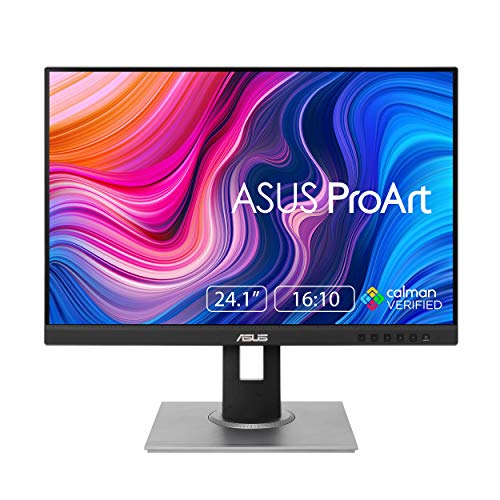
ASUS ProArt PA248QV — The vertical specialist
The PA248QV is the list’s intellectual pick, and its distinction is geometry. Where every other panel here is 1920×1080, the ProArt is 1920×1200 — a 24-inch 16:10 screen whose extra 120 vertical pixels translate directly into extra rows: more lines of a watchlist, more depth in an order book display, more of a spreadsheet’s column visible before scrolling. Traders live in vertical lists more than any other profession, and this is the only panel in the guide that gives the lists more room instead of merely rendering them pleasantly.
ProArt breeding adds the second argument. The listing describes a Calman Verified panel with Delta E under 2 and full sRGB coverage — colour discipline aimed at professionals whose screens are their instruments. For the trader who also writes research, builds client decks or publishes charts, that discipline means the colours chosen at this desk are the colours the audience sees. The ergonomic stand, with proper adjustment, completes a package that treats its owner as a professional with a long career of sessions ahead.
The trade-offs are focus and fit. A 16:10 panel in a 16:9 array sits at a different height and pixel geometry from its neighbours, so the ProArt works best as a dedicated centre screen or a solo desk’s main display rather than as an array brick. Its refresh is professional-standard rather than swift. And its talents are wasted on a desk that never reads a long list — hard to imagine in this category, but the gamer-trader hybrid should note it. For the list-bound, column-reading centre of a trading desk, nothing else here is shaped like the work.
- Panel: 24-inch IPS, 1920×1200 (16:10)
- Colour: Calman Verified, Delta E<2, 100% sRGB stated in listing
- Comfort: eye care, anti-glare, ergonomic stand
- Inputs: HDMI and DisplayPort
Strengths
- Extra vertical pixels show more rows of every list and ladder.
- Verified colour discipline serves research and published charts.
- A genuinely ergonomic stand included.
Trade-offs
- 16:10 geometry mismatches 16:9 array neighbours.
- Refresh pace is professional, not playful.
- Its talents concentrate on list-and-column work.
Best for: the centre screen of a list-heavy desk, or a solo professional setup. Not suited for: matched 16:9 arrays or gaming-leaning hybrids.
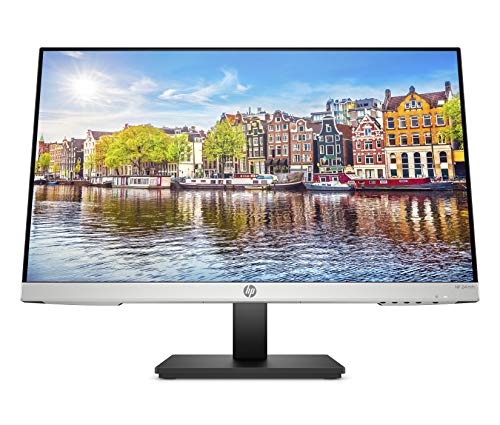
HP 24mh 23.8in IPS — The adjustable all-rounder
The 24mh earns its place by refusing to force decisions. Its stand provides the height and tilt adjustment that trading comfort demands — the only stock stand besides the ProArt’s in this list that truly adjusts — while its listing separately confirms VESA mounting for the day an arm or array bracket takes over. Built-in speakers handle alert sounds and calls without desk clutter, and HDMI plus DisplayPort cover the standard machine pair. A new trading desk can start with this single screen, correctly positioned from day one, and grow around it in any direction.
That growth path is the heart of its case. Trading desks evolve: a second panel arrives, then a mount, then perhaps a dedicated machine. Equipment that survives each stage without replacement is worth more than its specification suggests, and the 24mh is built for survival — adjustable today, mountable tomorrow, matched easily because the model is a staple of offices everywhere. Its IPS panel’s angles suit the side positions of an array as readily as the centre, so even its demotion path, when a fancier centre screen arrives, is graceful.
The compromises are tempo and trimmings. Its pace is the everyday standard, so scrolling is clear rather than fluid, and it carries no adaptive-brightness system to automate the day’s light changes — the owner adjusts manually, as traders did for decades. Buyers who know they will mount immediately and never use a stand should take a thinner-bezel pick. Buyers building a desk in stages, with comfort required from the first afternoon, will find this HP the least regrettable money in the list.
- Panel: 23.8-inch IPS, 1920×1080
- Stand: height and tilt adjustment included
- Mounting: VESA mounting confirmed in listing
- Inputs and audio: HDMI, DisplayPort, built-in speakers
Strengths
- Real height adjustment without buying an arm.
- Mounting option keeps every future desk layout open.
- Speakers clear the desk of separate audio for alerts and calls.
Trade-offs
- No adaptive brightness; light changes are manual.
- Everyday refresh pace only.
- Bezels are office-standard rather than array-thin.
Best for: a first trading screen bought to grow with the desk. Not suited for: buyers mounting immediately who want the thinnest array seams.

ASUS VA249QG 120Hz Eye Care — The array brick
Ask what a second and third trading screen should be, and the VA249QG is close to a template answer. Its frameless design minimises the seam where panels meet, its listing confirms a VESA wall mount for bracket-based arrays, and its eye-care suite — low blue light, flicker-free operation — addresses the fatigue that multiplies when the eyes patrol three screens instead of one. At 120Hz it also scrolls more smoothly than the office-standard panels around it, a comfort that matters when watchlists and feeds are in constant slow motion across the array.
The panel’s split personality is an asset here. ASUS markets it toward gaming, with Adaptive-Sync and a 1ms-class claim, but nothing in that heritage harms the trading desk — it simply means the array’s owner inherits headroom for the desk’s after-hours life, plus a VGA input that welcomes an older backup machine into the setup. In a category where screens are bought in multiples, a pick that serves the workday and the evening without specialisation guilt is efficient purchasing.
Its cautions are per-unit economics and inputs. Multiplied by three, any premium over the BenQ veteran needs justifying — the justification here is bezels, pace and mounting, which array builders will feel daily and solo buyers will not. A single HDMI per panel also means the array’s guest devices compete for seats. As the brick from which a modern trading wall is built, though, the VA249QG’s combination is the most purpose-fit in this guide.
- Panel: 24-inch-class (23.8-inch) IPS, 1920×1080, 120Hz
- Design: frameless, VESA wall mount stated in listing
- Comfort: eye care, low blue light, flicker-free
- Inputs: HDMI, DisplayPort and VGA; speakers included
Strengths
- Frameless edges make the cleanest multi-screen seams here.
- 120Hz scrolling comfort across long feed-watching sessions.
- Eye-care suite scales to the array’s total eye load.
Trade-offs
- Array pricing multiplies its per-panel premium.
- One HDMI per screen limits guest machines.
- Solo buyers pay for array virtues they may never use.
Best for: two- and three-screen chart walls built as one project. Not suited for: a single-screen desk on the tightest budget.

Acer Nitro VG240Y — The flexible connector
Every experienced desk has one machine that does not fit the plan: the older tower kept for a specific platform, the legacy laptop that still runs one indispensable tool. The VG240Y is this list’s welcome mat for that machine. Its listing pairs two HDMI ports with a VGA input — a combination no other pick matches — behind a 23.8-inch IPS Full HD panel with FreeSync and a 75Hz pace. As a secondary or utility screen in a trading setup, it absorbs the desk’s awkward hardware and gives it a permanent, dignified seat.
Position it honestly in the hierarchy. This is not the main chart screen for a serious desk — its generation is earlier, its pace modest, its stand basic — but trading setups are ecosystems, and the utility role is real: the news screen, the backup machine’s display, the panel that shows the long-term portfolio view while the main array handles the day’s business. In those roles its connectivity breadth beats a sharper panel’s narrowness, because a screen that cannot accept the machine’s only output is not a screen at all, whatever its specifications.
Buyers building a fresh, all-modern desk should pass it by for the BenQ or ASUS picks; its virtues are entirely about inheritance. Buyers whose desk includes anything with a VGA port — and the honesty test is to look behind your machines before answering — will find the VG240Y solves the one problem the rest of the list pretends does not exist, at a tier where solving it costs little and the panel’s everyday competence surprises no one unpleasantly.
- Panel: 23.8-inch IPS Full HD running at 75Hz
- Inputs: a pair of HDMI sockets alongside a VGA port for legacy machines
- Sync: FreeSync (Radeon FreeSync generation)
- Role: secondary and utility screen for mixed hardware
Strengths
- Unmatched input breadth for legacy and modern machines together.
- Two HDMI seats keep two modern devices resident as well.
- IPS angles suit a side screen viewed off-axis.
Trade-offs
- Earlier-generation pace and stand.
- No DisplayPort for a modern main machine.
- Not a main chart screen for a serious desk.
Best for: the utility position in a mixed-hardware trading setup. Not suited for: a fresh all-modern desk or a main-screen role.
How do you lay out two or three 24-inch screens for chart work?
Begin with roles, not symmetry. The centre screen — directly before the chair, at eye height — carries the primary chart and execution windows, because the eyes and the mouse live there. The left screen takes the context: watchlists, news, the broader market view. The right screen takes the record: positions, orders, account information, the things consulted rather than watched. Assigning roles before hardware prevents the common array failure in which three screens show three similar charts and the trader’s attention has no home.
Geometry follows the roles. Angle the side panels inward toward the chair so their faces meet your gaze near-perpendicularly; a flat row forces the far edges into oblique angles where even IPS panels lose their best behaviour and text requires a lean. Keep all three tops at the same height and the centres on a gentle arc at one distance, so moving attention across the array is an eye movement, not a head journey. The centre screen sits a fraction closer if its role demands the finest reading — a few centimetres of emphasis that the body understands instinctively.
Software discipline completes the layout. Give each screen a fixed window arrangement and restore it religiously each morning — most platforms and operating systems can save layouts, and the traders who save theirs start the day organised while others rebuild. Decide where alerts appear and keep them there; an alert that can surface on any of three screens will eventually surface on the one you are not watching. None of this involves the monitors’ specifications, and all of it decides whether the array functions as one instrument or as three televisions sharing a desk.
Cabling and power deserve the final word because arrays fail there first. One power strip, one cable path per screen, every lead labelled with its screen and input. When — not if — a panel must be swapped mid-week, labels turn the operation into five minutes of transcription instead of an afternoon of archaeology behind the desk, conducted while the market, indifferent, continues without you.
What mistakes do traders make when buying screens?
Buying gaming specifications for a reading job leads the list. High refresh beyond the scrolling-comfort zone, esports response claims and gaming styling all cost money that this category would rather spend on comfort systems, stands and the second panel. The reverse mistake also occurs — a trader buys the cheapest office panels available and discovers at hour six of the first long day why eye-care engineering exists. The middle path is this guide’s whole argument: comfort-first panels with modest pace, bought in matched multiples.
Mismatching the array is the second error. Panels bought at different times from different lines differ in height, bezel, colour temperature and brightness behaviour, and the eye — which crosses the seams hundreds of times a day — registers every difference as low-grade friction. Choose the model for the whole array at the outset, even if the purchase happens in stages, and prefer designs, like several here, whose makers keep them available across seasons.
Third, neglecting the room. A trading desk facing a bright window, or lit by a single harsh ceiling source, will defeat any panel’s anti-glare coating by weight of photons. Screens are the last step of a lighting problem: position the desk so windows fall to the side, soften the room’s light, and only then judge panels. Adaptive brightness helps a well-placed desk; it cannot rescue a badly placed one, and no monitor in this article is sold as a substitute for curtains.
The final mistake is expecting the equipment to carry meaning it cannot. A beautiful array does not improve discipline, and a fatiguing one does not cause losses — but fatigue degrades the human processes, attention and patience among them, on which everything else depends. Buy screens the way professionals buy chairs: as long-term support for the worker, judged over years of hours, with no promises attached beyond comfort honestly delivered.
How should a trading desk handle brightness across seasons and rooms?
The room changes more than the market does. Winter mornings arrive dark, summer evenings stay bright past the close of some sessions, and a desk near a window lives through all of it. The practical routine is to set the panel’s brightness for the room’s most common condition, enable adaptive brightness where the model offers it — both BenQ picks do — and then leave the controls alone for a week before judging. Owners who chase perfect brightness daily never let their eyes adapt to anything, and the chasing itself becomes the fatigue they were trying to avoid.
Evening sessions deserve their own arrangement. As the room darkens, a screen that stays at daytime brightness becomes the room’s harshest light source, and low-blue-light or reading modes earn their place — not as health promises, which this guide does not make, but as comfort settings that match the panel to the hour. Several picks here include such modes; the discipline is to schedule them rather than discovering them at midnight with tired eyes. The monitor’s own timer or profile settings, set once, outperform willpower indefinitely.
Multi-screen desks multiply the negotiation: three panels at three brightness behaviours make the array feel restless even when each is individually reasonable. Match the array’s brightness by eye in the room’s typical light, using a plain white document across all screens, and prefer models from one maker where the adjustment scales behave alike. The GW2480 and GW2490 pair naturally in this respect; a mixed array can still be tamed, but it will ask for the white-document ritual more often, and the ritual should be scheduled like any other desk maintenance.
What does the second machine problem look like, and how do these screens solve it?
Serious home traders quietly maintain redundancy: a primary machine and a backup that can assume the desk’s duties within minutes. The screens are where redundancy plans usually fail, because a backup laptop that must be cabled into three monitors during a stressful moment is not a backup — it is a project. The solution is architectural: the centre screen keeps a permanently wired seat for the backup, which is why the dual-HDMI inputs on the GW2490 and VG240Y earned such emphasis in their entries. The backup’s readiness can then be tested weekly in seconds, and a backup that is tested is the only kind that exists.
The array complicates the ideal, and honesty requires saying so. Few home desks wire every screen redundantly; the pragmatic pattern gives the backup the centre screen and accepts that the wings rejoin when the primary machine returns. That pattern argues for the centre panel being the most connected screen in the setup — one more reason the GW2490, with two HDMI ports and DisplayPort, anchors this guide’s recommendation. Plan the failure on a quiet Sunday, label the backup’s cable like the others, and the worst morning of the year becomes a procedure instead of an improvisation.
Power belongs to the same plan. The array, the machines and the network gear should ride through a brief outage on a battery backup sized for an orderly few minutes — enough to close what must be closed calmly. Screens are light drinkers compared with computers, so including the centre panel in the protected circuit costs little capacity and buys the one thing an outage otherwise steals instantly: visibility. None of this is trading advice. It is the ordinary resilience engineering of any desk whose work is time-sensitive, applied without drama.
How do you keep three screens calibrated to look like one?
Start from each panel’s most neutral picture mode rather than its most vivid, because vivid modes differ between makers far more than neutral ones do. Set the same colour temperature target on every screen — most of these panels offer a user mode with a temperature choice — then display the same document and the same chart theme across the array in the room’s usual light and adjust brightness, not colour, to reconcile them. Brightness differences are what the eye mostly complains about at seams; colour, once the modes and temperatures match, usually follows quietly.
Charts themselves can betray a good calibration. Dark themes expose brightness mismatches that bright office documents hide, so perform the final check with your actual trading theme at your actual session brightness, including one evening pass under lamps. If one panel insists on glowing at the seams, lower its brightness a step rather than raising the others; arrays should be tuned to their dimmest honest member in the evening, because the room, not the specification sheet, sets the ceiling for comfort.
Revisit the ritual seasonally, when the room’s light changes character, and after any panel is replaced. Keep a note of the final settings for each screen in the desk drawer — mode, temperature, brightness number — so a reset or a replacement returns to the recorded state in minutes. Calibration, for a trading desk, is not a colourist’s art project; it is the maintenance of a single instrument made of three panels, and like all maintenance it succeeds by being scheduled, recorded and brief.
What does a full session feel like on a well-chosen array?
The pre-market hour is quiet, and the desk’s virtues are quiet ones. The centre screen wakes to the primary chart at a brightness the room’s grey light finds reasonable, because it was set for this hour and left alone. The watchlist wing is already populated; the record wing shows the day’s plan where it was left. Nothing flickers, nothing glares, and the only negotiation the equipment asks for is a coffee. Equipment that opens the day without demanding attention has done the first part of its job before a single price has moved.
The busy middle of the session is where legibility stops being a specification and becomes a working condition. Numbers change constantly; the eyes patrol three panels in a learned circuit — chart, list, record — hundreds of times. On a well-matched array the circuit costs nothing: colours mean the same thing on every screen, numerals carry the same weight of ink, and the seams between panels disappear from awareness. On a mismatched or fatiguing setup, the same circuit levies a tax so small per crossing that it is only visible in aggregate, at the end of the day, as a tiredness the trader cannot quite explain. This category exists to abolish that tax.
The close brings the unglamorous finale the equipment was really bought for: review. The day’s record spreads across the wings while the centre holds the journal, and the trader reads back through hours of decisions on screens that still feel like the morning’s. Whether the day was good or bad belongs to the strategy and the market; whether the reviewer is fresh enough to learn from it belongs, in a small but real part, to the panels. That is the complete and honest promise of this guide — no more, and for a working desk, no less.
How should a beginner stage the purchases?
Stage one is a single good screen, correctly positioned: the GW2490 for its comfort systems, or the HP if the budget must also cover the chair and the desk — and the chair, frankly, should be bought with the same seriousness, because the two work as one system. Run the single screen for a full month of real sessions before judging what the desk lacks. Most beginners discover their true bottleneck in that month, and it is as often window discipline or lighting as it is screen count.
Stage two adds the wing that the month’s evidence requested — watchlists if the centre felt crowded by context, the record if order-checking kept stealing the chart. Buy the same model where the array logic applies, mount both on a dual arm if the desk will eventually hold three, and route the cables as if the third panel were already present. Staging the infrastructure ahead of the panels is the cheapest foresight in the whole project.
Stage three, the third screen, should be bought only when a named window is homeless — not when the desk merely looks asymmetrical in photographs. Symmetry is a poor reason to spend; a specific, recurring window that currently buries another is an excellent one. Traders who stage this way end with arrays that look inevitable, because every panel is employed, and the discipline of the staging usually survives contact with the market better than the alternative of buying a wall of screens and a strategy to match on the same excited weekend.
What separates a trading desk from a gaming desk wearing charts?
Time horizon, mostly. A gaming desk is optimised for peaks — the match, the launch night, the personal best — while a trading desk is optimised for the average of a thousand ordinary sessions. Equipment choices that look identical in a shop diverge across that horizon: the gaming panel’s spectacular brightness becomes the trading panel’s glare, the gaming stand’s sculpture becomes the trading stand’s missing height adjustment, and the gaming screen’s solo brilliance becomes the array’s mismatched wing. Buyers who keep the horizon in view stop asking which screen is best and start asking which screen is best at hour six of day two hundred, which is the only question this category has ever really posed.
The second separator is failure tolerance. A gaming desk that fails mid-evening costs an evening; a trading desk that fails mid-session costs composure at the precise moment composure is the asset. Hence this guide’s recurring, unfashionable emphases: backup inputs, labelled cables, matched panels that can substitute for one another, mounts that hold their geometry for years. None of it photographs well. All of it is what the word professional means when applied to equipment rather than to people.
And the third separator is honesty about scope, with which this article began and will end. The gaming desk’s equipment genuinely can raise a player’s ceiling, because the game is partly a contest of equipment-mediated speed. The trading desk’s equipment cannot raise the trader’s ceiling in the same way, and a guide that pretends otherwise is borrowing excitement it has not earned. What it can do — all it promises, and it is plenty — is keep the worker clear-eyed, organised and comfortable while the real work, which no monitor performs, gets done.
Should a trading screen double as the household’s evening screen?
It can, and in small homes it often must, but the arrangement deserves one deliberate decision: whose settings rule? A panel tuned for daytime chart legibility — moderate brightness, neutral temperature, low-blue-light scheduled for evenings — will show films a touch coolly, and a panel tuned for cinema will glare through the next morning’s session. The workable compromise is two named profiles, one per life, switched as consciously as the input. Households that skip the profiles end up with a screen permanently tuned for neither master, which is the only genuinely wrong answer available here.
If the desk is a full-time trading station, keep it one. The discipline of a room that means work — screens that wake to charts and sleep with the journal — is an asset no specification measures, and lending the array to evening entertainment dilutes it in ways that show up as clutter: a streaming profile here, a game’s settings there, a morning spent restoring the working layout. A modest separate screen for the sofa costs less than the discipline is worth, and the trading desk keeps its single, unambiguous personality.
One accessory, though, deserves promotion from the notebook category to the equipment list: a simple desk lamp with a warm, dimmable output, placed to wash the wall behind the array rather than the screens themselves. Evening sessions on bright panels in a dark room are the classic recipe for the end-of-day squint, and a gentle bias of light behind the screens softens the contrast the eyes must bridge a thousand times a session. It costs less than any cable in this setup, it asks for no drivers, and traders who adopt it tend to mention it in the same breath as the eye-care modes — as part of the room’s half of the comfort system, which the monitors alone were never going to complete.
Treat the lamp’s purchase with the same staged discipline as the screens: live with the array for a month of evenings first, note honestly whether the squint arrives, and let the evidence order the accessory rather than the showroom’s suggestion that every desk needs one on day one, bundled with three other solutions to problems your particular room, window orientation and session hours may never actually present to you during the whole working life of the array you are assembling with such care this week, in a room whose habits you will know better than any reviewer, salesperson or fellow trader posting photographs of a desk that faces a different window, in a different climate, on the other side of the world, working different hours entirely.
Final Recommendation
Build the desk around the BenQ GW2490 if one screen must lead: its adaptive brightness, eye-care depth and dual-HDMI resilience make it the main chart panel this category deserves. Surround it with its own siblings or with ASUS VA249QGs when the array is built in one stroke, choosing the frameless ASUS where seams matter most. Give the ProArt PA248QV the centre if your work is lists and ladders above all, and let the HP 24mh be the staged builder’s first panel — adjustable today, mountable forever. Keep a VG240Y in mind the moment legacy hardware enters the room. Above all, hold the honest line this guide opened with: these screens will make the hours clearer, calmer and easier to organise, and the rest of trading — as it should be — remains entirely, unsentimentally yours.
Frequently Asked Questions
Is one 24-inch monitor enough to trade on?
Enough to begin, and many do — a single screen with disciplined window management covers a chart, a watchlist and an order panel in rotation. The move to two or three screens is about simultaneity rather than possibility: everything visible at once, nothing buried. This guide’s picks were chosen to work solo and to multiply gracefully, so the first purchase never becomes the wrong purchase when the desk grows.
Does a higher refresh rate help with charts?
Only in one narrow, genuine way: scrolling and panning feel calmer at 100–120Hz than at the office standard, which matters across hours of watchlist and feed movement. Beyond that zone, additional refresh buys a trading desk nothing measurable. Spend first on comfort systems, panel quality and the second screen; let refresh be the pleasant by-product it is in the GW2490 and VA249QG rather than the headline.
Should all the screens in an array be the same model?
Ideally yes — matched panels align in height, share colour behaviour and present equal bezels at every seam, and the eye crosses those seams constantly. Where budgets force a mix, put the best and most comfortable panel in the centre where the primary chart lives, and accept a calibration session to bring the wings into line. The exception is the ProArt: its 16:10 geometry is a deliberate centre-screen specialisation, not an array brick.
How far away should a 24-inch trading screen sit?
Roughly an arm’s length is the working rule for this size — near enough that small numerals read without leaning, far enough that the whole panel stays in comfortable view. Side screens on an arc should honour the same distance, which is why the arc exists. If you find yourself enlarging fonts across every application, the screen is too far or the room’s light is fighting you; fix the geometry before blaming the panel’s resolution.
Do these monitors work with a laptop as the trading machine?
Yes — every pick accepts HDMI, and most add DisplayPort, so a capable laptop can drive the centre screen today and an array through a dock tomorrow. Check the laptop’s own output limits before planning three external panels, since the machine, not the monitors, usually sets that ceiling. The dual-HDMI BenQ and Acer picks are especially kind to laptop-led desks that also keep a desktop or backup machine attached.
What should sit on the desk besides the screens themselves?
Less than instinct suggests, and what remains should earn its place by surviving the same test the screens did: does it help at hour six? A keyboard that fits the hands, a mouse that disappears under them, a notebook for the journal entries that should never be typed into a chart — these pass. The parade of gadgets that trading desks accumulate, from ambient tickers to novelty lamps, mostly fails, and each failure taxes the eye circuit the array was built to protect. The cleanest trading desks look almost bare in photographs, and the bareness is not minimalism as fashion; it is attention, budgeted, with the screens as its largest and most justified expense.
Related Guides
Round out the desk with our guides to dual and triple monitor setups for home offices, eye-care monitors for the longest working days, and 16:10 monitors for document-heavy work.


