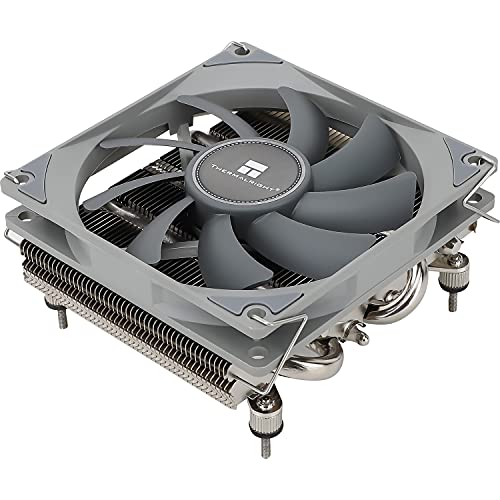
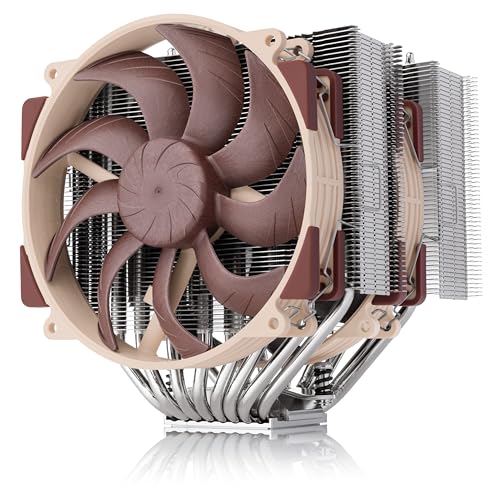
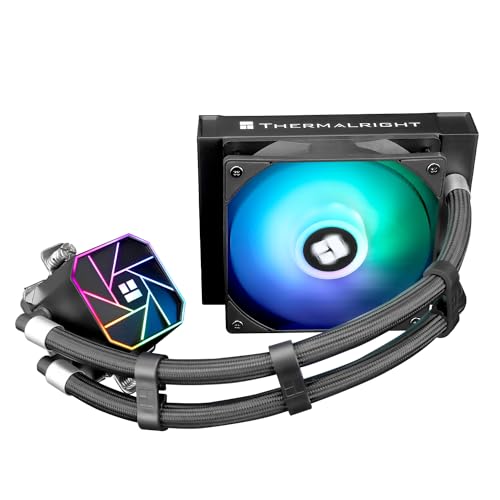
Our Top Picks
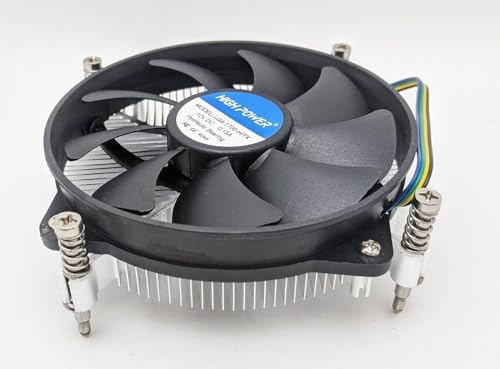
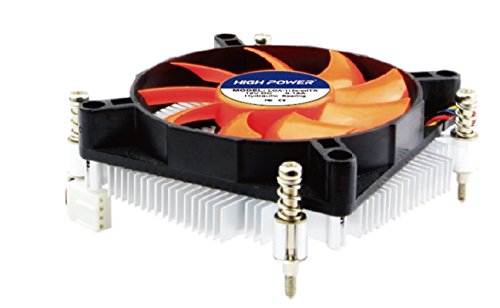 HIGH POWER® LGA-115x-mITX 1U Low-Profile Quiet 80mm Intel3.62 x 3.62 x 1.06 inches0.4 poundsCheck on Amazon


What's inside
- Understanding the 1U height budget
- Airflow in a 1U chassis: front to back, shrouds, active and passive designs
- TDP, heat, and why high-power server processors need the right cooler
- Socket families and mounting patterns explained
- Noise, fan size, and PWM control in small coolers
- Compatibility checks to make before you buy
- The eight coolers, reviewed in turn
- HIGH POWER LGA-115x-mITX 1U cooler for Intel LGA1150, 1151, 1155 and 1156
- HIGH POWER LGA-1700-mITX low-profile cooler, 28mm tall with 95mm fan
- Dynatron L29 all-in-one liquid cooler for AMD sWRX8, sTRX4, TR4 and SP3
- Dynatron Q7 1U CPU cooler for Intel LGA1700
- SilverStone XE01-1700A 1U server workstation cooler for Intel LGA1700
- Dynatron R16 1U server CPU fan cooler for Intel LGA2011
- Thermalright AXP90 X36 low-profile cooler, 36mm, for AM4, AM5 and Intel LGA1700 and more
- Noctua NH-L9i-17xx low-profile cooler, 37mm, for LGA1851 and LGA1700
- Which type should you choose?
- Check prices on Amazon
- Disclosure
As an Amazon Associate I earn from qualifying purchases. This post may contain affiliate links at no extra cost to you.
Choosing a CPU cooler for a 1U build is less about chasing the largest heatsink and more about respecting a hard physical ceiling. One rack unit, written as 1U, equals 1.75 inches, or about 44.45 millimetres, of vertical space in a rack. That measurement describes the chassis slot in the rack, not the free space sitting above your processor. Once a motherboard, its standoffs, the processor package, and the chassis lid are accounted for, the cooler itself has far less room than the headline number suggests. A cooler that is even a few millimetres too tall can prevent the lid from closing, press against the top cover, or force an awkward rebuild after every other component is already installed. For that reason, the best 1U CPU coolers are defined first by height, second by socket fit, and only then by fan size, noise, and cooling capacity.
This guide covers two related but distinct groups, and it is important to keep them separate. The first six products are true 1U server coolers, designed for rackmount chassis, server and workstation boards, and the front-to-back airflow pattern that most rack systems depend on. They include models for older Intel LGA115x boards, current LGA1700 systems, the older LGA2011 server platform, and the large AMD SP3 family used by sWRX8, sTRX4, and TR4 processors. The last two products are different in purpose. The Thermalright AXP90 X36 and the Noctua NH-L9i-17xx are low-profile desktop coolers at 36mm and 37mm tall respectively. They are not rack server coolers with server mounting hardware and server airflow assumptions, but their height sits inside the 1U limit, which makes them relevant for very compact small-form-factor builds where a builder is borrowing the 1U height budget as a ceiling. Treating those two categories as identical would be misleading, so each section below states plainly which job a cooler was made for.
Socket compatibility is the other filter that cannot be skipped. A cooler that fits the height limit but uses the wrong mounting pattern is simply the wrong cooler. Intel LGA1700, LGA1200, LGA115x, LGA2011, and LGA1851 all differ in hole spacing, retention, or both, and AMD AM4 and AM5 differ again from the much larger SP3 package used on Threadripper and EPYC-class boards. Server boards add a further complication called narrow ILM, where the mounting hardware around the socket is narrower than the standard square pattern found on many desktop boards. A cooler listed for a socket family may still fail on a narrow ILM board if its bracket assumes the wider pattern. Reading the exact socket list for each model, and matching it against the board manual rather than the processor name alone, prevents the most common and most avoidable 1U buying mistake.
Understanding the 1U height budget
The starting point for any 1U build is simple arithmetic with unforgiving consequences. A rack unit is a standardised vertical measurement, and 1U is 1.75 inches, roughly 44.45mm. A 1U chassis is built to occupy exactly that slice of rack space, which means its outer walls, top lid, and internal clearances all live inside that envelope. Nothing inside the case gets the full 44.45mm to itself. The motherboard sits on standoffs above the chassis floor, the board itself has thickness, the processor sits in a socket on top of the board, and the lid needs its own small clearance so it can slide or hinge closed without scraping components. By the time those layers are stacked together, the practical space available above the processor is noticeably smaller than the nominal rack height.
That is why published cooler height needs careful reading. When a manufacturer states a height such as 28mm, 36mm, or 37mm, that figure normally describes the cooler from its base, where it contacts the processor heat spreader, to its highest point, usually the top of the fan frame or fin stack. It does not include the motherboard, the socket, or the standoff height underneath. A 37mm cooler does not leave 7mm of spare room in a 44.45mm chassis in any simple sense, because the stack below the cooler has already consumed part of the budget. Experienced rack builders therefore measure from the motherboard surface to the underside of the closed lid on their specific chassis, then compare that real number against the cooler height, leaving a small margin for the lid, cables, and manufacturing tolerance.
Clearance problems rarely announce themselves early. A build can pass every electrical check on an open bench, post normally, and accept an operating system, and then fail at the final step when the lid will not close. At that point the options are all unpleasant: run without a lid and lose the designed airflow path, replace the cooler and repeat the mounting work, or in the worst case discover that a slightly forced lid has been pressing on the fan and restricting its movement. Checking the height stack before ordering, and again with a ruler or calipers before final assembly, is far cheaper than any of those outcomes. For compact desktop cases that borrow the 1U ceiling, the same discipline applies to side panels and drive cages that sit above the socket.
Airflow in a 1U chassis: front to back, shrouds, active and passive designs
Most rack servers move air in a straight line. Cool air enters through the front panel, passes over drives, memory, and processors, and exits through the rear, driven by rows of small, high-speed chassis fans in the middle of the case. This front-to-back pattern is deliberate. Racks are arranged in hot and cold aisles, so a server that exhausts sideways or upwards disrupts the thermal plan of the whole row. A 1U CPU cooler has to work with that stream rather than against it. Fin stacks on server coolers are usually aligned so air passes through them along the chassis axis, and the cooler is often positioned so the chassis fans push air directly across it.
Many 1U systems also use an air shroud, a shaped plastic cover that sits over the motherboard and channels the chassis airflow across the memory and processor area instead of letting it spread uselessly around the case. A shroud only works if the cooler underneath it matches the height and shape the shroud was designed around. A cooler that is slightly too tall can lift or distort the shroud, and a cooler with a fan blowing in an unexpected direction can fight the channelled stream. When a chassis manual specifies a particular cooler or heatsink type for use with its shroud, that specification deserves respect, because the shroud, the chassis fans, and the heatsink were validated as one system.
Server coolers fall into two broad types. An active cooler carries its own fan, mounted on or beside the fin stack, and moves air across itself regardless of the chassis fan arrangement. Most of the true 1U models in this guide are active designs, including the Dynatron and SilverStone entries and the HIGH POWER models for mini ITX and Micro ATX boards used in shallow chassis. A passive cooler, by contrast, is a finned heatsink with no fan of its own. It depends entirely on the chassis fans and usually on an air shroud to force enough air through its fins. Passive designs are common in purpose-built servers where the chassis fan wall is powerful and tightly controlled, but they are a poor gamble in a generic case, a quiet home rack, or a compact desktop enclosure where that forced airflow does not exist.
For broader background on how cooler size classes compare outside the rack world, a general roundup such as best 10 cpu coolers can help place these very short designs in context, because most mainstream coolers are several times taller than anything discussed here and would never fit a 1U chassis or a height-restricted compact case.
TDP, heat, and why high-power server processors need the right cooler
Thermal design power is an imperfect but useful guide to how much heat a cooling system must handle. A low-power desktop processor in a compact build may produce modest heat that a 36mm cooler can manage comfortably, while a many-core server processor under a sustained all-core workload produces far more heat, continuously, in a chassis with almost no vertical room. The cooler has to absorb that heat at the processor surface, spread it into a small fin stack, and hand it to the airstream before temperatures force the processor to reduce its clock speed. When a cooler is undersized for the processor, the usual symptom is not an immediate shutdown but throttling: performance quietly drops during long renders, compilations, database work, or virtualisation loads, exactly when the machine is supposed to be working hardest.
Physical size explains much of the challenge. Heat transfer depends heavily on surface area, and a 1U cooler has a fraction of the fin area of a tower cooler. Designers compensate with dense fins, copper bases or vapour chambers on some models, heat pipes that move heat quickly away from the contact plate, and fans that spin fast to force air through tight fin spacing. Each compensation has a cost. Dense fins need high static pressure, fast fans make noise, and copper adds weight and price. There is no free performance at this height, which is why matching the cooler to the processor’s actual sustained load matters more than matching it to a headline socket name.
Socket size also shapes cooling capacity. The AMD SP3 package, used across sWRX8, sTRX4, and TR4 platforms, is physically large, with a broad heat spreader that needs a cooler base designed to cover it properly. A small cold plate centred on a large spreader leaves the outer areas of the package poorly served. That is the context for the Dynatron L29 in this guide, an all-in-one liquid cooler built specifically for those AMD sockets and for 1U server use and up, where liquid transport moves heat to a radiator instead of relying solely on a tiny fin stack above the processor. At the other end of the scale, a mainstream LGA1700 desktop processor has a much smaller package, and an air cooler designed for that socket can cover it fully while staying very short.
Socket families and mounting patterns explained
Intel’s recent desktop and entry server history runs through several socket generations that look similar at a glance and are not interchangeable. The LGA115x family covers LGA1150, LGA1151, LGA1155, and LGA1156, which share a mounting hole pattern that lets one cooler, such as the HIGH POWER LGA-115x-mITX model in this guide, serve all four. LGA1200 kept a compatible mounting pattern with LGA115x for many coolers, which is why some low-profile models list 115x and 1200 together. LGA1700 changed the pattern and the package height, so it needs its own bracket and mounting pressure, and LGA1851, while closely related in mounting terms to LGA1700 for some cooler designs, should still be checked model by model rather than assumed. The product listings in this guide reflect those distinctions: a cooler listed only for LGA115x should not be ordered for an LGA1700 board.
LGA2011 belongs to an earlier generation of Intel server and high-end desktop platforms, and it introduces the narrow ILM complication in its most common form. On many LGA2011 server boards, the independent loading mechanism around the socket is narrower than the standard square arrangement, and the heatsink mounts directly using that narrower pattern, sometimes with the retention built into the board rather than supplied with the cooler. The Dynatron R16 in this guide exists specifically for that environment: a 1U server cooler for LGA2011 where the buyer must confirm whether the board uses narrow or square ILM and whether the board expects a passive or active heatsink with its own fan. Guessing here leads to a cooler that physically cannot attach, which is worse than a cooler that merely runs warm.
On the AMD side, AM4 and AM5 are mainstream desktop sockets with a comparatively small package and a mounting system built around a backplate and bracket arrangement that low-profile coolers such as the Thermalright AXP90 X36 support directly. SP3 is a different world. It is a large land grid array socket for EPYC server processors and, in its related variants, for Threadripper platforms under the sWRX8, sTRX4, and TR4 names. The mounting pattern, package size, and expected cooler base are all much bigger, and coolers for SP3 are specialist parts. No cooler in this guide claims to serve both AM4/AM5 and SP3, and that separation is correct: if your board has an SP3-family socket, the Dynatron L29 is the relevant entry here, and the compact AM4/AM5 model is not an alternative.
Noise, fan size, and PWM control in small coolers
Small fans have to spin quickly to move useful amounts of air, and fast-spinning small fans are rarely quiet. That trade-off is accepted in a data centre or a separate machine room, where dozens of systems contribute to a background level that nobody works beside. It becomes a serious consideration in a home lab, a studio rack, or a small office where the rack sits in the same room as people. The true 1U server coolers in this guide were designed for environments where cooling reliability outranks acoustics, so anyone sensitive to noise should set expectations accordingly and think carefully about where the finished system will live.
Fan diameter still matters within the height limit. An 80mm fan on the HIGH POWER LGA-115x model, a 95mm oversized fan on the HIGH POWER LGA1700 model, and a 92mm slim fan on the Noctua are all attempts to fit the largest practical fan into a very flat cooler, because a larger fan can generally move a given amount of air at lower speed than a smaller one. The Thermalright AXP90 X36 takes the opposite approach forced by its 36mm total height, using a slim 92mm-class fan in a very thin frame, the TL-9015, where the numbering reflects its roughly 92mm by 15mm proportions. None of these fans should be judged by diameter alone; blade design, fin density, and the speed range the fan is allowed to run all shape the result.
PWM control is the main tool for managing that behaviour. A PWM fan reports its speed and accepts a control signal that lets the motherboard raise or lower speed according to temperature, following a fan curve set in firmware. On a server board that curve may be governed by the baseboard management controller and optimised for the chassis fan wall rather than for a single CPU fan header, so a replacement cooler fan should be connected where the board expects it and the firmware settings checked after installation. On a desktop mini ITX board, setting a sensible curve in the BIOS can keep a low-profile cooler unobtrusive at idle while still allowing full speed under load. Either way, confirm the fan connector type matches the header, because a mismatch can leave a fan running at full speed permanently or not reporting speed at all.
If quiet operation in a compact desktop is the priority, it helps to look at how fan diameter classes behave more generally, and a focused comparison like best 92mm cpu coolers is a useful companion read, since the 92mm class appears repeatedly in low-profile designs precisely because it balances footprint, airflow, and noise better than smaller fans in height-restricted cases.
Compatibility checks to make before you buy
Start with the socket, in writing. Write down the exact socket from the motherboard manual, not from the processor family name, and compare it character by character with the cooler’s stated support list. Then check the mounting pattern variant, especially narrow ILM on server boards, and whether the cooler expects a backplate that your board does or does not have. Next, measure the vertical space from the board surface to the closed lid or panel, and compare it with the stated cooler height, keeping a margin rather than accepting an exact match. A cooler that exactly equals the measured space leaves nothing for the lid, for cable thickness, or for the slight variations between individual units.
Then check the horizontal space. Look at the distance from the socket to the first memory slot, the nearest PCIe slot, and any tall board components, and compare it with the cooler’s footprint. The Noctua NH-L9i-17xx in this guide is specifically noted for having no RAM or PCIe overhang, which matters on crowded mini ITX boards where the socket sits close to both. Other coolers make no such promise, and on a compact board a wide fin stack can block a memory slot or force the use of low-profile memory. In a server chassis, do the equivalent check against the air shroud, riser cage, and nearby drive cabling.
The eight coolers, reviewed in turn
The order below groups the six true 1U server coolers first and finishes with the two low-profile compact coolers that fit inside the 1U height limit. Each entry states the socket support exactly as listed for that product and the fan and height details given in its product title. Where a detail is not part of the published product information used here, this guide says so rather than filling the gap with an invented specification, so confirm remaining details against the manufacturer’s current documentation before buying.
HIGH POWER LGA-115x-mITX 1U cooler for Intel LGA1150, 1151, 1155 and 1156
The HIGH POWER LGA-115x-mITX is a 1U low-profile cooler built around an 80mm fan and aimed at Intel’s LGA115x generation, covering LGA1150, LGA1151, LGA1155, and LGA1156 in a single model. That four-socket coverage is its main practical strength. LGA115x boards remain common in older small servers, refurbished systems, home lab machines, and compact builds assembled from proven parts, and a cooler that serves the whole family simplifies both first builds and like-for-like replacements when an original cooler fails. The stated target systems are Mini ITX and Micro ATX boards, which matches where LGA115x survives most often: small boards in shallow or height-restricted cases rather than full-size towers.
The 80mm fan defines its character. In a cooler this flat, an 80mm fan is a reasonable compromise between footprint and airflow, large enough to avoid the extreme speeds of very small server fans while still fitting the compact fin stack. The product description emphasises quiet operation, which positions this model for home and office environments rather than for a dense data centre rack. Buyers should still be realistic: quiet is relative at this size, and a compact cooler under sustained load will be audible in a silent room. For a home lab LGA115x machine that idles much of the day and works in bursts, that balance is usually the right one.
HIGH POWER LGA-1700-mITX low-profile cooler, 28mm tall with 95mm fan
The HIGH POWER LGA-1700-mITX addresses the current Intel desktop socket with an unusually flat design: its stated height is just 28mm, and it pairs that very short stack with a quiet 95mm oversized fan. The 28mm figure is the headline here, because it leaves more of the 1U height budget unused than almost any other cooler in this guide, giving extra margin for the motherboard stack, the lid, and cabling in a tight chassis. The manufacturer lists it for 1U and 2U systems as well as mini ITX and Micro ATX builds, which makes it the natural first look for an LGA1700 machine in a genuinely shallow rack case or a very flat desktop enclosure.
The oversized 95mm fan is the interesting engineering choice. Fitting a fan larger than the typical compact-cooler diameter into a 28mm cooler means the fan dominates the design, and the reasoning is sound: a larger fan can move air at lower rotational speed, which supports the stated quiet positioning while still feeding a dense, short fin stack. For an LGA1700 home server, media system, or small office machine in a 1U or 2U case, that combination of minimal height and moderated noise is exactly the brief. In a 2U chassis it also leaves generous room above the cooler for a shroud or cabling that a taller cooler would crowd.
Dynatron L29 all-in-one liquid cooler for AMD sWRX8, sTRX4, TR4 and SP3
The Dynatron L29 is the specialist in this guide, and the only liquid cooler among the eight. It is an all-in-one liquid cooler built for AMD’s large SP3-family sockets, listed for sWRX8, sTRX4, TR4, and SP3, and intended for 1U server use and up. Those sockets serve Threadripper and EPYC-class processors with large packages and high sustained heat output, exactly the combination that strains a small air cooler in a 1U chassis. Moving heat away from the socket in liquid and rejecting it at a radiator gives the platform thermal headroom that a fin stack barely four centimetres tall would struggle to provide, which is why a product like this exists at all.
Choosing the L29 is therefore a chassis decision as much as a cooler decision. An all-in-one liquid system needs somewhere correct for its radiator and fans within the case, with airflow that follows the chassis plan, and a 1U server designed with liquid cooling in mind provides that in a way a random shallow case does not. The phrase 1U and up in its positioning matters: in a 2U or larger workstation chassis the radiator placement options widen, while in a strict 1U server the build should follow the chassis maker’s intended layout closely. Buyers planning a Threadripper workstation in a rack case should map the radiator position, tube routing, and lid clearance on paper before ordering anything.
Dynatron Q7 1U CPU cooler for Intel LGA1700
The Dynatron Q7 is a purpose-built 1U cooler for Intel LGA1700, from a manufacturer whose catalogue is heavily oriented toward server and embedded cooling rather than desktop accessories. That orientation shapes what to expect: a cooler designed to live in a rack chassis, work with front-to-back airflow, and serve the LGA1700 processors now common in entry servers, network appliances, and compact workstation boards. Where the HIGH POWER LGA1700 model above leans toward quiet compact builds across 1U, 2U, and desktop cases, the Q7 reads as the more strictly server-focused of the two LGA1700 entries, aimed at builders assembling a rack system first and a desktop second.
SilverStone XE01-1700A 1U server workstation cooler for Intel LGA1700
The SilverStone XE01-1700A, also written SST-XE01-1700A in SilverStone’s naming, is a 1U server and workstation cooler for Intel LGA1700. SilverStone’s XE series addresses the professional end of the market, and this model’s positioning for server and workstation use places it alongside the Dynatron Q7 as one of the two explicitly professional LGA1700 options in this guide. Workstation duty is worth distinguishing from ordinary server duty: a workstation processor may sustain heavy rendering, simulation, or compilation loads for hours, in a machine that also sits closer to its operator, so a cooler for that role has to balance continuous thermal performance with tolerable behaviour over a full working day.
Dynatron R16 1U server CPU fan cooler for Intel LGA2011
The Dynatron R16 serves one of the oldest platforms in this guide, Intel LGA2011, as a 1U server CPU cooler with its own fan. LGA2011 systems remain in service in large numbers as secondary servers, storage hosts, lab machines, and refurbished rack units, and they periodically need exactly this kind of part: a replacement or first-fit 1U cooler that matches a socket generation current product lines have largely moved past. A specialist manufacturer continuing to offer a dedicated LGA2011 1U model is genuinely valuable for keeping those machines running without improvised cooling.
The critical check for the R16 is the mounting variant discussed earlier. LGA2011 server boards commonly use a narrow ILM arrangement, and heatsinks for the platform often interact with retention hardware that is part of the board itself. Before ordering, establish from your board manual which ILM type it uses and what heatsink mounting it expects, then confirm the R16 matches. Also confirm whether your chassis originally used an active cooler with its own fan, as the R16 provides, or a passive heatsink under an air shroud driven by the chassis fan wall. Substituting one arrangement for the other changes both clearance and airflow behaviour, and in a 1U chassis there is little slack for either.
Thermalright AXP90 X36 low-profile cooler, 36mm, for AM4, AM5 and Intel LGA1700 and more
The Thermalright AXP90 X36 begins the second group in this guide: low-profile desktop coolers whose height happens to fall inside the 1U ceiling. At 36mm tall, with a TL-9015 slim PWM fan, it was designed for small-form-factor and ITX desktop builds where the case, not a rack standard, sets the height limit. Its socket support is the broadest here, covering AMD AM4 and AM5 alongside Intel LGA1150, LGA1151, LGA1200, LGA1700, and LGA1851, which makes it a flexible choice for compact desktop builders moving between platforms or reusing a cooler across an upgrade.
The PWM control on its slim fan matters in a desktop setting, where the machine often sits on or under a desk and its noise is part of the room. A fan curve set in the motherboard firmware can keep the AXP90 X36 discreet during light work and let it respond when a game, render, or compile pushes temperatures up. Its 36mm height also opens up extremely flat desktop cases that even most low-profile coolers cannot enter. Builders should still check memory clearance carefully, since coolers in this class can sit close to the memory slots on ITX boards, and the practical limit depends on the specific board layout and memory height in the build.
What this cooler is not is a rack server part. It has no server mounting brief, no front-to-back rack airflow design, and no place in a shrouded 1U chassis build; putting it in a rack server because 36mm is less than 44.45mm confuses a height coincidence with a design purpose. Its proper home is the compact desktop, the small home-theatre or living-room PC, and the tiny workstation where the processor is a mainstream AM4, AM5, or Intel desktop chip with heat output suited to a cooler of this size. Judged in that home, it is a strong option, and builders comparing it against larger desktop designs may also find it useful to see how it stacks up within a wider field such as best 120mm cpu air coolers, where the contrast in size alone explains why the small-form-factor category exists.
Noctua NH-L9i-17xx low-profile cooler, 37mm, for LGA1851 and LGA1700
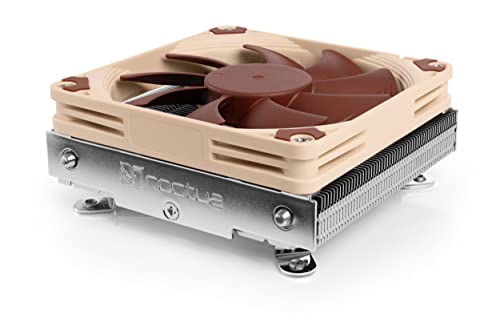
The Noctua NH-L9i-17xx closes the guide as the second of the two compact desktop coolers, standing 37mm tall and built for Intel LGA1851 and LGA1700. Its 92mm slim fan follows the pattern of fitting the largest practical fan into a very flat frame, and one design point is stated unusually clearly in its product information: it has no RAM or PCIe overhang. On a mini ITX board, where the socket is hemmed in by memory slots on one side and the PCIe slot on another, that guarantee removes two of the most common low-profile fitting problems in a single stroke. Memory of any height can be used without checking it against the cooler, and the graphics card slot stays fully clear.
At 37mm, it sits 1mm above the Thermalright in this guide and still comfortably inside the 1U height ceiling, which is why it belongs in a guide framed around that limit even though its design brief is the compact desktop rather than the rack. The distinction made throughout this article applies to it fully: it is a choice for small-form-factor desktop builds, home servers on desktop boards, and quiet compact systems, not a substitute for a Dynatron or SilverStone part in a rack chassis with a shroud and a fan wall. Within its own category, its appeal rests on thoughtful fit, the 92mm fan class, and a socket list aimed squarely at current and recent Intel desktop platforms.
Platform checks are simple here. The NH-L9i-17xx is for LGA1851 and LGA1700 only; owners of LGA115x or LGA1200 boards need the other models in its wider family rather than this variant, and AMD builders should look to the AXP90 X36 above or to a dedicated AM4 and AM5 guide such as best am4 cpu coolers for socket-specific options. Processor choice should also respect the realities of a 37mm cooler: it suits the kind of mainstream desktop processors normally paired with compact builds, used within the guidance Noctua publishes for this model. Confirm that guidance for your exact processor on Noctua’s current compatibility resources before buying, since the short product title used here does not carry per-processor ratings.
Which type should you choose?
The decision tree for this category is refreshingly short once the categories are kept honest. If your machine is a rack server or a rackmounted workstation, choose from the first six coolers, matched by socket: the HIGH POWER 28mm model, Dynatron Q7, or SilverStone XE01-1700A for LGA1700; the HIGH POWER LGA-115x model for the older 115x boards; the Dynatron R16 for LGA2011, after confirming the ILM variant; and the Dynatron L29 liquid cooler for the SP3 family of sWRX8, sTRX4, TR4, and SP3, where its liquid design answers heat loads that defeat small air coolers. In every one of those cases, verify the chassis airflow plan and shroud fit alongside the socket, because a rack build is a system, not a collection of parts.
If your machine is a compact desktop that borrows the 1U height ceiling, choose from the last two. The Thermalright AXP90 X36 offers the broadest socket coverage in this guide and the lowest height of the pair, suiting mixed-platform builders and the flattest cases. The Noctua NH-L9i-17xx offers the cleanest stated fit story on Intel LGA1700 and LGA1851, with no memory or PCIe overhang to plan around. Both expect desktop processors and desktop workloads, and both reward a well-set PWM fan curve. Neither should be asked to cool a high-TDP server processor in a rack, and neither of the server coolers should be bought for a quiet desktop without accepting server fan behaviour.
Check prices on Amazon
Live listings for the shortlist in this guide are pulled from Amazon below, so prices and availability are always current at the moment you look.

Disclosure
Some of the links in this article are affiliate links, which means this site may earn a commission if you buy through them, at no extra cost to you. That commercial relationship does not decide which coolers appear here or how they are described. The information in this guide is drawn from publicly available manufacturer documentation and published product specifications for each model, including stated socket support, dimensions, and fan details, and it is presented as a buying aid rather than as a substitute for the manual supplied with your own motherboard and chassis. This site does not directly use, fit, or trial the products covered, and no first-hand usage claims are made for any of them; where a specification could not be confirmed from published material, this guide has said so and pointed you to the manufacturer’s current documentation instead. Prices and availability change frequently and are deliberately not quoted here, so check the current listing and the manufacturer’s compatibility resources before ordering.