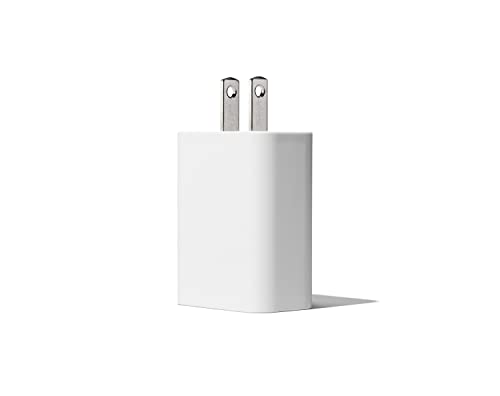
Our Top Picks
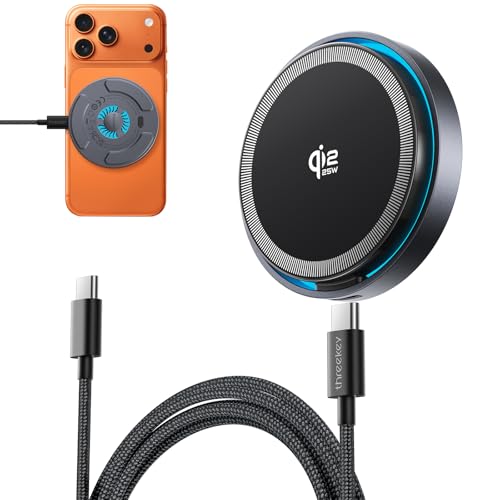


What's inside
- Why a wireless charger needs a fan at all
- What silent can and cannot mean
- Fan hardware: size, bearings and speed control
- Magnetic alignment, cases and foreign object detection
- The nightstand: sleep modes, lights and small sounds
- The desk: sustained speed, airflow direction and dust
- The power supply side: adapters, headroom and cables
- Safety and certification: what the paperwork should show
- Check prices on Amazon
- A pre-purchase checklist tied to checkable claims
As an Amazon Associate I earn from qualifying purchases. This post may contain affiliate links at no extra cost to you.
A wireless charger with a fan sounds like a contradiction. The whole appeal of dropping a phone on a pad is silence, yet the fastest wireless charging now runs at power levels where still air is no longer enough. At 15 W, a Qi2 or MagSafe-style charger moves real energy through two coils separated by glass, plastic and a few millimetres of air, and every watt that fails to reach the battery becomes heat in a very small space. A small, well-controlled fan is how makers hold that heat down without asking you to accept a slower charge. The buying problem is that fan quality varies far more than coil quality, and the spec sheets rarely tell you what you actually want to know: how loud the fan is at 2 a.m., what kind of bearing it spins on, and whether the quiet mode you saw in a product photo is a real control or a marketing label.
This guide works from published specifications, Qi and Qi2 documentation from the Wireless Power Consortium, USB Power Delivery rules, and basic acoustics references rather than from any first-hand trial claims. That matters for this category more than most, because noise is the one quality a spec sheet can describe badly without technically lying. A maker can quote a sound level measured at a flattering distance, in a weighting that hides a whine, with the fan at a speed it only uses for the first minute. Reading the hardware clues — fan diameter, bearing type, vent layout, input wattage, sensor-driven speed control — gives you a far better prediction of bedroom behaviour than any single decibel figure printed on a box.
The short version is simple. For a nightstand, favour a stand or pad with a large, slow fan on a fluid-dynamic or ball bearing, a documented night mode that caps both fan speed and charge rate, and a light you can fully switch off. For a desk, favour strong sustained airflow, vents that point away from your face, and enough input headroom that the adapter is never the bottleneck. In both cases, magnetic alignment quality matters as much as the fan itself, because a badly aligned coil makes heat the fan then has to remove. The sections below take each of those claims apart, number by number, so you can check them against any product page in a few minutes.
Why a wireless charger needs a fan at all
Start with the energy budget. A Qi2 charger rated at 15 W is describing power delivered toward the phone, not power drawn from the wall. The adapter might supply 20 W or more, the transmitter coil converts electrical energy into an alternating magnetic field, that field induces current in the phone’s receiver coil, and the phone then converts that current back into direct current for its battery circuitry. Each conversion stage keeps most of the energy and loses the rest as heat. Well-designed inductive systems at phone scale commonly land in a broad efficiency band around 70 to 80 percent under good alignment, and the lost share is not trivial: at 15 W delivered, several watts of heat can appear split between the charger body and the back of the phone.
Several watts does not sound like much until you picture where it sits. A flat pad has a coil a few centimetres across, a ferrite shield behind it, control electronics on a small board, and a plastic shell with limited surface area. Heat generated in the coil has nowhere fast to go. Still air removes heat slowly, plastic insulates rather than conducts, and the phone lying on top acts like a lid. Temperatures inside the pad climb until the shell surface gets warm enough to shed heat to the room at the same rate the coil produces it. On a warm evening, in a room at 28 or 30 degrees, that equilibrium point can be uncomfortably high for both the electronics and the phone battery resting millimetres away.
The phone side of the pairing has its own heat problem. The receiver coil sits directly under the rear glass, close to the battery. Rectification losses warm that coil, the battery itself generates heat while charging, and the phone’s main processor may be awake handling the screen, radios and background work. Phone makers therefore treat temperature as a charging input, not an afterthought. When internal sensors report that the battery or the skin of the device has crossed a threshold, the phone asks for less power. That negotiation is built into the Qi protocol: the receiver can tell the transmitter to reduce output, and it does so in steps rather than all at once.
Thermal throttling is the visible result. A phone that begins a session at the full 15 W may, after ten or twenty minutes on a hot pad, settle at 10 W, then 7.5 W, and in poor conditions lower still. The total charge time stretches, sometimes dramatically, even though the charger box still says 15 W in large type. Two chargers with identical headline wattage can finish the same phone very differently, purely because one keeps its coil and the phone’s back panel cooler. This is the honest case for a fan: not a faster peak, which the standard already caps, but a peak that survives past the first few minutes.
Battery ageing adds a longer-term reason to care. Lithium-ion cells age faster at high temperature, and the effect compounds with state of charge: a hot battery held near full is under more stress than a cool battery at half charge. Phone software already fights this with features that delay the final portion of an overnight charge until shortly before your alarm. A charger that adds unnecessary heat works against that software. Keeping the pad and the phone back a few degrees cooler, night after night, is a modest but real contribution to battery health over a two or three year ownership span, and it costs nothing in convenience once the fan is quiet enough to ignore.
A fan changes the thermal equation out of proportion to its size because moving air is dramatically better at carrying heat away than still air. Even a gentle flow across a finned internal plate or out through side vents can cut the temperature rise of the coil area by a large fraction. The design goal is not to refrigerate anything; it is to keep every part of the system below the thresholds where the phone starts asking for less power and where plastics, adhesives and cells age fastest. Judged that way, the fan is not a gimmick bolted onto a pad. At 15 W it is the difference between a rating the product can hold and a rating it can only visit.
It is worth noting where a fan is not needed. Slower charging at 5 W or 7.5 W produces far less heat, which is why older low-power pads run passively without trouble, and why some people deliberately choose a slow overnight pad. If your only use is an eight-hour overnight session and you do not care whether the phone fills in two hours or five, passive cooling plus a modest wattage is a legitimate, silent-by-design answer. The fan question only becomes important when you want 15 W speed, daytime top-ups, or consistent performance in warm rooms — exactly the situations this guide is aimed at.
What silent can and cannot mean
No acoustic standard exists for wireless chargers. There is no Qi-style certification for noise, no required measurement distance, no mandated weighting, and no rule that a quoted figure must reflect the fan’s fastest speed. When a maker prints a number such as 25 dB, that number came from a method the maker chose. Understanding the method matters more than the digit. Sound pressure level falls as distance grows; for a small source in open space, doubling the distance drops the level by roughly 6 dB. A fan measured at one metre can therefore look dramatically quieter on paper than the same fan measured at 30 centimetres, which is closer to the distance between a nightstand charger and a pillow.
Weighting is the second trap. Most quoted figures use A-weighting, written dBA, which shapes the measurement to match human hearing sensitivity and discounts very low and very high frequencies. A-weighting is reasonable for comparing overall loudness, but it can hide a narrow high-pitched tone sitting in the region where hearing is most sensitive and where annoyance is highest. Two chargers can both measure 26 dBA while one produces a soft, broad rush of air and the other produces a faint but piercing tone at several kilohertz. The meter calls them equal. A person trying to sleep will not.
That distinction between tonal and broadband noise is the single most useful idea in this whole category. Broadband noise spreads its energy across many frequencies; it sounds like a whoosh or a hush, the ear adapts to it quickly, and it can even mask other small sounds in a room. Tonal noise concentrates energy at one frequency and its harmonics; it sounds like a whine, a hum or a faint whistle, and the brain keeps noticing it precisely because it stands out from the background. Small fans can produce tones from several sources: the motor drive waveform, blade passing frequency set by blade count and rotation speed, and vibration transmitted into the desk or the charger shell, which then radiates sound like a speaker cone.
Bedrooms make all of this harder. A quiet rural or suburban bedroom at night can sit near 25 to 30 dBA of background sound, and a well-sealed modern room can go lower. A charger fan that is inaudible in a daytime office at 40 dBA of background can be plainly audible across a pillow. This is why office reviews and bedroom reality diverge, and why the fan speed that matters is not the maximum but the speed the charger chooses at low load, at low room temperature, in its night mode if it has one. A fan that spins down to a few hundred revolutions per minute overnight is a different product from one with a fixed minimum speed set for a worst-case summer afternoon.
For calibration, think in rough bands drawn from general acoustics references. A whisper at one metre sits around 30 dBA. Rustling leaves and very quiet room tone fall in the 20 to 30 dBA region. Typical small cooling fans in consumer electronics span a wide range depending on size and speed, from the low 20s in dBA for a large slow fan measured at a metre, up to 40 dBA or more for a tiny fan working hard at close range. Diameter is destiny here: a larger fan moves the same air at lower speed, and lower speed almost always means less noise, because fan noise climbs steeply — roughly with the fifth power of rotation speed in classic fan-law terms — so a modest speed cut buys a large noise cut.
Because no standard forces honest comparisons, treat any single printed dB figure as a weak signal and look for corroborating details. A maker willing to state a measurement distance and a fan speed alongside the noise figure is telling you something about its engineering culture. A maker that prints only a bare number, or buries the word quiet in a lifestyle photo caption, is telling you something too. The hardware sections that follow give you the corroboration to look for: bearing type, blade and diameter clues, control method, and vent design are all harder to fake than a decibel claim, and together they predict the night-time sound better than the claim itself.
A worked example shows how easily distance alone can flatter a claim. Take a fan that produces 32 dBA at 30 centimetres, roughly the gap between a charger at the back of a nightstand and the edge of a pillow. Move the meter to one metre and the same fan reads near 22 dBA under the inverse-square rule of thumb, a figure a marketing team would much rather print. Neither number is fabricated; they simply describe different rooms.
Fan hardware: size, bearings and speed control
Fan diameter is the first hardware clue. Chargers are thin, so their fans are small — commonly in the 30 to 50 mm class, laid flat inside a pad or tucked behind the coil in a stand. Within that constraint, bigger is better for silence. A 50 mm fan moving a given volume of air turns far slower than a 30 mm fan moving the same volume, and slower means quieter and usually lower in pitch. Some designs use a blower-style unit instead, a small centrifugal wheel that pushes air sideways through a duct; blowers suit very thin pads and can be effective, but their narrow outlets can add a hissing edge to the sound if the duct is restrictive. When a spec sheet or a teardown photo reveals the fan type and size, weight that information heavily.
Blade count and shape shape the tone. More blades at a given diameter generally allow lower speed for the same airflow, but blade passing frequency — blade count multiplied by rotations per second — sets the pitch of the main aerodynamic tone. Designers can skew or sweep blades to spread that tone across a small band of frequencies, turning a pure whistle into a softer wash. You cannot see blade geometry on a product page, but you can sometimes see whether the intake grille is a coarse set of slots or a fine mesh; fine meshes protect fingers and keep dust out, yet they also add resistance and a faint rushing sound as air squeezes through. A generously sized, unobstructed intake is a quiet-design tell.
Bearings decide both noise character and lifespan, and this is where cheap chargers quietly cut cost. A sleeve bearing is the simplest and cheapest option: the shaft rides in an oil-impregnated sleeve. Sleeve fans start out quiet but wear faster, dislike running in some orientations, and can develop a dry rattle or chirp as the lubricant ages, often within a couple of years of nightly use. A ball bearing fan costs more, lasts much longer, tolerates any mounting angle, and may start with a very faint mechanical texture that stays stable for years rather than degrading. A fluid-dynamic bearing, sometimes called hydrodynamic, floats the shaft on a film of oil shaped by grooves in the bearing surface; it combines near-silent running with long life and is the bearing type most associated with premium quiet fans in computing. If a charger maker names a fluid-dynamic or ball bearing in its documentation, that is a meaningful quality signal. If the bearing is never mentioned, assume sleeve until shown otherwise.
Orientation interacts with bearing choice in a way that matters for stands versus pads. A flat pad holds its fan horizontally, spinning like a turntable; a stand holds its fan closer to vertical. Sleeve bearings are happiest in one orientation and wear unevenly in the other, which is one reason a pad and a stand from the same brand can age differently even with the same fan inside. Ball and fluid-dynamic designs largely remove this variable. For a stand you plan to keep for years, bearing type is not a detail; it is the difference between a fan that sounds the same in year three and one that develops a buzz you cannot unhear.
Speed control is the other half of the hardware story. The crudest fans run at one speed whenever charging passes a threshold. Better designs use pulse-width modulation, where the controller varies the duty cycle of the drive signal to set speed precisely, including very low speeds that a simple voltage reduction cannot reach without stalling. The best designs close the loop: a temperature sensor near the coil, and sometimes a second sensor near the electronics, feeds a fan curve that maps temperature to speed. Cool coil, slow fan; rising temperature, gradually rising speed. A well-shaped curve avoids the two classic annoyances — a fan that surges up and down audibly as it hunts around a threshold, and a fan that jumps in one big step from off to loud.
Ask how the curve behaves at the boundaries. Does the fan stop entirely below a certain coil temperature, or does it idle? A full stop is silent but risks a faint click or chirp at each restart, and frequent short cycles can be more noticeable than a constant whisper. A low idle is smoother but never perfectly silent. Makers rarely publish curves, yet product documentation sometimes describes behaviour in words — fan activates above a stated temperature, fan stops when the phone is full, fan runs for a short cool-down after removal. Each of those sentences is a checkable claim you can hold the product to, and each tells you more about night behaviour than a headline noise figure.
Vent placement completes the picture, and it differs sharply between form factors. A stand lifts the phone into moving room air, which already helps the phone itself, and its fan typically draws air in at the back or base and pushes it across the coil plate behind the phone. A flat pad has to move air sideways, in through one edge and out another, under a phone that covers most of its top surface. Pads therefore depend more on internal ducting and are more sensitive to what sits around them: a pad pushed against a wall, a book or a headboard loses its exhaust path and runs hotter and louder. When comparing products, look at photos of every side. Generous vents on two or more faces, raised feet that create an air gap underneath, and a layout that keeps intake and exhaust apart are all signs the airflow was designed rather than improvised.
Hysteresis is the unglamorous detail that separates a calm fan curve from a nervous one. A controller with hysteresis lets temperature rise a little past the point where a new speed begins before stepping up, and fall a little below it before stepping down, so the fan does not oscillate when the coil hovers exactly at a boundary. Without that deliberate dead band, a charger can hunt — speeding up, cooling the sensor, slowing down, warming again — in a slow rhythm that is far more noticeable than either speed held steadily. You will not find the word hysteresis on a retail box, but you can infer its presence from behaviour descriptions: gradual, smooth and stepless speed changes are the vocabulary makers use when the control loop has been tuned with care, while a simple two-speed or three-speed fan description tells you to expect audible steps instead.
Sensor placement shapes the curve just as much as the curve’s shape. A sensor bonded near the coil reads the heat that matters and reacts early, before warmth soaks into the shell. A sensor on the main board, far from the coil, reacts late and then overcorrects, because by the time it notices, the coil is already well past the point where gentle airflow would have sufficed. Dual-sensor designs can separate the two problems — coil heat driven by charging load, board heat driven by conversion losses — and run the fan for whichever is warmer. None of this is visible from outside the product, which is why the strongest buying evidence remains behavioural language in the manual: stated activation temperatures, stated behaviour at full charge, and stated cool-down running after the phone is lifted away.
Magnetic alignment, cases and foreign object detection
Qi2 changed wireless charging less by raising power than by fixing position. The original Qi standard left alignment to the user and to guide markings on the pad; a phone placed a few millimetres off centre still charged, but the coupling between coils weakened, transfer efficiency fell, and the lost energy became heat in exactly the place you least want it. The Magnetic Power Profile within Qi2 borrows the ring-of-magnets approach popularised by MagSafe: magnets in the charger and the phone pull the two coils into a repeatable, centred relationship every time. Good alignment is therefore a cooling feature. It reduces the losses the fan must deal with before the fan even starts.
The numbers behind that claim are worth holding onto. Inductive coupling falls off quickly with lateral offset and with gap distance. A few millimetres of sideways shift, or a few extra millimetres of separation, can move a session from the efficient end of its range toward a state where the transmitter works harder, the receiver rectifies less cleanly, and both sides warm up while the delivered wattage stays the same or drops. This is why two sessions on the same charger can feel different: one placement runs cool and fast, another runs warm and slow, and the only variable was how the phone landed. Magnets remove most of that lottery, which is also why magnet strength and ring geometry deserve a place in your buying checks alongside fan specifications.
best fast charge qi wireless chargers
Legacy Qi devices still work on Qi2 chargers, but without magnets they rely on placement care, and some Qi2 stands hold a non-magnetic phone awkwardly because the flat coil face offers little grip at an angle. If your household mixes magnetic and non-magnetic phones, a flat pad with a fan may serve the older devices better than a steep stand, while the magnetic phones lose a little of their snap-to-place convenience. Mixed households are also where a charger with a wide, forgiving coil area earns its keep, because guests and second phones rarely land perfectly centred.
Cases decide whether the magnetic promise survives contact with real life. A case built for magnetic charging carries its own magnet ring aligned to the phone’s coil, passes the magnetic force through, and keeps the added gap small — typically the case back adds only a couple of millimetres. A plain thick case does three unhelpful things at once: it widens the coil gap, it weakens the magnetic hold so alignment can drift, and it insulates the back of the phone so heat escapes more slowly. Wallet cases with cards, cases with metal plates for car mounts, and cases with kickstand hardware near the coil centre can each break charging entirely or trigger protective behaviour. The checkable rule is simple: the case should state magnetic or MagSafe-compatible support in its own documentation, and its back panel thickness should be modest, with no metal layer between coil and charger.
Foreign object detection is the safety system watching that same gap. Qi chargers monitor the link for signs that something other than a phone is absorbing energy — a coin, a key, a paperclip, the metal plate in a case — because a small metal object in a strong alternating field heats quickly. When the charger suspects a foreign object, it reduces power or stops and usually signals the fault with a blinking light. Fan-cooled chargers add a wrinkle: moving air can keep the charger body cool while a trapped object still warms, so detection relies on electrical measurements such as power accounting — comparing what the transmitter sends with what the receiver reports receiving — rather than on temperature alone. A charger that documents its foreign object detection approach, and that reacts visibly and quickly when you deliberately place a coin beside a phone during setup, is behaving as the standard intends.
Alignment also interacts with the fan curve in a way worth understanding before you judge a charger as loud. A misaligned session generates extra heat, the coil sensor sees a higher temperature, and the fan curve answers with more speed. Owners then blame the fan for noise that alignment caused. If a charger seems loud, the first diagnostic is placement: re-seat the phone, remove a thick case, clear the pad of stray metal, and see whether the fan settles. Product designs that help you here include a slightly dished coil surface, a raised lip or guide ring you can feel in the dark, and magnets strong enough that the phone audibly clicks into place rather than sliding to an approximate position.
The nightstand: sleep modes, lights and small sounds
Night use is where fan-cooled charging either proves itself or gets unplugged within a week. The core conflict is timing: overnight is when a long, full charge happens, yet overnight is also when your hearing is most sensitive and the room is quietest. Makers answer with night or sleep modes, and the honest versions of these modes do two things together — cap the fan at a low speed and cap the charge rate at a lower wattage. Accepting 7.5 W or 10 W overnight is a trade most sleepers should happily make, because the phone has hours to fill and the slower rate produces less heat, which is the very reason the fan can stay slow. A mode that only dims a light while the fan still races is decoration, not engineering.
How the mode is entered matters. The best implementations use a physical button or switch you can find by touch, or a schedule, or an automatic trigger tied to the phone’s own bedtime state where the platform supports it. App-only control is the weakest option: it adds a phone interaction at the exact moment you want fewer interactions, and it can reset after updates or power cuts. Whatever the mechanism, check whether the mode persists. A charger that returns to full-speed defaults every morning, or after every unplug, will eventually catch you out on the night you forget to re-enable it, and one noisy night is enough to sour a product permanently.
Light discipline is the second nightstand test. A single small indicator, dim and pointed downward or backward, is fine. A bright ring that pulses while charging can light a dark room more than people expect, and a light that changes colour or blinks at full charge can wake a light sleeper hours after the fan question stopped mattering. Look for documentation that states the indicator can be switched off entirely, not merely dimmed, and note where the light sits: a top-surface light under the phone is naturally hidden on a pad, while a stand’s light at the base points into the room. Electrical tape is the classic fix, but needing it is a design failure you can screen for in advance.
Standby behaviour fills the rest of the night. When the phone reaches full charge, a good charger drops to a trickle pattern, the coil cools, and the fan stops — and stays stopped. A poorer design lets the phone sip, self-discharge slightly, top up, warm the coil, start the fan, cool, stop, and repeat in slow cycles until morning. Each restart risks the small sounds that matter most at night: a bearing chirp as the fan spins up, a click from a relay or from plastic expanding, a brief tonal sweep as the motor passes through a resonant speed. None of these appear in a decibel average, and all of them are reasons to favour smooth low-idle designs or designs whose documentation promises the fan stays off once charging completes.
Placement completes the nightstand setup. A charger on a hollow wooden nightstand can use the furniture as a sounding board; the same charger on a felt pad or a solid surface may be clearly quieter. Keep vents clear of bedding and books, route the cable so it does not pull the stand off-square, and give the exhaust a path that does not point at the bed. If two people sleep on different sides, note that fan noise falls with distance but a stand’s exhaust direction is fixed; rotating a pad 180 degrees so its outlet faces the wall is a free experiment that sometimes matters more than the product choice itself.
The desk: sustained speed, airflow direction and dust
Desk charging asks the opposite question from the nightstand. Nobody minds a faint whoosh under office background noise, but everybody minds a charger that starts a video call at 15 W and quietly sags to half that speed twenty minutes in, just as the phone is also driving a camera, a microphone and a bright screen. Sustained output under combined load is the desk metric that matters, and it is where a fan earns its price most visibly. A fan-cooled stand that holds its coil temperature steady can keep delivering near its rated power through a long call, while a passive pad in the same conditions steps down and stays down until it cools.
Stands suit desks for ergonomic reasons that reinforce the thermal ones. The phone sits upright, visible for calls and notifications, lifted into room air rather than lying in its own warm boundary layer on a desk surface. The fan in a stand usually exhausts at the back or base, away from the user, and the rising warm air from the phone itself moves in the same direction as natural convection instead of fighting it. If you take calls on speaker, keep one detail in mind: a fan exhaust or intake very close to the phone’s microphone can add a faint air note to your outgoing audio, so a stand whose vents sit low at the base is a safer pick for call-heavy work than one that blows across the phone’s bottom edge.
Dust is the slow desk problem nobody mentions in launch material. Any fan moving air for hours a day is also moving the dust in that air, and some fraction settles on blades, grilles and the internal plate. Dust layers insulate the surfaces the air is meant to cool and roughen the blades the air flows over, so a charger can gradually become both warmer and slightly louder over months of desk duty. Designs differ in how gracefully they age: accessible intake grilles you can wipe or brush, smooth blade shapes that shed dust better than intricate ones, and a housing that does not require tools for a basic external clean all help. What you should not do is blow compressed air blindly into a sealed unit, which can push dust deeper and spin the fan far past its rated speed; a soft brush and a vacuum held near the grille is the safer routine.
Cable and clutter management sound cosmetic until they affect airflow. A desk pad buried under papers loses its vents just as surely as a nightstand pad buried under a book. A stand with its intake against a monitor base or a wall runs recirculated warm air. Give a fan-cooled charger the same courtesy you would give a laptop vent: a hand’s width of clear space on the intake and exhaust sides, nothing draped over it, and a cable with enough slack that the unit sits flat and square. Flat and square matters for pads especially, because a pad rocked up on its own cable couples worse to the phone and makes the extra heat discussed in the alignment section.
Finally, consider duty cycle honesty. A desk charger may run its fan six to ten hours a day, far more than a nightstand unit’s active window, so bearing life and motor quality show up sooner. This is the use case where the fluid-dynamic or ball bearing preference stops being audiophile fussiness and becomes simple service-life arithmetic, and where a replaceable or at least cleanable filter — rare, but present on a few designs — is worth real money. If a maker’s documentation states a fan life figure in hours, compare it against your realistic daily use; a fan rated in the tens of thousands of hours covers years of desk duty, while an unstated figure on a sleeve-bearing unit is a question you should ask before, not after, the buzz begins.
The power supply side: adapters, headroom and cables
A fan-cooled charger is really two loads in one housing: the wireless power stage and the fan motor, plus the control electronics watching both. That is why input requirements on these products look generous next to their output ratings. A charger delivering 15 W to a phone may specify a USB-C Power Delivery adapter of 30 W or more. The gap is not waste; it covers conversion losses at every stage, the fan’s own draw, the indicator and controller, and the reserve the system needs to hold its output steady when the phone negotiates upward or the room is warm. Treating the stated adapter figure as optional is the most common setup mistake in this category.
An undersized adapter makes heat worse through a chain of small effects. Starved of input headroom, the charger may still begin at full power, but its internal supply rails sag under load, conversion efficiency drops, and more of the energy it does draw turns into heat inside a body whose fan curve was tuned assuming full input. The phone, sensing an unstable or reduced supply through the Qi negotiation, may cycle its requested power, and each cycle is another thermal swing for the coil and another speed change for the fan. The visible symptom — a charger that runs hot and loud with one adapter and calm with another — leads many owners to blame the fan for what is actually a power budget problem.
Read the input specification the way an electrician would. It should state a voltage and current pairing, such as a requirement for a Power Delivery adapter able to supply a particular profile, not merely a wattage in marketing type. USB-C PD delivers power in negotiated contracts; the charger asks for a voltage, the adapter confirms it can supply that voltage at enough current, and the session runs on that contract. Adapters that only just meet the figure on paper can run hot themselves, and an adapter tucked behind furniture in still air ages faster and may throttle its own output. Giving the pairing a little breathing room — an adapter rated modestly above the charger’s stated requirement, from a maker that documents its PD profiles — is cheap insurance for both noise and speed.
Cables carry the same logic. A USB-C cable is not a passive string; its conductors have resistance, its connectors have ratings, and electronically marked cables carry chips that declare their current capacity. For the power levels in this category, most decent cables suffice electrically, but very long, very thin bargain cables drop voltage along their length, and that drop is energy turned into heat in the cable instead of charge in the phone. Length also tempts bad placement, with the charger pulled toward the bed or the desk edge. Choose a cable of sensible length, rated comfortably for the current involved, with connectors that seat firmly; a loose USB-C plug that interrupts the PD contract mid-session can restart charging, restart the fan, and wake both you and the phone.
Multi-device chargers multiply every one of these questions. A 2-in-1 or 3-in-1 station charging a phone, earbuds and a watch from one adapter divides its input budget among all three, and the fan inside is usually sized and tuned for the phone coil alone or for the whole housing depending on design. The specification to find is the per-device output when all stations are busy, not the headline figure for the phone alone. A station that gives the phone its full 15 W only when the other pads are empty is not dishonest, but it is a different product at a family charging hour than it is in a solo photograph, and its fan behaviour under the full combined load is the behaviour you will actually live with.
best 3rd party iphone chargers
Put the budget in concrete numbers once and the adapter rule stops feeling like upselling. Suppose a charger must deliver 15 W to the phone. Allow a realistic slice for coil-to-coil transfer losses, another for the conversion stages at both ends, a watt or so for the fan at full speed, and a small share for the controller, sensors and indicator. The input side of that ledger lands comfortably above 20 W before any reserve exists for warm rooms or a phone that negotiates aggressively. A 30 W adapter covers the ledger with room to spare; a leftover 12 W phone adapter from an older drawer does not, no matter how reputable its brand. The charger may still work on the smaller adapter — many fall back gracefully — but it works as a slower, warmer product than the one described on its own packaging, and its fan behaviour in that state tells you nothing about its behaviour when fed properly.
Safety and certification: what the paperwork should show
Certification is the floor, not the ceiling, of a good charger, and for Qi products the floor has a name. Qi certification through the Wireless Power Consortium means a product has passed interoperability and safety checks at an authorised laboratory and appears in the consortium’s product database, where anyone can look it up. Qi2 certification adds the magnetic profile requirements. A maker claiming compliance without certification is asking you to trust its own say-so; a certified product carries a registration you can verify in minutes. For a device that will run unattended beside your bed for years, that verification step is worth more than any single performance claim in this guide.
Over-temperature protection is the specific safety system this category leans on hardest. A fan-cooled charger should watch its coil and electronics temperatures and act in stages: raise fan speed first, reduce charging power next, and shut down entirely if temperature keeps climbing past a hard limit. The staged response matters because a charger that only knows full power and off will cycle noisily and deliver a poor charge in warm conditions, while one with graceful step-downs stays useful and safe. Documentation rarely prints the exact thresholds, but it should state that over-temperature protection exists, and the operating temperature range — the room temperatures the product is designed for — should appear on the spec sheet. A charger with no stated operating range is asking questions you cannot answer about a hot car, a sunny windowsill or a summer bedroom.
The spec sheet audit is short enough to do on every candidate. Look for: the input rating in volts and amps alongside the adapter wattage it expects; the output rating stated per coil, not just in total; the fan specification if published, including size, bearing type or rated life; the operating temperature range; the certification mark and registration; and the physical dimensions and weight, which quietly reveal how much material is available to spread heat. Missing fan data is common and not disqualifying by itself, but a sheet that omits input rating, temperature range and certification detail all at once leaves you with nothing checkable, and uncheckable products should lose to checkable ones at any price point — noting that this guide deliberately discusses value without quoting figures, since prices move and specifications do not.
A word on the phone’s role in safety, because the system is a partnership. The phone monitors its own battery temperature and state and can refuse or reduce charging regardless of what the charger offers. A charger that behaves impeccably can still deliver a slow session to a phone that arrived hot from navigation, gaming or a sunlit car mount, and that is the system working correctly, not a fault. Judge a charger across several ordinary sessions, in ordinary rooms, with the phone starting cool; single-session impressions taken on the worst day of summer measure the weather more than the product.
Check prices on Amazon
Live listings for the shortlist in this guide are pulled from Amazon below, so prices and availability are always current at the moment you look.
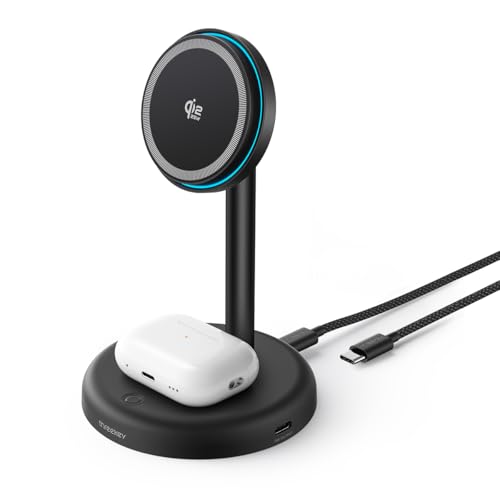


A pre-purchase checklist tied to checkable claims
Cooling and noise checks
Confirm the fan exists for a stated reason: the documentation links it to sustained output at the rated wattage, not merely to a light show or a vague comfort claim. Find the fan size if published and prefer the larger unit between otherwise equal candidates. Find the bearing type; treat fluid-dynamic and ball bearings as positive evidence and an unstated bearing as an unknown to price into your expectations. Look for a described fan curve or activation behaviour — temperature-linked speed, a low-speed idle, a stop at full charge — written in sentences you could verify during the first week of ownership. Treat any noise figure as provisional unless it arrives with a measurement distance and a speed or mode attached.
Alignment and case checks
Confirm Qi2 or MagSafe-style magnetic alignment in the certification listing, not only in the headline. Check your daily case against the rules from the alignment section: magnetic ring present, modest back thickness, no metal plate, no card storage over the coil. If you charge a second, non-magnetic phone regularly, decide honestly whether a pad serves the household better than a stand. Confirm foreign object detection is documented, and plan the coin-beside-the-phone check for setup day; a charger that shrugs at stray metal is one to return while returning is easy.
Night and desk checks
For a nightstand candidate, require a night mode that caps fan speed and charge rate together, entered by a control you can operate in the dark, and persisting until you change it. Require an indicator that can be switched fully off. For a desk candidate, require the sustained-output story: input headroom, vent positions that exhaust away from your face and microphone, and a grille you can clean without tools. For both, confirm the adapter requirement is a figure you already own or are willing to add, with a cable of sensible length in the box or on your list.
Paperwork checks
Verify the certification registration in the consortium database. Read the input rating, per-coil output, operating temperature range and over-temperature protection statement on the spec sheet itself. Note the warranty length for the fan-bearing reason alone: a fan is a moving part in a category of solid-state products, and a maker confident in its bearing choice can afford to stand behind it longer. Keep the listing page and the spec sheet saved; if the product’s behaviour drifts from its documented claims in the first months, that paperwork is your leverage.
If you buy through links on this page, the site may earn a commission from the retailer at no added cost to you, and that support is part of how guides built from published specifications and manufacturer documentation like this one get written. Every claim above rests on documents you can open yourself — consortium listings, spec sheets, acoustics references — and the checklist is designed so that each line can be confirmed or crossed out before money changes hands, not discovered afterwards.
Choose the charger whose fan you would forget is there, whose magnets land the phone in the same cool-running spot every night, and whose paperwork answers questions before you have to ask them; then set it down, let the room go quiet, and enjoy the small nightly miracle of a full battery that arrived without a sound worth remembering.
Related guides
- Best 3rd Party MacBook Chargers: 96W-Class Alternatives, the 100W Cable Rule, and the Apple Benchmark
- Best Chargers for Google Pixel 6 Pro: Six Bricks Judged on Output, Ports and Negotiation Language
- Best Fast Charge Qi Wireless Chargers: Qi2 at 15W and Qi2.2 at 25W
- Best 12 Volt Battery Chargers: Smart Picks From 1 Amp to 15 Amp