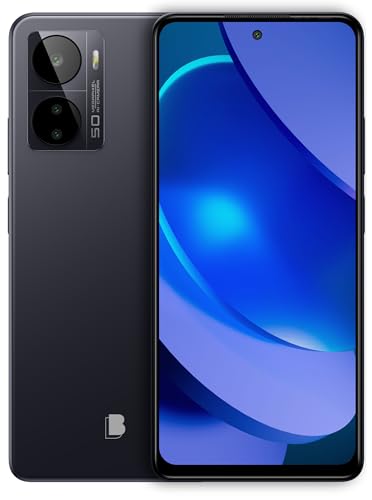
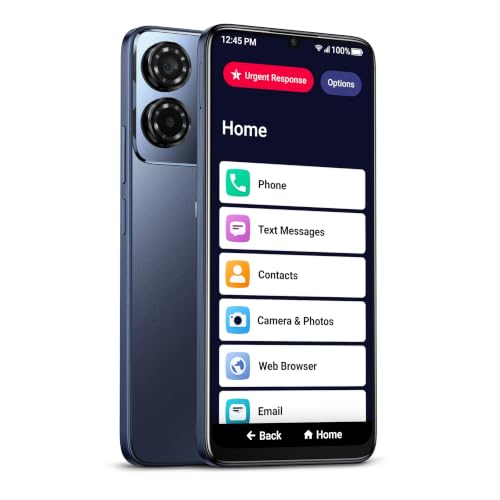
Our Top Picks
 Programming Pop socket Programmer Computer Hacker Developer PopSockets1.6 x 0.5 x 0.3 inchesCheck on Amazon


What's inside
- What coding on a phone actually consists of
- Memory and multitasking: why RAM decides whether the workflow survives
- The display: small monospace text is a different test from video
- Desktop modes and external displays: DeX, Ready For, and the USB-C question
- Battery, charging, and the long shift
- Update policy: the specification that protects your keys
- The iPhone in this role: an excellent second screen, a constrained terminal
- Networks, modems, and the unglamorous details that decide field work
- Choosing by profile: four specification packages for four kinds of developer
- Setting up the phone once, properly
- Pitfalls, myths, and the honest limits of the category
- Editors and languages on a small screen: what works and what merely installs
- Foldables and tablets-adjacent phones: a genuine, narrow advantage
- A worked night on call, and what the phone specification had to do with it
- The accessory budget: where the remaining money does the most work
- The final checklist, in the order a buyer should actually use it
- Check prices on Amazon
- One more consideration: repairability and the working life of a tool
As an Amazon Associate I earn from qualifying purchases. This post may contain affiliate links at no extra cost to you.
Nobody writes a whole application on a phone by choice. What developers actually do on a phone is narrower, more urgent, and more valuable than that caricature: restart a stuck service at midnight, read a production log while standing in a train, patch a configuration value from a passenger seat, review a pull request in a queue, or run a small script against a test environment while a laptop is in another building. Judged on those tasks, the best phone for a coder is not the phone with the most impressive camera or the brightest launch event. It is the phone whose memory keeps a terminal session alive, whose storage opens a large repository without stalling, whose screen renders small monospace text comfortably, and whose maker will still be patching its operating system when the keys and tokens stored on it are years old.
How this article was assembled, in its own words: the specifications, software behaviours, and support periods described here are drawn from documentation published by the phone makers, the operating system vendors, and the projects behind the tools discussed, and not from any assertion that the author carried each handset through a working week. Where this page carries retailer links and a reader buys through one of them, the site may receive a commission; that arrangement is disclosed here at the start rather than buried at the end, and it has not softened any of the limitations described below, several of which are reasons to spend less or to keep an existing phone longer.
A second boundary is worth drawing before the details. A phone in this role is a companion terminal and an emergency workstation, not a replacement for a development machine. Compiling a large native project, running a containerised stack of any size, driving three monitors of code review, or doing sustained work in a heavy integrated development environment all belong on a laptop or a remote server. The phone earns its place in the kit by being present, connected, and capable enough at the exact moment the laptop is not available, and every specification below should be read against that standard of presence rather than against a workstation benchmark chart.
What coding on a phone actually consists of
The foundation on Android is Termux, a terminal emulator and Linux environment that installs a package manager and a working command-line userland inside an ordinary application, without root access. Inside Termux a developer can install Python, Node.js, Ruby, Git, OpenSSH, compilers for several languages, text editors such as Vim and Emacs builds, and hundreds of command-line utilities. Files live in a private application directory, with an optional bridge to shared storage. For scripting, automation, learning, and a surprising amount of real maintenance work, Termux turns a phone into a small Linux machine that happens to make calls. Its limits are equally specific: it is a userland, not a full distribution with system services; background execution is subject to the phone power management discussed later; and each Android generation has tightened the rules on executing binaries and accessing storage in ways the project has had to work around, so the version source and its documentation matter.
The second pillar is the SSH client, the single most-used developer tool on any phone. Through Termux itself, or through dedicated client applications with polished key management and port forwarding, the phone becomes a window into the machines where the real work lives: a cloud instance, an office workstation, a home server, a build box. The practical features that separate a serious client from a toy are support for modern key types such as Ed25519, agent forwarding, saved host configurations, port forwarding for reaching a database or a web service bound to localhost on the remote machine, and a terminal that handles resize events, function keys, and control combinations correctly. A client that garbles a tmux session when the phone rotates has failed at its one job.
Git on the phone covers two distinct habits. The first is inspection: cloning or fetching a repository, reading history, examining a diff, checking which commit introduced a line. The second is the small, careful change: fixing a typo in documentation, adjusting a deployment value, amending a broken link, committed and pushed from the phone so a pipeline unblocks. Termux provides the full Git command line for both. Graphical Git clients add a gentler interface for status, staging, and branching at the cost of depth. Either way, the phone is rarely where features are written; it is where the state of the work is understood and, occasionally, nudged.
The fourth pillar moves the heavy lifting off the phone entirely. Code-server and similar projects run a full editor environment on a server and serve its interface to a browser, so the phone displays and controls an editor that has the server processor, memory, and filesystem behind it. Connected to a home workstation or a cloud instance, this gives the phone access to extensions, integrated terminals, and projects far larger than its own storage, limited mainly by network latency and the awkwardness of a small screen. It reframes the buying question in a useful way: a phone destined mostly for remote editing needs an excellent screen, a reliable modem, and long battery life more than it needs a flagship processor, because the processor doing the compiling sits in another room or another country.
The fifth pillar is the on-call reality that justifies the whole category. Production incidents arrive without regard for where the developer is, and the phone tasks in an incident are consistent: read the alert, open the dashboard, tail the log, check the recent deployment, restart or roll back a service, and communicate status. Log viewing on a phone rewards tools that can filter, search, and follow a stream without rendering ten thousand lines into an unresponsive view, and it rewards a screen that can show a long log line without wrapping it into confetti. Hot fixes made under incident pressure should be small, reviewed, and reversible, and the wisest teams set a rule that the phone is for restoring service, with root-cause changes written later at a desk. A phone chosen for this work is chosen for reliability under stress, not for novelty.
best 1 mid range android phones
Memory and multitasking: why RAM decides whether the workflow survives
Of all the numbers on a specification sheet, RAM predicts the daily experience of a coding phone more accurately than any benchmark. The working set of this workflow is unusually greedy. A terminal session holding an SSH connection, a browser with documentation and a code-server tab, a chat application carrying the incident conversation, a password manager, and a Git client together occupy several gigabytes before any single one of them does anything demanding. When memory runs short, the operating system reclaims background applications, and the first casualty is exactly the one that must not die: the SSH session drops, the terminal state vanishes, the long-running command on the remote machine may survive inside tmux but the local context is gone.
At 8 gigabytes, a modern Android phone can hold this workflow together with discipline. The developer closes heavy applications, accepts occasional reloads of browser tabs, and may see the terminal restarted after a session with a camera application or a game. It is workable, and for a secondary device or a light remote-editing habit it is enough. At 12 gigabytes, the workflow breathes. The terminal, browser, and chat stay resident together across hours, switching is instant, and the phone stops being a juggling exercise. At 16 gigabytes, found on higher-end models, the gain is real but narrower: very large browser sessions, a local Termux environment running an interpreter and an editor alongside everything else, and a longer horizon before growing application footprints crowd the set. Buyers should also know that some brands manage memory more aggressively than others at the same capacity, closing background applications sooner in the name of battery life, and that most systems expose per-application settings to exempt a terminal or SSH client from that behaviour. Setting those exemptions is the first configuration task on a new coding phone, ahead of any wallpaper.
Storage interacts with memory through the repository problem. A large monorepo, with its history, can occupy many gigabytes and contain hundreds of thousands of small files, and checking it out, switching branches, or running a status scan is an exercise in small-file throughput and random access. This is where the storage standard matters. UFS 3.1 storage, standard on recent higher-end phones, delivers sequential reads in the region of two gigabytes per second and strong random performance. UFS 4.0 roughly doubles the sequential figure and improves efficiency, which shows up in practice as faster checkouts, faster application installs of large toolchains, and less waiting when a package manager unpacks hundreds of files inside Termux. Older or cheaper eMMC storage, still found at the bottom of the market, makes the same operations feel broken by comparison. Capacity deserves a plain calculation too: between the operating system, the Termux userland with its packages, one or two local repositories, offline documentation, and ordinary photos and applications, a 128-gigabyte phone fills faster than a developer expects, and 256 gigabytes is the comfortable floor for a phone expected to hold local work.
Processors: flagship silicon versus the honest mid-range
Processor choice matters in three places: compiling or interpreting code locally inside Termux, decompressing and indexing large repositories, and sustaining performance without throttling during a long session. A current Snapdragon 8-series chip, or the equivalent flagship silicon from other makers, does all three with ease and adds a faster modem and better efficiency at a given task. A good mid-range chip handles SSH, browsing, remote editing, and light local scripting without complaint, because those tasks are light; it shows its limits in local builds, large data work in Python, and emulation. The sensible conclusion is unfashionable: for a phone used mainly as a terminal into other machines, a mid-range processor with generous RAM and fast storage beats a flagship processor paired with cramped memory, and the price difference buys the keyboard and stand that will do more for actual output than any benchmark gap.
The display: small monospace text is a different test from video
Phone screens are marketed on brightness peaks and colour vibrancy for video, and a coding phone is judged by almost opposite criteria. The first is size. Between roughly 6.5 and 6.9 inches, a modern phone offers enough width for a terminal to show eighty or more characters per line at a readable font size in landscape, or a comfortable column of code in portrait with a file browser hidden. Below that range, lines wrap constantly and log reading becomes an exercise in horizontal scrolling. Above it, the device drifts toward small-tablet handling and pocket resistance, which matters because a phone left behind is a phone that cannot patch anything.
Resolution decides how small text can go before it turns to mush. A panel at 1440 by 3200 pixels or similar renders a nine or ten point monospace font with crisp stems and clear distinction between the characters that coding fonts exist to separate: the letter l, the number 1, the capital I, the zero and the capital O, brackets and parentheses. A 1080-pixel-wide panel remains perfectly usable at slightly larger font sizes and costs less battery, and many developers run flagship panels at reduced resolution for exactly that reason. What cannot be fixed in settings is a poor-quality panel with uneven brightness or aggressive sharpening applied to text, which is why a coding buyer should, where possible, look at a settings page and a terminal on the actual handset rather than trusting a video demonstration loop.
Refresh rate is the specification most oversold to this audience. A 120-hertz panel makes scrolling through a long file or log visibly smoother, and once accustomed to it a 60-hertz panel feels sticky by contrast, but no line of code was ever written better for it. Treat it as comfort, not capability, and note that running a high refresh rate continuously costs battery during the long reading sessions that dominate this workflow; adaptive modes that raise the rate while scrolling and drop it while reading are the right compromise. Brightness, by contrast, is capability for anyone who works on site, in a server room with a skylight, on a platform, or at an outdoor installation. A panel that sustains high brightness, not merely peaks at it for seconds, keeps a terminal readable in daylight, and an effective matte screen protector can help more than another hundred nits, at the cost of a little sharpness.
Two smaller display details deserve mention because they decide daily friction. The first is the front camera cutout, which on some phones sits exactly where a terminal or editor places its first line or a status bar element in landscape; software can usually work around it, but a centred punch-hole is less intrusive than an off-centre island for text work. The second is touch accuracy with a stylus on the minority of phones that support one, which turns out to be genuinely useful for annotating a screenshot of a graph during an incident and for precise cursor placement in a dense file, a task at which fingertips are clumsy tools.
best android tablets for work and play
Desktop modes and external displays: DeX, Ready For, and the USB-C question
The feature that most separates a coding phone from an ordinary one is a real desktop mode. Samsung DeX is the most developed example: connect the phone to a monitor, and a windowed desktop appears with resizable applications, a taskbar, keyboard shortcuts, and the phone applications running in a layout designed for a pointer rather than a thumb. For the coding workflow this changes what is possible in a hotel room or a client office. A browser-based editor fills a monitor properly, a terminal window sits beside documentation, and a full keyboard makes a two-hour session realistic instead of heroic. Motorola Ready For, now presented under its Smart Connect name, offers a similar desktop and also modes for streaming and video calls, on a smaller range of models. Stock Android carries a desktop mode of its own that has historically been hidden or limited depending on maker and version, and buyers should verify the state of it on the exact model and software version rather than assuming a feature from a headline applies to the handset in their hand.
The connection underneath is USB-C with DisplayPort Alternate Mode, the capability that lets the port carry a video signal to a monitor or a hub. It is not universal. Many phones, including capable mid-range models, have a USB-C port wired for charging and USB 2.0 data only, with no video output at all, and no adapter can add a signal the port does not produce. The specification to find, in the maker full technical listing rather than a retailer summary, is explicit support for DisplayPort over USB-C or a named desktop mode. Where it exists, a small hub adds the monitor, the keyboard receiver, power delivery pass-through so the phone charges while it works, and wired networking on the better hubs, which turns a desk corner into a workstation built around a device that was in a pocket a minute earlier.
Keyboards and pointers complete the setup, and their details matter more than their price tags suggest. A Bluetooth keyboard with a proper escape key, or a reliable way to send escape, is close to mandatory for terminal editors, and developers who live in Vim should confirm the behaviour before travelling rather than at the start of an incident. Multi-device keyboards that switch between the phone and a laptop with one key are disproportionately useful in this workflow. A compact travel keyboard, a folding stand that holds the phone at a reading angle, and a small mouse or trackpad together weigh less than most laptops chargers and convert waiting time in airports and client lobbies into working time. Shortcut literacy is the invisible half of the kit: the desktop mode window controls, the browser tab shortcuts, the terminal multiplexer prefix keys, and the editor commands, practised in calm conditions, are what make the phone setup fast when conditions stop being calm.
Battery, charging, and the long shift
On-call work has a battery profile unlike ordinary use. The screen stays on for long stretches at high brightness, the modem works hard on marginal signals, which is when radios consume the most, a hotspot may feed a laptop, and the day does not end at a convenient hour. Capacity in the region of 5,000 milliamp-hours has become the norm for larger phones and is the sensible baseline here, with the understanding that efficiency, modem quality, and software behaviour move real endurance as much as the headline capacity. A phone that ends an ordinary day at forty percent may end an incident day dead by evening, and the margin between those outcomes is the margin this buyer is paying for.
Fast charging is the other half of endurance, because the practical question is how much charge a short pause buys. Current systems from several makers restore a large fraction of the battery in half an hour at the wall, with the caveats that the fastest rates usually need the maker own charger and cable, that rates fall as the battery fills and as the phone warms, and that charging while the phone is simultaneously driving a monitor and a hotspot is slower than charging an idle phone. A developer packing a bag should standardise on one capable USB-C power delivery charger that serves the phone and the laptop, carry a cable rated for that wattage, and keep a modest power bank for the days when the incident happens in a field, a basement plant room, or a delayed train with no working sockets. Battery preservation settings that cap charge or slow overnight charging are worth enabling on a phone expected to serve for years, because a coding phone is a tool with a long intended life rather than a yearly fashion purchase.
Update policy: the specification that protects your keys
A developer phone is a credential store. It holds SSH private keys or the agent that can use them, tokens for source hosting and cloud consoles, a password manager vault, an authenticator application generating the second factor for half a professional life, and messaging accounts through which resets flow. That concentration makes the phone a high-value target and makes its patch status a security property rather than a convenience. An unpatched vulnerability in the operating system, the modem firmware, or the browser is not an abstract risk on a device carrying the keys to production; it is the risk.
Makers now publish their commitments, and the differences are wide enough to decide a purchase. Samsung has committed to as many as seven years of operating system and security updates for its recent flagship lines, and Google makes a comparable seven-year commitment for its recent Pixel generations, counting from launch. Other makers commonly offer four or five years on their better models, fewer on mid-range lines, and sometimes only two or three years of security patches at the bottom of the range, with the exact count varying by model and region. The figures that matter are the ones published for the specific model under consideration, and the end date they produce, which a buyer can calculate in a minute and should, because a phone bought late in its cycle may have far less support remaining than the headline number implies. Monthly security patch cadence matters alongside the total: a commitment to years of updates delivered quarterly leaves longer windows than the same span delivered monthly.
Practical hygiene multiplies what policy provides. Keep keys passphrase-protected, use the hardware-backed keystore where applications support it, prefer an SSH agent that confirms each use or unlocks biometrically for a bounded period, separate work credentials into a work profile where the employer requires it, and set the phone to lock quickly, accepting the small daily friction as the price of the vault it carries. Remote locate and wipe should be configured before the first key is generated, not after the first loss. These habits cost an afternoon to establish and are the difference between a lost phone being an expense and being an incident report.
best laptops for autocad and 3ds max
The iPhone in this role: an excellent second screen, a constrained terminal
An iPhone can participate in this workflow, and for many developers it does, but its shape is different because the platform sandbox is stricter about what an application may do. There is no direct equivalent of Termux with a general package manager and a persistent local userland of the same openness. Instead, the ecosystem offers capable individual tools. Working Copy is a serious Git client that clones repositories, shows diffs, edits files, and pushes, integrating with the system file providers in a way that lets other editors open the same working copies. A-Shell and similar applications provide a local command line with a set of bundled tools, enough for scripting in Python and for file manipulation within their sandbox. Several polished SSH clients exist, with good key handling and forwarding. Code-server in the browser works as it does anywhere, because the heavy environment lives on the server.
The constraints appear at the joins between tools. Moving files between applications passes through the system file layer and share sheets rather than a common home directory. Background execution is tightly limited, so a long-running local process cannot be assumed to continue while the user works elsewhere. Local development stacks that a Termux user assembles from packages have no straightforward counterpart, and filesystem access outside the sandboxes is not available to ordinary applications. None of this makes the iPhone a bad device for a developer. It makes it a device whose best role is the reliable, long-supported, secure companion: alerts, dashboards, communication, review reading, Git inspection, and SSH into machines that hold the real environment. A developer whose entire mobile need is remote access and review may be perfectly served by it. A developer who wants the phone itself to be a small Linux machine should buy the Android handset whose specifications fill the earlier sections of this guide, and the honest version of this advice is that the two platforms answer the question differently rather than one answering it badly.
Networks, modems, and the unglamorous details that decide field work
Connectivity is the substrate of every remote task in this guide, and its quality is set by the modem, the antenna design, and the bands a model supports in the region where it will be used. A phone that holds a usable signal in a basement data hall or a rural site cabin finishes the job while a nominally faster phone hunts for service. Dual SIM support, physical plus eSIM or dual eSIM depending on model and region, earns its keep for developers who travel or who keep a separate work line, and a data connection on a second carrier is a genuine resilience tool during an incident when the primary network is the thing that has failed. Tethering behaviour deserves a check too, since some carriers and plans restrict hotspot use, and the phone-as-workstation plan collapses if the laptop cannot share the connection.
Wi-Fi capability matters in the rooms where this work happens. Current standards support faster local transfers and better behaviour in crowded spectrum, and a phone used with code-server over a home or office network benefits when the local link is not the bottleneck. Bluetooth version and codec support are minor here, but a stable connection to a keyboard through a day of use is not, and the rare phone with flaky Bluetooth makes desktop mode miserable in a way no specification table warns about. User reports from developers using the same accessories are worth more than launch coverage for exactly these unglamorous properties.
Choosing by profile: four specification packages for four kinds of developer
The remote-first developer, whose real environment lives on a server or an office workstation, should buy screen, battery, modem, and support years, in that order, and can accept a mid-range processor without regret. A large high-resolution display at 6.7 inches or more, 12 gigabytes of memory to keep the browser editor and terminal resident together, 256 gigabytes of storage, a published support window with at least five years remaining, and a battery at the class norm make the package. Desktop mode is a bonus for this profile rather than a requirement, because the working sessions are short and opportunistic.
The Termux-first developer, who wants a genuine local environment for scripting, data work, and offline tinkering on trains and in cabins with no signal, should invert several priorities. Memory rises to first place, with 12 gigabytes as the floor and 16 preferred, storage speed and capacity matter because local repositories and package trees live on the device, and the processor earns a flagship or near-flagship choice because local interpreters and occasional builds run on it. This profile should also investigate, before buying, how the maker power management treats background processes and whether the community of Termux users reports good behaviour on that brand, since an aggressive task killer can quietly dismantle the entire reason for the purchase.
The desktop-mode developer, who intends to work at monitors in hotel rooms, hot desks, and client sites with only a phone and a travel keyboard in the bag, has the shortest checklist and the least room for error. The phone must have a named, current desktop mode and confirmed video output over USB-C, full stop, verified for the exact model. Around that fixed point, 12 gigabytes of memory, a hub-friendly USB implementation, and a screen good enough to serve as a second display complete the package. This buyer should also confirm that the applications central to their work behave well in windowed mode, because a desktop environment filled with phone-shaped windows that refuse to resize delivers the appearance of a workstation without the substance. When the trip is long and the work is heavy, this profile is also the one that should honestly compare the phone kit against simply carrying one of the machines covered in best 15 lightweight workstation laptops, since a light laptop remains the better tool past a certain session length and the phone kit wins on presence and weight rather than on capability.
The on-call specialist, whose phone exists for incidents, should buy for reliability under bad conditions: the strongest modem and band support for the region, a bright screen for plant rooms and daylight, a battery with margin and fast top-up charging, a maker with monthly patches and years of support remaining, and a rugged case with a grip that survives being grabbed half asleep. Camera quality, gaming performance, and slimness contribute nothing at three in the morning. This profile also benefits from a second, cheap, previous phone kept charged with the alerting application signed in, because the best incident phone is the one that is charged, and redundancy is a specification too.
Setting up the phone once, properly
A deliberate first-day setup pays for itself for years. Install the terminal environment and the SSH client, generate or import keys with passphrases, place public keys on the servers that matter, and confirm that a session survives locking the phone, switching applications, and rotating the screen. Configure the multiplexer on the remote hosts so sessions persist through disconnections, and learn the detach and reattach habit before it is needed. Exempt the terminal and SSH applications from battery optimisation. Set the editor and browser defaults: monospace font, sensible size, line numbers where the tool supports them, and synchronisation of configuration through a private repository so a replacement phone can be rebuilt in an hour. Add the incident bookmarks, the dashboards, the status pages, and the runbook documents in an offline-readable form, because the incident that takes the network down is the one where offline copies matter. Finish by configuring locate and wipe, confirming the authenticator backups are stored by whatever method the employer approves, and writing down, somewhere that is not the phone, what is on the phone.
Keyboard configuration deserves its own ten minutes. The on-screen keyboard that serves messaging is rarely the right one for a terminal, where the missing keys are the whole point. Several keyboard applications aimed at developers expose control, escape, tab, arrow, and function keys in an extra row, and Termux itself can be configured with extra keys and volume-key combinations for control and escape. Autocorrect and predictive text should be disabled inside the terminal context if the tools allow it, because a shell that helpfully capitalises a command or replaces a flag is a bug generator, and the same applies to smart punctuation that converts straight quotes into typographic ones inside code. These are small settings with an outsized effect on whether phone coding feels possible or absurd.
Pitfalls, myths, and the honest limits of the category
The first myth is that a flagship launch makes last year flagship useless for this work. The tasks in this guide were already well served by the high-end phones of several generations ago, whose prices fall while their support windows, on the better makers, still have years to run. A previous-generation flagship with 12 gigabytes of memory, fast storage, and a confirmed remaining support period is often the smartest purchase in the entire category, and the money saved buys the accessories that turn it into a system. The second myth is that more local power removes the need for a server. It does not, because the limits are thermal and ergonomic as much as computational: a phone can burst through a build, but sustained heavy work heats it, throttles it, and drains it, while the screen and keyboard stay small no matter how fast the chip becomes.
The third myth is that a phone can be a private development environment by default. It is a tracked, backed-up, notification-riddled personal device that its owner also uses for banking and photographs, and work done on it should assume employer policies, backup behaviour, and notification previews are part of the environment. Developers under a work profile or a managed device policy should confirm what their organisation permits before placing production keys on a personal handset, and solo developers should apply the same discipline to themselves, because the convenience of the midnight fix is not worth an unmanaged copy of the keys to everything.
The real limits deserve a plain list in prose. There is no phone on which running a full container stack locally is a sensible plan. There is no phone keyboard, on screen, on which touch-typing a long function is anything but slow. There is no phone screen on which a three-way merge conflict is pleasant, and large refactors, long debugging sessions in a graphical debugger, and serious user interface work all remain desk tasks. A guide that pretended otherwise would be selling something. What the right phone does, genuinely and daily, is collapse the distance between noticing a problem and touching the system that has it, and for working developers that collapse is worth a careful purchase.
Editors and languages on a small screen: what works and what merely installs
Terminal editors carry the local workflow because they were designed for keyboards and character grids long before touchscreens existed. Vim and its modern relatives reward the developer who already knows them, with the caveat that every escape-key workaround and every control combination should be rehearsed on the phone keyboard before it is needed. Emacs builds exist inside Termux for those whose configuration is a second home. For developers who prefer a graphical editor on the device itself, several Android code editors offer syntax highlighting for common languages, file browsing, and Git integration of varying depth, and their quality is best judged by three unglamorous tests: whether they open a ten-thousand-line file without hesitation, whether find-and-replace across a folder works reliably, and whether they respect the encoding and line endings of files written elsewhere. An editor that silently converts line endings will eventually corrupt a script in a way that costs an evening to diagnose.
Language experience varies sharply by ecosystem. Python is the best-served local language on Android phones, through Termux packages and through dedicated interpreter applications, and it covers the scripting, log analysis, and automation tasks that dominate real phone coding. JavaScript through Node.js inside Termux is close behind, with the caveat that packages containing native components may fail to build where a desktop would succeed. Go and Rust toolchains can be installed and handle modest projects, with compile times that remind the user of the thermal limits discussed earlier. Java and Kotlin development for Android itself is, paradoxically, one of the heavier things to attempt on the phone, since the full official tooling is desktop software; lightweight alternatives exist for compiling small projects, but anyone building real Android applications will do it from a computer and use the phone for everything around that work. Database clients, HTTP tools for exercising an API, and regular expression utilities round out the practical kit, and a developer who assembles those thoughtfully owns a pocket toolkit that covers the overwhelming majority of situations that actually occur away from a desk.
Foldables and tablets-adjacent phones: a genuine, narrow advantage
Folding phones change one variable in this guide and leave the rest untouched. Opened, a book-style foldable offers a canvas where an editor and a terminal, or code and its documentation, sit side by side at readable sizes, which is the single most common two-window arrangement in real development work. For code review, for reading a diff against the discussion that produced it, and for following a tutorial while typing, that canvas is a material improvement rather than a novelty. The costs are equally concrete: a higher price, a heavier device, a crease that some readers stop noticing and others never do, a front screen that is often narrow for typing, and durability questions across years of daily folding that slab phones do not raise. The software variable matters most of all, because the advantage exists only when the editor, browser, and terminal in use handle the large canvas and the transition between screens gracefully. A developer whose phone work is mostly SSH and alerts gains little. A developer who reads and reviews for an hour a day on the move may find the format justifies itself, and should judge it on that hour rather than on launch-day wonder.
A worked night on call, and what the phone specification had to do with it
Picture the ordinary version of the event this category exists for. An alert arrives shortly after two in the morning: an error rate climbing on a small service. The phone that serves well in the next twenty minutes is not the one with the best camera. It unlocks instantly, because biometrics work with a sleepy face or a thumb. The alerting application is already signed in and its session has not been reclaimed, because memory held it and the battery settings exempted it. The dashboard opens over a connection the modem holds from a bedroom with mediocre coverage. The logs are readable because the screen shows a long line without wrapping it into fragments, and the terminal reconnects to the same remote session that was left detached that evening, because the multiplexer habit was built in calm hours. The fix is a configuration value, changed carefully, committed with a message written on a keyboard layout where the symbols are where a programmer expects them, and pushed. The service recovers, the status message goes out from the same device, and the whole episode never required a laptop to wake, a desk to be reached, or a password to be typed from memory. Every step in that chain maps to a section of this guide: memory, modem, display, update-supported applications still signed in and patched, keyboard configuration, and a setup done once, properly, on an ordinary afternoon.
The failure version of the same night is equally instructive, because each of its steps maps to a skipped specification. The alerting application was closed by an aggressive task manager and the alert arrived late. The SSH client had been reclaimed and the session was gone. The repository for the configuration lived only on a laptop in another room. The phone, bought for its camera, had a support window that ended the previous year and a work application that no longer ran on its old system version. Nothing in that chain is bad luck; all of it is buying and setup, decided months earlier.
The accessory budget: where the remaining money does the most work
Because the phone itself is only the centre of the system, the wisest buyers reserve part of the budget for the objects around it and buy them in a deliberate order. First comes the travel keyboard, the accessory that most changes what the phone can do, chosen for a real escape key, stable Bluetooth, and a layout the owner can type symbols on without looking. Second comes the stand, trivial in cost and decisive in practice, because a phone propped at a reading angle on a train table is a workstation while the same phone lying flat is a distraction. Third comes the hub, for buyers whose phone supports video output, specified for power pass-through sufficient to charge the phone under load and for the ports the owner actually owns peripherals for. Fourth comes charging redundancy: one high-wattage charger that serves every device in the bag, cables rated for it, and a power bank sized for one full phone charge rather than the largest brick on sale. A protective case with a real grip belongs on the list for anyone whose work happens on sites, ladders, or loading bays, and it should be bought for the drop it will take rather than the photograph it will appear in.
What does not belong high on the list is equally worth stating. A stylus helps the minority who annotate. A gaming controller helps nobody in this guide. A second monitor dedicated to the phone duplicates what borrowed monitors and televisions already provide in the places this workflow happens. And an extended warranty matters in proportion to how rough the owner working environment is, which is a judgement about sites and habits rather than about the handset.
The final checklist, in the order a buyer should actually use it
Begin with the support end date for the exact model, calculated from the maker published commitment, and refuse any phone whose remaining window is shorter than the years the buyer intends to keep it, because the credentials it will hold deserve a patched home. Move to memory and storage: twelve gigabytes of memory and two hundred fifty-six gigabytes of fast storage as the comfortable target, eight and one hundred twenty-eight as the workable floor for a remote-first habit. Confirm the display on the actual handset if possible, with a page of small monospace text rather than a video. Decide whether desktop mode is a requirement, and if it is, verify the named feature and video output for the exact model in the maker own documentation, not a retailer summary. Check the modem bands against the carriers and countries of real use. Read how the maker handles background applications, and whether the terminal can be exempted. Then, and only then, compare cameras, colours, and the rest of the ordinary phone contest, which matters, but matters last for this particular job.
Buy the phone that passes that checklist, set it up on a calm afternoon with keys, exemptions, keyboards, and offline runbooks in place, and it will repay the care in the currency this category actually deals in: problems touched within minutes, from wherever the developer happens to be standing, on a device that stays patched, charged, and ready long after its launch headlines have been forgotten by everyone except the person it quietly rescued at two in the morning.
Check prices on Amazon
Live listings for the shortlist in this guide are pulled from Amazon below, so prices and availability are always current at the moment you look.


One more consideration: repairability and the working life of a tool
A phone bought as a working tool should be judged partly on how gracefully it can be kept working. A cracked screen on the device that holds the on-call rotation is not a cosmetic event; it is an outage in the owner response chain, so the availability and turnaround of screen and battery replacement in the buyer own city is a practical specification that no launch presentation mentions. Makers differ in whether parts and manuals reach independent repairers, in how long parts remain stocked after a model is discontinued, and in whether a battery replacement is a while-you-wait job or a postal absence measured in weeks. A developer planning a four or five year service life, which the update windows of the better makers now genuinely support, should ask the local repair question at the time of buying rather than at the first accident, and should treat a model with fast local service as carrying a real advantage over a marginally faster model that must be mailed away.
The same long-life logic governs the humble matter of the charging port and the physical buttons, the parts of a phone that actually wear out. A port that loosens after two years of nightly cables and hub connections turns desktop mode into a negotiation with a flickering monitor, and wireless charging, whatever its inefficiency, earns a place in this workflow partly as insurance: the phone that can still charge on a pad while its port awaits repair stays in service. None of this is glamorous, and all of it decides whether the carefully chosen specification sheet is still describing the device in year four.
So the last word belongs to readiness rather than power: choose the handset whose memory holds the session, whose screen respects the text, whose maker keeps patching the vault, and whose parts can be fixed in the town where life happens, and that phone, unremarkable in every advertisement, will be the one still answering alerts faithfully when flashier rivals have long since been retired to a kitchen drawer.
Readiness, finally, is a habit the specification can only support and never replace: the developer who charges the phone at the same place every night, who rehearses the reconnect sequence on a quiet Sunday, who keeps the runbook offline and the keys passphrase-protected, will get more from a mid-range handset chosen with care than a careless owner gets from the finest flagship ever announced, because in this small and practical corner of technology the best phone for a coder is simply the one that is there, awake, patched, and holding the session when the pager goes off in the dark.