What's inside
- Key Takeaways
- Quick Picks
- How Did We Divide These Drives Between Library, Recording and Archive Duty?
- How Much Room Do Recordings and VODs Really Take?
- Where Does an SSD Actually Help a Streamer?
- What Happens to a Channel’s Storage When It Starts Growing?
- How Should Console and PC Streamers Think Differently About These Drives?
- How Do These Six Stack Up Against Each Other?
- How Should a Streamer Protect the Archive That Took a Year to Build?
- What Storage Mistakes Do Streamers Keep Making?
- How Should a Streamer Organise Drives Across a Week of Broadcasts?
- Final Recommendation
- Frequently Asked Questions
- Related Guides
As an Amazon Associate I earn from qualifying purchases. This post may contain affiliate links at no extra cost to you.
gizmoverdict.com is reader-supported. When you buy through links on our site, we may earn an affiliate commission.
Where to buy: The six drives below are each linked to their own listings, and the only specifications quoted are the ones printed in those listings’ titles — capacity everywhere, transfer speed on the two Samsung SSDs, compatibility on the WD_BLACK portable. Where a title prints nothing technical, this guide says what the drive is by type and role rather than inventing figures for it.
Let us start the search for the best hard drives for Twitch streaming with the honest version of the premise, because streaming storage is widely misunderstood. Your broadcast does not live on a hard drive. The stream goes out live over your connection, encoded by your PC or console, and no drive in this guide makes it sharper, smoother or more stable. What a drive does for a streamer is everything around the broadcast: holding the game library the stream draws from, capturing the local recording of each session, and warehousing the VODs and clips that become tomorrow’s uploads. Judged on that work — library room, recording reliability, archive space — the six drives below divide into two honest families.
The first family is spinning capacity: game drives and desktop drives from WD_BLACK and Seagate holding five to eight terabytes, built to keep a whole library installed and a season of recordings archived at a cost per terabyte no SSD approaches. The second family is Samsung’s portable SSDs at four terabytes, which trade some of that room for transfer speeds the titles state outright — up to 1,050 MB/s on the T7 Shield, up to 460MB/s on the T5 EVO — and for the grab-and-go life of a drive that travels between the streaming desk, the laptop and the editing machine. Neither family is the other’s upgrade; they are answers to different questions a streamer asks in the same week.
One promise this guide will not make, because it cannot be kept honestly, is loading speed. Whether a game loads faster from any drive here depends on the game, the console or PC, and the drive’s nature — SSDs as a class answer requests far quicker than spinning disks, and that class difference is real — but no title in this list publishes load-time figures, and the difference between two spinning game drives is small beside the difference between having a game installed and re-downloading it. The streamer’s real speed problem is the download queue on patch day, and capacity is what solves it.
Key Takeaways
- A streaming drive’s jobs are the game library, the local session recordings and the VOD archive — the live broadcast itself never touches the disk.
- Spinning picks here hold 5TB to 8TB for library-and-archive duty; the two Samsung SSD picks hold 4TB each with title-stated speeds of up to 1,050 MB/s and up to 460MB/s.
- Capacity is the streamer’s real convenience: a game kept installed is a game that never waits on a patch-day download before a scheduled stream.
- Record locally at the quality you edit at, then archive deliberately — recordings left on the system drive are the ones that vanish when it fills mid-stream.
- No load-time promises are made for any pick, because no listing title here publishes them and the honest variable is drive class, not model rivalry.
- The archive deserves a second copy somewhere; a season of VODs is a content library, and it should not exist on exactly one disk.
Quick Picks
| Pick | Badge | Why it earns its place |
|---|---|---|
| WD_BLACK 5TB P10 Game Drive | Portable library pick | Five terabytes of portable game storage whose title names PlayStation and Xbox compatibility outright. |
| WD_BLACK 8TB D10 Game Drive | Biggest game drive | Eight terabytes in the WD_BLACK game-drive family for the largest installed libraries. |
| Seagate 2TB Portable Hard Drive | Simple portable starter | Two terabytes of plain portable storage for recordings and a modest library. |
| Samsung T7 Shield Portable SSD 4TB | Fastest stated speed | Four terabytes of SSD with a title-stated ceiling of 1,050 MB/s over USB 3.2 Gen 2. |
| Samsung T5 EVO Portable SSD 4TB | SSD archive traveller | Four terabytes of SSD at up to 460MB/s over USB 3.2 Gen 1 — the editing-trip drive. |
| Seagate 8TB Expansion Desktop Hard Drive | Desk archive anchor | Eight terabytes of desktop storage that stays on the desk and swallows the whole VOD history. |
How Did We Divide These Drives Between Library, Recording and Archive Duty?
Three jobs, three different pressure profiles. The library job is capacity with occasional reads: games are installed once, patched in bursts and launched daily, and the drive’s virtue is simply being big enough that nothing gets deleted to make room for this week’s title. The recording job is sustained writing at a steady rate for hours at a time — a local capture of a stream is one long sequential write, undemanding in speed but unforgiving of a drive that is nearly full, nearly asleep or shared with three other tasks. The archive job is capacity again, colder: VODs and clip folders written once, read when an edit needs them, and valued in aggregate — a season’s archive is a streamer’s back catalogue and raw material combined.
Matching drives to those jobs from title evidence alone means leaning on type and capacity, which turn out to be the variables that actually decide fitness here. The portable spinning drives suit the library that travels between console and PC. The desktop 8TB suits the archive that never moves. The SSDs suit the working layer — the current project, the recent recordings being edited, the library subset in this month’s rotation — where their stated transfer speeds convert directly into shorter waits when footage is copied, scrubbed and exported. The guide’s ordering follows that layering: room first, then the fast working tier, then the desk anchor.
What was deliberately not used as a ranking input: brand loyalty to a console, cosmetic styling, and any benchmark figure not printed in a title. Streamers are marketed to aggressively on all three, and none of them changes whether last night’s recording is safely on a disk with room for tonight’s.
How Much Room Do Recordings and VODs Really Take?
More than new streamers expect, and the arithmetic is worth doing once. A local recording made at streaming quality is a multi-gigabyte file per hour; record at the higher quality sensible for later uploads and the hourly figure climbs steeply. A five-stream week therefore produces a folder measured in tens of gigabytes at minimum and hundreds for a full-time schedule at editing quality. Multiply by a season and the archive of a modest channel passes a terabyte without any single file seeming large. This is why the archive conversation in this guide starts at five terabytes rather than at the sizes that suffice for documents.
The games compete for the same room. Modern headline titles routinely occupy library space in the same order of magnitude as a month of recordings, and a streamer’s library is a working tool — the rotation of games the channel actually plays, kept installed because a scheduled stream cannot wait for a download. Library plus archive plus the working room for edits in progress is the real capacity equation, and it explains the shape of this list: big spinning drives for the combined mass, SSDs for the active slice of it.
There is a discipline that stretches any capacity: decide what the archive is for. Raw session recordings kept forever at full quality are a museum; most channels need the edited uploads, the best clips and a rolling window of recent raw footage, with older raw sessions either summarised into edited form or let go. Streamers who set that policy early find 8TB generous. Streamers who keep everything find 8TB a postponement. The drive cannot make the decision, but buying with the decision made is the difference between a library and a hoard.
Where Does an SSD Actually Help a Streamer?
In the work around the stream rather than in the stream. Copying a night’s recordings from the capture machine to the editing machine, scrubbing through hours of footage to find the clip-worthy minute, exporting an edited upload — these are the tasks whose minutes an SSD’s stated transfer speed genuinely shortens, and they are the tasks that fill a streamer’s off-air hours. The T7 Shield’s title states up to 1,050 MB/s over USB 3.2 Gen 2; the T5 EVO states up to 460MB/s over USB 3.2 Gen 1. Those are ceilings under the right connection, not guarantees for every port, but the class difference between either figure and a spinning drive’s transfer pace is the difference between copying footage during a break and scheduling the copy as an errand.
The second SSD virtue is physical. A portable SSD has no moving parts to object to being carried in a bag between the streaming room, a laptop at a café and a collaborator’s desk, and it draws its power from the same USB connection that carries its data. For the streamer whose production is spread across machines and places, that portability is not a luxury feature; it is the workflow. The spinning portables here travel too — the P10 is built for it — but they travel like instruments, where the SSDs travel like notebooks.
What the SSD does not do is replace the big archive. At four terabytes against the spinning picks’ five to eight, and at SSD cost per terabyte, the economics keep the families in their layers: the SSD holds what is active, the spinning drives hold what is kept. Streamers who try to live on SSD alone end up deleting raw footage they later want; streamers who live on spinning alone end up scheduling their editing around file copies. The list is shaped the way it is because the two-layer answer is the honest one.
What Happens to a Channel’s Storage When It Starts Growing?
Growth stresses storage in a sequence so regular it can be planned for. First the recordings multiply, because streaming more often is what growth is; the designated recordings folder that once held a month now holds a week, and the streamer meets the archive question for the first time. Then the library diversifies, because a growing channel experiments — new genres, community game nights, the back-catalogue title a sponsor mentions — and each experiment is an install that stays. Finally the production layer thickens: an editor joins, or the streamer starts cutting uploads seriously, and footage begins moving between machines and people, which is where portable SSDs stop being luxuries.
Each stage has its drive in this list, and buying one stage ahead is the economical pattern: the archive anchor bought when the recordings folder first overflows, the SSD bought when the first collaboration begins. The expensive pattern is buying for the channel’s imagined future all at once — the huge library drive for a repertoire not yet built — or, worse, buying behind the growth and losing recordings in the gap between a full disk and its replacement’s arrival. Storage, for a streamer, is a diary of the channel’s real habits; the guide’s picks are sized to its stages rather than to its aspirations. Read your own diary honestly — the recordings folder’s growth over the last three months is a better buying guide than any channel’s public success story, because it measures the appetite your archive actually has, at the quality you actually record, on the schedule you actually keep — and a purchase matched to that diary will still look correct a year from now, when the channel is bigger and the diary is longer.
There is one growth decision with no drive-shaped answer, and honesty requires naming it: the platform keeps the broadcast VODs only for a limited window, so a streamer who treats the platform as the archive will lose the back catalogue on the platform’s schedule, not their own. Local recordings are the only version of the channel’s history the streamer actually owns, which is the deepest reason this guide exists at all.
How Should Console and PC Streamers Think Differently About These Drives?
The console streamer’s storage world is bounded by the console’s rules: which drives it accepts for game storage, how it formats what it accepts, and what can be played from external storage versus merely kept there. Those rules vary by platform and generation and change with system updates, which is why the P10’s title-level compatibility statement carries such weight in this guide and why every console buyer should still read their platform’s current external-storage rules before ordering. The console streamer also records differently — capture may live on the console, on a capture card’s PC, or both — and the recordings drive belongs wherever the capture software writes.
The PC streamer’s world is bounded instead by choice. Any of these drives can hold the library, the recordings or the archive, and the discipline is organisational rather than technical: one job per drive, capture pointed at its designated target, the system SSD left alone. PC streamers also meet the port question the Samsung picks raise — the speed in those titles is real only on the connection named — and a five-minute audit of the machine’s ports before ordering is the difference between the stated ceiling and a puzzling half of it.
Both kinds of streamer converge on the same end state, which is worth noticing: a library that fits, recordings with a designated home, an archive with a second copy, and a fast portable layer once production spreads across machines. The platforms differ; the storage maturity they grow toward does not, and the six picks here cover the road for either starting point.

WD_BLACK 5TB P10 Game Drive — Portable library pick
The P10’s title does something the other spinning titles here do not: it names its habitats, stating that the drive works with PlayStation and Xbox alongside its portable game-drive identity. For a console streamer that sentence is the specification that matters most, because console library storage lives or dies on compatibility — the console must accept the drive for storing its games — and here the listing says so on its face rather than leaving the question to a support page.
Five terabytes in a portable shell is the library that moves. It carries the installed rotation between the console in the living room and the PC at the streaming desk, it goes where the streamer goes, and it holds enough titles that the channel’s repertoire is a choice made at stream time rather than a download made the night before. For variety streamers — whose whole format is range — that installed breadth is not convenience but content: the game the chat votes for is the game already on the drive.
As a recording target it plays the supporting role honestly. A portable spinning drive can absorb a session’s local capture, and many streamers will use it so, but its centre of gravity is the library; the archive-scale recording habit belongs on the desktop drive at the end of this list, with the P10 ferrying what needs to move. Matching each drive to its centre of gravity is the quiet theme of this guide, and the P10 is its clearest example: a library drive first, everything else second.
No transfer figure appears in its title, and this guide invents none for it. What can be said from its class is that a spinning portable’s pace is set by its platters, ample for storing and launching a library and for the sequential work of recordings, and not the tool for shaving minutes off footage copies — that is the Samsung pair’s department, priced and sized accordingly.
- Capacity: 5TB
- Type: Portable external hard drive, game drive family
- Compatibility stated in title: PlayStation and Xbox, among the platforms named
- Transfer speed: Not stated in the listing title — verify with Western Digital documentation
- Role: Travelling game library for console and PC streamers
There is a social dimension to this drive that spec sheets miss: the shared household console. A portable library unplugs cleanly when the television is reclaimed, carries the streamer’s games to a friend’s machine for the collaboration stream, and keeps the channel’s installs separate from the family’s. Streamers who share their hardware will feel that separateness weekly.
Strengths
- Console compatibility printed in the title itself
- Five terabytes of installed rotation in a portable shell
- One library that serves console and streaming desk alike
Trade-offs
- No speed figure stated — class expectations apply
- Spinning portable asks for gentler travel than an SSD
- Library-first design is not an archive anchor
Best for: A console streamer carrying a library between machines.
Not suited for: The sole archive of a season’s recordings.
WD_BLACK 8TB D10 Game Drive — Biggest game drive
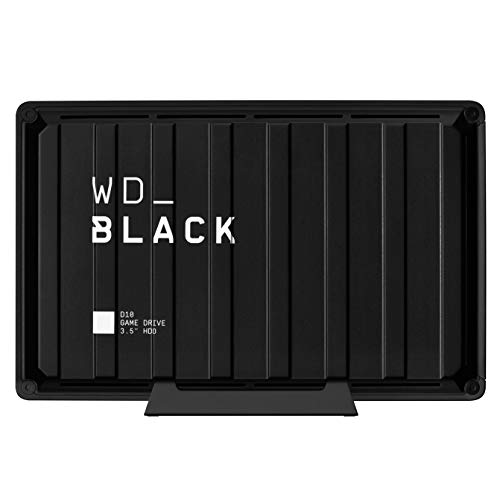
The D10 takes the WD_BLACK game-drive idea to its largest size in this guide: eight terabytes, in a desktop-format drive that stays where it is plugged in. Its title is the shortest of the six — family and capacity and nothing else — so the claims made here rest on that identity: a game drive from WD’s gaming family at the capacity where an entire library, not a rotation of it, lives installed at once.
That totality changes streaming habits in a way worth describing. With the whole library installed, the streamer’s constraint becomes imagination rather than logistics: throwback nights, chat-chosen obscurities, the old title a new release suddenly makes relevant again — all of it is a launch away rather than a download away. Channels build formats on exactly that spontaneity, and they build them on drives like this, because a format that depends on a library cannot depend on a network’s mood on patch day.
The desktop format suits the role. A drive that anchors a library does not need to travel; it needs to sit by the console or under the desk, powered and present, absorbing installs and patches in the background between streams. Eight terabytes also absorbs the second job streamers quietly give such drives — the overflow archive of recordings not yet edited or culled — though the guide’s advice stands: give the archive its own home eventually, because a library drive and an archive drive fill at different rates and fail at the same inconvenient times.
Because the title states no interface or speed, this guide claims neither. A buyer seeking confirmation of a specific connection should check the details in WD’s documentation for the D10 before ordering; a buyer asking simply where eight terabytes of games should live already has the answer the title gives.
- Capacity: 8TB
- Type: Desktop game drive, WD_BLACK family
- Compatibility detail: Not stated in the listing title — verify with Western Digital documentation
- Transfer speed: The title gives no figure — WD’s documentation for the D10 carries the details
- Role: Whole-library anchor for a console or desk setup
Patch discipline belongs in this pick’s story too. A library this size invites the habit of letting everything update in the background between streams, so the drive’s owner should schedule the console’s downloads for off-hours — not for the disk’s sake, but because the same connection carries the broadcast, and a drive that holds everything is a drive that tempts the network to fill it at the worst moment.
Strengths
- Largest game-library capacity in the guide
- Desktop format suits an always-plugged-in anchor role
- Whole library installed ends patch-day scheduling
Trade-offs
- Title states nothing beyond family and capacity
- Not a travelling drive — the library stays home
- Library and archive sharing one disk concentrates risk
Best for: A streamer working from a format built on a large installed library.
Not suited for: Carrying games between venues or machines.

Seagate 2TB Portable Hard Drive — Simple portable starter
Not every streamer needs eight terabytes, and this guide’s smallest pick exists for the ones at the beginning: two terabytes of plain portable storage from Seagate, with a title that says exactly that and nothing more. A starting channel’s real storage needs are a handful of games in rotation, a recordings folder for the current month, and somewhere for clips to gather before editing — and two terabytes covers that beginning honestly, in a drive that slips into the same bag as the laptop.
Its virtue is the absence of decisions. No tier, no stated speed to match against a port, no family allegiance — it is the drive bought in an afternoon so that tonight’s stream can be recorded somewhere other than the system disk. That last point is the one that matters most at this level: the beginner’s characteristic storage accident is the system drive filling mid-session with the recording nobody moved, and even a modest external drive, designated as the recording and clips home, prevents the accident entirely.
The ceiling will arrive, and the guide will not pretend otherwise. A growing channel’s archive outgrows two terabytes the way it outgrows everything else, and this drive’s second career is then the honourable one of ferry and overflow — carrying footage to the editing machine, holding the clips library, serving as the travel copy. Drives bought small but honestly tend to remain useful in those roles long after the headline drives arrive.
Specifications beyond capacity and portability are not stated in the title and are not claimed here; Seagate’s documentation for the model carries whatever figures a careful buyer wants. At this size and role, the check that matters is simpler: that the streamer’s machines recognise it, that it is formatted for the largest recording files the setup produces, and that it is labelled — physically, with tape and a marker — so the recordings drive is never the one borrowed for something else.
- Capacity: 2TB
- Type: Portable external hard drive
- Transfer speed: Not stated in the listing title — verify with Seagate documentation
- Compatibility detail: The title is silent here — check Seagate’s model documentation before ordering
- Role: First recordings-and-clips drive for a starting channel
Beginners should also hear the encouraging arithmetic: at starting-channel bitrates, this drive holds many months of sessions before the archive conversation even begins. By the time it fills, the channel will know exactly which of the larger picks its habits require, and this drive will have paid for its education many times over in recordings that survived.
Strengths
- Simplest, cheapest entry into dedicated stream storage
- Portable enough to live in the laptop bag permanently
- Prevents the system-drive-full recording accident
Trade-offs
- Smallest room here — a growing archive will outgrow it
- Title offers no technical figures at all
- Spinning portable, so it travels carefully
Best for: A new streamer designating a first home for recordings.
Not suited for: A full-time schedule’s season archive.
Samsung T7 Shield Portable SSD 4TB — Fastest stated speed
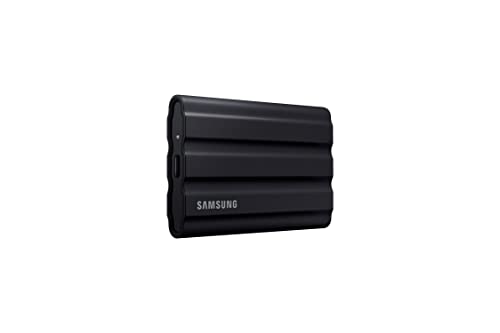
The T7 Shield is the guide’s speed pick, and uniquely here its title proves the claim: a portable SSD of 4TB on USB 3.2 Gen 2 with transfers up to 1,050 MB/s. The Shield name also marks it as the ruggedised member of Samsung’s portable SSD family — the one presented for a life of being carried, packed and used wherever the work happens — which suits the streamer whose production week includes a laptop, a second location or a collaborator’s machine as often as the main desk.
Where that speed lands in a streaming week is specific. It is the drive that holds the current games in active rotation when the setup plays from external storage, the recordings of the last several streams awaiting edit, and the project files of the uploads in production — the active layer, in this guide’s terms. Copying a night’s footage onto it, scrubbing the timeline from it, exporting the finished video back to it: each of those waits shrinks to the class minimum the title’s figure promises, provided the machine’s port is the Gen 2 connection the speed assumes. On an older port the drive still works, at the pace the port allows — the ceiling in the title belongs to the pairing, not the drive alone.
Four terabytes of SSD also changes what a travelling streamer can carry. The whole active production — library subset, recent recordings, edit projects, the asset folders of overlays and sounds — fits on one pocketable drive with no moving parts to protect, which is why drives of this class have become the working core of so many small production setups. The archive still belongs on the big spinning drives; the Shield is where the work is, and the distinction keeps both purchases honest.
The buyer’s check is the port audit: confirm the machines it will serve actually offer USB 3.2 Gen 2, or accept the lower pace of the ports they have. Samsung’s documentation carries the full compatibility picture; the title has already carried the headline honestly, which is more than most of this list’s titles attempt.
- Capacity: 4TB
- Type: Portable SSD, ruggedised Shield model
- Interface: USB 3.2 Gen 2
- Stated transfer ceiling: Up to 1,050 MB/s, as printed in the listing title
- Role: Active production layer — rotation games, recent recordings, edit projects
One caution travels with the speed: cable quality and port choice decide whether the stated ceiling is reachable, and the short cable in the box is usually the right one. Streamers who swap in a long, thin cable from a drawer often blame the drive for a pace the cable imposed — the title’s figure assumes the connection the drive was designed around.
Strengths
- Fastest title-stated speed in the guide
- No moving parts — travels without ceremony
- Four terabytes holds a whole active production
Trade-offs
- Full speed needs a Gen 2 port on the host machine
- SSD cost per terabyte far above the spinning picks
- Not sized to be the whole archive
Best for: A streamer editing across machines who copies footage constantly.
Not suited for: Warehousing a full season of raw recordings.

Samsung T5 EVO Portable SSD 4TB — SSD archive traveller
The T5 EVO is the second Samsung here, and its title tells a different story from its sibling’s: the same 4TB of portable SSD, on USB 3.2 Gen 1, with transfers up to 460MB/s. That figure is roughly half the Shield’s ceiling, and the honest reading is that this drive trades peak pace for its place in the family — a high-capacity portable SSD for carrying a great deal of material at a perfectly serviceable speed, rather than for minimising every copy.
Its streaming role follows from that trade. Four terabytes that travel safely and read quickly enough for editing directly from the drive make it the natural vessel for the working archive: the last few months of recordings, the clip library, the finished uploads and their project files, carried between the streaming desk and wherever editing happens. Scrubbing footage from an SSD at this class of speed is a smooth experience in a way no spinning portable matches, even though bulk copies take longer than on the Shield — and for the streamer whose bottleneck is edit time rather than copy time, that balance is the right one.
The comparison with its sibling is the decision, and it is refreshingly legible because both titles state their figures. If the week involves constant large copies between machines, the Shield’s ceiling earns its premium. If the drive mostly sits attached to one editing machine, holding a large working set that is read and scrubbed more than it is moved wholesale, the EVO’s capacity at its gentler pace serves the same week nearly as well. Few purchasing decisions in this guide reduce to one printed number; this one nearly does, and the number is on the listings for anyone to check.
As with the Shield, the stated ceiling assumes the connection can deliver it — Gen 1 here, the more widely present of the two interfaces, which is itself a quiet compatibility virtue on older laptops and secondary machines. Samsung’s documentation holds the rest of the specification for readers checking the details.
- Capacity: 4TB
- Type: Portable SSD
- Interface: USB 3.2 Gen 1
- Stated transfer ceiling: Up to 460MB/s, as printed in the listing title
- Role: Travelling working archive for editing away from the main desk
The EVO also suits the streamer who records on one machine and edits on another in the same building, where the drive’s journey is measured in rooms rather than miles. In that rhythm its copies are short hops, its capacity is the headline, and its gentler ceiling is a figure the owner reads in the title and accepts with open eyes.
Strengths
- Four terabytes of SSD in a genuinely portable form
- Stated speed is honest and sufficient for direct editing
- Gen 1 connection suits older and secondary machines
Trade-offs
- Roughly half its sibling’s stated transfer ceiling
- Bulk copies of a night’s footage take their time
- Still SSD pricing against spinning capacity
Best for: A streamer editing on a laptop away from the desk.
Not suited for: Constant wholesale copying between machines.

Seagate 8TB Expansion Desktop Hard Drive — Desk archive anchor
The list closes where the archive lives: a desktop drive of eight terabytes from Seagate’s Expansion family, a mains-powered unit that sits on the desk and does one job — holding everything the channel has made. Its listing gives the capacity, the Expansion family name and the desktop form, and within this guide’s discipline that is enough to place it, because the archive role is defined by room and permanence rather than by any speed figure.
Consider what accumulates on such a drive across a year of streaming: every session’s local recording, the edited uploads and their projects, the clip compilations, the thumbnails and assets, the special-event broadcasts that become the channel’s history. Individually modest, collectively enormous — and collectively precious, because a channel’s back catalogue is both its portfolio and its raw material for every retrospective, compilation and milestone video to come. Eight terabytes on a drive that never travels, never gets borrowed and never shares duty with the library is how that catalogue gets a home worthy of its value.
The desktop format’s immobility is the feature. Portable drives wander, get lent, get left in bags in other rooms; an archive that stays plugged into the same desk, in the same place, accumulating on a schedule, is an archive that can be found at midnight before a deadline. The routine this drive asks for is equally plain: recordings land on it weekly, the folder structure separates raw sessions from finished work, and the whole thing is itself copied somewhere — a second drive, a cloud tier for the finished material — because an archive with one copy is a story waiting for its sad ending.
No speed or interface figure is stated in this listing’s title beyond the family’s desktop identity, and none is claimed; the archive’s work is sequential and patient, and any desktop drive of this class performs it without drama. Seagate’s documentation carries the particulars for a buyer seeking them in writing before committing the catalogue.
- Capacity: 8TB
- Type: Desktop external hard drive, Expansion family
- Transfer speed: No figure appears in the title — Seagate’s documentation for the model states it
- Interface detail: The listing title omits it — confirm the connection in Seagate documentation
- Role: Permanent home of the channel’s VOD and project archive
Finally, give the archive drive the dullest possible life: same shelf, same cable, same weekly appointment with the recordings folder. Archives die of adventures — of being borrowed for a move, lent for a project, reformatted in a hurry — far more often than they die of old age, and this drive’s whole value is that nothing exciting ever happens to it.
Strengths
- Largest room in the guide, in the stay-at-home format an archive wants
- One designated home for the whole back catalogue
- Frees the portable drives for the work that actually moves
Trade-offs
- Desktop unit with its own power — it anchors, it does not travel
- Title states no technical figures beyond identity
- The archive it holds still needs its own second copy
Best for: A channel with a season or more of recordings to house permanently.
Not suited for: Carrying the library or the edit projects between places.
How Do These Six Stack Up Against Each Other?
| Drive | Capacity | Type | Speed from title | Primary duty |
|---|---|---|---|---|
| WD_BLACK P10 Game Drive | 5TB | Portable spinning | Not stated in title | Travelling console and PC library |
| WD_BLACK D10 Game Drive | 8TB | Desktop spinning | Not stated in title | Whole library, installed at once |
| Seagate Portable | 2TB | Portable spinning | Not stated in title | First recordings and clips drive |
| Samsung T7 Shield | 4TB | Portable SSD | Up to 1,050 MB/s | Active production layer |
| Samsung T5 EVO | 4TB | Portable SSD | Up to 460MB/s | Travelling working archive |
| Seagate Expansion Desktop | 8TB | Desktop spinning | Not stated in title | Permanent VOD archive |
The table’s shape is the guide’s argument in miniature: two kinds of drive, three duties, and capacity running down one column while stated speed appears only where a manufacturer printed it. A streamer building from nothing should read the duty column first and buy the row that matches the job currently hurting — the library that will not fit, the recordings with nowhere to land, the archive with no home — rather than buying the largest or fastest row and hoping the job rearranges itself around the purchase.
How Should a Streamer Protect the Archive That Took a Year to Build?
Protection begins with the admission that the archive is work product. A season of recordings represents hundreds of hours of performance, and unlike a document it cannot be recreated by sitting down and typing it again; the night a particular game, guest and audience aligned happened once. That irreproducibility sets the protection standard: the archive should survive the death of any single drive, the loss of any single bag, and ideally the failure of any single room. Two copies on two devices is the floor; the finished uploads and best clips, being small beside the raw material, deserve the third copy that a cloud folder provides almost without cost.
The rhythm matters more than the technology. Copies made on a schedule — the weekly sweep into the archive, the monthly update of its twin — happen; copies left to intention do not, and the gap between the archive and its backup widens precisely during the busy, successful weeks when new material is most valuable. Streamers should also verify the copies the way they verify a recording before a big stream: open a file from the backup, play a minute, close it. A backup that has never been played is a rumour, and channels have mourned archives that turned out to be folders of shortcuts and half-finished copies. The verification habit costs three minutes a month and one honest look at the file sizes, and it converts the backup from an article of faith into a piece of equipment whose working order the streamer actually knows, checked the same way a microphone is checked, carefully and without fail, before going live.
Finally, protect the archive from the streamer. The commonest archive accidents are self-inflicted — the wrong folder deleted in a tidy-up, the drive reformatted while setting up a new machine, the portable lent and returned wiped. Labels, a written note of which drive holds what, and a rule that archive drives are never borrowed are protections no product in this guide can sell and every product in it depends on.
What Storage Mistakes Do Streamers Keep Making?
The founding mistake is recording to the system drive until it fills mid-stream, taking the session’s footage and occasionally the machine’s stability with it. Every pick in this guide exists partly to make that mistake unnecessary: designate a drive for recordings, point the capture software at it, and let the system disk stay a system disk. The second mistake is the mirror image — deleting raw sessions the moment the edited upload ships, then discovering in six months that the compilation video, the sponsor’s requested clip or the channel retrospective needed exactly the footage that was thrown away. Raw footage is cheaper to keep than to regret, at the capacities in this list.
Third comes the single-copy archive: a season of work on one drive, in one room, with no second copy anywhere, treated as safe because the drive is new. Drives of every kind in this guide can die, be dropped, be stolen with the bag they travel in. The finished uploads exist on the platform, but the projects, the raw sessions and the unedited material exist only where the streamer put them. Fourth is buying speed for the wrong job — an SSD bought to make games load faster, judged a disappointment, while the spinning drive that would have ended the patch-day download queue goes unbought. Match the drive class to the duty, as the picks above are matched, and both disappointments disappear.
How Should a Streamer Organise Drives Across a Week of Broadcasts?
Give each drive one job and label it, physically, with that job. The library drive stays attached to the console or the streaming PC and receives installs and patches. The recording setting in the capture software points at the designated recording drive — never at the system disk, never at whichever drive happened to be plugged in. After each stream, the session’s recording is renamed with its date and game while the memory is fresh; a folder of undated captures is an archive that has already begun to rot.
Weekly, the rhythm completes itself: recent recordings move to the editing drive or the archive anchor, the working SSD’s finished projects are exported and cleared, and the archive drive receives its copy of everything new. Monthly, the archive gets its second copy updated — the step that separates a library from a liability. None of this requires any drive in this guide to be extraordinary; it requires the ordinary drives to be assigned, labelled and swept into a routine, which is the unglamorous machinery underneath every channel whose back catalogue is intact years later.
Final Recommendation
Build in layers, in the order the pain arrives. A console streamer whose library has outgrown the internal disk should start with the WD_BLACK P10, whose title promises the compatibility the job depends on, or the D10 where the library is large and the setup stays in one place. Every streamer, at every size, should designate a recordings home early — the little Seagate portable serves a beginning channel honestly — and graduate the archive to the 8TB Expansion on the desk when the seasons accumulate. The production layer is where the Samsung pair earns its place: the T7 Shield for the streamer whose footage copies constantly between machines, the T5 EVO for the one whose editing travels but whose copies are patient, each with its speed printed on its listing for the buyer to verify. What no streamer should buy is a drive chosen to fix the live broadcast itself, because storage was never that problem — it is the library, the recordings and the archive, and a channel that houses those three things properly has given its future compilations, retrospectives and milestone videos the only gift that cannot be bought later: the footage, still there, on the night it is needed.
There is a temptation, reading any drive guide, to treat the purchase as the project — to research for a week, order, and feel the storage problem solved. The streamers whose archives survive think of it the other way: the purchase is the smallest part, and the project is the set of habits the purchase makes possible. A designated recordings drive only helps if the capture software is pointed at it tonight; an archive anchor only helps if the weekly sweep actually happens; a fast portable only helps if the footage genuinely travels on it. Choose from these six by the job that hurts, set the two or three habits the choice implies, and the channel’s storage will quietly stop being a subject — which, for a working streamer, is the whole point of buying the drives at all.
Frequently Asked Questions
Will a faster drive improve my stream quality?
No. Stream quality is set by your capture settings, your encoder and your upload connection. A drive affects the work around the broadcast — how much of the library stays installed, where recordings land, how quickly footage moves into editing. Buy storage for those jobs and judge it on them; the broadcast itself will look identical either way.
Should recordings go on the same drive as the game library?
They can, and on a small setup they often do, but separate homes are tidier and safer. A library drive fills with installs and patches; a recordings drive fills steadily every session. When both appetites share one disk, the recording is the thing that suffers when room runs out mid-stream. Streamers with one drive should watch its free space the way they watch their upload health; streamers with two should give recordings the dedicated home.
Is an SSD worth it if I only stream from one PC?
For the editing half of the week, often yes: copying, scrubbing and exporting footage are the waits an SSD shortens, and they exist in a one-PC setup too. For the library-and-archive half, the spinning picks hold far more for the money. The single-PC streamer with both needs is exactly the two-layer case — SSD for the active projects, big spinning drive for the kept material.
How long should I keep raw session recordings?
Long enough to cover the uses you cannot predict: the compilation, the sponsor clip, the retrospective, the dispute about what was said on a given night. A rolling window — raw sessions kept for some months, edited uploads and best clips kept permanently — balances that insurance against capacity. Whatever window you choose, choose it as a policy rather than discovering it as an accident when the disk fills.
How do I know when the library has outgrown a drive?
The symptom is behavioural before it is numerical: you start deleting games to make room for installs, choosing tonight’s stream by what happens to be downloaded, or letting patches queue because free space is being rationed. By the numbers, a library drive kept perpetually near full also slows its own housekeeping. When the deletions begin, the next size up in this list is the answer — and the old drive graduates to recordings or archive-overflow duty rather than to a drawer.
Can one of these drives serve both my console and my PC?
The P10’s title names console and PC ecosystems together, which is why it leads the library picks. In practice a drive moved between console and PC may need formatting choices each platform prefers, so many streamers dedicate a drive per platform or accept the console’s format and use the drive for that library alone. Check the platform’s own requirements before assuming one disk can live two lives unformatted between them.
Related Guides
Production setups keep growing sideways. Readers building out the rest of the desk may find the coverage of capture cards for console streaming relevant, together with the guide to SSDs for video editing timelines and the overview of external drives for long-term media archives.