What's inside
- Key Takeaways
- Quick Picks
- How Did We Choose These Picks?
- What Does 11 by 17 Actually Unlock in Daily Work?
- How Do the Six Printers Compare Side by Side?
- Should You Choose Tank or Cartridge Ink at This Size?
- How Should You Set Up a Wide-Format Printer at Home?
- What Mistakes Do Wide-Format Buyers Keep Making?
- Which Papers Should a New Wide-Format Owner Stock First?
- How Do You Scan and Copy Oversized Originals on the All-in-One Picks?
- What Print Settings Matter Most at Large Sizes?
- How Should You Budget the True Cost of Owning One?
- What Maintenance Keeps a Wide-Format Inkjet Healthy?
- Who Should Skip This Category Entirely?
- How Do You Frame and Display an 11 by 17 Print Well?
- What Should a Small Business Check Before Standardizing on One?
- How Does Printing at Home Change Your Relationship With Your Own Work?
- What Does the First Month With a Wide-Format Printer Teach?
- What About Connectivity and Printing From Phones and Tablets?
- Final Recommendation
- Frequently Asked Questions
- Related Guides
As an Amazon Associate I earn from qualifying purchases. This post may contain affiliate links at no extra cost to you.
gizmoverdict.com is reader-supported. When you buy through links on our site, we may earn an affiliate commission.
Where to buy: All six printers below link to Amazon listings from our verified pool. Wide-format machines sell in smaller volumes than letter-size models, so check the exact variant name at checkout, since several of these families include near-identical siblings.
The best 11 by 17 printers occupy a peculiar and wonderful niche: large enough to produce a tabloid page, an architectural markup, a classroom poster, or a portfolio spread, yet still priced and sized for a home office rather than a print shop. That size, also called tabloid or ledger in North American paper language, doubles the area of a standard letter sheet, and the doubling changes what a printer is for. Spreadsheets stop requiring squinting or tape. Drawings become readable at arm’s length. A photograph printed at this size stops being a snapshot and starts being a picture.
Buyers arrive at this category from three directions, and this guide keeps all three in view. Offices and studios need documents at full scale, with scanning and copying to match, which is the all-in-one argument. Photographers and artists need image quality on larger media, which is the dedicated photo printer argument. And a growing middle group, teachers, realtors, community organizers, anyone whose work becomes clearer when it becomes bigger, needs occasional large output without a second mortgage, which is the value argument. The six picks divide cleanly among those missions.
One discipline governs everything below: we do not print invented speed figures or running-cost numbers, because wide-format economics depend entirely on what you print and how often. Instead, the guide teaches the structural differences, ink systems, paper paths, and duty patterns, that determine cost and satisfaction in real ownership, and it labels each machine plainly as print-only or all-in-one so no reader buys a scanner that does not exist.
Key Takeaways
- An 11×17 page carries twice the area of letter size, which transforms spreadsheets, plans, and presentations.
- All-in-one models scan and copy as well as print; print-only models trade those functions for focus or price.
- Ink tank systems suit frequent large printing, while cartridge systems suit occasional use with less upfront commitment.
- Rear specialty paper paths matter for thick art media and card stock at this size.
- Wide-format printers are physically large; measure the desk and the paper tray’s open footprint before ordering.
- The Epson WorkForce trio covers office tabloid needs, while the EcoTank and Canon picks serve photo-leaning work.
Quick Picks
| Pick | Badge | Why it earns a place |
|---|---|---|
| Epson WorkForce Pro WF-7840 | Office Flagship AIO | Wide-format all-in-one with scanning and copying built around tabloid documents. |
| Epson WorkForce Pro WF-7310 | Print-Only Workhorse | Tabloid printing without the scanner hardware, for desks that only print. |
| Epson WorkForce Pro WF-7820 | AIO Alternative | The WF-7840’s close sibling for offices comparing within the family. |
| Epson EcoTank Photo ET-8550 | Tank Photo AIO | Refillable tanks and wide output up to 13 by 19 for photo-heavy homes. |
| Epson EcoTank Photo ET-8500 | Tank Photo Alternative | The ET-8550’s sibling for slightly smaller maximum output needs. |
| Canon PIXMA PRO-200S | Dedicated Photo Pick | An 8-color dye system devoted entirely to prints up to 13 inches wide. |
How Did We Choose These Picks?
The pool for this category is unusually coherent, three Epson WorkForce machines for office tabloid work, two Epson EcoTank Photo models for tank-based photo printing, and one Canon professional photo printer, and we organized the guide around the decisions that structure actually presents. Rather than inventing distinctions, we mapped each machine to the buyer it serves: the office that prints, scans, and copies at tabloid size; the desk that only prints; and the creative bench where output quality outranks office functions entirely.
Within each mission we weighed the ownership variables that dominate wide-format satisfaction. Paper handling came first, because a tabloid machine that misfeeds its large sheets fails at its only job; tray capacity, rear feed options, and borderless capability at full size all counted. Ink system economics followed, judged structurally, tank versus cartridge, rather than by invented per-page figures. Footprint, connectivity, and the scanning lid’s ability to handle large originals completed the assessment for the all-in-one models.
We also enforced a labeling discipline the category often blurs. Print-only machines are celebrated as print-only machines, with no implication that a scanner hides somewhere in the design, and the photo printers’ document limitations are stated as plainly as the office machines’ photo limitations. A reader should be able to choose from the Quick Picks table alone and never be surprised by a missing function.
What Does 11 by 17 Actually Unlock in Daily Work?
The size has professional names, tabloid, ledger, and ANSI B, and professional uses to match. An architectural drawing printed at ledger size remains legible in a way its letter-size reduction never achieves, with dimensions and annotations readable across a table during a discussion. A financial model spread across a tabloid sheet lets a reviewer see the whole structure at once instead of paging through a tiled mosaic held together by tape and optimism. Teachers print classroom visuals that read from the back row. Musicians print scores with breathing room. Crafters and quilters print patterns at full scale, ending the enlarge-and-tile ritual entirely.
For photographers the arithmetic is even simpler. A print at 11 by 17, or the borderless equivalent on 13 by 19 stock from the wider machines here, is large enough to frame and hang, which moves home printing from proofing into finished work. Portfolio pages, exhibition tests, and gifts all live at this size, and the per-print economics of making them at home, on your schedule, in your choice of paper, are the reason the category persists against every prediction that printing would disappear.
The honest counterweight is space and habit. A tabloid printer is a substantial object, its trays extend its footprint further when loaded, and a household that prints four pages a month will not amortize it. This category rewards people with a recurring large-format need, however modest, and gently taxes everyone else, a distinction the final recommendation will press on.

Epson WorkForce Pro WF-7840 — Office Flagship AIO
The WF-7840 is the machine this keyword most often means: a wide-format all-in-one, per its listing, that prints tabloid pages and scans, copies, and faxes in the same footprint class. For a small office, a studio, or a home business whose documents live at two sizes, it collapses what used to require a printer plus a large-format scanner into one device, and its dual-purpose design is the reason it leads this guide. Epson’s WorkForce Pro line aims squarely at working documents, crisp text, presentable color graphics, and paper handling that tolerates a busy week.
Ownership pleasures are organizational. A spreadsheet that finally fits, a contract markup scanned at full size and emailed without tiling, a poster for the break room produced between meetings: the machine removes a category of small frictions that letter-size offices absorb invisibly for years. Cartridge-based ink keeps the purchase simple for offices that print in bursts, and the wide-format capability waits patiently between the bursts without demanding the regular exercise tank systems prefer.
- Type: wide-format all-in-one (print, scan, copy)
- Maximum paper: 11 by 17 class per the listing
- Ink system: cartridge-based WorkForce Pro design
- Focus: office documents, graphics, and full-size scanning
- Footprint: large; plan a dedicated surface
Strengths
- Full tabloid workflow in a single machine
- Scanning at size ends the tile-and-tape ritual
- Document quality is the family’s home ground
Trade-offs
- Cartridge ink rewards planned purchasing for heavy users
- Photo output is presentable, not gallery-class
- Size will dominate a small desk completely
Best for: small offices and home businesses working at tabloid size. Not suited for: photographers chasing exhibition print quality.

Epson WorkForce Pro WF-7310 — Print-Only Workhorse
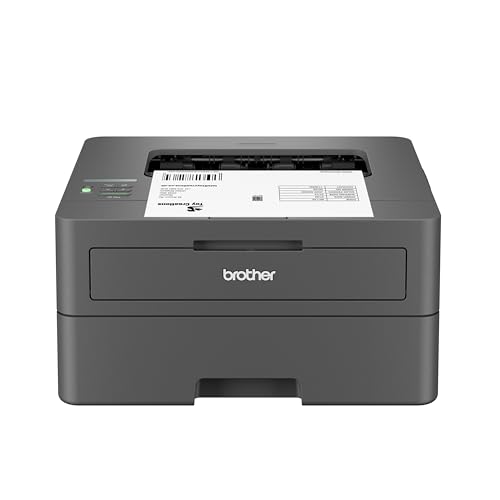
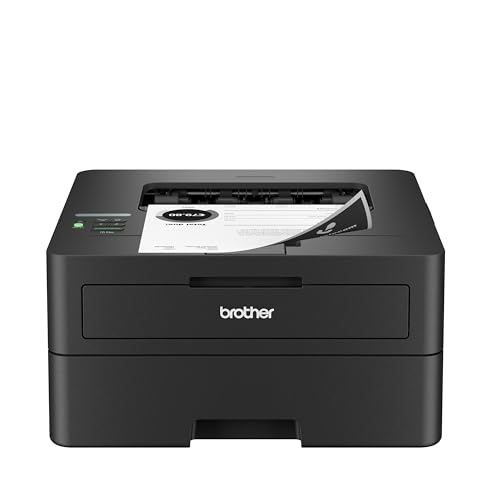
The WF-7310 makes the cleanest argument in the guide: if your workflow never scans, why buy a scanner? Listed as a wide-format printer without the all-in-one apparatus, it devotes its entire design to putting tabloid pages on paper, which suits production corners, print stations, and offices whose scanning lives elsewhere on a dedicated device. The absence of the scanner lid also simplifies the machine’s top surface and its silhouette in a busy workspace.
Think of it as the specialist on a team of generalists. A real estate office printing listing sheets, a school office producing notices and posters, a warehouse desk printing picking documents at readable scale: each needs exactly one function performed reliably at size, and the 7310’s focus serves them without charging for hardware that would sit idle under a dust cover. Pair it with the scanning app on a phone for the rare capture, and the print-only logic becomes difficult to argue with.
- Type: wide-format printer (print only)
- Maximum paper: 11 by 17 class per the listing
- Ink system: cartridge-based WorkForce Pro design
- Focus: dedicated tabloid output station
- Profile: no scanner lid; simpler top surface
Strengths
- Focused design spends everything on printing
- Suits offices with scanning handled elsewhere
- Simpler hardware story for a production corner
Trade-offs
- No scanning or copying at any size
- Photo ambitions should look to the photo picks
- Still a physically large machine despite the focus
Best for: dedicated tabloid print stations and production desks. Not suited for: anyone who copies documents even occasionally.

Epson WorkForce Pro WF-7820 — AIO Alternative
The WF-7820 stands as the WF-7840’s close sibling, another wide-format all-in-one in the same WorkForce Pro family, and its presence in the guide is a service to comparison shoppers. Families like this differ in tray configurations, duty positioning, and the small print of their feature lists, and the correct way to choose between siblings is to read those lists against your own workflow rather than to assume the larger number wins by default. For many offices the 7820’s particular balance will be the exact fit, with the 7840’s extras aimed at heavier demands.
What does not change between the siblings is the core proposition: tabloid printing with full-size scanning and copying, document-first output, and cartridge convenience for bursty office rhythms. An office that standardizes on the family also gains the quiet efficiencies of shared drivers, shared ink logistics where applicable, and a single mental model for the staff. Siblings are not a compromise in this category; they are how a mature product line fits different desks precisely.
- Type: wide-format all-in-one (print, scan, copy)
- Maximum paper: 11 by 17 class per the listing
- Ink system: cartridge-based WorkForce Pro design
- Focus: balanced office tabloid workflow
- Note: compare tray and duty details against the WF-7840
Strengths
- Same full-size AIO proposition as the flagship sibling
- Family familiarity simplifies office standardization
- Document output quality is consistent with the line
Trade-offs
- Sibling differences require careful listing comparison
- Cartridge economics follow the family’s pattern
- Photo work remains secondary to documents
Best for: offices whose workflow matches its specific tray and duty balance. Not suited for: buyers who dislike comparing sibling specifications.

Epson EcoTank Photo ET-8550 — Tank Photo AIO
The ET-8550 changes the conversation from documents to images, and from cartridges to tanks. Its listing describes a wide-format EcoTank Photo all-in-one reaching 13 by 19 output, which means it prints the 11 by 17 class with room to spare and adds borderless photo sizes that the office machines do not attempt. The refillable tank system suits the economics of photo printing, where coverage is heavy and a household that prints regularly benefits from ink bought in bottles rather than in cartridges.
As an all-in-one it also scans, which matters to artists digitizing work and to families archiving photographs, making it the most versatile creative device in the guide. Its compromises are the photo specialist’s usual ones: document printing is entirely competent but not the machine’s passion, and a tank system rewards regular use, since print heads everywhere prefer exercise to idleness. For a photography household, a home studio, or a prolific crafter, it is the most complete answer here.
- Type: wide-format all-in-one, photo-focused
- Maximum paper: up to 13 by 19 per the listing
- Ink system: refillable EcoTank bottles
- Focus: photographs, art prints, creative projects
- Habit fit: rewards frequent printing
Strengths
- Tank ink suits heavy photo coverage economically
- Prints beyond tabloid, up to 13 by 19
- Scanning serves artists and photo archiving
Trade-offs
- Higher initial commitment than cartridge models
- Prefers regular use to keep heads healthy
- Office document speed is not its headline talent
Best for: photography households and home studios printing often. Not suited for: occasional users who print a few pages monthly.

Epson EcoTank Photo ET-8500 — Tank Photo Alternative
The ET-8500 is the ET-8550’s sibling in the EcoTank Photo family, listed as a supertank all-in-one, and it serves buyers whose wide-format ambitions center on the 11 by 17 class and standard photo sizes rather than the largest borderless sheets. The family resemblance is the point: the same tank economics, the same photo-first ink philosophy, and the same all-in-one convenience, arranged around a slightly more contained maximum output.
Choosing between the siblings is an exercise in measuring your actual largest print. A household whose walls and portfolios live at 11 by 17 and below may never touch the 8550’s extra reach, and the 8500 then becomes the rational allocation of the same ideas. A household that dreams in 13 by 19 should buy the reach once rather than regret it at the first exhibition. Neither answer is a compromise; they are the same answer at two honest sizes.
- Type: all-in-one, photo-focused supertank
- Maximum paper: wide-format class; verify exact maximum in the listing
- Ink system: refillable EcoTank bottles
- Focus: photo printing at home volumes
- Note: sibling of the ET-8550 with a smaller ceiling
Strengths
- Tank economics for regular photo printing
- All-in-one convenience for creative households
- Sized for the 11 by 17 mission without excess
Trade-offs
- Maximum size sits below the ET-8550’s reach
- Shares the tank family’s preference for regular use
- Document workflows are secondary to images
Best for: photo households whose largest work is tabloid class. Not suited for: printers planning 13 by 19 exhibition pieces.

Canon PIXMA PRO-200S — Dedicated Photo Pick
The Canon PIXMA PRO-200S is the purist of the group: a professional 13-inch photo printer, per its listing, with an 8-color dye ink system and no scanning, no copying, and no office pretensions whatsoever. Every engineering decision in a machine like this serves the print itself, the gradations in a sky, the saturation in a landscape, the subtlety in a portrait’s skin, and for photographers who sell work, show work, or simply judge their own work by the print, that single-mindedness is the entire argument.
Its place in an 11 by 17 guide is exact: it prints the class natively within its 13-inch width, on a wide range of fine-art and photo media through a paper path designed for them, and it asks in return that documents go elsewhere. Pair it with any inexpensive office machine for paperwork and the combination outperforms every all-in-one at both jobs. Buy it alone only if your printing life is honestly all photographs, in which case nothing else here will satisfy you for long.
- Type: dedicated photo printer (print only)
- Maximum width: 13-inch class per the listing
- Ink system: 8-color dye, cartridge-based
- Focus: gallery-intent photographs and art prints
- Media: broad fine-art and photo paper support
Strengths
- Eight-color dye system serves photographic gradation
- Paper handling designed for fine-art media
- Single-purpose focus shows in the output
Trade-offs
- No scanning, copying, or office functions
- Multi-cartridge ink is a photographer’s budget line
- Documents belong on a different machine
Best for: photographers printing to frame, sell, or exhibit. Not suited for: offices or anyone needing copies and scans.
How Do the Six Printers Compare Side by Side?
| Printer | Type | Ink system | Maximum size class | Ideal role |
|---|---|---|---|---|
| Epson WF-7840 | All-in-one | Cartridge | 11 by 17 | Office tabloid flagship |
| Epson WF-7310 | Print only | Cartridge | 11 by 17 | Dedicated print station |
| Epson WF-7820 | All-in-one | Cartridge | 11 by 17 | Balanced office AIO |
| Epson ET-8550 | Photo AIO | Refillable tank | 13 by 19 | Photo household hub |
| Epson ET-8500 | Photo AIO | Refillable tank | Wide, below 8550 | Tabloid-class photo work |
| Canon PRO-200S | Print only, photo | 8-color dye cartridges | 13-inch width | Dedicated photo printing |
The type column prevents the expensive misunderstandings; the ink column predicts the ownership rhythm. Choose the type by the functions your week actually uses, then choose the ink system by how often the machine will work.
Should You Choose Tank or Cartridge Ink at This Size?
The structural difference is simple. Cartridge machines cost less to enter and keep their ink in sealed, replaceable units that tolerate idle weeks gracefully, which suits bursty office rhythms and occasional large printing. Tank machines ask more upfront and store ink in refillable reservoirs bought by the bottle, which rewards the steady, heavy coverage of photo printing and high-volume document work with a lower ongoing rhythm of purchases and less packaging waste.
Coverage is the variable most buyers underestimate. A tabloid page of text uses little ink; a tabloid photograph can cover nearly every dot of its doubled area, which means photo households consume ink at rates that surprise people arriving from document printing. That arithmetic, not brand loyalty, should drive the choice: frequent full-coverage printing belongs on tanks, occasional document bursts belong on cartridges, and the honest middle, a few large prints a week, should price both rhythms before deciding.
Maintenance behavior seals the argument. All inkjets prefer regular exercise, but a machine that will sit for a month between uses is safer in the cartridge world, where a clogged head is a smaller financial event. A machine in weekly service keeps any system healthy and lets the tank’s economics shine. Match the ink to the calendar, not to the advertisement.
How Should You Set Up a Wide-Format Printer at Home?
Measure twice, because these machines are furniture. Record the footprint with trays closed, then with the output support extended and the rear feed open if you plan to use it, since the working footprint is the honest one. Place the printer on a surface that does not flex, because a large carriage moving across a wide page will find and amplify any wobble in a flimsy stand, and keep the rear within reach if thick media will be part of your life.
Paper storage deserves a plan of its own. Tabloid stock warps in humidity and collects dust on open shelves, both of which become print defects at this size. Keep the current pack in its wrapper inside a flat drawer or box near the machine, and handle sheets by their edges, since fingerprints on coated photo paper survive printing as faint ghosts. A small, flat, dedicated home for large paper is the accessory nobody sells and every wide-format owner eventually improvises.
Software setup finishes the job: install the maker’s full driver rather than the operating system’s basic one, because borderless options, paper-type profiles, and rear-feed selections often live only in the complete package. Print one test page at full size on inexpensive stock, verify the margins and scaling behave as expected, and save those settings as a preset. Every future large print will thank that first careful half hour.
What Mistakes Do Wide-Format Buyers Keep Making?
The costliest mistake is buying the all-in-one for a print-only life, or the print-only machine for a life that copies weekly; the type column exists to prevent exactly this, and it still happens weekly somewhere. The second is measuring the desk for the printer and forgetting the paper, so the first tabloid sheet’s tray extension redecorates the workspace by force. Third is feeding fine-art media through the cassette because the rear path required walking around the desk; thick papers have a designed route, and ignoring it produces skew, marks, and quiet despair.
Scaling errors form the fourth family. Applications love to shrink a tabloid document to fit letter paper silently, and owners discover the betrayal only when the print emerges small and apologetic. Learn your main application’s print dialog, set the paper size explicitly, and preview at full size before committing a large, expensive sheet. Fifth, and finally, do not let a wide-format machine become a shelf. Print something small weekly if the large work is seasonal; the heads will stay healthy and the machine will be ready when the poster, the portfolio, or the plan set actually arrives.
Which Papers Should a New Wide-Format Owner Stock First?
Resist the urge to buy one of everything. A new owner needs three stocks, learned deeply, before the paper shelf becomes a collection. First, a good everyday tabloid stock for documents, proofs, and drafts, inexpensive enough that printing a spreadsheet never triggers a moment of financial reflection. Most wide-format learning happens on this paper, and its cheapness is its virtue, because the scaling mistakes and dialog surprises described earlier should happen here rather than on anything precious.
Second, one quality photo paper in the largest size you will actually frame, in a finish you have chosen deliberately. Glossy maximizes contrast and suits vibrant work; luster and satin finishes forgive fingerprints and glare, which is why most working photographers live there; matte papers serve fine-art and illustration with a quiet, painterly surface. Buy one finish, print your real images on it, and live with the results for a month before adding a second, because paper character is learned by comparison against memory, not by sampling everything in a weekend.
Third, one specialty stock matched to your actual second use: card stock for signs and covers, watercolor-textured media for art reproductions, or banner-length sheets if your machine’s rear path supports them and your projects genuinely run long. The discipline across all three choices is the same: depth over breadth, because a printer profiled and understood on three papers outperforms a printer guessing at twelve, and the savings fund the frames that turn prints into finished work.
Store everything flat, in its wrapper, away from the room’s humidity swings, and label each opened pack with its type and the date, because large papers outlast their packaging’s memory and a mystery sheet is a defect waiting for an important print to reveal it.
How Do You Scan and Copy Oversized Originals on the All-in-One Picks?
The all-in-one models here earn their keep the first time an original arrives that is itself tabloid-sized: a child’s artwork, a plan markup, a poster to duplicate, a page from a ledger. Place the original face down with the corner aligned to the scanner’s marked registration point, close the lid gently without forcing it over thick media, and choose the scan area explicitly in the software rather than accepting an automatic crop that may amputate a margin you needed. Preview before committing, because at this size a skewed original wastes real time and the preview is where skew is cheap to fix.
Resolution choices deserve a calm explanation. Scan at a size matched to the output you intend: a scan destined to reprint at the same size needs less than owners instinctively choose, while a scan meant for enlargement or detailed editing justifies more. Overscanning everything creates enormous files that slow every later step and archive badly; underscanning a one-time original, a fragile artwork or a document about to be returned, is the unforced error. When in doubt with an irreplaceable original, scan generously once and archive the master, then derive smaller working copies forever afterward.
Copying follows the same discipline with one addition: make the first copy on everyday stock and judge it under the room’s real light before running a batch. Copiers render contrast with their own opinions, and a single proof page has saved more school offices and studio managers than any other habit in this guide. Note the settings that produced a good copy on the machine’s record card, because the next oversized copying session may be months away and staffed by someone else.
What Print Settings Matter Most at Large Sizes?
Paper type selection is the setting that governs all others, because it tells the printer how much ink the surface can hold and how the machine should feed it. A photograph printed with the driver set to plain paper emerges starved and dull no matter how good the image file is, and the reverse mismatch, photo settings on plain stock, floods the sheet into cockling waves. When a print disappoints, this menu is the first suspect, ahead of the printer itself, and it acquits the hardware in the majority of cases.
Quality settings trade time for refinement, and at tabloid size the time differences become long enough to plan around. Draft and standard modes serve documents and proofs, where speed is a feature; the highest quality modes serve final photographs, where the printer’s slower, more careful passes earn their minutes in smoother gradations. Build the habit of proofing at standard and committing at high, and the economics of both ink and patience stay sane.
Color management, for the photo picks especially, rewards a light but deliberate touch. Let either the application or the printer manage color, never both and never neither, and keep the choice consistent so results become predictable. Predictability, more than any laboratory accuracy, is what home printing actually needs: the knowledge that the print on the wall will match the print from last month, because the settings that produced both were recorded rather than remembered.
How Should You Budget the True Cost of Owning One?
Since this guide prints no prices, it owes readers the structure of the calculation instead. The machine’s purchase is only the first of four budgets. Ink is the second and the most variable, driven by coverage: a year of tabloid spreadsheets and a year of tabloid photographs are different financial universes sharing a printer model. Estimate your own coverage honestly, count a month of real printing before extrapolating, and let that measurement, not a brochure, choose between the cartridge and tank families.
Paper is the third budget and the one photographers underestimate most, because proofing is the hidden tax of quality. Every finished large print typically stands on several discarded attempts, paper and ink spent learning the image, and a realistic budget multiplies the cost of the final sheet by the number of drafts your standards demand. This is not waste; it is the process, priced honestly, and it remains far cheaper than the equivalent work at a print shop for anyone printing regularly.
The fourth budget is space and time, the desk surrendered and the minutes spent feeding, checking, and framing. A wide-format machine that earns its footprint returns those minutes in capability; one bought on speculation collects them as rent. Review the four budgets together after the first season, and you will know, with unusual clarity for a technology purchase, whether the machine was a bargain or a beautiful mistake, and the knowledge will calibrate every later equipment decision you make.
What Maintenance Keeps a Wide-Format Inkjet Healthy?
The ritual is short and mostly consists of use. Print something every week, even a small color test page, because moving ink is the print head’s entire exercise program. Run the machine’s built-in nozzle check when output shows banding or a missing color, and use the cleaning cycle sparingly and deliberately, since each cleaning spends ink to buy clarity and should be a response to evidence rather than a superstition.
Keep the paper path clean and the environment honest. Dust the feed area with a dry cloth, keep food and drink at the distance any precision machine deserves, and never force a jammed tabloid sheet backward against its path; the manual’s jam procedure exists because large sheets tempt exactly that violence. When a jam happens, patience and the documented route preserve the rollers that future feeding accuracy depends on.
Firmware and drivers deserve a seasonal glance, not because updates are thrilling but because paper profiles and network fixes accumulate quietly. And when the machine will travel or sit through a long vacancy, follow the maker’s storage guidance for its ink system, tank and cartridge families differing in what they ask. A printer maintained this way typically outlives the computer that drives it, which is the quiet norm in this category and the reason a considered purchase matters more than a hurried one.
Who Should Skip This Category Entirely?
Honesty requires a section for the reader who should close the guide and keep the money. If your large printing amounts to a few pages a year, a local print shop or office service will produce them on better equipment for less total cost than any machine’s first season, and it will store the printer on its premises rather than yours. If your desk cannot surrender the footprint without resentment, that resentment will attach to every print, and a smaller machine plus occasional outsourced tabloid work is the genuinely happier configuration.
Likewise, if your need is photographic but rare, a professional lab’s per-print price buys museum-grade output with zero maintenance, and the dedicated photo printers here make sense only when volume, control, or the sheer pleasure of the process justifies owning the means of production. There is no shame in any of these answers. The category exists for people with recurring large work, and it serves them superbly; recognizing that you are not one of them this year is a successful outcome of reading a buying guide, not a failed one.
Should the need arrive later, as it does when a hobby becomes a practice or a side project becomes a business, the machines and the logic in this guide will be waiting, and you will shop them then with the rarest of advantages: a requirement you can describe in one sentence.
How Do You Frame and Display an 11 by 17 Print Well?
The print’s journey ends at the wall, and a little knowledge there protects everything upstream. Standard frame sizes embrace this format graciously, and a mat border, even a narrow one, does three kinds of work at once: it keeps the print surface off the glazing, it gives the image visual breathing room, and it hides the fractional imperfections every home print carries at its edges. Choose mat and frame tones for the room rather than for the image alone, because the framed print is furniture the moment it hangs.
Glazing choices matter more than frame catalogs admit. Ordinary glass is honest and inexpensive; anti-reflective options earn their place in bright rooms where a window opposite the print would otherwise turn it into a mirror; acrylic glazing lightens large frames and suits households where weight or breakage is a concern. Behind the print, an acid-free backing board is the quiet professional habit that keeps paper flat and unyellowed across years, and it costs little enough that skipping it is difficult to defend for work you intend to keep.
Hang the first print, live with it for a week, and let it teach you what the second print should be. Home wide-format printing improves by exactly this loop, print, hang, notice, adjust, and the loop is the real hobby the machine enables. Owners who enter it discover that the printer was never the destination; it was the doorway into making physical things in a digital working life, and an 11 by 17 sheet is a generous size at which to begin.
What Should a Small Business Check Before Standardizing on One?
Businesses buy printers the way they buy vehicles, and the fleet questions apply. Who will operate it daily, and does its driver behave identically across the office’s computers? Where will ink and tabloid paper be stored, and who notices when the shelf empties? What is the fallback when the machine is down on the morning of a deadline, a second device, a service bureau, or a deadline that can move? Answering those three questions in advance converts a purchase into a small system, and systems are what separate offices that print smoothly from offices that hold meetings about the printer.
Standardizing within the WorkForce family, as several picks here allow, pays its dividend in shared habits: one driver model to learn, one ink shelf to stock, one set of paper presets that mean the same thing on every desk. The all-in-one models add the scanning workflow that turns paper archives into searchable files at full size, a project many small firms postpone for years because their letter-size scanner makes it miserable, and which a tabloid flatbed renders almost pleasant.
Finally, assign the machine an owner in the organizational sense, a person whose light duties include the weekly test print, the ink shelf, and the record card of settings that work. Equipment with an owner stays healthy; equipment owned by everyone is maintained by no one, and the difference shows up in year two with metronomic reliability.
How Does Printing at Home Change Your Relationship With Your Own Work?
Ask owners of these machines what surprised them and a pattern emerges that no specification predicts: they finish things. A photographer who can print at exhibition size stops accumulating almost-ready images and starts producing a body of work, because the print is the verdict that editing on a screen endlessly postpones. A teacher with a tabloid printer makes the classroom visual the night the lesson is planned rather than filing the idea under someday. A small business owner prints the plan at full size and sees, literally sees, the flaw that three screen reviews scrolled past.
Scale is the mechanism. Work reviewed at the size it will be consumed reveals its truth at that size: the chart whose labels vanish, the photograph whose focus is softer than the monitor swore, the poster whose hierarchy collapses from across the room. Catching those truths at home, on your own schedule, for the cost of a sheet, is the deepest service this category performs, and it is available from every pick in this guide regardless of ink system or badge.
That is also why this guide has insisted on fit over superlatives. A machine matched to its owner’s real work gets used, and a used machine teaches, improves its owner, and justifies its footprint weekly. A machine bought for a fantasy workflow gathers the particular dust of good intentions. Choose for the work on your desk today, and let the printer grow with you from there.
What Does the First Month With a Wide-Format Printer Teach?
Week one teaches geography: where the machine truly fits, how far its trays reach, which chair must move when the rear feed opens. Every owner rearranges something, and the ones who measured honestly rearrange least. Week two teaches the print dialog, usually through one memorably wrong print, after which paper size, scaling, and paper type become reflexes rather than menu archaeology. Keep that first wrong print, by the way; pinned near the machine, it is the cheapest training aid ever produced.
Week three teaches consumption. The ink levels and the paper shelf report the household’s real printing character with a candor that surprises almost everyone: more photographs than predicted, fewer documents, or the reverse. That report is the moment to revisit the tank-versus-cartridge reasoning with evidence, to set the paper reorder point, and to schedule the weekly exercise print if the rhythm turns out to be bursty. Week four teaches satisfaction, assuming the fit was right, as the first framed print or the first full-size plan earns its place and the machine stops being a purchase and becomes a capability.
Owners who pass through those four lessons own their machines in the full sense. The rest of this guide, its comparisons, its cautions, and its recommendations, exists to make that month go well, because a category this useful deserves owners who reach the good part.
Begin that month with the unboxing done properly: inspect the machine for shipping locks and protective tapes, which wide-format printers wear in several places and which cause alarming first-print behavior when one is missed. Level the surface, load everyday stock first rather than anything precious, and let the initial alignment and setup prints consume the cheap paper they were always meant to consume. A calm first hour predicts a calm ownership, and it begins with reading the setup sheet all the way through before touching a cable, a discipline whose violation accounts for a remarkable share of first-day support calls across the entire industry.
Then print the thing you bought it for, today, while the enthusiasm is load-bearing. The plan, the poster, the photograph: whichever it is, seeing it emerge at full size in your own room completes the purchase emotionally in a way no delivery notification can, and it converts the machine instantly from an expense to be justified into a tool already at work.
Keep the record card beside it from that first day: paper types that behaved, settings that sang, the date of each ink change, the small discoveries that every individual machine keeps to itself until its owner writes them down. Printers are individuals in a way specifications never admit, and the card is how an owner learns their particular machine’s character instead of fighting its defaults forever.
That card, humble as it sounds, is the difference between a printer that feels temperamental and one that feels known, and known machines get used, which is where every benefit in this guide actually lives.
Use, in the end, is the only specification that never lies, and every pick above was chosen to earn it in a different kind of household.
Find the household that resembles yours in these pages, trust the type and ink logic that follows from it, and let the first full-size page off the tray settle any remaining doubt.
It will, because a page that size makes its argument physically, in a way no review, including this one, can fully reproduce in words.
What About Connectivity and Printing From Phones and Tablets?
Every machine in this class arrives with wireless networking and mobile printing support as table stakes, and the honest advice is to set it up once, properly, on the network the household actually uses, rather than relying on the direct wireless mode that works in demonstrations and confuses everyone afterward. A printer with a stable address on the home network becomes infrastructure, available to every computer and phone without ceremony, while a printer in direct mode becomes a small recurring puzzle that guests and family members solve by giving up.
Mobile printing deserves one caution at this size: phones and tablets are cheerful about scaling, and a tabloid document sent from a phone may arrive resized by an enthusiasm no one requested. For size-critical work, plans, patterns, and anything whose scale is its meaning, print from a computer where the dialog shows the paper size explicitly and the preview can be trusted. For photographs and posters, where the image filling the sheet is the goal, mobile printing’s convenience is genuine and its scaling harmless.
Place the machine within honest reach of the router’s signal, because a wide-format printer at the edge of coverage produces the category’s most maddening fault, the job that starts, pauses, and dies at ninety percent. A strong, boring connection is a feature, and it is chosen at placement time, for free.
Test that connection with the largest file you realistically send, a full-bleed photograph or a dense plan set, during the first week rather than during the first deadline. Networks reveal their weaknesses under exactly that load, and a weakness found in week one is a placement adjustment, while the same weakness found at a deadline is a story you will tell with feeling for years.
File the network details, the printer’s address and the network name it joined, on the record card as well. When a router is replaced a year from now, that line of handwriting will restore the printer to the household in minutes instead of turning a Tuesday evening into a support expedition.
Small foresight, filed in pencil, is the recurring hero of every section of this guide, because printers reward the owners who write things down.
Reward yours, and it will return the favor at full size, on demand, for years.
Years of readable plans, honest posters, and photographs that finally live on walls instead of in folders: that is the whole proposition, and it is a good one.
Take it up with the pick that fits your week, and start with the print you have been postponing.
You know the one. It has been waiting at letter size for permission to be bigger.
Give it the size, and give the wall the picture.
Both have been ready longer than the shopping took.
Now the only remaining step is the satisfying one.
Load the large paper, choose the honest settings, and press print.
The page that emerges will explain the category better than this guide can.
Trust it, and start the collection.
Collections, like printers, reward the people who begin.
Begin, then, at full size.
Full size suits the work.
Final Recommendation
Offices should start with the WF-7840 for the complete tabloid workflow, step to the WF-7820 if its specific balance fits better, and choose the WF-7310 when printing is truly the only job. Creative households printing photographs regularly belong on the EcoTank Photo pair, the ET-8550 for 13 by 19 ambitions and the ET-8500 for tabloid-class work, while photographers printing to exhibit should give the Canon PRO-200S the dedicated bench it deserves.
Buy the size for the work you already do, in the type your week actually needs, and an 11 by 17 printer will pay its desk rent every single month.
Frequently Asked Questions
Is 11 by 17 the same as tabloid?
Yes. Tabloid, ledger, and ANSI B all describe the same 11 by 17 inch sheet in different trade vocabularies, so paper sold under any of those names fits these printers.
Can these printers handle regular letter-size work too?
All of them print smaller sizes as a matter of course. The question is economic rather than technical: a wide-format machine used only for letter pages is an expensive way to do an ordinary job.
Do I need special paper for borderless photo prints?
Borderless printing requires paper sizes the printer supports for that mode and works best on coated photo media designed for inkjet use. Plain stock can print borderless in some modes but shows the process’s limits quickly.
Which pick is best for a classroom?
The WF-7840, because teaching generates the full mixture: large visuals to print, worksheets to copy, and student work to scan. Its all-in-one design matches the classroom’s variety in a single footprint.
How long can an inkjet sit unused between prints?
Systems vary, but all prefer regular exercise. A small weekly print is cheap insurance for any model here, and it matters most for machines that will otherwise idle through long breaks.
Can I print banners or extra-long sheets on these?
Some models support long media through their rear feed within stated limits, which vary by machine. Check the exact model’s manual for its maximum length before planning a banner project around it.
What is the difference between the WF-7840 and WF-7820 in practice?
They are siblings in one family with differences in configuration details such as trays and duty positioning. Compare the two listings feature by feature against your weekly workload, since the right choice depends on which details your office actually exercises.
Related Guides
Finish the setup with our guide to choosing photo paper for large prints, the walkthrough for scanning oversized documents and artwork, and our advice on framing prints made at home.