What's inside
- Key Takeaways
- Quick Picks
- How Did We Choose These Picks?
- What Does X570 Still Offer That B550 Cannot Match?
- How Do the Six Boards Compare Side by Side?
- Which Ryzen Processors Pair Sensibly With Each Tier?
- How Should You Update the BIOS on a Legacy AM4 Board?
- What Mistakes Do AM4 Buyers Keep Making?
- How Are M.2 Slots Actually Wired, and Why Does It Decide This Purchase?
- What Should You Check Before Buying Any AM4 Board Secondhand?
- How Much Does DDR4 Tuning Still Matter on This Platform?
- How Should You Plan Cooling and Power Delivery for a High-Core AM4 Build?
- What Does a Careful First Boot Look Like, Step by Step?
- What Will Owning an AM4 Board Feel Like Over the Next Three Years?
- Which Ports and Headers Deserve a Second Look Before Checkout?
- How Do You Troubleshoot an AM4 Build That Refuses to Post?
- Does Form Factor Change Anything Beyond Case Fit?
- Final Recommendation
- Frequently Asked Questions
- Related Guides
As an Amazon Associate I earn from qualifying purchases. This post may contain affiliate links at no extra cost to you.
gizmoverdict.com is reader-supported. When you buy through links on our site, we may earn an affiliate commission.
Where to buy: The linked boards below point to Amazon listings checked against our verified pool. X570 stock rotates quickly because AMD ended mainstream AM4 board production, so treat availability as a snapshot and use the B550 alternatives in this guide when an X570 listing disappears.
Shopping for the best X570 motherboards in late 2026 feels a little like browsing a record shop for a format the industry has moved past. AM4 is finished as a platform launchpad, yet millions of Ryzen 3000 and 5000 systems still run daily, and X570 remains the chipset those owners ask about when a board dies or a spare-parts build begins. The appeal was never mysterious. X570 brought PCIe 4.0 to both the graphics slot and storage lanes fed directly by the chipset, which meant multiple fast NVMe drives could run at full speed without stealing bandwidth from the graphics card. On B550, by contrast, chipset-attached storage tops out at PCIe 3.0, a limitation most gamers never notice and many workstation builders absolutely do.
That single distinction organizes this entire guide. One board here is a genuine X570 model with a verified listing, and it leads the rankings on merit. Around it sit the strongest B550 and B450 boards from the same verified pool, each labeled plainly as an alternative on a different chipset, because pretending otherwise would mislead anyone who specifically needs chipset-fed PCIe 4.0 storage. If your workload involves one graphics card and one or two NVMe drives, the alternatives may honestly serve you better for less money and with quieter operation, since most B550 boards cool their chipset passively while early X570 designs relied on a small active fan.
Expect candor about age throughout. Every AM4 board is a legacy purchase now, which changes the buying logic: warranty handling, BIOS maturity, and seller reliability matter more than launch-day feature lists. A mature platform also brings one gift, namely that every quirk has been documented by years of owners, so the advice below leans on settled knowledge rather than launch reviews.
Key Takeaways
- Chipset-fed PCIe 4.0 storage is the one capability that still justifies hunting down X570 instead of settling for B550.
- The Gigabyte X570 AORUS Elite is the only true X570 board in our current verified pool, so it anchors this guide as the linked headline pick.
- Passive chipset cooling on B550 alternatives removes the tiny fan that remains the most common long-term complaint about early X570 designs.
- Ryzen 5000 support on older AM4 boards depends entirely on BIOS revision, making a USB BIOS flashback button unusually valuable.
- Buy AM4 boards for systems you already own or parts you already hold; a fresh platform purchase belongs on newer sockets.
Quick Picks
| Pick | Badge | Why it earns a place |
|---|---|---|
| Gigabyte X570 AORUS Elite | True X570 Choice | The genuine article: chipset PCIe 4.0 lanes for multi-drive builds on AM4. |
| MSI MAG B550 TOMAHAWK WIFI | Best B550 Alternative | Strong power delivery and wireless built in, with silent passive chipset cooling. |
| ASUS ROG Strix B550-F Gaming WiFi II | Polished All-Rounder | Refined BIOS, good audio, and painless setup for a mixed gaming and work machine. |
| Gigabyte B550 AORUS Elite AX V2 | Value With WiFi | Wireless networking and PCIe 4.0 to the top slots without flagship pricing habits. |
| MSI B450 Tomahawk MAX | Budget Revival Pick | A proven home for older Ryzen chips pulled from storage or bought secondhand. |
| ASUS ROG Crosshair VIII Hero (X570) | Enthusiast Prose Pick | The overclocking flagship many AM4 fans still hunt on the used market. |
How Did We Choose These Picks?
Selection began with a hard filter: a board needed either a verified listing in our pool or a reputation strong enough to justify a prose-only mention with no purchase link attached. That rule shrank the field brutally, because dozens of X570 models launched between 2019 and 2021 and most have drifted out of dependable retail circulation. Rather than pad the list with ghosts, we built the guide around what a buyer can actually act on today, and we labeled every non-X570 board as exactly what it is.
Within that constraint, power delivery came first. AM4 spans everything from a frugal four-core Athlon to a sixteen-core Ryzen 9 5950X, and a board that throttles the flagship chips betrays the platform. We favored designs with documented headroom for the hungriest Ryzen 5000 parts, then weighed storage layout, because the entire X570 argument rests on how NVMe drives are wired. Rear connectivity, networking, and audio followed, in that order, reflecting how owners actually complain: dead USB ports and crackling sound generate more forum threads than a missing second Ethernet jack ever will.
Finally, we scored ownership friction. Does the board recover gracefully from a failed memory overclock? Can its BIOS be updated without a compatible older processor installed? Are chipset drivers and firmware still posted by the maker? On a legacy platform, those unglamorous questions decide whether a purchase feels smart two years later, so they carried real weight here.
What Does X570 Still Offer That B550 Cannot Match?
The technical heart of the matter is lane plumbing. On X570, the chipset itself speaks PCIe 4.0, so M.2 slots and expansion slots hanging off the chipset can run fourth-generation drives at full pace. Builders assembling a compact video-editing rig with three fast scratch drives, or a home server mixing NVMe storage with a multi-gigabit network card, feel that difference daily. B550 routes its chipset lanes at PCIe 3.0 speeds, halving per-lane throughput for anything not wired straight to the processor.
For a conventional gaming build, the honest answer is that the gap rarely surfaces. The graphics card and primary drive connect to the CPU on both chipsets and run at PCIe 4.0 either way. Frame rates do not move. Load screens do not shrink. That is precisely why this guide refuses to push every reader toward the scarcer, older X570 stock: the chipset earns its premium only when your storage or expansion plans reach beyond the CPU-attached slots.
There is also a longevity footnote. X570 boards launched alongside Ryzen 3000 and received years of firmware attention, so memory compatibility lists are long and AGESA updates are thoroughly battle-tested. Anyone resurrecting odd DDR4 kits from a drawer will appreciate that maturity more than a spec-sheet bullet.
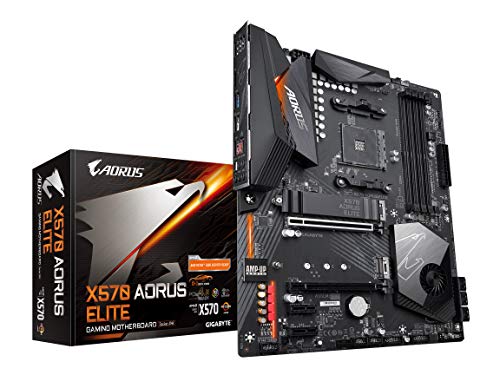
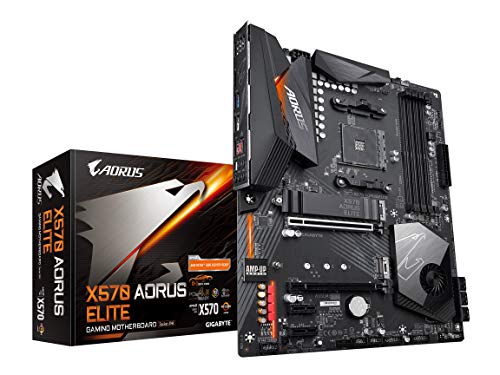
Gigabyte X570 AORUS Elite — True X570 Choice
The AORUS Elite occupied the sensible center of Gigabyte’s X570 stack: no flagship theatrics, no stripped-down compromises, just the chipset’s full storage flexibility wrapped around power delivery honest enough for any AM4 processor ever sold. Owners pairing it with a Ryzen 9 get the platform’s complete trick, multiple PCIe 4.0 drives running concurrently while the graphics card keeps its full sixteen lanes, and that combination is something no B550 board at any price can reproduce.
Daily behavior is where this board quietly wins people over. Boot times stay brisk, memory training on four DDR4 sticks behaves predictably, and Gigabyte’s BIOS, while visually busy, exposes the controls that matter without burying them. The chipset fan, shared with most early X570 designs, spins up mainly during sustained storage-heavy work; keeping the case ventilated and the fan curve on its silent profile keeps it from becoming a distraction in a living-room system.
- Form factor: ATX, AM4 socket
- Chipset: AMD X570 with PCIe 4.0 chipset lanes
- Memory: four DDR4 slots
- Storage focus: multiple M.2 slots with fourth-generation speed
- Networking: wired Ethernet; plan on an add-in card for wireless
Strengths
- Genuine chipset-level PCIe 4.0 for multi-drive storage layouts
- Power stages comfortably cover flagship sixteen-core Ryzen chips
- Long firmware history means mature, predictable memory support
Trade-offs
- Active chipset cooling adds a small fan that can age noisily
- No onboard wireless, so WiFi builds need a separate adapter
- Retail stock is thinning, and listings come and go without warning
Best for: AM4 owners expanding storage who specifically need several fast NVMe drives at full speed. Not suited for: buyers starting a brand-new system with no existing AM4 parts on hand.

MSI MAG B550 TOMAHAWK WIFI — Best B550 Alternative
Let us be direct about why a B550 board sits second in an X570 guide: for the majority of AM4 systems still being assembled, this is simply the smarter purchase. The Tomahawk name earned its standing through power delivery that embarrasses boards costing considerably more, and this WiFi edition removes the one omission that pushed buyers elsewhere. A Ryzen 7 or Ryzen 9 gaming build with a single fast drive loses nothing measurable here compared with X570 hardware.
The passive chipset heatsink deserves emphasis because it deletes an entire failure category. There is no miniature fan to clog with dust, whine at odd hours, or die in year four. MSI’s BIOS flashback support also means a bare board can accept a Ryzen 5000-ready firmware with nothing installed but a power supply and a USB stick, which is exactly the rescue tool you want when reviving parts of mixed vintage.
- Form factor: ATX, AM4 socket
- Chipset: AMD B550, passive cooling
- Memory: four DDR4 slots
- Wireless: onboard WiFi included in this edition
- CPU support: Ryzen 5000, 4000, and 3000 families per the listing
Strengths
- Power delivery with genuine headroom for high-core-count chips
- Silent chipset design with no fan to maintain or replace
- BIOS flashback simplifies processor upgrades on older firmware
Trade-offs
- Chipset-attached storage runs at PCIe 3.0 rather than 4.0 speeds
- Only the CPU-connected M.2 slot delivers fourth-generation pace
- Different chipset than this guide’s headline, so storage plans must fit
Best for: gamers and general builders who want AM4’s best-balanced board without fan noise. Not suited for: multi-drive workstations needing chipset-fed PCIe 4.0 bandwidth.

ASUS ROG Strix B550-F Gaming WiFi II — Polished All-Rounder
ASUS revised this board mid-generation, and the WiFi II suffix signals the refresh: updated wireless hardware and small layout lessons folded into an already well-regarded design. What stands out in ownership is polish. The BIOS interface remains the friendliest in the business for first-time tuners, fan control granularity is excellent, and the onboard audio solution is a cut above the generic implementations that make headset users reach for external DACs.
As a mixed-use foundation, a machine that games at night and handles office work, streaming, or light editing by day, it is arguably the most civilized AM4 board in this roundup. Power delivery handles Ryzen 9 silicon without drama, and the board’s diagnostic LEDs save real time when a build refuses to post, pointing at memory, graphics, or boot device instead of leaving you swapping parts blindly.
- Form factor: ATX, AM4 socket
- Chipset: AMD B550, passive cooling
- Memory: four DDR4 slots
- Wireless: onboard WiFi, revised second-generation edition
- Extras: diagnostic LEDs and refined fan controls
Strengths
- Approachable BIOS that still exposes deep tuning controls
- Audio quality that satisfies headset users without extra hardware
- Troubleshooting LEDs shorten the worst part of any new build
Trade-offs
- Storage beyond the primary slot steps down to PCIe 3.0 pace
- ROG branding carries a modest price premium over plainer boards
- Like every AM4 option here, it is a legacy-platform purchase
Best for: builders wanting one refined AM4 system for both play and everyday work. Not suited for: storage-heavy editing rigs built around several PCIe 4.0 drives.
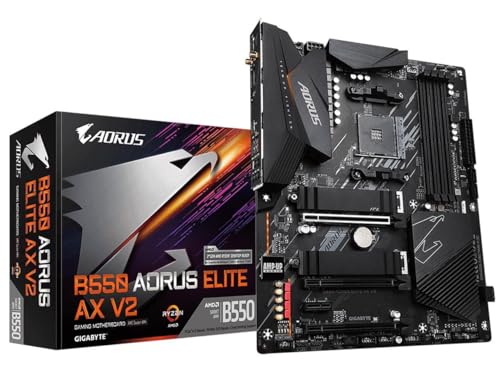
Gigabyte B550 AORUS Elite AX V2 — Value With WiFi
Gigabyte’s V2 revision of the B550 AORUS Elite AX is the board we suggest when someone wants wireless networking, respectable power stages, and PCIe 4.0 where it counts, without drifting toward flagship money. The AX in the name marks onboard WiFi, and the layout keeps the primary M.2 slot wired to the processor for full fourth-generation drive speeds. For a single-GPU system with two drives, the practical experience lands very close to the X570 headline pick.
Where it earns trust is in the unglamorous middle of the spec sheet: enough USB ports for a desk full of peripherals, a front-panel USB-C header for modern cases, and memory traces that handle four-stick DDR4 kits at sensible speeds. Gigabyte’s software utilities remain the weakest part of the ownership story, so our standing advice is to set fan curves and lighting inside the BIOS and skip the Windows bloat entirely.
- Form factor: ATX, AM4 socket
- Chipset: AMD B550, passive cooling
- Memory: four DDR4 slots
- Wireless: onboard WiFi (AX designation)
- Front panel: USB-C header for current-generation cases
Strengths
- Wireless included at a tier where rivals often charge extra
- Primary storage and graphics both enjoy PCIe 4.0 from the CPU
- Balanced port selection suits peripheral-heavy desks
Trade-offs
- Secondary M.2 bandwidth is limited by the B550 chipset design
- Maker’s Windows utilities feel cluttered next to the hardware itself
- Revision differences across V1 and V2 confuse secondhand shoppers
Best for: value-focused builders who want WiFi and modern case headers in one purchase. Not suited for: anyone planning three or more full-speed NVMe drives.

MSI B450 Tomahawk MAX — Budget Revival Pick
The original Tomahawk phenomenon started here. This B450 board became the default recommendation of its era because MSI paired an unusually capable power section with a price ordinary builders could stomach, and the MAX edition added a larger BIOS chip that kept Ryzen 3000 support painless. In 2026 its role has narrowed but not vanished: it is the board for the Ryzen 5 2600 or 3600 sitting in a parts bin, destined for a family PC, a home server, or a child’s first gaming system.
Set expectations with clear eyes. There is no PCIe 4.0 anywhere on this board, wireless is absent, and Ryzen 5000 support depends on later BIOS releases that trade away some older processor compatibility. None of that matters for its revival mission. What matters is that it boots reliably, runs its intended chips coolly, and costs little enough that the whole project stays fun instead of becoming an investment you feel obliged to defend.
- Form factor: ATX, AM4 socket
- Chipset: AMD B450, PCIe 3.0 throughout
- Memory: four DDR4 slots
- BIOS: enlarged ROM on the MAX edition
- Networking: wired Ethernet only
Strengths
- Celebrated power delivery for its original price class
- Ideal match for older Ryzen processors bought used
- Huge owner community means every problem has a documented fix
Trade-offs
- No PCIe 4.0 support for graphics or storage
- Ryzen 5000 upgrades require careful BIOS planning
- Feature set feels sparse beside any B550 alternative here
Best for: low-cost revival builds around first- or second-generation Ryzen parts. Not suited for: anyone buying with future upgrades in mind.
ASUS ROG Crosshair VIII Hero (X570) — Enthusiast Prose Pick
We include the Crosshair VIII Hero without a purchase link because dependable retail listings have largely dried up, yet no honest X570 retrospective can skip it. This was the board overclockers reached for: lavish power stages, POST code readout, voltage measurement points, and BIOS depth that rewarded patience. On the used market it still commands respect, and a clean example with accessories can anchor a no-compromise AM4 build.
Buying one secondhand demands the diligence reserved for any premium used component. Inspect the chipset fan, ask about the BIOS version, confirm the I/O shield and WiFi antennas are included if you are looking at the wireless variant, and budget time for a full memory test before declaring victory. Readers who find a verified example get the most complete expression of what X570 offered at its peak; everyone else should take the AORUS Elite above and move on with life.
- Form factor: ATX, AM4 socket
- Chipset: AMD X570 flagship tier
- Memory: four DDR4 slots, tuned for overclocking
- Extras: POST code display and enthusiast tuning hardware
- Availability: primarily secondhand at this point
Strengths
- The most complete overclocking toolkit AM4 ever received
- Power delivery built for sustained flagship-chip punishment
- Diagnostics that make experimental tuning far less stressful
Trade-offs
- No verified new listing in our pool, hence no link here
- Used examples vary wildly in condition and completeness
- Capability far exceeds what a stock-speed build can use
Best for: experienced tuners who find a clean, complete used example. Not suited for: shoppers who want warranty coverage and a simple checkout.
How Do the Six Boards Compare Side by Side?
| Board | Chipset | PCIe 4.0 storage | WiFi | Ideal role |
|---|---|---|---|---|
| Gigabyte X570 AORUS Elite | X570 | CPU and chipset slots | No | Multi-drive AM4 expansion |
| MSI MAG B550 TOMAHAWK WIFI | B550 | Primary slot only | Yes | Balanced gaming build |
| ASUS ROG Strix B550-F WiFi II | B550 | Primary slot only | Yes | Polished mixed-use system |
| Gigabyte B550 AORUS Elite AX V2 | B550 | Primary slot only | Yes | Value with modern headers |
| MSI B450 Tomahawk MAX | B450 | None | No | Budget parts revival |
| ASUS ROG Crosshair VIII Hero | X570 | CPU and chipset slots | Varies by variant | Used-market enthusiast build |
Read the storage column as the decision column. If your plans live entirely within it on the X570 rows, the hunt for the older chipset is rational. If they do not, every B550 row offers a calmer ownership experience, and the B450 row exists purely to give retired processors honest work.
Which Ryzen Processors Pair Sensibly With Each Tier?
Matching silicon to board prevents the two classic AM4 mistakes: strangling a flagship chip on a feeble power section, and wasting flagship-board money under a modest processor. The Ryzen 9 5900X and 5950X belong on the X570 AORUS Elite or the two stronger B550 boards, where power delivery and cooling keep boost clocks honest during long renders. The Ryzen 7 5800X, including the 3D-cache gaming favorite in that family, sits happily on any B550 pick in this guide.
Midrange Ryzen 5 parts are forgiving and run well everywhere here, which is why the B450 Tomahawk MAX remains viable for 2600, 3600, and similar chips drawn from the used market. What we would avoid is the reverse pairing, a sixteen-core processor on the B450 board for sustained production work; it may boot and benchmark, but sustained loads deserve the stronger power sections above it in this list.
One more pairing note concerns graphics. AM4 processors with a G suffix carry integrated graphics and change the display-output conversation entirely, while the majority of Ryzen chips require a discrete card. Check the rear panel outputs against your processor type before assuming a monitor will light up, because a board’s HDMI port does nothing when the installed chip lacks an integrated GPU.
How Should You Update the BIOS on a Legacy AM4 Board?
Start by identifying the firmware currently installed, shown on the BIOS main screen or within Windows system information. Then read the maker’s release notes for your exact model and revision, because AM4’s long life means some updates removed support for the oldest processors to make room for newer ones. That trade is permanent on many boards, so an update should always be a deliberate step toward a specific processor you intend to install, never a reflex.
Use the built-in flashing utility from within the BIOS with the file on a FAT32 USB stick, keep the machine on reliable power, and never interrupt the process. Boards with USB flashback, including the MSI and ASUS picks here, offer a safer path: they update with no processor or memory installed, which rescues builds where the installed chip is not yet recognized. After flashing, load optimized defaults, then reapply your memory profile and fan curves, since updates routinely reset both.
Memory deserves a final verification pass. Run the kit at its rated profile for a full evening of mixed use, or a dedicated memory test, before calling the upgrade finished. Most “bad BIOS update” stories are actually marginal memory settings exposed by new training behavior, and catching that at the desk beats chasing random crashes for a week.
What Mistakes Do AM4 Buyers Keep Making?
The costliest error is buying X570 by name for a build that never touches chipset storage bandwidth, paying scarcity prices for a capability that sits idle. The mirror-image mistake also thrives: a video editor buys B550 to save money, then discovers the third scratch drive runs at half speed. Both errors come from skipping the five-minute exercise of listing your drives and cards before choosing a chipset.
BIOS assumptions cause the second wave of grief. A board manufactured early may carry firmware too old for a Ryzen 5000 chip, and without flashback the system cannot boot to be updated. Confirm the shipping BIOS or choose a board with a hardware flashing path. Third, remember the chipset fan when buying X570 secondhand: ask for a photo of the fan area, and treat a silent fan header reading as a negotiation point, not a surprise.
Finally, do not let a legacy platform quietly consume a new-platform budget. If the board, processor, and DDR4 memory are all purchases rather than parts on hand, price the modern equivalent before committing. AM4 loyalty makes sense when it protects money already spent.
How Are M.2 Slots Actually Wired, and Why Does It Decide This Purchase?
Open any AM4 board manual and you will find a lane-sharing table that most buyers never read, usually printed in small type near the storage specifications. That table is the most honest page in the box. It tells you which M.2 slot talks directly to the processor, which one passes through the chipset, and what quietly slows down or switches off when every slot is populated. On the X570 AORUS Elite, the chipset connection runs at fourth-generation speed, so a second or third NVMe drive keeps the throughput its packaging promises. On every B550 board in this guide, that same physical slot negotiates at third-generation speed, and a flagship drive installed there delivers roughly the sequential performance of a midrange model.
Random performance, the kind that shapes how snappy a system feels, barely changes between generations, which is why gamers can safely ignore this entire discussion. Sequential throughput is a different story for people who move enormous files as a job: video editors shuttling footage between scratch disks, photographers ingesting a day of shooting, developers rebuilding container images, and anyone running a home media server that transcodes while it stores. For those readers the wiring diagram is not trivia; it is the product.
There is a subtler consequence involving expansion cards. Because X570 exposes more high-speed connectivity through the chipset, it tolerates combinations like a capture card plus a multi-gigabit network adapter plus several drives with fewer compromises. B550 builds asked to juggle the same hardware often force a choice, and the manual’s sharing table decides which device loses. Reading that table before purchase, for the exact board revision you are buying, is the single most valuable ten minutes in the whole AM4 shopping process.
Cooling interacts with wiring in a way spec sheets hide. Chipset-fed drives under sustained load warm the chipset itself, which is one reason X570 boards carry active cooling in the first place. If you plan to lean on chipset storage for hours at a stretch, case airflow stops being an aesthetic preference and becomes part of the storage subsystem. A front intake path that washes air across the board’s lower half keeps both the chipset heatsink and the drives beneath their covers happier, and it costs nothing beyond thoughtful fan placement.
What Should You Check Before Buying Any AM4 Board Secondhand?
The used market is where X570 now lives, so a disciplined inspection routine protects real money. Start with photographs: socket pins on AM4 sit on the processor rather than the board, which removes the bent-pin horror familiar from Intel platforms, but the socket itself can still be cracked, and the area around it should look clean rather than scorched or stained. Ask for a clear image of the rear I/O as well, since a bent USB port shell hints at rough handling elsewhere.
Accessories matter more than sellers admit. The I/O shield, WiFi antenna pair, M.2 screws, and SATA cables all cost money and patience to replace, and a board advertised as complete should arrive that way. M.2 standoffs deserve special attention because the wrong screw or a missing standoff can damage a drive or leave it angled in its slot. Original packaging is a genuine bonus for shipping protection alone; motherboards flex, and a bare board in a padded envelope is a gamble.
Electronically, insist on evidence of a successful boot with the seller’s processor, ideally showing the BIOS screen with the board model and firmware version visible. That single photo confirms the board posts, dates the firmware for your upgrade planning, and proves the seller actually possesses a working example. Once the board is in your hands, clear the CMOS, load defaults, and run memory at stock speed for a day before enabling any profile. A board that is stable at defaults but flaky under a memory profile is telling you something about the memory kit or the previous owner’s settings, not necessarily about its own health.
Finally, inspect the chipset fan on any X570 example with a flashlight and a gentle spin of the blades. Dust caked into that small housing is the leading predictor of the whine owners complain about, and it cleans up easily with the board out of the case. A fan that grinds or refuses to turn is a reason to renegotiate or walk away, because replacement parts for board-specific fans are rarely stocked years after launch.
How Much Does DDR4 Tuning Still Matter on This Platform?
AM4’s memory story is well mapped territory, which makes it a pleasure to tune. Ryzen processors tie their internal fabric speed to memory clocks, so DDR4 kits in the platform’s sweet spot deliver gains that are measurable in games and memory-sensitive work alike. The practical lesson for board shoppers is that all six picks here can run sensible four-stick and two-stick configurations, but two sticks remain the easier path to higher speeds, while four sticks trade a little ceiling for capacity.
Capacity is where aging AM4 systems often need help most. A build that began with sixteen gigabytes for gaming may now juggle browser tabs, chat clients, streaming software, and a game simultaneously, and thirty-two gigabytes transforms that experience more than any other single upgrade. Because every board in this guide accepts standard DDR4, that upgrade stays cheap on the used market, one more reason the platform refuses to die.
One caution belongs in bold mental type: mixing memory kits bought years apart invites instability even when the labels match, because manufacturers quietly change the chips on a given kit over its production life. If you expand memory, buy a matched kit for the full amount you intend to run, move the old sticks to another machine, and save yourself the weekend of intermittent crashes that mismatched expansions so often deliver.
How Should You Plan Cooling and Power Delivery for a High-Core AM4 Build?
A sixteen-core Ryzen under sustained load is effectively a small space heater with opinions, and the motherboard sits in the middle of that thermal story. The power stages feeding the processor convert wall power into precisely regulated voltage, and the waste heat from that conversion has to leave through heatsinks that vary dramatically across this guide. The X570 AORUS Elite and both stronger B550 boards carry substantial finned heatsinks designed for exactly this duty. The B450 Tomahawk MAX, impressive as it was for its class, asks more of case airflow when a flagship chip runs an overnight render.
Airflow direction matters as much as heatsink mass. A tower cooler that exhausts toward the rear of the case drags air across the power-stage heatsinks on its way out, while a top-mounted liquid radiator can starve those same heatsinks if the case lacks a rear exhaust fan. Owners chasing silence sometimes remove fans until the processor stays cool but the board’s power section quietly cooks, shortening its life without ever triggering a warning. One modest exhaust fan near the socket area prevents that slow failure mode entirely.
Power supply quality underpins all of it. A reputable unit with stable delivery lets the board’s regulation work within its comfort zone, while a bargain supply with loose voltage invites crashes that owners misdiagnose as motherboard faults for months. If an AM4 system misbehaves under load, test with a known-good supply before condemning the board; in our experience reading owner reports, the supply is the culprit often enough to deserve first suspicion.
Monitoring closes the loop. Free hardware monitoring tools report power-stage temperatures on most boards in this guide, and a ten-minute stress test after assembly tells you whether your cooling plan works in practice rather than in theory. Temperatures that stabilize are healthy. Temperatures that climb steadily until throttling begins mean the case, not the silicon, needs another look.
What Does a Careful First Boot Look Like, Step by Step?
Experienced builders test an AM4 board outside the case first, resting on its box with only the processor, one memory stick, a cooler, and a graphics card if the chip lacks integrated graphics. That minimal arrangement proves the core components cooperate before twelve screws and a cable bundle complicate troubleshooting. A board that posts on the bench almost always posts in the case, and a board that fails on the bench has just saved you an hour of disassembly.
Memory seating causes more first-boot failures than every other factor combined. DDR4 sticks require firm, even pressure until both retention clips snap home, and a stick that looks seated can still sit a fraction high at one end. If the fans spin but no image appears, power down and reseat each stick deliberately before touching anything else. The diagnostic LEDs on boards like the ASUS pick exist for precisely this moment, and their memory indicator confirms the suspicion in seconds.
Once the system displays its BIOS screen, resist the urge to enable the memory profile immediately. Install the operating system at stock settings, update the chipset drivers from AMD’s current package, and let the machine idle and reboot several times. Stability established at defaults gives you a trustworthy baseline; only then should the memory profile, fan curves, and any power limits be adjusted, one change at a time, so that any new misbehavior has an obvious suspect.
Storage installation order also pays off. Fit the primary NVMe drive in the CPU-connected slot, the topmost M.2 position on most of these boards, so the operating system enjoys the fastest link. Add secondary drives after the system proves stable, and consult the lane-sharing table if a new drive causes a port or slot elsewhere to vanish, because on AM4 that behavior is usually documented design rather than defect.
Keep the board’s box, manual, and a photo of your BIOS settings somewhere findable. Legacy platforms reward owners who document their own machines, since community knowledge slowly migrates and the answer you need in three years may be the setting you recorded today. A five-minute habit now is the cheapest insurance in the entire build.
What Will Owning an AM4 Board Feel Like Over the Next Three Years?
The honest forecast is calm, and calm is underrated. AM4’s driver stack is finished evolving, which means the chipset package you install this year will likely be the one the machine retires with. Windows updates will not ambush you with platform surprises. The surprises that remain are hardware-aging stories shared by every mature platform: coin-cell BIOS batteries eventually fade, thermal paste under a long-serving cooler dries out, and dust accumulates in places a quick blast of air used to reach. None of these is an AM4 flaw; they are simply the maintenance rhythm of a computer that has been in service long enough to earn it.
Plan one deliberate refresh afternoon per year and the platform will repay you. Blow out the chipset fan housing on the X570 board, inspect the power-stage heatsinks for dust mats, reseat nothing that is working, and check drive health reports while the case is open. That last habit matters because AM4 systems increasingly serve as repositories: family photo archives, media libraries, and work backups accumulate on machines whose owners stopped thinking of them as new years ago. A drive that warns before it fails is a gift; a drive ignored until it clicks is a recovery bill.
Software support deserves one clear-eyed paragraph. Game developers and operating system vendors still treat AM4 processors with respect because the installed base is enormous, and the Ryzen 5000 family in particular remains genuinely quick for gaming and productivity. The cliff, when it comes, will arrive as a slow slope: a future application that assumes newer instruction sets here, a peripheral standard there. Owners who bought AM4 boards to extend machines they already love will have extracted full value long before that slope steepens.
There is also a quiet environmental argument for this entire guide. Every board purchased to keep a working processor, memory kit, and case in service is a full system that did not need manufacturing. The used AM4 market functions as a vast parts exchange, and participating in it thoughtfully, testing components, describing them honestly when you resell, keeps good hardware circulating instead of moldering in closets. The B450 revival pick embodies that ethic most plainly, but it applies to the X570 flagship hunt as well.
When the end finally does come for your AM4 system, the board choice you make today shapes its second life. Machines built on the stronger boards here retire gracefully into home servers, workshop PCs, and relatives’ desktops, roles where their storage flexibility and proven stability matter more than raw speed. Buying the board that fits your drives and your processor, rather than the board with the loudest box art, is what makes that long, useful tail possible.
Which Ports and Headers Deserve a Second Look Before Checkout?
Rear-panel arithmetic is boring until the day you run out. Count your permanent residents honestly: keyboard, mouse, headset dongle, external drive, printer, controller receiver, capture device. The boards in this guide differ by several USB ports, and a hub added later works fine but adds a cable octopus to a desk that a wiser board choice would have kept clean. Pay particular attention to USB-C presence at the rear if your phone, audio interface, or portable SSD prefers it, because adapters solve the problem while quietly annoying you every single day.
Inside the case, the front-panel USB-C header separates modern-friendly boards from older designs. The B550 picks here generally include it; the B450 board does not, which means a contemporary case’s front Type-C port sits dead unless you buy an adapter card. That single dead port has generated a remarkable volume of disappointed forum posts over the years, all of them preventable by one line of spec reading before purchase.
Fan and lighting headers follow the same pattern. A build with six case fans and two lighting zones needs headers or splitters planned in advance, and pump headers matter for liquid cooling. None of the boards here is deficient for ordinary builds, but extraordinary builds, the ones with radiators, reservoirs, and a small light show, should be planned against the manual’s header map rather than optimism.
Audio outputs close the checklist. Optical output still matters to owners feeding older AV receivers, and it appears and disappears across this lineup without regard to price tier. If your sound system depends on it, confirm its presence on the exact model rather than assuming a premium badge guarantees it. Five minutes with the specification page is the whole secret; there is no other trick.
How Do You Troubleshoot an AM4 Build That Refuses to Post?
Stay methodical and the problem almost always surrenders. Begin with the evidence the board itself offers: diagnostic LEDs, beep codes through a case speaker if fitted, or a POST code display on enthusiast models. Each points at a subsystem, processor, memory, graphics, or boot device, and trusting that pointer saves the shotgun part-swapping that turns a twenty-minute fix into a weekend. If the memory light glows, nothing else deserves attention until the sticks are reseated or swapped.
Strip the system to its minimum viable form. One memory stick in the slot the manual specifies for single-stick use, processor and cooler, power connections for both the main and CPU auxiliary cables, and a display path you have verified with another machine. The auxiliary CPU power cable, forgotten in the cable bundle or left loose at the supply end on modular units, accounts for an embarrassing share of dead-on-arrival panics. Check it before anything exotic.
Clear the CMOS properly, using the jumper or button the manual describes, with power disconnected. Settings inherited from a previous owner or a failed experiment can prevent an otherwise healthy board from training memory, and a clean reset returns you to a known country. On a secondhand board this step is not optional; it is the moment the machine becomes yours rather than a museum of someone else’s tweaks.
If the minimal system posts, add components one at a time, booting between additions. The component that breaks the streak is your answer, and it is frequently a shorting standoff, a front-panel connector on the wrong pins, or a storage drive with a fault rather than the board itself. Patience feels slow and is actually the fastest method available, because every shortcut risks introducing a second fault that invalidates the first one’s evidence.
Document what you find, even briefly. A note recording the working memory slots, the BIOS version, and the fix that revived the machine becomes priceless the next time the system hiccups, and it transforms a stressful evening into transferable knowledge when you eventually sell or gift the machine onward.
Does Form Factor Change Anything Beyond Case Fit?
Every board in this guide is full ATX, and that uniformity hides a question worth answering for readers browsing beyond our list: what does the smaller micro-ATX format actually surrender? Usually two expansion slots, sometimes one M.2 position, and occasionally a little power-stage ambition. For a compact build with one graphics card, the trade is painless and the savings real. For the storage-led builds that justify X570 in the first place, the lost slots and lane flexibility cut directly against the mission, which is why this guide stayed with full-size boards throughout.
Mini-ITX sits at the far end of that spectrum, compressing AM4 into a single expansion slot and two memory slots. Those boards have devoted fans and genuine charm for small-form-factor projects, but they belong to a different conversation about portability and desk footprint. If your search began with X570’s connectivity, a board that deletes most of that connectivity to save space answers a question you did not ask.
Case compatibility follows naturally. An ATX board needs an ATX case, and while that sounds obvious, the used market is full of compact cases bought for micro-ATX builds whose owners later discover their bargain X570 board physically cannot enter. Measure once, against the case maker’s stated support, and let the tape measure overrule hopeful assumptions.
One last scenario deserves airtime because it arrives in our inbox constantly: the hand-me-down build, where a parent, sibling, or friend upgrades and a perfectly good Ryzen system changes households. The receiving owner’s best first move is not a benchmark but an audit. Record the board model and BIOS version, confirm which M.2 slots are populated and how they are wired, note the memory kit’s exact configuration, and photograph the cable routing before touching anything. That half hour converts an inherited mystery into a documented machine, and every later upgrade, from the memory expansion discussed earlier to a storage addition, becomes a decision instead of a gamble.
The giving owner can help by including the board’s accessories and a note about quirks: the USB port that dislikes a particular hub, the fan header reserved for the pump, the BIOS setting that memory stability depends on. Machines carry their histories in these small details, and passing them along is the difference between a gift that delights and a gift that generates troubleshooting phone calls for a month.
Budget the whole project, not just the board. A spare tube of thermal paste, a replacement coin-cell battery, a set of M.2 screws, and perhaps one additional case fan together cost very little, yet they are the items that stall a weekend build when missing. Ordering them alongside the board turns the project into a single unboxing and a single afternoon, which is how legacy hardware stays enjoyable instead of becoming a scavenger hunt.
Keep the receipt and listing screenshots from any marketplace purchase in the same folder as your BIOS notes; if a board misbehaves within a return window, that paperwork is the difference between a refund and an argument.
Final Recommendation
If chipset-fed PCIe 4.0 storage is genuinely on your parts list, the Gigabyte X570 AORUS Elite is the board to pursue, and it is the only pick here that delivers the full X570 proposition through a verified listing. Everyone else should feel zero guilt choosing the MSI MAG B550 TOMAHAWK WIFI or the ASUS ROG Strix B550-F, both of which trade an unused storage ceiling for silent cooling and easier ownership. The B450 Tomahawk MAX closes the list as a revival tool, nothing more and nothing less.
AM4 earned its long life by treating owners fairly, and the right board still does; match the chipset to the drives you actually own, and an aging platform will keep its promises.
Frequently Asked Questions
Is X570 still worth buying in 2026?
Only for existing AM4 owners whose storage or expansion plans need chipset PCIe 4.0 lanes. As the foundation of an entirely new system, newer platforms offer a longer upgrade path for similar total spending.
Will a Ryzen 5000 processor work in every board listed?
The X570 and B550 boards support the family with appropriate firmware, while the B450 Tomahawk MAX requires a later BIOS that may drop support for the earliest Ryzen chips. Always verify the exact CPU support list for your board revision.
Does the X570 chipset fan really get loud?
Most owners hear little during ordinary use, since the fan responds to chipset temperature and storage load. Dust buildup and aggressive fan curves are the usual culprits when noise appears, and both are fixable.
Can I use DDR5 memory on any of these boards?
No. Every AM4 board uses DDR4, which is part of the platform’s value story for owners with memory on hand and part of its limitation for everyone else.
Why are B550 boards included in an X570 guide at all?
Because verified X570 availability is thin, and an honestly labeled alternative serves readers better than a list of unavailable products. Each alternative states plainly where its chipset gives ground.
Should I replace the chipset fan before it fails?
Not preemptively. Clean it, confirm it spins freely, and let monitoring tell you if temperatures drift upward over the years. Replacement fans for specific boards are scarce, so a working original is worth preserving rather than discarding on suspicion.
Can these boards run Windows 11 properly?
Yes, with a supported Ryzen processor and the firmware TPM setting enabled in the BIOS, which most boards expose under a clearly labeled security option. AM4 systems of this class meet the requirements without workarounds.
Is it sensible to buy two AM4 boards as spares?
For a machine your household or business genuinely depends on, one tested spare of the same model is defensible and cheap insurance while stock exists. Hoarding beyond that ties up money in hardware whose value only falls.
Related Guides
Keep planning your AM4 build with our guide to matching Ryzen processors with the right power supply, then compare notes in the roundup of DDR4 memory kits that still make sense and the walkthrough for moving Windows to a faster NVMe drive.