Our Top Picks
 ViewSonic VA2756-4K-MHD 27 Inch 4K UHD Computer Monitor27 Inches2.1 x 24.2 x 14.5 inches12.1 poundsCheck on Amazon
 ViewSonic VX1655-4K-OLED 16 Inch 4K UHD OLED Portable15.6-Inch OLED0.6 x 13.9 x 8.78 inches1.5 poundsCheck on Amazon
 ViewSonic VX3267U-4K 32 Inch 4K UHD Computer Monitor32-Inch9.2 x 28.1 x 19.6 inches17.2 poundsCheck on Amazon
 ViewSonic VP2766-4K 27 Inch 4K UHD ColorPro IPS8.15 x 24.15 x 16.09 inches12.1 poundsCheck on Amazon
 ViewSonic VX2776-4K-MHDU 27 Inch 4K UHD Monitor27-Inch8.2 x 24.2 x 17.2 inches8.6 poundsCheck on Amazon
 ViewSonic VP2488-4K 24 Inch 4K UHD IPS Monitor24-Inch 4K8.33 x 21.27 x 20.42 inches13.7 poundsCheck on Amazon
What's inside
- The three ViewSonic families and what each one optimises
- What 3840 by 2160 means at 27, 32 and larger sizes
- IPS panels at 4K: strengths, limits and panel vocabulary
- Colour gamuts decoded: sRGB, DCI-P3 and Adobe RGB
- Ports and bandwidth: HDMI, DisplayPort and USB-C
- Office work on a ViewSonic 4K screen
- Creative work: photography, video and design
- Light gaming and console play on VX and XG models
- Eye care features, judged from the documentation
- Choosing a size: 27, 32 and the large format options
- Setup, calibration and settings worth changing first
- Built in speakers, audio passthrough and the desk ecosystem
- Common mistakes when moving to a 4K ViewSonic
- Which ViewSonic 4K monitor fits which reader
- Streaming, film and everyday video on these panels
- Longevity, warranty thinking and caring for the panel
- Power draw, heat and other practical desk arithmetic
- Check prices on Amazon
- Disclosure and sources for this guide
As an Amazon Associate I earn from qualifying purchases. This post may contain affiliate links at no extra cost to you.
A 4K monitor changes the working day in a way that is difficult to appreciate from a specification sheet alone. Text gains the smoothness of print, photographs reveal detail that a 1080p panel smears into approximation, and a single screen holds a spreadsheet, a document and a reference window side by side without any of them shrinking into illegibility. ViewSonic builds that resolution into three distinct product families, and understanding the families matters more than memorising individual model numbers, because the VX, VP and XG lines make different promises about colour, speed and price of admission in engineering terms, even though they share the same 3840 by 2160 pixel grid.
This guide explains how to choose among ViewSonic 4K monitors for office work, colour conscious creative tasks and light gaming, using specifications published by the manufacturer and widely documented panel standards. It covers what IPS technology delivers at this resolution, how to read colour gamut claims such as sRGB and DCI-P3 coverage, what HDR10 support does and does not mean on a desktop panel, and how the port selection, from HDMI and DisplayPort to USB-C with power delivery, decides whether a monitor simplifies a desk or merely decorates it. Eye care features are assessed from the manufacturer documentation rather than from marketing slogans, and the final sections match each line to the readers it actually serves.
The three ViewSonic families and what each one optimises
The VX series is the general purpose line, aimed at home and office desks where one screen must handle documents in the morning, video in the evening and the occasional game at the weekend. VX 4K models typically use IPS or closely related wide viewing angle panels, carry a 60 hertz refresh rate, include HDMI and DisplayPort inputs, and add convenience features such as integrated speakers and low blue light modes. The VX3211-4K-MHD and the VX2776-4K-MHD represent the pattern well: a 32 inch and a 27 inch screen respectively, both built around everyday versatility rather than any single extreme, and both frequently chosen as a first step up from an ageing 1080p display.
The VP series, sold under the ColorPro name, is the professional line, and its priorities are visible in the documentation before a panel is ever switched on. VP monitors ship with factory calibration reports, quote coverage of wider colour spaces such as Adobe RGB alongside sRGB, support hardware calibration with a compatible colorimeter on selected models, and include connectivity aimed at studios, notably USB-C with power delivery and a USB hub. The VP2785-4K built its reputation on very wide Adobe RGB coverage for photography, while the VP3268a-4K addresses video oriented work with strong DCI-P3 figures and a larger canvas. These are instruments first and entertainment screens second.
The XG series, historically carrying the Elite branding, serves players. Its 4K flagship designs raise the refresh rate far beyond the office standard, add adaptive sync for tear free motion, and include the faster response tuning and gaming oriented on screen tools that the other lines omit. The XG320U is the clearest example in the current catalogue: a 32 inch IPS panel at 3840 by 2160 with a refresh rate up to 144 hertz over DisplayPort, HDMI 2.1 inputs for current consoles, and colour performance that remains respectable for mixed use. The XG line costs engineering effort where players feel it, in motion clarity, and spends less on the calibration apparatus that defines the VP range.
- VX line: everyday 4K for home and office, 60 hertz, broad compatibility, integrated convenience features.
- VP line: ColorPro professional screens with factory calibration, wide gamut coverage and USB-C docking on many models.
- XG line: gaming focused 4K with high refresh rates, adaptive sync and HDMI 2.1 on flagship designs.
- Shared ground: IPS class panels, HDR10 signal support on most current models, and flicker free backlighting across the ranges.
What 3840 by 2160 means at 27, 32 and larger sizes
Resolution only becomes sharpness when it is divided by screen size, and pixel density is the figure that connects the two. A 27 inch 4K panel packs roughly 163 pixels per inch, a 32 inch panel about 140, and a 43 inch model such as the VX4385-4K near 103. At a typical desk viewing distance of sixty to eighty centimetres, the 27 inch size renders text with almost no visible pixel structure even without scaling, while the 32 inch size offers the same clarity with a little more room to run applications at a comfortable scale. The very large formats trade that fineness for immersion and for the ability to sit further back, which suits console play and presentation work better than close document editing.
Operating system scaling decides how much of the theoretical workspace survives contact with reality. Windows and macOS both enlarge interface elements on high density displays, commonly to one hundred and fifty or two hundred percent, so a 27 inch 4K screen may present the same apparent layout as a smaller 1440p monitor while drawing every letter with several times the pixels. The benefit is quality rather than quantity at that setting, and it is real: eye strain over a long document session often traces to ragged text edges rather than to screen size. Readers who want maximum raw workspace should favour 32 inches, where one hundred and twenty five percent scaling leaves generous room while keeping type crisp.
Mac users should note one platform specific behaviour. Apple systems render most cleanly at pixel densities that divide evenly into their Retina logic, and a 27 inch 4K panel scaled to look like 2560 by 1440 runs in a mode that renders internally at higher resolution before downsampling, which looks excellent but places extra load on integrated graphics. A 32 inch 4K display scaled to the same apparent size sits closer to its native density and can appear marginally cleaner with less rendering overhead. None of this makes either size a poor choice for a Mac desk; it simply rewards buyers who know which scaled resolution they intend to live at before the box is opened.
IPS panels at 4K: strengths, limits and panel vocabulary
ViewSonic builds most of its 4K range on IPS technology, sometimes labelled with the company SuperClear IPS terminology, and the choice shapes every viewing characteristic that follows. IPS holds colour and contrast steady across wide angles, so a document shared with a colleague standing beside the desk does not wash out, and a photograph edited from a slightly reclined chair keeps the tonal relationships it had when viewed square on. The standard contrast ratio for the class sits near one thousand to one, which renders office content and photography convincingly while leaving true black to other technologies, a limitation visible mainly in dark room film viewing where letterbox bars glow a gentle grey.
Response behaviour on IPS has improved to the point where the old distinction between work panels and play panels is mostly a matter of refresh rate rather than pixel speed. Typical grey to grey figures for ViewSonic 4K IPS models fall in the four to five millisecond range with overdrive engaged, entirely adequate at sixty hertz and respectable at the higher rates of the XG line, where the panel is driven harder and tuned for motion. A small amount of glow in the corners of dark images, universally called IPS glow, remains a property of the technology rather than a defect of a particular unit, and it recedes at normal brightness settings in a lit room, which is where these monitors are designed to work.
Brightness figures deserve translation. Most VX and VP 4K models quote between three hundred and four hundred candelas per square metre, enough to hold a clear image in a bright office with windows, and more than enough for a shaded home desk where one hundred and twenty to one hundred and sixty candelas is a comfortable working level for documents. Quoted peak figures for HDR content on higher tier models run higher still, but sustained full screen brightness, the number that governs spreadsheets and timelines, stays in that three hundred to four hundred band. Uniformity compensation on selected VP models evens out the luminance differences between centre and edges that become visible on large flat areas of colour, a refinement photographers notice immediately and spreadsheet users never will.
Colour gamuts decoded: sRGB, DCI-P3 and Adobe RGB
Colour coverage claims are the most misread numbers in monitor documentation, partly because three different standards share the same stage. The sRGB space, defined in the nineteen nineties for the early web and office computing, remains the reference for general work: a monitor covering essentially all of sRGB displays documents, websites and standard video exactly as their creators intended. DCI-P3, the cinema derived space, extends furthest into saturated greens and reds and has become the working standard for video production and for the displays built into modern phones and laptops. Adobe RGB reaches into cyans and greens that matter for print photography, where the final destination is ink on paper rather than another screen.
ViewSonic quotes these figures per model, and the pattern across the families is consistent. VX 4K models typically cover sRGB fully and reach a substantial share of DCI-P3, which flatters film and casual photography without any colour management effort from the user. VP models push further: the VP2785-4K documentation emphasises Adobe RGB coverage above ninety nine percent alongside very high DCI-P3 figures, while the VP3268a-4K leads with DCI-P3 coverage in the high nineties and adds uniformity and calibration support aimed at video editors. The XG320U, although built for play, quotes coverage around ninety nine percent of sRGB with a wide extended gamut, reflecting how thoroughly wide colour has become a default rather than a speciality.
Coverage is only half of colour accuracy; the other half is error, expressed as Delta E. A Delta E value below two is generally considered visually indistinguishable from the reference for most observers, and ViewSonic publishes average Delta E figures at or below that threshold for the VP line, backed by an individual calibration report in the box. For buyers outside colour critical work, the practical reading is simpler. A VP panel arrives already close to correct, an sRGB mode on any of these monitors keeps office and web content honest, and wide gamut output viewed without colour management, in an application that ignores profiles, will oversaturate reds and greens in a way that looks exciting for a week and wrong thereafter.
HDR10 support, listed across most current ViewSonic 4K models, needs the same careful reading. HDR10 is an open standard for carrying high dynamic range metadata, and support means the monitor accepts and tone maps such a signal from a console, a streaming device or a video file. It does not by itself guarantee the brightness, local dimming or contrast that make HDR material visibly superior to standard content. The XG320U pairs the signal support with higher brightness and a wide gamut, so HDR games show a genuine lift, while a basic VX panel renders HDR sources compatibly but with modest impact. Buyers whose priority is film should weigh brightness and dimming behaviour above the presence of a logo on the specification sheet.
Ports and bandwidth: HDMI, DisplayPort and USB-C
A 4K picture at sixty hertz already demands serious cable bandwidth, and the port versions printed in ViewSonic documentation decide what each connection can actually carry. HDMI 2.0 delivers 3840 by 2160 at sixty hertz with full colour, which covers every VX and VP model at its native rate. DisplayPort 1.2 matches that comfortably, while DisplayPort 1.4 adds the headroom for high refresh 4K and for carrying the signal through USB-C alternate mode. HDMI 2.1, fitted to the XG320U, raises the ceiling dramatically, enabling 4K at one hundred and twenty hertz from current games consoles, a capability that HDMI 2.0 ports cannot provide regardless of cable quality.
USB-C is the connection that changes desk ergonomics most, and its implementation varies across the range in ways worth checking before ordering. On VP models such as the VP3268a-4K and the VP2776 family, a single USB-C cable carries the 4K image to the monitor, returns up to ninety watts of charging power to a laptop on some models and sixty five on others, and connects the monitor built in USB hub, so a keyboard, a drive and a webcam all attach through the display. VX models more often provide USB-C as a video input with modest power delivery, or omit it on simpler variants, which is fine for a desktop tower and limiting for a laptop only workspace. The wattage figure in the documentation is the detail to verify, because a large laptop under load will slowly lose charge on an underpowered port.
Hub and daisy chain features separate tidy desks from tangled ones. A USB hub in the monitor moves frequently swapped drives within reach and keeps the laptop docking ritual to one cable. KVM switching, offered on selected VP models, lets two computers share one screen, keyboard and mouse, which suits a work laptop beside a personal machine. DisplayPort output for daisy chaining appears on a smaller set of professional models and depends on the host graphics supporting multi stream transport. Readers whose work is moving toward higher refresh displays generally, rather than 4K specifically, may want the wider context in best 1080p 240hz monitors, where the bandwidth and cable questions repeat at the opposite end of the resolution and speed trade.
- HDMI 2.0 is sufficient for 4K at sixty hertz from computers, consoles set to sixty hertz output and media players.
- HDMI 2.1 is required for 4K at one hundred and twenty hertz from current consoles and appears on gaming oriented models.
- DisplayPort 1.4 carries high refresh 4K from a graphics card and supports adaptive sync over a single cable.
- USB-C with DisplayPort alternate mode combines image, data and laptop charging where the quoted wattage is adequate.
Office work on a ViewSonic 4K screen
For document centred work the case for 4K rests on endurance rather than spectacle. Eight hours of text at one hundred and forty or more pixels per inch removes the constant low level effort of resolving jagged letterforms, and the effect compounds across a week. ViewSonic supports that use with matte anti glare coatings across the VX and VP lines, height adjustable stands on most models above the entry tier, and screen splitting utilities in its ViewSplit software that divide the panel into predefined window layouts. A 32 inch VX model running two documents at full width beside a narrow reference column reproduces, on one panel, the arrangement that once required two smaller monitors and a tolerance for bezels.
Stand quality separates the lines in daily use more than panel quality does. VP models provide the full ergonomic set: height, tilt, swivel and pivot into portrait orientation, which serves long documents, code and social media timelines with genuine utility. VX stands vary by model, with some offering height adjustment and simpler variants limited to tilt, in which case a VESA compatible monitor arm recovers the missing movement and frees desk space beneath the panel. The one hundred by one hundred millimetre VESA pattern is standard across the range, so arms and wall mounts transfer between models without adapters, a small mercy for desks that evolve over several years.
Multi monitor habits translate cleanly to this range. Two 27 inch 4K panels give an enormous, finely detailed workspace but demand a wide desk and a graphics output with two suitable ports, while a single 32 inch panel with disciplined window management satisfies most of the same needs with one cable and no centre bezel. Readers weighing a pair of fast Full HD screens against one large 4K display for a mixed work and play desk will find the refresh focused comparison in best 1080 144 hz monitors a helpful counterweight, because it shows exactly what smoothness is surrendered when resolution takes priority, and for spreadsheet and document work that surrender usually costs nothing at all.
Creative work: photography, video and design
Photographers gravitate to the VP line for reasons that accumulate. Wide Adobe RGB coverage preserves the saturated greens and cyans that inkjet printing can reproduce but sRGB screens cannot display, so soft proofing decisions are made on evidence rather than hope. The factory calibration report and Delta E figures at or below two mean the panel starts close to truth, and support for hardware calibration on models such as the VP2785-4K and VP3268a-4K lets a colorimeter write corrections into the monitor own lookup table, which holds accuracy across every connected source rather than only through one computer profile. A fourteen bit internal lookup table on the professional models keeps gradients smooth after those corrections, avoiding the banding that aggressive software profiles can introduce in shadow regions.
Video editors read a different column of the same specification sheet. For them the DCI-P3 coverage of the VP3268a-4K, its larger 32 inch canvas for timeline work, and the ability to hold a full screen preview beside the editing interface without a second display carry the argument. Preset modes for specific colour spaces, including sRGB, Rec. 709 and DCI-P3 on professional models, let one screen serve delivery targets that differ between broadcast, web and cinema clients. Uniformity compensation earns its keep here as well, because a vignette judgement made on a panel that darkens toward its corners will be wrong in the opposite direction on every other screen the work reaches.
Designers working between print and screen benefit from the breadth rather than the peak of the VP specification: one panel that can be constrained to sRGB for web work in the morning and opened to Adobe RGB for a print project in the afternoon, with a KVM to move between a studio machine and a laptop, reduces the two monitor compromise that many small studios otherwise accept. Buyers comparing across brands at this tier should include best 10 benq monitors in the reading, since BenQ professional lines compete directly on calibration features and the comparison clarifies which ViewSonic choices, such as its particular hub layouts and preset structures, are preferences rather than advantages. That cross brand honesty matters, because at professional level most panels are good and the workflow details decide satisfaction.
Light gaming and console play on VX and XG models
Gaming on a 60 hertz VX panel is a perfectly coherent choice for the genres most people actually play at a desk. Strategy titles, simulation games, story driven adventures and older catalogues rarely benefit from refresh rates beyond sixty, and at 4K they gain enormously in clarity, with fine text in interfaces rendered exactly as designers drew it. Adaptive sync in its FreeSync form appears on many VX models and removes tearing within its operating range, while input lag on modern IPS panels at sixty hertz sits low enough that only competitive players in fast titles will register it as a limitation. A console connected over HDMI receives the same clean treatment, with the monitor scaling and tone mapping handled without drama.
The XG320U exists for players who want the resolution and the speed together. Its 144 hertz refresh over DisplayPort from a capable graphics card, or one hundred and twenty hertz over HDMI 2.1 from a current console, transforms fast camera movement from a smeared approximation into legible motion, and its adaptive sync support keeps that motion free of tearing across fluctuating frame rates. The honest caveat is hardware demand: driving recent games at native 4K and high frame rates requires a powerful graphics card, and players with mid range hardware will often prefer rendering internally at a lower resolution and letting the panel upscale, or choosing settings that favour frame rate. The monitor cannot manufacture frames the computer never drew.
Response time settings on gaming models deserve a careful hand. The fastest overdrive modes reduce transition times on paper but can introduce inverse ghosting, visible as bright halos trailing moving objects, which many players find more distracting than the mild blur of a moderate setting. The middle overdrive option on ViewSonic gaming panels is the setting most owners settle on permanently, and it is the right default for mixed use, where the same screen must also render scrolling text cleanly during the working day. HDR in games follows the earlier discussion: on the XG320U, with its higher brightness and wide gamut, HDR titles show a worthwhile lift in highlights, while on a standard VX panel the standard dynamic range presentation is frequently the more consistent choice.
Eye care features, judged from the documentation
ViewSonic equips its 4K range with two eye care technologies whose mechanisms are worth separating, because they address different causes of discomfort. Flicker free backlighting drives the panel LEDs with direct current dimming rather than rapid pulsing, removing the low frequency flicker that pulse width modulation can introduce at reduced brightness, which some viewers perceive as a subtle shimmer and many associate with headaches during long sessions. Blue light filtering reduces the proportion of short wavelength blue in the backlight spectrum, either through a hardware level panel treatment on some models or through adjustable software settings that shift the image warmer as the filter strength rises. The company references third party certification from TÜV Rheinland for these features on many models, which at minimum confirms the claims were measured rather than merely asserted.
The honest limits of eye care features should be stated plainly. No filter compensates for a screen set far too bright for a dim room, for a viewing distance that forces constant refocusing, or for the simple absence of breaks during a long session. The widely repeated twenty twenty twenty habit, looking at something roughly twenty feet away for twenty seconds every twenty minutes, costs nothing and addresses the focusing fatigue that dominates desk discomfort. Monitor settings support that habit best when brightness is matched to the room, commonly somewhere near one hundred and twenty candelas per square metre in a shaded space, and when the top of the screen sits at or slightly below eye level so the gaze angles gently downward.
Low blue light modes involve a colour trade that creative users must manage deliberately. Raising the filter warms the white point noticeably, which is pleasant for evening reading and ruinous for colour judgement, so photographers and video editors should treat the filter as an after hours setting and return to a calibrated preset for work. Office users face no such conflict and can leave a mild setting engaged permanently. Several ViewSonic models place the control in a quick menu precisely because the company expects it to be toggled with the time of day, and building that small habit, filter on for documents after dark and off for images, captures most of the benefit the technology genuinely offers.
Choosing a size: 27, 32 and the large format options
The 27 inch class suits desks of ordinary depth and readers who sit close. Models such as the VX2776-4K-MHD and the VP2785-4K concentrate the full resolution into the highest pixel density of the mainstream range, which flatters text and photography alike, and their smaller footprint leaves room for speakers, a second screen in portrait orientation, or simply an uncluttered surface. The compromise is scale: interface elements at native resolution are tiny, so every operating system will be run with scaling engaged, and the effective workspace, while beautifully rendered, is no larger in layout terms than a good 1440p screen of the same size.
At 32 inches the balance shifts toward workspace and presence. The VP3268a-4K and VX3211-4K-MHD give timelines, spreadsheets and multitrack sessions room to breathe, allow lighter scaling that preserves more layout area, and double convincingly as a small television for a studio flat or a spare room. The size asks for a deeper desk, ideally eighty centimetres or more, so the screen can sit far enough back that its corners stay within a comfortable field of view. Anyone comparing this class against the broader market should read best 32 inch 4k monitors alongside this guide, because the 32 inch 4K category is where ViewSonic pricing and features meet their closest rivals and where stand quality and hub provision differ most between brands.
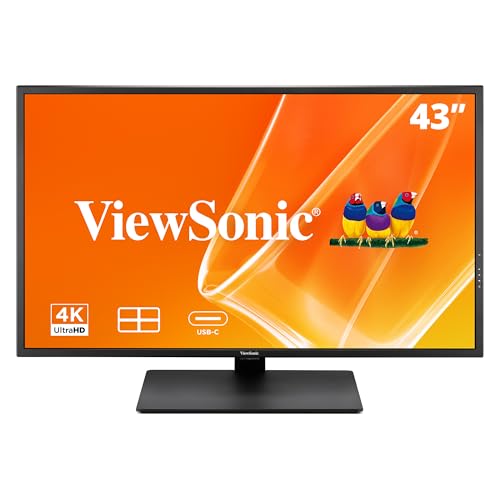
Above that sit the large format models, led by the 43 inch VX4385-4K, which reframe the monitor as a shared or distance screen. Pixel density falls to near that of a 1080p desktop monitor, so fine text at close range loses its magic, but console gaming from a sofa, video wall style dashboards, and presenting work to a small group all gain from the sheer area. Picture by picture modes on the large models accept two sources at once, effectively behaving as two smaller screens in one housing. This class solves a specific problem well and should not be bought as a bigger version of a desk monitor, because at desk distance its scale becomes the problem instead.
Setup, calibration and settings worth changing first
Unboxing order matters more than most setup guides admit. Assemble the stand before lifting the panel, connect the cable that matches the intended refresh rate and resolution rather than whichever lead falls out of the box first, and confirm in the operating system display settings that the monitor is actually running at 3840 by 2160 and its full refresh rate, because systems occasionally default to a lower mode inherited from a previous screen. Only then open the on screen display, where three adjustments repay attention immediately: brightness matched to the room, the colour preset chosen deliberately rather than left on a vivid default, and any eco or dynamic contrast feature switched off for work, since it pumps brightness with scene content in a way that makes consistent judgement impossible.
Calibration divides into three levels of commitment, and most readers should stop at the first or second. The first level is simply using the factory calibrated sRGB or native preset and verifying with known images that skin tones, grey ramps and shadow detail look plausible; VP models arrive close enough that many owners need nothing more. The second level uses the operating system or a software profiler with a colorimeter to build an ICC profile for the individual panel, correcting its drift from the factory state as the backlight ages. The third level, hardware calibration into the monitor lookup table where supported, belongs to colour critical production and repays its effort there. Skipping directly to purchased calibration gear before learning the presets is a common misallocation of enthusiasm.
Firmware and software utilities deserve a mention because ViewSonic maintains them unevenly across the range. The vDisplayManager software on supported models replaces fiddly rear joystick menus with mouse driven control of brightness, presets and screen splitting, and it is worth installing on a work machine even if it is ignored thereafter, simply to set the panel up comfortably once. Firmware updates occasionally refine adaptive sync ranges or USB-C compatibility with particular laptops, and checking the support page for a newly purchased model, using the exact serial matched file, is prudent. A monitor is one of the longest lived components on a desk, and an hour spent on its initial configuration amortises across years of daily use.
Built in speakers, audio passthrough and the desk ecosystem
Integrated speakers on ViewSonic 4K models, commonly a pair of two watt or slightly stronger units on VX designs, serve notification sounds, voice calls and casual video adequately and nothing beyond that with distinction. Their value is logistical rather than musical: a desk without separate speakers stays clear, a call can be taken the moment it arrives, and a laptop gains a louder voice than its own chassis provides. For film, music or any game with a serious soundtrack, the monitor should hand audio onward, either through its headphone output to a desktop amplifier or speakers, or digitally through the same HDMI connection using audio return features on the larger entertainment oriented models. Judging a work monitor by its speakers is like judging a desk by its drawers: pleasant when good, irrelevant when the main structure is sound.
The monitor as hub extends beyond USB ports into a small ecosystem decision. A VP model with USB-C docking, an upstream connection for its hub and a KVM can absorb the role of a separate docking station entirely, which simplifies a laptop desk to a single cable and removes one box, one power supply and several failure points from the setup. That consolidation is the strongest practical argument for stepping up a line even when the panel specifications of a VX model appear sufficient, because the comparison that matters is not monitor against monitor but monitor against monitor plus dock plus cables. Buyers should total the whole arrangement, in equipment and in daily friction, before deciding which line represents value for their particular desk.
Common mistakes when moving to a 4K ViewSonic
The first mistake is cabling by assumption. An old HDMI lead of unknown specification may limit a new panel to thirty hertz at 4K, producing a laggy pointer that owners routinely misdiagnose as a faulty monitor or an underpowered computer. Using the cable supplied in the box, or a certified replacement of the correct version, eliminates an entire category of phantom faults. The second mistake is leaving the operating system at one hundred percent scaling on a 27 inch panel and concluding that 4K is fatiguing, when the fatigue came from squinting at nine point interface text rather than from the resolution itself. Scaling exists precisely for this pairing of density and size, and using it is not a compromise but the intended configuration.
The third mistake is judging colour in the wrong preset. A wide gamut VP panel left in its native mode will make ordinary web content look oversaturated, prompting returns of monitors that are performing exactly as designed; the sRGB preset exists for unmanaged content, and switching between presets by task is normal professional practice rather than an inconvenience. The fourth mistake is neglecting the graphics output of an older computer, some of which cap DisplayPort or HDMI at 4K thirty hertz regardless of cable, a limitation documented in the computer specifications that no monitor purchase can repeal. Checking the host machine first, including any dock in the chain with its own bandwidth ceiling, prevents the most expensive disappointment in this category.
Finally, buyers regularly overvalue peak specifications they will never engage. A creative professional who never plays games gains nothing from a high refresh gaming panel beyond a smoother pointer, and may lose calibration features that matter daily by choosing it. A home office reader gains nothing from Adobe RGB coverage that no application in their workflow can use. The disciplined purchase matches the line to the dominant task, VX for general work, VP for colour accountable production, XG for play with serious motion, and treats every specification outside that task as decoration. ViewSonic own range structure encourages exactly that discipline, which is one reason the catalogue rewards reading by family before reading by model.
Which ViewSonic 4K monitor fits which reader
For the home office professional upgrading from an elderly Full HD screen, a 27 or 32 inch VX model delivers the transformation that matters: print like text, room for two documents, flicker free backlighting for long days and a price of entry in engineering effort that stays modest. Choose the 32 inch size if the desk is deep enough, the 27 if a second screen or speakers compete for width, and add a VESA arm if the chosen variant stand lacks height adjustment. This reader should spend remaining budget on the chair and the lighting before considering any panel upgrade, because the VX screen will not be the limiting factor in their comfort or their output.
For the photographer, video editor or designer whose work is judged by other screens and by print, the VP line is the correct destination and the size choice follows the medium: 27 inches and Adobe RGB emphasis for stills, 32 inches and DCI-P3 emphasis for moving images, USB-C docking in either case if a laptop drives the desk. The calibration report in the box, the uniformity behaviour and the preset discipline are not luxuries for this reader; they are the product. Pairing the panel with a colorimeter over time, as the backlight ages, maintains the accuracy that justified the purchase long after the first year.
For the player who works at the same desk, the decision splits honestly. If play means strategy, simulation and story titles, a VX panel at sixty hertz with adaptive sync serves beautifully and leaves budget for the graphics card, which will always be the binding constraint at 4K. If fast competitive or console play shares the desk with work, the XG320U consolidates both lives into one screen, at the cost of the calibration apparatus and some hub sophistication. Either way, the work half of the desk loses nothing: the same IPS clarity and eye care features underpin both lines, and the text will be just as sharp when the game closes and the document reopens.
Streaming, film and everyday video on these panels
Evening viewing is where a work monitor either earns a second life or reveals that it was only ever an office tool. The 4K resolution suits streamed film and series well, because the major services deliver their best streams at this resolution with HDR metadata attached, and a 27 or 32 inch IPS panel at desk distance presents that material with a density no television across a room can match. ViewSonic panels handle the cadence of film correctly when fed a twenty four frame signal from a computer or media player, and the matte coating that serves office work so well also suppresses the window reflections that plague glossy entertainment screens in a lit room. The limitation remains black depth: a dark thriller in a dark room will show its shadows in charcoal rather than true black, and viewers who care most about that experience should keep expectations calibrated to IPS physics.
Sound and source switching shape the experience as much as the image. A streaming stick in a rear HDMI port, a laptop on USB-C and a desktop on DisplayPort can coexist on one of these monitors, with the input menu or an auto source setting moving between them, and the headphone output feeding a small amplifier for film duty. Picture presets help here too: a slightly warmer, contrast friendly movie mode for the evening and a neutral sRGB mode for the working day can live one button press apart, provided the owner resists the vivid demonstration presets that oversaturate everything for showroom effect. The large format VX4385-4K extends this logic furthest, with picture by picture from two sources and enough area to make a desk in a studio flat double as the household main screen without apology.
Longevity, warranty thinking and caring for the panel
A monitor is typically the longest serving component in a computer setup, outlasting two or three generations of the machine that feeds it, so durability questions deserve the same attention as image questions. IPS panels age gracefully: the LED backlight dims slowly over tens of thousands of hours, colour shifts are modest and correctable by recalibration, and the technology carries no meaningful risk of permanent image retention under normal mixed use, unlike some alternatives that reward caution with static interface elements. ViewSonic sells these ranges with multi year warranty coverage that varies by region and line, and the professional VP documentation and support structure reflect the expectation that the screens will work daily in studios for a long service life. Checking the exact regional terms before ordering is worthwhile, because panel and backlight coverage details differ between markets in ways the headline duration conceals.
Daily care is undemanding but specific. Clean the screen with a dry or barely dampened microfibre cloth and no household glass cleaner, whose solvents can damage the anti glare coating permanently, leaving cloudy patches that no setting can remove. Keep brightness at the level the room needs rather than at maximum by default, which slows backlight ageing and reduces eye fatigue simultaneously. Ventilation slots along the top of the cabinet should stay unobstructed by draped cloths or stacked papers, particularly on the higher brightness gaming models whose electronics work hardest. A surge protected power strip is cheap insurance for a device that stays connected around the clock, and registering the purchase with the manufacturer at setup, while the receipt is still at hand, removes friction from any warranty conversation years later when documentation has scattered.
Second hand and hand me down use extends the value further. A VP panel retired from colour critical duty after several years remains an outstanding office screen for a colleague or a family member, its calibration drift irrelevant to documents and its ergonomics still superior to most new entry level displays. A VX model displaced by an XG upgrade becomes a portrait orientation companion screen with a VESA arm and a spare cable. Planning that cascade at purchase time, favouring models with full ergonomic stands and standard mounts, is one of the quiet ways a well chosen monitor repays its cost across a decade rather than a product cycle, and it is a pattern this range, with its consistent VESA pattern and durable stands, supports unusually well.
Power draw, heat and other practical desk arithmetic
The running costs of a large 4K panel are modest but not zero, and the figures in ViewSonic documentation let a careful buyer estimate them honestly. Typical consumption for a 27 or 32 inch 4K model in this range falls between roughly thirty and fifty watts in normal operation, rising with brightness and, on the gaming flagship, with refresh rate, while standby draw sits below half a watt on current designs that meet modern energy rules. Across a working year of long days that operating figure amounts to less than a desktop computer idling beside it, yet in a small home office running several screens the totals accumulate, and the eco mode provided in the on screen menu, which caps brightness at a level most document work never exceeds, trims the largest share of consumption without any visible sacrifice at a shaded desk.
Heat follows consumption, and a large panel radiates its watts into the room as warmth from its rear vents and, faintly, from the screen surface itself. In winter that contribution is welcome and unnoticed; in a small room in summer, a brightly driven 32 inch display plus a working computer can raise the temperature at the desk noticeably across an afternoon. Positioning the monitor so its vents are not sealed against a wall, and resisting maximum brightness as a permanent setting, keeps both the electronics and the occupant more comfortable. These are humble considerations beside gamut coverage and refresh rates, but they are the ones that determine whether a screen remains pleasant company in its fifth year, and they reward the buyer who reads the whole datasheet rather than its headline row.
Cable management completes the practical picture. A 4K setup involves at minimum a power lead, one display cable specified for the full bandwidth, and often a USB upstream lead for the hub, each arriving at the back of a panel that may also carry a headphone lead. Stands across much of this range provide a routing hole or channel through the column, and using it, plus a single sleeve for the bundle descending to the computer, transforms the underside of the desk from a snag field into something that can be cleaned and modified without archaeology. When a monitor arm replaces the stand, the same discipline applies with slightly longer cable runs, and leaving a loop of slack at the panel end allows full height and rotation movement without straining connectors that were never designed to bear mechanical load.
One further practical check belongs in this arithmetic: the physical reach of the stand and the depth it consumes. A height adjustable column with a deep foot can occupy twenty centimetres or more of desk depth before the panel itself is counted, and on a shallow desk that footprint pushes the screen closer to the reader than the ideal distance for its size. Measuring the stand depth from the manufacturer dimension drawings, which ViewSonic publishes for these models, and comparing it with the actual desk is a five minute exercise that prevents the most common ergonomic compromise in this category, a large screen parked too near because its own foot leaves nowhere else for it to stand. Where depth is genuinely scarce, a clamp mounted arm anchored at the desk edge returns the stolen centimetres, moves the panel to exactly the required distance, and leaves the surface beneath free for the notebooks, drives and coffee cups that real work accumulates regardless of how carefully a setup was photographed on its first day. The same measurement habit applies to width: a 32 inch panel with its stand is wider than many desks expect, and confirming that speakers, a lamp and the machine itself still fit beside it, on paper before delivery, is far cheaper than rearranging a room around a screen that turned out to be the largest object in it.
Check prices on Amazon
Live listings for the shortlist in this guide are pulled from Amazon below, so prices and availability are always current at the moment you look.

Disclosure and sources for this guide
Reader support keeps this publication independent, and one form that support takes is a commission earned when a purchase follows a link from this page, at no extra expense to the buyer. That mechanism does not rank the models above: the VX, VP and XG families are presented in the order of their intended audiences, limitations are stated alongside strengths for each line, and competing brands are referenced where a reader comparison would genuinely benefit from them. Anyone deciding between two shortlisted models should confirm the decisive figures, particularly USB-C wattage, port versions and gamut coverage, in the current manufacturer documentation for the exact model revision under consideration.
Technical statements in this guide rest on documentation published by ViewSonic for the named models, on the published definitions of the sRGB, DCI-P3 and Adobe RGB colour spaces, on the HDMI 2.0 and 2.1 and DisplayPort 1.2 and 1.4 specifications that govern cable bandwidth, and on the HDR10 standard maintained for high dynamic range metadata. Where a figure varies between regional variants or production revisions of a model, the guide describes the pattern across the family rather than presenting one variant number as universal, and the model specific datasheet remains the authoritative source. No prices are quoted, because they shift faster than any guide can responsibly track, and because the right choice among these families depends on task and desk far more than on a temporary difference in ticket.
Measure your desk, name the task the screen must serve first, and the correct ViewSonic family will usually have chosen itself before the model numbers even begin.


