What's inside
- Where to buy
- Key Takeaways
- Quick Picks
- How did we choose these 240Hz monitors?
- Which 240Hz monitors deliver the rate most convincingly?
- How do the six compare at full speed?
- What does it take to actually run 240Hz?
- How do you set up a 240Hz monitor for competitive play?
- What mistakes do 240Hz buyers make?
- How big is the jump from 144Hz, honestly?
- Why did full HD survive at the top of competitive play?
- What should console players know before buying?
- How do overdrive and response claims actually work?
- What does a 240Hz desk need around the monitor?
- How long does a 240Hz monitor stay current?
- What if your games are slower than your monitor?
- Which player profiles map to which pick?
- How do you verify a 240Hz purchase in the first evening?
- What do frame pacing and sync ranges add to the picture?
- How does 240Hz change aim, tracking and reading the game?
- What will the next upgrade cycle do to this choice?
- How do you keep a fast panel honest over years of play?
- What separates a good 240Hz panel from a great one in the hand?
- Why do streamers and content players choose differently?
- What does the second-monitor question look like at 240Hz?
- Final Recommendation
- Frequently Asked Questions
- Related Guides
As an Amazon Associate I earn from qualifying purchases. This post may contain affiliate links at no extra cost to you.
gizmoverdict.com is reader-supported. When you buy through links on our site, we may earn an affiliate commission.
Where to buy
Linked names throughout this guide open their Amazon listings, so the unit’s headline rate and native resolution can be checked against the maker’s own figures before you pay — a check worth making in a category where model families span several speeds. The best 240Hz monitors are where competitive gaming’s centre of gravity now sits: fast enough that motion clarity stops being the limiting factor for most players, and common enough that the choice is no longer whether 240Hz is worth it, but which panel technology, resolution and size should deliver it. This guide’s six picks answer that question across the real field — four full HD speed specialists at 23.8 to 27 inches, one TN esports veteran, and one QHD flagship that refuses to trade resolution for frames.
Every figure in this article is printed where the pick appears, because 240Hz is a ceiling with fine print. Resolution changes what 240Hz costs your graphics card: full HD at 240 frames per second is demanding, QHD at 240 is a flagship workload. Panel type changes what 240Hz looks like: TN, fast IPS and their rivals reach the same number with different colour, angles and motion character. And the connection chain changes whether you ever see it: the wrong cable or port generation quietly caps the rate at half the headline. A guide that prints the number without those three companions is advertising, not advice.
Who is this actually for? Players of competitive titles — shooters, battle royales, MOBAs, sports games — whose hardware can feed high frame rates and whose eyes have started to notice what 144Hz leaves on the table. If your library is cinematic and your frame rates live below one hundred, this entire category is a tax on a benefit you will rarely collect, and the final sections say so plainly. For the players it fits, though, 240Hz is the last upgrade that feels like the first one did.
Key Takeaways
- All six picks reach a genuine 240Hz; their resolutions split between full HD at four picks and QHD at the LG flagship, and each is stated wherever the pick appears.
- Full HD at 240Hz is the value route to motion clarity; QHD at 240Hz demands flagship graphics hardware to feed it.
- Panel character differs inside the number — the BenQ ZOWIE’s TN panel with DyAc+ trades colour for the cleanest strobed motion in the list.
- DisplayPort is the connection that guarantees the headline rate on most picks; HDMI generations vary and must be checked per model.
- Adaptive sync matters as much as the ceiling, because no system holds 240 frames in every scene.
Quick Picks
| Pick | Badge | Why it earns its place |
|---|---|---|
| LG UltraGear 27GR83Q-B | The QHD flagship | A 27-inch 2560 x 1440 IPS panel at a full 240Hz — the pick that refuses to choose between sharpness and speed. |
| ASUS TUF Gaming VG249QML5A | The complete 24-inch package | A 23.8-inch-class full HD Fast IPS panel at 240Hz with ELMB Sync and an ergonomic stand. |
| Acer Nitro KG240Y | The value speedster | A 23.8-inch full HD IPS Acer at 240Hz with FreeSync Premium, bringing the rate within ordinary budgets. |
| Gigabyte GS25F2A | The 24.5-inch sweet spot | A 24.5-inch full HD SuperSpeed IPS panel at 240Hz, sized exactly where esports desks have converged. |
| ViewSonic VX2726 | The big-screen 240 | A 27-inch full HD IPS panel at 240Hz with HDMI 2.1, for players who want speed at a larger scale. |
| BenQ ZOWIE XL2746S | The esports purist | A 27-inch full HD TN panel at 240Hz with DyAc+ backlight strobing, built for tournament habits. |
How did we choose these 240Hz monitors?
The first test was arithmetic honesty: a pick had to reach 240Hz natively at its stated resolution, not through a marketing overclock of a lower panel or a reduced-resolution mode buried in a menu. Listings were checked against the makers’ specifications, and models whose 240Hz existed only with caveats that change the product were excluded. The second test was sync: at real-world frame rates that fluctuate, adaptive sync — FreeSync, G-Sync compatibility or both — is what makes a 240Hz ceiling usable rather than theoretical, so every pick carries it.
The field was then spread deliberately. Resolution splits the list five-to-one toward full HD because that is where 240Hz is honestly affordable in both panel and graphics card; the single QHD pick is the flagship exception that proves the rule. Sizes span the esports-standard 24.5 inches through the immersive 27. Panel technologies were allowed to argue their cases — fast IPS for the mainstream, TN with strobing for the purist — because at 240Hz the argument is real and a guide that pretends otherwise serves neither camp. Finally, each pick had to be a current, purchasable model from this programme’s verified pool; yesterday’s 240Hz legends are honoured in the prose where relevant, not listed as if they were stock.
Which 240Hz monitors deliver the rate most convincingly?

LG UltraGear 27GR83Q-B — The QHD flagship
Most 240Hz monitors ask you to accept full HD as the price of speed. LG’s 27GR83Q-B declines the bargain: its 27-inch IPS panel runs the full 2560 by 1440 QHD grid at 240Hz, so the crosshair is fast and the world around it is sharp — distant targets carry more pixels, text and interfaces stay crisp between matches, and the screen doubles as a genuinely good general monitor in a way full HD gaming panels never quite manage. HDR400 support, wide colour for a gaming panel, and both G-Sync compatibility and FreeSync Premium complete a specification that reads like two monitors’ worth.
The bill arrives at the graphics card. Sustaining anywhere near 240 frames per second at 1440p in modern competitive titles is flagship territory, and owners with mid-range hardware will spend much of their time at frame rates where a cheaper full HD pick would look identical. LG’s answer is that the ceiling is a direction rather than a duty — adaptive sync keeps lower rates smooth, and the panel is ready for the next graphics card rather than matched to the current one. That is a legitimate philosophy for a flagship purchase, and it is why this pick leads the guide: it is the 240Hz monitor for the player who refuses to buy the same upgrade twice.
- Panel: 27-inch IPS, wide colour for its class
- Resolution: 2560 x 1440 (QHD)
- Refresh: 240Hz native, G-Sync Compatible and FreeSync Premium
- Response: 1ms class (GTG, manufacturer figure)
- Inputs: HDMI and DisplayPort; use DisplayPort for the full rate with all features
Strengths
- QHD at 240Hz removes the resolution compromise entirely.
- Dual sync certification suits either graphics camp.
- Doubles as a sharp, spacious everyday monitor between games.
Trade-offs
- Feeding it near its ceiling demands flagship graphics hardware.
- The flagship panel carries a flagship purchase price in its class.
- Full HD specialists undercut it for pure esports value.
Best for: competitive players with high-end PCs who also value sharpness, and upgraders buying for the next graphics card too. Not suited for: mid-range systems, which will rarely see the rates this panel exists for.

ASUS TUF Gaming VG249QML5A — The complete 24-inch package
ASUS’s TUF line builds gaming monitors the way toolmakers build tools, and the VG249QML5A is its 240Hz instrument at the classic competitive size: a Fast IPS panel of 23.8-inch class at full HD and 240Hz, wrapped in an ergonomic stand and a feature set that includes ELMB Sync — ASUS’s backlight strobing that can run alongside adaptive sync, attacking motion blur from both ends at once. For players who want the strobing clarity of the purist school without surrendering IPS colour and angles, that combination is the headline.
Around the panel, the package keeps giving: FreeSync Premium and G-Sync compatibility cover both graphics camps, the stand adjusts like a work monitor’s rather than a gaming afterthought, and ASUS’s gaming utilities — crosshair, timers, shadow enhancement — are present without being forced on anyone. Its full HD resolution at this size is the esports orthodoxy, keeping frame rates high on attainable hardware and pixel density adequate at competitive viewing distances. If the LG flagship is the guide’s ambition, this ASUS is its judgement: the most complete expression of what most 240Hz buyers actually need.
- Panel: 23.8-inch class Fast IPS
- Resolution: 1920 x 1080 (full HD)
- Refresh: 240Hz, FreeSync Premium and G-Sync Compatible
- Response: sub-millisecond class claims (manufacturer figures); ELMB Sync strobing
- Stand: ergonomic adjustment; gaming utility suite
Strengths
- ELMB Sync plus adaptive sync attacks blur and tearing together.
- Ergonomic stand is rare among speed-first panels.
- Fast IPS keeps colour and angles respectable at full speed.
Trade-offs
- Full HD density is merely adequate for desk work.
- Strobing modes involve brightness and sync compromises some players will skip.
- Its completeness costs more than the value picks here.
Best for: competitive players wanting one thoroughly sorted 24-inch-class 240Hz screen. Not suited for: buyers who prioritise resolution, or the strictest budget builds.
Acer Nitro KG240Y — The value speedster
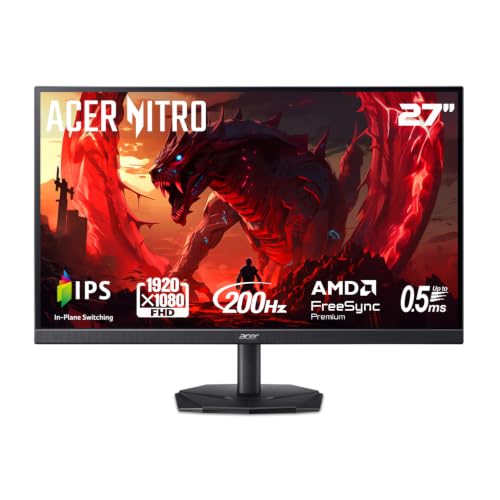
Acer’s Nitro line exists to move headline specifications down the price ladder, and the KG240Y is that mission at 240Hz: a 23.8-inch full HD IPS panel running the full rate with FreeSync Premium, in a monitor that costs what 144Hz screens cost not long ago. For the player upgrading from 60Hz on a budget — the single largest group in this entire category — it delivers the transformation itself rather than a brochure about it: motion that tracks, targets that hold still long enough to hit, a desktop that feels liquid.
The savings are located where Acer always locates them. The stand is a tilt affair rather than an ergonomic sculpture, the design is functional, and the colour and HDR story is modest beside the LG flagship. What is not cut is the panel’s core contract — IPS angles, the full 240Hz over its proper inputs, FreeSync Premium to smooth the dips — and Acer’s flicker-free, low-blue-light care for the eyes that will stare at it. Value picks earn their place by knowing which corners are load-bearing; this one knows.
- Panel: 23.8-inch IPS
- Resolution: 1920 x 1080 (full HD)
- Refresh: 240Hz, FreeSync Premium
- Response: sub-millisecond class claims (manufacturer VRB figures)
- Inputs: two HDMI and DisplayPort; VESA mounting
Strengths
- Genuine 240Hz IPS at a value position in the class.
- FreeSync Premium keeps sub-ceiling frame rates smooth.
- VESA mount lets an arm replace the basic stand later.
Trade-offs
- Tilt-only stand out of the box.
- Colour and HDR presentation are modest beside flagship picks.
- Design and materials are purely functional.
Best for: the 60Hz upgrader and the budget competitive build. Not suited for: buyers wanting ergonomic stands or premium colour from the same purchase.

Gigabyte GS25F2A — The 24.5-inch sweet spot
Ask the esports world what size a serious monitor is and the answer, for a decade, has been 24.5 inches — large enough to take in at a glance, small enough that the whole frame sits inside competitive focus without head movement. Gigabyte’s GS25F2A is built precisely to that measure: a 24.5-inch SuperSpeed IPS panel at full HD and 240Hz with FreeSync Premium, in a design that spends its budget on the panel’s speed and keeps the ceremony low.
Its argument against the 23.8-inch picks is subtle but real: at equal resolution, the slightly larger panel spreads the same pixels over a touch more area, which competitive players read as targets rendered marginally bigger at the same desk distance — one reason the tournament standard settled where it did. Against the 27-inch picks, it argues focus. Gigabyte’s gaming utilities and a tilt stand complete a specification that knows its customer precisely. For the player whose desk is a battlestation first and an office second, this is the size-correct answer in the guide.
- Panel: 24.5-inch SuperSpeed IPS
- Resolution: 1920 x 1080 (full HD)
- Refresh: 240Hz, FreeSync Premium
- Response: 1ms class (GTG, manufacturer figure)
- Inputs: HDMI and DisplayPort; tilt stand
Strengths
- The tournament-standard 24.5-inch size at the full rate.
- SuperSpeed IPS response serves fast play without TN compromises.
- Focused specification keeps the price honest.
Trade-offs
- Stand adjustment is tilt only.
- Full HD at 24.5 inches is the coarsest density in this list for text.
- General-purpose features take a back seat to speed.
Best for: esports-focused players replicating the tournament setup at home. Not suited for: mixed work-and-play desks that value ergonomics and sharpness equally.
ViewSonic VX2726 — The big-screen 240
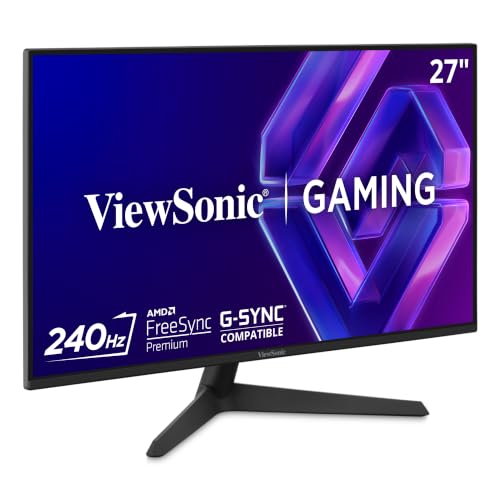
Not every fast player plays at a desk’s competitive distance. ViewSonic’s VX2726 stretches 240Hz across a 27-inch full HD IPS panel for the player who sits a little further back — the sofa-adjacent desk, the sim-leaning setup, the shared room where the screen also shows films. Size changes the experience of speed: motion sweeps a wider visual field, immersion rises, and the same frame rate feels more cinematic. HDMI 2.1 among its inputs also makes it the console-friendliest pick here, ready for the high-rate modes current consoles offer at full HD.
The trade is density, and it must be stated in the pick’s own section: full HD across 27 inches is the coarsest pixel pitch in this guide, and at close desk distance text and fine detail show it. ViewSonic mitigates with a good IPS panel, HDR10 support and both FreeSync Premium and G-Sync compatibility, plus built-in speakers that suit its entertainment lean. Judged as an esports instrument it is the wrong shape; judged as the fast screen of a living-space setup, it is the only pick here that understands the room it will live in.
- Panel: 27-inch IPS
- Resolution: 1920 x 1080 (full HD)
- Refresh: 240Hz, FreeSync Premium and G-Sync Compatible
- Inputs: HDMI 2.1 among its ports, plus DisplayPort
- Extras: HDR10 support, built-in speakers
Strengths
- 240Hz at 27 inches serves lean-back and living-space play.
- HDMI 2.1 welcomes current consoles at their high-rate modes.
- Speakers and HDR support complete the entertainment brief.
Trade-offs
- Full HD at 27 inches is coarse for close desk work.
- Too large for strict competitive focus at short distances.
- Its strengths are wasted on a purely office desk.
Best for: living-space gaming, console-plus-PC setups and lean-back players. Not suited for: tournament-style close play, or text-dense desk work.
BenQ ZOWIE XL2746S — The esports purist
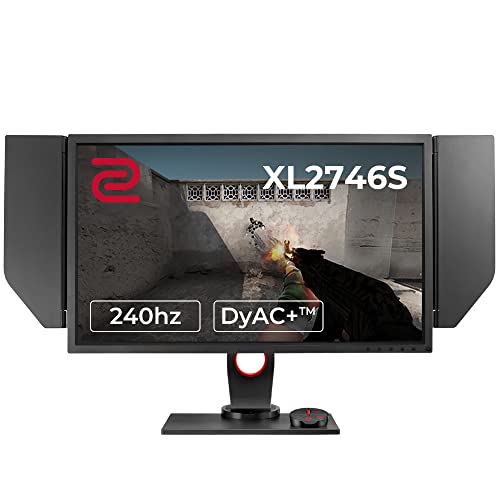
ZOWIE’s XL series is the equipment of professional tournaments, and the XL2746S is its 240Hz statement at 27 inches: a TN panel at full HD whose entire design budget was spent on one thing — the clearest possible motion for players who read a screen in milliseconds. Its weapon is DyAc+, BenQ’s backlight strobing technology, which sharpens moving images beyond what panel response alone achieves, particularly the recoil and spray control that competitive shooter players obsess over. Around that core sit the series’ rituals: a shield to block distractions, an S Switch puck for instant profile changes, black equalisation for shadow detail, and a stand that adjusts every way a tournament desk demands.
The purist’s compromises are printed here as plainly as his strengths. TN colour and viewing angles trail every IPS pick in this guide; the picture is a tool’s picture, tuned for information rather than beauty, and films and photographs will show it. The 27-inch full HD canvas is also coarse for desk work. None of that has ever been the point. For the player whose monitor is sporting equipment — who practises spray patterns and notices a strobing mode’s absence the way a tennis player notices string tension — this remains the reference instrument, and its presence in the guide is the acknowledgement that at 240Hz, motion purity still has a constituency that IPS has not converted.
- Panel: 27-inch TN, esports-tuned
- Resolution: 1920 x 1080 (full HD)
- Refresh: 240Hz native, with DyAc+ backlight strobing
- Extras: S Switch profile puck, light shield, black equaliser modes
- Stand: full ergonomic adjustment for tournament setups
Strengths
- DyAc+ strobing delivers the cleanest motion in this guide.
- Tournament-grade stand, shield and profile hardware included.
- Purpose-built for competitive shooters at the highest level.
Trade-offs
- TN colour and angles are the weakest here by design.
- Full HD at 27 inches is coarse for documents and media.
- Its specialisation is wasted on casual or cinematic play.
Best for: serious competitive shooter players and tournament aspirants. Not suited for: anyone whose screen must also be beautiful, or whose games are slow.
How do the six compare at full speed?
| Pick | Size | Resolution | Panel | Refresh | Defining trait |
|---|---|---|---|---|---|
| LG UltraGear 27GR83Q-B | 27 inches | 2560 x 1440 | IPS | 240Hz | QHD without compromise |
| ASUS TUF VG249QML5A | 23.8-inch class | 1920 x 1080 | Fast IPS | 240Hz | ELMB Sync and ergonomics |
| Acer Nitro KG240Y | 23.8 inches | 1920 x 1080 | IPS | 240Hz | Value route to the rate |
| Gigabyte GS25F2A | 24.5 inches | 1920 x 1080 | SuperSpeed IPS | 240Hz | Tournament-standard size |
| ViewSonic VX2726 | 27 inches | 1920 x 1080 | IPS | 240Hz | Big-screen and console lean |
| BenQ ZOWIE XL2746S | 27 inches | 1920 x 1080 | TN | 240Hz | DyAc+ motion purity |
The table’s lesson is that 240Hz is a family, not a product. The same number arrives as a QHD flagship, a value IPS, a tournament TN and a living-room panel, and the differences among those are larger than the difference between 240Hz and the 180Hz class below for many players. Choose the family member whose other virtues match your desk; the rate itself is the one thing they all share honestly.
What does it take to actually run 240Hz?
Hardware first, with the arithmetic stated plainly. A frame rate ceiling is a promise the graphics card must keep: competitive titles at full HD are engineered to reach these rates on attainable hardware, which is why the esports world standardised on 1080p, while the same titles at QHD ask for flagship cards to live near 240. Check your own games’ behaviour before choosing the LG flagship — a settings menu and an evening of observation will tell you more than any benchmark of a different system. Where frame rates fluctuate, adaptive sync carries the experience, so confirm it is enabled in the monitor, the driver and the game.
The connection chain is the second gate, and the one that silently fails most often. DisplayPort is the reliable road to 240Hz at both resolutions here; HDMI’s capability depends on its generation on both the monitor and the computer, and the ViewSonic’s HDMI 2.1 is the exception that shows what the newer standard unlocks. Then tell the operating system: the advanced display settings hold a refresh selector that defaults conservatively, and a startling number of 240Hz owners have played at 60Hz for months because nobody moved it. Finish in the monitor’s own menu — overdrive settings shape motion character, and the middle setting is usually the honest one, since the fastest often trades ghosting for inverse ghosting that looks worse.
Strobing modes, where fitted — ELMB Sync on the ASUS, DyAc+ on the ZOWIE — deserve an evening of experimentation rather than a default. Strobing trades brightness for motion clarity and interacts with frame rate in ways that reward a locked, stable rate. Players who love it describe ordinary panels as smeared forever after; players who do not, never enable it again. Both are right about their own eyes, which is why this guide treats strobing as a pick-level feature to choose deliberately, not a specification to collect.
How do you set up a 240Hz monitor for competitive play?
Distance and height follow the size. The 24.5-inch Gigabyte and the 23.8-inch picks belong close, centred, top edge near eye level, where the whole frame sits inside a glance; the 27-inch picks sit a hand’s breadth further back. In the game, match the resolution to the panel’s native grid, disable any frame-rate cap below the panel’s rate, and let adaptive sync govern the dips. In Windows, set the refresh selector to 240 before anything else, and confirm it again after any driver update, since updates have been known to reset it with no announcement.
Peripheral geometry matters at this level in a way casual setups forgive: the mouse needs room to travel at the low sensitivities competitive players use, the keyboard angles to the player’s habit, and the monitor’s position must survive being nudged by an excited desk. ZOWIE’s shield and puck exist because tournaments learned these lessons publicly. At home the equivalent discipline is cheaper: fix the layout, cable it once, and let muscle memory compound.
What mistakes do 240Hz buyers make?
The expensive one is buying the rate without the frames — pairing a 240Hz panel with a system that delivers 110 in the games played, then blaming the monitor for an experience a 144Hz screen would have matched for less. The second is the silent 60Hz setup described above. The third is judging motion by a showroom or a single test pattern rather than by a week in your own titles, since strobing, overdrive artefacts and sync behaviour are all title-dependent. And the fourth is neglecting the desk: at competitive distances and sensitivities, a wobbling stand or a cramped mouse area costs more performance than any panel specification on this page.
How big is the jump from 144Hz, honestly?
Diminishing returns are real and should be priced. The move from 60Hz to 144Hz transforms a screen; the move from 144Hz to 240Hz refines it — a further reduction in motion blur and latency that trained eyes in fast games can use and untrained eyes in slow games cannot. That is not an argument against 240Hz. It is an argument for buying it with the right biography: the player who has lived at 144Hz, plays titles that render well past it, and feels the ceiling in tracking and flick shots is exactly the player this category rewards. The player arriving from 60Hz will be delighted by either class and should let budget arbitrate.
Latency deserves its sentence of precision. A higher refresh shortens the interval between frames and therefore the average delay before new information reaches the eye; it does not fix network ping, input lag elsewhere in the chain, or the player’s own reaction time. Proselytisers who promise transformation are selling; the truthful claim is that 240Hz removes the display as a meaningful bottleneck, leaving the rest of the chain — and the player — exposed. For competitors, that exposure is the point.
There is also a comfort dividend that benchmarks miss: at very high refresh, the micro-judder of ordinary desktop motion disappears, and long sessions in fast games feel less like work for the visual system. Players describe it as calm rather than speed. It is the benefit most often cited a month after purchase, when the novelty of the number has faded and the sensation remains.
Why did full HD survive at the top of competitive play?
Because frames are the currency and resolution spends them. Every pixel added to the grid is a pixel the graphics card must shade 240 times a second, and competitive settings culture already strips games to their informative minimum — shadows lowered, effects tamed — in pursuit of rate and clarity. Full HD at 24 to 25 inches also matches the physical scale at which players sit close and read the whole frame peripherally. The QHD flagship in this guide exists for the player who has frames to spare after that discipline; the five full HD picks exist for the discipline itself.
Broadcast and tournament infrastructure entrenched the standard further: stages, capture chains and practice facilities standardised on 1080p 240Hz, so the home player replicating a professional setup buys into an ecosystem of known settings, known distances and known peripherals. None of that makes QHD wrong. It makes full HD the conservative competitive choice, and conservatism at tournament level is a strategy, not a failure of imagination.
What should console players know before buying?
Current consoles target high frame rates in performance modes at full HD, which makes a 240Hz panel partly future-proofing and partly headroom: the console will not feed 240 frames, but the panel’s high-rate design brings low input lag and clean motion at the rates consoles do offer, and the ViewSonic’s HDMI 2.1 ensures the console’s best modes are accepted rather than negotiated down. Buyers whose gaming is exclusively console should weigh whether the premium over a good 144Hz screen buys them anything today; buyers with a PC beside the console are the VX2726’s natural owners.
One setting matters disproportionately on console: the monitor’s overdrive and game mode should be configured for the console’s fixed output, and any strobing feature evaluated at that rate rather than at the PC’s higher one, since strobing behaviour changes with frame rate. Ten minutes of this calibration, once, is the difference between a console setup that feels responsive and one that feels like a compromise wearing a fast badge.
How do overdrive and response claims actually work?
The response figures printed in this guide’s specification lists are manufacturers’ numbers, and they deserve translation. A “1ms” claim describes the fastest pixel transition a panel achieves under its most aggressive overdrive, not the average behaviour across all colour changes, and aggressive overdrive has a cost: overshoot, visible as bright halos trailing moving objects, known as inverse ghosting. Every pick here offers several overdrive levels because the right one is a balance — usually a middle setting where transitions are fast and overshoot is still invisible in real content. Reviewers’ motion photographs and UFO-style tests exist to compare this balance honestly; a buyer choosing between two finalists should weight those more than the digit on the box.
Strobing sidesteps the whole argument by switching the backlight off between frames, which is why the ZOWIE and the ASUS’s ELMB mode produce clarity their response figures alone cannot explain — and why strobing costs brightness and can introduce its own artefacts when frame rates wander. Adaptive sync and strobing historically refused to coexist; ELMB Sync’s existence on the TUF pick is a genuine technical development, and players who value both should test that specific marriage rather than assuming it behaves like either parent.
The layperson’s summary is short: at 240Hz, all six panels are fast enough that settings and sync decide the experience more than the panel’s printed response digit. Spend your attention there, and the specification sheet can go back in the box.
What does a 240Hz desk need around the monitor?
A mouse that polls fast enough to match the screen, a surface large enough for competitive sensitivity, and a chair and desk height that keep the player’s posture identical in hour three to hour one — the unglamorous infrastructure of consistency. Cable management acquires a performance dimension too: a display cable with slack prevents the micro-tugs that rotate a lightweight gaming monitor mid-session, and a monitor arm, where the stand allows, locks position against desk knocks better than friction feet do.
Lighting is the last piece. A bias light behind the screen reduces the contrast between a bright panel and a dark room, easing long evening sessions, and a room free of reflections on the panel — matte finishes across this guide help — keeps black scenes black. None of these accessories carries a refresh rate, and all of them will be felt in every match, which is the recurring lesson of this category: the number buys entry, the setup delivers it.
How long does a 240Hz monitor stay current?
Longer than the graphics card beneath it, by design of the category. Refresh standards move slowly at the top — 240Hz has been the competitive ceiling for years while panels above it remain novelties — and a monitor bought today will still be a correct competitive instrument when the next two graphics cards have passed through the system. That longevity argues for buying the complete pick over the merely cheap one when the budget stretches: the ASUS’s stand and sync marriage, the LG’s resolution headroom and the ZOWIE’s strobing are all features whose value compounds across the hardware generations the panel will outlive.
It also argues for the unglamorous checks at purchase: a full set of working inputs, a stand mount that accepts an arm later, and a maker’s warranty channel you can actually use. A decade-class object should be bought like one, even when its headline is a number associated with speed.
What if your games are slower than your monitor?
Then the honest recommendation is to enjoy the desktop smoothness, keep adaptive sync on, and know that the panel is waiting rather than wasted. Libraries change; a player deep in strategy titles this year may discover shooters next year, and the monitor will not need replacing when they do. The reverse purchase — a slow panel outgrown by a new hobby — is the expensive direction. Buying headroom you grow into is this category’s quiet defence, provided the price of the headroom was weighed against the 144Hz class at the time, with the games you play today given their fair vote.
There is one misuse to avoid: forcing a high refresh onto content that cannot use it while neglecting the settings that shape everything else. A 240Hz panel poorly calibrated — brightness blasting, overdrive overshooting, sync disabled — loses to a 144Hz panel set up with care, every evening of the week. The number is the beginning of the setup, not the end of it.
Which player profiles map to which pick?
The ranked-ladder regular on a mid-range PC belongs on the Acer KG240Y or the Gigabyte GS25F2A: full HD rates their hardware can genuinely feed, at the sizes their focus assumes, with nothing in the specification taxing them for features they will not enable. The player-coach, the streamer and the hobbyist who also edits, writes and works at the same desk belongs on the ASUS, whose stand and colour let the battlestation hold a day job. The hardware enthusiast with a flagship card and a sharpness standard belongs on the LG, and will use its QHD ceiling the day the next card arrives if not today.
The living-room player — console on one input, PC on another, films on weekends — is the ViewSonic’s person, and should stop apologising for the size: at their distance, its density objection evaporates and its scale becomes the feature. The tournament aspirant is the ZOWIE’s, and knows it already; this guide’s role for them is confirmation and a reminder to budget for the arm, the desk space and the practice hours that the instrument assumes. Profiles, honestly matched, are worth more than any ranking — a truth this guide has applied by refusing to crown a single winner for a category with six different right answers.
How do you verify a 240Hz purchase in the first evening?
Connect by DisplayPort, set the operating system’s refresh selector to the panel’s rate, and confirm with the monitor’s own on-screen display, which reports the incoming signal honestly. Load your most-played title, enable its frame-rate counter, and spend ten minutes in the busiest scene you know: watch for tearing with sync off and smoothness with it on, so the difference is learned rather than believed. Cycle the overdrive settings through a fast camera pan and choose the level where trails vanish without bright halos appearing. If a strobing mode is fitted, test it at a locked frame rate and decide with your own eyes whether its clarity is worth its brightness.
Then check the unglamorous list: every input you intend to use, the stand’s full travel, the speakers or headphone path you will actually use, and a dark scene for backlight uniformity. An evening spent this way converts a specification into knowledge, and any unit that fails it does so inside its return window, where failures are cheap. The players who perform this ritual are the ones whose setups feel inevitable a year later.
What do frame pacing and sync ranges add to the picture?
A ceiling is only half a refresh story; the other half is what happens beneath it. Frame rates in real games breathe — a quiet corridor at the cap, an explosion at two-thirds of it — and the monitor’s job is to make that breathing invisible. Adaptive sync does this by letting the panel wait for the frame rather than tearing it, and its useful range matters: a wide sync window keeps the benefit through deep dips, while frame-rate compensation techniques in the major sync ecosystems multiply low rates to stay inside that window. All six picks carry mature sync implementations, which is precisely why they were chosen over cheaper 240Hz panels whose sync ranges are narrow enough to abandon the player in the scenes that need help most.
Players can help the system help them: a frame-rate cap set a few frames below the panel’s ceiling keeps the game permanently inside the sync range rather than bouncing off its top edge, a trick competitive communities treat as basic hygiene. Set once, it converts the monitor’s specification into a sensation — the absence of tearing and stutter so complete that its presence, on someone else’s screen, becomes startling.
How does 240Hz change aim, tracking and reading the game?
Tracking first: a moving target crosses the screen in smaller steps at 240Hz, so the eye’s pursuit stays locked and the brain’s prediction of the target’s path sharpens — players describe opponents as easier to “read”. Flick shots benefit differently, through the shortened delay between the mouse’s command and the frame that confirms it. And the whole scene’s legibility rises: muzzle flash, tracer fire and ability effects occupy fewer smeared frames, leaving more of the screen’s information intact per second. These are incremental advantages measured in milliseconds and pixels, and at high levels of play, milliseconds and pixels are the entire sport.
For the rest of us, the same physics presents as comfort and confidence rather than ranking points: the game simply looks the way it was meant to, and the screen stops being a suspect when a play goes wrong. There is a honesty dividend in that — the equipment excuses are gone, and what remains is practice. Many players find that dividend alone worth the price of admission.
What will the next upgrade cycle do to this choice?
Panels above 240Hz exist and will cheapen, but the competitive world’s centre holds at 240 for reasons of ecosystem as much as physics: tournaments, content and hardware budgets all standardised here, and the perceptual gains above this rate narrow toward the theoretical. A buyer at 240Hz today is buying into the plateau, not the slope — the same position 144Hz buyers occupied for years while it was the standard. That stability is worth money, and it is a further reason the complete and flagship picks in this guide justify their premiums: they will be asked to serve through several cycles of everything else.
Resolution is the likelier direction of travel. As graphics hardware cheapens, QHD at 240Hz — this guide’s flagship proposition — becomes the mainstream competitive specification, and full HD’s reign narrows to the value tier. Buyers choosing today with a long horizon might weigh that drift: the LG is the pick already standing where the category is walking toward, while the full HD picks bet, reasonably, that their owners’ present games matter more than the future’s defaults.
How do you keep a fast panel honest over years of play?
Settings drift is the slow enemy: driver updates reset refresh selectors, games restore their own defaults after patches, and a monitor can spend a season below its rate while its owner blames declining skill. A twice-yearly ritual prevents it — verify the operating system’s refresh setting, the sync status in the driver, and the frame counter in a familiar title, and re-run the overdrive comparison after any major driver change, since vendors retune their defaults silently. Five minutes, twice a year, protects the entire investment.
Physically, the care is the class’s usual: clean hands on the bezel rather than the panel when adjusting, cables with slack, brightness matched to the room instead of a strobing mode’s maximum left glowing by accident. Competitive panels live hard lives at bright settings; giving the backlight its evenings off, through the computer’s display sleep, is the cheapest longevity available. The reward is a screen that performs in year four the way the verification evening promised in week one.
What separates a good 240Hz panel from a great one in the hand?
Time in the menu, paradoxically. Great panels expose their controls honestly — sync status visible, overdrive levels named, profiles saveable — and the ZOWIE’s hardware puck and the ASUS’s utilities both serve that transparency, while lesser panels bury the refresh setting behind marketing modes with names instead of numbers. A buyer in a showroom can learn more from two minutes in a monitor’s menu than from its demonstration loop: if the rate, the sync and the overdrive can be found and understood without a manual, the maker respected the customer.
The second separator is behaviour at the edges of the range: how the panel looks at 90 frames with sync working, how its overdrive behaves when the rate drops, whether brightness holds steady when strobing engages. Tournaments are played at the ceiling, but home play lives across the range, and the picks in this guide were chosen for their conduct across all of it. That is the unglamorous definition of great in this category — not the highest number, but the fewest surprises between 60 and 240.
Why do streamers and content players choose differently?
A streamer plays two games at once: the match, and the broadcast of the match. Their monitor must be fast for the first and legible for the second — capture chains sample the output, chat overlays compete for attention, and a second screen usually carries the production. The ASUS and LG picks serve this desk best, the ASUS for its all-round completeness at the competitive size, the LG because its QHD canvas leaves the streamer’s own view sharp while the audience receives their downscaled feed. The ZOWIE’s tunnel focus, by contrast, is a single-player instrument, and its TN picture gives the stream’s colour nothing to work with on the rare occasions the panel itself is filmed or captured directly.
The lesson generalises: a monitor’s job description is written by everything on the desk, not only by the game. The six picks were spread across those job descriptions deliberately, so that the right answer for a streamer’s desk and a tournament desk could both be in the same guide without either being a compromise.
What does the second-monitor question look like at 240Hz?
Competitive desks usually run one fast panel and, if anything, one ordinary one — the second screen carries voice chat, music, a stream dashboard or a guide, at whatever rate it already owns. Matching the main panel’s rate on the satellite buys nothing the eye can spend, and the money is better held for the graphics card that feeds the primary. The exception is the player who splits the game itself across screens, a rare arrangement that racing and flight enthusiasts sometimes build, for whom matched panels at matched rates are a requirement rather than a luxury.
One technical comfort: modern operating systems handle mixed refresh rates gracefully, so a 240Hz main panel beside a 60Hz satellite no longer drags the fast screen down to the slow one’s cadence. Set the game to the fast panel, fullscreen, and let the satellite be ordinary. The battlestation’s hierarchy is clear, and both screens know their rank.
Final Recommendation
Most players reading this page should buy the ASUS TUF VG249QML5A for its completeness, or the Acer Nitro KG240Y when the budget is the argument — both deliver honest 240Hz at the size competitive play prefers. Step up to the LG 27GR83Q-B when your hardware and your standards both refuse full HD, choose the Gigabyte for the tournament-standard 24.5 inches, the ViewSonic when the room is a living room, and the ZOWIE when motion purity outranks every other virtue including beauty. Set the refresh rate in the operating system before your first match, feed the panel the frames it was bought for, cap a few frames below the ceiling so sync never lets go, and 240Hz will do the rest — quietly, at a quarter of a thousand frames a second, in the service of the oldest competitive desire there is: a screen that never gives you an excuse, whatever the scoreboard says afterwards.
Frequently Asked Questions
Is 240Hz noticeably better than 144Hz?
Yes, though the step is smaller than the leap from 60Hz to 144Hz. Motion tracking is cleaner, targets remain readable through faster pans, and the desktop itself feels more immediate. Players in fast competitive titles notice it within a session; players in slow titles may never notice it at all, which is why this guide keeps asking what you play before asking what you want.
What graphics card do I need for 240Hz?
At full HD, competitive titles are designed to reach high frame rates on mid-range modern cards at sensible settings, and the esports picks here are built around that reality. At QHD, the LG flagship asks for high-end hardware to live near its ceiling. The honest method is to observe your current system’s frame rates in your own games: a monitor cannot manufacture frames the computer never renders, and adaptive sync only smooths the ones it does.
Does 240Hz help outside gaming?
Scrolling, window dragging and cursor motion all look smoother, and some users find high refresh gentler during long desk days. It does not change resolution, colour or size, so for office work it is a pleasant luxury rather than a capability. Buy it for play; let the workday enjoy the spillover. There is one work-adjacent exception worth naming: anyone who records or streams their screen for an audience will find that a high-refresh panel, captured at ordinary rates, still produces cleaner source motion for editing, because the frames available to the capture are fresher and more evenly spaced than a slow panel ever offers.
HDMI or DisplayPort for 240Hz?
DisplayPort is the safe answer at both resolutions in this guide and the connection to reach for first, with a cable of the correct generation — an elderly lead can cap a modern panel as surely as an elderly port can. HDMI can carry 240Hz where both ends support a recent generation — the ViewSonic’s HDMI 2.1 is the clear example — but older HDMI revisions cap the rate below the headline. When a new 240Hz screen seems stuck at a lower rate, the cable and port generation are the first suspects, ahead of the panel.
Is a TN panel still worth it in the IPS era?
For one constituency, demonstrably yes: competitive players who use backlight strobing and judge a monitor purely by moving-image clarity. The ZOWIE’s DyAc+ remains a reference implementation, and its tournament presence is earned. For everyone else, fast IPS has closed the response gap while keeping colour and viewing angles the TN cannot match, which is why five of this guide’s six picks are IPS family. The TN’s last structural advantage — price at a given speed — has also narrowed to the point where it survives as a specialist’s preference rather than a shopper’s default, and specialists, by definition, know exactly why they are choosing it.
Related Guides
Players weighing the step below can compare best 1080p 240Hz monitors for the full HD field in isolation, step sideways to best 144Hz monitors for the value class, or read best 27 inch 1440p monitors for the resolution-first view of the flagship’s home size.


