Our Top Picks


What's inside
- What milliamp hours actually measure, and what they hide
- How real days drain a phone above 3000 mAh
- Phone families that comfortably clear the threshold
- Reading endurance claims without being fooled
- Charging habits for people who keep phones for years
- Matching capacity to different kinds of owners
- How processors changed the meaning of this threshold
- Software support and the battery you will have in year three
- Weather, travel and other endurance edge cases
- Questions readers ask about this capacity line
- How to compare two phones that both clear the line
- Check prices on Amazon
- One last check: the charger already in your drawer
As an Amazon Associate I earn from qualifying purchases. This post may contain affiliate links at no extra cost to you.
Before anything else, a small note on how this page earns its keep: some outbound links on this guide may return a commission to the site, and that support helps fund the time spent comparing handsets, although it never decides which phones earn a mention or how their strengths and weaknesses are described. That separation matters here because battery claims are easy to inflate and hard to feel until you are standing on a platform at dusk with a fading screen. A capacity figure printed on a specification sheet is only the beginning of the story. What follows treats that figure seriously, explains where it misleads, and shows how a phone carrying more than 3000 mAh can still disappoint while a well tuned rival lasts until bedtime.
Three thousand milliamp hours sounds modest in a market where flagship handsets routinely carry far larger cells, yet the threshold remains useful. It separates genuinely small phones and older designs from the broad mainstream where a full day of mixed use is a reasonable expectation rather than a hopeful wish. Crossing that line does not guarantee endurance, though. It simply means the raw reservoir is big enough that software, screen efficiency and network behaviour get a fair chance to do their work. Think of capacity as the size of a water tank on a house. A larger tank helps during a dry spell, but leaking pipes and a garden hose left running will empty any tank eventually, however impressive its dimensions looked in the brochure.
Marta, a community nurse whose rounds take her between villages with patchy coverage, learned this distinction the uncomfortable way. Her previous handset advertised a respectable cell, yet by mid afternoon the navigation app, the patient notes system and a signal hungry radio had pulled it down to a warning. Her replacement was not the largest phone available and its headline capacity was only moderately higher, but its processor sipped rather than gulped and its screen dimmed intelligently outdoors. The lesson she took away, and the one running through this guide, is that endurance is a system property. Battery size sets the ceiling. Everything else decides how close you get to it on an ordinary Tuesday.
What milliamp hours actually measure, and what they hide
A milliamp hour describes electric charge, not energy in the fullest sense. It tells you how much current a cell can deliver over time under stated conditions, which is why two batteries with identical mAh figures can store slightly different amounts of usable energy if their voltages differ. Engineers convert to watt hours by multiplying capacity by nominal voltage and dividing by a thousand, and that converted figure travels better across device categories. A phone cell, a tablet cell and a laptop pack become easier to compare once voltage enters the picture. Shoppers rarely see watt hours promoted, so mAh remains the everyday shorthand, useful within phones and shakier beyond them.
Manufacturers also quote typical capacity rather than the minimum a particular unit might hold after production variation. That word typical does quiet work on a specification page. It signals an average across many cells, not a promise engraved on your individual handset. Age nibbles at the total too. Lithium chemistry loses a little of its original capacity with every charge cycle and with exposure to heat, so a two year old phone that once cleared this threshold comfortably may behave like a smaller celled device today. None of this makes the number meaningless. It makes the number a starting point that deserves company from other evidence.
There is also the question of how much of the cell you are actually allowed to use. Phones protect their batteries by holding back a small reserve at the top and bottom of the charge range, which lengthens lifespan while trimming the energy available on any given day. Two models quoting the same capacity can therefore feel different in practice because one guards its chemistry more conservatively. That invisible decision rarely appears in marketing, yet it explains why spec sheet twins sometimes finish an evening several percentage points apart. Reading the headline figure with this reserve in mind keeps expectations honest.
Why screen size keeps eating the gains
Displays have grown brighter, faster and larger across the same years in which cells passed 3000 mAh and kept climbing. A tall panel refreshing well beyond the old sixty times per second standard draws more power, especially outdoors where brightness climbs to fight sunlight. Resolution adds its own tax, because pushing more pixels for games and video asks more of both the panel and the graphics hardware behind it. This is why endurance comparisons across generations can feel flat even as batteries swell. The reservoir grew, and so did the thirst of the equipment drinking from it.
Adaptive refresh technology softens that tax by slowing the panel when you read a static page and speeding it again for scrolling or play. Panels built on efficient emissive technology also help because dark pixels draw little or nothing, which rewards dark interfaces during evening use. Still, no panel trick repeals physics during a long video call at full brightness on a summer pavement. When you weigh a phone above this capacity threshold, ask how its screen behaves in the conditions you actually face, not in a dim showroom where every handset looks frugal.
Consider also the humble always on display. A faint clock and a few notification icons seem harmless, and individually they are, but they sip continuously through hours when the phone would otherwise sleep deeply. Over a working week those sips become gulps. Owners who chase endurance often gain more by scheduling that feature off overnight than by choosing a marginally larger cell. Small continuous drains matter precisely because they never pause, and a buying guide that ignores them while celebrating raw capacity would be steering you toward the wrong comparison.
How real days drain a phone above 3000 mAh
Picture a delivery rider starting before dawn in winter. The phone wakes as an alarm, shows a route through streets still dark, connects to a headset, tracks position continuously, photographs parcels at doorsteps and hunts for signal between tall buildings. Each task is ordinary. Together they form one of the harshest endurance tests a consumer device faces, because location tracking and a bright screen refuse to take turns. A cell comfortably over 3000 mAh can survive that shift, but only if the software avoids waking itself for trivial updates and the rider resists streaming video during every short break.
Contrast that with a student whose campus day is stitched together by building Wi-Fi. Lectures mean the screen rests in a bag for an hour at a time, messages arrive in bursts between classes, and photography is limited to whiteboards and the occasional lunch. The same phone that struggled on the delivery route may end this gentler day with a third of its charge untouched. Neither experience is the true one. Endurance lives in the pattern of your hours, which is why this guide keeps returning to routines rather than crowning a single champion for everybody who reads it.
Network hunting deserves special attention because it hides from most battery menus. When coverage weakens, the radio works harder to hold a connection, and in fringe areas that effort can outpace the drain from casual browsing. Rural drivers, ferry commuters and anyone working in steel framed buildings know the pattern of a phone growing warm in a pocket while doing apparently nothing. A larger cell buys time against that invisible tax, though it cannot remove it. Dual SIM users should remember that two registered connections mean two radios staying politely alert, even when one line stays silent all day.
Games drain differently again. A demanding title holds the processor, graphics unit, screen and speakers at high effort simultaneously, and it often adds a network connection for good measure. An hour of that load can consume what three hours of reading would spare. Phones with cells above this threshold handle a commute of play comfortably enough, yet a long flight of continuous gaming still humbles almost everything without a socket nearby. Honest expectations beat disappointment here. If play is central to your day, judge phones by sustained performance and heat as much as by the capacity printed beside their names.
Phone families that comfortably clear the threshold
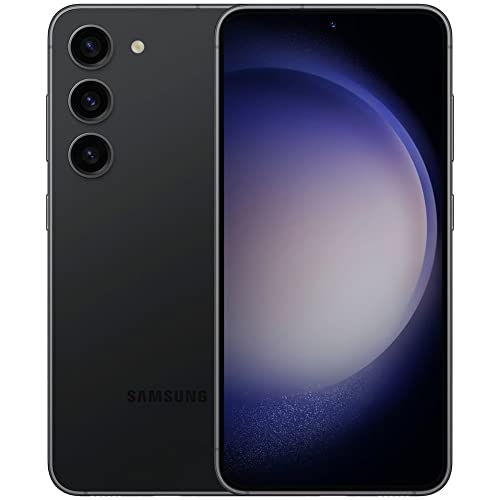
Samsung’s Galaxy S line sits well above 3000 mAh across its recent generations, with the larger members of the family carrying notably bigger cells than the compact entry model. What makes the range interesting for endurance shoppers is not size alone. Its power saving modes are granular, letting you cap background activity, tame refresh behaviour and stretch a low battery through an evening without turning the phone into a useless brick. The Galaxy A family deserves equal attention because several of its mid priced members pair generous cells with less demanding screens and processors, a combination that often outlasts flashier hardware when the day turns long.
Google’s Pixel phones approach the problem from the software side. Their cells clear the threshold comfortably in recent generations, and the adaptive battery system studies which applications you open rarely and restricts those it decides you can live without. That learning period matters. A Pixel judged on its first two days may look ordinary, then settle noticeably once it understands your habits. Owners who constantly install and remove applications give the system a moving target, so patience rewards the people who keep a stable set of tools. The clean interface also carries fewer duplicated services than some rivals, and fewer background tenants means fewer quiet drains.
Motorola’s Moto G family has built its reputation on exactly this territory. Generous cells, near stock software and screens chosen for sense rather than spectacle produce handsets that routinely finish demanding days with something left. Nobody buys one to impress a room, and that is rather the point. For a teenager’s first phone, a spare handset for a works van, or a parent who charges twice a week out of habit rather than need, the family’s formula fits. Where storage is a concern alongside endurance, our companion roundup of best 64gb android phones walks through which capacities suit different libraries of photographs and applications.
OnePlus takes a different route by pairing large cells with notably swift wired charging, a combination we return to later in this guide. The thinking is pragmatic. If a phone refuels in a short break, its owner worries less about squeezing the final percentage from every hour. Endurance becomes a partnership between capacity and recovery speed rather than a single number. Xiaomi and its Poco and Redmi relatives push capacity hard as well, frequently fitting very large cells into phones whose screens and chips remain moderate in their appetites, which is why travellers often shortlist them despite software that takes a week of adjustment.
Nothing’s phones, Sony’s Xperia line and Asus’s remaining handsets each clear the threshold in their own niches. Sony serves people who still value a headphone socket and a tall cinematic panel, accepting that the unusual screen shape asks a little more of the battery during video. Asus has aimed some models squarely at players, where big cells meet cooling systems designed for sustained loads. Nothing leans on distinctive design and a restrained interface. None of these is the default choice, and each makes sense once you name the job the phone must do first.
Compact phones and the honest trade they offer
Small handsets live closest to the 3000 mAh line, and some beloved older compacts sat beneath it. The physics are unforgiving. A shorter, narrower body leaves less volume for a cell, less room for heat to spread and less space for the antenna systems modern networks expect. Buyers who choose compact phones are trading endurance for a device that disappears into a cycling jersey or a small hand. That trade can be entirely sensible. It stops being sensible when the buyer expects flagship stamina from a body that simply cannot hold the fuel for it.
If you love a smaller phone, manage the trade deliberately. Carry a slim power bank on days built around navigation, lean on downloaded maps, and let the phone rest in a locker rather than hunt for signal inside a metal building. A compact model just above the threshold, tuned well, will serve a light user gracefully for years. It will not serve a field photographer. Naming your heaviest day before you buy remains the cheapest diagnostic in this entire guide, cheaper than any accessory purchased afterwards to rescue a mismatch.
Reading endurance claims without being fooled
Marketing departments love a single heroic figure, so treat any claim of multi day battery life as a description of a particular test rather than a prophecy about your life. Ask what the test involved. A loop of local video at moderate brightness flatters a phone. A day of mixed radio use, photography and navigation tells a sterner truth. Laboratory figures still have value for comparing models measured under identical conditions, provided you remember that identical conditions belong to the laboratory. Your train, your weather and your applications will write their own results.
Independent reviewers help by running repeatable workloads, but even their numbers need translating. A handset that leads a scripted browsing test may fall back during camera heavy tourism because image processing draws on different hardware. Look for several kinds of evidence pointing the same way: a reasonably large cell, an efficient processor generation, a screen that can modulate its refresh intelligently and reports from owners whose routines resemble yours. When those witnesses agree, confidence is justified. When only the capacity figure speaks, keep your wallet closed a little longer.
Software updates can shift endurance months after purchase, for better and occasionally for worse. A new feature that polls location more eagerly, or a bug that prevents deep sleep, can shave hours from a phone that reviewed beautifully at launch. Makers generally repair such regressions, yet the episode teaches a useful habit. Before blaming a cell for a sudden decline, check whether the change arrived with an update, a new application or a fresh account syncing years of photographs. Diagnosis beats replacement, and a factory reset performed carefully, after proper backups, has resurrected many phones condemned too early.
The settings that matter more than another few hundred mAh
Location permissions are the first place to look. Many applications ask for constant access when access only while in use would serve perfectly well, and each unnecessary grant invites the radio and positioning hardware to stay busy. Reviewing those permissions quarterly takes minutes and can transform a marginal phone into a comfortable one. The same applies to background data for shopping and news applications that have no business refreshing themselves at three in the morning. A larger battery tolerates waste. It should not be asked to subsidise it indefinitely.
Screen timeout sounds trivial until you count how often a phone sits glowing on a desk after a notification. Thirty seconds of patience from the display, multiplied by dozens of daily glances, becomes real energy. Brightness behaviour matters similarly. Automatic adjustment has improved enormously and now suits most people better than a fixed manual level chosen indoors and forgotten outdoors. For readers weighing network generation against endurance, the comparison in best 5g android phones explains where faster radios help a day and where they quietly shorten it.
Battery health pages inside settings deserve a monthly glance. They reveal which applications dominate consumption, and the culprit is frequently a surprise: a social client stuck retrying uploads, a wearable companion app misbehaving, a work profile syncing a huge mailbox. Replacing a phone because one rogue program drank its cell is an expensive misunderstanding. Deal with the rogue first. Only when a healthy software setup still leaves you short by evening does a bigger celled replacement become the rational answer rather than an impulse.
Charging habits for people who keep phones for years
Capacity on the day of purchase is not capacity forever. Lithium cells age fastest when held at extremes, kept hot, or cycled relentlessly between empty and brimming. You do not need to nurse a phone like a vintage car, and modern management software quietly handles much of the protection for you. Still, a few relaxed habits extend useful life noticeably. Avoid leaving a handset baking on a sunny dashboard. Let it charge on a hard surface rather than under a pillow. If your phone offers a charge limit for overnight use, enabling it costs you little on ordinary days and pays you back in the third year.
Overnight charging itself is not the villain it is sometimes painted as. Phones stop drawing meaningful power once full and sip only to maintain themselves, and adaptive charging features learn your alarm and delay the final portion until shortly before you wake. The bigger enemy is heat generated by fast charging inside a thick case in a warm room. Remove the case during a rapid top up if the phone feels hot, and prefer a slower bedside charger when time is abundant. Speed is a tool for departures and layovers, not a ritual to perform while you sleep.
Depth of discharge matters over the long haul too. Regularly running a phone until it dies forces the deepest possible cycle and leaves you stranded besides. Topping up during a lunch break, even briefly, is gentler than heroic rescues from one percent. This is where a cell above 3000 mAh quietly helps ownership economics. Because the reservoir is larger, your daily use occupies a smaller fraction of it, and shallower cycles generally age chemistry more kindly than the same routine performed on a tiny cell that empties completely by supper.
Power banks, cases and other honest accessories
A battery case can rescue a small phone, though it adds bulk that erases the very compactness you chose the phone for. Most people are better served by a separate power bank kept in a bag or glovebox, shared between phones, tablets and earbuds as needed. When choosing one, match its output to your phone’s charging abilities and prefer a cable you trust over a bargain lead of unknown quality. Accessories should solve a defined problem in your week. Buying them speculatively, just in case, usually produces a drawer of tangled optimism.
Car charging deserves a mention for drivers who navigate constantly. A mount that holds the phone in front of an air vent keeps it cooler than a dashboard cradle under glass, and a charger with adequate output can gain charge during a journey instead of merely slowing the decline caused by navigation. Cyclists and walkers face the opposite problem, since a power bank in a pocket adds weight on every climb. For them, downloading routes in advance and using the screen in short bursts will always beat carrying extra milliamp hours up a hill on their backs.
Workplaces can help more than they realise. A shared charging shelf near lockers, clearly labelled cables and permission to top up during breaks remove the anxiety that makes people guard a fading phone instead of using it fully. Schools see the same effect. When a top up is easy and unremarkable, the exact capacity of a handset matters less. When charging is treated as skiving, even a huge cell becomes a source of low level stress by the final lesson or the last hour of a shift.
Matching capacity to different kinds of owners
Light users are the easiest to serve and the most likely to overspend. If your phone mainly handles calls, messages, a little photography and occasional browsing on home Wi-Fi, almost anything comfortably above 3000 mAh will feel abundant, and you can choose on camera, size and software support instead. The danger for this group is buying an enormous handset they find unwieldy in pursuit of endurance they never needed. A phone left at home because it annoys its owner has, effectively, no battery life at all.
Commuters occupy the middle ground where this threshold earns its keep. Trains and buses combine streaming, messaging, patchy signal through cuttings and tunnels, and long stretches of screen on reading. A mid sized cell with an efficient chip handles that pattern gracefully, especially if downloads happen on home Wi-Fi before departure. Podcast listeners should remember that a downloaded episode played through wired earbuds is among the cheapest entertainment a battery can buy, while the same episode streamed over a struggling connection in a tunnel costs far more than its running time suggests.
Parents of young children present a deceptively heavy use case. The phone is camera, camcorder, white noise machine, video caller to grandparents, torch during night feeds and the device that orders supplies at midnight. Use arrives in fragments, screens wake constantly, and charging opportunities appear and vanish without warning. For this life, a generous cell plus forgiving charging speed beats a technically superior camera phone that fades by bath time. Anyone comparing memory for years of family photographs alongside endurance may also find best 3gb ram android phones useful for understanding how modest hardware tiers balance daily responsiveness against longevity.
Outdoor workers and keen hikers should think in terms of worst days rather than average ones. Cold reduces the effective output of lithium cells, gloves make small phones fiddly, and a navigation failure far from a road carries consequences beyond inconvenience. Here a large cell is not indulgence but margin, and margin is what safety equipment is for. Pair the phone with offline maps, tell someone your route, and treat the remaining charge as part of your equipment check alongside water and weather. Technology earns trust when its limits are planned for rather than discovered.
When a bigger battery is the wrong answer
Sometimes the honest recommendation is not a larger celled phone at all. If your current handset dies because a work application misbehaves, replacing hardware treats a symptom. If you game for hours at maximum brightness, no mainstream cell will grant the evening you imagine, and a tablet or a socket changes the equation more than a purchase does. If the phone is simply old, with a swollen or exhausted cell, an authorised battery replacement may restore it for a fraction of a replacement’s environmental and financial cost. Diagnosis first, shopping second, remains the order that respects both your money and the device already in your hand.
Weight is another legitimate objection to chasing capacity. Large cells make large phones, and large phones strain pockets, wrists and the patience of anyone who types one handed on a crowded bus. There is no virtue in enduring a device you dislike for the sake of a statistic. The sweet spot for many adults is a mid sized handset comfortably above the threshold, charged opportunistically, running lean software. That combination rarely wins a specification contest. It wins ordinary weeks, which is the contest that actually matters to the person paying for the phone.
How processors changed the meaning of this threshold
A decade ago, clearing 3000 mAh felt like a serious commitment to endurance because processors of that era burned through charge with little subtlety. Modern chips are built on far finer manufacturing processes and arrange their cores like a team with specialists. Small efficient cores handle messages, music and background sync, while larger performance cores wake only when a game, a camera pipeline or a heavy export truly needs them. That division of labour is why a contemporary phone can match an older model’s capacity yet last noticeably longer through identical-looking days.
Modems improved alongside the main processor. A modern radio can negotiate weaker signals more gracefully, aggregate connections more intelligently and return to sleep sooner after a burst of data. These gains rarely appear in advertisements because they resist a catchy number, but they compound quietly across hundreds of daily interactions. When comparing a new phone against a beloved older one, remember that you are not comparing batteries alone. You are comparing whole generations of engineering that happen to share a similar figure on one line of the specification sheet.
There are exceptions worth respecting. A handset built around an older or unusually hungry chip can carry a big cell and still feel average, particularly under sustained load where heat forces the system to work harder for the same result. Reviewers who test sustained performance expose this, while a quick benchmark hides it. If you edit video, play demanding games or use your phone as a hotspot for a laptop, sustained behaviour deserves as much attention as the capacity figure. A hotspot session in particular turns a phone into infrastructure, and infrastructure drains like it means it.
Hotspots, cameras and the drains people forget to budget
Running a personal hotspot is the classic surprise. The phone maintains its own network connection, broadcasts another, routes traffic for a second device and usually does all this with the screen waking repeatedly as the owner checks progress. A laptop tethered for an afternoon of uploads can pull a healthy phone down with startling speed. If your work depends on tethering, budget for it explicitly: choose a generous cell, keep the phone plugged in during long sessions where possible, and position it for the best signal so the radio is not shouting into a void.
Photography has a similar hidden ledger. Each shot involves the screen at high brightness, the sensor, image processing, location tagging and often an immediate upload to cloud storage over whatever connection is available. A holiday day of sightseeing can therefore drain more than a working day spent mostly on calls. Video multiplies everything, with stabilisation and high frame rates keeping several systems busy at once. Travellers who film generously should treat a midday top up as routine planning rather than failure, the way photographers once carried spare rolls of film without embarrassment.
Augmented reality, live translation and on device assistants are joining this list of heavy tasks. They combine camera, processor, network and screen in ways that resemble gaming more than browsing. As these features spread from novelties into navigation and shopping tools, the value of a comfortable capacity margin grows. A phone that only just meets your present needs has no headroom for the features you will adopt next year. Buying a little margin above 3000 mAh is, in that sense, buying time against your own changing habits.
Software support and the battery you will have in year three
Endurance discussions often stop at the unboxing, yet the phone you live with in its third year is the one your money really bought. Long software support keeps a device secure and compatible, and it also preserves the optimisations that make its ageing cell feel adequate. A handset abandoned early may still power on, but owners tend to replace phones whose applications and security begin to fray. Choosing a maker with a clear, lengthy update commitment therefore protects your battery investment indirectly, by removing the reasons you might discard a still healthy device.
Battery health reporting has become more transparent across recent Android versions, and some makers now state how many cycles a cell is designed to endure while retaining a useful share of its original capacity. Treat those design targets as encouraging signals rather than guarantees, because your heat exposure and charging pattern still vote on the outcome. When a phone reaches the point where its health reading has fallen sharply and a day no longer fits, compare the cost and convenience of a cell replacement against a new handset. Keeping a good phone alive with a fresh battery is often the most sustainable purchase in this entire category.
Trade in and resale values quietly reward this care. A phone that holds charge well photographs well, tests well and reassures its next owner, while one that dies by lunch invites suspicion about everything else. If you plan to pass a handset to a family member, your charging habits today become their experience next year. The threshold in this guide is therefore not only about surviving a day. It is about arriving at the handover with a device that still feels generous rather than tired.
For households comparing several handsets at once, write down the pattern each person actually lives. The teenager streaming on buses, the grandparent whose phone rests beside a landline, the partner working nights in a hospital with bright wards and poor signal: each needs a different margin above the threshold. Shoppers who want that margin without flagship spending will find the value focused discussion in best affordable android phones unlocked a sensible next stop, because endurance per unit of money often peaks below the top tier.
A short routine before you spend anything
Spend one week observing your present phone before opening a single product page. Note the time it usually crosses below a fifth of its charge, what you were doing that day, and whether a socket was realistically available. Check the battery page on your heaviest evening and write down the three hungriest applications. Then look at your photographs and ask whether the camera, not the cell, is your real frustration. This small audit prevents the classic error of solving a software problem, or a camera problem, with a battery purchase.
Next, hold candidate phones in a shop if you can. Capacity figures cannot tell you whether a handset balances well, whether its buttons fall under your thumb, or whether its size will annoy you in a coat pocket by February. Read the endurance evidence with your audit beside you, translate laboratory hours into your own pattern, and prefer the phone whose weaknesses land on parts of the day you barely use. Perfection is not on the menu at any level of spending. A good fit, honestly assessed, is.
Weather, travel and other endurance edge cases
Cold weather humbles batteries in ways that surprise people who live in mild climates. Lithium chemistry slows as temperatures fall, voltage sags under load, and a phone that showed a comfortable reserve at breakfast can shut down on a ski lift or a frosty building site. Keeping the handset in an inside pocket, warmed by your body, preserves more capacity than any setting buried in a menu. Cold also encourages shorter, more frequent checks of the screen outdoors, because nobody scrolls leisurely with bare hands in a wind, and those brief bright wakes accumulate.
Heat attacks from the opposite direction and does longer lasting damage. A summer festival, a car dashboard, a phone recording video in direct sun: each pushes the cell into the conditions that age it fastest, and protective software may dim the screen or slow charging precisely when you want performance most. Shade, airflow and patience are the remedies. Travellers crossing climates in a single journey should expect endurance to wobble and plan charging around airports and trains rather than assuming the figure they enjoy at home will follow them faithfully around the planet.
Flights add their own pattern. Airplane mode turns a phone into a frugal media player, and downloaded films played at moderate brightness can run for many hours on a healthy cell above this threshold. The drains return at the destination, where roaming, unfamiliar networks, constant map use and enthusiastic photography combine into the heaviest days most phones ever meet. A first day abroad is therefore a poor moment to judge a new handset. Judge it instead across a fortnight that includes the ordinary, the demanding and the downright chaotic, because that mixture is what ownership actually feels like.
What to do on the day the battery still runs short
Even a well chosen phone meets a day that beats it. Knowing the emergency playbook turns that day from a crisis into an inconvenience. Dropping brightness manually, switching to the built in power saving mode early rather than at the last gasp, downloading a map of the area while Wi-Fi is available and telling the people who need you how you will be reachable all preserve the functions that matter. Closing applications compulsively, by contrast, often achieves little, since the system must relaunch them from scratch when you return, spending the energy you hoped to save.
There is a social side to this as well. A dying phone at a family gathering is an invitation to borrow a cable, and households that keep one decent charger in a shared place solve the problem before it starts. Workplaces, cafes and stations increasingly offer sockets or lockers, and a short charge taken early is worth far more than the same minutes attempted from a phone that has already shut down. Batteries accept charge most eagerly when they are neither empty nor nearly full, which is another reason the opportunistic top up beats the dramatic rescue.
If short days become frequent rather than exceptional, revisit the diagnosis before the shops. Has a new application arrived, has a case begun trapping heat, has a software update changed behaviour, has your commute moved to a route with weaker coverage? Each cause has a remedy cheaper than a handset. Only when the answers come back empty and the cell itself has faded should replacement move from temptation to plan. That discipline is unglamorous, and it is exactly how careful owners extract five good years from devices other people discard in two.
Questions readers ask about this capacity line
Is a phone just above 3000 mAh automatically a one day phone? No, and the word automatically is where the trouble starts. A small screened, efficiently processed handset at that size can sail through a moderate day, while a huge bright flagship with a far larger cell can be brought low by gaming and hotspot work. The threshold tells you the reservoir is respectable for a compact or mainstream device. Your routine, the screen and the processor then decide the verdict that matters, which is the percentage remaining when you finally sit down in the evening.
Does a larger battery harm anything besides weight? It can lengthen charging time on a slow charger, and it occupies space that might otherwise hold a bigger camera sensor, a stylus or additional speakers. Design is a negotiation among volumes inside a thin rectangle. Most buyers accept the trade happily because endurance touches every hour, while the sacrificed feature might be used weekly. But if photography is your profession or your joy, you may rationally choose the camera and manage charging around it. Guides should illuminate trades, not pretend one side of them is free.
Should you worry if a favourite model quotes its capacity as a range? Some makers publish typical and rated figures, and the small gap between them reflects manufacturing tolerance rather than trickery. Compare typical with typical when rival phones are on the table, and do not reward or punish a brand merely for disclosing both numbers honestly. Transparency about variation is a good sign in an industry that prefers round, confident claims. The same spirit applies to endurance testing: a maker who describes test conditions plainly trusts you with the truth, and that trust is worth noticing.
Finally, people ask whether chasing capacity still matters now that charging keeps getting faster. It does, because speed helps only when a socket, a cable and a pause coincide. The nurse between villages, the rider mid route and the parent at a playground have capacity or nothing. Fast charging is a wonderful second line of defence, and the companion topic receives its own full treatment elsewhere in this series. For the hours when you are simply out in the world, the charge you carry is the charge you have, and choosing enough of it remains the oldest and soundest decision in mobile technology.
So let the figure on the box start your thinking rather than finish it: picture Marta finishing her rounds with charge to spare, remember the rider, the student and the playground, and choose the handset whose reservoir, screen and software together fit the day you truly live.
How to compare two phones that both clear the line
Imagine two handsets on a shop counter, both comfortably above the threshold, both promising all day power in language carefully cleared by lawyers. How do you separate them without a laboratory? Start with the screens. Note their sizes, their peak brightness claims and whether their refresh rates adapt or sit fixed at a hungry maximum. A smaller, adaptive panel is an endurance feature disguised as a display specification. Then look at the processor generation and read one sustained performance test, because a chip that stays cool under load is quietly a battery feature too.
Next, investigate the software personality of each maker. Some interfaces arrive crowded with preinstalled services, duplicated galleries and stores competing for your attention, each maintaining its own background habits. Others stay lean. You can disable much of the clutter, but a phone that begins frugal asks less housekeeping of you across years of updates. Check also how each maker handles its battery page. Clear per application reporting, sensible adaptive controls and an honest health estimate are signs of a company that expects owners to understand their devices rather than merely charge them and hope.
Charging equipment in the box, or its absence, changes the ownership experience more than unboxing videos suggest. A phone that supports brisk wired charging but ships without a suitable adapter will not show its best side until you buy one from a reputable source. Factor that errand into your comparison. Wireless charging brings convenience at the cost of extra heat and slower delivery, a trade many accept for desk and bedside use. None of these details outrank capacity, yet together they decide whether a large cell feels like freedom or like a slow tank to refill every night.
Finally, weigh the unglamorous evidence of support. How long will this model receive security patches, how available are authorised repairs in your region, and can its battery be replaced when the years eventually thin it? A phone that can be serviced locally keeps its endurance promise renewable. A sealed bargain that nobody nearby can open becomes disposable the day its cell fades, whatever its original capacity. Long term thinking is not pessimism. It is the recognition that a battery is a consumable living inside an otherwise durable machine, and good design respects that fact.
A word about refurbished and older handsets
Older flagships frequently clear 3000 mAh on paper and tempt buyers with cameras and screens that still feel premium. Their unknown is cell history. A refurbished phone may carry a fresh battery fitted by a careful seller, or an original cell that has endured years of heat and deep cycles in a stranger’s pocket. Ask directly which situation you are buying, and favour sellers who state battery health plainly and stand behind it with a meaningful return window. A truthful health figure is worth more than a vague assurance that everything has been tested.
Children and grandparents often receive these hand me down devices, and for gentle routines a healthy older cell remains perfectly serviceable. Set the phone up kindly before handing it over: remove the previous owner’s clutter, restrain background permissions, enlarge the text, and agree a simple charging spot in the house so the device develops a routine. A handset that lives on a kitchen counter charger between outings rarely surprises anyone. A handset buried in a school bag, hunting signal through brick walls all day, surprises everyone by Friday.
There is dignity in this reuse, both financial and environmental, and capacity literacy makes it work. Knowing that a quoted figure describes a younger version of the cell in front of you lets you judge the individual device rather than the brochure it shipped with years ago. Test it through one honest day before committing it to someone who depends on it. If it passes, you have extended the useful life of good hardware. If it fades early, a replacement cell may still rescue the plan at modest cost.
Carry one image away from all of this if the details blur: a battery is a budget of hours, spent by screens, radios and processors at rates your habits largely choose, and the wisest purchase is the phone whose budget, body and software leave you, on your hardest ordinary day, with enough left to call home.
Check prices on Amazon
Live listings for the shortlist in this guide are pulled from Amazon below, so prices and availability are always current at the moment you look.


One last check: the charger already in your drawer
Before any new handset arrives, inventory what you already own. Many households possess perfectly good adapters and cables from previous phones, and a new model above this capacity line may charge contentedly from them, if a little slowly on the first evening. Check the connector, obviously, but also check the cable’s condition. Frayed insulation and loose plugs waste energy as heat and can make a healthy phone appear to charge erratically. Replacing a tired cable has solved more midnight charging mysteries than any diagnostic application ever written, and it costs a fraction of the accessories people buy while chasing the wrong fault.
Label the good chargers while you are at it. A small mark distinguishing the brisk adapter from the gentle bedside one prevents the morning confusion of a phone that spent the night sipping when it needed to gulp. Families sharing a charging shelf will thank you silently for months. This humble housekeeping belongs in a buying guide because endurance is a household system as much as a handset specification. Sockets, cables, routines and the cell inside the phone all vote on whether you leave the house calm or already negotiating with a percentage.
And when the new phone finally settles into your life, give it a fortnight before delivering judgement, let its adaptive systems learn your rhythms, and then trust the evidence of your own evenings over every promise, including the ones in this guide.
Keep that fortnight honest by resisting the urge to judge the phone only on its quietest days at home, where Wi-Fi is strong and the sofa is never far from a socket. Take it through a market day, a long drive, an evening of photographs and one working shift exactly as you normally live them, because a handset chosen against that evidence will keep its promises when the novelty fades. If it ends those days with something in reserve and no anxiety in your pocket, you have found the right side of the 3000 mAh line for your life, and the number on the box can finally stop mattering.
That calm, in the end, is the real product being sold by every large cell and every clever power saving menu: not a percentage glowing at midnight, but the freedom to use a remarkable pocket computer fully, generously and without rehearsing where the next socket might be hiding along your route home tonight.
Choose for that calm, verify it across your own fortnight of ordinary and demanding days, and the handset you keep will prove, evening after unhurried evening, that a well matched battery is measured in confidence rather than in figures alone.