What's inside
- Key Takeaways
- Quick Picks
- How Did We Choose the Best Audio Engineer Laptops?
- What Actually Decides a Session: Headroom, Memory and Silence?
- How Do You Set Up a Laptop for Tracking, Editing and Mixing?
- Six Studio Machines, Six Different Working Lives
- What Mistakes Do Audio Buyers Keep Making?
- Final Recommendation
- What Does a Mixing Day Ask That a Tracking Day Does Not?
- How Do Sample Libraries Reshape the Storage Conversation?
- What Should Live Performers and Hybrid Engineers Look For?
- How Should You Read a Creator-Laptop Listing Like an Engineer?
- What Does the Room Ask of the Machine?
- How Should a First Studio Laptop Budget Be Divided?
- What Changes When the Laptop Leaves the Studio?
- Why Do Engineers Keep a Machine for Years?
- Frequently Asked Questions
- Related Guides
As an Amazon Associate I earn from qualifying purchases. This post may contain affiliate links at no extra cost to you.
gizmoverdict.com is reader-supported. When you buy through links on our site, we may earn an affiliate commission.
Where to buy: The linked machines below lead to their Amazon listings, where you should verify the exact memory and storage configuration in the title before ordering, since creator laptops are sold in rungs that share a name; the one unlinked pick is unlinked deliberately, and its section explains why in plain terms.
The best audio engineer laptops are judged by a standard no benchmark suite prints: what the machine sounds like while it works. An audio engineer’s laptop lives in rooms where silence is a tool, tracking vocals in the same space where the computer sits, editing dialogue against a noise floor, and mixing for hours while fans either stay politely absent or become an uncredited performer on every take. The six machines in this guide were chosen for that reality first, and for the digital audio workstation life that surrounds it: track counts that grow without apology, plug-in chains that accumulate, sample libraries that eat storage and memory, and sessions that must open identically on the day of the deadline as they did on the day of the first sketch.
Two honesty notes frame everything that follows. Latency, the delay a performer hears between playing and monitoring, is governed overwhelmingly by your audio interface and its drivers, not by which of these laptops you buy, and no machine here will be described as latency-free, because that phrase belongs to marketing rather than engineering. And fan noise will be discussed qualitatively throughout, because a decibel figure measured in someone else’s room, at someone else’s workload, would be a false precision; what can be said truthfully is which designs are built to stay quiet at tracking loads and which ones reserve their composure for lighter work.
Engineers whose work spills into video will want our guide to best content creation laptops alongside this one, and readers building a first production setup on a tighter budget should compare the entry thinking in best affordable music production laptops before deciding where their own ceiling sits.
Key Takeaways
- Your interface and its drivers set your latency; the laptop’s job is headroom, stability and silence, and this guide grades it on those.
- Memory is the session specification: 64GB configurations dominate the Windows side because sample libraries and large mixes grow into RAM.
- The two ProArt P16 listings are rungs of one design, separated by memory, panel resolution and operating-system edition.
- The M4 Max MacBook Pro appears here as a renewed listing, so it is discussed in prose with that status stated openly and carries no link.
- Fan behaviour under tracking loads matters more than peak benchmark speed for anyone who records in the same room as the machine.
Quick Picks
| Pick | Badge | Why it earns its place |
|---|---|---|
| Apple MacBook Pro 16 (M4 Pro, 24GB) | Quiet-room benchmark | Apple’s M4 Pro machine, the linked MacBook of this guide, with the quiet manners and unified memory audio work rewards. |
| ASUS ProArt P16 (32GB, RTX 5070) | Creator OLED, sensible rung | The balanced ProArt rung: Ryzen AI 9 power, RTX 5070 graphics and a 3K OLED touch panel for studio and stage. |
| ASUS ProArt P16 (64GB, RTX 5070) | Creator OLED, full rung | The same ProArt design at full stretch, with 64GB of memory, a 4K OLED panel and Windows 11 Pro. |
| Razer Blade 16 (64GB, RTX 5080) | Maximum Windows power | The most powerful Windows machine here, pairing an RTX 5080 with 64GB of memory in a slim 16-inch frame. |
| ASUS ProArt PX13 (64GB) | Portable studio in 13 inches | A 13.3-inch convertible creator machine with 64GB of memory and a Ryzen AI Max+ chip for engineers who travel light. |
| Apple MacBook Pro 16 (M4 Max, 48GB) | Renewed flagship route | The flagship Apple route, available here only as a renewed listing and therefore presented in prose with that status disclosed. |
How Did We Choose the Best Audio Engineer Laptops?
We screened for the session, not for the spec sheet. A working engineer’s day moves between recording, editing, mixing and the occasional video call with a client, and each phase stresses the machine differently. Tracking wants silence and stability at modest load. Editing wants a screen that makes waveforms legible for hours. Mixing wants memory and processor headroom that do not evaporate when the plug-in count climbs. A machine that serves only one of those phases is a specialist tool wearing a generalist’s price, so every pick here was required to be credible across all three.
Configuration literacy mattered as much as model choice. Creator laptops are sold in ladders, and this guide names the rung it is discussing every time: the ProArt P16 appears twice because its 32GB and 64GB configurations serve genuinely different engineers, and the MacBook Pro appears in an M4 Pro linked form and an M4 Max prose-only form because the verified M4 Max listing is a renewed unit. Where a listing is renewed, the article says so at the pick itself, not in a footnote, because the condition of the machine is part of the recommendation.
Graphics cards require a word of calibration for this audience. Most digital audio workstations barely trouble a modern integrated GPU, and the discrete RTX cards in the Windows picks earn their place through the rest of an engineer’s life: video edits for clients, live visuals, and the simple fact that creator machines are bought as all-purpose production tools. No pick was chosen for its graphics alone, and none should be bought for its graphics alone by a reader whose work is purely audio.
What Actually Decides a Session: Headroom, Memory and Silence?
Track counts in marketing are theatre; headroom in a real session is arithmetic. A mix grows by accumulation, a few virtual instruments here, a convolution reverb there, a mastering chain on the bus, until the processor that cruised through the demo project is negotiating for its life at the chorus. The defence is not a single heroic specification but the combination these picks share: many-core modern processors, memory totals that keep sample libraries resident rather than streamed in desperation, and fast internal storage that loads a project without a coffee break. Judge every machine below by whether that combination matches the size of session you actually build, not the size you describe at parties.
Silence deserves its ranking as a first-class specification. In a project studio the laptop often sits within a metre of a condenser microphone, and a fan that spins up during a vocal take does not merely annoy; it prints. Engineers develop workarounds, longer cables, isolation boxes, recording in cupboards, but the elegant solution is a machine whose cooling stays composed at tracking loads. The Apple machines and the creator-tuned ASUS designs build their reputations partly on that composure, while the Razer, a gaming-bred design of enormous power, asks its owner to manage performance modes thoughtfully when the red light is on.

Apple MacBook Pro 16 (M4 Pro, 24GB) — Quiet-room benchmark
The linked MacBook in this guide is the M4 Pro machine, and for a large share of working engineers it is simply the answer. Its listing describes a 16.2-inch Liquid Retina XDR display, a 14-core CPU with a 20-core GPU, 24GB of unified memory and a 512GB drive. In audio terms that translates to a machine whose processor headroom absorbs large sessions calmly, whose memory architecture keeps sample-based instruments responsive, and whose cooling, at the loads tracking and mixing actually impose, has the discipline the control room asks for. The Mac ecosystem’s audio plumbing is the other half of the argument: class-compliant interfaces connect without a driver safari, and the platform’s long history in studios means plug-in publishers treat it as a first-class citizen.
The configuration’s limits are stated as plainly as its virtues. Twenty-four gigabytes of unified memory is the smallest total in this guide, and engineers whose sessions lean on enormous orchestral templates should weigh that figure with care, because unified memory serves both the system and its graphics and cannot be expanded after purchase. The 512GB drive fills with sample libraries faster than with any other kind of file. Neither limit disqualifies the machine; both define the engineer it fits, namely the one whose sessions are large but not templated at symphonic scale, and whose storage discipline is already a habit.
- Processor: Apple M4 Pro, 14-core CPU and 20-core GPU as listed
- Memory: 24GB unified memory as configured
- Storage: 512GB SSD
- Display: 16.2-inch Liquid Retina XDR
- Build note: listed as built for Apple Intelligence
- Operating system: macOS
Strengths
- Composure under tracking loads makes it the control-room default
- Class-compliant audio plumbing keeps interface setup painless
- Unified memory architecture keeps sample instruments feeling responsive
Trade-offs
- 24GB is the tightest memory total here and cannot be upgraded later
- The 512GB drive meets sample-library reality quickly
- macOS-only, so Windows-only plug-ins and tools are a genuine consideration
template-heavy composers who already know their memory needs exceed this configuration, and Windows-only studios.
Best for: The M4 Pro MacBook is the machine to buy when the laptop is the studio’s centre and the sessions are ambitious but sane. It opens the projects, runs the chains, stays out of the recording and presents the result on a screen that makes clients nod. Engineers who need more memory than this configuration offers should look at the renewed M4 Max discussion later in this guide with open eyes, rather than pretending this rung is something it is not.
Not suited for: engineers centred on macOS whose sessions are large, professional and short of symphonic template scale.
ASUS ProArt P16 (32GB, RTX 5070) — Creator OLED, sensible rung
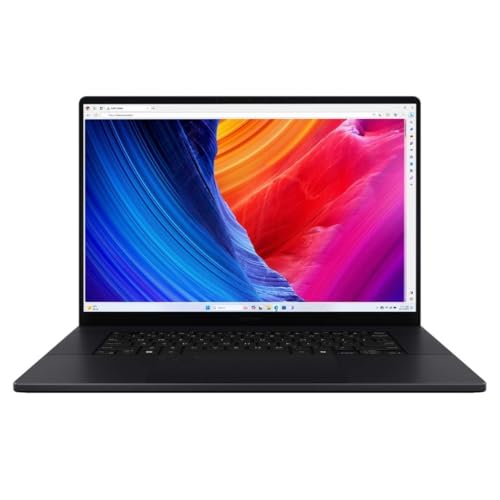
The 32GB ProArt P16 is ASUS’s creator flagship in its balanced rung, and balance is the right word for what an engineer gets: a Ryzen AI 9 HX 370 processor, RTX 5070 graphics, 32GB of LPDDR5X memory, a 2TB drive and a 16-inch 3K OLED touchscreen running at 120Hz, per the listing. The ProArt line is tuned for creator work rather than gaming theatre, which in practice means a screen built for accuracy, a chassis that behaves in a studio, and performance that serves the applications an engineer actually opens across a week that includes video, artwork and client files alongside the DAW.
Thirty-two gigabytes is this rung’s honest boundary. It runs substantial sessions, hosts respectable sample libraries and leaves room for the browser-and-documents sprawl of a working day. It is not the configuration for the engineer who loads a full orchestral template before breakfast, and ASUS sells the answer to that engineer in the very next section of this guide. Judged as the all-round creator machine for project-studio work, though, the specification is coherent: nothing is starved, nothing is theatrical, and the 2TB drive is the quiet hero, because audio projects and libraries are storage gluttons in a way documents never are.
- Processor: AMD Ryzen AI 9 HX 370, from the listing title
- Graphics: NVIDIA RTX 5070
- Memory: 32GB LPDDR5X as configured
- Storage: 2TB PCIe SSD
- Display: 16-inch 3K OLED touch, 120Hz stated
- Operating system: Windows 11 Home
Strengths
- A creator-tuned OLED screen serves editing, video and artwork in one machine
- The 2TB drive respects how audio projects and libraries actually grow
- Balanced specification with no single starved component
Trade-offs
- 32GB of memory is the ceiling that heavy template users will meet
- Windows 11 Home rather than Pro on this rung
- RTX graphics exceed pure audio needs; you are paying for the wider creator life
orchestral template builders and anyone who has already watched a session run out of memory.
Best for: Think of this rung as the project studio’s engine room: powerful enough for serious mixes, versatile enough for the video and design work that increasingly pays an engineer’s rent, and priced by its specification as the sensible middle of the ProArt ladder. Engineers who already know their sessions are memory-bound should skip directly to its sibling; engineers who are not sure usually belong here.
Not suited for: project-studio engineers and creators whose week mixes audio with video and visual work.
ASUS ProArt P16 (64GB, RTX 5070) — Creator OLED, full rung
The 64GB ProArt P16 is the same design philosophy with the ceiling lifted, and the differences from its sibling rung are specific enough to list like an engineer would: memory doubled to 64GB of LPDDR5X, the panel upgraded to a 4K OLED touchscreen, and the operating system stepped up to Windows 11 Pro, with the same Ryzen AI 9 HX 370 processor, RTX 5070 graphics and 2TB drive carried across. That is not a new laptop; it is the previous recommendation with its three most professional constraints removed, and it is priced and positioned accordingly.
For audio work the memory is the headline that matters. Sixty-four gigabytes changes session behaviour in kind rather than in degree: large sample libraries stay resident, alternate mixes and archived versions stay open, and the engineer stops performing the little closing-and-reopening rituals that fragment a mixing day. The 4K panel earns its keep in dense sessions where dozens of tracks and plug-in windows compete for legibility, and Windows 11 Pro matters to engineers whose laptops join managed networks or whose remote-access habits are professional rather than occasional.
- Processor: AMD Ryzen AI 9 HX 370, from the listing title
- Graphics: NVIDIA RTX 5070
- Memory: 64GB LPDDR5X as configured
- Storage: 2TB PCIe SSD
- Display: 16-inch 4K OLED touch
- Operating system: Windows 11 Pro
Strengths
- 64GB of memory removes the session ceiling that defines its sibling rung
- The 4K OLED panel keeps dense mixes and plug-in grids legible
- Windows 11 Pro suits managed and professional working patterns
Trade-offs
- You pay flagship money for what is, by design, a rung rather than a reinvention
- The same chassis means the same physical compromises as the 32GB model
- Pure-audio buyers fund graphics and panel they may only partly use
beginners whose sessions are small and whose budget would serve them better spent on an interface and monitors.
Best for: This is the ProArt to choose when the decision is being made once, for years, by an engineer whose sessions are already large or visibly heading that way. Its extra memory will be felt in the third year more than the third week, which is precisely the horizon a professional purchase should be judged on. Buy the rung your future sessions need, not the one your current sessions can survive.
Not suited for: established engineers with large sessions, sample-heavy work and a multi-year buying horizon.

Razer Blade 16 (64GB, RTX 5080) — Maximum Windows power
The Razer Blade 16 enters this guide as the maximalist, and its listing reads like one: an Intel Ultra 9 processor, RTX 5080 graphics, 64GB of DDR5 memory, a 1TB drive and a 16-inch QHD+ OLED display at 240Hz, with Wi-Fi 7 and Thunderbolt 5 named in the title. For the engineer whose laptop also renders video, runs live visuals or handles the gaming that funds the studio’s lighter months, this is the most powerful Windows machine here by a clear margin, wrapped in the slim aluminium discipline Razer is known for.
Power asks for management in a recording context, and this section will not pretend otherwise. A gaming-bred flagship can be made to behave during tracking by choosing its quieter performance profiles and placing it thoughtfully in the room, and in mixing, where the microphone is off, its headroom is a luxury that large sessions genuinely enjoy. The 240Hz panel is a gamer’s specification that editors will find merely lovely rather than necessary, and the 1TB drive is the one figure that trails its specification’s ambition, since libraries will fill it while the rest of the machine is still young.
- Processor: Intel Ultra 9 386H, as listed in the title
- Graphics: NVIDIA RTX 5080
- Memory: 64GB DDR5 as configured
- Storage: 1TB SSD
- Display: 16-inch QHD+ OLED, 240Hz stated
- Connectivity: Wi-Fi 7 and Thunderbolt 5 listed; Windows 11
Strengths
- The strongest processor-and-graphics pairing among the Windows picks
- 64GB of memory matches the largest sessions this guide contemplates
- Thunderbolt 5 gives interface and dock connections generous headroom
Trade-offs
- Gaming-bred cooling asks for mode management when recording in the room
- The 1TB drive is modest against this machine’s own power
- The high-refresh panel is a delight audio work does not require
purist tracking engineers who record delicate sources in small rooms and want silence by design, not by settings.
Best for: The Blade is the right answer for the hybrid professional: engineer by day, video editor and gamer by night, with one machine budget and no patience for a second computer. Run it in its composed profiles near a microphone, unleash it everywhere else, and feed it an external drive for the library before the internal one becomes the studio’s bottleneck.
Not suited for: hybrid engineer-creators who need one machine for audio, video and high-end play.

ASUS ProArt PX13 (64GB) — Portable studio in 13 inches
The ProArt PX13 is the guide’s traveller, a 13.3-inch 2-in-1 with a 3K OLED touchscreen built around AMD’s Ryzen AI Max+ 395, with 64GB of memory and a 2TB drive in its listing. That specification in that size is a small marvel of packaging: the memory total of the flagship Windows picks, storage to match, and a convertible hinge that turns the machine into a tablet for sketching, annotating scores or controlling a session from the live room. A microSD reader, Wi-Fi 7 and a backlit keyboard are named in the title, the kind of practical details travelling engineers actually use.
Its compromises are the honest ones of physics. A 13.3-inch screen is a focused canvas, superb for tracking and editing on the move and tight for a sprawling mix, which is why the PX13 makes most sense paired with a monitor at home base. The convertible form also asks its owner to value flexibility over the last degree of lap stability. Within those lines, this is the machine for the engineer whose studio is wherever the artist is: writing camps, tour buses, hotel rooms and the second bedroom that becomes a vocal booth at midnight.
- Processor: AMD Ryzen AI Max+ 395, 16-core as listed
- Memory: 64GB as configured in the listing
- Storage: 2TB
- Display: 13.3-inch 3K OLED touch, 2-in-1 design
- Extras: microSD reader, Wi-Fi 7 and backlit keyboard listed
- Operating system: Windows 11 Pro
Strengths
- Flagship memory and storage totals in a genuinely portable 13-inch body
- The convertible hinge serves annotation, control and casual tablet work
- MicroSD and modern wireless suit field and session workflows
Trade-offs
- The small panel is tight for sprawling mix windows without an external screen
- Convertible ergonomics trade some lap stability for flexibility
- Integrated-graphics architecture differs from the RTX picks and suits a different workload mix
fixed control-room engineers who would never fold it, travel with it or forgive its small screen.
Best for: Judge the PX13 by itinerary rather than by desk. If your engineering life is mobile and your sessions travel with you, its combination of memory, storage and size has no direct rival in this guide. If your life is a fixed control room, its charms are wasted and the larger ProArt rungs will serve the same money better.
Not suited for: travelling engineers, producers on writing camps and anyone whose sessions happen where the artists are.
Apple MacBook Pro 16 (M4 Max, 48GB) — Renewed flagship route
This pick requires, and receives, a disclosure before any praise. The verified Amazon listing for a MacBook Pro 16 with the M4 Max chip and 48GB of memory is a renewed listing, meaning a refurbished machine rather than a factory-new one, and for that reason it is presented here in prose only, without a purchase link. Readers should weigh it exactly as they would any renewed flagship: the specification is formidable, the value can be compelling, and the condition, warranty terms and seller deserve the careful reading that any renewed purchase demands. Nothing in this section should be read as describing a new machine.
The specification itself explains why engineers keep asking about it. An M4 Max machine with 48GB of unified memory is, in session terms, the answer to the M4 Pro configuration’s one real constraint: templates and libraries that wanted more room get it, and the larger processor absorbs the heaviest mixes this guide contemplates without breaking its composure. For an engineer whose work has genuinely outgrown the linked M4 Pro rung, a renewed M4 Max, bought with eyes open and terms checked, is a rational professional route rather than a compromise, provided the renewed status is a decision and not a discovery.
- Processor: Apple M4 Max class, per the verified listing
- Memory: 48GB unified memory
- Condition: renewed listing, refurbished rather than factory-new
- Link status: prose-only in this guide, deliberately unlinked
- Display class: 16-inch MacBook Pro Liquid Retina XDR family
- Operating system: macOS
Strengths
- M4 Max headroom answers the memory and processor ceilings of the linked MacBook
- 48GB of unified memory suits template-heavy and library-heavy sessions
- Renewed pricing can make flagship silicon reachable for working studios
Trade-offs
- Renewed condition means history and warranty terms must be read carefully
- No link is provided here, by design, so sourcing requires your own diligence
- Availability of a renewed listing is inherently less predictable than a new one
first-time buyers, and anyone who wants the certainty and warranty simplicity of a factory-new machine.
Best for: Treat this route as a professional procurement exercise: verify the seller, the refurbishment standard, the battery and warranty terms and the returns window, in writing, before money moves. Engineers who do that diligence are buying formidable capability at a renewed price. Engineers who skip it are gambling, and studios should never gamble on the machine the sessions live on.
Not suited for: experienced engineers who need M4 Max-class headroom and will verify renewed terms rigorously before buying.
How Do You Set Up a Laptop for Tracking, Editing and Mixing?
Setup begins with the interface, because the interface is the latency story. Install its drivers or confirm its class-compliant behaviour before the DAW, choose a sensible buffer for each phase of work, small while tracking so monitoring feels immediate, generous while mixing so the processor can breathe, and learn where your DAW keeps that setting before a session rather than during one. Connect the interface directly rather than through a hub of unknown character while you establish a known-good baseline, and only add docks and hubs once the simple chain has proven itself.
Storage organisation is the second discipline. Keep the system and applications on the internal drive, give sample libraries a permanent home you do not casually move, and archive finished projects off the machine on a schedule rather than in a panic. DAWs remember file paths with a librarian’s precision and a librarian’s unforgivingness, so the engineer who keeps a tidy, stable folder structure is repaid every time an old session opens complete instead of asking where its audio went.
Power and performance settings deserve one deliberate pass. Set the machine to favour performance while plugged in, prevent it from sleeping mid-render, and learn its fan or performance profiles before the first paid session, not during it. Finally, back up the way professionals mean it: session files in two places, one of them not in the building, because the laptop in this guide is a tool, and tools are replaceable in a way that last Tuesday’s vocal take is not.
Six Studio Machines, Six Different Working Lives
| Pick | Memory | Storage | Display | Character | Best-matched engineer |
|---|---|---|---|---|---|
| MacBook Pro 16 M4 Pro | 24GB unified | 512GB SSD | 16.2-inch Liquid Retina XDR | Quiet macOS centre | Control-room engineer, sane-scale sessions |
| ProArt P16 32GB | 32GB LPDDR5X | 2TB SSD | 16-inch 3K OLED touch, 120Hz | Balanced creator rung | Project-studio all-rounder |
| ProArt P16 64GB | 64GB LPDDR5X | 2TB SSD | 16-inch 4K OLED touch | Full creator rung | Large-session professional |
| Razer Blade 16 | 64GB DDR5 | 1TB SSD | 16-inch QHD+ OLED, 240Hz | Gaming-bred flagship | Hybrid audio, video and play |
| ProArt PX13 | 64GB | 2TB | 13.3-inch 3K OLED touch | Convertible traveller | Mobile engineer and producer |
| MacBook Pro 16 M4 Max | 48GB unified | Per renewed listing | 16-inch MacBook Pro class | Renewed flagship | Template-heavy engineer, diligent buyer |
The comparison’s shape tells the guide’s story at a glance. Memory climbs from the linked MacBook’s 24GB through the ProArt ladder to the 64GB tier where most of the Windows machines live, while storage peaks in the ASUS designs and the renewed Apple route asks to be judged on diligence rather than on a number. There is no row here that wins every column, because there is no engineer who needs every column won; there are only matches between a machine’s character and a working life.
What Mistakes Do Audio Buyers Keep Making?
The expensive mistake is buying the laptop to fix a latency problem that lives in the interface, the driver or the buffer setting, because the new machine will inherit the old delay and the disappointment will be priced accordingly. The second mistake is shopping by processor alone while sample libraries quietly plan to consume memory and storage the configuration does not have. The third is ignoring the room: choosing maximum power for a one-room studio where the computer and the microphone share air, and then spending the machine’s life apologising to vocalists for its fans.
A subtler mistake concerns condition. Renewed flagships can be excellent professional value, as this guide’s final pick argues, but only when the buyer reads the renewed terms as carefully as the specification. The reverse error also exists: dismissing renewed outright and overstretching for a new machine of lower capability, when a verified renewed flagship would have served the sessions better. Both errors come from deciding by label instead of by reading, and reading is the whole skill this category rewards.
Final Recommendation
Most engineers should start with the linked M4 Pro MacBook Pro if macOS is home, or with the 64GB ProArt P16 if Windows is, because those two machines match the largest number of real sessions without a caveat in sight. Step down to the 32GB ProArt for balanced project-studio work, step sideways to the PX13 if your studio travels, and step up to the Razer if your laptop must also be a video and gaming flagship. Consider the renewed M4 Max only with the diligence its section describes. Choose well, set the buffer before the singer arrives, and may every take be the one.
What Does a Mixing Day Ask That a Tracking Day Does Not?
Tracking and mixing are often discussed as if they were one workload with two names, and the confusion costs buyers money. A tracking day is a stability exam taken at moderate load: the machine must record many channels cleanly for hours, never glitch, never announce its cooling to the microphone, and never, ever decide that an update or an indexing job would be well timed. Raw speed barely enters into it, which is why modest machines with disciplined manners can track beautifully. A mixing day is the opposite exam. The session is finished growing in tracks and starts growing in processing, and every plug-in chain, every oversampling decision and every frozen-then-unfrozen instrument draws on the headroom that the specification sheet promised. The machines in this guide were chosen to pass both exams, but they pass them with different margins, and an engineer who knows which exam dominates their calendar can read the picks with sharper eyes.
Editing sits between the two and asks for something neither exam measures: legibility over time. Waveform editing, comping and tuning are screen work, hour after hour, and the quality of the display, its size, its resolution and the comfort of working at it, decides how fresh the engineer is at the stage where judgement matters most. This is the quiet argument for the OLED panels across the ASUS picks and for the MacBook’s XDR screen, and it is why this guide treats displays as audio equipment in disguise. Ears do the mixing, but eyes do the editing, and a laptop that serves only the ears has done half its job.
Rendering and exporting close the day with a third demand, patience made measurable. Bouncing a long project, exporting stems for a collaborator or rendering the video that now accompanies every release are batch jobs where processor headroom converts directly into reclaimed evening. None of these tasks justifies a purchase alone, but together they explain why the guide’s centre of gravity sits at powerful, memory-rich machines rather than at the lightest laptops that can merely open a DAW.
How Do Sample Libraries Reshape the Storage Conversation?
Every category of laptop has a file type that behaves like a expanding gas, and in audio it is the sample library. A single quality orchestral collection can occupy the space of a small office’s entire document archive, and engineers accumulate libraries the way guitarists accumulate pedals, each one indispensable, none of them ever deleted. This is why the 2TB drives in the ASUS picks earned explicit praise rather than a table entry, and why the 512GB and 1TB configurations in this guide come with an honest instruction attached: plan the external drive from the beginning, as a designed part of the studio rather than as an emergency purchase made the night a library sale ends.
Memory and storage conspire in this workload in a way worth understanding. A library can be streamed from disk or loaded into memory, and the trade between those modes is the daily texture of working with virtual instruments. Generous memory, the 64GB tier especially, lets an engineer load more and stream less, which feels like responsiveness and behaves like stability under load. Fast internal storage narrows the gap from the other side. The machines here combine the two in different proportions, and the sample-heavy engineer should read those proportions as the heart of the comparison rather than as a footnote to the processor line.
There is a housekeeping corollary that separates studios that age well from studios that merely age. Name projects consistently, archive finished work off the internal drive on a schedule, and keep the library locations stable once the DAW has learned them. A laptop bought with generous storage forgives sloppy housekeeping for a year and then presents the bill during the busiest month; a laptop bought with modest storage teaches the discipline immediately. Either way, the discipline is the destination, and the wise engineer arrives voluntarily.
What Should Live Performers and Hybrid Engineers Look For?
A growing share of engineers do not stay in one room. They record a rehearsal in the afternoon, edit on a train, and run playback or live processing in the evening, and that itinerary rewrites the laptop brief. Portability stops being a convenience and becomes the specification, which is the PX13’s entire argument, while reliability acquires a public dimension: a machine that misbehaves in a studio wastes an hour, and a machine that misbehaves on stage wastes a show. Hybrid engineers should therefore value boring virtues, proven configurations, conservative update habits and a backup of the show session on a second device, above the last increment of processing glamour.
Connectivity quietly decides much of this life. Interfaces, controllers and drives compete for ports, and the modern answer is a small, tested hub or dock that travels with the machine and has been rehearsed with it, rather than a tangle of adapters assembled hopefully at soundcheck. Thunderbolt headroom, which the Razer carries in its newest form and the other picks carry in capable versions, is not a vanity specification in this context; it is the difference between one cable that has always worked and three that usually do.
The stage also reframes the renewed question with useful clarity. A renewed flagship as a studio’s second machine, or as a playback machine whose duties are narrow and rehearsed, can be a shrewd allocation of a limited budget, provided its condition is verified and its role is genuinely secondary. The same purchase as the only machine, carrying every session and every deadline, asks more of luck than professionals should. Context, as ever in this guide, is what turns a specification into a recommendation.
How Should You Read a Creator-Laptop Listing Like an Engineer?
Creator laptops are marketed in adjectives and sold in configurations, and the engineer’s defence is to read every listing as a bill of materials. Extract the processor, the memory total, the storage size and the panel before allowing any adjective to register, because those four lines are the machine, and everything else is commentary. Where two listings share a model name, as the ProArt P16 pair does, diff them line by line until the actual differences stand up: here, memory, panel resolution and operating-system edition, no more and no less. That discipline converts a confusing ladder into a clear choice, which is what ladders are for.
Condition language deserves the same literal reading. New, renewed and refurbished are different products wearing similar photographs, and the verified M4 Max listing in this guide is the standing example: a formidable specification attached to a renewed condition, valuable precisely when bought knowingly. Sellers’ comparative claims, by contrast, deserve no reading at all; a title that boasts of beating some other chip is telling you about the seller’s marketing, not about the machine, and this guide has excluded such claims from its reasoning throughout.
Finally, read the omissions. A listing that does not state a feature does not contain the feature for buying purposes, and the correct response to a silence that matters to you, about a port, a reader or a warranty term, is to verify it on the manufacturer’s specification page before ordering. Engineers already think this way about signal chains, where an undocumented stage is an untrusted stage; a purchase is simply a signal chain for money.
What Does the Room Ask of the Machine?
Studios are rooms before they are equipment lists, and the room makes requests that spec sheets ignore. A small, reflective project room amplifies every fan and disk noise into the microphones’ world, which is why placement, distance and the machine’s own composure at tracking loads matter as a system rather than as separate virtues. A larger, treated room forgives more, and a control room separated from the live space forgives almost everything, which is why the same Razer that asks for management in a one-room setup can be an unqualified pleasure in a two-room facility. Buy for the room you actually record in, and if that room is a bedroom with a wardrobe for a vocal booth, weight silence the way this guide’s opening does.
Heat is the room’s second request. Powerful laptops exhaust warm air for hours during mixing and rendering, and in a small room that is already hosting people, lamps and enthusiasm, the machine becomes part of the climate. Owners of the flagship-class picks should plan ventilation the way they plan acoustics, unglamorous and early, rather than discovering in August that the studio’s most powerful member is also its radiator. None of this is an argument against power; it is an argument for treating power as a physical presence with physical manners, to be housed as thoughtfully as it was purchased.
The room also decides the screen question in practice. A laptop that must serve as the only display, across a room, for a producer and an artist to read together, wants the 16-inch panels in this guide and wants them bright and accurate. A laptop that drives a large control-room monitor wants ports and composure instead, and its own panel becomes a secondary surface for meters and notes. Engineers building toward a monitor should therefore not overpay for the last degree of built-in panel excellence, while engineers who will live on the built-in panel for years should not underpay for it either.
How Should a First Studio Laptop Budget Be Divided?
New engineers routinely spend the whole budget on the computer and then discover the studio still needs an interface, headphones or monitors, and a microphone, in roughly that order of urgency. This guide sells laptops, but honesty requires the wider arithmetic: the laptop is the centre of the system, not the system, and a slightly humbler rung from this list, paired with a competent interface whose drivers are properly supported, will record better music than a flagship laptop paired with whatever converter happened to be lying around. The ProArt ladder exists partly for this reason; stepping down one rung is a designed move, not a defeat, when the money it releases completes the chain that actually touches the sound.
The same arithmetic applies in reverse at upgrade time. An engineer whose sessions have outgrown a machine should diagnose which ceiling is actually being struck, memory, storage or processor, before replacing the whole computer, because external storage solves one of those, disciplined freezing solves part of another, and only the third truly requires a new laptop. When replacement is right, this guide’s rungs let the engineer buy the exact ceiling they struck, higher memory, larger storage, rather than paying for a wholesale reinvention of parts of the setup that were never the problem.
Whichever rung is chosen, protect the purchase with the professional basics: register the warranty, photograph the serial number into cloud storage, and keep the session backup habit from the first project rather than from the first disaster. Studios are remembered for their music and forgotten for their administration, but the administration is what makes the music survivable, and a laptop at the centre of a studio deserves to be administered like it matters, because it does.
What Changes When the Laptop Leaves the Studio?
Location work rewrites the brief in pencil over the studio’s ink. Sessions in churches, schools, rehearsal rooms and homes ask for a machine that sets up fast, runs from its own battery through a rehearsal without drama, and connects to whatever interface and drive the day provides without a negotiation. The PX13 was chosen for exactly this life, and the MacBook’s composure serves it well too, but the deeper point is procedural: a location kit should be a known, rehearsed set of objects, laptop, interface, cables, drive and headphones, tested together at home, because the location will provide enough surprises without the equipment volunteering more.
Files double in importance when the studio is a bag. Record to the internal drive with generous free space, copy the session to a second drive before the equipment is packed away, and let the journey home be a transport of copies rather than of originals. The storage-rich picks in this guide make the first part easy; the discipline of the second part is free, and it is the difference between a location engineer and a cautionary tale told in forums.
Why Do Engineers Keep a Machine for Years?
Studios are conservative places for a sound reason: a working setup is a musical instrument in its own right, learned by hand and trusted under pressure, and engineers replace laptops reluctantly, when a ceiling is struck or a failure forces the question. That conservatism should shape the purchase from the start. Buy the configuration with the ceiling you will meet last, keep the operating environment stable once it works, and treat major updates as scheduled maintenance in quiet weeks rather than as midnight adventures before a session. The machines in this guide were chosen with that long service in mind, favouring memory, storage and build that age gracefully over specifications that merely dazzle in the first month.
It also means the second owner matters. A well-kept creator laptop, honestly described, is a fine purchase for the next engineer, and a renewed flagship, as this guide’s last pick shows, can be a professional’s rational route to capability. The circle of use in this category is long, and buying a machine that deserves a second life is part of buying well the first time.
Frequently Asked Questions
Does the laptop determine my recording latency?
Only at the margins. Latency is set mainly by your audio interface, its drivers and the buffer size you choose in the DAW, which is why this guide never calls a laptop latency-free. A capable machine keeps latency stable under load; the interface decides what that latency is.
How much memory does a serious session need?
Producer-scale sessions live comfortably in 32GB, while large sample libraries and orchestral templates argue for the 64GB configurations that dominate this guide’s Windows side. The linked MacBook’s 24GB suits large but not template-maximal work, and its section says so plainly.
Why is one pick not linked for purchase?
Because its verified listing is for a renewed machine. Rather than link a refurbished flagship as though it were new, the guide discusses it in prose, discloses the renewed status at the pick itself, and leaves the sourcing diligence to the reader.
Do I need a discrete graphics card for audio work?
For audio alone, generally no. The RTX cards in the Windows picks serve the wider creator life around the audio: video, artwork and client deliverables. Buy them for that whole life, not for the DAW in isolation.
Can a gaming laptop be a good studio laptop?
Yes, with management. The Razer in this guide offers the most power here, and its owner should use its quieter profiles and thoughtful placement when recording in the same room, then enjoy its full headroom when mixing and rendering.
Should I freeze tracks or buy more memory?
Freezing is a respectable, free technique that every engineer should learn, and it extends a machine’s useful life considerably. When freezing becomes the tax on every session rather than a tool for the largest ones, the memory ceiling has genuinely been reached, and the 64GB configurations in this guide are the honest answer.
Is a touchscreen useful in a DAW?
Opinions divide by habit. Engineers who annotate, sketch arrangements or control sessions away from the desk often take to the convertible and touch-equipped picks here, while mixer-and-keyboard traditionalists may never touch the glass. It is a workflow preference, not a quality tier, and both camps are served in this list.
One last studio habit deserves promotion from folklore to policy: keep a printed or cloud-stored card with the machine that lists its exact configuration, its interface pairing and the buffer settings that your room uses for tracking and for mixing. Sessions are collaborative and occasionally urgent, and the engineer who can hand that card to a colleague, or read it after six months away, owns a studio that behaves like a studio rather than like a memory test.
And trust the room over the review, including this one. Play your own most demanding session on any machine you are seriously considering, in your own space, with your own interface, and listen to the fans, the speakers and your own patience. The laptop that disappears into that session, leaving only the music in the room, is the right laptop, and every specification in this guide is merely a way of predicting which one that will be.
Studios run on such small, kept promises: the session that opens, the take that survives, the machine that stays out of the way of both. Choose the laptop here that keeps those promises for the way you work, and the rest of the equipment list becomes a pleasure rather than a negotiation.
Keep the first session you finish on the new machine somewhere safe, too. A year later, when the setup feels ordinary, that file is the reminder of why the choice was made, and of how far the room has come since the laptop arrived and quietly took its place at the centre of it.
That is the standard to hold every seller, every listing and every reviewer to, this guide included: show the configuration, state the condition, respect the room, and let the music be the loudest thing in it.
Do that, and whichever of these six machines you bring home, the first thing it records will be the sound of a studio that has stopped worrying about its computer.
It is a modest ambition for a flagship purchase and, in a recording room, the only one that has ever mattered.
Buy the machine that understands that, set it up once with care, back it up like a professional, and then forget it exists for the next several years of sessions.
Silence, headroom and honesty: in that order, every time.
That ordering, kept faithfully, is worth more than any single specification in this entire guide.
Always.
Related Guides
Readers equipping a whole room rather than a single machine should continue with best laptops for live streaming video for the broadcast side of modern studio work, and revisit best aerospace engineering laptops only if their other life involves a wind tunnel.
The efficiency cores in these creator machines have an ARM cousin worth understanding, which our guide to the best arm64 laptops explains through the Snapdragon X field.


