What's inside
- Where to Buy, and Why a Bar Screen Is Not a Living-Room Screen
- Key Takeaways
- Quick Picks
- How We Chose These Picks
- What Does a Commercial Screen Do All Day That a Home Screen Never Faces?
- How Do the Six Compare Side by Side?
- What Should a Venue Know About Feeds, Tuners and Match-Day Inputs?
- What Does the Warranty Conversation Look Like for a Working Venue?
- How Should a Bar Plan a Wall of Screens Around Match Night?
- Which Mistakes Do Venues Make When Buying Screens?
- How Does a Screen Earn Its Keep Between Matches?
- How Do You Keep a Public Screen Presentable Across a Whole Season?
- What Changes When the Venue Shows More Than Sport?
- Final Recommendation
- Frequently Asked Questions
- Related Guides
As an Amazon Associate I earn from qualifying purchases. This post may contain affiliate links at no extra cost to you.
gizmoverdict.com is reader-supported. When you buy through links on our site, we may earn an affiliate commission.
Where to Buy, and Why a Bar Screen Is Not a Living-Room Screen
Every television linked below is sold through Amazon, and every one of them is a commercial model — that is the founding decision of this guide to the best tvs for sports bars, and it is worth pausing on. A sports bar does not watch television the way a household does. Its screens switch on before the lunch crowd and stay lit through the last innings, the last round, the late news. They hang in rooms full of windows, neon, kitchen glare and cigarette-door daylight. They show the same channels, the same tickers and the same house advertisements for months at a stretch, and when they fail, they fail in public, during the biggest match of the season, in front of a full house that came specifically to watch.
Consumer televisions are engineered for a gentler life: a few hours an evening, a darkened room, a family that turns them off. Commercial televisions and signage displays are engineered for duty — longer rated operating hours, panels and power supplies built for sustained work, management software that lets one person run a wall of screens, and warranties written for business premises. The six picks below all come from that world: Samsung’s Pro TV and Business TV lines, Samsung’s QE commercial signage range, and LG’s commercial signage televisions with their SuperSign and built-in CMS ecosystems. A bar owner comparing them against a consumer set on a warehouse-club shelf should understand that the comparison is not really between pictures. It is between duty cycles.
This guide therefore judges on a bar’s criteria, in a bar’s order: Will it run all day, every day? Can staff control it without a ladder and a prayer? Does it stay legible in a bright room at an angle, for a customer on a stool forty degrees off-axis? Does it carry the tuner, signage and scheduling features that turn a screen into a revenue surface — menus, promotions, the house’s own message between matches? Picture beauty matters, and it is ranked here, but it is ranked fourth, where a working venue would rank it.
Key Takeaways
- All six picks are commercial televisions or signage displays, chosen for duty cycle and management features rather than living-room picture contests.
- Operating-hours ratings are the headline specification in this category: the Samsung QE65T states 16/7 operation in its title, and every pick should be checked for its rated hours before purchase.
- Content management is the second specification: LG’s SuperSign CMS and built-in CMS tools, and Samsung’s digital signage software, decide how painless a multi-screen venue is to run.
- Brightness figures here are working figures, not showroom ones — the Samsung BE65T-H states 250 nits and the QE65T 300 nits in their titles — because commercial panels trade peak dazzle for sustained, even output.
- A built-in TV tuner, stated in the Samsung BE65T-H’s title, matters more in a bar than in a streaming-era living room: broadcast sport still arrives over the air and through commercial feeds.
- Warranty terms written for commercial premises — the QE65T’s title states a 3-year warranty — belong in the purchase maths from day one.
Quick Picks
| Pick | Badge | Why it is here |
|---|---|---|
| Samsung BE65T-H Pro TV 65-Inch | The bar-ready all-rounder | A commercial Pro TV with easy digital signage software, a TV tuner and speakers stated in its title — the venue starter kit in one box. |
| Samsung BEHX-H Business Pro TV 65-Inch | The current business line | Samsung’s 2026 Business Pro TV with Playlock for commercial content, aimed at venues that mix live sport with house material. |
| Samsung QE65T Commercial Display 65-Inch | The duty-rated workhorse | A signage display whose title states 16/7 operation, 300 nits and a 3-year warranty — the specification sheet of a screen that expects to work. |
| LG PK340S Commercial TV 65-Inch | The CMS manager’s choice | SuperSign CMS, Hotel Mode and power management on an IPS panel, for venues that schedule content like they schedule staff. |
| LG PK640S Commercial TV 65-Inch | The connected venue screen | webOS 25 with a built-in CMS and WiFi, positioned by LG for business, hospitality and office use. |
| LG UR640S Signage TV 65-Inch | The established signage line | LG’s UR640S signage television, TAA compliant, from the range that made commercial LG screens a default in public venues. |
How We Chose These Picks
The first filter removed every consumer television, however excellent, because this guide’s promise is a commercial shortlist. A model had to come from a maker’s commercial or signage range, with a listing that presents it as such. The second filter read the titles the way a venue manager reads a tender: operating-hours ratings where stated, brightness where stated, warranty where stated, tuner and signage software where stated — and where a title stays silent on a duty specification, the pick notes below say so and direct the buyer to the maker’s documentation rather than filling the silence with hope.
The third filter was operational realism. A sports bar’s screens are run by whoever is on shift, so remote management, content scheduling, lockable settings and the ability to keep a channel or a menu board exactly where the manager left it all counted heavily. Samsung’s Playlock naming on the BEHX-H and LG’s Hotel Mode on the PK340S speak directly to that life: they exist to stop well-meaning hands — staff or customers — from wandering a public screen into menus it should never show.
Finally, all six picks sit at 65 inches, the size that has become the bar industry’s default canvas: large enough to carry a match to the back of a mid-sized room, small enough to tile in pairs and triples across a wall without structural drama. Buyers fitting a cavernous venue should treat these models as the unit of a multi-screen plan rather than as solitary giants.
A word about what this guide refused to do, since venue money is real money. It refused to convert consumer favourites into honorary commercial screens, however glowing their home reviews, because duty ratings and warranty terms do not transfer by enthusiasm. It refused to quote brightness, hours or warranty figures that a title or documentation does not state, which is why several spec boxes carry an honest not-stated line where a sales page would have printed a hope. A bar owner reading those gaps should read them as instructions: verify this figure, in writing, for your rota — because the screen you can specify is the screen you can hold its maker to.
What Does a Commercial Screen Do All Day That a Home Screen Never Faces?
Count the hours first. A busy bar’s screen may run fourteen to eighteen hours a day, seven days a week, through lunch service, the afternoon races, the evening match and the late crowd — a workload that consumes a consumer panel’s comfortable lifespan in a fraction of the calendar. Heat is the mechanism: sustained operation warms power supplies and backlights continuously, with none of the long cool nights a living-room set enjoys. Commercial designs answer with rated duty cycles, thermal headroom and components specified for the long shift, which is why the operating-hours line in a commercial title deserves more of a buyer’s attention than any picture statistic.
Then count the content. A bar screen shows static elements for hours — a score bug in the corner, a ticker along the bottom, the house logo between events, a menu board that changes twice a day. Static content is the stress test consumer panels are least built for, and commercial ranges address it through panel choice, protective features and, just as importantly, content tools that rotate and refresh what is shown. The CMS ecosystems in these picks are therefore not office-software garnish; they are part of the screen’s survival strategy.
Add the room’s atmosphere to the ledger, because a bar is not a cleanroom with drinks. Kitchen vapour drifts, doors open to winter and summer alike, a steamy cup final raises the humidity like a sauna, and the heating runs hard from October. Commercial enclosures, vents and power supplies are specified with public interiors in mind; consumer sets are specified for the stable climate of a home. Owners in old buildings with temperamental heating will find this difference stops being theoretical around the second winter, which is why experienced operators ask about operating environment in the same breath as operating hours.
Finally, count the hands. A public screen is operated by a rotating cast, cleaned by whoever closes, and occasionally investigated by a curious customer with a remote. Lockable settings, hotel-style modes and central management exist because the venue’s worst screen day is rarely a panel failure — it is a big match starting on the wrong input, at the wrong volume, with a settings menu open, while forty people watch the staff instead of the game.
Samsung BE65T-H Pro TV 65-Inch — The bar-ready all-rounder
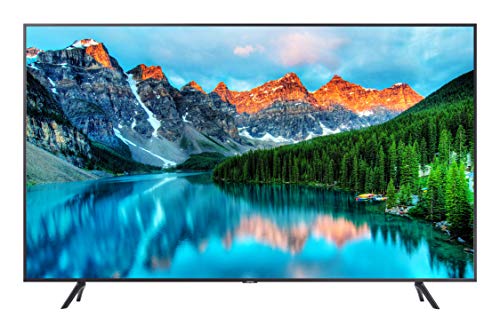
The BE65T-H is Samsung’s Pro TV concept stated in a single listing title: commercial, 4K, with easy digital signage software, HDMI and USB, a TV tuner, speakers and a stated 250 nits of brightness. Read that list as a venue manager and it resolves into a sentence — this screen can arrive, hang, tune itself to the broadcast, play the house’s promotional material from a USB stick between matches, and be heard over a modest room without an amplifier. For a single-screen bar or the first screen of a growing venue, that completeness is the product.
The 250-nit figure deserves the honest framing this guide applies throughout: it is a working brightness for indoor venues, not a showroom number, and it tells you the Pro TV’s intended habitat — the shaded interior, the evening room, the wall away from the window glare. Bars with a glass frontage pouring noon sun across the screens should read the QE65T’s 300-nit statement and the placement advice later in this guide with extra care. Within its habitat, the BE65T-H’s picture is clean, even and entirely sufficient for sport, which is a more demanding compliment than it sounds: football grass, fast pans and small score graphics punish weak processing mercilessly.
Operationally, the signage software is the feature owners mention after a month. A lunch menu until three, the drinks promotion until the match, the match itself, then the late-night playlist — scheduled from one interface instead of a staffer with a remote and a memory. The tuner keeps broadcast sport a channel change away, and the built-in speakers cover commentary in smaller rooms. As an entry into commercial screens, it asks the fewest questions and answers the most common ones.
- Class: 65-inch commercial Pro TV, 4K per the listing title
- Brightness stated in the title: 250 nits
- Signage: easy digital signage software per the listing title
- Tuner and audio: TV tuner and speakers per the listing title
- Connections: HDMI and USB per the listing title
- Rated operating hours: Not stated in the listing title — verify with the maker’s documentation
Strengths
- Tuner, speakers and signage software in one box simplify a first commercial install.
- Samsung’s Pro TV ecosystem is built for exactly this mix of broadcast and house content.
- USB playback keeps promotions running even when the network has a bad day.
Trade-offs
- The stated 250 nits suits shaded interiors better than sun-struck glass frontages.
- Operating-hours rating is not stated in the title and must be verified before a heavy-duty rota is planned.
- Serious venues will outgrow its audio and add external speakers.
Best for: single-screen bars and first commercial installs that need everything in the box.
Not suited for: sun-flooded venues that need maximum sustained brightness.
A month of service reveals the Pro TV’s other quiet virtue: consistency. The picture a customer sees at the Saturday lunch service is the picture they see at the evening final, because the panel is working well inside its design brief rather than at the edge of it. Owners stepping up from a consumer set notice the difference first in the small things — the screen that is simply always on the right input, always at the house volume, always showing the schedule — and only later in the large one, which is that it is still doing so, unchanged, a year in.

Samsung BEHX-H Business Pro TV 65-Inch — The current business line
Samsung’s BEHX-H represents the 2026 state of the Business Pro TV line, and its verified title adds one word that venue managers will parse instantly: Playlock, for commercial content. The name describes control over what plays and what cannot be casually changed — the difference, in a working bar, between a screen that shows the manager’s schedule and a screen that shows whatever the last person with the remote fancied. In venues where the television doubles as a menu board, a promotions channel and the match screen, that locking discipline is not paranoia; it is how the house message survives contact with a busy Friday.
The title is otherwise terse — 65-inch, Business Pro TV, 4K, 2026 — so this guide credits the BEHX-H with its class and its stated Playlock feature, and directs buyers to Samsung’s documentation for the duty ratings, brightness and port details that a purchase of this size should always confirm in writing. That restraint matters more in commercial buying than in consumer buying, because a venue’s screens are a capital decision with a rota attached: the specification you verified is the one the warranty conversation will remember.
Position the BEHX-H as the current-generation default for a bar standardising on Samsung: newer platform, the line’s business features, and a feature name that tells you the maker understands public screens get touched. Multi-screen venues will still want the management conversation — how many displays, run from where, by whom — and Samsung’s business ecosystem is built to have exactly that conversation at this tier.
- Class: 65-inch Business Pro TV, 4K, 2026 per the listing title
- Content control: Playlock for commercial content per the listing title
- Brightness: Not stated in the listing title — verify with the maker’s documentation
- Rated operating hours: Not stated in the listing title — verify with the maker’s documentation
- Tuner and signage details: verify the full list with the maker’s documentation
- Warranty terms for commercial use: verify with the maker’s documentation
Strengths
- Playlock addresses the public-screen problem of wandering settings head-on.
- The current 2026 business line carries Samsung’s latest commercial platform.
- A natural standardisation pick for venues building a Samsung screen estate.
Trade-offs
- The terse title leaves duty, brightness and warranty figures to be verified in documentation.
- Newer-line pricing logic applies; it is not the value route through this list.
- Its control features matter least in a locked, staff-only screen position.
Best for: venues standardising on Samsung that need content locked to the manager’s schedule.
Not suited for: a bar owner who needs every duty figure printed in the listing itself.
There is a staffing angle to Playlock that deserves emphasis, because it is where the feature pays for itself. Bars run on rotating shifts and borrowed help; the person closing on Tuesday has never met the person who set the screens up in March. A locked content regime means the venue’s screens present the same face regardless of who is on shift, and the manager’s schedule survives handovers, holidays and the enthusiastic new hire with a remote. In a business where consistency is the product, that is not a settings option — it is quality control.
Samsung QE65T Commercial Display 65-Inch — The duty-rated workhorse
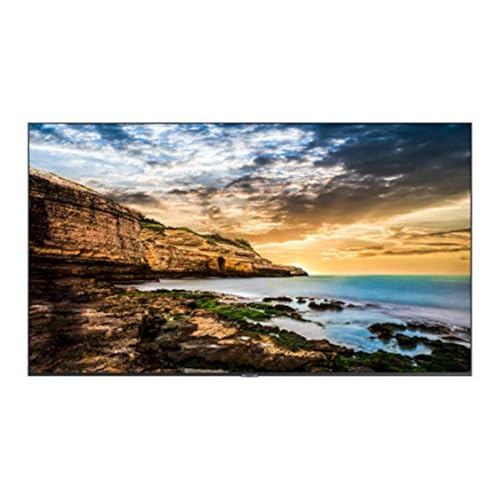
The QE65T’s verified title reads like a tender document, and that is its charm: 65-inch 4K UHD commercial signage display, HDMI and USB, speakers, a stated 3-year warranty, stated 16/7 operation and a stated 300 nits. Sixteen hours a day, seven days a week is a duty rating that maps almost exactly onto a sports bar’s real rota — open before lunch, close after the late game — and a maker willing to print it in the title, beside a three-year commercial warranty, is making a promise a venue can plan around.
As a signage display rather than a television in the living-room sense, the QE65T is built for the wall-of-screens life: consistent panels for multi-display layouts, business-hours reliability, and the connections a commercial feed expects. The 300-nit output is a working figure for indoor venues — brighter than the Pro TV above, still a number to respect when placing it relative to windows. Sport on it looks the way commercial panels intend: even, legible and stable across a long day, with none of the showroom torch modes that fatigue a room by the second half.
Buy the QE65T when the rota is the argument. A venue whose screens genuinely work sixteen-hour days, whose owner wants the warranty conversation settled in advance, and whose layout may grow from two screens to six will find this the most honestly specified pick in the guide. Its title does the buyer’s homework in public, and commercial purchasing rewards exactly that kind of candour.
- Class: 65-inch commercial signage display, 4K UHD per the listing title
- Rated operation stated in the title: 16/7
- Brightness stated in the title: 300 nits
- Warranty stated in the title: 3-year
- Connections and audio: HDMI, USB and speakers per the listing title
- Model identity: LH65QETEPGCXGO per the listing title
Strengths
- A stated 16/7 duty rating matches a sports bar’s real operating day.
- The stated 3-year commercial warranty simplifies the ownership maths.
- Signage-display consistency suits multi-screen walls that must match.
Trade-offs
- Signage-first design means tuner and consumer conveniences should be verified, not assumed.
- 300 nits is a working figure; direct sun across the screen still wins.
- Its plain, business specification offers none of the living-room extras some hybrid venues enjoy.
Best for: long-hours venues that buy on duty rating and warranty first.
Not suited for: hybrid café-bars wanting a consumer television’s tuner-and-apps life.
Installation crews like this class of display for reasons that never reach a brochure: consistent bezels and mounting patterns across a wall, panels that match each other closely enough that a four-screen layout reads as one surface, and a specification stable enough to order replacements against years later. A bar that starts with two QE65T screens and grows to five is buying into that stability. The rota, the warranty and the wall all scale together, which is precisely what a growing venue needs from its least glamorous purchase.

LG PK340S Commercial TV 65-Inch — The CMS manager’s choice
LG’s PK340S arrives with the most operationally literate title in this guide: a 65-inch 4K UHD commercial signage TV with an IPS LCD display running webOS, HDR10 Pro, SuperSign CMS, Hotel Mode, power management, and HDMI plus RS-232C connectivity. Translate that from specification into bar life. SuperSign CMS is the content management system that schedules what every screen shows and when. Hotel Mode locks the settings a venue cannot afford to have wander. Power management automates the on-off discipline that human closing routines forget twice a month. RS-232C is the old, dependable control protocol that installers use to run screens from a central system long after consumer remotes have been lost to the sofa gods.
The IPS panel deserves its sentence in a sports-bar context: IPS technology is valued for holding colour and contrast at wider viewing angles than mainstream LCD alternatives, and a bar is nothing but wide viewing angles — stools along a counter, tables at diagonals, a crowd standing at the back. No title figure is quoted here for angle performance, and buyers should verify LG’s documentation, but the panel choice itself signals the intended room. A screen bought for a crowd should be a panel built for one.
Choose the PK340S when the venue thinks in schedules and zones: the match on the main wall, the menu rotation by the bar, the promotions screen near the door, all run from the CMS rather than from a staffer’s memory. Its feature list reads like the minutes of a meeting between LG and actual venue operators, and that is the highest compliment a commercial product can earn.
- Class: 65-inch commercial signage TV, 4K UHD per the listing title
- Panel: IPS LCD per the listing title
- Content management: SuperSign CMS per the listing title
- Control: Hotel Mode, power management, HDMI and RS-232C per the listing title
- Platform and HDR: webOS, HDR10 Pro per the listing title
- Rated operating hours: Not stated in the listing title — verify with the maker’s documentation
Strengths
- SuperSign CMS plus Hotel Mode is the strongest stated management pairing here.
- IPS panel choice suits the wide, scattered sightlines of a bar floor.
- RS-232C control keeps installers and central systems in charge of the wall.
Trade-offs
- Duty hours are not stated in the title; verify them against your rota before purchase.
- Its management depth is wasted on a venue that shows one channel and nothing else.
- Commercial LG and Samsung ecosystems do not mix; standardise deliberately.
Best for: multi-screen venues that schedule content and lock settings centrally.
Not suited for: one-screen bars that only ever show the match.
Power management, the least glamorous phrase in its title, may be the one that saves the most money. Screens left burning through the night by a forgotten closing routine consume electricity, panel life and goodwill with the morning cleaner in equal measure. A commercial set that wakes and sleeps on the venue’s schedule removes that entire category of waste without asking a tired human to remember it at midnight. Multiply the saving across a wall of screens and a year of nights, and the CMS conversation stops being about features and starts being about the electricity bill.

LG PK640S Commercial TV 65-Inch — The connected venue screen
The PK640S is LG’s connected answer in the same commercial family: a 65-inch UHD 4K commercial signage TV with HDR10 Pro, the webOS 25 smart platform, a built-in CMS, WiFi, and positioning stated in its own title for business, hospitality and office use. The built-in CMS is the headline for a bar: content management without a separate player box per screen, which means fewer devices to mount, power, update and blame. WiFi extends the same logic to installation — a screen that joins the venue’s network without a cable run across a finished ceiling is a screen that gets installed this week rather than next quarter.
webOS in its commercial form brings the interface discipline of LG’s consumer platform into the venue, which shortens staff training to nearly nothing: anyone who has used a modern LG television already knows where things live. The hospitality positioning in the title should be read as a feature, not a limitation — hospitality screens are designed for exactly the bar’s conditions of many viewers, many operators and content that mixes live pictures with house material.
Where the PK340S is the installer’s choice, the PK640S is the operator’s: fewer boxes, wireless convenience, a current platform generation and a CMS in the set itself. Venues renovating rather than building — where opening walls for cable runs is not on the menu — will feel the difference in the installation quote before they feel it anywhere else.
- Class: 65-inch commercial signage TV, UHD 4K per the listing title
- Content management: built-in CMS per the listing title
- Platform: webOS 25 smart display per the listing title
- Connectivity: WiFi per the listing title
- HDR: HDR10 Pro per the listing title
- Positioning stated in the title: business, hospitality and office use; duty hours — verify with the maker’s documentation
Strengths
- A built-in CMS removes the separate player box from each screen’s installation.
- WiFi connectivity suits renovations where new cable runs are impractical.
- webOS 25 familiarity keeps staff training close to zero.
Trade-offs
- Wireless convenience depends on the venue’s network quality holding up on match night.
- Duty and brightness figures are not stated in the title and need documentary verification.
- Control-protocol depth for large central systems should be confirmed with the maker.
Best for: renovating venues that want managed screens without new cabling.
Not suited for: sites with unreliable wireless coverage across the bar floor.
The renovation scenario deserves one more paragraph, because it is where most real bars actually buy screens. An established venue cannot close for a week of cabling; it swaps screens on a dark Monday, between the lunch it did not serve and the evening it must. A set with a built-in CMS and wireless networking fits that window — hang it, join it to the network, load the schedule, open the doors. The PK640S is engineered for that Monday, and owners who have lived through the alternative will not need the point laboured.

LG UR640S Signage TV 65-Inch — The established signage line
The UR640S represents the established line in LG’s signage television range — the series that standardised what a commercial LG screen is — and its verified title carries the details a business buyer scans for: 65-inch Smart LED-LCD TV, 4K UHDTV, and TAA compliance. That last item deserves explanation for bar buyers outside the public sector: TAA compliance certifies the product’s manufacturing origin for government procurement, which matters directly to venues operating under institutional contracts — clubs, campuses, municipal facilities — and signals, to everyone else, a product built for formal tenders rather than retail shelves.
As the senior line in this guide’s LG trio, the UR640S trades the newest platform generation for a proven deployment record: this is the range installers have hung in public venues for years, with the mounting, control and management behaviours that record implies. Buyers should verify the current model’s full signage and duty specifications in LG’s documentation, as with every pick here, but the line’s identity is its reassurance — a known quantity in a category where surprises arrive during televised finals.
For a sports bar, the UR640S fits the brief where the venue values the established over the novel: a screen from a line with a long public-service history, sized at the industry’s default 65 inches, ready for the signage duties — fixtures lists, promotions, the match — that fill a bar’s week. It closes the list as the conservative choice, and in commercial purchasing, conservative is frequently another word for correct.
- Class: 65-inch Smart LED-LCD signage TV, 4K UHDTV per the listing title
- Compliance stated in the title: TAA Compliant
- Model identity: 65UR640S9UD per the listing title
- Brightness: Not stated in the listing title — verify with the maker’s documentation
- Rated operating hours: Not stated in the listing title — verify with the maker’s documentation
- Signage feature list: verify the full list with the maker’s documentation
Strengths
- An established signage line with a long record in public venues.
- TAA compliance serves institutional buyers and signals tender-grade sourcing.
- LG’s signage ecosystem covers the bar’s scheduling and display duties.
Trade-offs
- The senior line trails its PK siblings in platform newness.
- Key duty figures are absent from the title and must be verified in documentation.
- Feature-by-feature, the newer LG picks state more in their listings.
Best for: institutional and conservative buyers who value a proven signage line.
Not suited for: venues chasing the newest platform generation above all.
Institutional venues will recognise their own purchasing language in this pick, and that recognition is commercially useful. A screen that arrives with compliance stated in its title moves through a tender process with less friction, less correspondence and fewer meetings than a retail product of equal picture quality. For the bar inside a leisure centre, a university union or a members’ club, that administrative smoothness is a real feature — the difference between screens approved this quarter and screens debated into next season.
How Do the Six Compare Side by Side?
| Model | Class | Stated in title | Management | Venue fit |
|---|---|---|---|---|
| Samsung BE65T-H | Pro TV | 250 nits, tuner, speakers | Easy signage software | First commercial install |
| Samsung BEHX-H | Business Pro TV | Playlock, 2026 line | Content locking | Standardised Samsung venues |
| Samsung QE65T | Signage display | 16/7, 300 nits, 3-yr warranty | Signage ecosystem | Long-hours rota |
| LG PK340S | Signage TV | IPS, SuperSign CMS, Hotel Mode | CMS plus RS-232C | Scheduled multi-screen venues |
| LG PK640S | Signage TV | Built-in CMS, WiFi, webOS 25 | Built-in CMS | Renovations, wireless installs |
| LG UR640S | Signage TV | TAA compliant | LG signage ecosystem | Institutional buyers |
What Should a Venue Know About Feeds, Tuners and Match-Day Inputs?
A bar’s picture arrives by more routes than a household’s: broadcast through the tuner, a commercial satellite or cable feed through a receiver, streaming for the leagues that live there now, and the house’s own signage woven between them. The screen’s job is to make those routes feel like one service. That is why the tuner stated in the BE65T-H’s title matters, why HDMI count and control protocols matter, and why the manager should map every input — which feed, which screen, which remote or system command — on a card kept behind the bar. The finest panel in this guide cannot rescue a final that starts on the wrong input.
Redundancy is the venue’s quiet insurance. A USB stick carrying the house loop, as the Samsung Pro TV supports, keeps the screens alive and on-message if the network stumbles; a second feed route for the biggest fixtures turns a provider’s outage from a refund conversation into a channel change. Commercial screens earn their place in this plan because they are built to be switched, scheduled and recovered by systems rather than by hope — and because their makers’ documentation treats uptime as the product.
Licensing, finally, is the owner’s homework rather than the screen’s: public performance of broadcasts is a rights matter that varies by league and country, and no television purchase settles it. Buy the screens for duty and control, and keep the paperwork for what they show in the same tidy folder.
What Does the Warranty Conversation Look Like for a Working Venue?
Read the warranty as an operations document, not a formality. The questions that matter are commercial ones: Does the cover apply on business premises, at the hours your rota runs? Is the panel itself covered, or only parts of the assembly? What is the response promise when a screen fails on the morning of a final — a repair visit, a replacement, a credit? The QE65T’s title-level statement of a three-year warranty is valuable precisely because it starts that conversation from a printed commitment; for every pick in this guide, the buyer’s job is to finish the conversation in the maker’s documentation before the invoice, not after the failure.
Total cost thinking follows naturally. A commercial screen’s price is one line in a longer ledger that includes installation, control hardware, the electricity of a sixteen-hour day, the staff time a good CMS returns, and the revenue a dark screen loses on the one night it cannot fail. Venues that keep that ledger honestly tend to buy exactly the class of product in this guide — not because it is dearer, but because the ledger shows the cheaper screen costing more by the second season. The bar trade runs on regulars; its screens should be regulars too, present and working every night the doors open.
How Should a Bar Plan a Wall of Screens Around Match Night?
Start from the room’s worst seat, not its best. Walk the floor at standing height and at stool height, and mark where a screen must be legible: the score, the clock and the ball, in that order. Most mid-sized bars resolve into a main screen for the feature match and secondary screens angled for the counter and the corners, all at 65 inches in this guide’s plan, hung with a slight downward tilt and high enough to clear standing crowds without disappearing into the ceiling lights. Every screen should be reachable by the venue’s control system — CMS, RS-232C or network — because a wall that needs three remotes and a ladder is a wall that will be wrong on the night it matters most.
Audio planning belongs in the same conversation. Commentary intelligibility, not volume, is the goal: several modest speaker zones beat one loud system, and the built-in speakers of picks like the BE65T-H serve small rooms while larger floors should budget for distributed audio from the start. Finally, schedule the content like a shift: menus and promotions in the gaps, the match uninterrupted, the house message in the minutes after full time when the room is happiest and most receptive. The CMS features in these picks exist to make that schedule automatic.
Sightline discipline finishes the plan. No screen should ask a seated customer to watch through a standing crowd’s heads for ninety minutes, which usually means mounting higher than living-room taste prefers and tilting down — and checking the result from the worst stool during a genuinely busy service, not from an empty room. Bars are choreographed spaces, and the screens are part of the choreography; a venue that rehearses its sightlines once will be repaid every night of the season.
Which Mistakes Do Venues Make When Buying Screens?
The expensive classic is buying consumer televisions on a warehouse deal and discovering the warranty’s commercial-use clause during the first failure. The second is ignoring the duty rating entirely, then running a screen rated for home hours on a sixteen-hour rota. The third is falling for showroom brightness: a torch-mode consumer panel looks heroic under shop lights and exhausting across a four-hour match, while the working figures in these commercial titles are tuned for the long watch.
Fourth, venues under-plan control — screens that need individual attention will not get it during service. Fifth, they hang screens for the empty room at noon rather than the full room at nine, and the back row watches the tops of heads. Sixth, they forget the content plan, leaving a costly signage system showing a default screen because nobody owns the schedule. Each mistake is a management error wearing a purchasing costume, which is why this guide keeps returning to operations: in a bar, the screen is staff, and it should be hired like staff — for stamina, discipline and reliability under a crowd.
A seventh mistake hides in the calendar: buying screens in the off-season rush, days before the tournament, with no burn-in week, no schedule rehearsal and no spare remote. Commercial installs reward a fortnight of boring testing far from the big night. The venues that glide through finals are the ones whose screens were hung, scheduled, locked and cleaned while nothing important was on — preparation being, as every publican knows, the whole difference between a system and a hope.
How Does a Screen Earn Its Keep Between Matches?
The hours between fixtures are where a commercial screen separates itself from a television with ambitions. A bar’s day is mostly not the match: it is the lunch menu, the afternoon background, the early-evening build-up, the quiz night, the function room’s slideshow. Signage capability converts those hours from dead air into the house’s own channel — today’s specials, the next fixture, the loyalty offer, the birthday on table nine. The CMS tools named across these picks, from Samsung’s signage software to LG’s SuperSign and built-in systems, exist to make that conversion a schedule rather than a daily act of memory.
Owners should cost that conversion honestly. A screen that sells a handful of extra covers a week through a well-timed menu has paid its electricity for the year; a screen that reminds the room of Saturday’s fixture fills chairs that advertising would charge real money to reach. None of this requires the panel to be beautiful in the flagship sense — it requires it to be on, legible, scheduled and locked, which is the commercial catechism this guide has repeated because it happens to be true. Picture quality gets the customer looking; operations decide what they see when they look.
How Do You Keep a Public Screen Presentable Across a Whole Season?
Maintenance in a venue is a rhythm, not an event. Screens gather the room’s life — dust from the door, grease drifting from the kitchen, the faint film of a thousand evenings — and a monthly gentle clean with the right cloth keeps both the picture and the anti-reflective surfaces honest. Vents deserve the same visit: a commercial panel working sixteen-hour days breathes through them, and a blocked vent in August is a thermal problem introducing itself politely before it arrives rudely in September.
Content hygiene matters as much. Rotate the static elements the CMS allows you to rotate, vary the house material so no single logo parks on the panel for a whole season, and use the scheduling tools to give screens genuine rest where the rota permits. None of this requires expertise; it requires a named owner. The venues whose screens look new in year three are not the ones that bought the most expensive panels — they are the ones where somebody’s job description includes the wall.
What Changes When the Venue Shows More Than Sport?
Many bars are really three businesses sharing a roof: the match-day crowd, the weekday food trade and the private-function market. Each asks something different of the wall. Functions want a screen that takes a laptop or a photo slideshow gracefully and behaves in a hired room without staff hovering. The food trade wants menus that change at the speed of the kitchen, which is a CMS discipline. Match day wants the feed, the legibility and the locks. A commercial shortlist serves a venue best when the owner maps those three businesses onto the picks before choosing — the PK340S’s control depth for the function room’s installer, the PK640S’s wireless ease for the dining room’s shifting layout, the QE65T’s stated rota for the main bar’s long day.
That mapping exercise also prevents the most common over-purchase in this category: flagship everything, everywhere. Not every wall needs the strongest specification; the corridor screen showing fixtures and menus lives an easier life than the main screen over the bar. Mixing tiers inside one maker’s ecosystem — a duty-rated hero screen, simpler siblings on CMS duty — is how experienced operators spend, and both Samsung’s and LG’s ranges in this guide are built to be mixed exactly that way.
Final Recommendation
For a first commercial screen that must do everything respectably, take the Samsung BE65T-H. For a rota written in stone, take the QE65T, whose title states the duty and the warranty in plain figures. For a venue that thinks in schedules, zones and locked settings, take LG’s PK340S; for the same thinking without new cabling, the PK640S; for Samsung standardisation with content locked down, the BEHX-H; and for institutional buying on an established line, the UR640S. Whichever you choose, choose it as a business asset with a rota and a warranty, and your screens will still be working the room long after a consumer bargain would have asked for its evenings back.
Then do the unglamorous things that make the choice pay: hang the screens for the full room, write the input map, rehearse the schedule on a quiet afternoon, and give the wall a named owner. A sports bar’s screens are part of its hospitality — they greet, they inform, they carry the night’s main event — and a venue that treats them with the same seriousness as its staff rota will find they repay it in the only currency that matters, which is a room full of people who come back for the next match.
Frequently Asked Questions
Why not just buy cheaper consumer TVs for a bar?
Because the saving is borrowed from the warranty, the duty rating and the management features. Consumer sets are rated and warranted for home hours and home use; run commercially, they age faster, fail publicly and may fall outside their warranty terms. The commercial picks here are built and backed for the rota a bar actually keeps. There is also a dignity argument a good publican understands instinctively: customers judge a venue by whether its promises hold, and a dark screen above the bar on final night is a broken promise in the room’s most visible place.
What does a 16/7 rating actually promise?
It states the operating pattern the display is designed and rated for: sixteen hours a day, seven days a week. A venue whose screens run longer than the rating of the model it buys should step up to a line rated for that schedule and confirm the figure in the maker’s documentation before purchase. Treat the rating the way a landlord treats a lease — as the boundary of what was promised — and keep your rota inside it, because a screen worked beyond its stated duty has been volunteered for an experiment its maker never agreed to grade.
How bright does a bar screen need to be?
Bright enough for its wall, not for a specification contest. The titles here state working figures — 250 nits on the Samsung Pro TV, 300 on the QE65T — suited to shaded and normally lit interiors. A screen facing direct sun through a glass frontage needs placement changes or shade before it needs a different panel. Judge brightness at the venue’s brightest trading hour, with the room dressed as it will be — blinds as they will hang, doors as they will stand — because a figure that suffices in a survey at dawn may fail at the lunchtime service in June.
What should a venue check in the first week after installation?
Run the full rota: open to close, every content type, from every seat and stool. Confirm the schedule fires on time, the locks hold against casual remotes, the score is legible from the back, and the closing routine powers the wall down without a hunt for switches. A week of real service is the only acceptance test a bar screen cannot fake. Note the failures in the same log the venue keeps for its cellar and its tills, because a screen estate managed with that ordinariness is a screen estate that lasts.
One screen or several smaller ones?
Several, in most real rooms. A single giant screen serves one axis of viewers; a set of 65-inch screens angled for the counter, the corners and the main floor puts a legible match in front of every customer, which is the entire commercial point of the exercise. It also buys resilience, since one dark screen among several is an annoyance while one dark screen alone is a disaster nobody in the room ever truly quite forgets.
Do commercial screens need a separate media player?
Not always. Picks with built-in content systems — LG’s PK640S states a built-in CMS, and the Samsung Pro TV carries its signage software in the set — can run schedules without an external box. Venues with complex multi-zone content may still prefer central players, which the control connections on models like the PK340S are there to support. Count the boxes before you count the savings, because every external player is also a power socket, a cable and a future fault to be hunted at an inconvenient hour.
Related Guides
Venue owners may also want our survey of large screens and wide seating angles, the bright-room guide to televisions that defeat glare, and our flagship ranking of 4K picture quality for dedicated viewing rooms.


