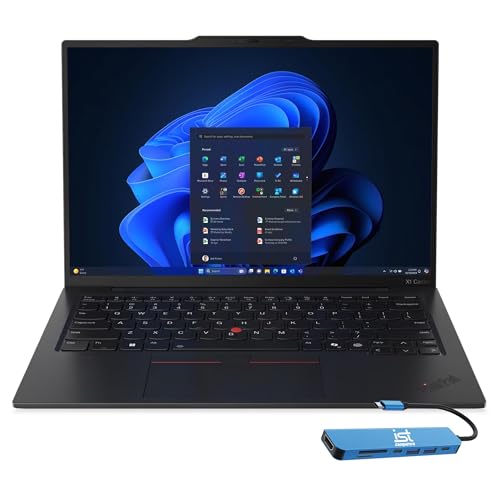
Our Top Picks
 Dell Inspiron 15.6" Touchscreen Business Laptop512GB14.21 x 0.78 x 9.25 inches4 PoundsCheck on Amazon





What's inside
- Why six cores became a distinct laptop class
- The main six-core processors and their published figures
- PL1, PL2, and why cooling decides sustained speed
- Who actually benefits from six cores
- Memory channels and storage as force multipliers
- Screen size classes and how they interact with the processor choice
- Gaming workloads and the limits of core scaling
- Battery life and weight: the honest ledger
- How to read a manufacturer specification page without being misled
- Where six-core machines stand against newer generations
- Fan curves, surface temperatures, and working comfort
- Operating system scheduling and background load
- Voltage, undervolting history, and firmware locks
- Workstation variants, ECC memory, and certified drivers
- Matching the processor to concrete working days
- Configuration checklist drawn from specification documents
- Security firmware, microcode, and long service horizons
- Noise, heat, and energy use across a working week
- Putting the decision in order
- Check prices on Amazon
- How the generations differ when the core count stays equal
As an Amazon Associate I earn from qualifying purchases. This post may contain affiliate links at no extra cost to you.
Why six cores became a distinct laptop class
For several years the performance laptop market divided neatly between dual-core machines for travel and quad-core machines for demanding work, and then Intel moved its high-performance mobile line to six cores with the eighth-generation H series. That step changed what a portable computer could sustain: two additional cores meant compilers, encoders, and virtual machines could spread across more parallel hardware without stepping up to workstation weight. Understanding this class still matters because large numbers of these machines remain in service, appear in refurbished channels, and anchor honest comparisons against newer designs carrying even higher core counts.
A core count alone, however, describes only the ceiling of parallel work. Each processor in this family pairs its cores with a base frequency, a maximum turbo frequency, a cache size, and a thermal design power figure that together shape how fast work proceeds and for how long. Laptop manufacturers then wrap the same silicon in cooling systems and power limits of their own choosing, so two notebooks sharing a processor badge can diverge widely during a long render. This guide reads the class through specification documents and processor datasheets rather than badge shorthand.
Hyper-Threading doubles the thread count on most models discussed here, allowing each physical core to hold two instruction streams and fill execution gaps when one stream stalls on memory. Twelve threads do not equal twelve cores, because paired threads share the same execution units and caches. Workloads with independent, compute-heavy threads gain modestly from the feature, while workloads limited by floating-point throughput gain little, a distinction that benchmark summaries often blur.
The main six-core processors and their published figures
The Core i7-8750H launched the class in 2018, offering six cores and twelve threads, a 2.20 GHz base frequency, a maximum turbo of 4.10 GHz, 9 MB of cache, and a 45 W thermal design power. Its successor, the i7-9750H, raised the base to 2.60 GHz and the maximum turbo to 4.50 GHz with 12 MB of cache, while keeping the same power envelope and socket role inside manufacturer line-ups. The i7-10750H followed with a 2.60 GHz base, turbo figures reaching 5.00 GHz under favourable thermal conditions, and the same twelve-thread layout on a mature process generation.
Two neighbouring parts deserve careful reading because listings frequently misdescribe them. The i7-10870H, often grouped with this family in retail copy, carries eight cores and sixteen threads according to its Intel ARK entry, so it belongs to a different parallel class despite similar clocks and the same 45 W envelope. Likewise the Core i5-10400H is a four-core, eight-thread part, whereas the later i5-11400H genuinely provides six cores and twelve threads, a 2.70 GHz base, and turbo headroom to 4.50 GHz on a newer architecture with updated integrated graphics and platform features.
The Xeon E-2176M serves the workstation branch of the same generation, with six cores, twelve threads, a 2.70 GHz base, 4.40 GHz maximum turbo, 12 MB of cache, and support for ECC memory when paired with the appropriate chipset and memory modules. That ECC support, plus workstation driver certification on the laptops built around it, is its real distinction; raw clock figures sit close to the consumer parts. Buyers comparing a Xeon badge against a Core badge should therefore ask about memory type and certified applications rather than expecting a hidden speed advantage.
| Processor | Cores and threads | Base and maximum turbo | Cache and rated power |
| Core i7-8750H | 6 cores, 12 threads | 2.20 GHz base, 4.10 GHz turbo | 9 MB cache, 45 W |
| Core i7-9750H | 6 cores, 12 threads | 2.60 GHz base, 4.50 GHz turbo | 12 MB cache, 45 W |
| Core i7-10750H | 6 cores, 12 threads | 2.60 GHz base, 5.00 GHz turbo | 12 MB cache, 45 W |
| Core i5-11400H | 6 cores, 12 threads | 2.70 GHz base, 4.50 GHz turbo | 12 MB cache, 45 W class |
| Xeon E-2176M | 6 cores, 12 threads | 2.70 GHz base, 4.40 GHz turbo | 12 MB cache, 45 W |
Generational gains inside this table come from several directions at once. Later parts raise cache, adjust clock distribution, and, in the eleventh-generation case, change the underlying core design so each clock cycle retires more instructions. Comparing gigahertz across generations without that architectural context misleads: a lower-clocked newer core can finish a fixed task sooner than a higher-clocked older one, particularly in workloads sensitive to memory latency or instruction throughput rather than raw thread count.
Base frequency, turbo frequency, and the gap between them
Base frequency is the level a processor guarantees while operating within its rated power under a demanding workload, not a minimum idle speed and not a promise for every chassis. Turbo frequency is an opportunistic ceiling reached when power, current, and temperature headroom allow, typically for one or two active cores rather than all six simultaneously. Retail pages advertise the single-core ceiling in the largest type, although the workloads that justify six cores load every core and therefore run at an all-core turbo level considerably below that headline.
Datasheets define further turbo behaviour through time windows and power states. A processor may exceed its long-term power level briefly, drawing on thermal capacity in the heat pipes and chassis, then settle to a sustained level once that capacity saturates. The duration of the brief phase is configurable by the laptop maker within Intel guidance, which is why identical chips show different scores in short benchmarks yet converge or diverge differently in a forty-minute export.
PL1, PL2, and why cooling decides sustained speed
Two configurable limits govern how much power the processor package may draw. PL2 is the short-duration ceiling that permits aggressive turbo during bursts, sometimes set far above the rated 45 W in performance-oriented chassis. PL1 is the long-duration ceiling that applies once the burst window expires, and it is the figure that predicts behaviour in rendering, compiling large projects, and long game sessions. A thin chassis may set PL1 near or even below the nominal rating to protect surface temperatures, while a thick gaming chassis may allow substantially more, accepting fan noise and heat as the price.
Cooling hardware determines whether a generous PL1 is usable or theoretical. Heat pipes or a vapour chamber carry heat from the processor and graphics chip to fin stacks, fans expel it through vents, and the interface material between die and cold plate governs how quickly heat enters that path. Shared heat pipes complicate the picture: a heavy graphics load warms the same cooling path the processor depends on, so combined workloads throttle earlier than processor-only workloads in the same machine. Manufacturer service manuals reveal these layouts through exploded diagrams, and the diagrams often explain performance differences that spec sheets cannot.
Ambient conditions and maintenance shift results further. A laptop rendering on a desk in a cool room sustains higher clocks than the same unit working inside a warm broadcast booth, and dust packed into fin stacks after two years of service quietly lowers the ceiling until cleaning restores it. Owners who notice a machine growing slower at long tasks year after year are usually observing thermal resistance, not silicon decay, and a repaste or a fin cleaning documented in the service guide addresses the cause directly.
Reading a sustained-performance claim properly
Short benchmark runs measure the burst phase and flatter machines tuned for spectacle. A meaningful comparison uses a workload lasting at least as long as the intended real task, reports the clock speed and power after temperatures stabilise, and states ambient conditions. Review methodology pages from reputable laboratories describe looped runs for exactly this reason. When only a single quick score is available, treat it as evidence about responsiveness and short exports, not about an overnight batch job.
Power setting names add confusion because each manufacturer labels its modes differently, and a mode called performance in one control application may still cap PL1 below what a rival allows in its middle mode. Firmware updates occasionally revise these tables, so a machine can gain or lose sustained speed after an update intended to fix fan behaviour or battery reporting. Release notes deserve a glance before updating a stable work machine in the middle of a project.
Who actually benefits from six cores
Software compilation is a textbook beneficiary because a large build splits into many independent files that different cores compile simultaneously, with linking as a shorter serial phase at the end. Developers moving from four cores to six typically see build times shrink in rough proportion when storage and memory keep pace, and the improvement compounds across dozens of daily builds. Incremental builds that touch only a few files gain less, since the serial and storage-bound portions dominate those runs.
Virtual machines reward both cores and memory. A developer running a database server, an application server, and a client environment concurrently can assign cores to each guest while the host retains capacity, avoiding the contention that makes four-core machines feel crowded during parallel work. Six cores do not remove the need for generous RAM, though; guests starved of memory will page to storage and waste the processor advantage entirely.
Media work splits by stage. Video encoding that uses the processor scales well across cores, batch photo exports from applications such as Lightroom parallelise across images, and audio rendering of independent tracks distributes cleanly. Timeline scrubbing, filter previews, and many effects lean instead on graphics acceleration or single-core speed, so an editor should map which stage consumes the working day before crediting core count with a transformation. Manufacturer application notes and Intel workload guides both describe this division, stage by stage.
- Large code builds and continuous integration agents running locally
- Two or more virtual machines kept active beside host applications
- Batch photo exports numbering in the hundreds per session
- Processor-based video encoding without graphics assistance
- Data analysis jobs written to split across worker processes
- Game streaming setups where encoding shares the machine with play
Office documents, electronic mail, web applications, and video calls sit at the opposite pole. These tasks wake briefly, wait for human input or network responses, and return to idle; two cores already cover them, and additional idle cores add nothing except during brief spikes that turbo behaviour handles. A writer or administrator choosing between a six-core machine and a lighter four-core design with a better screen and keyboard should usually take the lighter design, because the unused cores will not repay their weight and power cost over years of typing.
For readers whose shortlist centres on compact machines for exactly those lighter duties, the models gathered under best 13 inch business laptops illustrate how portability-first designs trade core count for travel comfort. That trade is rational rather than deficient when the workload ceiling is a browser, a document suite, and a conferencing client.
Memory channels and storage as force multipliers
Dual-channel memory configuration doubles the theoretical bandwidth between processor and RAM compared with a single module of the same total capacity, because the controller interleaves access across two channels. Integrated graphics depend on that bandwidth directly, and processor workloads with large working sets benefit as well. A laptop sold with one 16 GB module leaves performance unclaimed that a second matched module unlocks, while a machine with soldered memory in a single-channel arrangement can never claim it, a detail buried in service manuals rather than retail summaries.
Capacity and channel count answer different questions. Capacity decides whether the workload fits without paging; channel count decides how quickly resident data moves. Sixteen gigabytes in dual channel serves most development and photo work in this class, thirty-two gigabytes suits multiple virtual machines or very large image sets, and sixty-four gigabytes belongs to specialised data or simulation roles where the working set genuinely reaches that scale. Buying capacity far beyond the working set yields no speed, while buying too little forces storage into service as overflow memory at a fraction of the speed.
NVMe solid-state storage completes the triangle. Fast sequential reads feed compilers and media applications, while low latency keeps virtual machine images and project files responsive. Interface generations differ: PCIe 3.0 drives in most of these laptops already remove storage as the bottleneck for typical work, and a PCIe 4.0 drive helps mainly in sustained large-file transfers. Thermal throttling of the drive itself can appear in thin chassis during long writes, one more reason sustained workloads reveal design quality that burst figures hide.
Screen size classes and how they interact with the processor choice
Chassis size constrains cooling, and cooling constrains the processor, so display categories correlate with sustained performance more than marketing admits. Fourteen-inch performance models attempt a middle path, packaging an H-series chip into a body that still travels daily, and their designers accept lower long-duration power limits or louder fans as the exchange. Shoppers exploring that compromise will find the field surveyed in best 14 inch i7 laptops, where the same processor appears in bodies of noticeably different thickness and venting capacity.
Fifteen and seventeen-inch gaming and workstation chassis provide the volume that generous cooling requires: larger fans moving air at lower rotational speed, longer heat pipes, and exhaust paths that avoid the user’s hands. Their sustained figures therefore represent the processor class at its best, and using them as the expectation for a slim model with the same chip invites disappointment. Weight follows volume, with batteries, adapters, and reinforced hinges adding further grams that travel routines must absorb.
Gaming workloads and the limits of core scaling
Games distribute work unevenly. A main thread often coordinates the scene while other threads handle physics, audio, asset streaming, and background services, and frame rates stall when the busiest thread saturates even if other cores retain spare capacity. Six cores comfortably cover the threaded background load of modern titles and leave room for voice chat or capture software, yet a faster four-core processor with stronger per-core performance can match or exceed an older six-core part in titles whose engine concentrates work narrowly.
Refresh rate changes the requirement. Driving a high-refresh panel at its native cadence demands that the processor prepare far more frames per second than a 60 Hz target, shifting the bottleneck toward the processor in competitive titles with modest graphics settings. Buyers pairing these processors with fast panels should study the collection at best 120hz gaming laptops alongside processor data, since panel ambition and processor headroom must grow together or the expensive screen spends its life waiting for frames.
Resolution pushes the bottleneck the other way. At 1080p with competitive settings, processor limits surface readily; at higher resolutions or cinematic settings, the graphics processor saturates first and processor differences compress. The range described by best 1080p gaming laptops therefore represents the resolution where this processor class faces its sternest gaming examination, and where per-core speed deserves as much attention as the core tally itself.
Graphics pairings and shared thermal budgets
Most six-core H-series laptops pair the processor with a discrete graphics chip, and the pairing shares one cooling system and one power adapter budget. A manufacturer may allocate thermal headroom dynamically, favouring whichever component the current workload stresses, and control software sometimes exposes that balance as selectable modes. During a game, graphics priority protects frame rates; during an encode with graphics assistance disabled, processor priority protects completion time. Understanding that the budget is shared prevents the error of adding two independent maximum figures together and expecting both at once.
Integrated graphics on these processors handle desktop composition, video decode, and light graphical work while the discrete chip sleeps, saving battery. Hybrid switching implementations differ in whether the internal display connects through the integrated or discrete path, which affects external monitor options, variable refresh support, and idle power draw. Platform specification pages from each manufacturer document the routing, and the answer matters to buyers planning multi-monitor desks.
Battery life and weight: the honest ledger
A 45 W processor class sets expectations that no battery chemistry can repeal. Under sustained multi-core load, a typical battery in this category empties in roughly one to two hours, and manufacturers design these machines as desk-centred systems that travel between outlets rather than as all-day untethered tools. Light work extends runtime considerably because modern power management idles cores aggressively, yet the larger screens, discrete graphics, and cooling hardware still draw more than an ultraportable sips.
Published battery figures require the same scepticism as turbo figures. Video playback loops with dimmed screens and disabled radios describe a best case that mixed office work will not reproduce, while a compilation workload describes a worst case that a travelling presenter will never meet. The useful question is narrower: how long does the machine handle the buyer’s own portable tasks, presentations, note-taking, and communication, before the adapter becomes necessary? Owner documentation and independent runtime measurements under office workloads answer that narrower question better than headline hours.
Weight accounting should include the adapter. High-performance models ship with large power bricks that can add a substantial fraction of the laptop’s own mass to a bag, and some machines charge slowly or not at all through lower-wattage USB-C sources while under load. A traveller comparing a six-core outfit against a four-core outfit should weigh the complete kit, cables included, because shoulders experience the total rather than the brochure figure for the bare notebook.
| Design priority | Typical concession | Buyer who accepts it willingly |
| Maximum sustained processor power | Thick chassis, audible fans, heavy adapter | Desk-based creator with occasional moves |
| Slim travel body | Lower long-duration power ceiling | Consultant whose heavy jobs run briefly |
| Large high-refresh display | Higher idle draw and greater mass | Player who games mainly at one desk |
| Workstation certification | Cost concentrated in validation and support | Engineer running certified applications |
How to read a manufacturer specification page without being misled
Start with the processor’s full name and verify it against the Intel ARK database, where core count, thread count, cache, clock figures, memory support, and launch details are recorded canonically. Retail listings abbreviate, transpose digits, and occasionally attach the wrong suffix, and a suffix letter changes everything: H denotes the high-performance mobile line discussed here, U denotes low-power parts for thin machines, and desktop suffixes describe an entirely different socket and power class. Two listings that appear to name the same chip may therefore describe machines with very different sustained behaviour.
Next, find the memory configuration in channels, not only in gigabytes, and determine whether slots allow later changes or the modules are soldered. Then locate the long-duration power information, which manufacturers rarely print on retail pages but sometimes disclose in technical overviews, reviewer guides, or BIOS documentation. Absent an official figure, chassis thickness, vent area, fan count, and adapter wattage offer indirect evidence: a slim body with a modest adapter cannot sustain aggressive power limits no matter what the processor supports in principle.
Storage claims need the same treatment. A capacity figure says nothing about interface generation, sustained write behaviour, or whether a second slot exists for expansion. Service manuals list slot counts and supported drive lengths precisely, and they also reveal whether opening the base for an upgrade is a user procedure or a service-centre task. For a machine expected to serve five years, that upgrade path may matter more than a small difference in factory-fitted capacity.
Ports, displays, and the supporting platform
Platform features surrounding the processor shape daily utility. Thunderbolt support on many models in this class enables single-cable docking, external storage at high speed, and in some implementations an external graphics enclosure, while other models rely on USB-C with display output and charging but without the full Thunderbolt protocol. Wi-Fi generation, Ethernet availability through adapters, and card readers vary by model rather than by processor, so a buyer with a wired desk setup or a camera workflow must verify each item individually instead of assuming the performance tier includes them.
Display quality interacts with the workloads that justify six cores in subtler ways. A colourist or photographer needs gamut coverage and factory calibration claims verified in the technical specifications, a developer benefits from vertical resolution and matte coating during long sessions, and a gamer weighs refresh rate and response time. None of these traits follows from the processor badge, and a machine can pair an excellent chip with a dim, narrow-gamut panel that undermines the very work the chip was bought to accelerate.
Where six-core machines stand against newer generations
Newer mobile processors moved beyond six cores in two different ways: by adding more performance cores, and by adopting hybrid layouts that combine performance cores with smaller efficiency cores for background work. Against those designs, a six-core H-series laptop remains capable for the parallel workloads described earlier, but it no longer represents the ceiling, and long tasks finish sooner on modern silicon with both higher per-core throughput and more cores to share the load. Efficiency also improved, so newer machines deliver a given compile or export with less heat and fan noise.
That gap does not make the older class obsolete for a buyer with a defined workload. A six-core machine whose sustained performance comfortably clears the daily requirement delivers the same finished documents, builds, and exports as a faster machine, merely later by an interval that may not matter. Value judgement therefore hinges on the interval’s cost: minutes saved per day, multiplied across the machine’s service life, weighed against the price difference and the newer platform’s other gains in display, connectivity, and battery behaviour.
Software support horizons add a practical consideration. Operating system requirements, driver maintenance from the laptop manufacturer, and security firmware updates all have finite spans, and a machine already several years into its span offers fewer remaining years of full support than a current model. Buyers planning a long service life should check the manufacturer’s support page for the specific model, confirm current driver availability, and factor the remaining horizon into the comparison rather than treating the processor as the only ageing component.
Refurbished and second-hand evaluation points
Because this class now circulates heavily in refurbished channels, physical evaluation matters as much as specifications. Battery cycle counts and reported full-charge capacity reveal how much untethered life remains, fan noise under a short load hints at dust or bearing wear, and hinge, port, and keyboard condition predict daily satisfaction. Thermal service, a fresh battery where replaceable, and a clean installation of the operating system can return a sound unit to reliable service, while a worn unit with a swelling battery or damaged cooling path deserves rejection regardless of its processor.
Warranty terms in refurbished channels vary from short return windows to multi-year coverage, and the difference changes the risk calculation materially. A slightly slower model with strong coverage may serve a small business better than the fastest available unit sold without recourse. Documentation from the refurbisher about grading, battery thresholds, and included adapters should be read as carefully as the original manufacturer’s specifications were.
Fan curves, surface temperatures, and working comfort
Sustained performance has a sensory price. Fan control firmware maps internal temperatures to rotational speeds, and manufacturers tune that map toward either quiet operation or maximum cooling, sometimes offering both as selectable profiles. A machine that holds high clocks with fans at a tolerable pitch can remain in a shared office or a recording environment, while a machine with a shrill profile may be exiled to another room during long exports regardless of its speed. Noise character matters as much as volume: a low whoosh disturbs less than a narrow whine at the same measured level.
Surface temperatures follow exhaust design. Well-routed systems push hot air out the rear, keeping palm rests and the keyboard centre merely warm during heavy work, while compromised designs vent across the keyboard deck or the hinge, heating the display bezel and the user’s fingers. Technical reviews that map surface temperatures after a sustained load provide evidence here that no specification sheet offers, and buyers whose machines will render on their laps or on soft furnishings should weight those maps heavily, since blocked underside intakes degrade both comfort and clocks within minutes.
Acoustic and thermal behaviour also change with the power source. On battery, most models cap processor power well below adapter levels to protect runtime and cell health, so a compile that flies at a desk crawls in a departure lounge. That cap is a design decision rather than a defect, yet travellers who expect desk performance everywhere should confirm the battery-mode limits in the manufacturer’s technical documentation before committing.
Operating system scheduling and background load
The operating system scheduler decides which threads run on which cores moment by moment, and its decisions interact with turbo behaviour in ways users can feel. Background indexing, cloud synchronisation, and antivirus scans compete with foreground work for the same six cores, and a machine that feels inexplicably slow during the first hour after setup is often simply busy with initial indexing and updates. Mature installations settle, although a disciplined user still schedules heavy background services outside production hours on a machine bought for production.
Thread affinity and power plans add finer control. High-performance power plans hold clocks more aggressively at the cost of idle efficiency, while balanced plans allow the deep idle states that make these machines civilised for light work. Later operating system versions improved awareness of heterogeneous processors, but the uniform cores in this class present a simpler scheduling problem: any core is equivalent, so the scheduler’s main task is spreading load to distribute heat, a task handled without user intervention in ordinary conditions.
Linux users find this class well documented, with kernel support for the processors, integrated graphics, and most platform devices established across the generations covered. Practical checks concern the discrete graphics switching implementation, fingerprint readers, and fan-control visibility, which vary by model rather than by processor. Distribution hardware databases and manufacturer Linux certification lists, where they exist, answer those model-specific questions more reliably than general forum impressions.
Voltage, undervolting history, and firmware locks
Enthusiast coverage of the eighth and ninth generations often discussed undervolting, reducing processor voltage slightly to cut heat and thereby raise sustained clocks within the same power limit. The technique exploited the safety margin manufacturers build into voltage tables, and on many machines it delivered quieter fans or modestly better long-run performance. Later security mitigations concerning voltage control interfaces led Intel and laptop makers to restrict or remove that adjustment on many models and firmware versions, so advice written for an early unit may not apply to the same model after updates.
For a present-day buyer, the practical lesson is to value a machine that performs well at its factory settings rather than one whose reputation depends on adjustments that current firmware may forbid. Stability also matters: an aggressively lowered voltage can pass short stress runs yet fail during a specific instruction mix in real work, corrupting the very productivity the adjustment was meant to improve. Documentation from Intel on voltage regulation and from manufacturers on supported tuning boundaries should govern any experiment, with production machines left at validated settings.
Workstation variants, ECC memory, and certified drivers
The workstation branch built around parts such as the Xeon E-2176M diverges from consumer models in validation rather than in headline speed. Independent software vendor certification means the laptop maker and application vendor have verified specific driver and hardware combinations for professional applications in engineering, architecture, and media production. For a firm whose support contract with its software vendor assumes a certified platform, that paperwork has operational value exceeding any benchmark difference.
ECC memory detects and corrects single-bit errors in RAM, protecting long simulations and large datasets from silent corruption that ordinary memory would pass unnoticed. The protection requires the full chain to cooperate: a processor that supports it, a chipset that enables it, and ECC modules fitted from the factory or as a documented upgrade. A buyer who needs that chain must verify each link in the platform specifications, because a Xeon badge alone does not guarantee the shipped configuration includes ECC modules.
Workstation chassis also tend to offer broader port selections, docking solutions aimed at desks with multiple displays, and service agreements with on-site response. Those surrounding provisions explain much of the price separation from consumer models carrying the same silicon, and a buyer who needs none of them pays for insurance that will never be claimed, while a buyer who needs all of them finds the consumer alternative expensive in downtime instead.
Matching the processor to concrete working days
Consider a software developer whose day combines a local build every half hour, a database container, an integrated development environment with language services, and frequent context switches into documentation and communication tools. Six cores let the build occupy several threads while the environment stays responsive, and thirty-two gigabytes of dual-channel memory keeps the container and editor resident together. The felt improvement over a four-core predecessor lies less in any single build than in the absence of stalls while builds run, a quality-of-work gain that benchmark charts express poorly.
Consider instead a photographer delivering wedding galleries. Ingest and preview generation are brief, the long batch export at the end parallelises across images, and culling depends on storage speed and display quality far more than on cores. A six-core machine shortens the export tail of the day, yet the photographer’s larger wins come from a colour-accurate screen and fast card readers. Spending the entire budget on the processor while accepting a mediocre panel inverts this buyer’s actual priorities.
A data analyst running local models against medium datasets occupies middle ground. Libraries that parallelise across cores reward the six-core layout during training and cross-validation, while exploratory work in a notebook interface is mostly single-threaded and latency-sensitive. Memory capacity frequently binds first, because datasets and intermediate frames must remain resident. For this buyer the specification order runs memory, then sustained processor behaviour, then storage, and a model that allows a later memory upgrade protects the investment as datasets grow.
A student or home user mixing coursework, media, and occasional gaming gains least from the class and pays its costs most visibly in weight and adapter bulk. The exception is a student in engineering or computer science whose coursework includes compilation, simulation, or virtual machines supplied by the institution; there the six-core machine doubles as a laboratory, and its portability between home and campus justifies the bag weight in a way it never would for essay writing alone.
Configuration checklist drawn from specification documents
- Verify the exact processor suffix and core count against the Intel ARK entry for that name.
- Record base and maximum turbo figures, then look for any disclosed long-duration power level.
- Confirm memory channel arrangement and whether capacity can change after purchase.
- Check storage interface, slot count, and the upgrade procedure in the service manual.
- Identify how the internal display connects when both integrated and discrete graphics exist.
- List the ports physically present rather than assuming the performance tier includes them.
- Note battery capacity in watt-hours and the adapter rating shipped in the box.
- Read the remaining driver and firmware support horizon on the manufacturer support page.
Working through that list with documents open takes under an hour and prevents the commonest regrets in this category: discovering a single-channel memory layout after purchase, learning that a display routes in a way that blocks a planned dock, or finding that a slim chassis sustains barely half the power of the thick model whose benchmark scores justified the order. Each item corresponds to a line that exists somewhere in official documentation, which is precisely why the checklist works.
Thermal design details visible in service manuals
Service documentation reveals whether fans are replaceable individually, whether the cooling assembly must come out for memory access, and how many screws and clips guard the base panel. These details forecast maintenance cost years ahead. A machine whose fans swap in minutes and whose filters or fin stacks are reachable without disturbing the motherboard invites the periodic cleaning that sustained performance depends on. A sealed design with fragile clips discourages that care, and its long-term performance curve bends downward accordingly.
Battery replaceability belongs in the same assessment. Cells in this class age noticeably under heat and frequent deep discharge, and a battery that a technician can replace with ordinary tools extends useful life materially. Some designs glue the pack in place or bury it beneath other components, raising service cost and risk. The service manual states the procedure plainly, and buyers intending a long tenure should read it before rather than after the first swelling cell appears.
Security firmware, microcode, and long service horizons
Processors of these generations received microcode updates addressing widely publicised speculative-execution vulnerabilities, delivered through operating system updates and manufacturer firmware. Each mitigation carried some performance cost in specific workloads, particularly those heavy on system calls and virtualisation, and the cumulative effect is one reason a machine benchmarked at launch may score slightly lower years later on identical hardware. That difference reflects a safer machine rather than a slower chip, and buyers evaluating second-hand units should ensure firmware and operating system are current before judging performance.
Platform security features also include firmware protection, secure boot chains, and optional fingerprint or camera-based sign-in depending on the model. For a business deploying these laptops, manageability features such as Intel vPro on selected configurations enable remote administration and recovery, although vPro availability varies by exact processor and model and must be confirmed per unit. A fleet buyer who assumes uniform manageability across a mixed second-hand purchase invites unpleasant surprises during deployment.
End-of-support planning belongs in the purchase conversation for older hardware. When a manufacturer stops publishing driver updates and the operating system vendor moves a generation forward, a still-fast machine can become a liability on a managed network. Individual users face softer constraints and may run alternative operating systems long after official support fades, but the distinction between a personal machine and a fleet asset should be explicit at buying time.
Noise, heat, and energy use across a working week
Energy consumption in this class follows workload more dramatically than in low-power designs. Idling at a desktop, the machine may draw a modest amount as cores sleep and the discrete graphics chip powers down; under a full multi-core load with the graphics active, draw rises by an order of magnitude and the adapter earns its size. Over a working week of mixed use, the electricity difference against an ultraportable remains small in household terms, yet the heat delivered into a small room during summer rendering sessions is noticeable and occasionally decisive for comfort.
Heat also ages neighbouring components. Batteries held at high temperature while a machine renders on a desk lose capacity faster than batteries in cooler service, which is why some manufacturers offer a charge-limiting mode that holds the pack near a partial level during predominantly plugged-in use. Enabling that mode, documented in the BIOS or vendor application, trades a little untethered runtime for a substantially healthier battery across years of desk duty, a trade most desk-centred owners should accept gladly.
Fan bearings and thermal interface material age on their own schedules. A fan that develops a clicking or grinding character is announcing bearing wear and should be replaced before it fails during a deadline workload, and dried thermal compound after many heat cycles raises temperatures in a pattern indistinguishable from dust until the heatsink is lifted. Service documentation gives both procedures, and budgeting a mid-life service for a machine expected to work hard for five years is realism, not pessimism.
Docking and desk setups for a desk-centred machine
Because these laptops spend much of their lives plugged in, docking quality shapes satisfaction disproportionately. A single-cable dock that delivers power, drives two external displays, and connects storage and input devices turns arrival at a desk into one gesture, while a tangle of adapters discourages the mobile use the machine was also bought for. Power delivery through the dock must meet the machine’s demand under load, not merely at idle; an underpowered dock produces a laptop that slowly discharges while rendering at its own desk, a failure mode documented in dock compatibility notes.
External displays expose the graphics routing question again, since ports wired to the discrete chip behave differently from ports wired through the integrated path in refresh support and in whether the discrete chip must stay awake. The manufacturer’s port diagram, usually printed in the setup guide, settles which sockets suit a high-refresh external panel and which suit a pair of office monitors. Reading that diagram before buying the dock prevents a desk build that technically connects yet disappoints in exactly the specification the buyer cared about.
Putting the decision in order
A sound selection sequence for this class begins with the workload, not the catalogue. Name the longest regular task the machine must perform, estimate how often it runs, and decide what completion time is acceptable; that single exercise determines whether sustained power matters intensely or barely. Next comes the chassis, because its cooling ceiling will govern that long task more than the processor badge will. Memory channels and capacity follow, then storage layout, then the display and ports that surround the work every day.
Reversing that sequence, starting from an attractive processor name and fitting everything else around it, produces the mismatched machines that fill support forums: powerful chips in bodies that cannot feed them, generous processors paired with single-channel memory, and fast notebooks chained to dim panels. The specification documents needed to run the sequence correctly are public, free, and shorter than the regret that follows skipping them. An hour with the ARK entry, the service manual, and the technical overview outperforms a week of impressionistic comparison shopping.
Budget allocation within the class rewards balance for the same reason. The step from a four-core to a six-core configuration earns its keep only when the surrounding platform lets those cores work: memory in two channels, storage that is not a bottleneck, and cooling that sustains the rated envelope. A buyer choosing between a six-core model with those foundations and a nominally higher-clocked six-core model without them should choose the foundations every time, because real workloads meet the foundations on every run and meet the headline clock only in bursts.
Finally, remember that this class now competes with its own descendants. A newer machine with more cores, better efficiency, and a fresh support horizon may justify its higher cost for a buyer planning many years of service, while a well-kept six-core unit serves a defined workload at a fraction of that outlay. Neither answer is automatic; the workload statement written at the start of the sequence decides between them, which is why writing it down, rather than carrying a vague sense of needing power, is the most valuable step in the entire purchase.
Check prices on Amazon
Live listings for the shortlist in this guide are pulled from Amazon below, so prices and availability are always current at the moment you look.


How the generations differ when the core count stays equal
Six cores in 2018 and six cores in 2021 are not the same proposition, and the differences hide in places a core tally cannot express. The eleventh-generation design changed the core architecture itself, raising the work completed per clock cycle, and it brought faster memory support, a newer integrated graphics design with substantially more execution units, and platform support for faster storage interfaces. A buyer comparing an i5-11400H machine against an i7-8750H machine on core count alone would miss that the nominally lower-tier newer part can match or surpass the older flagship in many real workloads while drawing similar power.
Cache organisation and memory latency also shifted across these generations, influencing workloads that jump between datasets too large for cache. Compilers working across sprawling source trees, in-memory databases, and game engines streaming assets all feel those subtler traits. Synthetic tests that isolate one variable can demonstrate each effect, yet the practical method remains the same: run the actual workload, or the closest available stand-in, for long enough that burst behaviour stops flattering either machine.
Integrated graphics progress deserves separate emphasis because it changes what these laptops do when the discrete chip rests. Newer integrated designs decode contemporary video formats in hardware, drive higher-resolution external displays more gracefully, and handle light creative work that older integrated graphics would have passed to the power-hungry discrete chip. For a user whose portable hours are mostly documents and media, that progress can matter more than the processor cores that headline the listing, and it extends battery life by keeping the discrete hardware asleep through ordinary days.
Platform connectivity followed a similar arc. Wireless standards advanced, Thunderbolt implementations matured, and storage interfaces widened, so two machines with equal cores can present very different desks and travel experiences. The honest comparison therefore stacks several documents side by side: the ARK entry for each processor, the platform overview for each laptop, and the service manual for each chassis. Where those documents disagree with a retail summary, the documents win, because they were written by the organisations that must support the hardware when a claim is challenged.
Warranty and parts availability form the last generational divide worth pricing. A newer platform still sits inside its manufacturer’s spare-parts window, so fans, keyboards, hinges, and batteries remain orderable through ordinary channels, while an older platform increasingly depends on salvaged components and third-party equivalents of uneven quality. Neither situation is disqualifying, but the older machine’s lower purchase figure should be read alongside a realistic allowance for a battery, a fan set, and perhaps a storage refresh during its remaining service, after which the true cost gap between generations often narrows to a sum that buys surprisingly little. Buyers who perform that arithmetic in advance rarely feel ambushed by ownership, whatever they choose.
There is also a knowledge dividend in choosing hardware whose documentation has matured. Years of accumulated service bulletins, firmware revisions with published change lists, and community-maintained teardown records mean that almost any fault an older six-core machine develops has been encountered, characterised, and written down by someone before. A brand-new platform offers none of that hindsight during its first year. For an owner who maintains equipment personally, that documentary depth has genuine practical worth and belongs on the older machine’s side of the ledger, beside its lower cost and its thoroughly understood thermal behaviour.
One more comparison habit protects buyers in this class: insist on the full model number of the laptop, not merely its marketing family name. Manufacturers sell several materially different configurations under one family banner, changing the processor, memory channels, panel, and even the cooling assembly between variants that share a brochure photograph. The support page keyed to the exact model number exposes the true specification, the correct service manual, and the applicable firmware line, and any seller unable to state that number precisely is asking the buyer to purchase an assumption rather than a machine.
Transparency about support for this guide belongs near its end, so here is the plain version. Some links in this guide are affiliate links. If a reader buys through one of those links, the editorial team may earn a commission from the seller, and the amount the reader pays stays exactly the same as it would without the link.
Choose the chassis that can hold its clocks when your longest job is only half finished, and a six-core laptop will still feel honest long after its launch headlines have faded.
Related guides
- Best 13 Inch Business Laptops: The Honest 13–14 Inch Ultraportable Shortlist
- Best 15 Inch Lightweight Workstation Laptops
- Best 5 Windows 10 Business Laptops: Professional Machines From the Windows 10 Era, Judged for Buyers Who Still Run It
- Best 32GB RAM Laptops Non Gaming: New Business Picks and an Honest Renewed Guide