What's inside
- Quick picks: best 3d printers over 5000
- How the Best 3d Printers Over 5000 Were Chosen
- Quick Comparison
- FLASHFORGE Adventurer 5M
- MakeBuddy Smart5 AI
- FLASHFORGE AD5X
- Entina Tina2C
- ELEGOO Centauri 2 Combo
- Entina Tina2 Plus
- Professional 3D Printers Over 5000
- What Professional Printing Costs
- Buying Guide
- How to Use and Care for Your Printer
- Common Mistakes to Avoid
- Final Recommendation
- Frequently Asked Questions
- Related Guides on GizmoVerdict
- Key Takeaways
- Conclusion
As an Amazon Associate I earn from qualifying purchases. This post may contain affiliate links at no extra cost to you.
The best 3d printers over 5000 are the printers that buyers keep coming back to, because they do a specific job well, and this guide covers six of them in detail. A 3D printer over 5000 is a professional machine, built for large, accurate parts in engineering materials, with the reliability a business needs. The printers below were chosen for the way they fit the use the keyword describes, not for a single specification, and each one is covered with its strengths, its trade-offs and the buyer it suits best.
Choosing among them depends on the room, the workload and the buyer. A small printer suits a desk or a shelf, a larger printer suits an office, and a wide-format printer suits a studio. The guide below explains what each model does well and where it falls short, so the choice can be made on the output and the fit rather than on a marketing claim.
One thing worth settling before buying is what the keyword actually asks for. A 3D printer over 5000 is a professional machine, built for large, accurate parts in engineering materials, with the reliability a business needs. The six models in this guide all answer that question, but they answer it in different ways, and the differences are what the sections below explain. The comparison table gives the short version, and the detailed sections give the full picture.
Quick picks: best 3d printers over 5000
| # | Product | Where to buy |
|---|---|---|
| 1 | FLASHFORGE Adventurer 5M 3D Printer | Check on Amazon |
| 2 | MakeBuddy Smart5 AI 3D Printer for Beginners | Check on Amazon |
| 3 | FLASHFORGE AD5X Multi-Material 3D Printer 4-Color Printing | Check on Amazon |
| 4 | Entina Tina2C 3D Printer for Beginners & Kids | Check on Amazon |
| 5 | ELEGOO Centauri 2 Combo 3D Printer | Check on Amazon |
| 6 | Entina Tina2 Plus 3D Printer | Check on Amazon |
How the Best 3d Printers Over 5000 Were Chosen
The six printers in this guide were chosen for the way they fit the use the keyword describes. Each one is a real model with a record of satisfied buyers, and each one covers a different corner of the category, so the guide offers a genuine choice rather than six versions of the same printer. The selection favours printers that are easy to set up, easy to load and easy to live with, because those are the qualities that matter after the first week.
The checks behind the selection are simple. The printer must be the right type for the keyword, which means a printer, not an accessory, a cartridge, a roll of paper or a different product wearing the same name. It must be a model that is actually available to buy, with a specification that can be checked, and it must have a clear strength that earns its place. Where a model is older or hard to find, the guide says so plainly, because a printer that cannot be bought is no help to a buyer.
Quick Comparison
| Product | Best for |
|---|---|
| FLASHFORGE Adventurer 5M | a beginner who wants fast printing with room to grow |
| MakeBuddy Smart5 AI | a beginner who wants plug-and-play printing with air filtration |
| FLASHFORGE AD5X | a maker who wants 4-colour printing at speed |
| Entina Tina2C | a beginner or a child who wants a quiet, quick first printer |
| ELEGOO Centauri 2 Combo | a beginner who wants multicolour printing at high speed |
| Entina Tina2 Plus | a beginner who wants fast printing with app control |

FLASHFORGE Adventurer 5M
The FLASHFORGE Adventurer 5M is an all-metal CoreXY 3D printer with 600mm/s max travel, made beginner-friendly with one-click auto leveling, a 280°C direct drive extruder, a 3-second nozzle swap, and a 220x220x220mm build volume. Its speed and direct drive extruder leave room to grow, while its one-click leveling keeps the first prints simple. It is the kind of printer that shows up again and again in this category because it covers the basics without obvious gaps: speed for the daily load, the connections a modern home expects, and a build volume that suits most first projects.
Key specifications: All-metal CoreXY; 600mm/s max travel; beginner-friendly; one-click auto leveling; 280°C direct drive extruder; 3-second nozzle swap; 220x220x220mm build volume
Where it stands out:
- 600mm/s max travel with an all-metal CoreXY design
- One-click auto leveling that is beginner-friendly
- 280°C direct drive extruder with a 3-second nozzle swap
Trade-offs:
- Print quality depends on careful setup and slicing
- Nozzle swaps and maintenance need care
- Filament and running costs add up over time
Best for: beginners who want a fast printer with room to grow Not suited for: buyers who want a printer that needs no maintenance at all
Print quality depends on careful setup and slicing None of that disqualifies the printer, but it does mean the buyer should check the specification sheet against their own desk before ordering, especially if the printer will sit far from the router or share a small desk with other equipment.
Setting up the FLASHFORGE Adventurer 5M takes little more than the Wi-Fi password and a few minutes with the app. Connect it over Wi-Fi, load the filament, and run a test print before the first real job. Keep the printer on a flat, stable surface with room around it, and check the app settings match the filament loaded, because a printer that is still being adjusted mid-print helps nobody.
Compared with the other printers in this guide, the FLASHFORGE Adventurer 5M earns its place through its 600mm/s travel with one-click auto leveling. That is the feature most likely to decide the purchase, and it is worth weighing against the printer’s limits: Print quality depends on careful setup and slicing Buyers who need that missing feature should choose a different pick from this guide, while buyers who do not will find this model covers the job with little fuss. Check the warranty and the return policy before ordering, and test the printer within the return window, printing the models it will actually print every day.
The Adventurer 5M is FLASHFORGE’s fast, beginner-friendly CoreXY printer.
Check price on Amazon: FLASHFORGE Adventurer 5M 3D Printer

MakeBuddy Smart5 AI
The MakeBuddy Smart5 AI is a 3D printer for beginners that is plug and play, with high speed printing, HEPA and carbon air filtration, a 180x180x180mm build volume, auto leveling, an HD camera, 32G storage, and 4 PLA filaments in the starter kit. Its filtration and camera make it a calm choice for a home desk, and the starter kit means the first prints need nothing extra. It is the kind of printer that shows up again and again in this category because it covers the basics without obvious gaps: easy setup, air filtration for the room, and everything needed for the first prints in the box.
Key specifications: Plug and play, high speed; HEPA and carbon air filtration; 180x180x180mm build volume; auto leveling; HD camera; 32G storage; 4 PLA filaments; starter kit
Where it stands out:
- Plug and play with auto leveling
- HEPA and carbon air filtration for the room
- HD camera, 32G storage and 4 PLA filaments in the starter kit
Trade-offs:
- Its 180mm build volume limits the size of the models it can print
- Print quality depends on careful setup and slicing
- Filament and running costs add up over time
Best for: beginners who want a plug-and-play printer with filtration and a starter kit Not suited for: makers who need large-format prints
Its 180mm build volume limits the size of the models it can print None of that disqualifies the printer, but it does mean the buyer should check the specification sheet against their own desk before ordering, especially if the printer will sit far from the router or share a small desk with other equipment.
Setting up the MakeBuddy Smart5 AI takes little more than the Wi-Fi password and a few minutes with the app. Connect it over Wi-Fi, load the filament, and run a test print before the first real job. Keep the printer on a flat, stable surface with room around it, and check the app settings match the filament loaded, because a printer that is still being adjusted mid-print helps nobody.
Compared with the other printers in this guide, the MakeBuddy Smart5 AI earns its place through its plug-and-play setup with air filtration. That is the feature most likely to decide the purchase, and it is worth weighing against the printer’s limits: Its 180mm build volume limits the size of the models it can print Buyers who need that missing feature should choose a different pick from this guide, while buyers who do not will find this model covers the job with little fuss. Check the warranty and the return policy before ordering, and test the printer within the return window, printing the models it will actually print every day.
The Smart5 AI is MakeBuddy’s plug-and-play beginner printer with filtration and a starter kit.
Check price on Amazon: MakeBuddy Smart5 AI 3D Printer for Beginners

FLASHFORGE AD5X
The FLASHFORGE AD5X is a multi-material 3D printer with 4-color printing, 600mm/s speed, 1-click print with DIY IFS creations, full-auto calibration, and filament backup. Its multi-colour printing opens up projects a single-colour printer cannot do, while its full-auto calibration keeps the first prints simple. It is the kind of printer that shows up again and again in this category because it covers the basics without obvious gaps: colour for the projects that need it, speed for the daily load, and calibration that does not demand constant attention.
Key specifications: Multi-material 3D printer; 4-color printing; 600mm/s speed; 1-click print with DIY IFS creations; full-auto calibration; filament backup
Where it stands out:
- 4-color multi-material printing
- 600mm/s speed with 1-click print
- Full-auto calibration with filament backup
Trade-offs:
- Multi-colour printing adds setup steps
- Print quality depends on careful setup and slicing
- Filament and running costs add up over time
Best for: makers who want multi-colour printing with one-click setup Not suited for: buyers who only ever print in one colour
Multi-colour printing adds setup steps None of that disqualifies the printer, but it does mean the buyer should check the specification sheet against their own desk before ordering, especially if the printer will sit far from the router or share a small desk with other equipment.
Setting up the FLASHFORGE AD5X takes little more than the Wi-Fi password and a few minutes with the app. Connect it over Wi-Fi, load the filament, and run a test print before the first real job. Keep the printer on a flat, stable surface with room around it, and check the app settings match the filament loaded, because a printer that is still being adjusted mid-print helps nobody.
Compared with the other printers in this guide, the FLASHFORGE AD5X earns its place through its 4-color printing with full-auto calibration. That is the feature most likely to decide the purchase, and it is worth weighing against the printer’s limits: Multi-colour printing adds setup steps Buyers who need that missing feature should choose a different pick from this guide, while buyers who do not will find this model covers the job with little fuss. Check the warranty and the return policy before ordering, and test the printer within the return window, printing the models it will actually print every day.
The AD5X is FLASHFORGE’s multi-colour printer with full-auto calibration.
Check price on Amazon: FLASHFORGE AD5X Multi-Material 3D Printer 4-Color Printing

Entina Tina2C
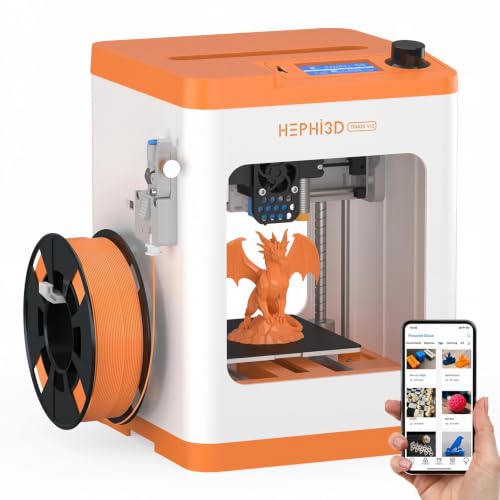
The Entina Tina2C is a 3D printer for beginners and kids that arrives fully assembled, with a 5-minute setup, auto leveling, and WiFi and app control. Its library of 3500+ models and 25+ DIY projects gives a new maker plenty to try, and its quiet printing suits a home desk. It is the kind of printer that shows up again and again in this category because it covers the basics without obvious gaps: quick setup, the connections most homes already use, and a model library that does not demand constant attention.
Key specifications: Fully assembled mini 3D printer; 5-minute setup; auto leveling; WiFi and app control; 3500+ models; 25+ DIY projects; quiet printing; for home and STEM
Where it stands out:
- 5-minute setup with the printer fully assembled
- Auto leveling plus WiFi and app control
- 3500+ models and 25+ DIY projects with quiet printing
Trade-offs:
- Its mini size limits the size of the models it can print
- Print quality depends on careful setup and slicing
- Filament and running costs add up over time
Best for: beginners and kids who want a quiet, quick first printer Not suited for: makers who need large-format prints
Its mini size limits the size of the models it can print None of that disqualifies the printer, but it does mean the buyer should check the specification sheet against their own desk before ordering, especially if the printer will sit far from the router or share a small desk with other equipment.
Setting up the Entina Tina2C takes little more than the Wi-Fi password and a few minutes with the app. Connect it over Wi-Fi, load the filament, and run a test print before the first real job. Keep the printer on a flat, stable surface with room around it, and check the app settings match the filament loaded, because a printer that is still being adjusted mid-print helps nobody.
Compared with the other printers in this guide, the Entina Tina2C earns its place through its 5-minute setup and quiet printing. That is the feature most likely to decide the purchase, and it is worth weighing against the printer’s limits: Its mini size limits the size of the models it can print Buyers who need that missing feature should choose a different pick from this guide, while buyers who do not will find this model covers the job with little fuss. Check the warranty and the return policy before ordering, and test the printer within the return window, printing the models it will actually print every day.
The Tina2C is Entina’s quick, quiet first printer for beginners and kids.
Check price on Amazon: Entina Tina2C 3D Printer for Beginners & Kids

ELEGOO Centauri 2 Combo
The ELEGOO Centauri 2 Combo is a beginner-friendly 3D printer with multicolor printing, a 500mm/s high-speed CoreXY design, 4-color printing, auto leveling, a 350°C nozzle, the Nexprint model hub, and remote control with the app. Its multicolour printing and high speed suit makers who want colour from the start, while its auto leveling keeps the first prints simple. It is the kind of printer that shows up again and again in this category because it covers the basics without obvious gaps: colour for the projects that need it, speed for the daily load, and app control for the desk.
Key specifications: Beginner-friendly multicolor printing; 500mm/s high-speed CoreXY; 4-color printing; auto leveling; 350°C nozzle; Nexprint model hub; remote control with APP
Where it stands out:
- 4-color multicolor printing for beginners
- 500mm/s high-speed CoreXY printing
- Auto leveling, 350°C nozzle, Nexprint model hub and app remote control
Trade-offs:
- Multicolour printing adds setup steps
- Print quality depends on careful setup and slicing
- Filament and running costs add up over time
Best for: beginners who want multicolour printing at high speed Not suited for: buyers who only ever print in one colour
Multicolour printing adds setup steps None of that disqualifies the printer, but it does mean the buyer should check the specification sheet against their own desk before ordering, especially if the printer will sit far from the router or share a small desk with other equipment.
Setting up the ELEGOO Centauri 2 Combo takes little more than the Wi-Fi password and a few minutes with the app. Connect it over Wi-Fi, load the filament, and run a test print before the first real job. Keep the printer on a flat, stable surface with room around it, and check the app settings match the filament loaded, because a printer that is still being adjusted mid-print helps nobody.
Compared with the other printers in this guide, the ELEGOO Centauri 2 Combo earns its place through its 4-color printing at 500mm/s. That is the feature most likely to decide the purchase, and it is worth weighing against the printer’s limits: Multicolour printing adds setup steps Buyers who need that missing feature should choose a different pick from this guide, while buyers who do not will find this model covers the job with little fuss. Check the warranty and the return policy before ordering, and test the printer within the return window, printing the models it will actually print every day.
The Centauri 2 Combo is ELEGOO’s beginner-friendly multicolour CoreXY printer.
Check price on Amazon: ELEGOO Centauri 2 Combo 3D Printer

Entina Tina2 Plus
The Entina Tina2 Plus is a 3D printer for beginners and kids that prints at 250mm/s, with WiFi and app control, fully assembled, auto leveling, a PEI build plate, and an open source design. Its mini size suits a home desk or a school room, and its fast printing keeps short projects moving. It is the kind of printer that shows up again and again in this category because it covers the basics without obvious gaps: speed for the daily load, the connections a modern home expects, and a build plate that helps first prints stick.
Key specifications: 250mm/s fast printing; WiFi and app control; fully assembled; auto leveling; PEI build plate; open source mini 3D printer; for home and school
Where it stands out:
- 250mm/s fast printing for short projects
- Fully assembled with auto leveling and a PEI build plate
- WiFi and app control with an open source design
Trade-offs:
- Its mini size limits the size of the models it can print
- Print quality depends on careful setup and slicing
- Fast printing can need more trial and error on fine details
Best for: beginners and kids who want fast printing at home or school Not suited for: makers who need large-format prints
Its mini size limits the size of the models it can print None of that disqualifies the printer, but it does mean the buyer should check the specification sheet against their own desk before ordering, especially if the printer will sit far from the router or share a small desk with other equipment.
Setting up the Entina Tina2 Plus takes little more than the Wi-Fi password and a few minutes with the app. Connect it over Wi-Fi, load the filament, and run a test print before the first real job. Keep the printer on a flat, stable surface with room around it, and check the app settings match the filament loaded, because a printer that is still being adjusted mid-print helps nobody.
Compared with the other printers in this guide, the Entina Tina2 Plus earns its place through its 250mm/s printing with a PEI build plate. That is the feature most likely to decide the purchase, and it is worth weighing against the printer’s limits: Its mini size limits the size of the models it can print Buyers who need that missing feature should choose a different pick from this guide, while buyers who do not will find this model covers the job with little fuss. Check the warranty and the return policy before ordering, and test the printer within the return window, printing the models it will actually print every day.
The Tina2 Plus is Entina’s fast, open source mini printer for beginners and kids.
Check price on Amazon: Entina Tina2 Plus 3D Printer
Professional 3D Printers Over 5000
A 3D printer over 5000 is a professional machine, built for large, accurate parts in engineering materials, with the reliability a business needs. The point is practical, not theoretical: a printer that is bought for the wrong reason will disappoint, while a printer bought for the right reason will print well for years. The models in this guide all pass that test for the use the keyword describes, and the differences between them are the differences that matter in a real room.
It helps to think about the workload first and the printer second. A small workload needs a small printer, a large workload needs a larger one, and a room with limited space needs a printer that fits it. The printers in this guide cover those rooms between them, and the buying guide below explains how to match the printer to the workload rather than to the specification sheet.
What Professional Printing Costs
A 3D printer over 5000 is a professional machine, built for large, accurate parts in engineering materials, with the reliability a business needs. The point is practical, not theoretical: a printer that is bought for the wrong reason will disappoint, while a printer bought for the right reason will print well for years. The models in this guide all pass that test for the use the keyword describes, and the differences between them are the differences that matter in a real room.
It helps to think about the workload first and the printer second. A small workload needs a small printer, a large workload needs a larger one, and a room with limited space needs a printer that fits it. The printers in this guide cover those rooms between them, and the buying guide below explains how to match the printer to the workload rather than to the specification sheet.
Buying Guide
Measure the space first
Before ordering, measure the space where the printer will live and note how much room is free. A printer that does not fit the desk or the shelf will end up in a cupboard, which is a waste of money. Measure the width, the depth and the height, and check that the printer can sit with some air around it, because a printer crammed into a tight space will jam more often and run hotter.
Check the connections
Check what the printer connects to before ordering. A printer needs Wi-Fi, USB or a network cable that matches the computer or the phone that will feed it, and a printer with the wrong connections will need an adapter or a new setup. The specifications in each section list the connections, and it is worth matching them to the devices that will use the printer.
Work out the running cost
The cost of a printer is not the cost of the box, because ink and toner are the real expense over a year. A cheap printer with costly cartridges can cost more in a year than a dearer printer with tanks or long-life toner, so work out the pages per month and the cost per page before ordering. The models in this guide cover the full range, from cheap cartridge printers to low-cost tank printers.
Check the paper handling
Check the paper sizes and weights the printer accepts before ordering, because a printer that cannot take the paper the buyer uses is the wrong printer. Envelopes, card, photo paper and labels all need different handling, and the specifications in each section say what each model accepts. A printer with a rear feed handles thick media better than one with a front tray alone.
Think about the workload
A printer bought for a few pages a week and a printer bought for fifty pages a day are different machines, and the duty cycle in the specification says which is which. A small printer worked too hard will jam and wear out early, while a large office printer in a quiet home is a waste of space and money. Match the printer to the pages per month, not to the highest specification available.
Check the return window
A printer should be tried at home during the return window with the real paper and the real workload, because a showroom or a review cannot tell how a printer will behave in a particular room. Keep the box until the decision is made, and return the printer if it does not suit the space, because a printer that does not fit the room will not improve with time.
How to Use and Care for Your Printer
Printers need a little care, but a few habits keep them printing well for years. Keep the printer out of direct sunlight, because heat ages the rollers and the ink, and keep it away from damp. Dust the outside with a dry cloth, and clean the paper path with a lint-free cloth when the manual says to, because dust in the feed path causes most misfeeds.
Print something at least once a week if the printer uses ink, because ink that sits still can clog the nozzles, and a short weekly print keeps the heads clear. Laser printers need less attention, but their rollers still benefit from a clean, and every printer benefits from paper kept flat and dry. A printer used regularly and kept clean will last far longer than one left idle in a damp corner.
Common Mistakes to Avoid
The most common mistake is buying a printer for the wrong workload. A small printer in a busy office will jam and wear out, and a large office printer in a quiet home will waste space and money, and neither can be fixed by changing a setting. Work out the pages per month, match the printer to it, and the output will follow.
The second mistake is buying on the cost of the box alone, without counting ink or toner. A cheap printer with costly cartridges can cost more in a year than a dearer printer with tanks, because the cartridges are where the money goes. Check the cost per page, not just the cost of the machine, and choose the printer whose running cost fits the workload.
The third mistake is ignoring the connections and the paper. A printer that cannot connect to the phone or the computer that will use it is the wrong printer, and a printer that cannot take the paper the buyer needs is the wrong printer too. Check the connections and the paper handling before ordering, and use a wired connection where the print matters most.
Final Recommendation
The best all-round pick in this guide is the FLASHFORGE Adventurer 5M, because it pairs fast printing with one-click auto leveling and a direct drive extruder that leaves room to grow. For multi-colour printing, the FLASHFORGE AD5X is the pick: 4-color printing, 600mm/s speed, and full-auto calibration.
Start with the printer that matches the space and the workload, and add a second printer later if the work still needs something. The models in this guide have all earned their place by printing well day after day, which is the best recommendation a printer can have.
Frequently Asked Questions
What are the best 3d printers over 5000?
The best 3d printers over 5000 are the FLASHFORGE Adventurer 5M, the FLASHFORGE AD5X and the ELEGOO Centauri 2 Combo. They are all printers that fit the use the keyword describes, and they all print well in the right room. The FLASHFORGE Adventurer 5M is the best all-round choice, while the FLASHFORGE AD5X suits a buyer who wants multi-colour printing.
How do I choose among the best 3d printers over 5000?
Choose by the room, the workload and the buyer. A small printer suits a desk or a shelf, a larger printer suits an office, and a wide-format printer suits a studio. Check the connections against the phone, the computer or the tablet that will feed the printer, and choose the model whose strengths match the use.
Do the best 3d printers over 5000 need much maintenance?
Most of the printers in this guide need little maintenance: keep them clean, keep the paper dry, and print something at least once a week if the printer uses ink. Laser printers need even less, because toner does not dry out. The usage section above explains the habits that keep a printer working for years.
Can I use the best 3d printers over 5000 with my phone?
Yes, most of the printers in this guide print from a phone, either by Wi-Fi or by Bluetooth, and the specifications in each section list the connections. The manufacturer app usually gives the simplest setup, and a wired USB connection is always available as a backup for an important print.
How should I place the best 3d printers over 5000?
Place them on a flat, sturdy surface with air around the machine, away from direct sunlight and damp, and with the paper tray easy to reach. A printer pushed into a tight corner will jam more often, and a printer on a wobbly table will misfeed, so a solid desk is the cheapest upgrade available.
Will the best 3d printers over 5000 work with the paper I already have?
Most of the printers in this guide take standard plain paper without any trouble, and the specifications in each section say which sizes and weights each model accepts. Photo paper, card and labels need a printer that supports them, so check the paper handling before ordering if thick or glossy media matters.
Related Guides on GizmoVerdict
These guides on the same site cover the same topic in more depth, and each one is live now: 3D Printers With Auto Bed Leveling, 3D Printers Heated Bed, 4K Resin Printers.
Key Takeaways
- The FLASHFORGE Adventurer 5M is the best best 3d printers over 5000 overall, a beginner who wants fast printing with room to grow.
- The MakeBuddy Smart5 AI is the best best 3d printers over 5000 overall, a beginner who wants plug-and-play printing with air filtration.
- The FLASHFORGE AD5X is the best best 3d printers over 5000 overall, a maker who wants 4-colour printing at speed.
- The Entina Tina2C is the best best 3d printers over 5000 overall, a beginner or a child who wants a quiet, quick first printer.
- The ELEGOO Centauri 2 Combo is the best best 3d printers over 5000 overall, a beginner who wants multicolour printing at high speed.
- The Entina Tina2 Plus is the best best 3d printers over 5000 overall, a beginner who wants fast printing with app control.
Conclusion
The best 3d printers over 5000 are the printers that do a specific job well, and the models in this guide all do it. The FLASHFORGE Adventurer 5M suits most buyers, the FLASHFORGE AD5X suits a buyer who wants multi-colour printing, and the Entina Tina2C suits a buyer who wants the easiest first printer. Whatever you choose, measure the space, check the connections, and work out the running cost, because a good printer, set up well, will make every page print better.
Start with the printer that matches the room and the workload, and add a second printer later if the work still needs something. The models in this guide have all been bought by a large number of buyers, and they have all earned their place by printing well day after day, which is the best recommendation a printer can have.