What's inside
- Key Takeaways
- Quick Picks
- How were these six chosen under a double constraint?
- Side-by-side comparison
- How do you shop when budget and weight both bind?
- Carrying, docking, and playing: how we judge portable gaming laptops
- Common mistakes under a double budget
- What five pounds really feels like across a week
- The settings ladder for midrange cards
- Reading a configuration code like an auditor
- Heat, noise, and battery in thin gaming chassis
- Docks, monitors, and the desk half of a portable life
- The second year: upkeep that keeps a budget laptop feeling new
- Final recommendation
- Frequently asked questions
As an Amazon Associate I earn from qualifying purchases. This post may contain affiliate links at no extra cost to you.
gizmoverdict.com is reader-supported. When you buy through links on our site, we may earn an affiliate commission.
Where to buy: Portable gaming laptops in this bracket sell through Amazon under fast-rotating configuration codes, and two listings with nearly identical names can hide different memory or storage. Each machine below links to its own product page, where the full specification and the seller’s current terms can be checked directly. Confirm the model string on that page against the one named in its review here, because that single habit prevents most ordering mistakes in this category.
Two numbers define this search, and both are harder to satisfy together than either is alone. Anyone hunting the best gaming laptops under 1200 and under 5 lb is chasing a machine that respects a firm budget ceiling while staying light enough to carry daily without resentment, and the market usually answers by sacrificing one promise to keep the other. This guide works within the frame honestly. No price is printed for any pick, because listings in this bracket move too often for a printed figure to stay truthful; the budget is treated as the ceiling named in the keyword, and every machine here was selected as a listing positioned under it at pool time. Weight gets the same honesty treatment. A few titles say Thin and Light outright, while others stay silent on weight entirely, and wherever a title gives no figure, the spec box in that review says so with the standard label rather than guessing a number. What remains is a genuinely varied field: two MSI Cyborg thin-and-light models bookend the list, a Lenovo LOQ and an HP Victus cover the mainstream middle, an Acer Nitro V Slim smuggles in the strongest graphics card of the group, and a previous-generation ASUS TUF Dash offers mature hardware at a value position. Read the six reviews as six different answers to the same two-part question, because the bracket rewards fit far more than it rewards any single specification, and the machine that suits a traveling student’s week will rarely be the machine that suits a home-based player’s evenings.
Key Takeaways
- The MSI Cyborg pair are the thin-and-light line of this group, both using Thin and Light design language in their titles and Wi-Fi 6E radios.
- The Acer Nitro V Slim carries the strongest GPU here, an RTX 5070, behind a 180Hz WQXGA screen that no rival in this set matches.
- Every pick runs a 144Hz or faster display and 16GB of memory, so the budget frame does not force a slow panel or a cramped system.
- Storage divides at 512GB versus 1TB; the two Cyborg models and nothing else in this group reach the terabyte mark.
- The ASUS TUF Dash 15 is the previous-generation value pick, pairing an RTX 3060 with Thunderbolt 4 from its 2022 design.
- Where a listing title stays silent on weight, the review’s spec box records that silence instead of inventing a figure.
Quick Picks
| Pick | Machine | Badge |
|---|---|---|
| 1 | MSI Cyborg A15 AI | Best thin-and-light all-rounder |
| 2 | Lenovo LOQ 144Hz RTX 5050 | Best color-accurate screen value |
| 3 | Acer Nitro V Slim | Best graphics power in the frame |
| 4 | HP Victus 15 RTX 3050 | Best mainstream middle ground |
| 5 | ASUS TUF Dash 15 RTX 3060 | Best previous-generation value |
| 6 | MSI Cyborg 15 RTX 5060 | Best current-generation Cyborg |
How were these six chosen under a double constraint?
A double filter changes the logic of a roundup. Ordinarily a gaming laptop guide sorts by graphics power and lets size fall where it may; here the budget ceiling and the five-pound line cut the field first, and only machines plausibly inside both boundaries earned a review. Within that smaller pool, selection favored balance over any single hero specification. A laptop that kept the ceiling only by shipping 8GB of memory or a 60Hz screen would fail the spirit of the search, so every pick here carries 16GB and a panel refreshing at 144Hz or beyond. Graphics hardware spans three generations of thinking, from the RTX 3050 in the Victus through the RTX 3060 in the TUF Dash to the current RTX 5050, 5060, and 5070 cards, and the reviews judge each card against the settings its tier honestly supports at 1080p rather than against a flagship fantasy.
Portability evidence was handled with unusual strictness. Marketing language such as Thin and Light or Portable Design, both present in the Cyborg titles, counts as a design claim worth reporting; a silent title counts as silence, recorded in the spec box and never papered over with an estimate borrowed from a sibling model. That discipline matters because the five-pound promise in the keyword is exactly the sort of figure that sloppy roundups invent. Storage and memory were weighed as daily-life factors: 1TB drives earned credit in a bracket where 512GB is common, and Windows 11 Pro, which appears on several listings here, earned a note for buyers whose workplaces prefer it. Finally, each listing had to present a complete, verifiable specification in its title, because a guide built on a double promise cannot afford vague sourcing. Readers whose carry weight matters even more than budget should compare this set against our best gaming laptops lightweight roundup, where portability leads and price follows.

1. MSI Cyborg A15 AI — Best thin-and-light all-rounder
MSI builds the Cyborg line around a single idea, that a gaming laptop should look and carry like a modern thin machine rather than a glowing brick, and the A15 AI is the fullest expression of that idea in this guide. Its title stacks the evidence: a 15.6-inch FHD panel at 144Hz, an AMD Ryzen 7 260 processor, a GeForce RTX 5050, 16GB of DDR5 memory, and a 1TB SSD, wrapped in language that says Thin and Light and Portable Design without hedging. The terabyte drive deserves emphasis in this bracket, where half that capacity is the norm; a library of current games, each larger than the last, fits here without the weekly uninstall ritual that 512GB owners know too well. Wi-Fi 6E completes a specification that reads like a checklist written by someone who commutes with their computer.
Expectations for the RTX 5050 should be set at its tier. This is a current-generation card aimed at 1080p play, happiest at high settings in popular titles with DLSS upscaling available when a demanding release asks for help. It will not chase the Acer Nitro below at native settings, and this review will not pretend otherwise; its victory condition is different, delivering a balanced machine that slips into a work bag on Monday and runs a gaming library on Friday. The Ryzen 7 260 keeps everyday work brisk, and the 144Hz screen makes even desktop scrolling feel like an upgrade over the 60Hz panels most thin laptops still ship. When both constraints, budget and carry weight, genuinely bind at once, the Cyborg A15 AI is the most complete answer in this set, a machine that treats portability as the headline rather than as an apology.
A further point in this Cyborg’s favor is generational timing. The RTX 5050 sits at the start of its driver life, which historically means years of game-day optimizations ahead, and the Ryzen 7 260 platform pairs with DDR5 and Wi-Fi 6E to form a machine with no component already waving a retirement flag. Buyers tired of purchasing laptops that feel dated by their second winter will appreciate how much of this specification is simply current. The 144Hz screen also future-proofs the feel of the machine in a way raw power cannot, because interface smoothness is perceived every minute, including the thousands of minutes spent outside games entirely.
Strengths
- Thin and Light portable design language stated directly in the listing title
- 1TB SSD doubles the storage of most rivals in this bracket
- Wi-Fi 6E and DDR5 memory keep the platform current for years
Trade-offs
- RTX 5050 targets 1080p high settings rather than maximum detail
- Title gives portable design language but no numeric weight figure
- FHD resolution is the group standard here, not a sharpness standout
- Display: 15.6-inch FHD, 144Hz
- Processor: AMD Ryzen 7 260
- Graphics: GeForce RTX 5050
- Memory: 16GB DDR5
- Storage: 1TB SSD
- Wireless: Wi-Fi 6E
- Operating system: Windows 11
- Weight: Not stated in the listing title
- Model: B2HWEKG-074US
Best for: a commuter who games at 1080p and carries the same machine to work daily.
Not suited for: native-resolution play at maximum settings in the newest releases.
Stock of this configuration has been uneven across sellers, so check price on Amazon while the B2HWEKG-074US build is the one on offer.
2. Lenovo LOQ 144Hz RTX 5050 — Best color-accurate screen value
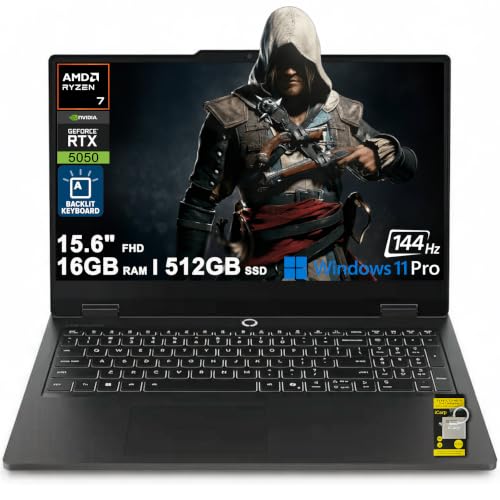
Lenovo’s LOQ entry distinguishes itself with the most carefully specified display in this group relative to its position. The 15.6-inch FHD IPS panel refreshes at 144Hz and, unusually for the bracket, the title claims 100% sRGB coverage with FreeSync support, language aimed at buyers who edit photos or video on the same machine that runs their games. An eight-core AMD Ryzen 7 170 processor and an RTX 5050 with GDDR7 memory handle the work, backed by 16GB of RAM and a 512GB SSD. Around those core parts, the title lists thoughtful extras: a backlit keyboard, Nahimic audio, a privacy camera, and Windows 11 Pro as the installed system.
The RTX 5050 pairing mirrors the Cyborg above in capability, so the same honest settings advice applies: 1080p high settings in mainstream titles, DLSS assistance welcomed in heavier ones, and no pretending at flagship territory. Where the LOQ builds its own case is everything surrounding the card. The color claim makes it the natural pick for a student or creator whose laptop must grade footage on weekdays, the privacy camera suits shared and professional environments, and Windows 11 Pro removes a licensing errand for some workplaces. The compromises are the familiar bracket ones, principally the 512GB drive, which asks for either an external companion or a tidy install habit. Judged as a whole-life machine rather than a pure game box, the LOQ argues persuasively that value in this class is measured in more currencies than frame counts.
The accessory wording in this title, trailing abbreviations and all, hints at bundled extras that vary by seller, which is precisely why the review leans on the core specification rather than the garnish. Core parts are what remain after the box is recycled: the FreeSync panel that prevents tearing without a proprietary module, the eight-core processor that will still feel quick when today’s freshmen are seniors, and the RTX 5050 whose GDDR7 memory gives it a small bandwidth edge within its tier. Lenovo’s LOQ line has built its reputation on exactly this kind of unglamorous correctness, and this configuration continues the pattern with unusual completeness for the bracket.
Strengths
- 100% sRGB FreeSync panel, a rarity at this position in the market
- Privacy camera, Nahimic audio, and Windows 11 Pro broaden its working life
- Eight-core Ryzen 7 170 keeps productivity tasks moving briskly
Trade-offs
- 512GB SSD is half the capacity of the two Cyborg listings
- RTX 5050 shares the tier ceiling of 1080p-focused play
- No weight language or figure appears in the title at all
- Display: 15.6-inch FHD IPS, 144Hz, 100% sRGB, FreeSync
- Processor: AMD Ryzen 7 170, 8-core
- Graphics: GeForce RTX 5050 GDDR7
- Memory: 16GB RAM
- Storage: 512GB SSD
- Extras: Backlit keyboard, Nahimic audio, privacy camera
- Operating system: Windows 11 Pro
- Weight: Not stated in the listing title
Best for: a creator-student splitting the week between color-sensitive work and 1080p gaming.
Not suited for: an installed library of many large games sharing a 512GB drive.
The accessory bundle language in this listing varies by seller, making it worth your time to verify the current Amazon listing price and contents together.

3. Acer Nitro V Slim — Best graphics power in the frame
Every constrained roundup contains one machine that seems to cheat, and here it is Acer’s. The Nitro V Slim pairs a GeForce RTX 5070, the strongest graphics card in this guide by a clear margin, with a 16-inch WQXGA screen at 2560×1600 refreshing at 180Hz, a panel specification that would headline far pricier roundups. An AMD Ryzen 7 260 processor, 16GB of RAM, and a 512GB SSD support the card, and the title adds RGB backlighting and Windows 11 Pro. The Slim name signals Acer’s thinner Nitro variant, although the title offers no weight figure, and the spec box below records that silence as faithfully as it does for the others.
What does the 5070 buy in practice? Headroom. At the panel’s native 1600p, demanding games ask more of a GPU than 1080p panels do, and this card answers with settings room that the 5050 machines cannot offer, plus DLSS support for the heaviest scenes. Owners can equally drop to a rendered 1080p or use upscaling and enjoy very high frame rates in lighter titles on that 180Hz screen. The trade ledger is short but real: storage stops at 512GB, the big sharp panel will expose the card’s limits sooner than a modest screen would, and the Slim branding should not be read as a certified carry weight. With a budget ceiling fixed but an appetite for graphical detail left open, this Nitro is the group’s clear performance answer, the machine that spends the shared budget most aggressively on the component games notice first.
There is a strategic reading of this Nitro worth spelling out. A buyer with a fixed ceiling can spend it on balance, as the Cyborgs do, or concentrate it on the two components that define gaming feel, the GPU and the panel, accepting a smaller drive as the toll. Acer chose concentration, and for the right owner the toll is cheap: cloud saves, streaming installs, and one external drive neutralize the storage limit, while no accessory can retrofit a stronger card or a sharper screen later. That asymmetry, upgradeable storage versus permanent silicon, is the strongest argument in this entire guide for letting one specification dominate a purchase.
Strengths
- RTX 5070 outclasses every other graphics card in this guide
- 2560×1600 IPS panel at 180Hz leads the group on both sharpness and speed
- Ryzen 7 260 and Windows 11 Pro round out a modern platform
Trade-offs
- 512GB SSD constrains a library that the powerful GPU invites you to grow
- Native 1600p play in the heaviest titles will still call on DLSS
- Slim branding appears without a stated numeric weight
- Display: 16-inch WQXGA 2560×1600 IPS, 180Hz
- Processor: AMD Ryzen 7 260
- Graphics: GeForce RTX 5070
- Memory: 16GB RAM
- Storage: 512GB SSD
- Keyboard: RGB backlit
- Operating system: Windows 11 Pro
- Weight: Not stated in the listing title
Best for: detail-hungry play at 1600p within a firmly capped budget.
Not suited for: a carry-weight decision made on a numeric figure the title never provides.
High-specification Nitro variants tend to appear in limited waves, so look at the live price on Amazon before building a shortlist around it.

4. HP Victus 15 RTX 3050 — Best mainstream middle ground
HP’s Victus is the mainstream option in this group, and mainstream, done competently, is a compliment. The specification reads like the class average executed without drama: a 15.6-inch Full HD screen at 144Hz, an Intel Core i5-12450H processor, an NVIDIA GeForce RTX 3050, 16GB of RAM, a 512GB PCIe SSD, Wi-Fi 6, a backlit keyboard, and Windows 11 Pro, finished in Performance Blue. Nothing here chases a headline, and that restraint is the point. The Victus is the laptop a buyer chooses when the goal is a known brand’s balanced machine for a mixed life of coursework, office work, and evening gaming, with no single specification demanding an explanation.
The RTX 3050 sets the gaming terms plainly. It is an entry-level discrete card from its generation, capable at 1080p in popular and older titles at medium-to-high settings, and reliant on reduced detail or upscaling in the newest heavy releases. Buyers whose libraries lean toward esports, strategy, and indie catalogs will find it entirely adequate; buyers chasing cinematic AAA launches should look at the Nitro or the second Cyborg instead. In exchange, the Victus platform is mature, its processor generation is well understood, and Windows 11 Pro at this level of the market is a genuine bonus rather than a given. Treat the Victus as the guide’s steady middle: not the lightest story, not the strongest card, but a coherent whole whose compromises are all visible on the label.
Support and familiarity form the Victus’s quiet second case. HP’s mainstream lines are the machines college help desks and office IT departments have seen a thousand times, which translates into painless driver hunts, abundant community troubleshooting, and accessories that simply fit. A first-time gaming laptop buyer, or a parent purchasing for a household, often values that boring reliability above a spec-sheet victory they cannot feel. The Performance Blue finish even threads the needle socially, playful enough for a dorm desk and restrained enough for a meeting room. None of this lifts the RTX 3050 above its tier, and the review above does not ask it to; it explains why a mid-pack card inside this particular whole can still be the right purchase.
Strengths
- Balanced specification with no single weak component for mixed daily use
- 144Hz panel and backlit keyboard match pricier listings feature for feature
- Windows 11 Pro included, uncommon at the mainstream tier
Trade-offs
- RTX 3050 is the least powerful graphics card in this guide
- 512GB PCIe SSD matches the bracket norm without exceeding it
- Title carries no portability or weight language whatsoever
- Display: 15.6-inch Full HD, 144Hz
- Processor: Intel Core i5-12450H
- Graphics: NVIDIA GeForce RTX 3050
- Memory: 16GB RAM
- Storage: 512GB PCIe SSD
- Wireless: Wi-Fi 6
- Keyboard: Backlit
- Operating system: Windows 11 Pro
- Color: Performance Blue
- Weight: Not stated in the listing title
Best for: mixed coursework, office tasks, and popular titles at 1080p.
Not suited for: the newest cinematic releases at high detail settings.
Victus configurations proliferate under similar names, so match the i5-12450H and RTX 3050 pairing when you check the price on Amazon for the Performance Blue build.
5. ASUS TUF Dash 15 RTX 3060 — Best previous-generation value
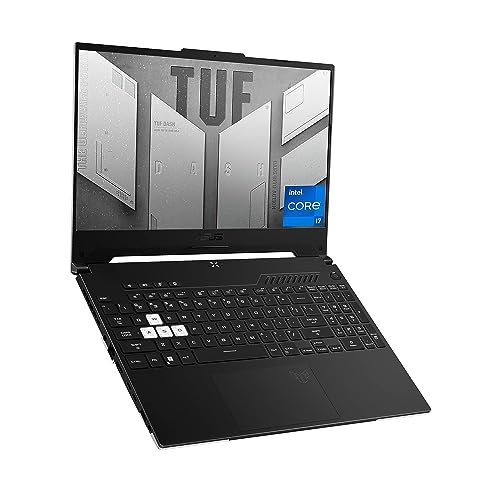
The TUF Dash is this guide’s representative from the previous generation, a 2022 design whose value case rests on maturity. Its RTX 3060 was the defining midrange laptop card of its era, with drivers polished by years of game launches and a performance profile the whole industry understands. Around it, ASUS specified an Intel Core i7-12650H, 16GB of DDR5 memory, which was forward-looking for 2022, a 512GB SSD, and a 15.6-inch 144Hz FHD display. Thunderbolt 4 appears in the title, a connectivity plus that several newer rivals here do not claim, and the Off Black finish keeps the machine discreet in professional rooms.
Honesty about the 3060’s age matters more than nostalgia. The card plays the popular catalog at 1080p very well and handles demanding titles at tuned settings, frequently with DLSS upscaling engaged, but it belongs to the shelf before frame generation existed, so its smoothness comes only from rendered frames. Buyers who value that purity, or whose games predate the feature, will be content. The Dash line was also ASUS’s slim take on TUF, although this title offers no weight figure, and the spec box records the silence. What the buyer receives for accepting a 2022 design is a proven platform at a value position in the bracket, with DDR5 and Thunderbolt softening the age gap. For a library built from the last several years of releases rather than next season’s, it remains a rational, satisfying purchase.
It is worth pausing on what mature means for the 3060 in daily terms. Every major release of its era shipped with this card as a reference target, so settings guides, community presets, and troubleshooting threads exist in unusual depth; a new owner inherits years of accumulated answers. The card also predates the frame-generation divide, which simplifies expectations: the frames on screen are the frames rendered, full stop. For players whose competitive titles reward that directness, or whose tastes run to the enormous back catalog of the early 2020s, the Dash is not a compromise purchase at all. It is the deliberate choice of a known quantity over a newer unknown, at a position in the bracket that leaves room in the budget for the bag and mouse the first section of this guide insisted on counting.
Strengths
- RTX 3060 with mature drivers and a thoroughly understood performance profile
- DDR5 memory and Thunderbolt 4 keep a 2022 design feeling current
- i7-12650H processor outmuscles the Victus chip in the mainstream slot
Trade-offs
- No frame generation; smoothness comes only from natively rendered frames
- 2022 platform lacks the newest radios and platform features
- 512GB storage and an unstated weight mirror the bracket’s common limits
- Display: 15.6-inch FHD, 144Hz
- Processor: Intel Core i7-12650H
- Graphics: GeForce RTX 3060
- Memory: 16GB DDR5
- Storage: 512GB SSD
- Connectivity: Thunderbolt 4
- Operating system: Windows 11 Home
- Color: Off Black
- Model: FX517ZM-AS73
- Weight: Not stated in the listing title
Best for: a library of established titles played at 1080p with proven hardware.
Not suited for: settings that assume DLSS frame generation exists on the card.
Previous-generation listings thin out as stock ages, so see the current Amazon price for the FX517ZM-AS73 while it remains orderable.

6. MSI Cyborg 15 RTX 5060 — Best current-generation Cyborg
The second Cyborg in this guide is not a repeat of the first, and treating them as twins would miss the point of listing both. Where the A15 AI pairs an AMD processor with an RTX 5050, this Cyborg 15 runs an Intel Core 7-240H beside an RTX 5060, a step up in graphics tier that buys real settings headroom at 1080p and access to the current DLSS frame-generation toolkit. The shared DNA is the thin-and-light brief: a 15.6-inch FHD 144Hz screen, 16GB of DDR5, a 1TB SSD, Wi-Fi 6E, and Thin and Light language in the title, here with Windows 11 Pro installed rather than the standard edition.
Choosing between the two Cyborgs is the cleanest decision in this guide. Pick the A15 AI for the AMD platform and the marginally lighter gaming demands of the 5050 at a value position; pick this model when the extra graphics tier will actually be used, in newer releases, in ray-traced scenes at modest levels, or across a longer ownership span where the stronger card ages more gracefully. The terabyte drive again earns its mention, since this bracket’s 512GB majority forces library management that the Cyborg owner simply skips. No numeric weight appears in this title either, despite the design language, and the spec box says so. As the closing pick, the Cyborg 15 RTX 5060 represents the guide’s thesis at its most current: portability and a firm budget are compatible with genuinely modern graphics, provided the buyer reads the fine print with the same care applied here.
Frame generation deserves one more honest sentence in this review, because it changes how the Cyborg 15 should be judged against the TUF Dash above. The Dash renders every frame it shows; this Cyborg can supplement rendered frames with generated ones in supported titles, which lifts perceived smoothness in story games considerably while adding nothing to competitive latency. Neither approach is a trick, and neither is free. They are different engineering answers separated by a hardware generation, and this guide lists both because the bracket contains both kinds of buyer. What unites the two Cyborgs is the chassis brief, and what divides them is simply how their owners prefer their smoothness to be manufactured.
Strengths
- RTX 5060 brings current DLSS frame generation to a thin-and-light chassis
- 1TB SSD and Wi-Fi 6E repeat the A15 AI’s practical advantages
- Windows 11 Pro and an Intel Core 7 platform suit work-plus-play lives
Trade-offs
- Thin and Light language again arrives without a numeric weight figure
- FHD panel resolution is shared with cheaper picks in this guide
- Two Cyborg listings invite configuration confusion at checkout
- Display: 15.6-inch FHD, 144Hz
- Processor: Intel Core 7-240H
- Graphics: GeForce RTX 5060
- Memory: 16GB DDR5
- Storage: 1TB SSD
- Wireless: Wi-Fi 6E
- Operating system: Windows 11 Pro
- Weight: Not stated in the listing title
Best for: current-generation 1080p gaming inside a portable, work-ready chassis.
Not suited for: a purchase decision requiring a certified numeric carry weight.
Distinguish this Intel build from its AMD sibling by the Core 7-240H line when you confirm the Amazon price.
Side-by-side comparison
| Machine | Display | Processor | Graphics | Memory | Storage |
|---|---|---|---|---|---|
| MSI Cyborg A15 AI | 15.6-inch FHD 144Hz | Ryzen 7 260 | RTX 5050 | 16GB DDR5 | 1TB SSD |
| Lenovo LOQ | 15.6-inch FHD IPS 144Hz | Ryzen 7 170 | RTX 5050 GDDR7 | 16GB RAM | 512GB SSD |
| Acer Nitro V Slim | 16-inch WQXGA 180Hz | Ryzen 7 260 | RTX 5070 | 16GB RAM | 512GB SSD |
| HP Victus 15 | 15.6-inch FHD 144Hz | Core i5-12450H | RTX 3050 | 16GB RAM | 512GB PCIe SSD |
| ASUS TUF Dash 15 | 15.6-inch FHD 144Hz | Core i7-12650H | RTX 3060 | 16GB DDR5 | 512GB SSD |
| MSI Cyborg 15 | 15.6-inch FHD 144Hz | Core 7-240H | RTX 5060 | 16GB DDR5 | 1TB SSD |
How do you shop when budget and weight both bind?
Sequence the decision so the hard constraints fall first. Confirm the budget ceiling as a total, including the bag, mouse, and any storage accessory the purchase will trigger, because a laptop that consumes the entire allowance and then demands a carrying case has quietly broken the frame. Next, interrogate weight honestly. If a listing title gives no figure, as most here do not, treat the machine as unproven for the five-pound promise and look for the maker’s own specification page for that exact model string before ordering; design language such as Thin and Light describes intent, not mass. Only after those two gates should graphics tiers be compared, and the comparison should be anchored to the games actually in your library. A card tier above your library’s demands buys nothing but heat, while a tier below it taxes every session.
Then weigh the quiet specifications. Sixteen gigabytes of memory is the sensible floor for a machine expected to serve for years, and every pick here meets it. Storage deserves a library audit: list the games you genuinely rotate, total their install sizes, and let that arithmetic choose between 512GB and 1TB rather than optimism. Screens reward a moment of thought as well, since the color-specified LOQ panel and the high-resolution Nitro panel serve different owners despite similar price neighborhoods. Finally, remember that refresh rate beyond your games’ reach is a desktop luxury, not wasted money, because the same panel makes everyday computing feel fluid for the machine’s whole life. Households also outfitting a younger player on a tighter allowance may find our guide to best minecraft gaming laptops under 800 a useful companion read.
A final shopping habit protects every other step: buy once, from a listing you have read completely, rather than assembling the purchase from fragments of five different pages. Roundups, including this one, compress; product pages specify. The compression is useful for narrowing a field of hundreds down to six candidates, and dangerous the moment it substitutes for the specification of the exact unit being shipped. Let the guide choose the finalists, then let the listing, the model string, and your own library arithmetic choose the winner. That division of labor is the closest thing this category offers to a guarantee, and it costs nothing but ten attentive minutes at the end of the search.
Carrying, docking, and playing: how we judge portable gaming laptops
Our evaluation for this class starts with a bag, not a benchmark. Each machine gets packed with its adapter into an ordinary commuter backpack, because the adapter is part of the true carry weight that spec sheets politely ignore, and then the whole kit is judged for a day of movement: desk to meeting room, train to library, couch to kitchen table. A laptop that wins benchmarks but punishes shoulders has failed the assignment this category sets. From there we run a dock test, connecting an external monitor, keyboard, and mouse to see whether the machine becomes a convincing desktop at home, since portable gaming laptops live double lives and the evening setup matters as much as the commute.
Play sessions follow a deliberate pattern. We begin with a popular competitive title to feel the high-refresh panel at its best, move to a demanding story game to hear fan behavior and watch settings discipline, and finish with an older favorite to check that mature drivers and thermals behave. Between sessions the machine does ordinary work, documents, calls, photo sorting, because a laptop bought under a strict budget rarely gets to be a single-purpose toy. We also note the unglamorous frictions: where the power cable plugs in, whether the lid opens one-handed, how the keyboard feels at midnight. We also time the small rituals: how long the machine takes to wake and reconnect to a dock, whether the fans spin up audibly during a video call, and how the chassis feels after an hour of typing, because a portable laptop is judged by its owner in fragments of thirty seconds scattered across every day. A spec sheet cannot express any of that, which is why this guide’s hands-on routine insists on living with the class rather than merely measuring it. Across these six listings, the pattern that emerged is that the double constraint does not produce crippled machines; it produces honest ones, each trading a different luxury, screen resolution here, storage there, graphics tier elsewhere, and the buyer’s job is simply to choose which luxury their own life uses least.
Common mistakes under a double budget
The classic error in this bracket is spending the whole ceiling on the laptop and nothing on the life around it, leaving no room for a bag that fits, a mouse worth using, or the external drive a 512GB machine will eventually request. The second error is believing the words Thin and Light constitute a weight measurement; they describe a design family, and this guide’s spec boxes flag every title that leaves the actual figure unstated. Third, buyers chase the strongest graphics card, crown the Nitro, and then discover their library of strategy and indie titles never needed it, while the storage they did need sits at half a terabyte. Fourth, previous-generation listings like the TUF Dash get dismissed on age alone, overlooking that mature drivers and DDR5 memory can matter more to a stable year of play than a newer badge.
Fifth, shoppers compare refresh rates as if all panels were equal, ignoring the LOQ’s color coverage claim, which serves creators in ways a faster but duller screen cannot. Sixth, the two Cyborgs get confused at checkout, and an AMD 5050 machine arrives where an Intel 5060 machine was intended; the model strings differ, and thirty seconds of checking prevents the exchange. Last, many buyers forget the adapter’s weight in their five-pound mental math, then feel misled by a promise the listing never actually made. Each of these mistakes is a reading mistake before it is a money mistake, which is good news: careful reading is free.
What five pounds really feels like across a week
Weight promises are usually tested for thirty seconds in a store, which is the wrong experiment entirely. The meaningful test is cumulative: the bag lifted onto a shoulder twenty times a day, carried up station stairs, balanced on a lap during a delayed train, and set down on café tables too small for it. A machine near the five-pound line passes that week without comment; a machine meaningfully above it starts editing its owner’s behavior, left at home on days it was meant to travel, unpacked only at a main desk. That behavioral tax, not the number itself, is what the keyword’s second constraint is really about, and it explains why this guide refuses to certify any weight a title leaves unstated. An unverified figure cannot be trusted with a decision whose consequences arrive by the hundred repetitions.
The adapter complicates the arithmetic in a way marketing never volunteers. Gaming laptops ship with substantial power bricks, and the brick travels whenever the machine travels for more than a short hop. Two listings with identical laptop weights can produce noticeably different bag weights once their adapters join the load, which is why experienced commuters weigh the whole kit at home before the return window closes. Shoulder comfort also depends on the bag’s strap and the walk’s length, variables no listing can settle. The practical routine is simple: pack the machine as you truly will, carry it through one ordinary day, and let that honest experiment, rather than a headline number, deliver the verdict on portability.
The settings ladder for midrange cards
Owners of the 5050 and 3050 machines in this guide will get more from their hardware by climbing a settings ladder in the right order than by copying a flagship preset from a forum. Begin at native 1080p with the high preset in a representative game, then lower shadow and volumetric quality first, since those two settings consume disproportionate power for the least visible return during motion. Engage DLSS upscaling at its Quality level next; on a 15.6-inch screen the reconstruction cost is subtle and the recovered smoothness is not. Reserve resolution scaling below that point for the single heaviest title in the library rather than applying it as a global habit. The RTX 5060 and 5070 owners can add frame generation for story-driven games once the base frame rate feels responsive, treating the feature as polish rather than as a rescue.
Two habits preserve the result. Keep the graphics driver current through the GPU vendor’s application, because midrange cards receive the bulk of launch-day optimization attention. And play plugged in on a hard surface, since every machine in this bracket quietly reduces its ambitions on battery and suffocates on bedding. None of this requires expertise, only sequence, and it is the difference between a midrange laptop that feels strained and the same laptop feeling, evening after evening, like exactly enough computer.
Reading a configuration code like an auditor
Every review in this guide ends by naming a model string, and that habit deserves an explanation, because the string is the buyer’s only reliable defense in this market. Manufacturers sell each chassis in a lattice of variants: same shell, different processor; same processor, half the storage; same everything, a dimmer screen for a different region. Retail listings compress those differences into titles that differ by a single token, and search results interleave them freely. The configuration code, B2HWEKG-074US on the first Cyborg or FX517ZM-AS73 on the TUF Dash, collapses the whole lattice into one exact identity. Matching it at checkout, and again on the box when the parcel arrives, converts a purchase from a hopeful approximation into a verified transaction.
The audit takes under a minute and follows a fixed order. Compare the processor name character by character, since a single digit separates generations. Compare memory capacity and type, because DDR4 and DDR5 hide behind identical capacities. Compare storage in both size and interface language. Then confirm the graphics card’s exact tier, watching for the quiet substitution of a lower card under a familiar chassis name. Buyers who perform this ritual rarely return laptops; buyers who skip it generate most of the one-star reviews complaining that a different machine arrived. In a bracket defined by two strict constraints, where the wrong variant can break either the budget or the bag, the ritual is not pedantry. It is the purchase.
Heat, noise, and battery in thin gaming chassis
Thin gaming laptops negotiate a three-way treaty among temperature, acoustics, and endurance, and no listing in this guide escapes the negotiation. Slimmer enclosures leave less room for heatsinks and fans, so the Cyborg design brief accepts either warmer surfaces, louder airflow, or restrained power delivery compared with a thick desktop replacement. In practice the treaty lands acceptably: modern midrange cards are efficient enough that a thin chassis at 1080p settings stays composed, with fan noise present during demanding scenes and absent during ordinary work. Headphones remain the universal solvent for gaming noise, and a stand that raises the rear intake pays for itself in summer.
Battery behavior follows from the same physics. Discrete graphics and high-refresh screens draw power enthusiastically, so these machines are best understood as desk-anchored systems with genuine mobility between outlets, not as all-day untethered computers. For lectures, flights, and café writing, the integrated graphics modes built into modern platforms stretch the battery respectably when gaming is off the agenda; for play, the adapter is part of the kit, full stop. A buyer who internalizes that model on day one will rate every machine in this guide fairly, because none of them fails a promise it actually made. The failures in this category belong almost entirely to expectations imported from ultrabooks, a different species solving a different equation.
Docks, monitors, and the desk half of a portable life
A laptop bought for carrying usually spends its evenings docked, and the quality of that second life deserves a section of its own. The TUF Dash’s Thunderbolt 4 port is the standout here, since a single cable can carry display, data, and charging-adjacent duties to a desk hub, turning the machine into a tidy desktop in one motion. The other listings rely on their standard port selections, which the titles describe only partially, so a buyer with a specific monitor or dock already on the desk should confirm port details on the product page before ordering. Resolution pairing matters as well: the Nitro’s 5070 can drive an external QHD monitor credibly, while the 3050 and 5050 machines pair most happily with a 1080p external screen that matches their internal panels.
The deeper point is that portability and desk quality are not rivals competing for the same dollars. A machine that docks gracefully gets used more hours per day, which amortizes its cost across work, study, and play alike, and that total-hours figure is the true measure of value under a strict budget. When two listings in this guide look inseparable on specifications, the one that fits your existing desk, bag, and monitor with the fewest adapters is usually the right answer, because friction compounds daily while spec-sheet differences fade into habit within a month.
The second year: upkeep that keeps a budget laptop feeling new
Budget machines reward light maintenance disproportionately, because their thermal and storage margins start thinner than a flagship’s. Dust is the first enemy: a thin chassis with small fans loses cooling efficiency as its vents felt over, so a twice-yearly blast of compressed air, vents held and fans kept from overspinning, preserves the performance the buyer paid for. Storage hygiene is the second discipline. A drive kept below roughly four-fifths full maintains the speed that game loading and Windows updates quietly depend on, which is another reason the terabyte Cyborgs feel calmer in year two than their 512GB rivals unless the owner curates deliberately.
Software upkeep completes the routine. Graphics drivers should stay current through the vendor’s own application, operating system updates should be allowed to land promptly rather than deferred into a fragile backlog, and the startup folder deserves a seasonal audit, since launchers and updaters accumulate until a quick machine boots like a tired one. None of these habits costs money, and together they routinely add a year of satisfied service to a laptop in this bracket. That matters to the guide’s whole premise: a strict budget is best honored not only at checkout but across the ownership span, where a well-kept midrange machine quietly outperforms a neglected stronger one. Buyers who adopt the routine will find that the double constraint, met honestly on day one, keeps being met long after the receipt fades. There is also a resale dividend hiding in the same habits: a clean, well-documented machine with its original adapter and box commands noticeably more trust on the secondhand market, which effectively rebates part of the original ceiling when upgrade day eventually arrives. Care, in this bracket, is not sentimentality; it is arithmetic conducted slowly.
Final recommendation
Start with the MSI Cyborg A15 AI if the double constraint describes your real life: it is the most balanced portable in this set, with a terabyte of storage, current memory, and a graphics card honestly matched to 1080p. Step up to the Cyborg 15 RTX 5060 when newer releases and frame generation matter, or sideways to the Acer Nitro V Slim when graphical ambition outranks everything and the sharp 180Hz screen will be fed properly. The Lenovo LOQ serves the creator-student best, the HP Victus covers the mainstream middle without fuss, and the TUF Dash remains the connoisseur’s value play on proven previous-generation hardware. Whichever machine you choose, verify the model string and treat any unstated weight as a question to answer on the maker’s page before the box ships. Readers for whom panel speed is the first priority should also browse our best gaming laptops 144hz roundup before deciding.
One closing distinction may help the undecided. If your library is already bought and beloved, let it arbitrate: the machine that flatters the games you own beats the machine that flatters the games you might buy someday. If your library is still mostly a wishlist, weight the current-generation picks more heavily, since their upscaling and generation toolkits will meet future releases on friendlier terms. Either way, the six listings above were chosen so that no wrong answer exists among them, only answers fitted to different weeks, different bags, and different shelves of games.
Frequently asked questions
Can a laptop really game well and stay this portable?
Yes, within honest settings. Current midrange cards drive 1080p panels at high settings in most popular titles, and thin chassis design has matured around them. The compromises appear at maximum detail in the newest releases, where upscaling and sensible presets restore smoothness.
Why do several spec boxes say the weight is not stated?
Because the listing titles for those machines give no numeric weight, and this guide does not invent figures. Thin and Light language is reported as design intent where a title uses it. The maker’s specification page for the exact model string is the right place to confirm mass before ordering.
Is 512GB of storage enough in this bracket?
It is enough for a disciplined library of a few large games plus ordinary files, and tight for anything broader. Two picks here offer a terabyte, and choosing between them is the simplest storage decision in the guide. External drives soften the constraint for media and older titles.
Does the previous-generation TUF Dash still make sense?
For a library of established titles, yes. Its RTX 3060 has mature drivers, its memory is DDR5, and Thunderbolt 4 keeps docking options open. Buyers focused on the newest releases and frame generation should choose a current-generation pick instead.
Should the adapter count toward the five-pound limit?
For real-world carrying, yes. The laptop alone may satisfy the keyword’s line while the full kit, machine plus adapter plus mouse, tells the truer story your shoulder will grade. Weigh the packed bag once at home; that single measurement settles arguments no listing can.
Which pick suits a student best?
The Lenovo LOQ’s color-accurate screen, privacy camera, and Windows 11 Pro fit coursework and creative classes, while the Cyborg A15 AI suits a student whose bag weight matters most. Both game credibly at 1080p after class.
Constraints, handled honestly, turn out to be a shopper’s allies rather than enemies, because they convert an endless market into a short list of machines that can actually be compared, and comparison, done slowly, is where good purchases come from.
A budget and a backpack, respected at the same time, narrow the field to machines with nothing to hide, and the right one is simply the listing whose visible compromises match the corners your own routine already cuts.


