What's inside
- Key Takeaways
- Quick Picks
- How Did We Choose the Best SD Cards for 2DS XL?
- What Card Does a New 2DS XL Actually Take?
- How Do You Format a Card Over 32GB to FAT32 for a 2DS XL?
- Are the Licensed Nintendo Cards Different From Ordinary microSD Cards?
- How Long Will a Card Live Inside a 2DS XL?
- What About the Games and Saves Already on the Old Card?
- How Do the Six Cards Compare Side by Side?
- How Should You Move an Existing Library Onto the New Card?
- What Mistakes Break 2DS XL Card Upgrades?
- Final Recommendation
- Frequently Asked Questions
- Related Guides
As an Amazon Associate I earn from qualifying purchases. This post may contain affiliate links at no extra cost to you.
gizmoverdict.com is reader-supported. When you buy through links on our site, we may earn an affiliate commission.
Where to buy: The six cards below each link to a verified Amazon listing, and every capacity, class and pack count quoted comes from those listings’ titles, which you can read at the top of each listing page. This guide also states the one formatting fact that decides whether a large card works in this console at all, and it states it early, in the open, before any pick is praised.
Finding the best sd cards for 2ds xl begins with an honest description of the machine. The New Nintendo 2DS XL reads microSD cards — not full-size SD — and it was designed in the microSDHC era: the console ships with a small microSDHC card and officially speaks the language of cards up to 32GB. Every pick in this guide except none at all escapes the consequence of that design: the six cards below run from 64GB to 256GB, which means each one needs to be formatted to FAT32 before the console will recognise it, a ten-minute job with a computer that this guide walks through as a proper how-to section rather than a footnote.
Why recommend cards that need a formatting step at all? Because the 2DS XL’s library is the reason to own one. A console bought to carry the great 3DS and DS back catalogue digitally — eShop purchases, Virtual Console titles, a shelf of classics without a case of cartridges — fills 32GB faster than its owner expects, and the community of players keeping these machines alive settled long ago on the practical answer: a larger microSD card, formatted FAT32, carrying the whole library in the console’s own slot under the back cover.
The six picks divide into three licensed Nintendo-edition SanDisk cards, whose Mario and Yoshi artwork raises a question this guide answers directly, and three unlicensed workhorses chosen for stated classes, endurance positioning and pack value. Flashcarts and repair parts are not picks and are not recommended anywhere in what follows; every card here is ordinary, legitimate storage used exactly as the console’s designers intended removable media to be used.
Key Takeaways
- The New 2DS XL uses microSD cards and was designed for the microSDHC generation, up to 32GB as standard.
- Every pick here is 64GB or larger, so every pick needs formatting to FAT32 before the console will recognise it.
- The licensed Mario and Yoshi SanDisk cards are ordinary microSD cards underneath the artwork and work as normal storage.
- Speed demands of the console are modest; capacity and card legitimacy matter far more than classes.
- One pick is a 3-pack of 64GB endurance cards, suited to households running several consoles.
- Copy the console’s existing Nintendo 3DS folder to the new card rather than starting empty, and never rename it.
Quick Picks
| Pick | Badge | Why it earns its place |
|---|---|---|
| SanDisk 256GB microSD Super Mario Super Star Edition | Whole-library card | The largest licensed-edition card here, sized to hold an entire digital 3DS library after FAT32 formatting. |
| SanDisk 64GB microSD Yoshi Edition | Gentlest step up | The smallest licensed pick, doubling the console’s standard ceiling with the least formatting drama. |
| SanDisk 128GB microSD Super Mario Super Mushroom Edition | Licensed middle size | 128GB of licensed SanDisk storage, the capacity most large libraries actually settle at. |
| DIGIERA 128GB CT100 microSDXC | Fully stated specification | The only pick whose title prints its classes and pace: up to 100MB/s, C10, U3, V30, adapter included. |
| PNY 64GB PRO Elite High Endurance (3-Pack) | Three-console pack | Three 64GB high-endurance cards in one pack for sibling consoles and spares. |
| Integral 128GB High Endurance microSD | Endurance-minded 128GB | A high-endurance card aimed at always-on cameras, bringing that durability brief to console duty. |
How Did We Choose the Best SD Cards for 2DS XL?
The first filter was format truth: microSD only, because that is the physical card the console’s slot accepts, and no adapter trickery belongs inside a handheld’s covered slot. The second filter was legitimacy of supply. The secondhand-console world is awash with counterfeit microSD cards whose printed capacities are fictions, and a fake card in a 2DS XL fails in the cruellest way — games that install happily and corrupt weeks later. Every pick here is a card sold under a real maker’s name through a verifiable listing, with its title claims reported exactly.
The third filter was a deliberate refusal to chase speed. The 2DS XL’s card interface is modest by design, built in an era when its games were small and its downloads smaller; no pick earns its place through velocity, and the classes printed on two of the titles are reported as documentation rather than as selling points. What the console rewards is capacity that survives its formatting requirement and flash that tolerates years of being written by a machine that saves constantly. Endurance positioning, present in two picks, speaks to exactly that.
The fourth consideration was the shape of real ownership. These consoles live in households, often several at once, passed between siblings and kept alive long after their era. The set therefore includes a 3-pack alongside the singles, licensed editions alongside plain workhorses, and capacities from a gentle 64GB step to a whole-library 256GB, so the recommendation can match the household rather than a benchmark table.
Underneath everything sat the FAT32 condition, applied without exception: any card recommended here had to be a card the console can be made to read with the standard formatting route described in this guide. A card that cannot complete that journey, whatever its other virtues, has no place in a 2DS XL guide.
Reader questions shaped the draft as well, because this console’s owners ask two things with unusual consistency: will my saves survive, and will the machine really read a card that large. Both are answered in full in their own sections below, with the mechanisms explained rather than merely asserted, because an owner being asked to format the card holding their childhood library deserves reasons, not reassurances.
What Card Does a New 2DS XL Actually Take?
Open the cover on the console’s underside and the answer is physical: a microSD slot, beside the game card slot, holding the small card the machine shipped with. That stock card belongs to the microSDHC family, and the console’s documentation describes microSDHC support, which is the standard’s way of saying cards up to 32GB formatted the standard way. Anything the console does beyond that size is the FAT32 arrangement this guide explains — widely used, well understood, and worth doing deliberately rather than accidentally.
The distinction that matters is between the card family and the file system. Larger cards belong to the microSDXC family and arrive formatted as exFAT, which the console cannot read. Reformatting such a card to FAT32 changes the language the card speaks into the one the console understands, and the console then treats the card as a very large member of the family it knows. The hardware was never the obstacle; the filing system was, and filing systems can be changed in ten minutes at a computer.
Capacity planning for this console has its own arithmetic. 3DS-era games are small by modern standards — most are measured in hundreds of megabytes or a few gigabytes — so even the 64GB picks hold a library that would have filled a shop shelf in the console’s heyday, and the 256GB pick holds effectively everything a single owner is ever likely to buy. Buy for the library you honestly own or intend to collect, and remember that every gigabyte must first survive the FAT32 formatting step, which all six picks can.
One more physical note: the slot sits under a screwed cover, which makes card swaps a deliberate act rather than a casual one. That is an argument for buying capacity generously the first time — the card you fit this year may well be the card the console retires with — and for treating the fitting as maintenance, done at a table, with the console’s existing data copied across in the manner the how-to sections describe.
How Do You Format a Card Over 32GB to FAT32 for a 2DS XL?
Work on a computer, with the new card in a reader, and begin by copying everything off the console’s current card. The stock card holds a folder named Nintendo 3DS containing your downloads, saves’ companion data and the console’s own records; that folder is the crown jewels of the whole operation. Copy it to the computer first, completely, and verify the copy’s size matches before touching anything else. Every later step is safe exactly as long as that copy exists.
Choose the moment with a little respect for the material. This is a job for a clear table, a charged laptop and an unhurried half hour, not for the last minutes before a holiday journey. The consoles themselves are patient objects that have waited years for this upgrade; they can wait for a calm evening, and the library they carry deserves the calm as much as the hardware does.
Format the new card to FAT32. Cards above 32GB arrive as exFAT, and the standard formatting tools in some operating systems will not offer FAT32 at these sizes, in which case a reputable free formatting utility built for the purpose will do the job in seconds; choose the full card, FAT32, default allocation size, and let it finish. Then copy the preserved Nintendo 3DS folder onto the freshly formatted card, at the top level, unchanged — do not rename it, do not nest it inside another folder, do not let the computer tidy it.
Fit the card, close the cover, and power the console on. The machine should greet its library as if nothing happened: same home menu, same games, same themes, with a great deal more empty space in the system settings. Test two or three titles, including the one most played, before formatting or reusing the old card for anything else. Keep the old card untouched for a week as the rollback; storage history is full of upgrades declared successful in the first ten minutes.
If the console reports it cannot read the card, the diagnosis is almost always one of three dull causes: the format is not FAT32, the folder is nested or renamed, or the card itself is counterfeit. Recheck in that order. The process rewards patience and punishes improvisation, and thousands of these consoles run happily on large FAT32 cards because their owners followed the dull path exactly.
A note on allocation size, for the owner who meets the option and wonders: the default the formatting tool suggests is the right choice for this console. Exotic cluster sizes belong to other workloads and other machines; here they buy nothing and occasionally confuse a device that expects the ordinary arrangement. Dull, default and documented is the whole aesthetic of a successful 2DS XL upgrade.
Are the Licensed Nintendo Cards Different From Ordinary microSD Cards?
Underneath the artwork, no — and that is the reassuring answer. The Mario Super Star, Yoshi and Super Mushroom editions in this guide are SanDisk microSD cards carrying official Nintendo licensing and character art, a line created for Nintendo Switch owners who enjoy the theming. Electrically and functionally they are ordinary microSD cards from a top-tier maker, which means a 2DS XL reads them exactly as it reads any quality card of the same capacity, once the FAT32 step has been done for the sizes involved.
The licensing does buy two small, real things. It guarantees the card’s provenance in a market segment plagued by fakes, because an officially licensed edition sold through proper channels is about as far from a counterfeit as a microSD card can get. And it buys charm, which should not be mocked in a hobby purchase: a card that lives hidden under a console cover is a private pleasure, and owners who grew up with these characters are allowed to enjoy the joke every time the cover comes off.
What licensing does not buy is performance or special compatibility. There is no Nintendo mode, no console-specific formatting, no speed reserved for the artwork. Judge these three picks as SanDisk cards at 256GB, 64GB and 128GB respectively — which is how the pick sections below judge them — and let the artwork be the tiebreaker it honestly is.
There is a small collecting economy around these editions that owners may as well know about: licensed character cards hold a modest charm premium and are produced in runs, so a favourite edition can drift out of easy availability while plain cards of the same capacity remain. An owner who has decided on a particular character for a permanent fitting should buy it when it is in front of them rather than assuming it will wait, and buy the spare at the same time if the console is a keeper.
How Long Will a Card Live Inside a 2DS XL?
Longer than in almost any other device in this entire series of guides, because the console is a gentle landlord. It writes in small, polite amounts — a save file here, a downloaded game there, an update now and then — and it reads far more than it writes, at speeds its era found brisk. A quality card fitted today faces none of the abuse that dash cams, surveillance systems or even phones inflict on their media. The realistic enemies are different: loss of the tiny card during a swap, a counterfeit bought in haste, and the slow statistical wear of a decade of ordinary use.
That gentleness cuts both ways when choosing. It means the endurance-positioned picks in this guide are buying insurance against a risk that is already small, which some owners will happily pay for and others will rationally skip. It also means a mid-tier card from a genuine maker is not a compromise in this machine the way it would be in a camera; the console simply does not have the appetite to expose the differences that separate good flash from great flash. Buy legitimacy first, capacity second, and let endurance be the tiebreaker it honestly is here.
The practical lifespan advice is therefore mostly about custody. Keep the removed stock card as the spare, store the console with its card fitted rather than loose, and treat any future swap as the same careful ceremony as the first. A card that spends ten years inside one slot, in one machine, in one house, is a card that will very likely be retired by the console’s own old age rather than by any failure of its own.
What About the Games and Saves Already on the Old Card?
They travel with the folder, and understanding why makes the whole migration less frightening. Downloaded games, their update data and the console’s records of them live inside the Nintendo 3DS folder on the card, tied to that specific console. Copy the folder whole to a new card and the same console reads its library as if the card had merely grown. This is also why the folder cannot be merged between two consoles or rescued by copying a friend’s: the contents are written for one machine’s eyes, and the machine is the key.
Save data deserves its precise sentence, because it is what owners actually fear losing. Saves for downloaded games live with the game data inside that folder, so the whole-folder copy carries them. Saves for physical cartridge games live on the cartridges themselves, which is why a cartridge collection survives any card disaster untouched — one of the quiet virtues of the era’s hybrid design, and a reason to perform card surgery calmly rather than urgently.
If the old card has already failed before a copy was made, honesty is required: downloaded games can be re-downloaded where the owner’s account and the surviving services allow, but saves held only in that folder may be gone with the card. That asymmetry is the entire argument for making the computer copy during the upgrade and keeping it afterwards. The copy costs a folder on a hard drive; its absence can cost a hundred hours of a favourite game’s progress.

SANDISK 256GB microSD Card, Super Mario Super Star Edition — Whole-library card
The largest pick in this guide is also its most theatrical: a 256GB SanDisk microSD wearing the Super Star from Mario’s world, officially licensed and, beneath the artwork, a plain high-capacity card from the category’s biggest maker. Sized against a 3DS library, 256GB is not a step up but a destination — the entire digital collection a dedicated owner is likely to assemble, with room left over for the games they have not discovered yet. Fit this card, format it FAT32 with the folder copied across, and the question of storage simply leaves the console’s life.
That finality is the pick’s real argument for collectors. The 2DS XL is a legacy machine now, kept and curated rather than upgraded, and a card that ends the storage conversation matches the spirit of the ownership: do the maintenance once, do it properly, and spend the following years playing rather than managing. The licensed edition’s provenance also suits a card intended to serve for a decade, because a decade is a long time to trust a supply chain, and this one’s credentials are printed on its face.
The title states no speed class, and none is needed for the argument: the console’s interface is modest, its games are small, and the card’s work is residence rather than racing. What the buyer should verify is simpler — that the listing is the genuine licensed edition, and that the FAT32 step is understood before the card arrives. A 256GB card formatted exFAT out of the box will be invisible to the console until that step is done, and the guide’s how-to section exists precisely so that moment is a shrug rather than a scare.
There is a fitting ceremony worth imagining before dismissing the artwork as decoration. This is, for many owners, the last storage upgrade this console will ever receive — the card that takes it into permanent collection status. Choosing the edition with the Super Star for that final fitting is the hobbyist’s equivalent of a commemorative coin in a time capsule, and there is no rule of consumer electronics that says the practical choice cannot also be the sentimental one.
For a single-console household with a serious library, this is the recommendation to beat. Smaller cards ask to be revisited; this one asks to be forgotten, in the best sense a storage product can manage.
- Capacity: 256GB
- Edition: Super Mario Super Star Edition, licensed, per the title
- Speed class: Not stated in the listing title — verify with SanDisk documentation
- Format required: Must be reformatted to FAT32 before the console reads it
- Card type: microSD
Strengths
- Capacity ends the storage question for good
- Licensed edition guarantees provenance
- SanDisk manufacture beneath the artwork
Trade-offs
- Largest formatting step of the set, via FAT32
- Capacity far beyond a casual library’s needs
- No class printed in the title
Best for: a collector fitting a whole digital 3DS library into one console permanently
Not suited for: a casual player with a handful of downloaded games

SANDISK 64GB microSD Card, Yoshi Edition — Gentlest step up
At the other end of the licensed range sits the Yoshi Edition at 64GB, and its modesty is strategic. Sixty-four gigabytes doubles the largest card the console was designed around, holds a substantial library of 3DS-era titles, and keeps the whole upgrade feeling proportionate for owners whose collection is growing rather than monumental. For a child’s console, a rediscovered handheld or a second machine in the house, this is the size where the storage worry ends without the purchase becoming an event.
The Yoshi artwork will do real work in family households, where a card’s identity matters at the practical level of whose is whose. Consoles multiply in homes with siblings, and a card that can be identified at a glance during the rare cover-off maintenance moment prevents the small confusions that lead to big ones. That the identification comes as a beloved character rather than a strip of tape is simply the licensed line earning its keep.
The FAT32 requirement applies here in full — 64GB is above the console’s native ceiling, so the formatting step in this guide is part of this pick’s purchase, not an optional refinement. The title states no speed class, which the console’s modest interface renders moot; what matters is that the card is a genuine SanDisk licensed edition, bought from a listing that can prove it.
Parents fitting a child’s console will appreciate one more property of this size: it is large enough to end the delete-a-game-to-fit-a-game negotiations that sour handheld ownership, yet small enough that the library it holds stays curated by the child’s actual affections. Storage that ends arguments without ending discernment is a genuinely parental specification, and 64GB hits it squarely for this machine’s catalogue.
As a first upgrade from the stock card, this pick has the kindest learning curve in the set: one formatting session, one folder copy, double the room, and a console that feels provisioned rather than merely patched. Owners who later outgrow it will find the graduation painless, because the same ritual scales to every larger card in this guide.
- Capacity: 64GB
- Edition: Yoshi Edition, licensed, per the title
- Speed class: Not stated in the listing title — verify with SanDisk documentation
- Format required: Needs a FAT32 format first
- Card type: microSD
Strengths
- Doubles the designed ceiling with minimal fuss
- Artwork identifies the card in multi-console homes
- Genuine licensed SanDisk provenance
Trade-offs
- Still requires the FAT32 formatting step
- Serious collectors will outgrow 64GB
- No class stated in the title
Best for: a child’s or second household console with a growing library
Not suited for: a whole-collection archive in a single card
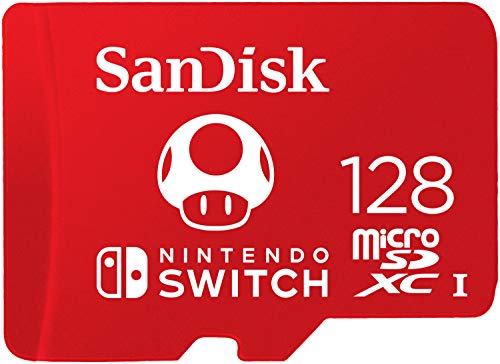
SANDISK 128GB microSD Card, Super Mario Super Mushroom Edition — Licensed middle size
The Mushroom Edition at 128GB is where most real libraries land, and this guide suspects it will be the most-chosen pick of the six. One hundred and twenty-eight gigabytes holds a very large 3DS and Virtual Console collection — the kind assembled over years of eShop browsing — while staying a size owners can reason about: big enough to stop counting, small enough that the FAT32 formatting and folder migration complete in a single unhurried session.
Its position between its two licensed siblings is worth stating plainly, because the three cards are the same idea at three appetites. The 64GB Yoshi serves the growing library, the 256GB Super Star serves the complete one, and this Mushroom serves the established one — an owner with a rough sense of what their collection weighs, seeking headroom measured in years rather than in titles. Choosing among them is a question about the shelf, not about the cards, which share a maker and a licensing programme.
As with both siblings, the title prints no speed class, and the console asks for none. The FAT32 step applies in full. Provenance is the licensed line’s quiet virtue, and at this capacity — the size counterfeiters most love to fake — buying the genuine licensed edition through a proper listing is not fussiness but the entire ballgame, since a fake 128GB card in this console corrupts a library slowly and then all at once.
Virtual Console collectors are this card’s quiet constituency. A library assembled title by title across the classic catalogues — dozens of small games, each a few megabytes of nostalgia — weighs almost nothing per title and everything in aggregate, and it is exactly the collection that benefits from living entire inside the console rather than being rationed. At 128GB the whole shelf fits, with the 3DS titles themselves holding the majority of the space.
Fit it, format it, copy the folder, and the console’s second life as a complete portable archive begins. For the median serious owner, the search that led to this guide ends on this row of the table.
- Capacity: 128GB
- Edition: Super Mario Super Mushroom Edition, licensed, per the title
- Speed class: Absent from the title — confirm through SanDisk documentation
- Format required: FAT32 conversion at a computer before fitting
- Card type: microSD
Strengths
- The size most established libraries settle at
- Licensed provenance at the most-faked capacity
- One-session migration at this capacity
Trade-offs
- FAT32 step required, as with every pick here
- No performance figures in the title
- Artwork premium over a plain card of the size
Best for: an established digital library with years of headroom ahead of it
Not suited for: a minimal library that a 64GB card would swallow whole

DIGIERA 128GB CT100 microSDXC UHS-I Memory Card with Adapter — Fully stated specification
The DIGIERA CT100 is the engineer’s pick of the set, because its title does what the licensed titles decline to do: it prints the specification. One hundred and twenty-eight gigabytes, microSDXC on the UHS-I bus, up to 100MB/s, with C10, U3 and V30 classes stated and an adapter included in the box. A buyer can read that title and know exactly what is being promised, and for owners who distrust charm as a purchasing criterion, that plainness is the charm.
Calibration matters here, because the console cannot spend most of that specification. The 2DS XL’s interface predates any need for V30 sustained writing or 100MB/s reads, so those figures function as documentation and as future flexibility — the card can moonlight in a camera or a newer handheld and hold its own — rather than as performance the console will ever request. Buying it for the 2DS XL is buying a well-documented 128GB card whose talents exceed its post, which is a comfortable position for any component.
The included adapter deserves its sentence: it serves the setup process, since many card readers are full-size, and it gives the card its second life in other devices later. Inside the console, of course, the card rides bare, as every microSD in this guide does. DIGIERA is a smaller name than the giants elsewhere in this set, so the stated figures carry the pick; verify the card’s reported capacity on a computer when it arrives, as this guide recommends for any card, and the specification can be confirmed before the library moves in.
The adapter also earns a practical mention for the migration itself: many laptops read full-size SD natively and microSD not at all, so the included adapter can be the difference between starting the FAT32 ceremony tonight and ordering parts first. Small logistics decide whether maintenance happens this week or this year, and this pick arrives with its logistics solved.
At the set’s most popular capacity, this is the alternative for owners who prefer their purchases itemised. The FAT32 step applies as it does to every pick, and after it, the card’s documented nature makes it the easiest in the guide to troubleshoot, because every claim about it can be checked.
- Capacity: 128GB
- Bus: UHS-I, per the title
- Read speed: Up to 100MB/s, per the title
- Classes: C10, U3, V30 — the title states them
- Adapter: Included, per the title
Strengths
- Complete specification printed in the title
- Adapter included for setup and second lives
- Documented classes exceed the console’s needs
Trade-offs
- Smaller maker than the set’s giants
- Specification largely unspendable by this console
- FAT32 formatting still required
Best for: an owner seeking every figure stated before buying a 128GB card
Not suited for: a purchase prioritising a giant maker’s support above documentation

PNY 64GB PRO Elite High Endurance microSDXC Flash Memory Card 3-Pack — Three-console pack
This pick is a multipack and should be read as one: three PNY PRO Elite microSDXC cards, 64GB each, carrying High Endurance positioning in their title. Its natural habitat is the multi-console household — siblings with a 2DS XL apiece, a parent keeping a spare — where the storage upgrade is not one event but a small programme, and buying the programme in a single pack keeps every console on identical media with identical behaviour.
The endurance positioning deserves a calibrated word. A games console is not a dash cam, and no card in one faces relentless rewriting; but a handheld’s card is written by every save, every download and every update for years, inside a warm little machine that lives in bags and car seats. Endurance-rated flash in that post is not wasted — it is simply insurance bought at the flash level, and in a 3-pack the insurance covers the whole fleet at once. PNY’s PRO Elite name is the maker’s serious tier, which suits a pack intended to be fitted and forgotten across several machines.
Sixty-four gigabytes per console is the gentle step this guide described for the Yoshi pick, applied threefold: double the designed ceiling each, ample for a child’s or a casual player’s library, with the third card covering the household’s next console or serving as the known-good spare when one machine misbehaves. Identical spares are a troubleshooting gift — a suspect card can be swapped for its twin in minutes, and the fault announces which side of the slot it lives on.
Grandparents maintaining consoles for grandchildren are the pack’s other natural buyers, though they rarely describe themselves that way. One visit, three consoles upgraded, identical cards in each, and a spare left in the drawer with a note — that is a support arrangement any family IT department of one can sustain, and it is built entirely from this pack’s shape.
The title states no speed class beyond the endurance positioning, and the FAT32 step applies to each card individually before fitting. Neither fact dents the proposition, which is fleet logic rather than specification theatre: three honest cards, one purchase, every console in the house provisioned in an afternoon.
- Capacity: 64GB per card
- Pack count: 3 cards, per the title
- Positioning: PRO Elite, High Endurance — per the title
- Speed class: Not stated in the listing title — verify with PNY documentation
- Format required: Each card needs the FAT32 step before fitting
Strengths
- Three matched cards provision a whole household
- Endurance positioning suits years of save-writing
- Built-in spare simplifies troubleshooting
Trade-offs
- 64GB per card is the gentle tier, not the archive tier
- Three FAT32 sessions to fit the fleet
- No class printed in the title
Best for: a household running two or three of these consoles at once
Not suited for: a single collector chasing maximum capacity in one card

Integral 128GB High Endurance microSD Card — Endurance-minded 128GB
Integral’s pick arrives from a different shelf of the card shop: a 128GB high-endurance microSD whose title aims it at CCTV, dash cams and security cameras, with 4K video named. Nothing about that aim disqualifies it from console duty — a microSD card is a microSD card — and its endurance brief translates into the quality a long-resident console card most needs, which is flash chosen to be written and rewritten for years without complaint. The 2DS XL writes modestly compared with a security camera, so a card built for the camera’s regime is, in the console, a card on a rest cure.
Integral is a long-standing European memory brand, less visible in some markets than the giants but with a genuine history in flash products, and its high-endurance line is a considered range rather than a label. For owners who keep consoles for the long term — and every 2DS XL still in service is by definition kept for the long term — a card designed around service life rather than launch-day benchmarks is philosophically the right object to seal under the cover.
The calibration from the DIGIERA section applies in mirror image: the 4K video headline in the title is irrelevant to this console, whose screens and interface live far below that world, and no speed class is printed for anyone checking the packet for one. The FAT32 step applies in full. What remains after those deductions is the pick’s honest core — 128GB of endurance-positioned storage from an established memory maker, at the capacity this guide keeps identifying as the library sweet spot.
There is an argument from sympathy, too: a card engineered for the punishment of a sun-baked security camera, retired into the calm of a handheld console, is the storage equivalent of a workhorse put out to pasture. Owners who think about their machines kindly — and 2DS XL owners demonstrably do, or the machines would not still be in service — tend to find that reasoning sufficient on its own.
Choose it when the household’s other endurance cards have earned trust in this brand, or when the plan is explicitly decadal: fit the card, copy the library, and let a component designed for always-on duty spend its life in the gentlest post it will ever hold.
- Capacity: 128GB
- Positioning: High Endurance, per the title
- Aimed devices in title: CCTV, dash cam and security cameras
- Speed class: Not printed in the title — check Integral documentation
- Format required: Reformatted to FAT32, it reads like a native card
Strengths
- Endurance design brief suits a decade of residence
- 128GB sits at the library sweet spot
- Established memory brand behind the card
Trade-offs
- Title aims at cameras, not consoles
- No class or speed figure printed
- Less shelf presence than the biggest makers
Best for: a long-term keeper console fitted once with endurance-minded storage
Not suited for: a purchase expecting console-specific packaging and classes in writing
How Do the Six Cards Compare Side by Side?
| Card | Capacity | Pack | Positioning | Stated classes |
|---|---|---|---|---|
| SanDisk Super Star Edition | 256GB | 1 | Licensed Nintendo edition | Not in title |
| SanDisk Yoshi Edition | 64GB | 1 | Licensed Nintendo edition | Not in title |
| SanDisk Super Mushroom Edition | 128GB | 1 | Licensed Nintendo edition | Not in title |
| DIGIERA CT100 | 128GB | 1 | Documented specification | C10, U3, V30 |
| PNY PRO Elite High Endurance | 64GB | 3 | High Endurance | Not in title |
| Integral High Endurance | 128GB | 1 | High Endurance | Not in title |
Every row shares the same footnote, and it is the most important line in the comparison: each card needs FAT32 formatting before the console will read it. Compare capacities and positionings only after that shared step is accepted, because it is the price of admission for the whole table.
Note also what the table does not reward: raw speed. Only one row prints classes at all, and that row’s advantage in this console is documentation rather than velocity. A comparison table for a modern camera would be sorted by pace; this one is sorted by the things a 2DS XL can actually feel — room, legitimacy and the likelihood of still working in ten years.
How Should You Move an Existing Library Onto the New Card?
The migration ritual expands the formatting how-to with the habits that keep it safe. Work with the console fully off, remove the stock card from under its cover, and copy its entire contents — the Nintendo 3DS folder and anything beside it — to a folder on the computer named with the date. That computer copy is the backup of record; keep it even after the upgrade succeeds, because it is the only complete snapshot of the console’s digital life at that moment.
Prepare the new card as the earlier section describes — FAT32, top-level folder placement, nothing renamed — then verify before fitting: the folder structure on the new card should mirror the old card exactly, and a file count or total size comparison between the two is a thirty-second check that catches an interrupted copy. Fit the card, power on, and test methodically: the home menu’s icons, one downloaded game, one cartridge game’s save behaviour, and the system settings’ free-space figure, which should now tell a much happier story.
Live with the upgrade for a week before repurposing the old card. Downloads, saves and updates during that week exercise the new card across everything the console asks of storage, and any problem will surface while the rollback is still sitting in its envelope. After the week, the old card becomes the emergency spare, kept with the console’s box rather than wiped in a fit of tidiness.
One small refinement separates careful migrations from lucky ones: perform the copy with the computer plugged in and undisturbed, and resist tidying anything else mid-transfer. Large folder copies fail at the edges — a sleep timer, a bumped reader, a cable nudged by a cat — and a copy interrupted at ninety percent looks exactly like a complete one until the console goes looking for the missing tenth. Verify the totals, as the ritual insists, and the edges stop mattering.
What Mistakes Break 2DS XL Card Upgrades?
The classic failure is skipping the format: a large card inserted exactly as it arrived, exFAT and invisible, followed by a conclusion that the card or the console is broken. Neither is; the file system simply was never introduced. The second failure is folder mishandling — copying the Nintendo 3DS folder inside another folder, renaming it helpfully, or copying its contents piecemeal — each of which leaves the console staring at a card it believes is empty. The folder is a machine room, not a document; move it whole and touch nothing inside it.
A related temptation is reorganising the library during the move — sorting games, pruning old titles, tidying as you go. Resist it until the new card has proven itself in ordinary play. A migration that changes one variable, the card, can be troubleshooted in minutes; a migration that changes five variables at once becomes a mystery with a corrupted library at the bottom of it.
The third mistake is buying the card from the anonymous shelf. Counterfeit microSD cards are the single greatest hazard in this console’s afterlife, because a fake that reports 128GB and holds a fraction of it will corrupt a library gradually, game by game, in a way that looks like the console dying. The six picks here were chosen under identifiable names for exactly this reason, and a capacity check on the computer before migration is cheap insurance for any card, from any seller.
The fourth mistake is reaching for the grey market’s other answers — flashcarts and modification paraphernalia — when all the situation ever required was honest storage. They are not picks in this guide, they carry risks to the console and the library that a memory card never will, and the legitimate route described here achieves everything a library-keeper actually wants: the games you own, in the console you own, on a card that will outlast both your patience and the decade.
A fifth mistake is subtler and sadder: performing the upgrade in a hurry, at midnight, with the old card wiped for another purpose before the new one has survived a week of play. Every safeguard in this guide — the computer copy, the untouched spare week, the methodical testing — exists because the material at stake is measured in years of a person’s gaming life. The ceremony takes an evening; impatience can cost the archive, and the archive is the entire reason the console is still on the shelf.
Final Recommendation
Choose by library and by household, and accept the FAT32 step as the small ceremony it is — an evening’s careful work that buys the console its next decade. A complete or growing-serious collection belongs on the licensed SanDisk cards — 128GB in the Mushroom Edition for most owners, 256GB in the Super Star Edition for the true completist, 64GB in the Yoshi Edition for a child or a second console. The specification-minded should take the DIGIERA CT100 and its printed classes; the multi-console household should take the PNY 3-pack and provision the fleet in one afternoon; and the keeper planning a decade of service should consider the Integral’s endurance brief at the same 128GB sweet spot.
If several consoles are being upgraded in one household programme, stagger them: one machine completely migrated and proven for a week before the next is touched. That patience converts every lesson from the first migration into procedure for the rest, and it guarantees that a systemic misunderstanding — a formatting tool’s quirk, a folder habit — is discovered on one library rather than replicated across three.
Whichever card goes under the cover, format it FAT32, copy the Nintendo 3DS folder across whole, test before trusting, and keep the old card as the spare it has earned the right to be. These consoles have already outlived their era through the care of the people who love them; a properly fitted card is simply the next act of that care, and the library it holds is the whole point of keeping the little machine alive.
Frequently Asked Questions
Why does my 2DS XL not recognise a brand-new 128GB card?
Because the card arrived formatted as exFAT and the console reads FAT32 at these sizes. Format the card to FAT32 on a computer, copy the Nintendo 3DS folder across at the top level, and the console will recognise it. If it still refuses, work the dull checklist from the how-to section: format confirmed, folder at the top level with its exact name, and the card’s capacity verified as genuine.
Are the Mario and Yoshi cards actually different inside?
No. They are ordinary SanDisk microSD cards with official Nintendo artwork and licensing, created for Switch owners. A 2DS XL treats them as the standard cards they are, which is precisely why they work. The licensing’s practical gift is provenance — an officially badged edition from a proper listing is the easiest genuine card in this market to identify.
How much capacity does a 3DS library really need?
Less than modern instincts suggest. Most 3DS-era titles are small, so 64GB holds a substantial library and 128GB holds a very large one. The 256GB pick exists to close the capacity question permanently for a completist library. Measure your own collection before buying: the system settings report the current card’s usage, and doubling or quadrupling that figure covers most honest futures.
Will a faster card make games load faster on a 2DS XL?
Not meaningfully. The console’s card interface is the bottleneck and it is modest by design. Buy for capacity, legitimacy and endurance rather than for classes the machine cannot spend. A genuinely faster card may shave the computer-side copy during setup, which is a pleasant five minutes and no basis for a purchasing decision.
Can I just swap the card from my Switch into the 2DS XL?
The card itself is compatible in kind, but its contents and format belong to the Switch. Moving it means reformatting to FAT32 and losing the Switch data on it, so a dedicated card for the 2DS XL is the sane arrangement. The licensed editions in this guide exist in both consoles’ worlds, which is why the same artwork appears in both guides under different advice.
Is it safe to format a large card to FAT32?
Yes. FAT32 is a standard file system and the console’s native language; the formatting step is the recognised route for using larger cards in this machine. Back up the Nintendo 3DS folder first and the process carries no risk to your library. Thousands of these consoles run on FAT32-formatted large cards as their permanent arrangement, not as a temporary experiment.
Related Guides
Keep the rest of the handheld shelf in good order with these companions: best carrying cases for handheld consoles, best replacement batteries for older handhelds and best microSD cards for Nintendo Switch. A console kept this carefully is a console that gets handed down rather than thrown out.


