What's inside
- Where to buy
- Key Takeaways
- Quick Picks
- How did we judge alternatives to a first-party adapter?
- Why does the dock demand exactly 15 volts at 2.6 amps?
- How do the six routes to a second adapter compare?
- How do you test a third-party adapter properly in the first week?
- How does handheld charging differ from docked charging in practice?
- Can you charge a Switch from a power bank or on a plane?
- What do Joy-Con, Pro Controllers and accessories ask of the adapter?
- Does GaN technology actually matter for a console adapter?
- How does the Switch 2 change the spare-adapter question?
- How long should an adapter last, and how do you look after one?
- How do you build a second-room gaming setup that just works?
- Can one adapter serve two consoles or a console and a phone?
- What changes when you travel abroad with these adapters?
- How do you troubleshoot a dock that suddenly shows no picture?
- Why do some adapters charge the console but slowly?
- What mistakes do Switch owners make buying spare power?
- How do you decide between one premium adapter and two cheap ones?
- Final Recommendation
- Frequently Asked Questions
- Related Guides
As an Amazon Associate I earn from qualifying purchases. This post may contain affiliate links at no extra cost to you.
gizmoverdict.com is reader-supported. When you buy through links on our site, we may earn an affiliate commission.
Where to buy
All five linked adapters below are sold on Amazon’s US store as listed, including the genuine Nintendo adapter that anchors this guide; the sixth entry, covering dock-and-adapter combinations from PDP and 8BitDo, is discussed in prose only because no verified listing for those bundles sits in our pool. With third-party adapters especially, read the voltage specification on the listing rather than the headline wattage — the section below explains why one particular number decides whether your dock works.
The best alternative switch chargers exist because of a small domestic tragedy repeated in thousands of homes: the original adapter lives behind the television, married to the dock, and the Switch itself travels — to bedrooms, sofas, kitchens, holiday rentals — always one room away from its power supply. A second adapter solves it, and the market offers everything from Nintendo’s own spare to a crowd of third-party bricks at friendlier prices. But the Switch is pickier than most USB-C devices. It charges happily from many sources in handheld mode, yet its dock — the plastic cradle that puts games on the television — demands one specific power profile: 15 volts at 2.6 amps, 39 watts, delivered over USB-C Power Delivery. An adapter that cannot offer that exact profile may charge the console in your hands all day and still leave the television black. This guide sorts the adapters that truly replace the original from the ones that merely charge the console, with Nintendo’s own adapter included as the reference every alternative is measured against.
Key Takeaways
- Docked TV play requires the 15V/2.6A (39W) USB-C PD profile — that specification, not headline wattage, is the pass mark for a true alternative.
- Nintendo’s official adapter is the reference pick: guaranteed dock behaviour, and the spare against which every third-party claim is checked.
- A generic high-wattage USB-C charger can still fail the dock if it lacks the 15V profile at sufficient current — more watts in the wrong profile do not help.
- The 65W Switch 2 adapter in this guide works backwards with the original Switch family and brings a longer cable and GaN efficiency.
- Handheld-only charging is far more forgiving: almost any decent USB-C source tops up a Switch or Lite away from the dock.
- Steam Deck owners share this shortlist — the Deck’s 45W appetite overlaps neatly with the Switch’s dock profile.
Quick Picks
| Pick | Badge | Why it is here |
|---|---|---|
| Nintendo Switch AC Adapter (Official) | The Reference Point | Nintendo’s own 15V/2.6A adapter — the guaranteed spare and the standard every alternative must match. |
| MARSDOCK 45W Charger for Nintendo Switch | Dock-Ready Third Party | A 15V/2.6A adapter with a 5-foot cord that explicitly supports docked play, Switch Lite, OLED and Steam Deck. |
| Charger for Nintendo Switch 15V/2.6A | Budget Dock Capable | The correct dock profile at a wallet-friendly tier, with a 5-foot cable for sofa-distance charging. |
| 45W Switch Charger with Detachable Cable | Replaceable Cable | TV-mode support with a detachable USB-C cable, so a worn cord no longer retires the whole adapter. |
| 65W Switch 2 Charger GaN | Next-Generation Headroom | A GaN adapter built for Switch 2 that also serves the original family, with a 6.6-foot cable and 4K TV-mode support. |
| PDP and 8BitDo Dock + Adapter Combos | Combo Route (Prose-Only) | Third-party docks bundled with their own power supplies, for players rebuilding a whole second TV setup. |
How did we judge alternatives to a first-party adapter?
One test outweighed all others: does the adapter offer the dock’s required profile — 15 volts at 2.6 amps over USB-C Power Delivery — as a genuine, sustained output? Listings were read at the level of their voltage tables, not their banners, because a “45W” or “65W” headline can describe many combinations of voltages, and only one of them wakes a dock. Adapters that stated the 15V/2.6A profile plainly and claimed TV-mode support explicitly were admitted as dock-capable; adapters vague about profiles were treated as handheld chargers whatever their wattage, and none appear here as dock picks.
The second filter was the physical life of the thing: cable length, because an adapter whose cord cannot reach from the socket to the sofa fails its only job; cable attachment, because a fixed cord and a dead adapter are the same purchase twice; and build signals — connector fit, strain relief, the presence of recognisable safety certification — read neutrally for the generic brands, neither inflated nor dismissed. Nintendo’s own adapter was included by design, because an alternatives guide without the original is a comparison missing its ruler.
Finally, we checked the neighbouring country: the Steam Deck, whose 45-watt charging appetite and USB-C PD manners overlap this category so thoroughly that most picks serve both consoles. Dual citizens were noted as such, because a household with both machines on one coffee table is exactly the household shopping for spare adapters.
Why does the dock demand exactly 15 volts at 2.6 amps?
USB-C Power Delivery is a negotiation. A source advertises the voltage-and-current profiles it can offer — 5V, 9V, 15V, 20V in various combinations — and the device chooses from the menu. The Switch in handheld mode is an easy guest, accepting a range of profiles and charging contentedly, if sometimes slowly, from sources that offer far less than 39 watts. The dock is a stricter host. When the console is docked, it must power itself, charge its battery, run its video output circuitry and feed the dock’s USB ports for controllers and accessories, and Nintendo engineered that whole arrangement around one profile: 15V at 2.6A. If the negotiated menu lacks that profile, the dock declines to present video — the console may still charge in the cradle, which is the confusing part, while the television insists no signal exists.
This is why wattage headlines mislead. A 65-watt laptop adapter whose profiles jump from 9V to 20V without a strong 15V offering can be a superb laptop charger and a useless dock supply. Conversely, a modest adapter built specifically around the Switch’s profile — several picks below — docks perfectly at a lower headline number. The rule for buyers compresses to one line: find “15V/2.6A” or “15V ⎓ 2.6A” in the adapter’s specification, or treat the adapter as handheld-only. Every dock-capable pick in this guide states it; the official adapter defines it.
A safety footnote belongs here, because the Switch’s early years produced a genuine scare: some very early third-party docks and adapters, built before the console’s PD behaviour was well understood, were implicated in damaged consoles. The modern market has largely learned those lessons, and the adapters in this guide are Switch-specific designs rather than generic bricks with a Switch label — but the episode is why this guide insists on stated profiles and recognisable sellers, and why the cheapest anonymous adapter on the internet remains a false economy for a console that costs far more than the saving.
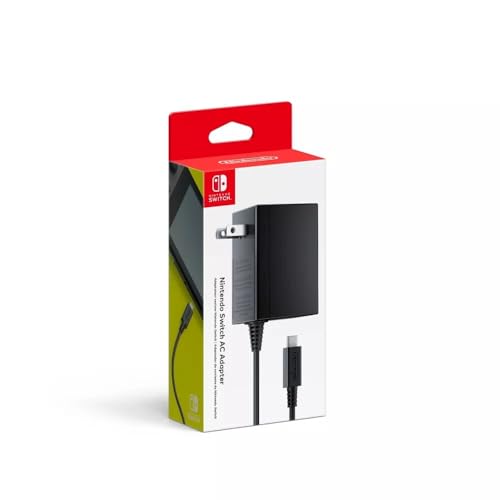
Nintendo Switch AC Adapter (Official) — The Reference Point
Nintendo’s own adapter is the least interesting pick in this guide and the most important. It is the unit that ships with the console: a fixed-cable USB-C PD supply delivering exactly the 15V/2.6A profile the dock was designed around, with Nintendo’s own firmware-era assumptions baked in and a build that has survived a decade of living-room service in millions of homes. As a second adapter — one for the dock, one for the bag; or a replacement for the one a puppy reclassified as a chew — it carries zero compatibility questions of any kind, for the original Switch, the OLED model and the Lite’s handheld charging alike.
Its role in an alternatives guide is to be the ruler. Every third-party pick below is, in effect, claiming to do this adapter’s job for less money, with a longer cable, or with headroom for newer hardware — and those claims are only meaningful against the original’s certainty. The honest criticisms are price and the fixed cable, which means a damaged cord retires a working power supply. If neither bothers you, the review of this pick can be one sentence: it is the adapter your dock already trusts, and a spare behaves exactly like the first.
- Output: USB-C PD, 15V/2.6A (39W) dock profile
- Cable: fixed, integrated USB-C
- Compatibility: Switch, Switch OLED, Switch Lite (handheld)
- Dock support: guaranteed — it is the dock’s design partner
- Maker: Nintendo, first-party
Strengths
- Absolute compatibility certainty for docked and handheld use.
- First-party build and support through Nintendo’s channels.
- The reference behaviour every alternative is compared against.
Trade-offs
- Usually the priciest way to add a spare adapter.
- Fixed cable: cord damage means replacing the whole unit.
- No extra wattage for laptops or newer, hungrier hardware.
Best for: owners who want a second adapter with zero questions, and replacements for a lost original. Not suited for: bargain hunters, or anyone wanting one adapter to serve bigger devices too.

MARSDOCK 45W Charger for Nintendo Switch — Dock-Ready Third Party
MARSDOCK names its intentions in its brand: this is a 45-watt adapter built around the Switch’s requirements, offering the 15V/2.6A output the dock demands, with a 5-foot USB-C cord that reaches from a wall socket to a sofa or across a hotel room. Its compatibility list reads like the modern handheld shelf — Switch, Switch Lite, OLED model and Steam Deck — and that breadth is honest, because the Deck’s charging profile and the Switch’s dock profile coexist comfortably in a well-designed 45W PD supply.
As a generic-brand unit it earns the neutral treatment: the specification is right, the stated TV-mode support is the claim that matters, and the arrival ritual is to test it on your own dock before the return window closes — a five-minute verification that converts any third-party adapter from a claim into a known quantity. Verified, it becomes the archetypal spare: dock-capable at home, Deck-capable on the road, cheap enough that losing it in a rental apartment is an annoyance rather than an incident.
- Output: 45W USB-C PD with 15V/2.6A profile
- Cable: 5 ft integrated USB-C cord
- Compatibility: Switch, Lite, OLED, Steam Deck
- Dock support: stated TV-mode compatibility
- Class: third-party Switch-specific design
Strengths
- Correct dock profile with explicit TV-mode support.
- One adapter covers the Switch family and Steam Deck.
- Five-foot cord suits real rooms, not just desks.
Trade-offs
- Generic brand: verify dock behaviour on arrival.
- Fixed cable shares the original’s single-point failure.
- 45W ceiling leaves nothing for larger laptops.
Best for: a dock-capable spare for Switch and Deck households at a mid price. Not suited for: buyers who want first-party certainty or detachable cables.
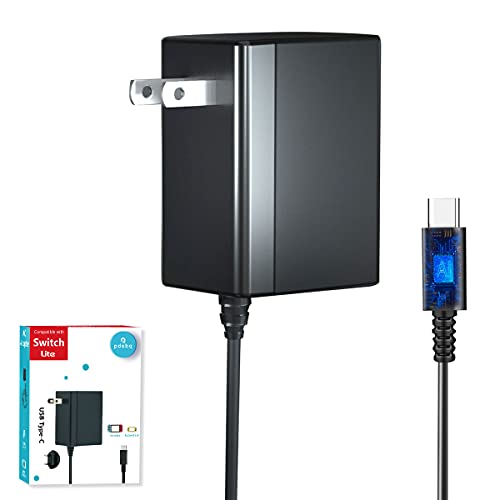
Charger for Nintendo Switch 15V/2.6A — Budget Dock Capable
This long-running generic adapter is the budget expression of the correct specification: 15 volts, 2.6 amps, USB-C PD, a 5-foot cable, and explicit positioning for docked TV play across the Switch, Lite and OLED, with the Steam Deck and even PlayStation’s USB-C accessories appearing in its compatibility claims. It has sold in quantity for years precisely because the formula is right — the Switch does not reward exotic charging, it rewards the correct profile delivered reliably, and this unit’s entire design is that sentence.
The budget tier’s caveats are the standing ones, stated once and plainly: quality control varies more at this price, so test dock mode on arrival; expect functional rather than luxurious materials; and keep the genuine Nintendo adapter as the dock’s permanent partner if your household is cautious, using this as the travelling and second-room spare where its loss or failure costs least. In that role — which is, not coincidentally, the role most second adapters actually live — it is very easy to justify.
- Output: 15V/2.6A USB-C PD (39W class)
- Cable: 5 ft integrated
- Compatibility: Switch, Lite, OLED, Steam Deck
- Dock support: positioned for TV mode
- Class: budget third-party
Strengths
- The correct dock specification at the guide’s friendliest tier.
- Long market history for a generic adapter.
- Light and cheap enough to live permanently in a travel case.
Trade-offs
- Batch consistency is the budget tier’s known variable.
- No detachable cable and no spare headroom.
- Support runs through the seller, not a global brand.
Best for: travel spares and second rooms where value leads. Not suited for: sole-adapter households wanting maximum assurance.

45W Switch Charger with Detachable Cable — Replaceable Cable
This 45-watt adapter’s distinguishing decision is mechanical: its 5-foot USB-C cable detaches. Anyone who has retired a working power brick because its captive cord frayed at the strain relief — the single most common death of console adapters — will recognise the value immediately. A worn cable becomes a small, cheap replacement; the same port also lets you fit a longer or shorter cord to the room, turning one adapter into a dock supply this month and a bedside charger the next. Its electrical specification keeps the dock promise: 45W-class PD output with the 15V profile for TV mode across Switch, OLED and Lite, and Steam Deck compatibility alongside.
One discipline travels with detachable designs: the cable is now part of the specification. A replacement cord must be a proper USB-C cable rated for the power involved — the bargain-bin cord from a phone drawer may charge slowly or fail the dock negotiation entirely, and the adapter will be blamed for the cable’s shortcomings. Buy one decent spare cable with the adapter and the system’s one weakness is covered. Judged whole, this is the pick for owners who keep hardware for years and prefer repairing the weak link to replacing the unit.
- Output: 45W USB-C PD, dock profile included
- Cable: 5 ft, detachable and replaceable
- Compatibility: Switch, OLED, Lite, Steam Deck
- Dock support: TV mode stated
- Design: brick plus separate cord
Strengths
- Detachable cable removes the commonest failure point.
- Cable length can be adapted to different rooms.
- Full dock-profile specification at a mid-tier price.
Trade-offs
- Replacement cables must be properly power-rated.
- Two pieces to lose when travelling, not one.
- Generic-brand verification on arrival still applies.
Best for: long-term owners who maintain gear rather than replacing it. Not suited for: travellers who prefer a single inseparable unit.

65W Switch 2 Charger GaN — Next-Generation Headroom
This adapter was built for Nintendo’s newer hardware — a 65-watt GaN design for the Switch 2, with a generous 6.6-foot cable and stated support for 4K TV output through the newer dock — and its backwards compatibility is the reason it sits in this guide: USB-C PD profiles are a menu, and a well-built 65W supply offers the original Switch’s 15V/2.6A profile as one of its courses, serving the first-generation family, the Lite and the OLED alongside Steam Deck. Households mid-transition between console generations get one adapter that follows them across it.
GaN — gallium nitride — is the enabling detail: it lets a 65-watt supply run cooler and smaller than older silicon designs, which matters in the warm, badly ventilated corners behind televisions where dock adapters live. The cautions are presentational rather than electrical: verify the 15V profile in the specification as with any pick here, expect a price above the Switch-1-only units, and recognise that its extra watts are headroom your current console cannot drink — they are bought for the next console and for laptop-adjacent duty, not for faster Switch charging today. As future-proofing with a long cable, it is the strongest adapter in the guide.
- Output: 65W GaN USB-C PD, includes lower profiles
- Cable: 6.6 ft (2 m)
- Compatibility: Switch 2; original Switch, OLED, Lite; Steam Deck
- Dock support: TV mode including 4K on Switch 2 dock
- Technology: GaN for cooler, compact running
Strengths
- One adapter spans both Switch generations and the Deck.
- Longest cable in the guide — genuinely room-friendly.
- GaN build runs cool in entertainment-unit corners.
Trade-offs
- Premium price for watts a Switch 1 cannot use.
- Oversized for a Lite-only handheld household.
- Newer listing: shorter track record than the veterans.
Best for: households upgrading to Switch 2 or running several handhelds. Not suited for: a single original Switch on a strict budget.
PDP and 8BitDo Dock + Adapter Combos — Combo Route (Prose-Only)
A different answer to the second-television problem deserves its paragraph: rather than a spare adapter for Nintendo’s dock, buy a whole second docking setup. PDP and 8BitDo — the latter better known for controllers — have both sold dock-and-power combinations aimed at exactly this, packaging a third-party dock with a matched adapter whose profile is guaranteed by the pairing rather than by your reading of a specification table. For a bedroom television, a study or a holiday home, the combo converts a two-product research project into one purchase, and the adapter question this guide exists to answer is settled inside the box.
They are covered in prose, without links, because no verified listings for the combos sit in our pool, and because third-party docks carry the one caution this category must never skip: the dock, not the adapter, was the historical source of Switch damage in the platform’s early years, so third-party docks should come only from established accessory makers like these two, bought through their official channels, with firmware and support behind them. Within that discipline, the combo route is legitimate and often the tidiest — a complete second station, one decision, no specification archaeology.
- Type: third-party dock bundled with matched adapter
- Profile: adapter matched to the bundled dock by the maker
- Makers discussed: PDP and 8BitDo accessory lines
- Use case: complete second TV station
- Availability: official accessory channels; prose-only here
Strengths
- One purchase builds an entire second docking station.
- Maker-matched power removes the profile-guessing game.
- Established accessory brands stand behind the pairing.
Trade-offs
- Third-party docks demand established makers — no exceptions.
- Costs more than a spare adapter alone.
- Adapter may be optimised for its dock rather than Nintendo’s.
Best for: building a second TV setup in another room or home. Not suited for: owners who only need power for the dock they own.
How do the six routes to a second adapter compare?
| Option | Dock profile | Cable | Certainty | Best role |
|---|---|---|---|---|
| Nintendo Official | 15V/2.6A by design | Fixed | Absolute | Primary spare |
| MARSDOCK 45W | 15V/2.6A stated | 5 ft fixed | Verify on arrival | Switch + Deck spare |
| Budget 15V/2.6A | 15V/2.6A stated | 5 ft fixed | Verify on arrival | Travel spare |
| 45W Detachable | 15V profile stated | 5 ft detachable | Verify on arrival | Long-term home spare |
| 65W Switch 2 GaN | Profile included | 6.6 ft | Verify profile | Cross-generation hub |
| PDP / 8BitDo Combos | Matched in box | Varies | Maker-backed | Second TV station |
The pattern the table exposes: certainty is the official adapter’s product, and every alternative trades a slice of it for price, length, replaceability or headroom. None of those trades is foolish — but each should be made knowingly, with the dock test performed in the first week while returns are still easy.
How do you test a third-party adapter properly in the first week?
Run the dock test on day one, not the day of the family gaming night. Seat the console in Nintendo’s dock powered by the candidate adapter, wake it, and confirm the television receives the picture and the console reports charging; then play something demanding for half an hour, because marginal adapters sometimes negotiate successfully and sag under sustained load, flickering the picture or dropping to handheld charging mid-session. A adapter that survives a long docked session at a warm room temperature has passed the only examination that matters.
Then test the life you bought it for: handheld charging from the sofa position, the Lite if you own one, the Deck if it shares the adapter, and the cable’s reach in the actual room with the actual socket. Feel the brick after an hour — warm is normal, hot is a return. Five checks, one evening, and the adapter graduates from purchase to equipment; skip them and you own a claim in a box.
How does handheld charging differ from docked charging in practice?
Undocked, the Switch is one of the most accommodating USB-C devices ever sold. It will sip from a laptop port, a power bank, a car’s USB socket or a phone adapter, charging slowly from the weak ones and briskly from anything offering a healthy PD profile, and it will play while it charges from most of them. Owners who only ever play handheld can therefore live happily with almost any reputable adapter, and the Lite extends that freedom further by asking for even less. This is why so many players are surprised by the dock’s strictness: the same console that drank from everything on the train refuses, in its cradle, to show a picture from a 65-watt brick. Two different negotiations are happening — one for a battery, one for a small television studio — and only the second has a dress code.
The practical consequence is a two-tier household strategy. Handheld charging can be served by whatever good USB-C infrastructure the home already owns — the laptop’s adapter, a bedside brick, the power bank in the bag. Dock charging deserves a dedicated, verified adapter that lives with the dock and is never borrowed away. Households that mix the tiers up spend their evenings swapping bricks and re-testing; households that separate them stop thinking about Switch power entirely, which is the state this guide is selling.
Can you charge a Switch from a power bank or on a plane?
Yes, and for travel it is the best way to play. A USB-C power bank with Power Delivery output will charge the Switch while you play, effectively extending the console’s battery by the bank’s capacity; banks without PD still help, but may only slow the battery’s decline during demanding games rather than reversing it. The specification to read on a bank is the same as on a wall adapter — a 15V profile with real current behind it — because the console negotiates identically with anything wearing a USB-C port.
On aircraft, seat power varies from a genuine USB-C PD supply to a decorative socket, so the power bank remains the reliable plan, carried in cabin baggage under the usual lithium rules. The adapters in this guide then earn their place at the destination: the budget unit or the MARSDOCK in the hotel, powering evening sessions and refilling the bank overnight. Travellers who play on both Switch and Steam Deck will notice the same bank-and-adapter kit serves both machines, one of the quiet economies of the USB-C era.
What do Joy-Con, Pro Controllers and accessories ask of the adapter?
Less than owners fear, but not nothing. The dock’s USB ports draw from the same adapter that feeds the console, which is part of why the dock’s 39-watt profile is sized as it is: console, charging battery, video circuitry and whatever is plugged into the dock — a Pro Controller topping up, a wired adapter, a charging grip restoring two Joy-Con — all drink from one supply. An adapter that barely meets the profile on a good day can show its limits exactly here, with a full complement of accessories attached during a long session; the official adapter and the stronger picks absorb that load as designed headroom.
Away from the dock, the accessories are easy guests: Joy-Con charge through the console itself or through charging grips and stands that sip modest USB power, and the Pro Controller charges from almost any USB source ever made. Households with a charging stand for controllers should simply ensure it has its own modest supply rather than borrowing the dock adapter’s cable nightly — every swap of the dock’s power is a small chance to leave the television dark for the next player, and the adapters in this guide are cheap enough that no station in the house needs to share.
Does GaN technology actually matter for a console adapter?
Gallium nitride transistors switch more efficiently than the silicon they replace, which lets a given wattage live in a smaller, cooler-running brick. For a phone charger in a pocket the benefit is size; for a Switch adapter the benefit is placement. Dock adapters spend their lives in the warm, still air behind entertainment units, wedged between a console that exhausts heat and a wall — an environment where a cooler-running supply is a longer-lived one, and where a compact brick fits the one free socket orientation the power strip allows. The 65W GaN pick in this guide is the clearest expression of that, but the principle generalises: among two otherwise equal adapters, the cooler one belongs behind the television.
What GaN does not do is change the negotiation. A GaN adapter still lives or dies by its profile table, and a silicon adapter with the correct 15V/2.6A offering will dock a Switch that a profile-poor GaN flagship cannot. Buy the chemistry for comfort; buy the profile for function — and read the specification in that order of importance, function first.
How does the Switch 2 change the spare-adapter question?
New hardware redraws the map in two ways. The Switch 2’s own adapter and dock raise the ceiling — its dock supports higher-resolution output and its supplied adapter is sized accordingly — and its arrival splits households into those standardising on the new machine and those running both generations in different rooms. For the first group, the 65W GaN pick here is the natural spare, bought once for the new dock. For the second, the backwards compatibility of USB-C PD is the blessing: the newer, stronger adapter serves the older console perfectly, so a household can standardise its spares upward and let the original Nintendo adapter retire to the travel bag.
What does not change is the method. The new dock still negotiates profiles; the specification line still decides; the first-week dock test still separates equipment from claims. Owners who learned to read a voltage table for the first Switch own a skill that transfers intact to every USB-C device they will buy for a decade, which may be the most durable purchase this entire category offers.
How long should an adapter last, and how do you look after one?
A quality adapter’s electronics should outlast the console generation it serves; what kills adapters early is mechanical and thermal abuse. Cables die at their strain reliefs, bent double behind furniture and yanked by their cords rather than their plugs — route them with slack, unplug by the connector body, and coil loosely for travel rather than wrapping tight around the brick. Bricks die warm: give them air, keep them out of the insulation of sofa cushions and cable nests, and never cover a charging adapter with fabric. Ports die dirty: a pocket-lint-packed USB-C socket makes intermittent contact that mimics adapter failure, and a wooden toothpick’s gentle excavation has resurrected more “dead” chargers than any repair shop.
The retirement signals are consistent across every pick in this guide: a brick that runs genuinely hot at modest load, a connector that must be held at an angle, audible buzzing that was not there before, or intermittent dock negotiation from a previously reliable pairing. Any one of those retires the adapter to recycling — mains electricity and lithium batteries are both poor audiences for “it still works if I jiggle it”.
How do you build a second-room gaming setup that just works?
The second room is where spare adapters grow into stations, and the households that succeed treat the station as furniture rather than as a pile of accessories. The recipe: a dock — Nintendo’s own, or an established combo from the prose pick above — a verified adapter that lives permanently with it, one charging arrangement for controllers, and cables routed once, with slack, out of foot traffic. Set it up on a free afternoon, run the long-session dock test, and then forbid borrowing: the station’s adapter is not the house’s spare, and the house’s spare is a separate, cheaper unit from this guide’s travel tier.
The psychology matters as much as the wiring. A second station fails socially before it fails electrically — a television that shows a black screen once, in front of guests, brands the setup as “the broken one” for a year. That is why this guide keeps steering the dock’s permanent partner toward the official adapter or a thoroughly tested alternative, and the travelling, lending and experimenting toward the budget picks. Reliability where it is judged, economy where it is not: that division of labour is the whole architecture.
Can one adapter serve two consoles or a console and a phone?
Sequentially, trivially; simultaneously, only through a multi-port charger whose per-port behaviour you have read carefully. A single-port adapter like every pick here serves one device at a time, and a household with a Switch, a Deck and three phones should not expect one brick to be a hub. Multi-port GaN chargers exist and can be excellent, but their headline wattage is a shared budget: plug a dock into one port and a laptop into another and the dock’s negotiated profile may be revised mid-session, which is how televisions go black at the worst moment. The dock deserves a dedicated supply for the same reason it deserves a dedicated test.
The tidy household pattern is therefore boring by design: one verified adapter married to the dock, one good multi-port charger for the handheld-and-phone economy of the coffee table, and the travel spare in the bag. Three roles, three devices, no negotiations competing with each other. Players who try to collapse the roles into a single super-adapter usually end up buying the three devices anyway, plus a story.
What changes when you travel abroad with these adapters?
Two variables travel with you: the mains voltage and the plug shape. Most quality USB-C adapters — including Nintendo’s and the named picks here — are built for worldwide voltage, accepting the 100-to-240-volt range that covers essentially every country’s supply; the rating printed on the brick is the authority, and it should be read before the first foreign socket, not after a smell. Plug shape is the dumber problem, solved by a passive travel adapter — but buy a sturdy one, because a wobbly adapter in a worn hotel socket makes intermittent contact that no charger can negotiate through.
Consoles themselves are region-free for power purposes in the USB-C era: the Switch does not care which country’s 15 volts it receives, only that the profile is right. That makes the travel kit genuinely simple — one verified adapter, one travel plug, one power bank for the journey — and it is the same kit whether the destination is a grandmother’s spare room or a conference hotel on another continent.
How do you troubleshoot a dock that suddenly shows no picture?
Work the chain in the order of probability, and change one thing at a time. First, reseat everything: the adapter’s plug in the wall, its connector in the dock, the console in the cradle, the HDMI at both ends — a dock that was nudged by a vacuum cleaner is the commonest fault in the category. Second, prove the adapter against the known reference: power the dock with the official Nintendo adapter if one exists in the house. Picture restored means the candidate adapter has failed its negotiation or its life; picture still absent moves suspicion to the dock, the cable and the television’s input, in that order.
Third, strip the variables: remove USB accessories from the dock, try a different HDMI cable and a different television input, and let the console charge handheld for ten minutes if its battery was deeply flat, because a Switch with an empty battery needs a short handheld drink before it will present itself to a dock at all. Owners who work this sequence calmly solve nearly every “broken dock” in under fifteen minutes — and the sequence is also the fairest trial a third-party adapter can be given before a return is filed, which is why it belongs in a buyer’s guide and not just a support forum.
Why do some adapters charge the console but slowly?
Slow handheld charging is the negotiation settling for a lesser profile: a source offering only 5 volts, or a 15-volt profile at low current, or a cable that cannot carry the better offer. The console accepts what is available and meters its intake accordingly, which can mean a long session gains only a few percent, or even loses ground slowly while a demanding game runs. The fix is diagnostic rather than mysterious: try the adapter known to offer the full profile, then swap only the cable, and the component responsible identifies itself by elimination.
There is also an honest slow that is not a fault — a nearly full battery tapers its intake by design, and a console charging in a warm room may moderate itself thermally. Judge an adapter by a mid-charge battery over an hour, not by the last ten percent before full, and most “slow charger” complaints resolve into physics that every adapter in this guide obeys equally.
What mistakes do Switch owners make buying spare power?
Buying by wattage headline is the founding error — the 100-watt laptop brick that cannot offer the dock its 15V profile at the needed current, purchased in perfect confidence, is this category’s most returned product. The second error is assuming every USB-C port is equal: the adapter in a phone box may charge the handheld slowly and will almost never satisfy the dock, which is not a defect in either device but a mismatch owners blame on both.
Third is the anonymous ultra-cheap adapter, bought against a console worth many times its price, in the one product category with a documented history of damaging the device it feeds. Fourth is forgetting the cable in detachable and bring-your-own setups, where an under-rated cord silently becomes the system’s ceiling. And fifth is solving the wrong problem — buying a spare adapter when the actual need was a second dock, or a second dock when the need was a five-foot cable’s worth of freedom from the television’s wall. Name the room and the routine first; the product follows.
How do you decide between one premium adapter and two cheap ones?
It is the category’s perennial fork, and the answer follows the roles rather than the prices. A dock’s permanent partner is a reliability purchase: it will be negotiated with ten thousand times, in the dark, by people who did not read this guide — buy certainty there, whether that means the official adapter or the strongest verified alternative, and never apologise for it. The travel and second-room spares are probability purchases: they will be lost, lent and left behind at rates no quality tier can prevent, and a correct-specification budget unit that you can replace without wincing is the rational fleet policy.
Households that invert the fork — premium brick in the travel bag, anonymous brick behind the television — get the worst of both: the expensive loss and the unreliable dock. Households that run it the right way round stop having adapter stories at all, which, for a purchase category built entirely out of small plastic bricks, is the most complete success available.
Final Recommendation
Anchor the setup with certainty and spend the savings where they show. If the budget allows one first-party purchase, Nintendo’s official adapter is the spare that will never be the subject of a troubleshooting evening — keep it on the dock, and let a third-party unit travel. Among the alternatives, the MARSDOCK is the balanced default for Switch-and-Deck homes, the budget 15V/2.6A unit is the rational travel spare, the detachable-cable 45W is the keeper’s choice for a permanent second room, and the 65W GaN adapter is the buy for households crossing into the Switch 2 generation. Players building a whole second television station should price the PDP and 8BitDo combos before assembling their own. Whatever you choose, read for one line in the specification — 15 volts, 2.6 amps — test the dock in the first week, and the spare adapter will do the only job it was ever bought for: making the original adapter’s location stop mattering.
Frequently Asked Questions
Can I use my laptop’s USB-C charger with the Switch dock?
Only if that charger offers a 15V profile at 2.6 amps or more, which many do not despite high total wattage. Check its printed profile list; if 15V appears with sufficient current, the dock will usually accept it. If the television stays black while the console charges, you have found a profile mismatch, not a broken dock.
Will a phone charger damage my Switch?
A standards-compliant USB-C phone charger will not damage the console — it will simply charge it slowly in handheld mode, and the dock will decline to output video. Damage stories in this category trace to early, poorly engineered third-party docks and adapters, which is why this guide sticks to Switch-specific designs from identifiable sellers.
Does the Switch Lite need the 15V/2.6A profile?
No — the Lite has no dock and no TV output, so it charges contentedly from a wide range of USB-C sources. The strict profile matters only where a dock is involved. Lite-only households can buy almost any decent adapter in this guide and use it happily.
Can one adapter charge a Switch and a Steam Deck?
Yes — the Deck’s 45W-class appetite overlaps the Switch’s dock profile neatly, and the MARSDOCK, detachable 45W and 65W GaN picks here all list both. One brick on the coffee table serving both handhelds is a genuinely achievable tidy-up.
Why does my dock work with one adapter and not another of the same wattage?
Because wattage is a total, not a profile. Two 45W adapters can divide their output across different voltage levels; only the one offering 15V at 2.6A satisfies the dock’s negotiation. The specification’s voltage table, not the banner number, is where compatibility lives.
Is the Switch 2 adapter safe for the original Switch?
Yes — USB-C PD is backwards-negotiated, so the console requests only the profile it wants and the 65W supply simply has headroom to spare. The 65W GaN pick in this guide lists the original family explicitly. As always, the verification is the same five-minute dock test on arrival.
Can I leave the adapter plugged into the dock permanently?
Yes — that is its designed life, and the arrangement the vast majority of docks live in for years. The adapter’s idle draw is small, and a quality unit is built for permanent connection. Give it air rather than burying it in cable nests, keep its socket switched on rather than half-seated, and if the entertainment unit is being moved or rewired, that is the moment to inspect the cable and connector for the wear described earlier. Permanence is fine; neglect is the variable.
Does a longer cable slow charging or break the dock negotiation?
A quality cable of the lengths in this guide — five to six and a half feet — carries the dock’s profile without drama. Trouble enters with very long or very cheap cables, whose resistance drops voltage under load until the negotiation fails or charging crawls. The detachable-cable pick makes this a purchasing rule: replacement cords should come from identifiable makers and be rated for the power involved, and any cable that makes a previously happy dock flicker has identified itself as the problem.
Should I buy a spare adapter or a whole second dock first?
Diagnose the actual friction. If the console travels but the television stays singular, a spare adapter ends the unplugging ritual and is the cheaper fix by far. If two televisions genuinely host play — a family room and a bedroom, a main home and a holiday flat — the second dock, with its own verified power, is the purchase that ends the carrying of cradles between rooms. Households routinely buy the dock when they needed the adapter; the adapter costs a fraction and answers the commoner complaint.
What should I do if a third-party adapter stops working with the dock after months?
First run the troubleshooting sequence in this guide — reseat everything, then prove the dock with the official adapter — because cables, sockets and televisions fail at least as often as bricks do, and a working adapter returned in error helps nobody. If the official adapter restores the picture and the candidate fails repeatedly on a clean setup, the unit has reached its end: retire it rather than coaxing it, especially if it runs hot or its connector has loosened. Then replace it by role — a dock’s permanent partner deserves the certainty tier, while a travel spare can be re-bought at the budget tier without a second thought.
Why does my Switch charge in the dock but the battery still drains while playing?
That pattern points to an adapter delivering enough to run the console but not enough to run it and charge it at once — a marginal profile, a failing brick, or an under-rated cable in a detachable setup substituting its limits for the adapter’s. Test with the official adapter: if the battery climbs during play, the candidate setup has been weighed and found light, and it should be demoted to handheld duty or returned. A correct 15V/2.6A supply holds the battery level or raises it through any game the console offers.
Is it worth keeping the box and receipt for an adapter?
For the first month, yes — the dock test and the first weeks of real sessions are exactly when a marginal third-party unit reveals itself, and a painless return depends on the mundane paperwork nobody keeps. After a season of verified service the adapter has proven itself more thoroughly than any warranty could, and the box can go. This is the same probation logic applied to fleet chargers and battery cells elsewhere in our guides: new electrical gear earns trust by working, under observation, through its easiest exit window.
Are expensive cables worth it for the dock?
Up to a point, and the point arrives early. A cable needs sound conductors, honest power rating and connectors that seat firmly — qualities available at modest prices from identifiable makers. Beyond that point, price buys braiding, colours and brand comfort rather than electrons, and the dock cannot tell the difference. What it can tell is the difference between a rated cable and a drawer-found one, so spend to the standard, not to the ceiling, and keep one known-good cable in reserve as your permanent diagnostic reference for every troubleshooting sequence in this guide.
Can one adapter honestly cover both the docked console and the Lite?
Yes — this is the pairing the class handles most gracefully. The Lite asks for far less than the dock demands, and any adapter that satisfies the dock’s fifteen-volt requirement covers the handheld with room to spare, while the reverse is not true: a small adapter bought for the Lite alone may charge the big console slowly in handheld play yet fail the dock test entirely. Households with both machines should therefore buy to the dock’s standard once, and let the Lite inherit the surplus.
Related Guides
One last habit costs nothing and prevents the commonest support call in this whole category: label each adapter with a small sticker naming its station — dock, travel, bedroom — so borrowed bricks find their way home. For the other consoles and handhelds on the shelf, our guide to the best 100W USB-C chargers for laptops and handhelds covers the bigger bricks. Battery care for the loose cells in your other gear lives in the 18650 charger guide and safety section, and if your entertainment unit also charges a household fleet of remotes and controllers, see the AA and AAA battery charger roundup.
Related guides
- Best Balancing Stabilizers for Mirrorless Cameras: Payload, Balancing and Native Vertical Shooting
- Best Basic Phones Camera Buyers Can Trust: Flip Phones and Simple Handsets That Still Take a Photograph
- Best Sony Full Frame Cameras for Astrophotography: Sensitivity vs Resolution
- Best Affordable Android Tablets: Five True Android Slates and One Fire OS Specialist, Clearly Labelled



[…] the rest of the garage? Our 12-volt battery charger and maintainer guide covers the other battery in your EV’s life. For workshop and tool batteries, see the 18650 […]