Our Top Picks




What's inside
- The Two Languages of Fast Charging
- Wattage Bands and What They Mean in Practice
- Gallium Nitride and Why Chargers Shrank
- Cables, E-Markers, and the Hidden Half of the System
- Charging Curves: Why the Last Twenty Percent Crawls
- Fast Charging and Battery Longevity
- Compatibility Traps and How to Avoid Them
- Desk, Bedside, and Travel: Three Different Chargers
- Reading a Charger’s Fine Print Like an Engineer
- What Happens When Protocols Disagree
- Heat at the Wall: Outlet and Environment Effects
- Battery Health Menus and What They Actually Report
- The Case for One Excellent Charger Over Several Cheap Ones
- Future Standards Worth Watching
- Diagnosing a Phone That Stopped Fast Charging
- How Phones Report Charging Speed on Screen
- Shared Chargers in Households With Mixed Brands
- Why Some Phones Cap Charging While Navigating
- The Economics of Included Versus Separate Chargers
- Reading Efficiency and Standby Draw
- Charging Etiquette and Shared Spaces
- What Water Resistance Does Not Cover
- Battery Replacement Versus Charger Upgrades
- Standards Bodies and Why Compliance Marks Matter
- Planning Charging Around a Flight Schedule
- How Negotiation Actually Happens, Step by Step
- Voltage, Current, and Where the Heat Appears
- What Dual-Cell Batteries Changed
- Interpreting Minutes-to-Full Claims
- Charging Two Phones Fairly From One Brick
- Why Tablets and Phones Behave Differently on the Same Charger
- The Quiet Importance of Input Voltage Ranges
- How Operating Systems Protect Batteries During Fast Sessions
- Cable Ratings Beyond the E-Marker
- What a Burning Smell or Discoloration Means
- Fast Charging for Earbuds, Watches, and Small Devices
- How Cold Weather Slows a Charge
- Understanding the 80 Percent Health Milestone
- Why Some Chargers Click, Buzz, or Run Warm at Idle
- Building a Charging Station That Stays Safe
- The Difference Between Rated and Delivered Wattage
- Proprietary Versus Standard: A Buyer’s Decision Framework
- How Software Updates Change Charging Behavior
- Recovering From a Deeply Drained Phone
- What Reviewers Measure and What They Miss
- A Brief History of Charging Standards
- How Chargers Advertise Their Capabilities
- The Role of the Phone’s Charge Controller Chip
- Ripple, Regulation, and Why Cheap Chargers Misbehave
- What GaN II and Later Generations Improved
- Charging Speed Versus Data: The Shared Cable Problem
- How Airlines and Seatback Power Limit Charging
- Why Charging Pauses at High Battery Temperature
- The Trade-Off Inside Ultra-Compact Chargers
- How to Read a Charger’s Safety Certifications
- Adaptive Charging and Alarm-Aware Schedules
- What Happens When a Cable’s E-Marker Fails
- Charging Habits for People Who Keep Phones for Years
- Understanding Standby Drain Versus Charging Problems
- The Environmental Ledger of Fast Charging
- When a Laptop Charger Is the Best Phone Charger
- How Power Banks Borrow Phone Charging Standards
- Why Your Phone Charges Slower in a Hot Kitchen
- The Difference Between Travel Adapters and Chargers
- What Group Charging Looks Like at Events
- How to Test a New Charger in Ten Minutes
- Why Wattage Needs Rise With Screen Size and Radios
- Separating Charger Myths From Measurable Facts
- How Repair Shops Judge a Charging Complaint
- Why Public USB Ports Deserve a Data Blocker
- The Charging Behavior of Foldable Phones
- What to Do When a Charger Trips a Breaker
- Check prices on Amazon
- Disclosure
As an Amazon Associate I earn from qualifying purchases. This post may contain affiliate links at no extra cost to you.
The Two Languages of Fast Charging
Fast charging for phones runs on two protocol families that often coexist in the same charger. USB Power Delivery, maintained by the USB Implementers Forum, negotiates voltage and current over the USB-C connector using a structured contract between charger and device. Qualcomm Quick Charge, older and originally tied to USB-A ports, raises voltage in steps negotiated through the data lines. A modern charger frequently supports both, choosing whichever language the connected phone speaks.
USB Power Delivery in its base form offers fixed voltage profiles at 5, 9, 15, and 20 volts, with current up to 5 amps for a ceiling of 100 watts under the original specification range. The extended power range added later pushes toward 240 watts at 48 volts for laptops and larger equipment, far beyond anything a phone requests. Phones typically negotiate 9 volts and draw between 2 and 3 amps, landing in the 18 to 27 watt band where most mainstream fast charging actually lives.
Programmable Power Supply, an optional part of the Power Delivery specification, refines this further by letting the phone request voltage in small increments, commonly 20 millivolt steps across ranges such as 3.3 to 11 volts. Samsung’s Super Fast Charging and several other branded systems ride on this mechanism, matching the delivered voltage closely to the battery’s immediate needs and reducing conversion heat inside the phone.
Quick Charge generations illustrate the protocol’s evolution. Quick Charge 2.0 offered 5, 9, and 12 volt steps; Quick Charge 3.0 added fine voltage adjustment in 200 millivolt increments; Quick Charge 4 and later folded in USB Power Delivery compatibility, acknowledging that the industry had standardized on USB-C negotiation. A charger listing several Quick Charge versions alongside Power Delivery covers the widest span of phones from the last decade.
Wattage Bands and What They Mean in Practice
The 18 watt tier is where fast charging begins. At 9 volts and 2 amps, a phone with a typical 4,500 milliamp-hour battery gains roughly half its charge in about thirty minutes under favorable conditions, several times the pace of a legacy 5 watt adapter. For overnight or desk charging, 18 watts is honestly sufficient, and chargers at this level run cool and cost little engineering effort to build safely.
Between 25 and 45 watts sits the current mainstream for flagship phones. Samsung’s faster modes ask for 25 or 45 watts, Google’s recent flagships draw in the high twenties and thirties, and Apple’s recent phones accept around 30 watts over a wired connection despite the company publishing little about exact figures. The practical gain over 18 watts concentrates in the first half of the charge, where these phones can add a substantial share of capacity during a short stop.
The 65 to 100 watt tier serves two purposes. It feeds laptops and tablets that genuinely draw that much, and it powers multi-port phone charging where the total budget divides among devices. A 100 watt charger with two phones attached might deliver 45 watts to one and 30 to the other, with the remainder held in reserve or allocated by priority rules in the charger’s firmware. Total output and per-port output are different specifications, and honest listings state both, including how the budget splits when every port is occupied, a point worth checking against roundups such as best 100w chargers.
Above 100 watts, phone-specific proprietary systems from several Chinese manufacturers reach 120 watts and beyond using custom cables, dual-cell battery architectures, and chargers that communicate over proprietary extensions. These speeds are real but captive: the full rate requires the maker’s own charger and cable, and the same phone falls back to standard Power Delivery rates on generic equipment. Buyers should value those headline numbers only if they intend to stay inside that ecosystem.
Gallium Nitride and Why Chargers Shrank
Gallium nitride transistors changed charger design by switching faster with lower losses than silicon equivalents. A GaN charger converts wall power at higher frequency, which shrinks the transformer and other magnetics, so a 65 watt unit can approach the size of an old 20 watt silicon design while running cooler at the same output. The efficiency gain is real but modest in absolute terms; the visible revolution is size and heat, not a transformation of charging speed itself.
Heat still governs sustained output. A compact charger sealed in plastic has limited surface to shed warmth, and many small units reduce output after extended full-load operation to keep internal temperatures within limits. This thermal throttling explains why a charger may hold its rated wattage for a phone’s quick top-up yet deliver less during a two-hour laptop session. Ventilation, orientation, and ambient temperature all influence the sustained figure, none of which appear on the box.
Multi-port GaN chargers add allocation logic to the thermal puzzle. When a second device plugs in, many chargers briefly renegotiate every active contract, causing a momentary charging pause on the first device. This behavior is normal and documented by better manufacturers, but it surprises users who see a phone flicker its charging indicator when a partner’s earbuds join the same brick.
Cables, E-Markers, and the Hidden Half of the System
The cable is an active participant in Power Delivery, not a passive wire. USB-C cables rated above 60 watts, meaning current above 3 amps at 20 volts, must contain an electronic marker chip that identifies the cable’s capabilities to the charger and phone. Without that e-marker, the system deliberately limits current to 3 amps, capping delivery at 60 watts regardless of what either end could handle. A 100 watt charger paired with an unmarked cable is a 60 watt system.
Cable length and conductor thickness shape voltage drop. At 3 to 5 amps, a thin or long cable loses meaningful voltage along its run, and the phone may negotiate a lower rate or run its input warmer to compensate. Short, well-built cables sustain headline rates more reliably, which is why manufacturers demonstrate peak speeds with the short cable in the box. For desk setups needing reach, a longer cable from a reputable maker with an explicit 100 or 240 watt rating preserves performance better than an unbranded bargain of the same length.
Connector wear is the slow failure mode nobody advertises. USB-C plugs are rated for thousands of insertions, but pocket lint compacted into a phone’s port causes more real-world charging faults than any protocol mismatch. Intermittent fast charging that drops to slow mode often traces to a dirty port or a plug whose contacts have worn, and cleaning the port with a non-metallic pick resolves a surprising share of supposed charger failures.
Vehicles add their own constraints, since a port or adapter fed by a 12 volt socket must convert and regulate under wide input swings as the engine starts and stops; the dedicated options surveyed in best 18w car chargers illustrate how much output a compact socket adapter can sustain without overheating in a sun-baked cabin.
Charging Curves: Why the Last Twenty Percent Crawls
Every lithium-ion phone battery charges in two broad phases. The constant-current phase fills the first large portion of capacity quickly, and the phone advertises its speed based mostly on this stretch. As cell voltage approaches its ceiling, the system shifts to constant-voltage charging, tapering current steadily to protect the cell. The final twenty percent therefore takes a disproportionate share of total charge time, and no charger, however powerful, can safely compress it.
This curve explains the standard marketing metric of minutes to fifty percent. A phone reaching half charge in thirty minutes may still need another hour for the remainder. Shoppers comparing chargers should expect identical phones to post identical curves on any compliant charger of sufficient wattage, because the phone, not the charger, directs the session once the negotiated ceiling clears the phone’s maximum draw.
Battery temperature gates the curve aggressively. Phones measure cell temperature and trim charging current when the pack warms beyond thresholds in the low forties Celsius, and they slow dramatically or pause in cold conditions below about ten degrees. Fast charging in a hot parked car or while gaming stacks heat sources, the charger conversion, the processor, and the display, and the phone defends itself by charging slowly. Removing a thick case and setting the phone on a cool surface measurably improves sustained rates.
Wireless charging follows the same battery rules with extra conversion loss along the way, which is why the gentle rates compared in best 10w wireless chargers trade speed for convenience and generate proportionally more warmth per unit of stored energy than a cable does.
Fast Charging and Battery Longevity
The honest summary of longevity research is that fast charging costs some battery lifespan, and the size of the cost depends mostly on heat and charge habits rather than the wattage printed on the adapter. Higher current raises cell temperature and accelerates the side reactions that consume cyclable lithium. Manufacturers counter with thermal design, staged current profiles, and in some models dual-cell layouts that split current between two packs so each cell experiences a moderate rate.
Charge limits matter more than charger choice for long service. Keeping a battery between roughly twenty and eighty percent for daily use, and enabling the built-in charge-limit or optimized-charging features now common across major phone platforms, reduces time spent at the high voltages where degradation runs fastest. A phone charged nightly to a capped eighty percent on a fast charger will commonly outlast one slow-charged to a full hundred percent and held there for hours.
Cycle counts frame expectations. Phone batteries are typically rated to retain about eighty percent of original capacity after several hundred full cycles, with some recent models rated considerably higher. Fast charging within the manufacturer’s own system does not void that expectation; the rating assumes the branded fast charger. Third-party compliant chargers operating within the same negotiated contract present the battery with the same electrical conditions, which is why standards compliance, not brand matching, is the safety-relevant property.
Overnight charging on a powerful adapter is less harmful than folklore suggests, because the phone stops drawing meaningful current at full charge and tops up only to offset self-discharge and background drain. The greater overnight risk is environmental: a phone buried under bedding or left on a heating surface charges warm for hours. A bedside setup with airflow, or a modest adapter reserved for overnight use, addresses the real variable.
Off-grid and backup scenarios follow the same physics, and the trickle-oriented equipment covered in best 12v solar trickle chargers shows the opposite design philosophy, prioritizing gentle sustained input over speed, which suits maintenance charging rather than a quick turnaround before a flight.
Compatibility Traps and How to Avoid Them
The most common trap is assuming wattage guarantees speed. A 100 watt charger delivers a phone’s maximum only if they share a protocol dialect the phone prefers. Some phones implement Power Delivery with the programmable supply extension and accept merely basic rates from chargers lacking it. Checking a phone’s charging specification for terms like PPS, and matching them against the charger’s supported ranges, prevents the classic disappointment of an expensive brick charging a flagship at 15 watts.
Proprietary systems create the mirror-image trap. A charger built for one brand’s custom protocol may offer only 10 or 15 watts of standard Power Delivery to other phones, making it a poor household hub despite a spectacular headline number earned with its sibling handset. Listings that bury the standard-protocol output deep in fine print reward careful readers.
Port labels deserve scrutiny on multi-port units. Some chargers reserve full output for the first USB-C port and cap the second at a lower figure, while USB-A ports on the same unit may top out at 18 watts through Quick Charge. The allocation table in the manual, not the total on the box, predicts what each connected device receives, and reputable makers publish these tables openly.
Regional and safety certification closes the checklist. Chargers are mains-connected devices and should carry the safety marks of the market where they are sold, from a named manufacturer with verifiable certification. An uncertified high-wattage charger concentrates mains voltage, significant current, and heat in a small sealed box; the savings over a certified unit are small against the risk profile, and this is the one category where the cheapest option deserves automatic rejection.
Desk, Bedside, and Travel: Three Different Chargers
Each charging location rewards a different design. A desk charger benefits from multiple ports and a stable footprint that keeps cables orderly through a workday. A bedside charger can be the slowest unit in the house, since the phone sits for hours regardless. A travel charger earns its place through folding prongs, universal voltage input spanning 100 to 240 volts, and enough output to serve phone and laptop from one socket in a hotel room with exactly one free outlet.
Reading a Charger’s Fine Print Like an Engineer
Specification blocks repay literal reading. Input ratings reveal whether a charger suits international travel. Output lines list each voltage and current pair per port, and the programmable ranges appear as voltage spans rather than fixed steps. A total-output figure accompanied by per-port tables signals an honest maker; a lone headline wattage with no breakdown asks the buyer to guess, and the guess usually flatters the product.
What Happens When Protocols Disagree
When a phone and charger share no fast protocol, both fall back to the oldest common language: basic USB charging at 5 volts and modest current. The phone still charges, merely slowly, and displays no error because nothing is wrong. This graceful fallback is a deliberate design property of the USB ecosystem, and it means an incompatible purchase costs speed, never function, which should lower the stakes of experimenting with a new brand.
Heat at the Wall: Outlet and Environment Effects
A charger plugged into a crowded power strip behind furniture lives in still, warm air and will throttle sooner than the same unit on an open wall plate. Kitchens and bathrooms add humidity that good chargers tolerate and poor ones do not. Placement sounds trivial until a user discovers that moving a charger six inches into open air restored the fast-charging indicator that had been missing for a month.
Battery Health Menus and What They Actually Report
Phone operating systems now surface battery health as a percentage of original capacity, computed from the cell’s measured full-charge capacity against its design figure. The number declines in small steps and sometimes revises after software updates recalibrate the estimate. A reading in the low eighties after two years of heavy use reflects normal chemistry, not a defective charger, and replacing the battery restores original endurance more surely than replacing adapters.
The Case for One Excellent Charger Over Several Cheap Ones
Consolidation has practical merits. One well-built multi-port charger with published allocation tables replaces a drawer of mismatched bricks, behaves predictably with every device in the household, and carries certifications that anonymous units skip. The counterargument is redundancy: a single charger is a single point of failure on a trip. Many travelers compromise on one primary multi-port unit plus the modest adapter that shipped with the phone as a backup.
Future Standards Worth Watching
The Power Delivery extended range is migrating downward from laptops toward high-end phones, and Qi2 magnetic wireless charging aligns coils for efficiency closer to wired performance. Neither changes buying logic today: purchase for the devices owned now, insist on standards compliance, and treat future-proofing claims skeptically, because protocol support in the phone, not the charger, has historically been the binding constraint on speed.
Diagnosing a Phone That Stopped Fast Charging
A methodical sequence isolates most faults. Try the original cable, then a known-good certified cable, then a different charger of adequate wattage, cleaning the port before concluding anything. Check for software charge limits accidentally enabled, and note whether the slowdown coincides with heat. If the phone fast-charges on one compliant setup and not another, the differing element is the culprit, and it is far more often the cable than the phone.
How Phones Report Charging Speed on Screen
Lock-screen labels such as charging rapidly or the estimated minutes remaining are computed from the negotiated contract and the battery’s current acceptance rate, not from the charger’s box rating. A phone may announce rapid charging at 18 watts and stay silent about the difference between 25 and 45 watt sessions. Users curious about actual delivery can read the negotiated voltage and current through system diagnostics on some models, though the battery percentage over time tells the same story more simply.
Shared Chargers in Households With Mixed Brands
A household hub must satisfy the pickiest device attached to it. The practical recipe is a multi-port unit whose first port offers Power Delivery with programmable supply ranges, whose total budget covers simultaneous peaks, and whose allocation table is published. Each phone then negotiates its best available rate, laptops draw what they need, and nobody’s proprietary brick has to live permanently on the kitchen counter.
Why Some Phones Cap Charging While Navigating
Navigation loads a phone with satellite positioning, a bright display, cellular data, and often a hot windshield mount, all while the battery charges. Several manufacturers respond by capping charge current sharply in this state, protecting a battery already stressed by heat. Drivers who notice slow charging on road trips are seeing thermal policy, not a defective adapter, and shading the phone or using a vent mount restores normal behavior.
The Economics of Included Versus Separate Chargers
As more phones ship without an adapter, the bundled-charger comparison has shifted to total ownership cost. A single durable multi-port charger serving a phone, a tablet, and earbuds across several device generations spreads its price widely, while a cheap unit replaced yearly after a failure quietly costs more. Build quality, certification, and warranty length predict that lifespan better than any feature list.
Reading Efficiency and Standby Draw
Chargers draw a small amount of power whenever they sit plugged in, and conversion efficiency at phone loads typically falls between eighty and ninety percent for quality designs. The losses become heat in the brick rather than the phone, which is one reason a powerful wall unit can leave a phone cooler than a struggling low-rated adapter running at its absolute limit for an hour.
Charging Etiquette and Shared Spaces
Airport gates and conference rooms expose the social layer of fast charging: a high-output multi-port charger shared between neighbors resolves the outlet scarcity that single bricks create. Offering a spare port costs the owner nothing, since most phones taper quickly and free up budget, and it converts a scarce resource into a shared one without slowing anyone’s turnaround in practice.
What Water Resistance Does Not Cover
A phone rated for immersion still should not charge while its port is wet, and operating systems now detect moisture and suspend charging until the port dries. Liquid detection warnings after rain or a spill are protective, not defective, behavior. Forcing a cable in or overriding the warning risks corrosion on the port contacts that later masquerades as a fast-charging fault.
Battery Replacement Versus Charger Upgrades
When an aging phone seems to charge slowly and drain quickly, owners often shop for chargers when the battery itself has faded. Charge speed near full slows as capacity shrinks because the taper phase dominates a smaller reservoir. A battery health reading answers the question directly, and a replacement battery restores both endurance and the original charging feel more completely than any adapter change.
Standards Bodies and Why Compliance Marks Matter
The USB Implementers Forum runs certification programs whose logos signal that a product passed interoperability and safety checks within the specification. Uncertified gear may work flawlessly, but certification is the only evidence a buyer can inspect in advance. For a device that negotiates up to twenty volts beside a bed, that evidence carries weight out of proportion to the small price premium it usually commands.
Planning Charging Around a Flight Schedule
Air travel compresses charging into short windows: a layover top-up, a seatback port of modest output, an arrival scramble. The winning kit pairs a high-output charger for the layover, where forty minutes at full rate can carry a phone through a day, with a modest power bank for the seat, where capacity matters more than speed. Matching the tool to the window beats carrying the largest of everything.
How Negotiation Actually Happens, Step by Step
When a cable connects, the charger first supplies a safe 5 volts. The phone then requests a higher profile from the charger’s advertised list, the charger confirms, and both sides ramp to the agreed voltage under controlled timing. If anything interrupts the data exchange, the session stays at the safe default rather than failing. This choreography, completed in a fraction of a second, is why compliant gear from different brands interoperates and why damaged cables so often reduce a session to the slow default instead of stopping it entirely.
Voltage, Current, and Where the Heat Appears
Power is the product of voltage and current, and designers choose where conversion losses land. High-voltage, low-current delivery keeps cable losses low but requires the phone to step voltage down internally, warming the handset. Some proprietary systems move that conversion into the charger, sending low voltage at high current so the phone stays cooler while the brick warms instead. Neither approach cheats physics; each chooses which device absorbs the heat, and buyers who charge while using the phone heavily often prefer the warmth kept at the wall.
What Dual-Cell Batteries Changed
Splitting a phone’s battery into two cells wired for charging in parallel lets each cell accept a moderate current while the pair together absorbs a very high total. This architecture underpins the fastest proprietary systems and also appears quietly in some mainstream flagships. The trade-offs are design complexity and slightly reduced total capacity for a given volume, since two cells need more packaging and circuitry than one. The benefit shows up in the first fifteen minutes of a charge, where dual-cell phones pull decisively ahead.
Interpreting Minutes-to-Full Claims
Advertised charge times assume a powered-down or idle phone, a cool room, the maker’s own charger and cable, and a battery starting near empty. Real sessions add screen use, background activity, warmth, and third-party gear, each stretching the result. A claim should be read as a best-case benchmark for comparing a maker’s own models, not as a schedule promise. Independent measurements under stated conditions are the only figures worth comparing across brands.
Charging Two Phones Fairly From One Brick
Allocation firmware decides how a shared budget divides, and designs differ: some split evenly, some favor the first port, and some reallocate dynamically as one phone tapers and frees capacity. The dynamic approach serves households best, because a phone in its taper phase needs little and surrenders the rest automatically. Reading the allocation table before purchase predicts these behaviors; living with an opaque charger teaches them slowly and sometimes annoyingly.
Why Tablets and Phones Behave Differently on the Same Charger
Tablets carry batteries two to three times a phone’s size and often accept higher sustained wattage, yet their percentage climbs more slowly because the reservoir is larger. Owners sometimes read this as a charger fault. The wattage figure, not the percentage rate, is the comparable number across devices, and a charger that holds a tablet at its full negotiated draw for two hours has demonstrated thermal stamina that a short phone session never tests.
The Quiet Importance of Input Voltage Ranges
A travel charger’s input rating decides where in the world it works at all. Units rated for 100 to 240 volts operate across regions with only a plug adapter, while single-voltage units risk damage abroad. The rating sits in small print on the housing, and checking it before a trip is a ten-second habit that prevents a dead charger in a foreign hotel room. Frequent travelers also value folding prongs, which protect both the charger and everything packed against it.
How Operating Systems Protect Batteries During Fast Sessions
Modern phone platforms layer software defenses over the electrical ones: adaptive charging that learns an alarm time and holds the battery near eighty percent until shortly before waking, hard caps the user can set, and thermal throttling that overrides any charger’s offer. These features explain most reports of a phone refusing to fast charge overnight, which is the system working as designed rather than a fault to troubleshoot.
Cable Ratings Beyond the E-Marker
DisplayPort alternate mode, data transfer rates, and power delivery are separate axes of cable quality that packaging often blurs. A cable can carry 240 watts yet transfer data at basic USB 2.0 speeds, which is fine for charging and limiting for docks. Buyers building a one-cable desk setup should verify all three axes, while a pure charging cable for the bedside can prioritize flexibility and length without paying for data performance it will never use.
What a Burning Smell or Discoloration Means
Any charger or cable that smells of hot electronics, shows browning near the plug, or deforms its housing has left the realm of normal operation and should be retired immediately and unplugged. These signs indicate failing insulation or contacts arcing under load. The correct response is replacement, not monitoring, and the modest price of a certified charger is the cheapest insurance in the entire charging chain.
Fast Charging for Earbuds, Watches, and Small Devices
Small wearables negotiate tiny contracts, often 2.5 to 5 watts, and gain nothing from a flagship brick’s headline output beyond compatibility. Their cases and cells are small, so even modest input fills them quickly. The practical point for multi-port chargers is that a wearable on the third port barely dents the shared budget, which is why one good hub comfortably serves a whole nightstand of devices with different appetites.
How Cold Weather Slows a Charge
Below roughly ten degrees Celsius, phone batteries accept current reluctantly, and the management system trims rates to protect the cells from lithium plating, a degradation mechanism that cold, fast charging accelerates. A phone left in a cold car may charge at a crawl until its battery warms, then accelerate on its own. This is protective behavior shared across brands, and warming the phone gradually, never with direct heat, restores normal speed safely.
Understanding the 80 Percent Health Milestone
Manufacturers commonly define end of rated battery life as the point where capacity falls to eighty percent of the original figure, because below that threshold runtime complaints multiply. Reaching it after the rated cycle count is specification, not defect. Users approaching the milestone face a simple economic choice between a battery replacement, which restores the phone’s original behavior, and tolerating shorter days with more frequent top-ups from the fast charger they already own.
Why Some Chargers Click, Buzz, or Run Warm at Idle
Faint acoustic noise from switching electronics is common and usually harmless, varying with load and mains quality. Warmth at idle should be minimal on a quality unit; a charger that stays noticeably warm with nothing attached is wasting standby power and merits replacement on efficiency grounds alone. Sounds that change suddenly, grow loud, or accompany any smell are a different category and call for immediate retirement of the unit.
Building a Charging Station That Stays Safe
A household station concentrates mains power, so its design deserves the same care as its components: a certified charger on a clear surface, cables routed without pinch points, no charging under pillows or paper, and a strip with surge protection where storms are common. These arrangements keep the small daily risks of charging near zero while preserving the convenience that made the station worth building.
The Difference Between Rated and Delivered Wattage
A charger’s rating describes what it can offer; delivered wattage is what the phone accepts moment to moment, and the two diverge constantly through a session. Screens showing real-time delivery, on chargers or inline meters, reveal a curve that peaks early and tapers, sometimes dipping when the phone handles a call or a download burst. Judging a charger by a single instantaneous reading misleads; the shape of the whole curve is the honest measurement.
Proprietary Versus Standard: A Buyer’s Decision Framework
The choice reduces to ecosystem commitment. A buyer loyal to one brand gains genuine speed from its proprietary charger at home, while a standards-based multi-port unit serves every other device and survives brand switches. Many owners rationally buy both: the proprietary brick lives where speed matters most, and the standard hub handles travel and guests. Framing the purchase as roles rather than rivalry resolves most shopping indecision in this category.
How Software Updates Change Charging Behavior
Phone updates occasionally revise charge curves, thermal thresholds, or health reporting, so a device may charge slightly differently after an update without any hardware change. Release notes rarely detail these adjustments. Users who notice a shift should first confirm the battery health figure and rule out new charge-limit settings before suspecting the charger, since the phone’s policy layer is the component that actually changed.
Recovering From a Deeply Drained Phone
A phone left empty for weeks may need several minutes on a charger before showing any sign of life, because the management system first revives the cell at a trickle until voltage reaches a safe threshold for normal charging. This delay is protective and normal. A phone that shows nothing after half an hour on known-good gear has a fault beyond patience, and service, not a stronger charger, is the answer.
What Reviewers Measure and What They Miss
Charging reviews typically log wattage over a full session and report time to fifty and one hundred percent, which captures speed honestly. What they rarely capture is consistency across samples, behavior at high ambient temperatures, and allocation fairness when every port is loaded. A charger that wins a speed test in a cool lab may throttle hardest in a summer kitchen, so readers should weight thermal and multi-port reporting as heavily as headline times.
A Brief History of Charging Standards
Phone charging began as an unregulated 5 volt trickle over proprietary barrel plugs, standardized briefly around micro-USB at currents near one amp, and then fractured again when brands chased speed through competing fast-charge schemes. The USB-C connector and Power Delivery negotiation finally gave the industry a shared language expressive enough for laptops, which pulled phones along. Today’s landscape, one dominant standard plus proprietary extensions at the extremes, is the stable outcome of that twenty-year negotiation between convenience, safety, and marketing.
How Chargers Advertise Their Capabilities
A Power Delivery charger publishes its menu as a list of power objects: fixed voltages with maximum currents, and optionally a programmable range. The phone reads this list through the cable’s data channel before any high power flows. This advertisement step is why a charger cannot be tricked into sending 20 volts to a device that never asked, and why a broken data path silently reduces the finest charger to a basic 5 volt supply rather than creating a hazard.
The Role of the Phone’s Charge Controller Chip
Inside the phone, a dedicated controller manages the session: it negotiates the contract, converts incoming voltage to the battery’s needs, monitors temperature sensors, and enforces the taper. This chip, not the wall adapter, is the session’s conductor. When two chargers of equal rating produce different results, the explanation usually lies in how cleanly each holds voltage under load, which the controller senses and reacts to, trimming input when the supply sags or ripples beyond its comfort.
Ripple, Regulation, and Why Cheap Chargers Misbehave
Converting mains power to clean direct current requires filtering that costs money and space. Poorly filtered output carries ripple, voltage oscillation that the phone’s controller must absorb, generating heat and sometimes audible coil noise in the handset. Regulation under changing load separates careful designs from careless ones as well: a charger whose 9 volt rail sags toward 8 under full draw quietly slows every session while displaying no fault. These qualities never appear on packaging, which is why certification and brand reputation carry unusual weight in this category.
What GaN II and Later Generations Improved
Successive gallium nitride designs refined gate drive and integration, shrinking chargers further and trimming idle consumption. The user-visible changes are incremental: slightly smaller housings, slightly cooler operation, an extra port in the same footprint. The meaningful point for buyers is that the technology has matured past its early premium, so a well-made GaN unit no longer costs dramatically more than a silicon equivalent, and choosing silicon today is mainly a budget decision rather than a performance one.
Charging Speed Versus Data: The Shared Cable Problem
A single USB-C port on a laptop may carry charging power in, video out, and data simultaneously, and the cable in the middle must satisfy every role. Cables optimized purely for charging sometimes omit the wiring that high-speed data and video require. Desk setups that behave strangely, charging well but refusing a monitor, usually trace to this mismatch. Labeling cables by capability when they enter the household prevents a frustrating afternoon of swapping identical-looking leads.
How Airlines and Seatback Power Limit Charging
Aircraft seat power typically caps output per seat well below a flagship charger’s appetite, and the phone negotiates whatever the outlet offers, often a modest rate shared with a neighbor’s device. Expecting a full fast charge during a flight misreads the environment; the realistic goal is arriving with more charge than you boarded with. A personal power bank, charged fully the night before, remains the dependable in-flight source, subject to the same watt-hour carriage rules that govern all lithium batteries in cabins.
Why Charging Pauses at High Battery Temperature
When a battery crosses its temperature threshold mid-session, the controller may suspend charging entirely rather than merely slowing it, resuming when the pack cools. Users discover this as a phone stuck at one percentage on a hot day, and the correct response is shade and patience, not a different charger. Repeated thermal suspensions during ordinary indoor use, however, suggest a failing battery generating excess heat under normal current, which is a service conversation rather than an accessory purchase.
The Trade-Off Inside Ultra-Compact Chargers
The smallest high-output chargers achieve their size by running components near thermal limits inside minimal surface area. For phone sessions of thirty to sixty minutes they perform admirably, because the phone tapers before the brick saturates with heat. For sustained laptop loads they may throttle where a larger unit would not. Matching charger size to session length, compact for top-ups and substantial for all-day laptop duty, aligns the tool with the physics instead of fighting it.
How to Read a Charger’s Safety Certifications
Certification marks indicate that samples passed a recognized laboratory’s tests for insulation, temperature rise, fault behavior, and materials flammability. The mark should name or imply a verifiable body, and counterfeit marks exist on the worst products, which is why buying through accountable retailers matters. A charger is a mains appliance used beside beds and sofas; its certification is not bureaucratic decoration but the only pre-purchase evidence about how it behaves when something inside goes wrong.
Adaptive Charging and Alarm-Aware Schedules
Alarm-aware charging holds a battery near eighty percent through the night and completes the final stretch shortly before the set wake time, minimizing hours spent at full charge. Users with irregular schedules sometimes find the prediction wrong and wake to a partial battery, which is a settings mismatch rather than a malfunction. Those users do better with a simple manual cap or a slower overnight adapter, accepting the small longevity trade for a guaranteed full battery at unpredictable hours.
What Happens When a Cable’s E-Marker Fails
A damaged marker chip makes the cable anonymous, and the system responds conservatively by limiting current to the unmarked default. The session still works, merely capped, which makes this failure easy to miss: a laptop that once drew full power now charges slowly on the same brick. Substituting a known cable is the fastest diagnostic, and because cables are the cheapest component in the chain, they should always be the first suspect in any sudden slowdown.
Charging Habits for People Who Keep Phones for Years
Long-term owners gain the most from longevity features: enabling the eighty percent cap for daily use, lifting it before travel days, keeping the phone out of hot cars, and using the fastest charger for daytime top-ups rather than as an overnight habit. None of this requires special equipment, and the cumulative effect across three or four years is a battery that still holds a useful day when the phone around it remains perfectly capable.
Understanding Standby Drain Versus Charging Problems
A phone that loses charge quickly after a fast session may suffer standby drain from an application or a weak signal area rather than any charging fault. The battery settings screen attributes consumption per application and exposes the culprit honestly. Ruling this out before replacing chargers saves money and frustration, since no adapter can compensate for a radio hunting for signal all night in a drawer.
The Environmental Ledger of Fast Charging
Higher conversion losses at high power waste a small amount of energy per session, while the convenience encourages keeping devices longer rather than replacing them for battery anxiety, a trade that favors the environment decisively. Charger longevity matters more: one durable certified unit outlasts several disposable ones. The greenest choice in this category is boring, a well-made charger kept for many years, paired with battery-care settings that extend the phone’s own service life.
When a Laptop Charger Is the Best Phone Charger
A quality laptop adapter with Power Delivery serves a phone perfectly, negotiating down to whatever the handset requests. Travelers already carrying one for a computer can often leave the phone brick home, provided the laptop unit’s size and prongs suit the trip. The one caution is allocation-free simplicity: a single-port laptop charger cannot serve both machines at once, so overnight routines must sequence the devices rather than charging them together.
How Power Banks Borrow Phone Charging Standards
Power banks speak the same protocol languages as wall chargers, with the added constraint of their own cells discharging through the session. A bank rated for high output sustains it only while its internal charge and temperature allow, tapering earlier than a wall unit near depletion. Capacity labels describe the internal cells, not delivered energy, so a buyer should expect roughly two-thirds to three-quarters of the printed figure at the phone after conversion losses in both directions are counted.
Why Your Phone Charges Slower in a Hot Kitchen
Ambient temperature sets the starting point for every thermal decision the phone makes, and a warm room can consume the entire headroom before charging begins. The phone responds by trimming current from the first minute, producing a session that looks like a charger fault and is actually geography. Moving the session to a cooler room, off a sunlit counter and away from an oven’s exhaust, restores the expected curve without changing any equipment.
The Difference Between Travel Adapters and Chargers
A travel adapter changes only the shape of the plug; it performs no voltage conversion and offers no charging intelligence. Confusing the two has damaged many devices in regions with different mains voltage. Modern phone chargers with universal input make the simple shape adapter sufficient, but the traveler must verify that universal rating on every brick in the bag, because the one legacy adapter that lacks it is the one that will be plugged in at midnight.
What Group Charging Looks Like at Events
Conferences and festivals now provide charging lockers and shared stations whose per-port output is usually modest, sized for maintenance rather than turnaround. Attendees who need real speed carry their own high-output charger and use venue power opportunistically during sessions. The shared infrastructure still serves a purpose, keeping devices alive between the fast sessions that personal gear provides, and planning around both layers beats depending on either one alone.
How to Test a New Charger in Ten Minutes
A new charger can be sanity-checked quickly: connect a phone near thirty percent charge, confirm the negotiated fast mode appears, watch that the percentage climbs steadily for several minutes, and feel for warmth that stays modest on both brick and handset. Repeat on the second port with two devices attached if it is a multi-port unit. Anything that disconnects, flickers, or grows hot in this window goes back within the return period rather than into daily service.
Why Wattage Needs Rise With Screen Size and Radios
Each phone generation’s larger display, brighter panel, and additional radios raise idle and active consumption, so yesterday’s adequate charger becomes today’s slow one even though the battery grew only slightly. Charging standards evolved alongside this appetite. A buyer equipping for several years should choose a charger with headroom above the current phone’s maximum, because the next handset will very likely accept more, and the charger is the component least often replaced.
Separating Charger Myths From Measurable Facts
Myths persist because charging is invisible: any adapter seems to work until curves are measured. The durable facts are few and testable. The phone controls the session. The cable can cap the result. Heat, from any source, slows everything. Standards compliance predicts interoperability better than brand matching. A buyer who internalizes those four claims can evaluate any product announcement, however dramatic its headline wattage, in about a minute.
How Repair Shops Judge a Charging Complaint
A technician’s first instrument is a known-good charger and cable, because the majority of charging complaints trace to accessories rather than the phone. Port inspection under magnification follows, looking for lint, corrosion, or a damaged tongue inside the connector. Only after those checks does board-level diagnosis begin. Owners who replicate the first two steps at home resolve most cases themselves and arrive at the shop, when they must, with a description that saves everyone time.
Why Public USB Ports Deserve a Data Blocker
Public charging ports ask a cable to carry both power and data into unknown hands, and a phone’s prompts do not always appear before a connection negotiates. A charge-only adapter or cable that omits data lines removes the question entirely, passing power while making data exchange physically impossible. Travelers who use airport and hotel ports regularly treat this small accessory as standard kit, alongside the plug adapter.
The Charging Behavior of Foldable Phones
Foldables carry split battery packs in two halves of the device, and their controllers balance charge between the cells while managing heat across a thin, wide chassis. Their accepted wattage often trails slab flagships of the same price because thermal surface and cell layout impose limits.
What to Do When a Charger Trips a Breaker
A charger that trips a household breaker is reporting a fault, either its own internal short or a circuit already at capacity. Trying the unit once on a different, lightly loaded circuit distinguishes the two. If it trips there too, the charger is finished and should not be coaxed further.
Check prices on Amazon
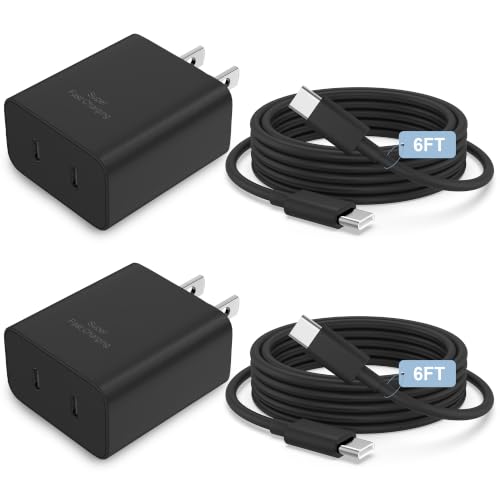
Live listings for the shortlist in this guide are pulled from Amazon below, so prices and availability are always current at the moment you look.

Disclosure
This site participates in affiliate programs, meaning purchases made through certain outbound links may return a small commission to the publisher at no additional cost to the buyer. The technical explanations in this article rest on public standards documents and manufacturer specifications, and commercial relationships play no part in how protocols, wattages or cables are described.
Match the protocol to the phone, respect the cable, keep the battery cool, and fast charging becomes a routine convenience rather than a gamble.