What's inside
- Where to buy
- Key Takeaways
- Quick Picks
- How did we choose these affordable professional workstations?
- What replaced Quadro, and why does the old name still appear in searches?
- Which affordable workstations deserve a place on a professional desk?
- How should a small firm actually buy certified graphics without overspending?
- How do these workstations stack up against each other?
- How do you set up a new workstation so certified drivers stay certified?
- What mistakes do buyers make when chasing affordable professional graphics?
- How do certified drivers, docks, and warranties change the real cost of a workstation?
- Final Recommendation
- Frequently Asked Questions
- Related Guides
As an Amazon Associate I earn from qualifying purchases. This post may contain affiliate links at no extra cost to you.
gizmoverdict.com is reader-supported. When you buy through links on our site, we may earn an affiliate commission.
Where to buy
Follow the link attached to a workstation’s name to open its listing, then read the graphics line of that listing with unusual care, because this entire category lives or dies on one confusing word. Shoppers hunting for the best affordable business laptops quadro are usually looking for a machine that can run CAD, BIM, or engineering software with certified, stable drivers, without paying flagship workstation money. The catch is that the Quadro brand itself no longer exists on new laptops. NVIDIA retired the Quadro name several generations ago, folding its professional laptop graphics into the RTX A series and then into RTX Ada Generation laptop GPUs. A listing that says Quadro today is either old stock, a refurbished unit, or loose marketing language, and this guide treats all three possibilities honestly.
That naming history matters because the underlying need has not changed at all. Architects checking a Revit model on site, mechanical engineers opening supplier assemblies, surveyors processing point clouds, and video-adjacent technical staff all need the same thing Quadro used to promise: a professional GPU with ISV-certified drivers, ECC-minded stability, and vendor support that treats a graphics fault as a business problem rather than a gaming inconvenience. The affordable end of that market is now occupied by 14-inch mobile workstations with RTX A500-class or RTX 1000 Ada graphics, and by integrated-graphics workstations that carry the certification and build quality without a discrete chip at all.
This ranking therefore does two jobs at once. It explains, in plain language, what replaced Quadro and how to read a modern workstation listing without being misled, and it ranks six machines that deliver the professional-laptop experience at the gentler end of workstation pricing. Some carry genuine discrete professional graphics. Others earn their place through certified configurations, durable business construction, and prices low enough that a small firm can buy three of them for the cost of one flagship. Every pick is judged as a working tool: keyboard hours, dock behaviour, driver stability, warranty handling, and how it copes with a real model rather than a synthetic benchmark.
Key Takeaways
- The Quadro name is retired: on any current laptop, its successors are NVIDIA RTX A-series and RTX Ada Generation professional GPUs, so shop for the capability and the certification rather than the badge.
- Dell’s Precision 3591 is the value anchor of this list because its listing names an actual discrete professional GPU, the RTX 1000 class, inside a mainstream 15.6-inch chassis.
- Lenovo’s ThinkPad P14s models show how far integrated graphics have come, but integrated graphics are not a Quadro replacement for heavy assemblies, and this guide says exactly where that line falls.
- HP’s ZBook Firefly range trades raw graphics muscle for the lightest certified travel package, which suits consultants who present models more often than they rebuild them.
- Certified drivers, next-business-day service options, and a proper docking story are worth more over three years than a small benchmark advantage on day one.
Quick Picks
| Pick | Badge | Why it earns its place |
|---|---|---|
| Dell Precision 3591 | Clearest discrete-GPU value | The one listing here that names a proper RTX 1000-class professional GPU alongside 32GB of memory, making it the easiest recommendation for genuine CAD work on a restrained budget. |
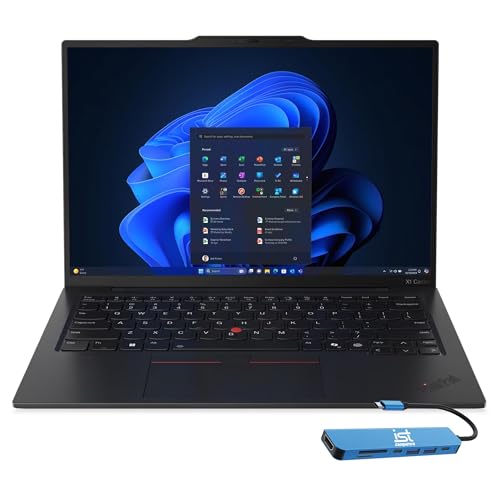
| Lenovo ThinkPad P1 Gen 7 | Strongest graphics ceiling here | A 16-inch ThinkPad whose listing names RTX 3000-class professional graphics, giving this guide a genuine step-up option for heavier models and GPU-assisted rendering. |
| Lenovo ThinkPad P14s Gen 6 | Lightest certified all-rounder | A 14-inch AMD-powered ThinkPad workstation with Radeon 860M integrated graphics, honest light-CAD ability, and the travel manners office life actually rewards. |
| HP ZBook Firefly G11 14″ | Executive travel workstation | A renewed-listed 14-inch ZBook with an Ultra 7 165U, 32GB of memory, and a terabyte of storage, aimed at professionals who present technical work more than they produce it. |
| HP ZBook Firefly G11 16″ | Bigger screen, same travel brief | The 16-inch Firefly pairs an Ultra 7 165H and vPro with a larger WUXGA canvas, suiting desk-anchored professionals who still move between offices weekly. |
| Lenovo ThinkPad P14s Gen 7 | Newest platform, generous spec | The newest P14s pairs a Ryzen AI 7 PRO processor with 32GB of memory, a terabyte of storage, and a colour-rich touch display in the same portable certified package. |
How did we choose these affordable professional workstations?
Affordability in this category was judged against workstation norms, not against consumer laptop prices. A mobile workstation carries costs a gaming laptop never sees: certified driver testing, longer parts availability, business warranty infrastructure, and chassis engineering for daily travel. A machine counted as affordable here if its specification delivered genuine professional capability while sitting clearly below the flagship tier occupied by 16-inch models with high-end RTX Ada graphics and 64GB memory configurations.
Graphics honesty was the second filter. Where a listing named a specific professional GPU, that chip anchors the discussion. Where a workstation relies on integrated graphics, the pick is described as exactly that, with a clear account of which workloads integrated graphics now handle well and which still demand a discrete card. No pick in this guide is credited with a GPU its listing does not support, because inventing graphics hardware is precisely how buyers in this category get burned.
The final filter was ownership reality. Each machine was assessed for keyboard and port selection during long documentation sessions, behaviour on a USB-C or Thunderbolt dock with two external monitors, fan character under sustained rendering loads, and the practicalities of warranty service for a small business without an IT department. A workstation that is cheap to buy but expensive to keep running is not affordable in any sense that matters.
What replaced Quadro, and why does the old name still appear in searches?
Quadro was NVIDIA’s professional brand for three decades, and its reputation was built on something less glamorous than raw speed: driver certification. Software vendors such as Autodesk, Dassault Systèmes, Siemens, and PTC test specific GPU and driver combinations against their applications, and a certified pairing promises that a particular graphics fault has already been found and fixed by someone else. For a business, that promise converts directly into billable hours not lost to viewport glitches, corrupted previews, or a driver update that quietly breaks a plug-in the week before a deadline.
When NVIDIA reorganised its professional line, the desktop and laptop cards moved first to the RTX A naming scheme and then to Ada Generation branding, while the software certification programme carried on underneath the new labels. The practical consequence for buyers is simple. A current laptop described by its seller as a Quadro machine should prompt one question: which actual GPU is inside? If the answer is an RTX A1000, an RTX 1000 Ada, or an RTX 2000 Ada, the machine belongs to the genuine professional lineage. If the answer is vague, or the machine carries a gaming GeForce chip wearing a Quadro-flavoured description, walk away.
Search behaviour lags behind branding changes by years, which is why the old word still brings thousands of buyers to pages like this one. Engineers learned to type it during the decades when it was the only name that mattered, procurement templates still contain it, and older buying guides keep it alive. Treat the word as a statement of intent rather than a specification: it means certified professional graphics, business construction, and dependable drivers. The six machines below are ranked against that intent, at prices a small practice or a departmental budget can absorb.
A second naming trap deserves attention before the picks themselves. Several listings in this class describe integrated graphics with workstation-adjacent language, and integrated graphics have genuinely improved to the point where they open, orbit, and annotate moderate CAD models without drama. What they cannot do is sustain large-assembly work, GPU rendering, or multi-monitor high-refresh viewports with the same composure as a discrete professional card. This guide keeps that distinction visible in every pick, so a buyer who needs discrete graphics never accidentally buys an integrated machine, and a buyer who does not need discrete graphics never overpays for one.
Which affordable workstations deserve a place on a professional desk?

Dell Precision 3591 — Clearest discrete-GPU value
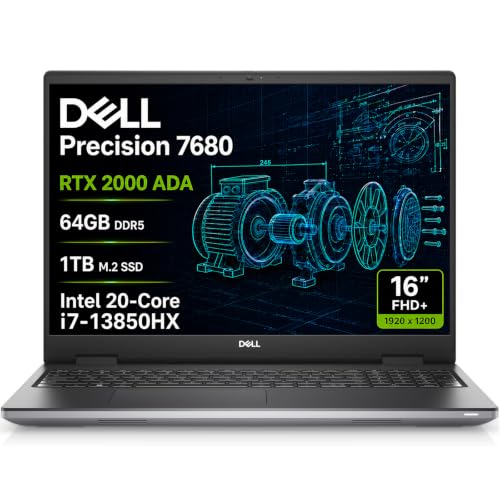
The Precision 3591 earns the opening position because it removes the central ambiguity of this category. Its listing states a discrete NVIDIA RTX 1000-class professional GPU outright, paired with a 16-core Intel Core Ultra 7 165H processor and 32GB of memory, which is the combination a working engineer actually asks for: certified graphics, enough RAM for a browser full of documentation beside an open assembly, and a 15.6-inch chassis with room for a full keyboard and a numeric keypad. For a small engineering firm equipping two or three seats, this is the configuration that ends the meeting quickly.
In daily service the 3591 behaves like the mainstream Precision it is, which is a compliment. The chassis is unglamorous, the ports are where a desk worker expects them, and the machine docks, charges, and drives external monitors without the negotiation some thinner rivals require. Sustained viewport work warms the underside and wakes the fans, yet the noise profile stays in the register of office equipment rather than gaming hardware, so a shared studio does not have to listen to one person’s render. The 512GB drive is the specification to watch: CAD libraries, point-cloud captures, and a few archived projects fill it faster than buyers expect, and planning an external archive or a larger internal drive from day one is wise.
Judged against the retired Quadro yardstick, this is the true descendant in the group: professional silicon, certified driver pathways, and a service ecosystem built for business interruption rather than entertainment. It is not the lightest machine here, and nobody will mistake its styling for an executive ultraportable, but affordability in a workstation should be measured in cost per dependable working year, and on that measure the 3591 makes the strongest arithmetic case in this guide.
- Form factor: 15.6-inch mobile workstation
- Processor class: Intel Core Ultra 7 165H, 16 cores
- Graphics: discrete NVIDIA RTX 1000-class professional GPU
- Memory and storage in listing: 32GB RAM, 512GB SSD
- Operating system: Windows 11 Pro
Strengths
- A named discrete professional GPU removes the biggest buying gamble in this category
- 32GB of memory as listed suits real assemblies rather than demonstration files
- Mainstream Precision chassis keeps docking and desk behaviour predictable
Trade-offs
- 512GB of storage fills quickly once point clouds and archives accumulate
- Heavier than the 14-inch travellers in this ranking
- Plain styling will not satisfy anyone shopping for an executive showpiece
Best for: small engineering and architecture practices that need certified discrete graphics at several desks without flagship spending.
Not suited for: consultants who live in airport lounges and feel every extra gram, or GPU renderers who need a far stronger card.

Lenovo ThinkPad P1 Gen 7 — Strongest graphics ceiling here
The ThinkPad P1 Gen 7 is the machine in this ranking for buyers whose models have outgrown entry professional graphics. Its listing names NVIDIA RTX 3000-class professional graphics alongside an Intel Core Ultra 7 165H processor, 32GB of memory, and a 16-inch 2560 by 1600 display, and that combination changes the character of the workday. Large assemblies orbit without the hesitation that teaches users to dread the rotate command, GPU-accelerated previews arrive sooner, and the bigger, sharper panel shows a drawing and its properties palette without constant window shuffling.
Lenovo wraps that capability in the P1’s familiar slim workstation body, which remains one of the more travel-tolerant ways to carry this much graphics power. The keyboard is the deep, precise ThinkPad unit long-session typists prefer, the 5MP camera configuration listed keeps hybrid meetings respectable, and the machine presents well in a client boardroom in a way few workstations manage. Heat is the honest cost: push the GPU hard and the slim chassis works visibly to move air, so a desk stand that lifts the rear of the machine is a sensible companion purchase.
Affordability needs framing with this pick. It is the premium option in a guide about restraint, included because some buyers searching for an affordable Quadro-class laptop actually need one machine that will not be replaced in eighteen months when projects grow. Bought once, specified properly, and kept for four years, a P1 can cost less per year than a cheaper workstation replaced early, and that longer arithmetic is the only sense in which it belongs in an affordability ranking.
- Form factor: 16-inch slim mobile workstation
- Processor class: Intel Core Ultra 7 165H
- Graphics: NVIDIA RTX 3000-class professional GPU as listed
- Memory and storage in listing: 32GB RAM, 1TB SSD
- Display: 16-inch, 2560 by 1600, with 5MP RGB and IR camera listed
Strengths
- RTX 3000-class graphics handle assemblies that stall entry professional cards
- Generous 1TB storage matches the reality of project archives
- Slim, presentable chassis travels better than most machines with this power
Trade-offs
- Premium pricing stretches the definition of affordable in this guide
- Slim body runs warm and audible under sustained GPU loads
- More graphics than documentation-heavy roles will ever use
Best for: senior engineers and technical leads whose models are growing and who buy one workstation to keep for years.
Not suited for: firms equipping many seats at once, where its price multiplies painfully.

Lenovo ThinkPad P14s Gen 6 — Lightest certified all-rounder
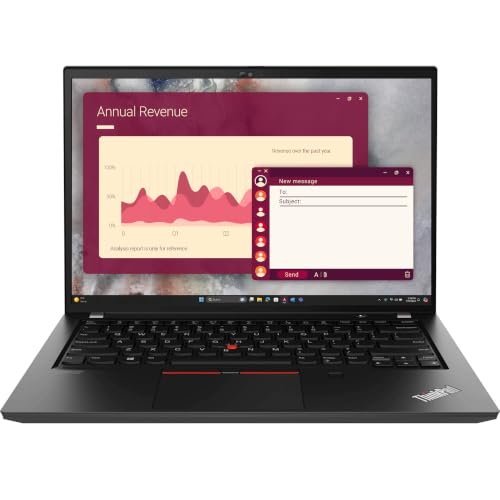
The P14s Gen 6 represents the integrated-graphics wing of the modern workstation market, and it deserves a fair hearing rather than a dismissive one. Built around an AMD Ryzen AI 7 350 processor with Radeon 860M integrated graphics, 16GB of memory, and a 512GB drive in the listed configuration, it carries ThinkPad workstation certification and construction in a 14-inch body that disappears into a briefcase. For 2D drafting, documentation, spreadsheet-heavy project work, and opening moderate 3D models to check, measure, and annotate, that is a complete working day covered without a discrete GPU’s cost or heat.
The limits must be stated with equal clarity. Radeon 860M graphics share system memory and sit well below a discrete RTX card in sustained 3D work, so large assemblies, dense meshes, and GPU rendering queues belong on a machine like the Precision or the P1 instead. The P14s is at its best in the hands of the professional who visits models rather than living inside them: the project engineer reviewing a supplier’s file in a site cabin, the estimator checking quantities against a drawing, the manager who opens the model in the meeting and needs it to simply work.
Within that role it is deeply likeable. Twin Thunderbolt 4 ports, Wi-Fi 7, a fingerprint reader, and the usual ThinkPad keyboard make the daily mechanics frictionless, and the Copilot+ PC designation reflects a processor platform with years of support ahead of it. Buyers should consider whether 16GB of memory is enough for their habits, because integrated graphics borrow from that same pool, yet as a certified, affordable, genuinely portable workstation for light technical work, the P14s Gen 6 is easy to defend.
- Form factor: 14-inch mobile workstation
- Processor class: AMD Ryzen AI 7 350
- Graphics: AMD Radeon 860M integrated graphics
- Memory and storage in listing: 16GB RAM, 512GB SSD
- Connectivity listed: two Thunderbolt 4 ports, Wi-Fi 7, fingerprint reader
Strengths
- Certified ThinkPad workstation build in a genuinely portable 14-inch body
- Modern AMD platform keeps light CAD and documentation work fluid
- Excellent keyboard and docking options for a life split between desk and site
Trade-offs
- Integrated graphics are not a substitute for discrete RTX power on large models
- 16GB of shared memory is the configuration ceiling to examine carefully
- No numeric keypad, which spreadsheet-heavy estimators may miss
Best for: project engineers, estimators, and reviewers who open and annotate models far more than they build them.
Not suited for: anyone whose daily work is large-assembly modelling or GPU rendering.
HP ZBook Firefly G11 14″ — Executive travel workstation
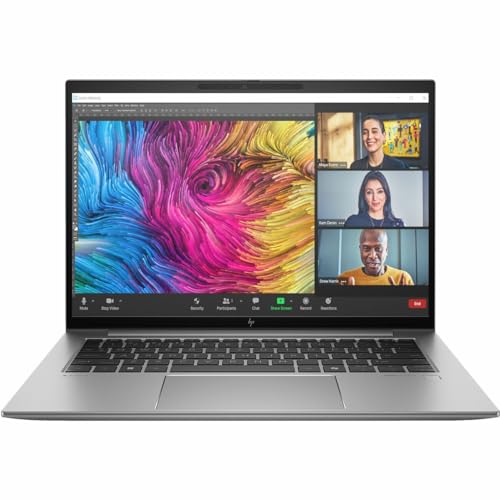
HP’s Firefly line has always been the workstation for people who carry their credibility into other people’s offices, and the 14-inch G11 configuration listed here leans into that identity. An Intel Core Ultra 7 165U processor, 32GB of memory, and a 1TB drive give it the responsiveness and breathing room that client-facing work demands: a presentation, a model viewer, a video call, and a browser’s worth of reference material can all stay open while a consultant moves between meeting rooms without the machine ever feeling like the slowest thing in the conversation.
Graphics are the deliberate compromise. The Firefly’s integrated Intel graphics handle model viewing, markup, and everyday visualisation capably, yet this is not the machine for building the model in the first place, and the listing’s renewed status deserves a calm read before ordering: check the seller’s grading, battery expectations, and return terms with the same care you would give any renewed business laptop. Handled that way, renewed purchasing is how many small firms afford ZBook-class build quality at all, and the specification here is generous enough to justify the route.
Where the Firefly earns loyalty is in the accumulation of small professional graces: a bright 1920 by 1200 panel that suits documents and drawings alike, a chassis that looks at home beside executive ultraportables, and thermals tuned for quiet rooms. A technical consultant, a sales engineer, or an architect whose heavy lifting happens back at the office will find this the most liveable machine in the ranking, provided the discrete-graphics question has been answered honestly first.
- Form factor: 14-inch mobile workstation, renewed listing
- Processor class: Intel Core Ultra 7 165U
- Graphics: integrated Intel graphics
- Memory and storage in listing: 32GB RAM, 1TB SSD
- Display: 14-inch FHD+ at 1920 by 1200
Strengths
- 32GB memory and 1TB storage remove the usual entry-level pinches
- Slim ZBook presentation suits client-facing technical roles
- Quiet, cool manners in meeting rooms and shared offices
Trade-offs
- Integrated graphics cap serious modelling and rendering ambitions
- Renewed listing means grading and battery condition need checking
- Two fewer cores of headroom than the H-series machines here
Best for: consultants and sales engineers who review, present, and annotate technical work while travelling light.
Not suited for: primary CAD seats, where a discrete professional GPU is the whole point.

HP ZBook Firefly G11 16″ — Bigger screen, same travel brief
Some professionals found the 14-inch workstation revolution slightly too small, and the 16-inch Firefly G11 exists for them. The listed configuration combines an Intel Core Ultra 7 165H processor with vPro technology, 32GB of memory, and a 1TB drive behind a 16-inch 1920 by 1200 display, which together make a persuasive desk-first workstation: drawings gain elbow room, spreadsheets show more columns before scrolling, and side-by-side document comparison stops feeling like a compromise, all while the machine remains slim enough for the weekly trip to a regional office or a client site.
The graphics story mirrors its smaller sibling, with integrated Intel Arc-class graphics doing the visual work. That is enough for CAD viewing, light modelling, photo documentation, and the visualisation tasks that fill most professional days, and the H-series processor gives this Firefly noticeably more sustained pace than the U-series 14-inch model when exports and calculations stack up. What it will not do is replace a discrete-GPU workstation for heavy assemblies, and buyers tempted by the big screen should make sure they are not quietly shopping for graphics power this machine does not claim to have.
HP’s Smart Buy positioning in the listing signals the intended audience: organisations standardising on a capable, manageable fleet machine. vPro support matters to even a small IT function because remote diagnosis and fleet security tooling save real hours across a dozen laptops. As an affordable route into the ZBook ecosystem for desk-centred staff who occasionally travel, the 16-inch Firefly is a measured, grown-up choice rather than an exciting one, and many purchasing managers will consider that a compliment.
- Form factor: 16-inch mobile workstation
- Processor class: Intel Core Ultra 7 165H with vPro
- Graphics: integrated Intel Arc-class graphics
- Memory and storage in listing: 32GB RAM, 1TB SSD
- Display: 16-inch WUXGA at 1920 by 1200
Strengths
- Larger canvas transforms drawing review and spreadsheet work
- H-series processor sustains heavier office and export loads
- vPro manageability helps small fleets stay supportable
Trade-offs
- Integrated graphics remain the ceiling for 3D ambitions
- Bigger body gives back some of the Firefly travel advantage
- Arc-class naming in listings can mislead buyers expecting discrete power
Best for: desk-anchored engineers and analysts who want a large screen plus occasional travel ability.
Not suited for: modellers who need certified discrete graphics for daily production work.

Lenovo ThinkPad P14s Gen 7 — Newest platform, generous spec
The P14s Gen 7 closes the ranking as the forward-looking version of the integrated workstation idea. Its listing describes a Ryzen AI 7 PRO 450 processor, 32GB of memory, a 1TB drive, and a 14-inch WUXGA touch display with full sRGB coverage, and that specification answers the two fair criticisms of its Gen 6 sibling: memory is doubled, which matters doubly when integrated graphics share it, and storage reaches the terabyte that project work quietly demands. For the professional whose 3D work is real but moderate, this is the most comfortable integrated configuration in the guide.
Touch deserves a specific mention in a workstation context, because markup is where it earns its keep. Circling a clash in a model view, sketching over a screenshot during a call, or walking a client through a drawing with a finger on the detail under discussion all happen more naturally on a touch panel, and the colour-accurate display makes site photography and presentation material look the way their creators intended. Add Wi-Fi 7 and Windows 11 Pro, and the machine reads as a platform bought for the next four years rather than the next four quarters.
The same honesty applied throughout this guide applies here at the end: Radeon integrated graphics, however modern, are not RTX graphics, and a buyer whose assemblies keep growing should spend on the Precision or the P1 instead. But for the large population of technical professionals whose days are documentation, review, coordination, and moderate modelling, the P14s Gen 7 offers certified ThinkPad substance, a generous specification, and genuine portability at the affordable end of the workstation market, which is precisely the brief.
- Form factor: 14-inch mobile workstation with touch display
- Processor class: AMD Ryzen AI 7 PRO 450
- Graphics: integrated AMD Radeon graphics
- Memory and storage in listing: 32GB RAM, 1TB SSD
- Display: 14-inch WUXGA touch, 100 percent sRGB as listed
Strengths
- 32GB of memory properly supports integrated graphics and multitasking together
- Touch, colour-rich panel suits markup and client walkthroughs
- Newest platform in the ranking, with Wi-Fi 7 and Windows 11 Pro
Trade-offs
- Still integrated graphics, so the discrete-GPU ceiling applies in full
- Touch panels add glare in bright site cabins and plant rooms
- Newest model, so long-term ownership reports are still accumulating
Best for: coordinators and reviewers who want the most comfortable integrated workstation specification available here.
Not suited for: production modellers, for whom the discrete machines earlier in this list exist.
How should a small firm actually buy certified graphics without overspending?
Start from the software, not the laptop. Every major CAD and BIM vendor publishes certified hardware lists, and the cheapest workstation that appears on your application’s list with a supported driver is a safer purchase than a faster machine that does not. Certification is a relationship between a specific GPU, a specific driver branch, and a specific application version, so the buying question to ask any seller is narrow and factual: which GPU is fitted, and which certified driver supports it for the software you run? Vague answers at this stage become expensive answers later.
Next, separate your seats by real workload. Most small practices discover, when they audit honestly, that only some of their people build heavy models daily, while the rest review, document, coordinate, and present. Equipping every seat with discrete graphics because one seat needs them is the most common overspend in this category. A mixed fleet, discrete machines for producers and certified integrated machines for reviewers, routinely saves enough to fund the docking stations, monitors, and warranty extensions that improve everyone’s day more than a uniform GPU would.
Memory and storage deserve the same unsentimental treatment. Professional applications and their file formats grow every year, so 32GB of memory is the sensible floor for a workstation expected to serve four years, and a terabyte of storage is the point where project archives stop requiring weekly housekeeping. Where a listing ships less, price the upgrade into the comparison rather than discovering it later, and remember that integrated graphics borrow system memory, which makes the memory decision even more consequential on the lighter machines in this guide.
Finally, buy the ownership, not just the hardware. Business warranty with on-site or next-business-day response, accidental-damage cover for site work, and a dock that drives your actual monitors are line items that protect billable time. A workstation that fails on a Tuesday and returns the following week has consumed its purchase saving in lost work. The affordable workstation is the one whose total three-year cost, hardware plus support plus the hours it never steals, is lowest, and that is the standard this ranking applied throughout.
How do these workstations stack up against each other?
Read the comparison across rather than down. The discrete machines and the integrated machines are not better and worse versions of one another; they are answers to different job descriptions, and the table is organised to make that distinction impossible to miss before money moves.
| Pick | Standout quality | Main compromise | Choose it if |
|---|---|---|---|
| Dell Precision 3591 | Named discrete RTX 1000-class GPU | Modest 512GB storage | Your work is genuine CAD production on a budget |
| Lenovo ThinkPad P1 Gen 7 | RTX 3000-class graphics and 2.8K-class panel | Highest price in this guide | Your models keep growing and replacement is costly |
| Lenovo ThinkPad P14s Gen 6 | Certified portability with modern AMD platform | Integrated graphics and 16GB memory | You review and annotate more than you model |
| HP ZBook Firefly G11 14″ | 32GB memory and 1TB storage in a slim body | Renewed listing, integrated graphics | You present technical work in client offices |
| HP ZBook Firefly G11 16″ | Large screen with vPro fleet manners | Integrated graphics despite the size | You want a desk canvas that still travels weekly |
| Lenovo ThinkPad P14s Gen 7 | Newest platform, touch, doubled memory | Integrated graphics ceiling remains | You want the most comfortable integrated specification |
How do you set up a new workstation so certified drivers stay certified?
Begin before the first project file is opened. Update the operating system fully, then install graphics drivers through the workstation vendor’s own update tool or the application vendor’s certified driver list, in that order, and resist the temptation to chase the newest gaming-oriented driver release afterwards. Certified stability comes from a known pairing of hardware, driver, and application, and every unplanned driver change is a small gamble taken with a deadline’s money. Record the driver version that works in a shared note, so the next machine can be built to match.
Then build the working environment deliberately. Set the professional application to use the discrete GPU explicitly on hybrid machines, confirm the dock drives both monitors at their native resolutions, and open the largest current project file as a smoke test while everything is still returnable. Check orbit behaviour, a regeneration, an export, and a print or PDF publish, because those four actions expose most graphics and memory problems within an hour. A workstation that passes that test on day one rarely surprises anyone on day ninety.
Finish with the habits that keep the machine certified in spirit. Schedule driver changes for quiet periods, never mid-project; keep one known-good driver installer archived locally; and review memory and storage headroom quarterly, since workstations usually slow down through accumulation rather than failure. These are unglamorous disciplines, yet they are exactly what the old Quadro promise was really selling: a graphics environment boring enough that nobody in the practice ever has to think about it during billable hours.
What mistakes do buyers make when chasing affordable professional graphics?
Chasing the word instead of the hardware is the founding mistake of this category. A buyer who searches for the retired brand name, finds a listing that uses it loosely, and orders without identifying the actual GPU has purchased a story rather than a specification. The correction is one question, asked before checkout, about the exact graphics chip fitted and the certified driver that supports it. Any seller who cannot answer that question clearly has told you everything necessary about the transaction.
Under-buying memory is the second classic error, and it has grown more expensive as applications have grown heavier. A workstation with a fine GPU and insufficient RAM spends its life swapping data to storage, and the user experiences that as a slow machine despite the impressive graphics line on the invoice. Sixteen gigabytes is a reviewing specification; thirty-two is a producing specification; and on integrated machines, where the GPU drinks from the same pool, the distinction sharpens further.
The third mistake is equipping every seat identically. Uniform fleets feel tidy to purchase and wasteful to own, because reviewing seats inherit graphics hardware they will never stress while producing seats may still be under-specified for the assemblies that matter. A short workload audit, even a week of honest observation, pays for itself in the first order. The fourth mistake is forgetting the desk: a workstation bought without confirming dock compatibility, monitor resolutions, and a backup routine arrives as a fast laptop surrounded by friction, and friction is a cost that repeats daily.
How do certified drivers, docks, and warranties change the real cost of a workstation?
Driver policy is where professional graphics stop being a specification and start being an operating discipline. A workstation vendor publishes driver branches intended for stability, and application vendors certify against particular branches, so the cheapest workstation is often the one whose driver story the firm’s software already trusts. Before a fleet order, an engineer should install the exact application stack on one candidate machine, open the largest live project, run a regeneration, publish a drawing set, and leave the machine working for a week. That pilot exposes the difference between a GPU that is merely fast and a graphics environment that remains boring under deadline pressure, and boring is the highest praise a production workstation can earn.
Docks deserve the same pilot treatment because a workstation rarely works alone. Two monitors, a wired network, a headset, a backup drive, and a phone charger all compete for the desk’s patience, and a dock that negotiates badly turns every morning into a small diagnostic ritual. Test the exact dock, the exact monitors, and the exact cable lengths the office uses, including waking from sleep with a project open. Machines in this ranking come from vendors with mature docking ecosystems, yet maturity is model-specific, and the five minutes spent confirming resolutions and wake behaviour before a fleet purchase saves a season of tickets afterwards.
Warranty language is the third hidden specification. Next-business-day on-site service, depot repair, and return-to-base arrangements sound similar in a brochure and feel entirely different when a workstation fails during a submission week. Small firms should price the service tier as part of the machine, ask who performs repairs locally, and confirm how long parts for the model are expected to remain available. A cheaper workstation with slow service can cost more in one incident than the saving that justified it, which is why this guide repeatedly treats ownership as part of affordability rather than an afterthought to it.
There is also a budgeting rhythm that suits this category. Workstations age unevenly: a discrete GPU that is adequate today may struggle with next year’s model complexity, while memory pressure grows steadily as applications and browser-based tools accumulate. Firms that stagger purchases, replacing a third of their seats each year, smooth both cost and capability, and they avoid the cliff where every machine becomes inadequate simultaneously. The affordable strategy is rarely the single heroic purchase; it is a cadence of sensible machines, each specified for the person who will actually sit at it, each supported properly, and each retired before its slowness becomes a salary paid to frustration.
Security and manageability complete the ownership picture. Professional laptops hold drawings, bids, client data, and credentials whose value dwarfs the hardware, so fingerprint readers, IR cameras, encrypted storage, and remote management are not executive garnish. They are the mechanisms that let a small firm behave like a larger one when a laptop is lost in a taxi. The picks in this ranking all come from business lines where those features are native, and buyers comparing them against a cheaper consumer machine should count the cost of adding equivalent protection separately, because the consumer machine’s price advantage often evaporates at exactly that point.
Finally, consider the human ergonomics that spreadsheets omit. A workstation keyboard is used for thousands of hours, its screen is stared at through entire winters, and its fan character becomes part of an office’s soundscape. The ThinkPad entries here earn loyalty partly through typing feel, the Fireflies through quiet manners, and the Precision through predictable desk behaviour. None of those qualities appears in a benchmark, yet each decides whether the professional at the machine thinks of it as a tool or as an opponent. Affordable professional computing is ultimately bought for people, and the people are the most expensive component in the room.
When the quotes are finally side by side, resist the urge to normalise them into a single price column. Add the dock if the desk needs one, the warranty tier the work deserves, the memory the applications demand, and the storage the archive implies, then compare the totals across a four-year life. Judged that way, the ranking’s order usually explains itself: the Precision for producers, the P1 for growth, the integrated machines for the reviewing majority, each affordable not because its ticket was smallest but because its total cost of dependable work was.
One more consideration belongs in every workstation conversation, and it is the monitor waiting back at the desk. A professional laptop spends much of its life driving external displays, and a panel with higher resolution or a second screen multiplies the graphics workload in ways a specification sheet never mentions. Buyers planning a dual-monitor desk should weight the discrete machines in this ranking more heavily, because viewport smoothness across two large displays is exactly where integrated graphics begin to ask for compromises, and discovering that after the dock is purchased helps nobody.
Power behaviour deserves a sentence of its own as well. Workstations throttle differently on battery and on mains power, and a model that feels swift in a plugged-in demonstration may orbit noticeably slower in a site cabin running from its battery. None of that makes any pick here a poor choice; it simply means the honest test of a workstation is the largest real file, opened in the place the work actually happens, under the power conditions that place provides.
One further test separates confident purchases from hopeful ones in this category, and it costs an afternoon. Borrow or buy a single unit of the leading candidate, hand it to the person with the heaviest real workload, and ask them to work normally for two days without telling them what the machine cost. Their unfiltered verdict on viewport smoothness, fan behaviour, keyboard fatigue, and dock manners is worth more than any review, including this one, because it is measured against the firm’s actual files rather than a reviewer’s demonstration models. Workstation buying rewards that kind of evidence disproportionately.
Consider the second monitor decision alongside the laptop decision, because a workstation’s graphics must drive the desk as confidently as the panel in its own lid, and a mismatch discovered after delivery helps nobody.
A docking station bought with the machine, tested with the machine, and warranted alongside the machine removes an entire category of finger-pointing when something on the desk misbehaves at nine on a Monday morning.
Firms that photograph their cable layouts and label their docks perform a small kindness for whoever inherits the desk, and workstations reward that kind of institutional tidiness for years.
When a workstation will travel to sites, a hard case and a spare charger kept in the vehicle are not accessories but insurance, priced in pounds and repaid the first wet Friday they are needed.
Keep one known-good spare cable set for every desk standard the firm runs, because workstation downtime is disproportionately caused by the cheapest objects in the room rather than the most expensive.
A quarterly ten-minute health check, storage headroom, battery condition, fan dust, and update status, keeps a workstation fleet boring, and boring fleets are the ones that let engineers bill their hours to clients instead of to troubleshooting.
If a single application justifies the entire purchase, install that application first on the pilot unit and let its heaviest user, not its most technical one, deliver the verdict that decides the fleet order.
Retire workstations by plan rather than by collapse: a machine demoted to a training desk or a spare seat at the right moment returns value that a machine run into failure never does.
Procurement templates deserve a paragraph of their own, because many firms still carry purchasing documents written when the retired graphics brand was current, and those documents now generate confusion at every refresh. A template that demands a named legacy GPU invites sellers to answer with legacy language, renewed stock of uncertain provenance, or creative descriptions of integrated graphics. Updating the template to demand the capability instead, certified professional graphics with a named current chip, a stated driver branch, and a minimum memory figure, transforms the replies a firm receives. The five minutes spent editing that document will do more for the quality of the next workstation fleet than any negotiation conducted downstream of it, because sellers can only answer the question they are actually asked.
There is a related discipline for the receiving desk. When a workstation arrives, photograph its specification label, record its serial number against the purchase record, and verify the graphics hardware in the operating system’s device listing before the box is discarded. That small ceremony catches configuration substitutions while they are still returnable, and it creates the asset record that warranty calls, insurance claims, and future resale all depend upon. Workstations are bought to be boring for four years, and they become boring through exactly this kind of unglamorous verification at the moments when verification is still cheap.
Consider, too, the software portfolio’s own opinion, which is rarely consulted and always decisive. An application that is leaving its certified hardware list, a vendor shifting to subscription licensing with new platform demands, or a plug-in abandoned by its developer can change a workstation’s useful life more completely than any hardware trend. The buyer who telephones the software vendor’s support line before the hardware order, and asks one plain question about the platform’s next two years, occasionally saves an entire fleet purchase from being optimised for a workload that is about to move.
The last word on affordability belongs to resale and reuse. Business workstations hold value in a way consumer laptops do not, because their construction, parts ecosystem, and professional graphics keep them desirable to smaller firms, training providers, and home engineers long after the first owner has finished. A machine bought well can be cascaded to a lighter desk, sold into that second market, or donated with its dignity intact, and each of those endings returns part of the purchase price to the ledger. Affordability, properly audited, includes the exit as well as the entrance.
Training is the workstation cost nobody budgets and everybody pays. A new machine with a new graphics environment arrives with a week of small hesitations, where is the setting, why does the viewport feel different, which driver does the plotter want, and those hesitations are billed to the same clients as the work itself. Firms that schedule a workstation change alongside a quiet project week, and that keep the old machine beside the new one until the first deadline has passed safely, convert that week from a risk into a rehearsal. The hardware in this ranking comes from vendors whose environments change slowly and document themselves thoroughly, which shortens the rehearsal, but no vendor can abolish it, and the honest purchase plan includes the days as well as the device.
And if the quotes still tie after all of that, choose the machine your heaviest user preferred during the pilot, because workstations are ultimately bought for the people who sit at them, and a preference honestly measured in real work is data, not indulgence, however it appears in a spreadsheet.
Final Recommendation
If the budget allows exactly one recommendation to stand for the whole category, it is the Dell Precision 3591, because it is the affordable machine here whose professional graphics are named, discrete, and matched to a producing specification of memory. Firms with heavier models should step up to the ThinkPad P1 Gen 7 and amortise it over a longer life, while practices whose people mostly review, document, and present will be served with less weight and less spending by the P14s models and the two Fireflies, chosen by screen size and memory comfort.
The word that brought you here belongs to history, and letting it go is the first genuinely professional decision in the purchase; what matters was never the badge on the lid but the certified, dependable graphics underneath it, and every machine in this ranking was chosen to deliver that dependability at the gentlest price its particular job allows.
Frequently Asked Questions
Is Quadro still available on new laptops?
No. NVIDIA retired the Quadro brand for laptop graphics several generations ago, replacing it first with RTX A-series naming and then with RTX Ada Generation professional GPUs. Listings using the old word today describe older stock, renewed machines, or loose marketing, so always identify the actual GPU fitted before buying.
Are RTX A and RTX Ada laptop GPUs the real successors to Quadro?
Yes. They are NVIDIA’s professional laptop graphics line, carrying the ISV certification programme and the stable driver branches that made the older brand valuable to engineering and design businesses. The certification relationship between GPU, driver, and application is the practical inheritance that matters.
Can integrated graphics replace a professional GPU for CAD?
For 2D drafting, documentation, model viewing, markup, and moderate assemblies, modern integrated graphics from AMD and Intel are genuinely capable. For large assemblies, dense meshes, sustained GPU rendering, and demanding multi-monitor viewports, a discrete professional GPU remains the correct tool, and no honest guide should blur that line.
How much memory does an affordable workstation really need?
Treat 32GB as the producing floor for a machine expected to serve several years, especially as professional applications grow annually. Sixteen gigabytes can suit reviewing and coordination roles, but on integrated-graphics machines the GPU shares that memory, which makes the smaller configuration feel smaller still.
Is a renewed workstation a sensible way to save money?
It can be, provided the grading, battery expectations, warranty terms, and return window are read carefully and the seller is established. Renewed purchasing is how many small firms afford business-class build quality, but the checks matter more, not less, than with a new machine.
What should I confirm with a seller before ordering?
Ask for the exact graphics chip, the memory and storage fitted, the operating system edition, and the warranty type and duration. In this category those four answers determine whether a laptop is a professional tool or a consumer machine in workstation clothing.
Related Guides
Keep exploring with affordable business laptops compared and mobile workstation buying guides and business laptop docking explained.
Related guides
- Best 13 Inch Business Laptops: The Honest 13–14 Inch Ultraportable Shortlist
- Best 5 Windows 10 Business Laptops: Professional Machines From the Windows 10 Era, Judged for Buyers Who Still Run It
- Best 17 Inch Windows Business Laptops: The Workstation Class That Replaced Them
- Best Affordable Business Laptops: Total Cost, Durability and Business Warranty Without the Premium Price