What's inside
- Where to buy
- Key Takeaways
- Quick Picks
- How did we choose machines for a class that changed its name?
- The picks in detail: best 17 inch windows business laptops and their workstation heirs
- Why did mainstream business laptops stop at 16 inches?
- What does ISV certification actually buy you?
- How should you configure a workstation you intend to keep for five years?
- How do you build a desk setup worthy of a big-screen workstation?
- Who should still hunt a true 17.3-inch machine, and who should not?
- How does a 16:10 screen change daily work versus the old 17.3-inch panels?
- What should engineers and creators check beyond the headline specs?
- How do the four linked picks divide the professional world?
- What does it cost to own a workstation properly?
- How will this class look in five years?
- How do you move a workstation’s workload when the machine changes?
- What peripherals does a big workstation genuinely need?
- How should a firm choose between these workstations at fleet scale?
- What separates a workstation keyboard and screen from a gaming laptop’s?
- One last check before you order any of these six
- Comparison table
- What mistakes do buyers of big business laptops keep making?
- Final Recommendation
- Frequently Asked Questions
- Related Guides
As an Amazon Associate I earn from qualifying purchases. This post may contain affiliate links at no extra cost to you.
gizmoverdict.com is reader-supported. When you buy through links on our site, we may earn an affiliate commission.
Where to buy
Amazon carries the workstation models in this guide through manufacturer storefronts and authorised resellers, and configurations vary widely under the same model name — graphics card, memory and screen options all change the machine’s character. Read the full configuration line before ordering, and treat any listing that hides its graphics specification as a listing that has told you something important.
This keyword needs its honest answer up front: the best 17 inch windows business laptops, in the sense of a conventional 17.3-inch corporate laptop from the big business lines, have essentially ceased to exist. The mainstream business ranges from Lenovo, HP and Dell now top out at 16 inches, because the taller 16:10 screens at that size show nearly as much work as the old 17.3-inch widescreen panels did, in a chassis that still fits in a bag. The one place a true 17.3-inch business-grade machine survives is the mobile workstation class — and that class, not the vanished mainstream, is what this guide honestly covers.
That turns out to be good news for the buyer behind the search. People who want a seventeen-inch business laptop usually want a big screen for spreadsheets, drawings or code, a keyboard with a number pad, serious cooling, and a machine built to be serviced rather than replaced. Mobile workstations deliver exactly that bundle, with professional graphics and certified drivers as a bonus for engineering and creative work. Four picks below link to current models you can buy; the two genuine 17.3-inch flagships are covered as prose-only entries, because honest guidance about this class matters more than pretending the pool is something it is not.
Key Takeaways
- True 17.3-inch business laptops now live only in the mobile workstation lines; the mainstream corporate ranges stop at 16 inches.
- The Dell Precision 7680 is the linked pick that comes closest to the classic brief: a 16-inch powerhouse with RTX professional graphics and huge memory.
- HP’s ZBook Firefly G11 16-inch is the gentlest entry into the class — workstation manners in a chassis that still travels well.
- Lenovo’s ThinkPad P1 Gen 7 blends a 16-inch high-resolution screen and RTX 3000 graphics into the slimmest body here.
- The two genuine 17.3-inch flagships, HP’s ZBook Fury 17 and Dell’s Precision 7780, are covered prose-only for buyers who refuse to shrink.
- Every machine here is ISV-certified for professional software and built to be serviced — the real inheritance of the old 17-inch class.
Quick Picks
| Pick | Badge | Why it is here |
|---|---|---|
| Dell Precision 7680 | Closest to the Classic Brief | A desktop-class processor, RTX 2000 Ada professional graphics and 64GB of memory make it the linked machine that best inherits the big business laptop’s job. |
| HP ZBook Firefly G11 16″ | Gentlest Way Into the Class | It brings workstation certification and a 16-inch screen in the lightest, most travel-tolerant chassis here — the big-screen business laptop reimagined for hybrid work. |
| Lenovo ThinkPad P1 Gen 7 | Slim Powerhouse With RTX 3000 | It packs RTX 3000 professional graphics and a sharp 16-inch 2.8K screen into the sleekest body here — the executive’s workstation. |
| Dell Precision 3591 | Value Workstation of the Range | RTX 1000 professional graphics and 32GB of memory at the friendliest price here make it the pragmatic entry for smaller firms and solo engineers. |
| HP ZBook Fury 17 G8-class flagship | The True 17.3-Inch Survivor (Prose-Only) | HP’s Fury line carried the genuine 17.3-inch workstation format furthest, with desktop-replacement power for buyers who refuse to give the size up. |
| Dell Precision 7780 | Dell’s 17.3-Inch Flagship (Prose-Only) | Dell’s largest Precision paired a 17.3-inch screen with top-tier RTX graphics and CAMM memory — the last of the true big business flagships. |
How did we choose machines for a class that changed its name?
We applied the tests the original 17-inch business buyer cared about, translated into the workstation era. Screen first: a large, tall display with room for two documents or a drawing and its toolbars, at brightness levels that survive an office window. Keyboard second: a proper number pad matters to the finance and engineering users who drove the old class, and its absence had to be declared, not discovered. Then sustained performance — these machines must hold their speed through a rendering queue or a giant model recalculation, which is a cooling question as much as a processor question.
Professional fitness formed the second filter. Workstations carry ISV certification, meaning the makers of CAD, engineering and creative software have tested the exact hardware and driver combinations, and that certification is what separates this class from a gaming laptop wearing a suit. Serviceability was the third: accessible memory and storage slots, published manuals, and warranty options that treat downtime as the emergency it is. Finally, we graded honesty about travel — these are desk-anchored machines that can move, not travel machines, and the weights in each section are stated without cosmetics.
The picks in detail: best 17 inch windows business laptops and their workstation heirs

Dell Precision 7680 — Closest to the Classic Brief
The Precision 7680 is the machine in this guide that a buyer of the old 17-inch flagships will recognise as family. It is built around sustained power: an HX-series processor with desktop ambitions, NVIDIA RTX 2000 Ada professional graphics with certified drivers, and — in this configuration — 64GB of memory and a terabyte of storage, which together swallow the workloads that define this class. Large assemblies, dense point clouds, heavy financial models and multi-layer creative projects all run with the calm that comes from a cooling system designed for marathons rather than sprints.
The 16-inch FHD+ screen is the deliberate trade at the heart of the modern class: a fraction smaller than the 17.3-inch panels of memory, but taller in shape, so a spreadsheet shows comparable rows and a drawing keeps its toolbars. The chassis keeps the old class’s virtues — a full keyboard, generous ports, accessible internals for memory and storage upgrades — and its honest vice, which is weight that makes it a machine you carry between desks rather than around airports. Dell’s ProSupport options suit organisations that cannot tolerate downtime. As the standard-bearer for what the 17-inch business laptop became, the 7680 is formidable.
- Display: 16-inch FHD+, 16:10
- Processor: Intel Core i7-13850HX, 20 cores
- Graphics: NVIDIA RTX 2000 Ada, 8GB
- Memory and storage: 64GB DDR5, 1TB SSD
- Certification: ISV-tested for professional applications
- Support: Dell ProSupport options, Windows 11 Pro
Strengths
- Desktop-class sustained performance
- Professional graphics with certified drivers
- Huge memory configuration for heavy models
Trade-offs
- Heavy enough to anchor a desk, not tour airports
- FHD+ resolution is modest for the screen size
- Power supply is a substantial brick of its own
Best for: engineers, analysts and creators whose laptop replaces a desktop workstation and occasionally relocates.
Not suited for: frequent flyers or anyone counting grams.

HP ZBook Firefly G11 16″ — Gentlest Way Into the Class
The ZBook Firefly G11 exists for the buyer who wants this class’s screen and certification without inheriting its full weight, and it makes that case convincingly. The 16-inch WUXGA display gives spreadsheets and documents the room the keyword promises, the Core Ultra 7 165H with vPro keeps IT departments comfortable, and 32GB of memory with a terabyte of storage covers the professional mainstream — CAD viewing and light modelling, data work, development, and design review — without drama. HP’s collaboration hardware, tuned for the hybrid meetings that now fill professional calendars, is the best here.
The honesty paragraph concerns graphics: this configuration relies on integrated Intel Arc graphics rather than a discrete professional GPU, so its workstation certification serves the lighter end of professional work — reviewing, editing and presenting models rather than rendering them overnight. Buyers whose living is made inside heavy 3D applications should step to the Precision or the ThinkPad P1 below. For the much larger group whose big-screen need is documents, data and design at human scale, the Firefly delivers the class’s comforts in a body that still fits the bag and the train table, and that balance is its own kind of professionalism.
- Display: 16-inch WUXGA, 16:10
- Processor: Intel Core Ultra 7 165H with vPro
- Memory and storage: 32GB RAM, 1TB SSD
- Graphics: integrated Intel Arc — light professional work
- Camera: high-quality webcam for hybrid meetings
- Build: the lightest chassis in this guide
Strengths
- Travels better than any rival here
- Big screen with strong meeting hardware
- vPro management and ZBook durability
Trade-offs
- Integrated graphics limit heavy 3D work
- No number pad despite the large chassis
- RTX-class tasks need a different pick
Best for: hybrid professionals — consultants, developers, data leads — who need a big screen and certification without the full workstation weight.
Not suited for: engineers rendering large assemblies daily.

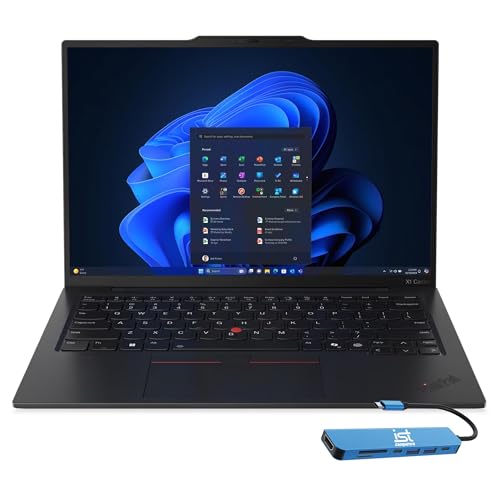
Lenovo ThinkPad P1 Gen 7 — Slim Powerhouse With RTX 3000
The ThinkPad P1 Gen 7 is the workstation for people who still have to walk into rooms where appearances register. Its slim aluminium body borrows the X1 Carbon’s design language, yet inside sits an NVIDIA RTX 3000 Ada professional GPU and a Core Ultra 7 165H, a combination that handles serious CAD, visualisation and video work without announcing itself with gaming-laptop theatrics. The 16-inch screen at 2560×1600 is the sharpest here, giving drawings and dense interfaces a clarity the FHD+ panels cannot match, and the 5MP camera keeps its owner looking professional on calls.
Lenovo’s keyboard remains the class benchmark for long writing and coding sessions, and the P1’s cooling, while necessarily audible under full rendering load, is engineered to sustain performance rather than spike it. The trade-offs are the slim tax: fewer ports than the Precision, memory configurations that should be chosen carefully at purchase, and a price that reflects the engineering. For the professional whose work mixes heavy computation with client-facing polish — the architect presenting her own renderings, the consultant running models in the client’s boardroom — the P1 is the machine that refuses to make them choose between power and presentation.
- Display: 16-inch 2560×1600 IPS, 16:10
- Processor: Intel Core Ultra 7 165H
- Graphics: NVIDIA RTX 3000 Ada professional
- Memory and storage: 32GB RAM, 1TB SSD
- Camera: 5MP with infrared for face sign-in
- Build: slim aluminium ThinkPad chassis
Strengths
- RTX 3000 power in a boardroom-appropriate body
- Sharpest screen in this guide
- Superb ThinkPad keyboard for long sessions
Trade-offs
- Premium pricing throughout the range
- Fans make themselves heard under full load
- Fewer legacy ports than the Precision
Best for: architects, senior engineers and consultants who compute heavily and present personally.
Not suited for: buyers wanting maximum ports and the lowest price per unit of power.

Dell Precision 3591 — Value Workstation of the Range
The Precision 3591 is the workstation that small firms and independent engineers actually buy, because it delivers the class’s defining features — certified professional graphics, generous memory, serviceable construction — without the flagship tier’s invoice. The NVIDIA RTX 1000 Ada GPU handles CAD, modelling and GPU-accelerated creative work with certified drivers, the Core Ultra 7 165H provides sixteen cores of sustained effort, and this configuration’s 32GB of memory keeps large files and heavier applications comfortable. It is the professional tool, minus the jewellery.
Its screen is the visible compromise, and this guide will not pretend otherwise: at 15.6 inches with a 16:9 FHD panel, it is both smaller and shorter than the 16:10 displays of its stablemates, which matters for the spreadsheet-and-drawing work that motivates this keyword. Buyers for whom the big tall screen is the whole point should stretch to the 7680 or the Firefly. Buyers whose priority is certified graphics power per unit of money — and who may dock to a large monitor at their main desk anyway — will find the 3591 the most rational route into professional hardware, with Dell’s support ecosystem standing behind it.
- Display: 15.6-inch FHD, 16:9
- Processor: Intel Core Ultra 7 165H, 16 cores
- Graphics: NVIDIA RTX 1000 Ada professional
- Memory and storage: 32GB RAM, 512GB SSD
- Certification: ISV-tested professional drivers
- Support: Dell workstation warranty options
Strengths
- Certified RTX graphics at the range’s friendliest price
- Generous memory for professional applications
- Serviceable, businesslike construction
Trade-offs
- Smaller, shorter 16:9 screen than rivals
- 512GB storage fills quickly with project files
- Design is utilitarian throughout
Best for: solo engineers, small firms and CAD users who dock to a monitor and value certified power over screen size.
Not suited for: buyers whose main need is the largest possible laptop screen.
HP ZBook Fury 17 G8-class flagship — The True 17.3-Inch Survivor (Prose-Only)
The ZBook Fury in its 17.3-inch generations is what the keyword is literally asking for, and it deserves a respectful obituary rather than a sales pitch. These were magnificent machines: a vast 17.3-inch display with room for a drawing and every toolbar its software owns, a full keyboard with number pad, professional graphics options climbing to the top of NVIDIA’s range, and expansion and cooling headroom that treated desktop workstations as rivals rather than superiors. Organisations bought them as desk anchors for engineers whose work could not shrink, and many remain in service doing exactly that job.
We cover the Fury 17 prose-only for two honest reasons: there is no verified listing in our pool for a current unit, and the model’s newest generations have themselves migrated toward the 16-inch format, leaving the 17.3-inch versions as previous-generation stock whose condition, warranty and configuration vary enormously by seller. A buyer determined to own one should shop it as the specialist purchase it is — verifying the graphics configuration, the screen option and the warranty status with unusual care. Everyone else should recognise the Fury’s virtues in its modern heirs above, which deliver its power in the size the industry kept.
- Display: 17.3-inch in its classic generations
- Graphics: professional NVIDIA options up to flagship tier
- Keyboard: full size with number pad
- Expansion: multiple storage bays and memory slots
- Status: previous-generation — verify each listing carefully
- Coverage: prose-only in this guide, no verified pool listing
Strengths
- The genuine 17.3-inch canvas this keyword remembers
- Desktop-replacement expansion and cooling
- Full keyboard with number pad
Trade-offs
- Previous-generation stock with variable condition
- Heaviest format in the class by a distance
- Newest Fury generations moved to 16 inches
Best for: buyers who will accept nothing but a true 17.3-inch screen and will shop previous-generation stock carefully.
Not suited for: buyers wanting a current model with a full fresh warranty.
Dell Precision 7780 — Dell’s 17.3-Inch Flagship (Prose-Only)
The Precision 7780 represents the summit of the format this keyword celebrates. Its 17.3-inch display anchors a machine built without compromise: HX-class processors, NVIDIA’s most powerful professional graphics of its generation, and memory capacity that climbed beyond what most desktops offered, delivered through Dell’s CAMM modules. For simulation, large-scale visualisation and engineering work that treats laptops as portable desktops, the 7780 was not a compromise purchase; it was the purchase, and its owners tend to speak of it the way drivers speak of a beloved truck.
Like the Fury, it appears here prose-only: our verified pool holds its 16-inch sibling, the 7680, rather than a current 7780 listing, and Dell’s own range has since reorganised around new names and the 16-inch centre of gravity. The practical advice mirrors the Fury’s — a determined buyer will find 7780 units through specialist and renewed channels and should verify configuration and support status forensically — while the strategic advice is to notice how completely the 7680 inherits its role. The 17.3-inch flagship era produced wonderful machines; this guide’s linked picks are where its bloodline now lives.
- Display: 17.3-inch flagship panel options
- Graphics: top-tier NVIDIA RTX professional options
- Memory: very high capacity via CAMM modules
- Processor: HX-class desktop-grade chips
- Status: previous flagship — specialist channels only
- Coverage: prose-only in this guide, no verified pool listing
Strengths
- The largest canvas Dell offered in a business machine
- Flagship professional graphics of its generation
- Enormous memory ceiling for simulation work
Trade-offs
- No current verified listing in our pool
- Weight and power brick define deskbound use
- Range has been reorganised since its launch
Best for: simulation and visualisation specialists who need the largest mobile canvas and will source it deliberately.
Not suited for: buyers wanting a straightforward current purchase.
Why did mainstream business laptops stop at 16 inches?
The answer is geometry wearing an economics costume. The old 17.3-inch panels used the wide 16:9 shape, which spent much of their area on width that documents and drawings do not need. When panels shifted to the taller 16:10 shape, a 16-inch screen began showing nearly the same number of spreadsheet rows and drawing height as the older, larger panel — while fitting a chassis a bag can hold and a tray table can survive. At that point the 17.3-inch mainstream machine lost its reason to exist, and one by one the business lines retired it, keeping the size only where sheer power justified it: the workstation ranges.
Something real was lost, and this guide will not pretend otherwise. A 17.3-inch chassis had room for everything — a full number pad with breathing space, speakers that could fill a room, cooling that never strained, and bays for storage that modern slim machines cannot dream of. Buyers who lived on those machines feel the modern 16-inch class as a slight narrowing of their world. The compensation is that the power those big chassis existed to cool now fits in machines half their weight, and the workstation class kept the serviceability and certification that made the big business laptops professional tools rather than merely large ones.
What does ISV certification actually buy you?
Certification is the least glamorous and most consequential difference between a workstation and a powerful consumer laptop. Software makers such as Autodesk, Dassault and Adobe test workstation models with specific graphics drivers, and certify that combination for their applications. In practice that buys two things: stability, because the driver your CAD package receives has been validated against it rather than merely released near it, and support, because when something breaks, the software vendor cannot dismiss your hardware as an untested configuration. For a professional whose billable hours depend on one application behaving, that is not paperwork; it is insurance.
The professional graphics cards themselves — the RTX Ada generation in most picks here — differ from their gaming cousins less in raw speed than in those drivers, in memory configurations tuned for large models, and in features such as error-correcting behaviour on the highest tiers. A gaming laptop will often run engineering software quickly, right up until a driver update and a deadline collide. Workstations exist for buyers who cannot afford that sentence to finish. If your work is documents and data rather than certified applications, the Firefly’s integrated graphics may serve perfectly — the certification question should be asked of your software list, not of your ambitions.
How should you configure a workstation you intend to keep for five years?
Buy the graphics card and the screen for the whole life, because they are the components you cannot change; buy memory and storage generously, because they are the components whose shortage ends lives early. A professional who keeps a machine five years should treat 32GB of memory as the floor and 64GB as the comfortable choice for heavy models, since software’s appetite grows annually and the Precision 7680 in this guide shows the class can carry it. Storage follows the same logic: project files are the largest things most professionals own, and a terabyte is the sensible minimum with expansion room beyond.
Then configure the unglamorous half. A warranty with on-site service converts a breakdown from a week of courier anxiety into a technician’s visit, and its cost over five years is trivial beside one missed deadline. A second power supply — one for the desk, one for the bag — removes the daily cable ritual that slowly damages ports and tempers. And choose the operating system edition your organisation’s management tools expect, because retrofitting Windows Pro policies onto a mis-bought configuration is a special kind of misery. Workstations reward buyers who think like fleet managers, even when the fleet is one machine.
How do you build a desk setup worthy of a big-screen workstation?
A machine of this class is the heart of a desk, and the desk should be arranged like it. Start with the dock: a Thunderbolt dock of sufficient wattage to actually feed a workstation — check the figure, because underpowered docks throttle the very performance you paid for — driving one large external monitor that complements rather than duplicates the laptop’s screen. The laptop stays open as the second display and the home of communication apps, its own screen’s height earning its desk space beside the main panel.
Ergonomics is the second half of the build, and the big laptop tempts owners to skip it because its screen feels sufficient. Raise the machine so its top bezel approaches eye level when it serves as a primary display, use an external keyboard and mouse for long sessions so the laptop can sit at that height, and give the cooling system the flat, unobstructed surface its vents assume. Cable the dock once, neatly, so that arriving at the desk is a single connection. The old 17-inch machines taught their owners that a laptop can be a workplace rather than a device; the modern workstation, docked properly, teaches the same lesson with better posture.
Who should still hunt a true 17.3-inch machine, and who should not?
The genuine 17.3-inch hunt makes sense for a narrow, honourable set of buyers: those whose software fills every pixel of the largest canvas, whose work is deskbound enough that weight is a rumour, and who have the patience to source previous-generation flagships like the Fury 17 or Precision 7780 through specialist channels with forensic attention to condition and warranty. For them, the format’s roominess is a working tool, and the modern class’s extra portability buys nothing they value.
Everyone else — which is most readers of this keyword — is better served by the modern heirs. The consultant who occasionally travels, the engineer who works from two offices, the analyst whose big screen need is really a tall screen need: each gets the old class’s virtues from the 16-inch workstations above, with current warranties and parts support. The keyword’s number describes a diagonal; the need underneath it describes room to work, power that lasts and a machine built to be kept. Judge by the need, and the right machine identifies itself.
How does a 16:10 screen change daily work versus the old 17.3-inch panels?
Open the two documents this class lives on and the geometry explains itself. A spreadsheet on the old 17.3-inch 16:9 panel spread wide and stopped early: columns for days, rows rationed by the short screen. The same file on a modern 16-inch 16:10 panel shows slightly fewer columns and meaningfully more rows, and since most professional work scrolls vertically — budgets, code, contracts, drawings with their property panels — the taller shape serves the work better than the wider one did. The diagonal shrank; the usefulness, for most tasks, quietly grew.
The exceptions are real and worth naming. Side-by-side document comparison — the contract against its redline, the drawing against its schedule — uses width the way spreadsheets use height, and the 17.3-inch panel remains the kinder canvas for it. Video timelines and multi-track creative work also spend width gladly. Buyers whose days are dominated by those layouts are the honest remnant of the 17-inch audience, and for them the prose-only flagships in this guide, or a 16-inch laptop permanently docked to an ultrawide monitor, are the two respectable answers.
For everyone else, the taller screen is the rare industry change that is simply an improvement wearing a smaller number. It also travels in a chassis that fits the bags and tables the old class strained, which is why the market moved without a fight. Judge screens by the shape of your work rather than the size of the number, and the modern class stops looking like a compromise and starts looking like a correction.
What should engineers and creators check beyond the headline specs?
The specification sheet of a workstation advertises its processor and graphics and whispers everything that decides a working week. Begin with the cooling system’s sustained rating: two machines with identical chips can differ enormously in the speed they hold through an hour of rendering, and the honest figure is the one measured at minute forty, not minute four. The Precision 7680’s desktop-class design exists precisely for that test, while the slimmer P1 trades a little of that endurance for its elegance — a legitimate trade, provided the buyer makes it knowingly.
Continue with the memory architecture. Machines that let you add or replace memory modules forgive the configuration mistakes of purchase day; machines with soldered memory demand you predict year three on day one. Storage bays matter the same way, because project archives grow faster than any buyer’s estimate. Then examine the screen’s colour behaviour if your work is visual, the keyboard’s number pad if your work is numerical, and the port layout against your actual desk rather than an imagined one. A workstation is bought for a workflow, and the workflow’s details — not the benchmark’s — are where satisfaction lives.
Finish with the support contract’s fine print, because at this level the warranty is part of the machine. Confirm whether service is on-site or mail-in, what the response target is, and whether accidental damage cover exists for a machine that will occasionally travel. The cheapest workstation is often the one whose support was priced honestly at purchase rather than improvised during a crisis in year two.
How do the four linked picks divide the professional world?
Each linked pick owns a temperament, and matching temperament to profession is the fastest route through this guide. The Precision 7680 belongs to the anchored specialist: the engineer or analyst whose machine is a destination, loaded with the heaviest models and moved between desks rather than cities. Its HX processor, professional graphics and 64GB configuration in this listing describe a desktop that consents to relocation. The ThinkPad P1 belongs to the mobile specialist, whose heavy work happens in other people’s buildings and whose machine must compute like a workstation while presenting like an executive laptop.
The ZBook Firefly G11 belongs to the hybrid professional, whose big-screen need is real but whose graphics needs stop at review and light modelling: the consultant with the enormous spreadsheet, the developer with the wall of code, the data lead presenting models rather than rendering them. Its lightness is not a compromise for that buyer but the entire point. The Precision 3591 belongs to the pragmatist — the solo engineer or small firm buying certified graphics with a finite budget, content to dock at the main desk and let a monitor supply the canvas the laptop’s smaller screen withholds.
Notice that none of these assignments mentions screen size as the deciding factor, in a guide named for a screen size. That is the class’s own lesson: the 17-inch question was always a proxy for power, room and professionalism, and the modern range answers the proxy directly. Choose by the work and the week you actually live, and the diagonal becomes what it should always have been — a consequence, not a criterion.
What does it cost to own a workstation properly?
The purchase price is the first instalment of a workstation’s cost, and planning the rest separates professional ownership from expensive improvisation. The support contract comes first in the honest budget: on-site cover across the machine’s working life, priced at purchase, costs a fraction of one deadline lost to a mail-in repair. A second power supply follows, because the brick is heavy, lives under a desk, and will otherwise be unplugged and replugged a thousand times, wearing the port it feeds. A dock and a large monitor complete the desk the machine deserves, and together they cost less than the difference between workstation tiers.
Consumables and time form the quieter half. A battery in a machine of this class is a service item with a finite life under heavy use, and its replacement in year three should be a planned expense rather than a surprise. Storage expansion arrives on the same schedule for most professionals, which is why the accessible bays in these machines matter. And the owner’s own hours belong in the ledger: a workstation that is fast, certified and supported returns its price in un-lost afternoons, while a bargain that stumbles costs its saving back in the currency professionals can least spare.
None of this argues for buying the most expensive machine. It argues for buying the whole machine — hardware, support, desk and lifespan — in one act of planning. The old 17-inch class was bought that way by the organisations that defined it, and its heirs deserve the same respect. Budgeted whole, a workstation is not an expensive laptop; it is inexpensive professional infrastructure, amortised across years of work it makes possible.
How will this class look in five years?
The direction is already visible in this guide’s own list. Screens have settled at 16 inches with tall shapes, and the genuine 17.3-inch panel has become a special order from history. Processors continue their migration toward efficiency at idle and ferocity on demand, which suits professional work’s bursty rhythm. Graphics are following the same curve, with professional certification extending into lighter machines — the Firefly’s existence, a certified workstation you can carry all day, would have read as fantasy in the 17-inch era and is now a catalogue item.
What will not change is the class’s defining contract: certified stability, serviceable construction, and support that treats downtime as an emergency. Those virtues, not the diagonal, were what the big business laptops actually sold, and they have survived every format change the industry has imposed. Buyers shopping this keyword in five years will likely find still fewer inches in the headlines and still more power underneath them, and the advice will be the same as this guide’s: judge the machine by the work it must sustain and the years it must sustain it.
There is a final comfort for the nostalgist. Machines built to this standard do not vanish; they cascade. The 17.3-inch flagships of a few years ago are, at this moment, running small businesses, student projects and home studios with their dignity intact, bought second-hand by people who recognised the class’s virtues at a fraction of its price. Whatever size the future standardises on, buying the professional tier remains the closest thing technology offers to a permanent purchase — and permanence, in the end, is what the buyers of those great big laptops were always really shopping for.
How do you move a workstation’s workload when the machine changes?
Replacing a workstation is a project disguised as a purchase, because the machine holds not just files but an environment: licensed software with its activation rituals, calibrated colour profiles, templates, macros, and the accumulated configuration of years. Begin the migration while the old machine still works — which is to say, plan the replacement before the breakdown plans it for you. Inventory the software and its licence terms first, because the application that cannot be reactivated is the one that decides the timetable, and deactivation on the old machine is a step owners forget until a support call teaches them.
Move the data in layers: the project archive by whatever bulk method the network tolerates, the working files by the sync service that will keep them current on both machines during the overlap, and the environment itself by hand, setting by setting, while the old machine sits beside the new one as the reference. Run both in parallel for a full working week before retiring the elder, because the missing font, the uninstalled plug-in and the forgotten template announce themselves on deadlines, not on setup day. A workstation migration done at leisure is an afternoon’s satisfaction; done in emergency, it is a week of archaeology.
What peripherals does a big workstation genuinely need?
The list is shorter than the catalogues suggest and more specific than the bundles assume. A dock with honest wattage comes first, because an underpowered dock silently throttles the performance the machine was bought for. One large, colour-honest external monitor follows, sized to the desk rather than the ambition. An external keyboard and mouse are not luxuries at this class but ergonomic necessities, since a machine heavy enough to anchor a desk will sit at monitor height, beyond comfortable typing reach. A second power supply, permanently bagged, completes the working set.
Everything else must argue its case against the workflow. The drawing tablet earns its place for the designer and no one else; the calibrated second monitor for the colourist; the desktop speakers for the professional whose meetings fill a room. The workstation’s own generosity — its ports, its screen, its power — covers the rest, and a desk kept to the essentials stays a place where work happens rather than a museum of intentions. Buy the four certainties first, live with the machine for a season, and let the workflow itself nominate whatever is missing.
How should a firm choose between these workstations at fleet scale?
A firm buying workstations in number should standardise by role rather than by preference, because the support savings compound with every identical machine. The engineering tier takes the Precision 7680 or its successors, configured identically down to the memory, so that any engineer can sit at any desk and any failure can be answered with a like-for-like swap. The mobile tier takes the ThinkPad P1 or the ZBook Firefly according to whether graphics or weight governs the role, and the firm holds one spare of each tier, imaged and shelved, because a spare workstation is cheaper than an idle engineer.
The procurement details that matter are unglamorous: a single support contract with on-site terms across the fleet, asset records that tie each machine to its configuration and warranty expiry, and a refresh calendar that replaces machines by age and role rather than by complaint. Firms that buy this way discover the workstation class’s deepest virtue — predictability. The machines stop being individual purchases with individual surprises and become infrastructure, maintained like the building they sit in. That, more than any processor generation, is what the old 17-inch fleet buyers understood, and it transfers intact to their smaller, stronger heirs.
What separates a workstation keyboard and screen from a gaming laptop’s?
The comparison matters because gaming laptops are the big machines most buyers have actually touched, and their priorities run opposite to this class’s. A gaming keyboard chases speed and spectacle — shallow, rapid keys under coloured light — while a workstation keyboard chases endurance: the ThinkPad P1’s deep, sculpted board is built for the ten-thousand-word week and the coding marathon, and the Precision’s full layout with its number pad serves the numerical professions that gaming design forgets. Neither is better in the abstract; each is honest to its owner, and the professional should be certain which owner they are.
Screens divide the classes just as cleanly. Gaming panels chase refresh rates that professional work cannot use, often at the cost of colour accuracy and brightness uniformity. Workstation panels — the P1’s sharp 2560×1600 display is this guide’s exemplar — chase resolution, colour honesty and the tall shape that documents demand, because a drawing rendered in the wrong colour is not a small error but a professional one. Even the humbler FHD+ panels here are tuned for the long, bright, accurate day rather than the fast, dark, thrilling one.
Underneath both sits the deepest difference: intent. The gaming machine is built to be replaced on a two-year thrill cycle; the workstation is built to be serviced, certified and kept. A buyer crossing between the classes should therefore compare not the specifications but the contracts — the driver support, the warranty’s posture, the parts shelf’s depth. The 17-inch business laptop’s heirs kept its contract even as they shrank its screen, and the contract, in the end, is the product.
One last check before you order any of these six
Before ordering a workstation, audit the configuration with a fleet manager’s cold eye. Confirm the graphics card by its full name, because professional ranges hide several beneath one model badge and the difference decides which software the machine can honestly run. Confirm the memory figure and whether it can grow, the screen option and its resolution, and the warranty’s response terms in the country where the machine will work. Price the dock, the second power supply and the support upgrade in the same breath, so the figure you approve is the cost of the whole tool rather than its first instalment. For the prose-only flagships, add condition and remaining support to the audit, and walk away from any listing that resists the questions. A workstation bought this carefully is not really a purchase at all; it is the founding of a small, reliable institution on your desk, and institutions deserve five minutes of due diligence before they open their doors.
Comparison table
| Pick | Badge | Standout trait | Main compromise |
|---|---|---|---|
| Dell Precision 7680 | Closest to the Classic Brief | HX power with 64GB and RTX Ada graphics | Weight and a modest-resolution panel |
| HP ZBook Firefly G11 16″ | Gentlest Way Into the Class | Workstation manners, traveller’s weight | Integrated graphics only |
| Lenovo ThinkPad P1 Gen 7 | Slim Powerhouse With RTX 3000 | RTX 3000 in the slimmest shell | Price and port count |
| Dell Precision 3591 | Value Workstation of the Range | RTX 1000 certification for less | 15.6-inch 16:9 display |
| HP ZBook Fury 17 G8-class flagship | The True 17.3-Inch Survivor (Prose-Only) | A real 17.3-inch workstation canvas | Ageing stock, serious weight |
| Dell Precision 7780 | Dell’s 17.3-Inch Flagship (Prose-Only) | 17.3 inches with flagship RTX power | Availability and deskbound bulk |
What mistakes do buyers of big business laptops keep making?
The nostalgic mistake is hunting a true 17.3-inch mainstream laptop as if the class still existed, then settling for an ageing consumer model with a big screen and none of the business virtues — no certification, poor serviceability, a keyboard that flexes. The size survived in workstations, not in the consumer big-screen shelf, and confusing the two produces the worst purchase in this market.
A second mistake is buying graphics by the gaming league table. Professional work runs on certified drivers and stability, and a faster gaming card can be the worse engineering tool. Match the GPU to your software’s certification list, and treat raw benchmark charts as entertainment.
Third, buyers underconfigure memory to reach a price, forgetting that workstation software grows into whatever memory exists and that a machine of this class is bought for five years. The saving is remembered for a quarter; the shortage is remembered daily. Configure for the workload of year three, not the workload of the demo.
Finally, people ignore the power supply and the warranty until both matter. A workstation’s brick is part of its travel weight and its desk reality, and on-site support is the difference between a breakdown and an inconvenience. Price both into the decision while the decision is still yours to make.
Final Recommendation
For the buyer who wants the classic brief fulfilled today, the Precision 7680 is the answer: desktop-class power, certified RTX graphics and memory in abundance behind a tall 16-inch screen. The ThinkPad P1 Gen 7 serves the professional who needs that power to walk into a boardroom gracefully, the ZBook Firefly G11 16-inch serves the hybrid worker who still travels, and the Precision 3591 opens the certified class to smaller budgets. The Fury 17 and Precision 7780 remain the true 17.3-inch flagships for the determined, sourced carefully and owned proudly.
The seventeen-inch business laptop did not die; it specialised, trading the mainstream for the workstation badge and keeping every virtue that mattered — room to work, power that sustains, and construction that expects to be serviced rather than replaced — so buy the machine that matches the work, and the diagonal will take care of itself.
Frequently Asked Questions
Does anyone still make a 17-inch business laptop?
Only in the mobile workstation lines. HP’s ZBook Fury and Dell’s Precision ranges carried genuine 17.3-inch models, and those generations remain available through specialist and renewed channels, while current line-ups centre on 16-inch models. Mainstream business ranges from all three big makers now stop at 16 inches, which is why this guide covers the workstation class as the format’s heir.
Is a 16-inch 16:10 screen really as useful as a 17.3-inch one?
For most work, surprisingly close. The older 17.3-inch panels were wide and short in 16:9 shape; a modern 16-inch 16:10 panel is taller, showing a comparable number of spreadsheet rows or lines of code and nearly as much drawing height. The 17.3-inch screen still wins on sheer width for side-by-side documents, but the gap is far smaller than the diagonal figures suggest.
Do I need a workstation, or would a powerful consumer laptop do?
If your living depends on certified professional software — CAD, engineering, simulation, broadcast creative tools — the workstation’s certified drivers and support are worth their premium. If your heavy work is documents, data, development and general creative tools, a model like the ZBook Firefly with integrated graphics, or even a high-end business laptop, may serve at lower cost and weight.
How much memory does a mobile workstation need?
Treat 32GB as the floor for professional applications and 64GB as the right choice for large assemblies, simulation or heavy multitasking over a five-year life. Memory pressure is the commonest reason workstations feel old before their time, and configurations in this guide show both levels are available — buy for the workload you expect in year three.
Are these machines too heavy to travel with?
They are desk-anchored machines that can travel, rather than travel machines. The Firefly and ThinkPad P1 are genuinely portable by workstation standards; the Precision 7680 and the 17.3-inch flagships are best understood as desktops that relocate occasionally. Occasional travel is fine for all of them; weekly flying argues for the lighter picks or a second, smaller laptop.
What warranty should a workstation carry?
On-site, next-business-day service is the standard this class deserves, because the machine’s whole purpose is professional work that cannot pause for a courier round-trip. Over a four-to-five-year life the upgrade typically costs a small fraction of the machine’s price and converts the worst day of ownership into a scheduled inconvenience.
Spend a day watching professionals use machines of this class and a pattern emerges that no benchmark captures: they forget the computer exists. The screen is simply the size the work is, the rendering finishes when it finishes without ceremony, and the machine’s presence registers only in the absence of interruption. That forgettability was the true product the old seventeen-inch flagships sold to the organisations that standardised on them, and it is the quality every heir in this guide was ultimately judged by — because professional tools earn their price not by being noticed, but by never once giving their owner a reason to notice them. Buy for that forgettability — the sustained speed, the honest screen, the support that answers — and the machine will repay you in the only currency professionals truly bank: uninterrupted work, year after year, on a canvas big enough to hold it.
Related Guides
For the rest of the business range, read our guides to compact ultraportables, mid-size business laptops and affordable business machines: best 13 inch business laptops best 15 inch business laptops best affordable business laptops
Related guides
- Best 13 Inch Business Laptops: The Honest 13–14 Inch Ultraportable Shortlist
- Best 5 Windows 10 Business Laptops: Professional Machines From the Windows 10 Era, Judged for Buyers Who Still Run It
- Best Affordable Business Laptops Quadro Buyers Can Still Justify: Mobile Workstations With Professional Graphics on a Sensible Budget
- Best Affordable Business Laptops: Total Cost, Durability and Business Warranty Without the Premium Price
[…] exploring the business hardware shelf with our guide to larger mobile workstations for engineering teams, compare notes in the compact business laptop round-up for frequent travellers, and round out your […]