What's inside
- Where to buy
- Key Takeaways
- Quick Picks
- How did we judge camera value in the mid range?
- The picks in detail: best affordable camera mid range phones by temperament
- What actually separates a mid-range camera from a flagship one now?
- How do you choose between Google’s processing and Samsung’s versatility?
- What camera habits get flagship results from mid-range hardware?
- Renewed mid-range phones: how to buy a great camera for less?
- Which camera temperament matches the way you shoot?
- How do these cameras handle the five scenes that actually matter?
- What do you give up versus a flagship, scene by scene?
- How should you configure a mid-range camera phone on day one?
- How do the screens and batteries serve the photography?
- What will these cameras still do well in three years?
- How do you care for a camera phone so its photos stay sharp for years?
- What accessories genuinely improve mid-range phone photography?
- How do you move a lifetime of photos when you change phones?
- How do you read sample photos like a reviewer?
- What role does the front camera play in this class?
- One last check before you order any of these six
- Comparison table
- What mistakes do mid-range camera buyers keep making?
- Final Recommendation
- Frequently Asked Questions
- Related Guides
As an Amazon Associate I earn from qualifying purchases. This post may contain affiliate links at no extra cost to you.
gizmoverdict.com is reader-supported. When you buy through links on our site, we may earn an affiliate commission.
Where to buy
Amazon stocks every phone in this guide, several as renewed units that pull genuinely capable cameras into mid-range money, so check the condition grade and configuration on the listing before you buy. A renewed Pixel or Galaxy with a healthy battery is one of the smartest camera purchases available anywhere; a tired one is not, and the listing’s return terms are what separate the two outcomes.
The best affordable camera mid range phones occupy the happiest territory in the phone market: the point where camera quality stops improving in leaps and starts improving in whispers. A modern flagship will out-zoom and out-polish these phones at the extremes, but in the daylight-and-family situations where most photographs actually happen, the gap has narrowed to something you need a side-by-side comparison to see. What the mid range buys you, in other words, is roughly nine-tenths of the flagship camera experience for a dramatically smaller share of the flagship price.
This guide ranks six phones by the quality of the photographs they produce per unit of money, with the rest of the phone — screen, battery, software support — judged as the supporting cast it is. Google’s Pixels bring computation, Samsung’s A series brings versatility and polish, Motorola brings a stylus and clean software, and OnePlus brings speed. Each pick below explains whose photography it suits, because at this level the best camera is no longer a single answer; it is a match between a phone’s photographic personality and the person holding it.
Key Takeaways
- The Pixel 9a is the camera to beat at this level: Google’s processing on a sensible sensor produces the most consistently excellent photos here.
- The Galaxy A56 5G is the most complete all-rounder, pairing a versatile triple camera with the longest support Samsung offers below its flagships.
- Last generation’s Pixel 8a, especially renewed, undercuts everything while keeping the camera software that made it famous.
- The Galaxy A36 5G trades a little camera ambition for a bigger screen and battery, suiting buyers who shoot less and watch more.
- The Moto G Stylus 2025 is the pick for note-takers and sketchers, with a competent camera riding along.
- The OnePlus 13R is the photographer’s performance option — flagship speed and a strong main camera for people who also game.
Quick Picks
| Pick | Badge | Why it is here |
|---|---|---|
| Google Pixel 9a | Best Camera in the Class | Google’s flagship processing on a 48-megapixel stabilised sensor delivers the most trustworthy photos at this money, shot after shot. |
| Samsung Galaxy A56 5G | Most Complete All-Rounder | A versatile triple camera, a superb 120Hz AMOLED screen and six years of Samsung support make it the mid-range phone with the fewest asterisks. |
| Google Pixel 8a | Previous-Generation Value Pick | Renewed pricing drags a former camera favourite into easy reach while its seven-year update clock still has most of its life remaining. |
| Samsung Galaxy A36 5G | Big Screen, Gentle Price | It keeps the stabilised main camera and the big AMOLED experience of its sibling while trimming the price for buyers who shoot casually. |
| Motorola Moto G Stylus 2025 | For Sketchers and Note-Takers | The built-in stylus makes it the creative’s mid-ranger, and its stabilised 50-megapixel camera is far better than a token effort. |
| OnePlus 13R | Speed With a Serious Camera | A flagship-grade processor and a strong stabilised main camera make it the pick for photographers who refuse to choose between photos and performance. |
How did we judge camera value in the mid range?
We judged these cameras the way their owners will use them: default mode, no tripod, no editing session afterwards. That means weighting the first frame heavily — the photo of a child mid-laugh allows no second take — and valuing processing that rescues mixed indoor light, backlit faces and dusk street scenes without turning them into watercolours. Optical stabilisation counted heavily, because it is the hardware feature that most separates mid-range cameras from budget ones after dark, and honest ultrawide lenses counted more than decorative macro cameras, which we treated as packaging rather than photography.
The rest of the phone had to support a multi-year life, because a camera you love on a phone that stops receiving updates is a short romance. We checked each maker’s update commitment for the model, the battery’s realistic endurance for a day that includes a photo walk, and the screen’s quality for reviewing and editing shots. Several picks are available renewed, which changes their value calculation for the better, provided the buyer runs the simple condition checks described later in this guide. Price was treated as a range rather than a figure, because mid-range pricing moves with seasons and storage tiers in ways a fixed number would misrepresent.
The picks in detail: best affordable camera mid range phones by temperament

Google Pixel 9a — Best Camera in the Class
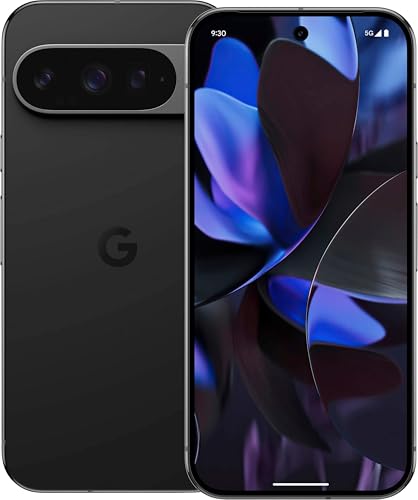
The Pixel 9a continues the a-series tradition of embarrassing more expensive phones in blind photo tests, and the mechanism is no mystery: Google spends its budget on the photograph rather than the spec sheet. The 48-megapixel main camera is optically stabilised and backed by the same processing philosophy as the flagship Pixels, which means faces are exposed for faces, skies keep their gradation, and indoor gatherings emerge warm rather than jaundiced. Its night mode remains the one rivals benchmark against, turning a dim restaurant into a photograph instead of an impressionist smear.
Around the camera, the 9a is a thoroughly modern phone: a bright, smooth display, a battery that finally matches the a-series’ ambitions, wireless charging, water resistance and a seven-year update commitment that makes even a renewed unit a long-term citizen. The renewed listings are where the value sharpens, bringing this camera within reach of budgets that assumed they were shopping a class below. Its limits are honest ones — no telephoto lens, charging that will not win races, and a design that favours function over jewellery. For the buyer whose priority is the photograph itself, none of those limits touches the point.
- Main camera: 48MP with optical stabilisation
- Ultrawide: 13MP companion lens
- Display: bright OLED, smooth refresh
- Software: seven years of updates promised
- Extras: wireless charging, IP68-class resistance
- Listing note: renewed units widen the value
Strengths
- Most consistent point-and-shoot results here
- Night photography leads the mid range
- Long update life protects the purchase
Trade-offs
- No dedicated zoom lens
- Charging speeds are unhurried
- Design is plain beside the Galaxy pair
Best for: family photographers and travellers who want the first frame to be the keeper, every time.
Not suited for: buyers who zoom constantly or need the fastest charging.

Samsung Galaxy A56 5G — Most Complete All-Rounder
The Galaxy A56 5G is what the mid range looks like when a manufacturer stops treating it as a waiting room for the flagship line. The camera system is a genuine trio: a stabilised 50-megapixel main that handles the everyday, an ultrawide that earns its place at gatherings and viewpoints, and processing that has absorbed years of flagship lessons about colour and night scenes. Samsung’s rendering leans bright and vivid, which flatters travel and food photography straight out of the camera, and its video stabilisation is the steadiest here for walking-and-talking clips.
The ownership package is equally grown-up. The 6.7-inch AMOLED screen runs at 120Hz with brightness to spare, the metal-framed body carries proper water resistance, and Samsung’s support commitment for this model stretches to six years of security coverage — flagship territory by any measure. This listing is an international dual-SIM variant, so confirm band compatibility with your carrier, a two-minute check that protects an otherwise seamless purchase. Buyers who want one phone that photographs well, lasts for years and asks nothing exotic of them will find the A56 the easiest recommendation in this guide to live with.
- Main camera: 50MP with optical stabilisation
- Ultrawide: 12MP companion lens
- Display: 6.7-inch AMOLED, 120Hz
- Storage: 256GB on this configuration
- Build: metal frame, water resistant
- Listing note: international dual-SIM — check bands
Strengths
- Versatile camera trio with strong video
- Superb screen and premium-feeling build
- Six-year support commitment
Trade-offs
- International variant needs a carrier check
- No wireless charging
- Macro lens is the weak member of the trio
Best for: buyers wanting one polished phone for photography, media and years of service.
Not suited for: wireless-charging devotees or zoom specialists.

Google Pixel 8a — Previous-Generation Value Pick
Every generation of Pixel creates the same value event a year later: the new model arrives, and the previous a-series — with its camera barely diminished — slides into renewed listings at prices that embarrass new budget phones. The Pixel 8a is that event in its current form. Its 64-megapixel stabilised camera runs the same computational playbook as its successor: merged frames for shadow detail, a night mode that behaves like a superpower at family dinners, and editing tools that can remove a stranger from a holiday group shot or clean the wind noise from a birthday video.
What makes the renewed 8a unusually safe is the calendar. Google promised this generation seven years of updates, and most of that promise still lies ahead, so a renewed unit is not a phone at the end of its story but one in its middle chapters. The screen is bright and smooth, wireless charging and water resistance are present, and the size suits one-handed shooting. Charging remains slow and the bezels are unfashionably honest, but judged as a camera purchase — which is this guide’s brief — the 8a renewed may be the single best photograph-per-money ratio on this page.
- Main camera: 64MP with optical stabilisation
- Ultrawide: 13MP companion lens
- Display: 6.1-inch OLED, 120Hz
- Software: seven-year update promise, mostly intact
- Extras: wireless charging, IP67 resistance
- Listing note: renewed — run the battery check
Strengths
- Camera quality far above its renewed price
- Years of updates still ahead
- Compact size suits one-handed shooting
Trade-offs
- Slow charging by class standards
- Chunky bezels date the design
- Renewed battery condition varies
Best for: value hunters who photograph constantly and can run a first-week condition check.
Not suited for: buyers who want a factory-fresh phone with a full warranty.

Samsung Galaxy A36 5G — Big Screen, Gentle Price
The Galaxy A36 5G is the A56’s more relaxed sibling, and understanding its trade is simple: Samsung kept the parts you look at and trimmed the parts you benchmark. The 6.7-inch AMOLED screen is large and bright, the 50-megapixel main camera keeps its optical stabilisation — the feature that matters most after dark — and the battery is a full-size unit that treats a day of mixed use, photography included, as routine. For the casual photographer who shoots birthdays, holidays and the dog, this camera covers the brief with room to spare.
The savings appear in the supporting cast: the ultrawide is a simpler unit, the processor is an efficiency design, and the frame trades metal for well-finished plastic. Samsung’s update support remains generous for the class, which keeps the phone a safe long-term home for banking and family accounts. This listing is an international variant whose own description names T-Mobile and its networks as the compatible carriers in the United States, so buyers on other networks should choose a different pick from this guide. Within its network, the A36 is the thinking buyer’s Samsung: flagship screen habits and a stabilised camera, without paying for performance headroom most owners never visit.
- Main camera: 50MP with optical stabilisation
- Display: 6.7-inch AMOLED, 120Hz
- Storage: 256GB on this configuration
- Battery: 5,000mAh class endurance
- Network note: listing states T-Mobile family compatibility
- Software: generous Samsung update support
Strengths
- Stabilised main camera kept at the lower price
- Big, bright screen for reviewing photos
- Long support for a budget-friendly model
Trade-offs
- Simpler ultrawide than the A56
- Carrier compatibility needs confirming
- Plastic frame feels less premium
Best for: T-Mobile households wanting a big-screen Samsung whose camera still copes after dark.
Not suited for: buyers on other networks, or ultrawide enthusiasts.

Motorola Moto G Stylus 2025 — For Sketchers and Note-Takers
The Moto G Stylus 2025 is the only phone here with a second creative instrument built in. The stylus lives in a silo in the body, ready for the moments a finger serves badly: marking up a photo to show a contractor where the leak is, sketching a garden plan on a photograph of the garden, signing a document, or simply taking notes that feel like notes. Motorola’s software leans into it with quick note capture and photo markup that owners genuinely use, which is more than can be said for most bundled accessories in this industry.
The camera, meanwhile, refuses to be the afterthought its price might suggest. The 50-megapixel main sensor carries optical stabilisation — still a rarity at this level — and produces clean, naturally coloured photos, with Motorola’s processing favouring realism over Samsung’s vividness. The big screen flatters both the stylus and the photo review, storage is generous with card expansion beyond, and the software stays close to stock Android. Performance is mid-range honest rather than thrilling, and Motorola’s update window is the shortest here. For the buyer who annotates, sketches and photographs in roughly equal measure, no other pick speaks their language.
- Main camera: 50MP with optical stabilisation
- Stylus: built-in, stored in the body
- Display: large LCD, smooth refresh
- Storage: 256GB plus microSD expansion
- Software: near-stock Android with stylus tools
- Extras: headphone jack, splash resistance
Strengths
- Stylus genuinely useful for markup and notes
- Stabilised camera at a friendly price
- Generous storage with expansion
Trade-offs
- Shortest update commitment in this guide
- LCD screen trails the AMOLED rivals
- Performance is steady rather than swift
Best for: contractors, teachers, students and anyone who marks up photos and documents daily.
Not suited for: buyers prioritising the longest software support.

OnePlus 13R — Speed With a Serious Camera
The OnePlus 13R plays a different mid-range game: instead of trimming the processor, it installs a chip from the flagship shelf and lets everything else benefit. For photography, that speed is not a luxury — it is faster focus tracking on moving subjects, instant processing of night shots, and a camera app that never makes you wait while a moment dissolves. The main camera itself is a strong, stabilised unit tuned with a natural colour hand, and the 2x telephoto companion gives portraits the flattering compression that digital zoom cannot fake.
The rest of the phone keeps the performance theme. The screen is bright and fluid, the battery is large and charges at a pace that makes the Pixels look ceremonial, and 12GB of memory with 256GB of storage gives the phone years of headroom. This listing is a renewed dual-SIM unit, so the usual condition checks apply, and OnePlus’s update commitment, while respectable, sits a step behind Google’s seven-year promise. Camera processing is a touch less forgiving than the Pixel’s in chaotic light. But for the buyer who games, edits and photographs on one device, the 13R is the mid-range phone that never asks them to slow down.
- Main camera: 50MP with optical stabilisation
- Telephoto: 2x optical companion lens
- Processor: flagship-class Snapdragon
- Memory and storage: 12GB RAM, 256GB
- Battery: large cell with very fast charging
- Listing note: renewed dual-SIM unit
Strengths
- Flagship speed transforms camera responsiveness
- Real telephoto lens for portraits
- Charging speed embarrasses the field
Trade-offs
- Processing less forgiving than Pixel in mixed light
- Update promise trails Google’s
- Renewed condition varies — inspect early
Best for: photographers who also game, edit video and multitask heavily on one phone.
Not suited for: buyers wanting the absolute longest update support.
What actually separates a mid-range camera from a flagship one now?
Less than the price gap implies, and the remaining differences live at the edges. Flagships pull ahead in zoom range, with periscope lenses that reach subjects a mid-range phone can only crop toward; in sensor size, gathering light a mid-range unit must simulate with processing; and in video, where flagship stabilisation and dynamic range survive harsher scrutiny. In the broad middle of photography — daylight scenes, portraits at arm’s length, indoor gatherings, food, pets, city breaks — a good mid-range camera like the Pixel 9a’s produces results that most viewers cannot separate from flagship output without a magnifier and an agenda.
Knowing where the edges are lets you spend honestly. If your photography involves distant wildlife, stage performances from the back rows, or a great deal of zoomed video, the flagship premium buys something real and this class will frustrate you. If your camera roll looks like most people’s — people you love, places you went, things you ate, light you liked — the mid range is not a compromise but the rational terminus of the value curve, and the money saved buys the trip you will photograph.
How do you choose between Google’s processing and Samsung’s versatility?
The two philosophies divide this guide, and the choice is about temperament as much as technology. Google’s Pixels bet on a superb main camera and software that makes decisions for you: expose for the face, merge the frames, balance the sky. The result is the highest keeper rate in the business — the largest share of shots that come out right the first time — at the cost of creative control and a second lens that plays a supporting role. Samsung’s A series bets on coverage: a main camera, a real ultrawide, and processing that renders the world bright and eager, flattering scenery and celebrations while occasionally over-polishing skin.
A practical way to decide is to audit your own camera roll. If it is mostly people, especially indoors and after dark, the Pixel’s processing will serve you best. If it is mostly places — landscapes, architecture, group scenes where the wide shot tells the story — Samsung’s lens coverage earns its keep. Video tilts the argument Samsung’s way for smoothness, while long-term software support tilts it Google’s. Neither answer is wrong, which is precisely why this class is so enjoyable to buy in: you are choosing a personality, not escaping a defect.
What camera habits get flagship results from mid-range hardware?
Mid-range sensors reward the same fundamentals as any camera, and the first is proximity. Every phone camera improves dramatically when the photographer walks closer instead of zooming digitally, because digital zoom is merely a crop wearing confidence. The second habit is using the main lens for anything that matters: on every pick here, the main camera has the largest sensor and the stabilisation, while the ultrawide and macro lenses are daylight tools. Switch to the ultrawide for space and drama, not for quality.
Light management is the third habit, and it is free. Turn your subject toward the window, step back into open shade at noon, and at night brace the phone against something solid and let the night mode take its several seconds without wobbling. Clean the lens before any of it — a pocket-polished smear is the single largest quality problem in phone photography, and no processing fully undoes it. Finally, shoot the extra frame. Storage on these phones is generous, moments are not, and the second frame of a group is where the blinker blinks alone.
Renewed mid-range phones: how to buy a great camera for less?
The renewed market is where this guide’s value multiplies, because camera hardware ages slowly while prices fall quickly. A renewed Pixel 8a or OnePlus 13R carries a camera that was competitive at launch and remains so, at a price that undercuts new budget phones with far weaker cameras. The discipline is in the inspection: buy listings with explicit condition grades and return windows, then test the battery through two ordinary days, photograph plain light and dark scenes to check for sensor spots, and confirm the storage and model variant match the description.
Software is the renewed buyer’s second check, and here the picks were chosen kindly: the Pixels carry years of remaining update promise, and Samsung’s A series support is generous, so a renewed unit is buying into a living product rather than a museum piece. One caution deserves emphasis — water resistance ratings describe a new phone’s seals, and a renewed phone’s history is unknown, so treat any rating as a pleasant rumour rather than a promise. Bought with those eyes open, a renewed mid-range camera phone is arguably the smartest photographic purchase in the entire market.
Which camera temperament matches the way you shoot?
Portraits and family life point to the Pixels. The 9a’s processing protects faces in the mixed light where families actually gather, and the 8a renewed offers most of that gift for less. Travel and scenery point to the Galaxy A56, whose ultrawide and vivid rendering flatter places, while its video stabilisation suits the walking tour. The A36 serves the same traveller on a tighter budget, provided their network matches the listing.
The specialists complete the picture. The Moto G Stylus belongs to the annotator — the person whose camera is a work tool for sites, classrooms and projects, and whose photos get drawn on as often as they get shared. The OnePlus 13R belongs to the restless: the photographer who shoots, edits, posts and plays on the same device and feels every millisecond of lag as a personal insult. Six phones, six temperaments, one shared trait — none of them will be the reason a good photograph fails to happen.
How do these cameras handle the five scenes that actually matter?
Rankings dissolve in real scenes, so consider the five that fill actual camera rolls. The family gathering indoors belongs to the Pixels: their processing untangles warm lamplight and mixed bulbs while protecting faces, and the 9a’s keeper rate in a living room is the highest here. The Galaxy pair run them close with brighter rendering that some families prefer, while the Moto and OnePlus produce honest results that ask a little more of the light. Nobody fails this scene in 2026 — the mid range grew up — but the order matters when it is the scene you shoot weekly.
The holiday landscape reverses the order. Samsung’s ultrawide lenses and vivid colour flatter scenery and architecture, and the A56 becomes the traveller’s favourite, with the A36 behind it. The Pixels shoot landscapes beautifully through their main lenses but ask you to step back where the Galaxies simply switch lenses. The school concert and the sports day belong to whoever zooms best, which here is the OnePlus 13R’s real telephoto, modest as it is, followed by the main-lens crops of the Pixels. The evening street and the restaurant table return the crown to Google’s night processing, with Samsung’s stabilised A56 the runner-up. The pet portrait — fast, close, unforgiving — rewards the OnePlus’s speed and the Pixels’ focus judgement in equal measure.
The lesson is that this class no longer has a best camera; it has best cameras, plural, assigned by scene. Audit your own roll before buying, count which of the five scenes dominates it, and the shortlist shortens itself. That is a luxurious problem, and it is exactly what mid-range money is supposed to buy.
What do you give up versus a flagship, scene by scene?
Honesty about the flagship gap keeps mid-range buyers happy, because the gap is real but located precisely. Zoom is the largest surrender: a flagship’s periscope lens photographs the stage, the bird and the far stand with a clarity no phone here can imitate, and if your roll is full of distant subjects, that difference is not a detail but the whole purchase. Video at the extremes is the second surrender — flagship stabilisation and dynamic range survive backlit movement and concert chaos a notch better. The third is speed of capture in the worst light, where larger flagship sensors focus and expose with an authority the mid range approximates.
Everywhere else, the surrender shrinks to taste. Daylight scenes, portraits, food, street photography, family video — in these, the flagship’s advantage is visible mainly to people paid to look for it, printed side by side. There is also a surrender in the other direction that comparisons rarely mention: the flagship buyer gives up money that buys travel, prints, and the large framed photograph of the family that the mid-range phone captured identically. Photography is one of the few pursuits where the equipment’s cost can directly subtract from the experiences available to photograph.
So the flagship question is really a subject question. Distant, dark and fast subjects justify flagship money; near, lit and loved subjects do not. The six phones in this guide were chosen to make that sentence true, and a buyer who matches their subjects to it will never feel the gap they declined to pay for.
How should you configure a mid-range camera phone on day one?
A few settings, changed once, lift every photograph the phone will ever take. First, the grid: switch on the composition grid and the level indicator, because straight horizons and deliberate thirds are worth more than any filter. Second, the resolution defaults: confirm the camera is saving its standard binned mode for everyday shots — the right balance of quality and size — and learn where the full-resolution mode hides for the bright-day scenes where cropping may follow. Third, storage: choose the efficient file format the phone offers, and turn photo backup on before the first real photograph exists.
Then arrange the camera for speed. Place it on the home screen’s dock and enable whatever quick-launch the maker provides — a double press of a button on the Pixels and Galaxies, a wrist twist on the Motorola — because the photograph you miss while unlocking a phone is the one the specification sheet never mentions. Set the volume button to act as the shutter for the gloved and one-handed moments. Decide, once, whether location tags belong on your family photographs, and set it deliberately rather than by default.
Finish with the unglamorous insurance: a case that raises a lip around the camera lenses, because mid-range phones live in pockets with keys, and a lens scratch taxes every future photograph. None of this takes ten minutes, and all of it compounds across thousands of frames. The best camera in this class is the one that was set up properly by an owner who understood that photography is a system, not a sensor.
How do the screens and batteries serve the photography?
A camera phone’s screen is its darkroom, and the mid range’s screens have become genuinely good places to judge a photograph. The Galaxy pair lead here: their AMOLED panels are bright enough to review a shot in full sunlight at the viewpoint where it was taken, which is when retakes are still possible. The Pixels follow closely, and even the Motorola’s LCD, the weakest panel here, is large and honest. When you compare these phones, spend a minute in the gallery app rather than the camera app; the screen you trust is the screen that makes you a better editor of your own work.
Battery is the second supporting act, and photography is hungrier than it looks. A day of travel shooting — camera waking constantly, location running, screen bright, uploads trickling over mobile data — consumes what a day of messaging never would. The larger batteries in the Galaxy pair and the OnePlus carry such days with the least anxiety, the OnePlus adding charging fast enough to refill during lunch. The Pixels ask for a modest top-up on the heaviest days, a small tax worth planning around with a pocket power bank rather than discovering at the golden hour.
Neither factor appears in camera comparisons, and both decide whether the camera gets used. A photographer who trusts their screen and ignores their battery gauge takes more photographs, and taking more photographs is the oldest route to taking better ones. Judge the whole instrument, not just its lens.
What will these cameras still do well in three years?
The reassuring answer is: almost everything they do today, because camera hardware does not wear out at software’s pace. The lenses and sensors in these phones will capture light in three years exactly as they do now, and the photographs that delight you this summer will be reproducible on the same phone long after its launch reviews are forgotten. What changes is the margin: newer phones will process faster and zoom further, and your phone’s results will slip from the frontier to the comfortable middle — which is where, this guide has argued, most photography happily lives.
Software decides how gracefully that slip happens. The Pixels’ seven-year update promise includes years of camera refinements delivered to a phone already in your pocket, and Samsung’s support for the A series is nearly as generous; both makers have histories of improving existing cameras through updates. The Motorola’s shorter runway is its honest weakness, and the OnePlus sits between. When you buy a mid-range camera phone, you are partly buying its maker’s intention to keep improving it, and that intention deserves a line in the comparison beside the lenses.
Care completes the picture. A lens kept clean and unscratched, a battery treated kindly, storage kept breathing — these small stewardships are why some three-year-old phones still feel like cameras and others feel like apologies. The mid range rewards owners who look after their tools, because its hardware was never the limiting factor. Buy the phone whose temperament matches yours, maintain it lightly, and it will still be making your family’s archive when its successor’s successor launches.
How do you care for a camera phone so its photos stay sharp for years?
A phone camera’s enemies are mundane: the pocket’s abrasive lint, the handbag’s keys, the table’s grit, and the owner’s own fingertips. The lens glass on modern phones is hard, but its coatings are not invulnerable, and a year of micro-scratches taxes contrast in exactly the backlit scenes where these cameras already work hardest. The defence is a case whose camera surround stands proud of the lenses, a habit of carrying the phone in a pocket that keys do not share, and the two-second lens wipe before any photograph that matters. That wipe, performed faithfully, is worth more than any accessory in the industry.
Software care keeps the other half of the promise. Camera improvements arrive through the same updates as everything else, so a phone kept current is a camera that quietly improves — the Pixels and Galaxies in this guide have both received meaningful photographic upgrades mid-life. Storage headroom protects the habit of shooting freely, and the occasional gallery cull, done with backup confirmed, keeps the archive an asset rather than an anxiety. A mid-range camera maintained this way does not merely survive its years; it narrows the gap to its successors while it does so.
What accessories genuinely improve mid-range phone photography?
Very few, and the honest list is short enough to memorise. A small tripod or grip with a remote shutter transforms night and group photography, letting the phone’s night mode work from stillness and putting the photographer back inside the family photograph where they belong. A pocket power bank protects the heavy shooting day. A case with a camera lip protects the lenses. Those three items, together costing less than a celebratory dinner, cover the accessory needs of ninety percent of the photographers this guide serves.
The rest of the accessory shelf should be approached as entertainment rather than equipment. Clip-on lenses sit in front of lenses that were better without them, their edges soft and their colours wandering. Gimbals smooth video beautifully for the three occasions a year most owners film anything ambitious. Lighting panels flatter the video caller more than the photographer. None of these is a scam; all of them solve problems most camera rolls do not have. Spend first on the trip you will photograph and the printing of what you capture — the mid-range camera’s real accessories are experiences and frames.
How do you move a lifetime of photos when you change phones?
The upgrade moment is when photo archives are lost, and a calm method prevents it. Begin a week early: confirm the backup on the old phone has genuinely completed, by opening the photo service on a computer and finding yesterday’s photograph there — trust, then verify, because a backup assumed is a backup unmade. Transfer day then becomes a formality, whether by cable, by the makers’ switching tools, or by simply signing the new phone into the same library and watching the archive arrive.
Take the opportunity the move offers. A new phone is the natural moment to cull the screenshots and duplicates a library accumulates, to confirm the family’s shared albums still point at the right people, and to check that the new phone’s camera settings match the intentions described earlier in this guide. Keep the old phone, charged and unreset, for a fortnight after the move; archives reveal their gaps slowly, and the old device is the only witness. After that fortnight, reset it with a clear conscience and pass it down the family cascade, where a mid-range camera of this quality begins a second photographic life.
How do you read sample photos like a reviewer?
Sample galleries are the mid-range buyer’s best evidence, provided they are read with a method rather than a mood. Ignore the sunsets first: every camera in this guide photographs a sunset beautifully, because the scene does the work. Go instead to the indoor photograph of people, taken under the gallery’s worst lighting, and study the faces — whether skin looks like skin, whether the eyes survived, whether the background’s bright window consumed the exposure. That single frame ranks these six phones more honestly than a specification table ever will, and it is the frame your own camera roll is made of.
Read the edges next. Ultrawide samples reveal their makers’ honesty at the corners, where cheap lenses smear and good processing confesses its limits. Read the night street for the balance between brightness and truth: a night mode that turns midnight into noon has documented the scene and betrayed it, while the Pixels’ restraint and Samsung’s cheer represent two defensible philosophies you should choose between consciously. Finally, read the photograph of the moving subject — the dog, the child, the cyclist — because focus judgement under motion is the skill that separates a camera you trust from a camera you apologise for.
Then close the gallery and ask the only question that outranks the evidence: whose photographs did you enjoy? Camera character is real, it survives every objective tie, and living for three years with a rendering style that pleases you is worth more than a rival’s marginal victory in a scene you never shoot. The mid range has matured past the point where a wrong choice exists among these six; what remains is the right choice, and it is written in your own taste as plainly as in any test chart.
What role does the front camera play in this class?
The camera that points at its owner takes a growing share of the modern archive — the video call’s frozen smile, the group selfie at the viewpoint, the grandchild’s call answered from the garden — and the mid range has quietly become good at it. The Pixels bring their processing fairness to faces at arm’s length, exposing the group rather than the sky behind it. The Galaxy pair add wider front lenses that fit the group without the photographer’s arm achieving yoga. The OnePlus and Motorola serve the solo caller and the social poster perfectly well, their front cameras honest tools rather than headline acts.
Video calling deserves its own sentence, because for many families it is the front camera’s real job. All six phones here present their owners clearly on the major calling apps, with the Galaxy pair’s screens making the other end of the conversation the most pleasant to watch. If the phone is a gift for a relative whose grandchildren live on its screen, weight this section as heavily as the main camera’s: the best camera phone for that buyer is the one that makes faces — theirs and yours — look loved at arm’s length, in kitchen light, on an ordinary Tuesday.
One last check before you order any of these six
Before the order is placed, verify the configuration with a photographer’s priorities. Confirm the storage tier, because a camera phone’s drive is its film budget and the larger option is rarely regretted. Confirm the variant’s network bands if the listing describes an international model, and for renewed units confirm the grade and the return window, then plan the battery and lens inspection for the first days of ownership. Check whether the charger in your drawer matches the phone’s expectations or whether one joins the order. Then stop researching. The six cameras in this guide are close enough in quality that the difference between the best choice and the second-best is smaller than the difference made by a month of actually shooting with either — and the photographs you take while others are still comparing are the ones that end up framed. Buy the phone whose character matched your camera roll, set it up in ten honest minutes, and go and stand somewhere beautiful with it.
Comparison table
| Pick | Badge | Standout trait | Main compromise |
|---|---|---|---|
| Google Pixel 9a | Best Camera in the Class | Flagship processing, mid-range money | No telephoto, slow charging |
| Samsung Galaxy A56 5G | Most Complete All-Rounder | Complete package with long support | Band check, no wireless charging |
| Google Pixel 8a | Previous-Generation Value Pick | Former favourite at renewed money | Ageing design, slow charging |
| Samsung Galaxy A36 5G | Big Screen, Gentle Price | Stabilised camera, big screen, lower price | Network and ultrawide limits |
| Motorola Moto G Stylus 2025 | For Sketchers and Note-Takers | A stylus and a stabilised camera together | LCD screen, shorter updates |
| OnePlus 13R | Speed With a Serious Camera | Flagship chip plus a real zoom lens | Support window and renewed variance |
What mistakes do mid-range camera buyers keep making?
The most expensive mistake is counting lenses instead of judging them. A mid-range phone with a superb main camera and one honest ultrawide will out-photograph a phone wearing four lenses of which two are decorative macro and depth units. Ask what each lens does and look at samples from the main camera first, because it will take ninety percent of your photos.
A second mistake is ignoring stabilisation. Optical stabilisation is the feature that decides whether evening and indoor photos — the majority of family photography — come home sharp. A higher megapixel count on an unstabilised sensor produces larger blurry photos, not better ones, and spec sheets rarely volunteer the distinction.
Third, buyers forget that the camera is software with a lens attached. Two phones with similar hardware can produce wildly different photographs because of processing, and the maker with the better computational record — and the longer update commitment to keep improving it — is usually the safer camera purchase over a three-year life.
Finally, people buy the camera and neglect the canvas: a dim, dull screen makes good photos look bad and discourages the editing and sharing that justify the purchase. Every pick here has a screen worthy of its camera, and that pairing, quietly, is what mid-range money is actually for.
Final Recommendation
If the photograph is the priority, buy the Pixel 9a and stop deliberating; its processing delivers the highest keeper rate in the class and its support promise protects the purchase for years. The Galaxy A56 5G is the better all-round phone for travellers who value lens coverage and video, the renewed Pixel 8a is the value event of the moment, and the A36, Moto G Stylus and OnePlus 13R serve the big-screen saver, the annotator and the speed lover respectively.
The mid range has become the segment where camera money works hardest, and the honest summary is that any of these six will take photographs their owners are proud to share — so choose by the temperament that matches your camera roll, check the listing like a professional, and spend the money you saved on somewhere worth photographing.
Frequently Asked Questions
Is a mid-range camera phone good enough to replace a compact camera?
For most people, yes. The best picks here match or beat ageing compact cameras in daylight and defeat them after dark thanks to computational night modes, while also editing and sharing instantly. A dedicated compact still wins on optical zoom range and handling for enthusiasts, but as an everyday photographic tool the mid-range phone has effectively inherited the compact’s job.
Pixel or Galaxy: which takes better photos?
They take different photos. Pixels produce the most consistent, natural results with the least effort, especially of people in mixed light. Galaxies render brighter, more vivid scenes and offer a more useful ultrawide and smoother video. Photograph people and choose Google; photograph places and choose Samsung — and either way, look at sample galleries in the style you shoot.
Does optical stabilisation really matter?
Enormously, in the situations where phones struggle. Stabilisation lets the camera use slower shutter speeds without blur, gathering more light for evening and indoor photos, and it smooths video noticeably. It is the single hardware feature most responsible for the gap between budget and mid-range cameras after dark.
How long will these phones keep receiving camera improvements?
Camera software improves through system updates, so the update commitment is part of the camera purchase. The Pixels here carry seven-year promises, Samsung’s A series is close behind, and both makers ship meaningful camera refinements over a phone’s life. A phone whose updates end stops improving photographically even though its lens is unchanged.
Is 256GB worth choosing for a camera phone?
For photographers, usually yes. High-resolution photos, night-mode files and especially video accumulate quickly, and a phone that fills up stops being a camera at the worst moments. Configurations in this guide with 256GB, or card expansion like the Moto G Stylus, remove that anxiety for the phone’s whole life.
Can these phones shoot good video as well as photos?
Yes, within the class’s honest limits. All six record stabilised 4K video from their main cameras, with the Galaxy pair offering the smoothest walking footage and the OnePlus the fastest processing. Flagships still lead for zoom video and extreme dynamic range, but for family films, travel clips and social video these phones are thoroughly capable.
There is a quiet confidence test that separates this class from everything below it: hand the phone to a friend at a gathering, point at a scene worth keeping, and watch whether they hesitate. With every pick in this guide, they will not — the camera opens fast, the frame looks right, and the photograph they take is one you will keep. That absence of hesitation, multiplied across birthdays and holidays and ordinary golden evenings, is what mid-range money actually buys, and it is why photographers who understand their own habits increasingly stop shopping at exactly this level, content that the camera has stopped being the problem and become, again, simply the way they remember things. Choose the one whose hesitation is smallest in your own hands, in your own light, among your own people, because that lived test — repeated at every gathering for years — will confirm the decision far more thoroughly than any laboratory ranking, including this one, ever could, and it is the test every photographer in this class is really buying the right to pass.
Related Guides
Keep exploring with our guides to simple camera phones, five-gigabit camera flagships and bargain camera handsets: best 10mp camera phones best 5g camera phones best bargain smart phones with camera
Related guides
- Best Basic Phones Camera Buyers Can Trust: Flip Phones and Simple Handsets That Still Take a Photograph
- Best 3 Camera Cell Phones: Six Triple Systems Where Every Lens Earns Its Place
- Best 10MP Camera Phones: Why the Honest Answer Is a Simple, Modern Camera
- Best Bargain Smart Phones With Camera: Real Photographs Without the Flagship Bill